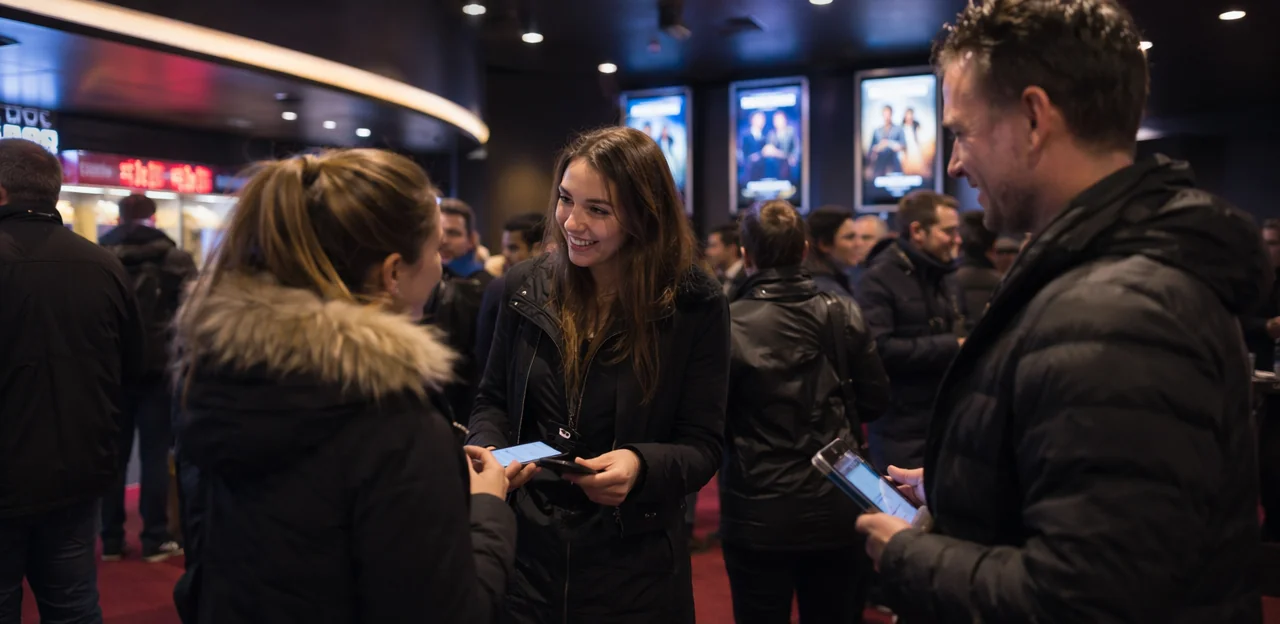
A packed agenda, a full venue, and strong registration numbers can make an event look successful on paper, but the real attendee experience often tells a different story. Long queues, poor room temperature, unclear signage, audio issues, or disappointing catering can quickly turn excitement into frustration. The problem is that by the time organizers discover these issues through a post-event survey, the moment to fix them has already passed.
That is where live event feedback becomes so valuable. Instead of waiting until the conference or event is over, organizers can capture attendee sentiment in real time and respond while the experience is still unfolding. A quick rating at registration, outside a session room, or near a catering station can reveal operational problems early enough for teams to take action and prevent small issues from becoming bigger ones.
In this article, we will explore how live event feedback helps organizers spot friction points, improve service recovery, and protect the overall event experience before the event ends. We will also look at practical ways to collect feedback at key touchpoints and how tools such as Tapsy can help event teams gather insights quickly and act on them immediately.
Why live event feedback matters for event success

What live event feedback means in practice
Live event feedback is the real-time attendee input collected while an event is still happening, not after everyone has gone home. It can come from:
- QR code surveys at exits, booths, or catering areas
- Event apps and push prompts
- SMS feedback links
- Staff check-ins during queues or sessions
- Social listening across event hashtags and mentions
This differs from post-event surveys because real-time event feedback gives organizers a chance to act immediately. If attendees report long registration lines, poor audio, unclear signage, or room temperature issues, teams can fix them before they affect more people.
In practice, strong event attendee feedback systems are short, easy to access, and tied to clear internal alerts. Tools like Tapsy can help capture feedback at the exact touchpoint where the experience happens.
How real-time feedback protects the attendee experience
Live event feedback gives organizers a chance to fix problems while attendees are still on-site, not days later in a post-event survey. That speed is critical for protecting the event experience, preserving attendee satisfaction, and reducing the impact of real-time event issues before they spread.
- Spot operational friction early: Flag long registration lines, food shortages, or confusing signage before frustration builds.
- Resolve comfort and tech problems fast: Route AV failures, poor acoustics, or room temperature complaints to the right team immediately.
- Prevent score damage: Quick intervention helps stop minor issues from turning into negative reviews, low satisfaction scores, or social posts that weaken brand trust.
- Act by location and timing: Tools like Tapsy can capture touchpoint-level feedback and trigger alerts where problems happen most.
The cost of waiting until after the event
Relying only on end-of-event surveys creates serious post-event survey limitations. By the time attendees respond, the moment to fix the issue has already passed.
- Missed service recovery: Long queues, poor audio, confusing signage, or catering problems can damage satisfaction if no one acts in real time.
- Negative word of mouth: Frustrated guests often share bad experiences immediately on social media or with peers, hurting event reputation before organizers even review results.
- Lower retention: If attendees leave disappointed, they are less likely to return, renew, or recommend the event.
- Reduced sponsor confidence: Sponsors want proof that organizers can protect the attendee experience and respond fast when problems appear.
That’s why live event feedback matters: it turns complaints into recovery opportunities. Tools like Tapsy can help teams detect issues and act before the event ends.
How to collect live event feedback effectively

Best channels for gathering feedback during an event
To capture live event feedback early enough to fix issues, use fast, low-friction channels at the moment attendees experience them:
- Mobile event apps: Best for conferences and corporate events. Use mobile event app feedback prompts after sessions, meals, or keynotes.
- Push polls: Ideal for instant pulse checks during presentations or breakouts. Keep to 1–2 questions.
- QR code surveys: A QR code event survey works well at room exits, registration desks, catering areas, and expo zones.
- SMS check-ins: Great for corporate events where attendee lists are known. Useful for quick service recovery alerts.
- Kiosk stations: Best for trade shows and high-traffic areas where attendees may not want to use their phones.
- Chatbot prompts: Helpful inside event websites or apps for routing complaints to the right team.
- Staff-led intercept interviews: Valuable for trade shows and VIP events when deeper context matters.
The best event feedback tools combine multiple channels with real-time alerts. Solutions like Tapsy can help teams collect no-app QR feedback at physical touchpoints.
Questions to ask for fast, useful responses
For effective live event feedback, keep event survey questions short enough to answer in seconds but specific enough to trigger action. Strong real-time survey design should capture three essentials: urgency, location, and issue type.
- Start with urgency:
“Do you need help now?” or “Is this affecting your experience right now?” - Pinpoint location:
“Where are you?” with options like registration desk, Session Room A, catering area, networking lounge, or accessible entrance. - Classify the issue:
Use simple attendee feedback questions such as:- “What’s the problem?”
- Session audio/video
- Long registration queue
- Food/drink unavailable
- Room too hot/cold
- Networking area too crowded
- Accessibility barrier
- “What’s the problem?”
- Add one optional comment:
“What happened?” for quick context.
Keep answer choices operational, not vague, so teams can route issues fast. Tools like Tapsy can help collect this feedback at the exact touchpoint where problems happen.
How to increase response rates without disrupting attendees
To increase survey response rate during an event, make feedback feel quick, relevant, and easy to act on. The best live event feedback requests fit naturally into the attendee journey rather than interrupting key moments.
- Choose the right timing: Ask right after a session, meal, or check-in, when impressions are fresh but attendees are not rushing to the next priority.
- Keep surveys short: Aim for 1–3 questions with one optional comment box. Short formats improve attendee participation and reduce drop-off.
- Offer light incentives: Small rewards like coffee vouchers, prize draw entries, or exclusive content can boost event engagement without feeling transactional.
- Place messages strategically: Use QR codes on exit signage, screens, badges, or tables in waiting areas so feedback appears at natural pause points.
Tools like Tapsy can help place no-app feedback prompts exactly where response is most likely.
Turning feedback into action before the event ends

How to triage issues by urgency and impact
A simple event issue triage framework helps teams turn live event feedback into fast, confident action. The goal is to sort every issue by both urgency and business impact so event operations can focus on what matters first.
- Critical priority — act immediately
- Safety, security, medical, or accessibility risks
- Problems affecting large attendee groups
- Major VIP, speaker, or sponsor disruption
- High brand risk, such as public complaints or social media escalation
- High priority — resolve during the event
- Long queues, AV failures, poor signage, catering shortages, or room comfort issues
- Issues affecting a noticeable number of attendees
- Problems with visible impact on key sessions or premium guests
- Low priority — monitor and batch
- Minor inconvenience with limited reach
- Single-location or one-off complaints
- Cosmetic or non-urgent improvements
For better real-time problem solving, score each issue against four filters: safety, attendee volume affected, VIP impact, and brand risk. If an issue scores high on any one of these, escalate it quickly. Tools like Tapsy can help surface and route feedback in real time.
Building a rapid response workflow for event teams
A strong event response workflow turns live event feedback into action before frustration spreads. The key is to tag each issue by category, urgency, and location, then route it to the team that can fix it fastest. Clear ownership improves event team communication and keeps your service recovery process consistent.
- Operations: signage, crowd flow, room temperature, seating, cleanliness
- AV: microphones, screens, streaming, lighting, presentation issues
- Catering: stock shortages, dietary errors, long lines, refill delays
- Venue staff: toilets, safety hazards, access problems, housekeeping
- Registration: badge errors, queue bottlenecks, check-in delays
- Customer support: attendee complaints, VIP handling, refunds, special assistance
Set simple escalation paths:
- Critical issues (safety, major AV failure, access problems): alert owner immediately, escalate to event lead within 5 minutes.
- High-priority service issues: assign within 10 minutes, resolve or update within 15–20 minutes.
- Lower-priority issues: batch review every 30–60 minutes.
Tools like Tapsy can help capture and route feedback in real time, but the real win comes from defined owners, SLAs, and fast follow-through.
Examples of fixes organizers can make in real time
When live event feedback is collected during the event, organizers can fix event problems fast instead of waiting for post-event surveys. Strong on-site event management means turning attendee comments into visible action within minutes.
- Open extra check-in desks when registration queues grow, and redirect staff from lower-priority areas.
- Adjust room temperatures if multiple attendees report spaces feeling too hot or too cold.
- Update signage for session rooms, restrooms, catering, or networking areas when guests say navigation is confusing.
- Replace microphones or troubleshoot AV immediately if speakers cannot be heard clearly.
- Change session layouts by adding chairs, widening aisles, or switching to a different room when attendance exceeds expectations.
- Communicate delays clearly through screens, announcements, SMS, or the event app so attendees know what is happening and what to do next.
These are practical event service recovery examples that improve attendee trust. Tools like Tapsy can help teams capture issues at key touchpoints and respond before small frustrations become bigger experience problems.
Using service recovery to rebuild trust on site

What good service recovery looks like at live events
Strong service recovery at events is simple, fast, and visible. When live event feedback highlights a problem, teams should follow a clear process:
- Acknowledge the issue immediately so attendees feel heard.
- Apologize when appropriate, especially if the problem affected comfort, access, or timing.
- Act quickly to fix what can be fixed during the event, whether that is signage, seating, catering, or queue management.
- Communicate clearly about what is happening, who is handling it, and when attendees can expect a resolution.
- Follow up to confirm the issue was resolved.
This approach improves customer service at events, strengthens event complaint handling, and helps turn a negative moment into a better attendee experience.
How staff should respond to attendee complaints
Strong attendee complaint response starts with clear, calm frontline communication. In live event feedback situations, staff should:
- Acknowledge emotion first: “I’m sorry this happened” lowers tension and shows empathy.
- Take ownership: Even if another team caused the issue, the first staff member should stay responsible until handoff.
- Use a consistent response framework: listen, confirm the problem, explain next steps, and give a realistic timeline.
- Adapt to the guest type: frustrated attendees need reassurance, speakers need fast technical support, sponsors need proactive updates, and VIPs expect discreet, confident handling.
- Close the loop: confirm resolution and log patterns for better guest experience management and future event staff training.
Tools like Tapsy can help teams spot and route issues quickly.
When proactive communication prevents bigger problems
Strong proactive attendee communication can turn a frustrating moment into a manageable one. When live event feedback reveals delays, room changes, or service issues, respond fast and clearly through every attendee touchpoint.
- Announcements: Use stage or PA updates to explain what happened, what is being fixed, and when attendees can expect the next update.
- App notifications: Send real-time alerts with revised schedules, room locations, or queue alternatives.
- Signage updates: Change digital screens and wayfinding signs immediately to reduce bottlenecks and confusion.
- Moderator messaging: Brief session hosts to repeat key updates calmly and consistently.
A clear event communication plan is essential for effective event disruption management. Tools like Tapsy can help teams spot issues early enough to communicate before frustration spreads.
Tools, dashboards, and metrics to monitor live event feedback

What to track in a live feedback dashboard
A strong event feedback dashboard should highlight the event metrics that help teams act fast during live event feedback collection:
- Response volume to spot low-participation areas
- Attendee sentiment by touchpoint, session, or time
- Issue category such as queues, catering, audio, cleanliness, or staffing
- Location data to pinpoint where problems are happening
- Resolution time to measure service recovery speed
- Satisfaction by session to compare speakers and formats
- Recurring complaint themes to identify patterns before they escalate
Tools like Tapsy can help surface these insights in real time.
How to combine survey data with operational signals
To make live event feedback truly useful, combine survey responses with real-time operational data:
- Match sentiment scores with app engagement to spot weak sessions or low-interest content.
- Compare feedback with foot traffic to identify overcrowding, queue build-up, or underused areas.
- Review help desk logs and staff reports alongside complaints to confirm recurring issues fast.
- Use social listening for events to catch public frustration or praise missed in surveys.
This kind of event data integration strengthens event analytics and helps teams prioritize fixes before the event ends.
Choose an event technology platform built for action, not just data collection. Prioritize real-time feedback software that gives teams:
- Instant alerts for low scores, safety issues, or negative comments
- Segmentation by session, venue area, time, or attendee type
- Mobile access so staff can respond on the floor
- Integrations with messaging, CRM, ticketing, or helpdesk event management tools
- Live reporting with dashboards that highlight trends fast
The best setup turns live event feedback into clear next steps. Tools like Tapsy can support this with no-app QR/NFC feedback and rapid issue routing.
Best practices for creating a continuous feedback culture

Preparing before the event starts
A strong live event feedback process begins before doors open. Add these steps to your event planning checklist:
- Assign owners: define who monitors feedback, who fixes issues, and who communicates updates.
- Set issue categories: group alerts by queues, AV, catering, cleanliness, safety, or staffing.
- Create escalation rules: decide what triggers immediate action and who gets notified.
- Prioritize event staff preparation: train teams to respond quickly and consistently.
- Test channels: check QR codes, forms, alerts, and dashboards before attendees arrive.
This pre-event feedback strategy helps teams solve problems fast.
Learning from live event feedback after the event
After the event, turn live event feedback into a practical feedback loop for stronger event improvement:
- Review patterns by session, venue area, time slot, and team to spot recurring issues.
- Use post-event analysis to separate one-off complaints from trends, such as repeated AV failures or long registration queues.
- Identify root causes by matching comments with staffing levels, supplier performance, signage, or room setup.
- Update playbooks, escalation rules, and vendor briefs so future conferences, meetings, and live experiences can prevent the same problems before they affect attendees.
Common mistakes organizers should avoid
- Collecting too much data: Long forms reduce response rates. For better live event feedback, follow survey best practices and keep questions short and tied to immediate decisions.
- Asking vague questions: Replace “How was it?” with specific prompts about queues, audio, signage, or catering.
- Failing to close the loop: If attendees report issues, act fast and confirm fixes.
- Ignoring frontline staff input: They often spot event operations challenges first.
- Not communicating improvements: Visible updates help prevent repeat complaints and reduce common event feedback mistakes.
Conclusion
In fast-moving events, waiting until the post-event survey is simply too late. The real value of live event feedback is that it gives organizers a chance to spot friction points while attendees are still on site and willing to engage. Whether the issue is long registration queues, poor room temperature, unclear signage, catering delays, or session quality, real-time input helps teams respond quickly, recover service, and protect the overall event experience before small problems become lasting negative impressions.
The most effective approach is simple: collect feedback at key touchpoints, monitor patterns as they emerge, and route urgent issues to the right team immediately. This turns feedback from a reporting tool into an operational advantage. Over time, live event feedback also reveals recurring themes that can improve planning, staffing, venue layout, and sponsor performance for future events.
If you want to make your next event more responsive, start by identifying your highest-risk attendee touchpoints and putting a clear feedback process in place. You can also explore tools such as Tapsy to capture no-app, real-time feedback through QR or NFC touchpoints during events and conferences.
Don’t wait until the event is over to learn what went wrong. Build live event feedback into your event strategy and turn every attendee insight into action.
Frequently Asked Questions
- What is live event feedback?
Live event feedback is attendee input collected while the event is still happening rather than after it ends. It can come through QR code surveys, event apps, SMS links, staff check-ins, or social listening.
- Why is real-time feedback more useful than a post-event survey?
Real-time feedback gives organizers a chance to fix problems while attendees are still on site. Post-event surveys often reveal issues only after the opportunity for service recovery has passed.
- What kinds of event problems can live feedback help uncover quickly?
It can reveal long registration lines, poor audio, unclear signage, room temperature complaints, food shortages, and accessibility barriers. Catching these issues early helps prevent frustration from spreading.
- Which channels work best for collecting feedback during an event?
Useful channels include mobile event apps, push polls, QR code surveys, SMS check-ins, kiosk stations, chatbot prompts, and staff-led intercept interviews. The best choice depends on the event format, attendee behavior, and where feedback needs to be captured.
- Where should organizers place feedback prompts at a live event?
Feedback prompts work best at key touchpoints such as registration desks, room exits, catering areas, expo zones, and waiting areas. These locations make it easier to capture reactions at the moment the experience happens.
- What questions should a live event survey ask?
The most useful questions focus on urgency, location, and issue type. Examples include whether help is needed now, where the attendee is, what problem occurred, and an optional comment for quick context.
- How can organizers increase response rates without interrupting attendees?
Keep surveys short, ideally one to three questions with an optional comment box. Ask at natural moments such as after a session or meal, place prompts where attendees pause, and use light incentives like coffee vouchers or prize draw entries.
- How should event teams prioritize issues reported in real time?
A simple triage model sorts issues into critical, high, and low priority based on urgency and impact. Safety, attendee volume affected, VIP impact, and brand risk are the main filters used to decide what needs immediate escalation.
- What does a rapid response workflow for event feedback look like?
Each issue should be tagged by category, urgency, and location, then routed to the team best able to fix it. Critical issues should be escalated within minutes, high-priority service issues assigned quickly, and lower-priority items reviewed in batches.
- What are examples of fixes organizers can make before the event ends?
Teams can open extra check-in desks, adjust room temperatures, update signage, replace microphones, change room layouts, or communicate delays more clearly. These actions help recover service while attendees are still present.
- What does good service recovery look like at a live event?
Good service recovery is fast, visible, and clear. It means acknowledging the issue, apologizing when appropriate, fixing what can be fixed, communicating what is happening, and following up to confirm resolution.
- How should staff respond when an attendee complains during an event?
Staff should acknowledge the attendee's frustration, take ownership, explain the next steps, and give a realistic timeline. They should also adapt their response to the situation, whether the guest is a general attendee, speaker, sponsor, or VIP.
- When should organizers use proactive communication instead of waiting for more complaints?
Proactive communication is important when feedback reveals delays, room changes, or service disruptions that could affect more attendees. Announcements, app notifications, updated signage, and moderator messaging can reduce confusion before frustration grows.
- What metrics should be tracked in a live event feedback dashboard?
Useful metrics include response volume, attendee sentiment, issue category, location data, resolution time, satisfaction by session, and recurring complaint themes. These measures help teams see where problems are happening and how quickly they are being resolved.
- How can tools like Tapsy support live event feedback?
Tools like Tapsy can help collect no-app feedback through QR or NFC touchpoints and surface issues at the exact location where they happen. They can also support real-time alerts, routing, dashboards, and faster follow-through by event teams.