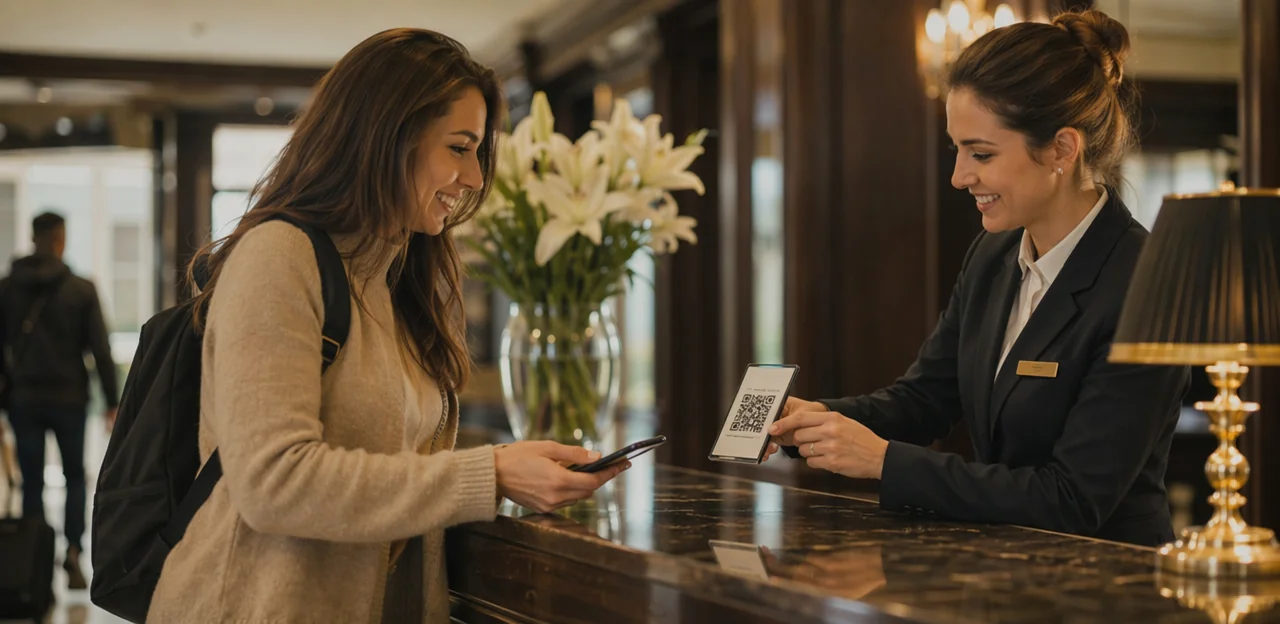
A great guest experience can be won or lost in moments: a slow check-in, a noisy room, a disappointing breakfast, or a staff interaction that exceeds expectations. The challenge for hotels is that by the time guests leave a public review, it is often too late to fix the problem. That is why the hotel feedback QR code is becoming such a valuable tool for modern hospitality teams. By making feedback easy to give in real time, hotels can capture honest insights while the experience is still fresh and, more importantly, take action before checkout.
But simply generating a QR code is not enough. Its effectiveness depends on where it appears in the guest journey and what questions it asks at each touchpoint. A code placed in the wrong location or linked to a long, generic survey can easily be ignored. A well-placed, well-designed feedback flow, on the other hand, can reveal service issues early, improve recovery, and strengthen overall guest satisfaction.
In this article, we’ll explore the best places to use hotel QR feedback across rooms, reception, dining areas, and shared facilities, along with the most effective questions to ask. We’ll also look at how solutions like Tapsy can help hotels collect timely, actionable feedback without adding friction to the guest experience.
Why hotels should use QR code feedback

How QR feedback fits the modern guest journey
A hotel feedback QR code matches how guests already interact with hotel services: on their phones, in the moment, and with minimal effort. Instead of waiting for checkout or relying on long email follow-ups, hotels can collect faster, more useful insights at key stages.
- In-stay touchpoints: Place a guest feedback QR code in rooms, lifts, breakfast areas, and spa spaces so issues like noise, cleanliness, or Wi-Fi can be reported immediately.
- Post-stay touchpoints: Add a mobile hotel survey to checkout desks, key-card holders, or follow-up messages for quick reflections while the stay is still fresh.
Compared with paper forms or lengthy surveys, QR feedback removes friction, boosts response rates, and helps teams act before small problems become public reviews.
Benefits for operations, service recovery, and reviews
A well-placed hotel feedback QR code gives teams fast, usable insight while guests are still on-site. That makes hotel guest feedback far more actionable than post-stay surveys.
- Resolve issues before checkout: Instant alerts help staff handle noise, cleanliness, Wi-Fi, or room comfort problems quickly, improving service recovery hotel workflows.
- Spot recurring service gaps: Review feedback by touchpoint to identify patterns such as slow check-in, breakfast delays, or housekeeping inconsistencies.
- Increase public reviews: After a positive response, direct satisfied guests to Google, TripAdvisor, or Booking.com to support hotel review generation.
Tools like Tapsy can help route low scores internally and prompt happy guests to share reviews publicly.
When QR codes outperform NFC and other touchpoints
For many NFC and QR touchpoints, QR is the most practical choice because it is visible, low-cost, and works instantly with most phone cameras—no tap behavior or tag compatibility required.
- QR vs. NFC tags: QR works better on printed materials like room cards, table tents, elevators, and checkout folders where guests already look.
- QR vs. SMS surveys: SMS is useful post-stay, but QR captures feedback in the moment, while staff can still resolve issues.
- QR vs. email requests: Email often gets ignored or delayed; a hotel feedback QR code reduces friction during the stay.
Used well, QR becomes one of the most effective hospitality feedback tools within a broader QR code guest experience program, sometimes paired with NFC via solutions like Tapsy.
Where to place a hotel feedback QR code for maximum responses
In-room placements that feel natural and convenient
The best hotel feedback QR code placement in guest rooms feels helpful, not intrusive. Focus on spots where guests naturally pause and are most likely to notice a prompt without feeling overwhelmed.
- Bedside tables: Ideal for quick late-evening or early-morning feedback on comfort, noise, temperature, or sleep quality.
- Desk areas: A strong in-room QR code hotel touchpoint for business travelers who may want to report Wi-Fi, lighting, or workspace issues.
- TV welcome screens: Add a subtle on-screen prompt that directs guests to a short guest room feedback survey.
- Bathroom mirrors: Useful for housekeeping, toiletries, water pressure, and cleanliness feedback.
- Minibar or refreshment areas: Capture reactions to stock, pricing, and convenience.
- Printed room collateral: Include the hotel feedback QR code on key cards, welcome booklets, or service directories for easy access.
Keep messaging brief, visible, and tied to immediate service recovery. Tools like Tapsy can help route urgent room issues to staff in real time.
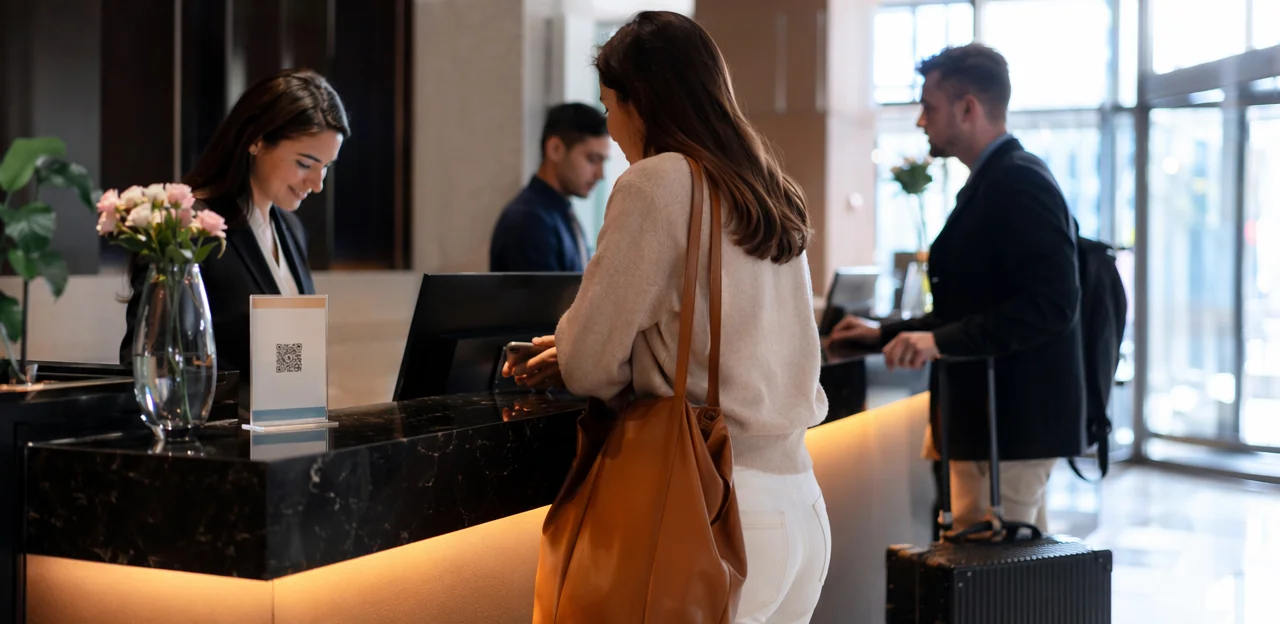
Front desk, lobby, and checkout touchpoints
Front-of-house areas are ideal for a hotel feedback QR code because guests naturally pause there and reflect on service, speed, and overall satisfaction. Place codes where the action just happened, so feedback stays specific and timely.
- Reception counters: Add a small stand for a front desk guest survey focused on check-in efficiency, staff helpfulness, and first impressions.
- Self-checkout kiosks: Use a prominent prompt for checkout feedback hotel questions such as “Was your stay resolved to your satisfaction?”
- Key card sleeves: Print a short CTA and QR code guests can scan while waiting for transport or reviewing their bill.
- Concierge desks: Ask about local recommendations, luggage help, and service responsiveness.
- Elevators: A well-placed hotel lobby QR code can capture quick ratings during the final trip down.
- Lobby signage: Position signs near exits and seating areas for one-tap post-stay feedback.
Keep surveys short: 1–3 rating questions, one comment box, and an optional service-recovery alert. Tools like Tapsy can help route low scores instantly.
Restaurant, spa, pool, and other on-property service areas
Use a hotel feedback QR code at the exact venue where the experience happens so each department gets relevant, actionable insight instead of broad stay-level comments. Smart hospitality QR code placement makes it easier to spot operational issues by outlet, team, and time of day.
- Restaurants and bars: Place a restaurant feedback QR code on table tents, bill folders, bar menus, and exit points. Ask about food quality, wait times, staff attentiveness, and cleanliness.
- Spa treatment rooms: For better spa feedback hotel data, place codes in treatment rooms, locker areas, and reception. Ask about therapist professionalism, ambience, booking ease, and product satisfaction.
- Gym entrances: Add codes near towel stations or exits to capture equipment cleanliness, availability, and temperature.
- Pool areas: Use waterproof signage near loungers, towel desks, and pool bars to track cleanliness, service speed, and safety perception.
- Shuttle services and event spaces: Place codes inside shuttles and at conference room exits to measure punctuality, comfort, AV quality, and staff support.
Tools like Tapsy can help route low scores to the right team in real time.
What to ask in a hotel QR code feedback survey

Core questions every hotel should include
A strong hotel feedback QR code survey should stay short and focused. The best hotel feedback survey questions help hotels spot issues quickly while keeping completion rates high. Use simple 1–5 star, 1–5 scale, or thumbs-up/down ratings for faster responses.
Include these essential guest satisfaction questions hotel teams should ask:
- Overall satisfaction: How satisfied were you with your stay overall?
- Cleanliness: How would you rate the cleanliness of your room and shared areas?
- Staff helpfulness: How helpful and friendly was our team?
- Comfort: How comfortable was your room, including bed quality, noise, and temperature?
- Check-in experience: How easy and efficient was check-in?
- Check-out experience: How smooth was check-out?
- Likelihood to recommend: How likely are you to recommend our hotel to others?
For a practical hotel survey template, add one optional open-text question such as: What is one thing we could improve today? Tools like Tapsy can make this process instant at key hotel touchpoints.
Questions by touchpoint and department
A hotel feedback QR code works best when each scan opens questions tied to the exact service the guest is using. This approach gives clearer hotel department feedback than a generic end-of-stay survey, because teams can act on specific issues immediately.
- Rooms: Was the room comfortable, quiet, and at the right temperature? Was check-in room readiness satisfactory?
- Housekeeping: Use focused housekeeping survey questions such as: Was the room clean on arrival? Were towels, linens, and toiletries fully stocked?
- Dining: Strong hotel restaurant survey questions include: How would you rate food quality, speed of service, menu variety, and staff friendliness?
- Spa: Was the treatment relaxing, on time, and worth the price?
- Maintenance: Did you experience issues with lighting, air conditioning, plumbing, or noise?
- Wi-Fi: Was the connection easy to access, stable, and fast enough for your needs?
- Amenities: Were the gym, pool, parking, or lounge clean, available, and easy to use?
Platforms like Tapsy can help route low scores to the right department in real time.
Open-text prompts that uncover actionable insights
A hotel feedback QR code should not lead to a long comment form. Instead, use one optional free-text field with a prompt that guides useful answers. The best open ended hotel survey questions are short, specific, and tied to a touchpoint.
Try prompts like:
- What could we have fixed for you today?
Reveals in-stay service issues you can still recover. - Was anything in your room not working as expected?
Helps surface maintenance, cleanliness, or comfort problems. - Who made your stay better, and how?
Captures positive guest comments hotel teams can use for recognition. - What slowed down or frustrated your experience?
Identifies bottlenecks at check-in, breakfast, lifts, or checkout. - What is one small improvement that would make your next stay better?
Generates practical, low-friction improvement ideas.
Keep prompts conversational and optional. This increases response rates while producing more actionable hotel feedback than generic “Any other comments?” fields. Tools like Tapsy can help route urgent comments to the right team fast.
How to design a high-converting QR feedback experience

Keep the survey short, mobile-friendly, and branded
A hotel feedback QR code should open a fast, friction-free form that guests can finish in under two minutes on any device. Use these QR survey design best practices:
- Keep it short: Ask 3–5 questions max, with one optional comment box.
- Prioritize mobile usability: Use large tap targets, single-column layouts, fast load times, and minimal typing for a truly mobile friendly hotel survey.
- Match your brand: Add your logo, hotel colors, and a clear headline to create a trustworthy branded guest feedback form.
- Offer language choices: Let international guests switch languages immediately.
- Build for accessibility: Ensure readable font sizes, strong contrast, and screen-reader-friendly labels.
Tools like Tapsy can help streamline this experience.
Use timing and incentives carefully
To improve hotel survey timing and lift your guest feedback response rate, ask for feedback when the experience is still fresh:
- During the stay: place a hotel feedback QR code in rooms, lifts, breakfast areas, and spa or pool exits to capture service issues before checkout.
- Right after key interactions: prompt feedback after check-in, housekeeping, dining, or concierge support, when guests can rate a specific touchpoint accurately.
- Post-stay: send a short follow-up within 24 hours for overall satisfaction.
Use any hotel survey incentive carefully. Small, neutral rewards like loyalty points or a future-stay perk can increase participation, but avoid offering rewards for positive reviews only. Keep incentives tied to completion, not score, to reduce bias and stay aligned with platform policies.
Route unhappy guests to private recovery channels
A well-designed hotel feedback QR code should do more than collect ratings; it should trigger the right next step.
- Use conditional logic: if a guest gives a low score, send them to a short private guest feedback form with an open comment box, issue category, and contact option.
- Trigger alerts instantly: connect low ratings to your service recovery workflow hotel team so housekeeping, front desk, or a duty manager can respond before checkout.
- Guide satisfied guests differently: after high ratings, invite guests to leave a public review on Google or Tripadvisor to support hotel reputation management.
- Set clear thresholds: for example, 1–3 stars go internal, 4–5 stars go to review prompts.
Tools like Tapsy can help automate this routing.
Best practices for implementation, tracking, and compliance

Create unique QR codes by location and department
Use a separate hotel feedback QR code for each touchpoint so you can see exactly where responses come from. A dynamic QR code hotel setup lets you update the destination survey without reprinting signs, while tagged URLs add source data for stronger hotel survey analytics.
- Create unique codes for reception, rooms, breakfast, spa, gym, and checkout
- Add UTM tags or internal labels for property, floor, department, and campaign
- Use dashboards to track QR code feedback by scan rate, completion rate, score, and issue type
- Compare departments to spot weak points and test new prompts, placement, or incentives over time
Tools like Tapsy can help centralize touchpoint-level reporting and optimization.
Train staff and close the feedback loop
A hotel feedback QR code only works if staff actively support it and respond fast when issues appear. Build hotel staff feedback training into daily operations so front-line teams know how to introduce the option naturally and confidently.
- Ask staff to mention it at check-in or during service moments: “If anything needs attention, you can scan this QR code and we’ll help right away.”
- Set clear alert ownership for low ratings, cleanliness issues, noise complaints, or urgent requests.
- Create a fast guest complaint response hotel process with response-time targets and escalation steps.
- Always close the feedback loop by updating the guest in person, by message, or by phone once action is taken.
Tools like Tapsy can help route alerts instantly to the right team.
Privacy, consent, and data handling in hospitality
When deploying a hotel feedback QR code, keep privacy simple, visible, and compliant:
- Use clear consent language: State what data is collected, why it is needed, and whether follow-up contact is optional. This supports strong survey consent hospitality practices.
- Minimize data collection: Ask only for information needed to resolve issues or improve service. Avoid unnecessary personal details to strengthen hotel guest data privacy.
- Store feedback securely: Limit staff access, use encrypted systems, and define retention periods for better feedback compliance hotel processes.
- Be transparent: Tell guests how feedback will be used, such as service recovery, staff training, or experience improvements.
Platforms like Tapsy can help structure secure, touchpoint-based feedback flows.
Common mistakes hotels should avoid

- Avoid hidden or crowded placements: A hotel feedback QR code fails when it is tucked behind desk clutter, mixed with multiple codes, or lost in busy signage. These are classic QR code placement mistakes.
- Use a clear hotel survey call to action: Add simple wording like “Scan to rate your check-in in 10 seconds.”
- Ask at the right moment: One of the biggest guest feedback errors is requesting feedback too early, too late, or during stressful moments like arrival queues or payment.
Asking too many or vague questions
A hotel feedback QR code should lead to a fast, focused survey. Long forms create survey fatigue hotel guests often abandon, which hurts data quality and can improve survey completion rate only when shortened.
- Limit it to 2–5 questions maximum.
- Avoid bad hotel survey questions like “How was your stay?” without context.
- Ask specific, decision-ready prompts such as:
- “Was your room clean on arrival?”
- “How would you rate breakfast wait time?”
- “Did Wi-Fi work reliably in your room?”
Collecting feedback without acting on it
A hotel feedback QR code only creates value when teams use the data to improve operations. In strong hotel feedback management, every response should lead to action:
- Review trends weekly to spot recurring issues by room type, shift, or touchpoint.
- Respond quickly to complaints so problems can be fixed before checkout.
- Share insights with housekeeping, front desk, food service, and maintenance.
To act on guest feedback is what drives real guest experience improvement hotel programs.
Conclusion
A well-planned hotel feedback QR code strategy helps hotels collect timely, honest insights exactly where the guest experience happens. By placing QR codes at high-impact touchpoints—such as reception, guest rooms, elevators, breakfast areas, spas, and checkout points—you make it easy for guests to share feedback while details are still fresh. Just as important is asking the right questions: keep them short, specific, and actionable, focusing on cleanliness, staff service, comfort, amenities, and issue resolution.
The real value of a hotel feedback QR code is not just gathering responses, but turning them into faster service recovery, better operational decisions, and stronger guest satisfaction before a negative public review ever appears. When hotels combine smart placement with simple survey design, they create a smoother feedback loop that benefits both guests and staff.
Now is the time to review your guest journey, identify your most important touchpoints, and launch a hotel feedback QR code system that fits your property’s needs. Start with one or two locations, measure response quality, and refine your questions over time. If you want a no-app way to capture in-stay feedback and act on it quickly, solutions like Tapsy can be a useful next step.
Frequently Asked Questions
- Why should hotels use QR codes to collect guest feedback?
QR codes make it easy for guests to share feedback on their phones in the moment, with minimal effort. This helps hotels capture issues while guests are still on-site and gives staff a chance to resolve problems before checkout or before a negative public review appears.
- Where should a hotel place feedback QR codes for the best response rates?
High-performing placements include guest rooms, reception counters, checkout areas, elevators, breakfast spaces, spas, pools, gyms, and other service outlets. The best locations are places where guests naturally pause and can comment right after the experience happened.
- What are the best in-room locations for a hotel feedback QR code?
Useful in-room spots include bedside tables, desk areas, TV welcome screens, bathroom mirrors, minibar areas, and printed room materials like key cards or welcome booklets. These placements work well because guests notice them during natural moments of the stay and can report room comfort, cleanliness, noise, or Wi-Fi issues quickly.
- What should hotels ask at the front desk or checkout?
Front desk and checkout surveys should stay short and focus on check-in efficiency, staff helpfulness, first impressions, and whether the stay was resolved to the guest’s satisfaction. A few rating questions plus one optional comment box is enough to keep the process fast and useful.
- How is QR feedback better than email or SMS surveys for hotels?
QR feedback captures responses during the stay, when the experience is still fresh and staff can still act. Email requests are often delayed or ignored, and SMS is more useful after the stay than during key service moments.
- When does QR work better than NFC for hotel feedback touchpoints?
QR is often the more practical option on printed materials like room cards, table tents, elevators, and checkout folders because it is visible and works instantly with most phone cameras. It does not depend on tap behavior or tag compatibility, which makes it easier to deploy across many hotel touchpoints.
- What core questions should every hotel feedback survey include?
Strong core questions cover overall satisfaction, cleanliness, staff helpfulness, room comfort, check-in, check-out, and likelihood to recommend. Hotels can also add one optional open-text prompt such as asking what could be improved today.
- Should hotels use the same survey everywhere on the property?
No, feedback works better when questions match the exact touchpoint or department. Room surveys should focus on comfort, noise, and readiness, while dining, spa, housekeeping, maintenance, and Wi-Fi surveys should ask about service details specific to those experiences.
- What kind of open-text question works best in a hotel QR survey?
The most effective open-text prompts are short, optional, and tied to a specific experience. Good examples include asking what could have been fixed today, whether anything in the room was not working, or what slowed down the guest experience.
- How long should a hotel QR feedback survey be?
It should be short enough to finish in under two minutes. A practical format is 3 to 5 questions with simple ratings and one optional comment field, which reduces friction and helps completion rates.
- How should hotels handle low scores from QR feedback?
Low ratings should be routed to a private recovery flow instead of sending those guests to public review sites. A useful setup includes conditional logic, an open comment box, issue categories, and instant alerts so the right team can respond before checkout.
- How can hotels encourage more guests to complete QR feedback without biasing results?
Timing matters most: ask during the stay, right after key interactions, or within 24 hours after departure. If incentives are used, they should be small and neutral, tied to survey completion rather than to leaving a positive score.
- Why should hotels create separate QR codes for different locations and departments?
Unique codes make it possible to see exactly where feedback comes from and compare performance by touchpoint. Hotels can track scan rate, completion rate, score, and issue type by area such as reception, rooms, breakfast, spa, gym, or checkout.
- What privacy practices should hotels follow when collecting feedback through QR codes?
Hotels should use clear consent language, explain what data is collected and why, and make follow-up contact optional when appropriate. They should also minimize personal data collection, store feedback securely, limit staff access, and be transparent about how responses will be used.
- What common mistakes reduce the effectiveness of hotel feedback QR codes?
Common problems include hiding the code in cluttered areas, placing it among too many other codes, asking for feedback at stressful moments, and using vague or overly long surveys. Another major mistake is collecting responses without reviewing trends, responding to complaints, or sharing insights with the teams that can fix the issues.