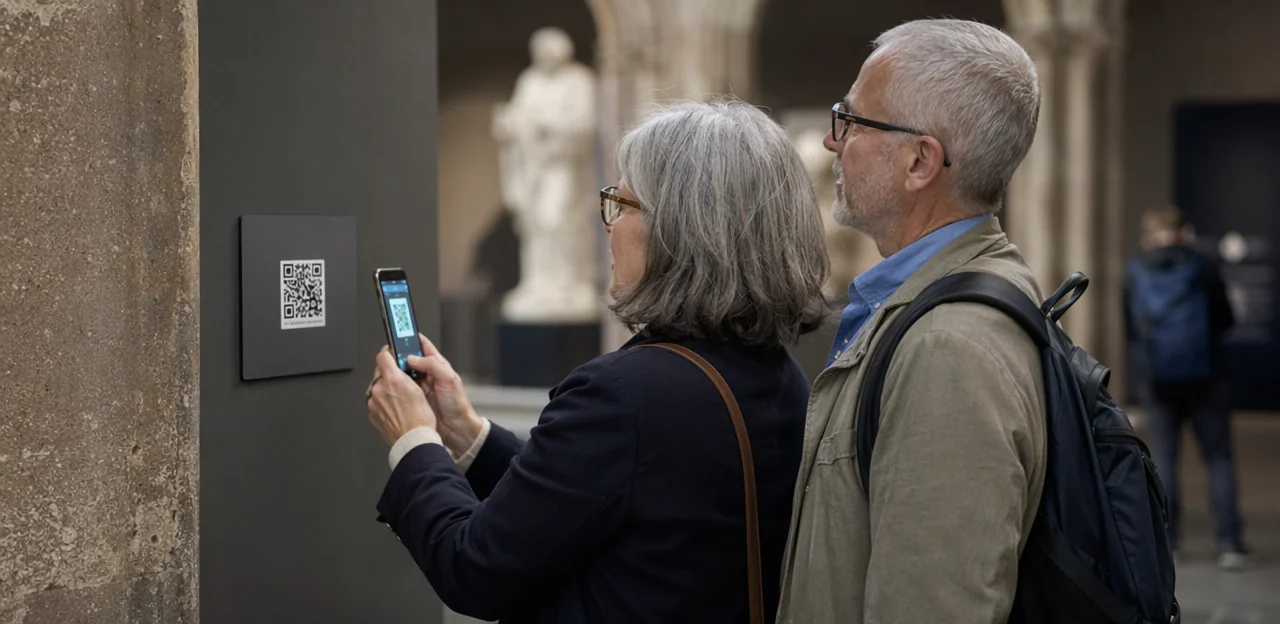
A great visitor experience does not end at the exit—it continues in the moments when guests decide whether to return, recommend, or leave a review. For museums, galleries, heritage sites, zoos, and other attractions, capturing those impressions while they are still fresh can be the difference between vague annual survey data and actionable insight. That is where a well-placed visitor feedback QR code can make a measurable impact.
Instead of relying solely on post-visit emails that many guests ignore, visitor attractions can gather real-time feedback at the exact touchpoints that shape the experience: ticket desks, exhibition exits, cafés, gift shops, rest areas, and wayfinding points. When used thoughtfully, QR codes help teams spot friction quickly, understand what visitors value most, and respond to issues before they turn into negative reviews.
In this article, we will explore where to place feedback QR codes across visitor attractions for the highest response rates, which touchpoints tend to deliver the most useful insights, and practical examples of how cultural venues can use them to improve visitor experience. We will also look at what makes a feedback flow simple and effective, and where tools such as Tapsy can support no-app QR and NFC touchpoints in real-world visitor environments.
Why visitor feedback QR codes matter for attractions

The value of instant, in-the-moment feedback
Collecting feedback during or immediately after a visit captures details while emotions, context, and service interactions are still fresh. A visitor feedback QR code placed at exits, cafés, toilets, galleries, or queue points makes it easy to gather real-time visitor feedback without asking guests to remember their experience later in an email survey.
Benefits include:
- Higher accuracy: visitors report specific issues tied to a location or moment
- Faster service recovery: teams can fix cleanliness, signage, staffing, or queue problems before more visitors are affected
- Better response rates: quick mobile scans reduce friction versus delayed surveys
- Continuous improvement: each attraction feedback survey reveals touchpoint-level trends that inform daily operational changes
Platforms like Tapsy can help route alerts instantly to the right team.
Benefits for museums, galleries, and cultural venues
A well-placed visitor feedback QR code gives teams fast, location-specific insight they can act on immediately. For museums and cultural venues, this supports both daily operations and long-term planning.
- Understand exhibit performance: Capture museum visitor feedback by gallery, exhibition, or installation to see what engages visitors most.
- Identify friction points: Spot recurring issues such as queues, unclear signage, audio guide problems, or crowded spaces.
- Improve accessibility: Use feedback to uncover barriers around wayfinding, seating, lighting, captions, and inclusive interpretation.
- Support visitor experience improvement: Give visitor experience teams measurable data to prioritise changes and track results over time.
- Test touchpoints easily: A gallery feedback QR code can be placed near exits, temporary exhibitions, or facilities for precise insights.
Platforms such as Tapsy can help turn this feedback into actionable reporting.
How QR and NFC touchpoints fit into the visitor journey
NFC and QR touchpoints work best when mapped to key moments in the digital visitor journey, making feedback simple and timely rather than an extra task.
- Entrances: welcome visitors, share maps, accessibility info, and a quick expectations check-in.
- Exhibits: capture in-the-moment reactions, learning feedback, or content preferences beside displays.
- Cafés: measure queue times, food quality, and service while the experience is still fresh.
- Gift shops: gather purchase feedback and test merchandising or product appeal.
- Exits: place a visitor feedback QR code for overall satisfaction, highlights, and suggestions.
Used well, these visitor touchpoints create a low-friction feedback layer that supports faster improvements and a stronger experience strategy.
Best places to put a visitor feedback QR code
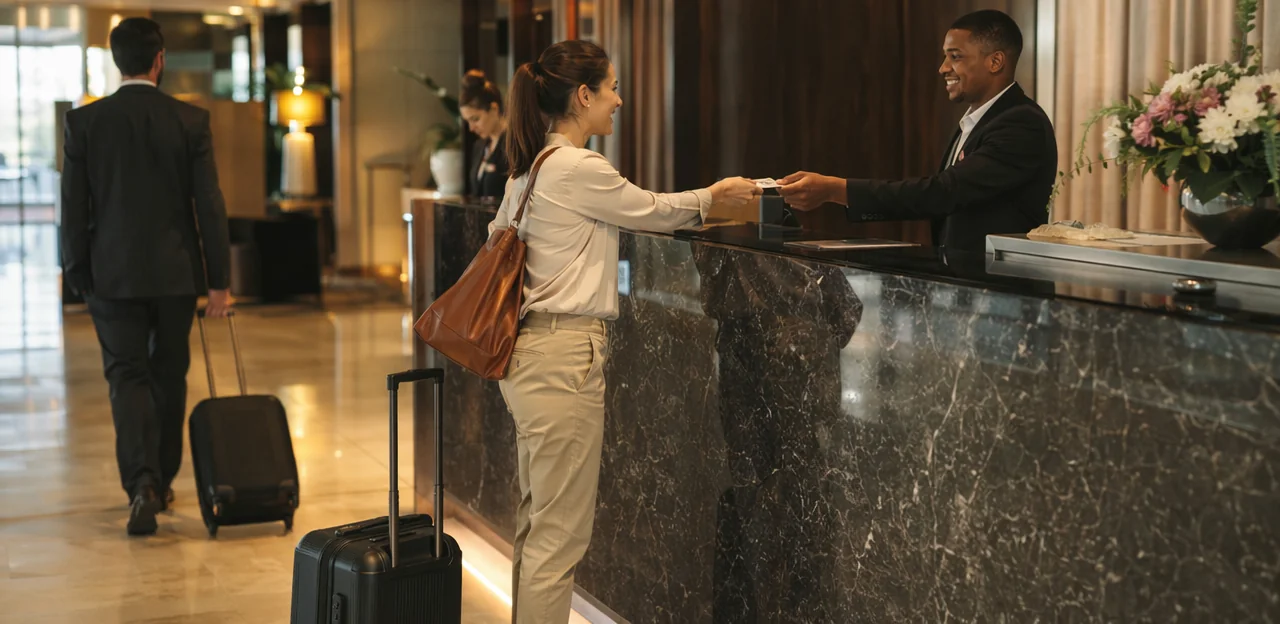
Entrance, ticketing, and wayfinding areas
Entrance and ticketing zones are ideal for QR code placement because they capture fresh first impressions while visitors still remember arrival details clearly. A well-placed visitor feedback QR code can reveal friction before it affects the rest of the visit.
- Place an entry feedback QR code near the main doors, ticket desks, self-service kiosks, and queue barriers.
- Ask only 1–2 quick questions focused on:
- ease of entry
- queue length and flow
- signage clarity
- friendliness of the welcome team
- Use clear prompts such as “How was your arrival today?” or “Rate your ticketing experience.”
For strong ticketing experience feedback, position codes where visitors pause naturally rather than where they are rushing. Keep forms short and optional to avoid survey fatigue too early in the journey. If you want broader feedback later, save longer surveys for galleries, cafés, or exits. Tools like Tapsy can help route low scores quickly so staff can resolve issues in real time.
Exhibits, interpretation points, and interactive zones
Place a visitor feedback QR code where visitors naturally pause, not where it competes with the exhibit itself. The goal is to capture exhibit-level insight while keeping attention on the experience.
- Temporary exhibitions: Add an exhibit feedback QR code at the exit panel or final interpretation wall so visitors can reflect on the full narrative, pacing, and standout objects.
- Permanent displays: Position a museum exhibit survey code beside label clusters, case-end panels, or gallery transition points to compare reactions across themes or collections.
- Audio guide stations: Include a code near handset pickup/return points or listening stops to measure clarity, pacing, and content relevance.
- Hands-on interactives: Use interactive display feedback prompts just after the activity, with a short question such as “Was this easy to use?” or “Did this help you understand the topic?”
Keep surveys short: 1–3 taps, optional comment, and clear exhibit naming. Tools like Tapsy can help route feedback by touchpoint for faster interpretation and improvements.
Cafés, retail, rest areas, and exit points
Cafés, gift shops, seating zones, and exits are some of the best places to deploy a visitor feedback QR code because visitors have just completed a transaction or are reflecting on the full experience. These touchpoints help attractions collect visitor amenities feedback, measure dwell time, and understand how food, retail, and comfort areas influence overall satisfaction.
Use short, context-specific prompts such as:
- Café QR code: rate queue time, food quality, pricing, and seating comfort
- Shop QR code: capture gift shop feedback on product range, pricing, and checkout speed
- Rest area QR code: ask about cleanliness, wayfinding, and availability of seating
- Exit survey QR code: combine “How satisfied were you with your visit overall?” with “Did the café/shop improve your day?” or “How long did you stay after your main visit?”
This blended approach links spending experience with overall sentiment, helping teams identify whether amenities drive longer visits, higher spend, and stronger recommendations. Tools like Tapsy can support quick, no-app feedback collection at these high-value touchpoints.
Placement and design best practices that increase scans
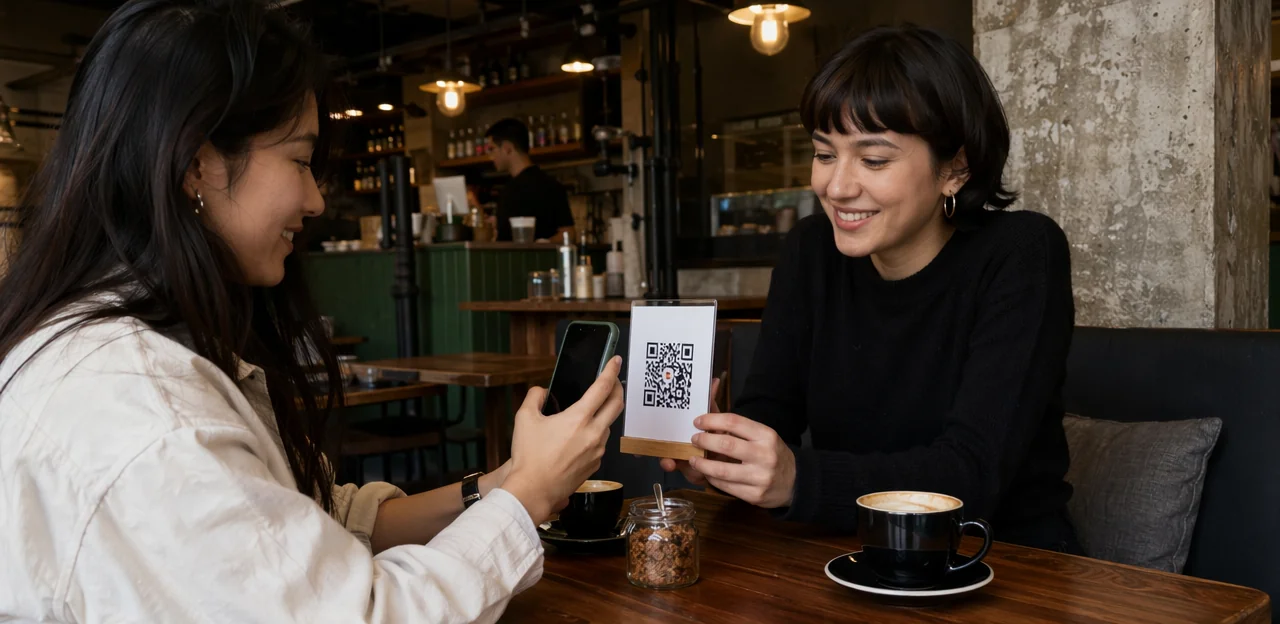
Visibility, signage, and call-to-action wording
Strong placement only works if the visitor feedback QR code is easy to notice and effortless to scan. Use these feedback signage best practices to improve visibility and response rates:
- Place at natural pause points: exits, café queues, lift lobbies, cloakrooms, and gallery transitions.
- Set the right height: position codes around chest to eye level for comfortable scanning without bending.
- Prioritise lighting and contrast: avoid glare, dark corners, and patterned backgrounds; use high-contrast black-on-white designs.
- Add clear iconography: pair the code with a phone or QR icon so visitors instantly understand the action.
- Keep prompts short: concise wording supports scan rate optimization.
Effective QR code call to action examples:
- Scan to share your visit in 30 seconds
- Tell us what you loved — and what to improve
- Scan for quick feedback and help shape future exhibitions
- Enjoyed your visit? Scan to rate your experience
Mobile-friendly survey design and question length
A visitor feedback QR code should open a mobile feedback survey that feels effortless to complete in under a minute. Keep your short QR survey to 3–5 screens, with one question per screen, large tap targets, and minimal typing.
- Use simple question types: star ratings, emoji scales, yes/no, and single-select options work best on phones.
- Keep response scales consistent: 1–5 satisfaction scales are easy to understand across galleries, rides, cafés, and gift shops.
- Use smart branching logic:
- Low score → ask what went wrong
- High score → ask what they enjoyed most
- Family attraction → show child-friendly experience options
- Museum or heritage site → ask about exhibits, signage, or accessibility
- Make comments optional: only show an open-text field after key ratings.
Good visitor survey design also means fast loading, clear contrast, and accessible labels. Tools like Tapsy can help structure touchpoint-specific flows.
Accessibility, multilingual support, and privacy considerations
A visitor feedback QR code should be easy to use for every guest, including international visitors, older audiences, and people using assistive technology. To make your accessible QR code survey effective, focus on inclusive design from scan to submission:
- Offer multilingual visitor feedback options at the first screen, using clear language labels rather than flags alone.
- Build mobile landing pages with strong contrast, large tap targets, simple forms, and full screen-reader compatibility.
- Keep surveys short and avoid time limits, CAPTCHAs, or complex navigation that can exclude users.
- Add a visible privacy note explaining what data is collected, why it is needed, and how long it is stored.
For museums and public attractions, transparent GDPR visitor survey messaging builds trust. If you use a platform such as Tapsy, make sure consent wording, data handling, and accessibility settings are clearly configured.
Examples of visitor feedback QR code use in attractions
Museum gallery example: exhibit-level feedback
A strong museum QR code example is placing a visitor feedback QR code at the exit of a single gallery, just after the final panel or object. This captures reactions while the content is still fresh and gives curators clear exhibit visitor insights at gallery level.
For example, a museum could ask visitors to scan and answer:
- How clear was the gallery interpretation?
- Which exhibit or label helped you understand the story best?
- How did this gallery make you feel?
- Did you spend the right amount of time here?
This gallery feedback example can reveal practical patterns, such as:
- high emotional impact but low interpretation clarity
- strong dwell time in one section but skipped labels elsewhere
- confusion around chronology, themes, or object significance
Teams can then refine text panels, wayfinding, lighting, or digital layers. Tools like Tapsy can support simple no-app QR collection at these touchpoints.
Heritage site example: wayfinding and facilities feedback
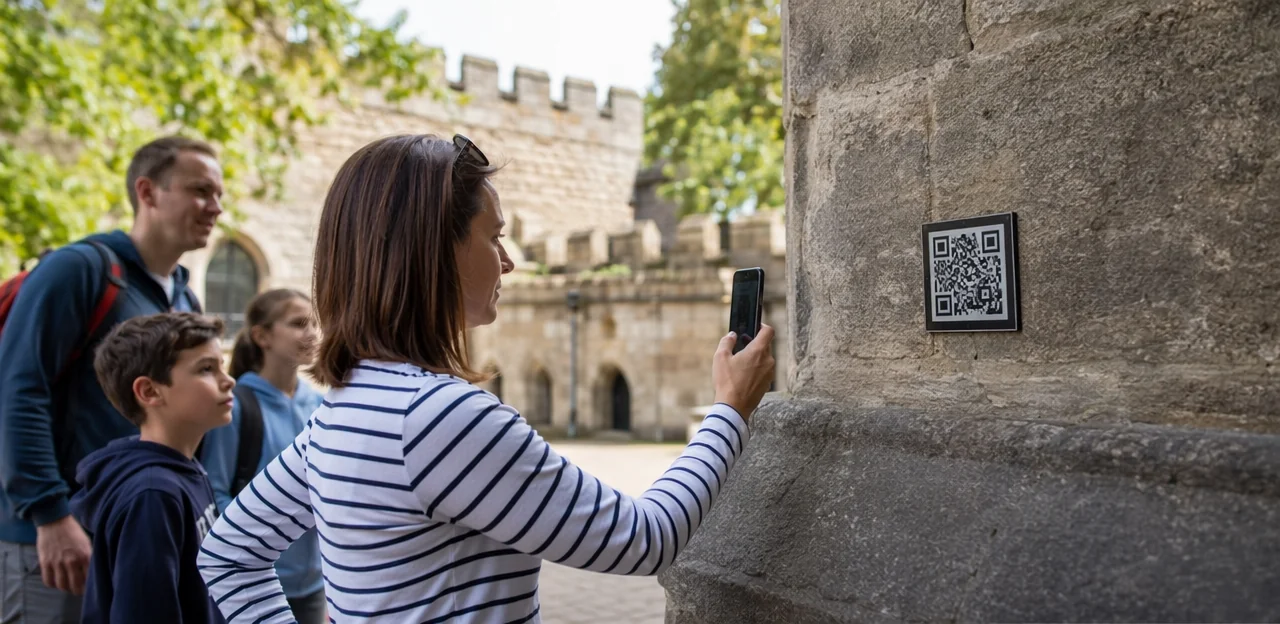
For a large heritage or outdoor attraction, a visitor feedback QR code can turn everyday pause points into practical insight stations. Place a wayfinding survey QR code at trail junctions, printed maps, shuttle stops, cafés, toilets, and viewing areas to capture feedback exactly where confusion or friction happens.
- Spot navigation issues: ask whether signs were clear, routes matched the map, and key landmarks were easy to find.
- Identify accessibility barriers: collect comments on gradients, uneven paths, seating availability, buggy or wheelchair access, and distance between rest points.
- Reveal service gaps: track missing bins, closed amenities, water refill needs, toilet cleanliness, or café queue problems.
This approach makes heritage site feedback more location-specific and actionable. Teams can compare responses by zone to improve signage, maintenance, and accessibility across the full site, creating better outdoor attraction feedback data and faster operational fixes.
Family attraction example: post-visit and service recovery
A family attraction can place a visitor feedback QR code at exits, car parks, cafés, and stroller-return points to capture reactions while the day is still fresh. A short family attraction survey should focus on the moments that shape family visits most:
- overall satisfaction
- queue length and wait-time perception
- cleanliness and facilities
- staff friendliness and helpfulness
- likelihood to return
Use a simple post-visit feedback QR code flow with 3–5 taps and one optional comment box. When scores drop below a set threshold, trigger service recovery feedback actions such as:
- alerting the duty manager instantly
- sending a same-day apology email or SMS
- offering a return discount, fast-track pass, or support follow-up
Platforms such as Tapsy can help route low scores to the right team quickly, reducing the risk of negative public reviews.
How to measure success and improve results over time

Key metrics to track
To measure whether your visitor feedback QR code strategy is working, focus on a small set of practical KPIs:
- Scan rate: how many visitors scan each code versus total footfall at that location.
- Feedback completion rate: the percentage of scans that turn into finished surveys; a core QR code survey metrics benchmark.
- Response quality: track comment length, relevance, and actionable issue reporting, not just volume.
- Visitor satisfaction KPI: monitor average satisfaction score, plus CSAT or NPS to compare overall sentiment over time.
- Location-specific performance by touchpoint: compare entrances, exits, galleries, cafés, gift shops, and rest areas to see where engagement and satisfaction differ.
Platforms like Tapsy can also help benchmark touchpoint-level performance in one dashboard.
Testing placement, messaging, and incentives
Use simple A/B testing QR codes to improve scans without changing the survey itself. For each visitor feedback QR code, test one variable at a time over similar days or visitor volumes:
- Wording: Compare signs like “Share your feedback” vs. “Help us improve today.”
- Code size: Test larger QR codes for better visibility at busy exits.
- Placement height: Try eye level versus slightly lower near ticket desks, cafés, or gallery exits.
- Incentives: Use a small, neutral reward such as prize draw entry or a café voucher.
For survey participation improvement, keep questions identical and avoid rewards tied to positive ratings. A careful QR code incentive strategy should increase response rates without biasing feedback.
Turning feedback into operational action
A visitor feedback QR code only creates value when insights lead to clear action across teams. Turn responses into actionable visitor feedback by assigning themes, owners, and timelines:
- Visitor experience and front-of-house: fix queueing, wayfinding, staffing gaps, and accessibility pain points quickly.
- Curatorial teams: identify unclear labels, confusing narratives, or exhibit flow issues that affect engagement.
- Commercial teams: improve café service, retail range, pricing clarity, and membership or donation prompts.
Report outcomes in simple dashboards by location, touchpoint, and issue type to support museum operations improvement. Most importantly, close the feedback loop by showing visitors what changed through signage, email updates, or on-site messages such as “You said, we improved.”
Implementation checklist for museums and attractions

What to prepare before launch
Use this museum survey checklist to make your visitor feedback QR code launch smooth and measurable:
- Define goals for your QR feedback implementation: satisfaction, wayfinding, exhibitions, retail, or café feedback.
- Keep survey questions short: 1–3 ratings, one optional comment, and clear categories.
- Build a mobile-first landing page with fast load speed and no app download.
- Create branded signage with a clear call to action and placement-specific wording.
- Set up analytics, alerts, and tagging by location.
- Brief staff on purpose, escalation, and guest support.
- Assign governance for reviewing responses and acting on issues quickly.
Common mistakes to avoid
- Using too many codes: Overloading galleries or exits creates choice fatigue and lowers scans.
- Writing vague prompts: Tell visitors exactly why to scan the visitor feedback QR code, such as “Rate this exhibit in 10 seconds.”
- Asking for long forms: Keep it to 1–3 questions to avoid major visitor feedback pitfalls.
- Ignoring mobile usability: Slow pages and awkward forms are classic QR code survey mistakes.
- Placing codes poorly: Follow museum QR code best practices by positioning codes at natural pause points with clear signage.
- Not acting on feedback: Review responses quickly and fix recurring issues.
Simple rollout plan for a pilot program
Start your QR code pilot program small so you can learn fast and improve results before a wider launch.
- Choose 2–3 high-impact touchpoints such as the exit, café, or a popular exhibit, and place one clear visitor feedback QR code at each.
- Keep the survey short: 1–3 questions plus an optional comment.
- Run the visitor experience pilot for 2–4 weeks and track scans, completion rate, and feedback quality.
- Use the data to guide your attraction feedback rollout, expanding only to locations that show strong engagement or operational value.
Conclusion
In the end, the most effective feedback strategies for museums, galleries, heritage sites, zoos, and other attractions are the ones that meet visitors where the experience happens. A well-placed visitor feedback QR code at exits, cafés, exhibitions, rest areas, gift shops, or queue points makes it easy to capture timely, specific insights while impressions are still fresh. Combined with clear prompts and a short, mobile-friendly form, these touchpoints can reveal what visitors loved, where friction occurred, and which moments deserve improvement.
The key is thoughtful placement, simple messaging, and a clear action after submission—whether that’s a thank-you, a follow-up option, or a small incentive to boost response rates. Done well, a visitor feedback QR code doesn’t just collect opinions; it helps attractions improve operations, recover issues faster, and shape better visitor experiences over time.
As a next step, review your visitor journey and identify 3–5 high-impact locations where feedback would be most valuable. Test different QR code prompts, track response quality, and refine your approach based on results. If you want a more structured way to manage QR and NFC touchpoints, tools like Tapsy can help streamline real-time feedback collection. Start small, measure consistently, and turn every visit into an opportunity to learn and improve.
Frequently Asked Questions
- Why use a visitor feedback QR code instead of relying only on post-visit email surveys?
QR codes capture feedback during or immediately after the visit, when details and emotions are still fresh. That makes responses more specific and useful for spotting issues tied to exact locations such as entrances, cafés, or exhibits.
- Where should visitor attractions place feedback QR codes for the best response rates?
The strongest locations are natural pause points such as ticket desks, exhibition exits, cafés, gift shops, rest areas, queue points, and main exits. These areas give visitors time to scan without interrupting the experience.
- What questions work best at entrance and ticketing areas?
Keep it to 1–2 quick questions about ease of entry, queue length, signage clarity, or the friendliness of the welcome team. Short prompts like rating the arrival or ticketing experience help collect useful first-impression feedback without causing fatigue.
- How should feedback QR codes be used near exhibits and interactive displays?
Place them where visitors naturally pause, such as at the end of a gallery, beside label clusters, near audio guide stations, or just after a hands-on interactive. Focus questions on clarity, pacing, ease of use, and what helped visitors understand the topic.
- Why are cafés, shops, and exit points valuable places for feedback collection?
These touchpoints capture reactions after a transaction or near the end of the visit, when visitors can reflect on the full experience. They are useful for measuring queue times, food quality, pricing, product range, seating comfort, and overall satisfaction.
- What makes a feedback QR code sign more likely to be scanned?
Good signage is visible, well lit, high contrast, and placed around chest to eye level. A short call to action such as asking visitors to share their visit in 30 seconds makes the purpose clear and reduces hesitation.
- How long should a mobile feedback survey be?
A mobile survey should feel easy to complete in under a minute, usually across 3–5 screens with one question per screen. Simple formats like star ratings, emoji scales, yes/no, and single-select options work best.
- What accessibility and privacy features should a visitor feedback flow include?
Offer multilingual options on the first screen, use strong contrast, large tap targets, simple forms, and screen-reader compatibility. Include a clear privacy note explaining what data is collected, why it is needed, and how long it is stored.
- How can museums use QR codes to improve individual galleries or exhibitions?
A museum can place a code at the exit of a gallery and ask about interpretation clarity, emotional impact, helpful labels, or time spent. That feedback can reveal where text panels, wayfinding, lighting, or digital layers need improvement.
- How can heritage sites use QR feedback for wayfinding and facilities?
Heritage and outdoor attractions can place codes at trail junctions, maps, shuttle stops, cafés, toilets, and viewing areas. This helps teams identify navigation problems, accessibility barriers, and service gaps such as missing bins, water refill needs, or toilet cleanliness issues.
- What is a good QR feedback setup for family attractions?
Place codes at exits, car parks, cafés, and stroller-return points, then keep the survey to 3–5 taps with one optional comment box. Focus on satisfaction, queue length, cleanliness, staff helpfulness, and likelihood to return, with low scores routed for fast service recovery.
- Which metrics should attractions track to measure QR feedback success?
Track scan rate, feedback completion rate, response quality, and satisfaction measures such as CSAT or NPS. It is also useful to compare performance by touchpoint, including entrances, galleries, cafés, gift shops, and exits.
- How can attractions test and improve QR code performance over time?
Use simple A/B tests on one variable at a time, such as wording, code size, placement height, or a small neutral incentive. Keep the survey itself consistent so changes in scan or completion rates are easier to interpret.
- What common mistakes reduce the effectiveness of visitor feedback QR codes?
Too many codes, vague prompts, long forms, poor mobile usability, and weak placement all reduce scans and completions. Another major mistake is collecting feedback but not reviewing it quickly or acting on recurring issues.
- How should a museum or attraction start with a QR feedback pilot?
Start with 2–3 high-impact touchpoints such as the exit, café, or a popular exhibit. Run a short pilot for 2–4 weeks, keep the survey to 1–3 questions plus an optional comment, and expand only where engagement or operational value is clear.