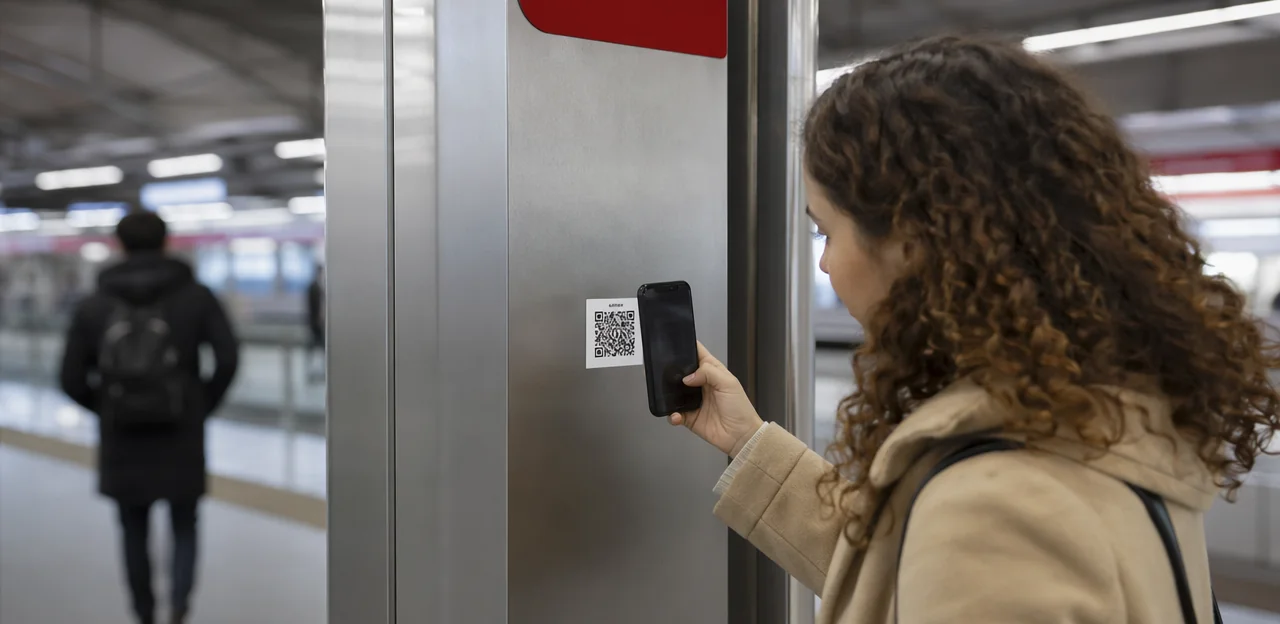
A busy station can reveal its problems in seconds: long queues at ticket machines, unclear wayfinding, overcrowded platforms, cleanliness issues, or a frustrating interchange that leaves passengers stressed before they even begin their journey. For operators, the challenge is not just knowing that these issues exist, but capturing feedback quickly enough to act on it. That is where a station feedback QR code becomes especially valuable.
Placed at key touchpoints across travel and mobility hubs, QR-based feedback tools give passengers a simple, low-friction way to share their experience in the moment—while details are still fresh and operational teams still have time to respond. Instead of relying solely on delayed surveys or complaint channels, operators can gather real-time insight directly from concourses, platforms, waiting areas, lifts, ticket zones, and service desks.
This article explores practical guidance for deploying station QR code feedback effectively, from choosing the right locations and designing short feedback flows to routing issues internally and turning passenger comments into measurable service improvements. It will also look at how QR and NFC touchpoints can support a better passenger experience at scale, with solutions such as Tapsy offering a no-app way to collect and manage real-time feedback across physical environments.
Why station feedback QR codes matter in mobility hubs

The role of instant feedback in passenger experience
In busy stations and terminals, conditions can change in minutes. A station feedback QR code lets operators collect real-time passenger feedback at the exact touchpoint where the issue happens, making it far more useful than delayed surveys sent hours or days later.
- Location-specific insight: Identify whether problems are linked to a platform, lift, ticket gate, waiting area, or interchange corridor.
- Faster response: Act on crowding, cleanliness, signage confusion, broken equipment, or staff availability before the issue spreads.
- Better prioritisation: Time-stamped passenger experience feedback helps teams spot peak-period patterns and recurring friction points.
This approach is especially valuable in interchange environments, where passenger flow, delays, and service pressure shift rapidly. Tools like Tapsy can help operators capture and route feedback instantly.
Common use cases across stations and travel hubs
A station feedback QR code works best when placed at the exact touchpoint where the experience happens, turning everyday friction into usable insight. A well-designed station QR code survey can help operators collect fast, location-specific transport hub feedback and improve response times.
- Cleanliness checks: toilets, platforms, lifts, bins, and seating areas
- Wayfinding issues: unclear signage, platform changes, gate confusion, or interchange navigation
- Accessibility reporting: broken lifts, ramp access problems, tactile paving issues, or audio announcement gaps
- Safety perceptions: lighting, crowding, antisocial behaviour, and late-night comfort
- Retail experience: queue times, product availability, and service at kiosks or shops
- Waiting areas and staff service: seating comfort, temperature, charging points, and helpfulness of frontline teams
This approach strengthens mobility hub customer feedback by linking comments to specific zones and teams for faster action.
Benefits for operators, teams, and service partners
A station feedback QR code gives every team a faster way to spot issues where they happen and act before complaints escalate. As part of an operator feedback system, it turns passenger comments into usable signals for day-to-day decision-making.
- Operations teams: detect recurring problems by zone, time, or touchpoint and improve station operations feedback workflows.
- Station managers: prioritize the highest-impact issues instead of relying on delayed reports or manual inspections.
- Cleaning contractors: receive location-specific alerts for toilets, seating areas, lifts, or bins, helping teams respond faster and prove service delivery.
- Security teams: identify safety concerns, suspicious activity, or crowding trends earlier.
- Customer experience leaders: use customer experience analytics to track patterns, benchmark stations, and target investment where it improves journeys most.
Solutions such as Tapsy can help route feedback instantly to the right team.
How to plan an effective station feedback QR code program

Set goals, audiences, and feedback categories
Before placing any station feedback QR code, define what success looks like. A clear QR code feedback strategy helps operators measure results and route issues faster instead of collecting vague comments.
Start by setting 1–2 primary station survey goals:
- Increase response volume at key touchpoints such as platforms, ticket halls, and lifts
- Improve issue resolution for cleanliness, wayfinding, crowding, or equipment faults
- Raise satisfaction scores across safety, comfort, and staff helpfulness
- Strengthen accessibility insights from passengers with mobility, visual, hearing, or neurodiverse needs
Then map your audience segments:
- Daily commuters
- Occasional travelers
- Tourists
- Passengers requiring accessibility support
Finally, define clear passenger feedback categories so data is actionable: cleanliness, delays, signage, accessibility, safety, staff, and facilities. Tools like Tapsy can help structure touchpoint-level feedback and alerts.
Choose the right touchpoints and station zones
Effective passenger journey mapping helps operators place each station feedback QR code where the experience actually happens. Match QR code touchpoints to the type of insight you need, rather than using the same prompt everywhere.
- Entrances and ticket halls: capture first impressions, wayfinding clarity, crowding, and ticketing issues.
- Platforms: ask about punctuality information, platform changes, cleanliness, lighting, and safety perception.
- Lifts and escalators: focus on accessibility, breakdowns, wait times, and ease of movement.
- Toilets: collect fast cleanliness and maintenance feedback with simple yes/no or rating prompts.
- Waiting rooms: measure comfort, temperature, seating availability, and noise.
- Help points and service desks: gather feedback on staff support, response speed, and problem resolution.
For strong station signage placement, keep codes visible at decision points, exits, and high-friction zones. Tools like Tapsy can help structure touchpoint-level feedback flows across the station.
Align ownership, workflows, and escalation paths
A station feedback QR code only delivers value when every submission has a clear owner and next step. Build a simple, documented feedback workflow that connects frontline teams, contractors, and control-room staff inside your station management system.
- Assign ownership by category: cleanliness to facilities, crowding to operations, broken equipment to maintenance, and safety concerns to duty managers.
- Define routing rules: automatically send urgent reports to the right team based on location, issue type, and severity.
- Set service-level expectations: for example, safety alerts reviewed immediately, lift faults within 15 minutes, and low-priority comments within 24 hours.
- Create an issue escalation process: unresolved or repeat issues should move to supervisors, station managers, or central operations.
- Close the loop internally: mark actions taken, log resolution times, and review trends weekly to improve accountability.
Tools like Tapsy can help route alerts in real time, but the internal process matters most.
Design best practices for QR codes, signage, and forms

Make QR codes visible, scannable, and trustworthy
Good design directly affects scan rates. A station feedback QR code should look official, be easy to spot, and work in real station conditions.
- Use adequate size: follow QR code signage best practices by making codes large enough to scan from a comfortable standing distance.
- Prioritize contrast: black on white usually creates the most scannable QR code; avoid glossy finishes, busy backgrounds, or low-contrast brand colors.
- Place at natural eye and hand level: install near gates, platforms, lifts, ticket machines, and exits where passengers pause.
- Check lighting: avoid shadows, glare, and dim corners that make scanning difficult.
- Show official branding: add the operator logo, station name, and a label such as Official station QR code.
- Use short URLs and clear CTAs: include text like “Scan to report cleanliness, access, or safety issues in 30 seconds.”
If using a platform such as Tapsy, keep the page branding consistent to reinforce trust after the scan.
Create short, mobile-friendly feedback forms
A station feedback QR code should open a mobile feedback form that takes seconds, not minutes, to complete. The goal is to remove friction so more passengers respond in the moment.
- Keep questions concise: Limit the form to 2–4 questions focused on cleanliness, safety, wayfinding, or wait times.
- Use tap-based responses: Prioritize emoji scales, star ratings, or single-tap buttons to improve QR code survey design on small screens.
- Make comments optional: Add one short free-text box for context, but never require typing.
- Support multiple languages: Detect browser language or let users switch instantly at the top of the form.
- Design for accessibility: Use large tap targets, strong contrast, screen-reader-friendly labels, and simple layouts for an accessible passenger survey.
Platforms like Tapsy can help operators deploy fast, no-app feedback flows across station touchpoints.
Use context-aware questions for better data quality
A station feedback QR code works best when the form captures key context automatically, so passengers can report issues quickly without typing long explanations. This improves contextual feedback, reduces vague submissions, and makes station issue reporting easier to action.
- Location tags: Pre-fill the platform, gate, concourse, lift, or ticket area linked to the QR placement. This turns each scan into a precise location-based survey.
- Time stamps: Record the exact submission time to help teams match reports to incidents, staffing levels, or service peaks.
- Service line references: If relevant, attach the route, train line, or bus service serving that area to identify recurring operational problems.
- Issue categories: Offer simple options such as cleanliness, crowding, accessibility, signage, safety, or equipment faults.
Keep free-text optional. Tools like Tapsy can help operators structure this flow while keeping the passenger experience fast and friction-free.
Operational rollout: from pilot to full deployment

Start with a pilot in priority stations or zones
Begin your station feedback QR code initiative with a small, controlled test rather than a network-wide launch. A focused QR code pilot program helps operators validate placement, wording, and response quality before a full station feedback rollout.
- Select 2–5 priority stations or zones, such as ticket halls, platforms, exits, or waiting areas.
- Compare response patterns by footfall, time of day, and touchpoint type.
- Track practical barriers: poor sign visibility, low scan rates, weak mobile signal, unclear questions, or staff ownership gaps.
- Use a short transport survey pilot with 1–3 questions to maximize completion.
If useful, tools like Tapsy can help benchmark touchpoints and surface issues quickly before scaling.
Train staff and contractors to support adoption
Strong staff training for feedback is essential if you want a station feedback QR code program to gain trust and consistent use. Frontline teams and contractors should know what the code is for, what happens after a passenger responds, and how insights improve cleaning, wayfinding, safety, and staffing decisions.
- Explain the purpose clearly: this is not surveillance; it is a fast route to passenger insight and service recovery.
- Show staff how to encourage use naturally, for example after assisting with directions or resolving a problem, without pressuring passengers.
- Include contractor service feedback in training so cleaning, security, and retail partners see how comments affect standards and KPIs.
- Share outcomes regularly to reinforce frontline adoption and prove feedback leads to visible improvements.
Promote the channel without creating survey fatigue
To increase QR survey responses without overwhelming passengers, make the station feedback QR code visible but not unavoidable. A balanced passenger engagement strategy improves participation while supporting survey fatigue prevention.
- Use selective signage: Place codes at exits, platforms, ticket halls, and service desks rather than at every surface.
- Rotate announcements: Mention feedback in periodic audio messages, not continuously, and tie prompts to specific service moments.
- Use digital screens sparingly: Schedule short calls-to-action during quieter intervals or disruption periods.
- Trigger service recovery prompts: After delays, accessibility issues, or staff assistance, invite immediate feedback while the experience is fresh.
- Monitor quality, not just volume: If responses become repetitive or rushed, reduce exposure and refine placement.
Privacy, accessibility, and compliance considerations

Handle passenger data responsibly
To make a station feedback QR code program trustworthy, build privacy into every step of the feedback flow:
- Collect only what you need: Ask for essential service insights first. Avoid unnecessary personal fields to support strong feedback data privacy.
- Use clear consent language: Explain what data is collected, why, and whether follow-up is optional. This helps with QR survey compliance.
- Offer anonymous routes: Let passengers submit anonymous passenger feedback without sharing names, email addresses, or phone numbers.
- Set retention rules: Keep feedback only as long as needed for service improvement, then delete or anonymize it.
- Secure storage: Use encrypted forms, restricted access, and audited systems for all submissions. Platforms such as Tapsy can support simple, no-app feedback collection with controlled data handling.
Design for accessibility and inclusive participation
To make a station feedback QR code effective, design for everyone, not just confident smartphone users. An inclusive passenger experience depends on clear access and simple completion.
- Use high-contrast, inclusive signage with plain language, pictograms, and QR codes placed at reachable heights.
- Choose readable typography: large font sizes, strong contrast, and short instructions visible in busy station environments.
- Build accessible QR code feedback forms that work with screen readers, keyboard navigation, clear labels, and logical tab order.
- Offer a multilingual station survey in the most common local and visitor languages.
- Always provide alternatives: NFC tap points, short URLs, SMS options, staffed help points, or paper feedback cards for passengers who cannot or prefer not to scan.
Maintain governance across multiple operators and partners
In shared stations, a clear multi-operator governance model keeps every station feedback QR code consistent, trusted, and actionable. Create one hub-wide framework that all parties follow:
- Standardize templates: use the same QR landing page structure, issue categories, escalation paths, and branding rules across operators.
- Define ownership rules: assign who owns each touchpoint, who responds to alerts, and who closes the loop with passengers.
- Set a station feedback policy: document SLAs, data-sharing permissions, moderation rules, and privacy requirements.
- Align reporting structures: build shared dashboards by zone, operator, and issue type to support better transport partner coordination.
Where needed, platforms like Tapsy can help centralize templates and reporting across partners.
How to measure success and improve continuously

Track the right KPIs for feedback performance
To improve a station feedback QR code program, focus on KPIs that show both engagement and operational impact:
- Scan rate: how often passengers scan by location, time, and touchpoint
- Survey completion rate: whether the form is short and easy enough to finish
- Issue type volume: recurring themes such as cleanliness, accessibility, delays, or safety
- Response time: how quickly teams acknowledge urgent feedback
- Resolution time: how long it takes to close the loop
- Satisfaction trends: score changes over time after fixes are made
- Location-level performance: compare platforms, entrances, ticket areas, and waiting zones
These QR code feedback metrics help define each station feedback KPI and prioritize staffing, maintenance, and service improvements.
Turn feedback into operational action
A station feedback QR code only creates value when comments drive measurable change. Use a simple action loop:
- Analyze patterns: Group responses by location, time, issue type, and sentiment to spot recurring bottlenecks such as dirty platforms, unclear signage, or peak-time queueing.
- Prioritize recurring issues: Focus first on high-frequency and high-impact problems, especially safety, accessibility, and service delays.
- Share a passenger insight dashboard: Give operations, facilities, and station managers a live view of trends, alerts, and resolution times.
- Connect insight to teams: Route feedback analytics into maintenance tickets, staffing adjustments, cleaning schedules, and wayfinding updates.
This turns raw comments into continuous operational improvement.
Refine placement, messaging, and surveys over time
Treat every station feedback QR code setup as an ongoing optimization project, not a one-time install. Small changes can significantly improve response quality and business value.
- Optimize QR code placement by testing entrances, platforms, ticket machines, lifts, and exits to find where passengers have a natural pause.
- Use survey A/B testing on signage wording, button labels, and incentive messages to see which prompts drive more scans and better comments.
- Keep question sets short, but test variations by location or journey stage.
- Review follow-up processes: route urgent issues faster, close the loop, and track which actions improve satisfaction.
This creates a strong continuous improvement feedback cycle.
Conclusion
In busy travel and mobility hubs, timing and context matter. A well-implemented station feedback QR code gives operators a simple, low-friction way to capture passenger sentiment at the exact moment an experience happens—on platforms, at ticket gates, in waiting areas, lifts, restrooms, and customer service points. That immediacy helps teams identify recurring pain points faster, respond to service issues before they escalate, and build a clearer picture of the passenger journey across the station.
The most effective approach is practical and focused: place codes at high-traffic and high-friction touchpoints, keep the feedback flow short, route urgent issues to the right teams, and review patterns by location, time, and issue type. When paired with clear internal ownership and follow-up processes, a station feedback QR code becomes more than a survey tool—it becomes part of day-to-day operational improvement and passenger experience management.
For operators ready to move forward, the next step is to pilot a small deployment in a few priority areas, define alert rules, and measure results such as response volume, issue resolution speed, and satisfaction trends. If you want to explore no-app QR and NFC feedback journeys in real time, solutions like Tapsy can provide a useful starting point. Start small, learn quickly, and turn every station touchpoint into an opportunity to improve.
Frequently Asked Questions
- What is a station feedback QR code used for?
A station feedback QR code lets passengers share feedback at the exact place where an issue happens, such as a platform, lift, ticket hall, or waiting area. It helps operators capture real-time, location-specific insight instead of relying only on delayed surveys or complaint channels.
- Why is QR-based feedback more useful than delayed passenger surveys in stations?
Station conditions can change within minutes, so feedback collected in the moment is more actionable. Time-stamped, touchpoint-level responses help teams respond faster to crowding, cleanliness issues, signage confusion, broken equipment, or staff availability problems.
- Where should operators place QR feedback touchpoints in a station?
The best locations are the places where passengers experience friction or make decisions, including entrances, ticket halls, platforms, lifts, escalators, toilets, waiting rooms, help points, and exits. Placement should match the type of feedback needed rather than using the same prompt everywhere.
- What kinds of issues can passengers report through station QR surveys?
Common categories include cleanliness, wayfinding, accessibility, safety, staff service, facilities, delays, and equipment faults. Examples include broken lifts, unclear signage, overcrowding, poor lighting, queue times, and maintenance problems in toilets or seating areas.
- How many questions should a station QR feedback form include?
A short form works best, usually around 2 to 4 questions. Keeping it concise reduces friction and makes it easier for passengers to respond quickly on mobile devices while they are still in the station.
- What makes a station QR code sign easy to scan and trustworthy?
Codes should be large enough to scan comfortably, use strong contrast such as black on white, and avoid glare, shadows, or busy backgrounds. Trust also improves when signage includes official branding, the station name, and a clear call to action such as reporting cleanliness, access, or safety issues.
- How can operators improve the quality of feedback collected from QR codes?
Pre-filling context such as location tags, time stamps, service line references, and issue categories makes reports easier to act on. Optional free-text comments can add detail without forcing passengers to type long explanations.
- Who should receive and handle station QR feedback internally?
Ownership should be assigned by issue type, such as facilities for cleanliness, operations for crowding, maintenance for equipment faults, and duty managers for safety concerns. Clear routing rules, service-level expectations, and escalation paths help ensure each submission leads to action.
- How should a station operator start a QR feedback rollout?
Start with a small pilot in 2 to 5 priority stations or zones instead of launching everywhere at once. Testing a few touchpoints helps validate sign placement, wording, scan rates, mobile signal conditions, and internal ownership before wider deployment.
- How can staff and contractors support adoption of station feedback QR codes?
Frontline teams and contractors should understand the purpose of the system, what happens after a passenger submits feedback, and how it supports service recovery. They can encourage use naturally after helping a passenger or resolving an issue, without making the interaction feel forced.
- How do operators promote QR feedback without causing survey fatigue?
Use selective signage at key touchpoints rather than placing codes on every surface. Announcements and digital prompts should be occasional and tied to relevant service moments, while response quality should be monitored so repetitive or rushed submissions can be reduced through better placement.
- What privacy practices should be built into a station QR feedback program?
Only collect data that is necessary for service improvement, explain clearly what is being collected, and offer anonymous submission options. Feedback should be stored securely, access should be restricted, and retention rules should define when data is deleted or anonymized.
- How can station QR feedback be made accessible and inclusive?
Signage should use high contrast, plain language, readable typography, and reachable placement heights. Forms should support screen readers, clear labels, logical navigation, multiple languages, and alternatives such as NFC, short URLs, SMS, staffed help points, or paper feedback cards.
- What KPIs should operators track for station QR code feedback?
Useful measures include scan rate, survey completion rate, issue type volume, response time, resolution time, satisfaction trends, and performance by location. These metrics show both how well passengers engage with the channel and how effectively teams act on the feedback.
- How can tools like Tapsy fit into a station feedback program?
Solutions such as Tapsy are presented as a way to collect and manage no-app QR and NFC feedback across physical station environments. They can help structure touchpoint-level forms, route alerts in real time, and support centralized reporting, but internal ownership and workflows still determine whether the program delivers value.