
In museums, galleries, theme parks, heritage sites, and other attractions, timing is everything, especially when it comes to feedback. If you wait until visitors get home to ask about queues, signage, staff interactions, or exhibit quality, the most useful details are often lost. That is why many operators are rethinking how they collect insight on-site and asking a practical question: should they rely on a traditional visitor feedback kiosk, or move toward NFC and QR touchpoints that let guests respond on their own devices?
Both approaches promise faster, more actionable feedback, but they work very differently in real-world visitor environments. A kiosk can be highly visible and simple to use in key locations, while NFC and QR tools can feel more flexible, contactless, and easier to scale across multiple touchpoints. Solutions such as Tapsy also show how no-app QR/NFC feedback can be embedded directly into the visitor journey.
This article explores the strengths, limitations, and best-fit use cases for each option. We will compare visitor engagement, accessibility, setup costs, data quality, operational impact, and overall visitor experience, helping museums and attractions choose the feedback method that best fits their space, audience, and service goals.
Why feedback collection matters in visitor attractions

How feedback shapes visitor experience strategy
Timely museum visitor feedback helps attractions move from guesswork to evidence-based action. Whether collected through a visitor feedback kiosk at exits or mobile touchpoints, real-time insight shows where the visitor experience is succeeding and where friction appears.
- Improve exhibits: Spot confusing labels, unpopular galleries, or interactive failures quickly.
- Refine operations: Adjust staffing, queue management, wayfinding, cleaning, and accessibility based on live patterns.
- Boost revenue: Use attraction customer feedback to improve retail ranges, café service speed, menu choices, and pricing.
- Support strategy: Track trends over time to guide investment, programming, layout changes, and service standards.
Tools like Tapsy can help capture feedback at the moment it matters most.
Museums and attractions typically collect feedback through a mix of on-site and follow-up channels:
- Visitor feedback kiosk: Fixed devices at exits, galleries, cafés, or restrooms capture fast, in-the-moment ratings with minimal friction.
- QR code feedback: Posters, table cards, tickets, and signage let visitors scan and respond on their own phones.
- NFC feedback: Tap-to-open tags make mobile feedback even faster, especially in high-traffic spaces.
- Email surveys: Useful for deeper post-visit insights, but response rates are often lower and feedback is less immediate.
- Staff-led prompts: Front-of-house teams can encourage participation, especially after tours or events.
For most attractions, the key comparison is between the visitor feedback kiosk and mobile touchpoints such as QR code feedback and NFC feedback, because these channels capture feedback closest to the actual experience.
What stakeholders need from feedback data
Different teams need different outputs from the same feedback stream, whether it comes from a visitor feedback kiosk or NFC/QR touchpoints:
- Operations teams: real-time alerts, location-specific issues, and clear actions to fix queues, cleanliness, wayfinding, or staffing problems fast.
- Curators and experience teams: segmented visitor insights on exhibit relevance, dwell time, interpretation clarity, and emotional response.
- Marketing staff: audience segmentation, campaign attribution, and trend data to understand what drives return visits and advocacy.
- Leadership: simple feedback reporting, high-level museum analytics, and measurable links between feedback, visitor satisfaction, and operational improvements.
The best systems turn raw comments into easy reporting, benchmarkable trends, and evidence-based decisions.
Visitor feedback kiosk: strengths and limitations

Where a visitor feedback kiosk performs best
A visitor feedback kiosk works best in places where footfall is high and the experience is still fresh. In attractions, visibility and timing matter as much as the questions you ask.
- Exits and exit corridors: ideal for capturing immediate impressions before visitors leave, making them the strongest point for on-site feedback collection.
- Gallery transitions: place a feedback kiosk for museums between major spaces to gather reactions to specific exhibits without interrupting the full visit.
- Temporary exhibitions: use kiosks near the entrance or exit to measure audience response to limited-run displays and compare performance over time.
- Family zones and interactive areas: parents and children are already engaged, so participation rates can be higher with a simple, fast prompt.
Because kiosks are physical, they act as a visible reminder to respond. Clear signage, staff prompts, and a low-friction survey help turn passing traffic into usable feedback.
Benefits of kiosks for response rates and simplicity
A visitor feedback kiosk can lift feedback response rates because it removes common barriers at the point of experience. Visitors do not need to unlock a phone, scan a code, or worry about signal, battery, or privacy on personal devices.
- Low-friction participation: A tap-first or touchscreen visitor survey kiosk lets guests respond in seconds, often before they leave the gallery, exhibit, or attraction.
- Instant prompts: Placing a museum kiosk survey at exits, cafés, restrooms, or retail areas captures reactions while they are still fresh and specific.
- Multilingual accessibility: Kiosks can offer clear language selection, simple icons, and large buttons, making feedback easier for international and mixed-age audiences.
- Broader inclusion: They work well for school groups, older visitors, and anyone who prefers not to use their own phone.
For best results, keep questions short, place kiosks in high-traffic areas, and make the first interaction obvious and fast.
Challenges including hardware, maintenance, and placement
A visitor feedback kiosk can feel simple for guests, but the operational reality is more demanding than many attractions expect. Key drawbacks include:
- Higher upfront cost: Kiosk hardware adds spend for screens, stands, enclosures, mounting, payment-grade durability, and installation.
- Ongoing maintenance: Devices need cleaning, software updates, repairs, battery or power checks, and replacement parts.
- Space and power needs: Floor space is limited in busy galleries, foyers, and exits, and kiosks often require reliable power and secure cabling.
- Connectivity risks: Weak Wi-Fi can interrupt submissions, dashboards, and alerts, reducing trust in the system.
- Vandalism and wear: Public-facing units in high-traffic areas face knocks, spills, tampering, and accessibility issues.
To reduce these risks, choose feedback kiosk software that supports offline capture, remote monitoring, and simple reporting. In museum technology projects, placement matters as much as the device itself: put kiosks at natural pause points, not where visitors are rushing past.
NFC and QR touchpoints: strengths and limitations

How NFC and QR feedback journeys work
With QR code feedback and NFC feedback, the journey is simple: visitors use their own phone instead of stopping at a visitor feedback kiosk. That reduces queues and lets feedback happen at the exact touchpoint where the experience occurred.
- Visitor sees a prompt at an exit, gallery, café, or restroom.
- They scan a QR code with their camera or tap an NFC tag with a compatible phone.
- A mobile feedback survey opens instantly in the browser—no app download needed.
- They rate, comment, and submit in under a minute.
Key differences:
- QR code feedback needs a visible code and good lighting; visitors must actively open their camera.
- NFC feedback feels faster and more seamless, but requires NFC-enabled phones and correctly placed tags.
- QR is usually cheaper to deploy; NFC can deliver a smoother, lower-friction experience.
For best results, keep surveys short and place touchpoints where emotions are freshest. Platforms like Tapsy can support both formats.
Advantages of mobile-led feedback collection
For many attractions, mobile-led feedback can outperform a traditional visitor feedback kiosk by lowering cost and increasing coverage across the site. NFC and QR options make contactless feedback easier to capture exactly where experiences happen.
- Lower hardware costs: A QR survey for attractions can be launched with printed signage, stickers, or small display plates, avoiding the purchase, maintenance, power, and floor-space needs of fixed kiosks.
- Flexible placement: NFC touchpoints and QR codes can be added at exhibit exits, gallery entrances, cafés, restrooms, gift shops, or queue lines without major installation work.
- Easy to scale: Teams can roll out feedback points across multiple spaces, temporary exhibitions, and seasonal events quickly and affordably.
- Better context: Each code or tap point can be tied to a specific exhibit, zone, or journey moment, helping operators see exactly where satisfaction drops or delight peaks.
Platforms such as Tapsy can support this model with no-app QR/NFC collection.
Barriers such as scan fatigue and device dependence
NFC and QR journeys can look frictionless on paper, but real-world mobile survey barriers often reduce the QR code response rate. In attractions, many guests simply do not want to stop, unlock a phone, scan, and type during a leisure visit.
Key barriers to plan for include:
- Low scan motivation: if the value is unclear or the survey feels too long, visitors ignore the code.
- Poor mobile signal or low battery: even well-placed codes fail when connectivity is weak indoors or underground.
- Accessibility gaps: not every guest can comfortably use a smartphone, making visitor accessibility a major consideration.
- Privacy hesitation: some visitors avoid scanning unknown codes or sharing feedback on personal devices.
- Device-free preference: families, older visitors, and international tourists may prefer not to use their own phone at all.
A visitor feedback kiosk helps close these gaps by offering an immediate, shared, accessible feedback point. For best results, use kiosks in high-traffic exits and keep QR/NFC as a secondary option.
Visitor feedback kiosk vs NFC/QR: side-by-side comparison
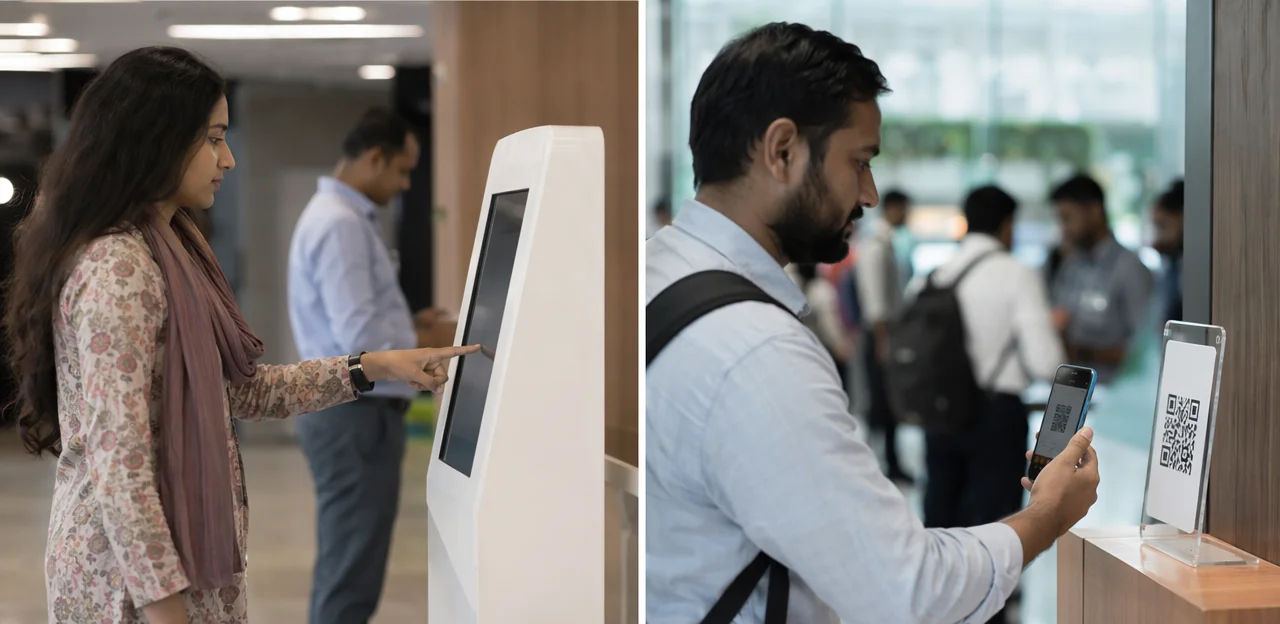
Response rates, data quality, and visitor effort
When comparing a visitor feedback kiosk vs QR, the best option often depends on where and when you ask for feedback.
- Visibility: A visitor feedback kiosk is hard to miss at exits, galleries, or cafés, which can lift participation from casual visitors. QR/NFC touchpoints are less visually dominant, so signage and staff prompts matter more.
- Convenience: Mobile touchpoints win on speed and privacy. Visitors can tap or scan on their own device, often making feedback feel easier and more discreet than queueing at a kiosk.
- Abandonment and survey completion rate: Kiosks can drive fast, low-effort ratings for 1–3 questions, but longer forms often see drop-off if people are leaving. QR/NFC can improve the survey completion rate when the flow is mobile-optimised and takes under 30 seconds.
- Feedback data quality: Kiosks usually produce stronger structured data, such as star ratings, NPS, or issue categories. Mobile flows often deliver better feedback data quality for open-text comments because visitors type more comfortably on their own phones.
A practical approach is hybrid: use kiosks for instant ratings and QR/NFC for richer follow-up comments.
Accessibility, inclusivity, and audience fit
When comparing a visitor feedback kiosk with NFC/QR touchpoints, the most inclusive choice is often a blended approach. Different audiences respond better to different formats, and the best accessible feedback tools reduce effort at the point of response.
- Families and school groups: QR/NFC works well for fast, mobile-first feedback, especially when teachers or parents can scan quickly while moving between spaces. Keep surveys to 1–3 questions.
- International visitors: Both methods should offer clear language selection at the first step. Kiosks can make this more visible, while QR/NFC can auto-detect browser language.
- Older audiences: A staffed or well-placed kiosk with large buttons, strong contrast, and simple prompts may feel easier than scanning a code.
- Visitors with disabilities: For strong museum accessibility, kiosks should include wheelchair-height placement, tactile cues, screen-reader support, and audio options. QR/NFC can support personal assistive settings on a visitor’s own device.
For an inclusive visitor experience, attractions should offer multilingual, low-friction options across both channels. Solutions such as Tapsy can support no-app QR/NFC journeys, but kiosks still remain valuable where device access or confidence is lower.
Cost, scalability, and operational complexity
For most attractions, the practical choice comes down to budget, rollout speed, and how much day-to-day management the team can handle.
- Upfront investment: The cost of feedback kiosks is usually higher because hardware, mounting, power, and replacement units all add to the budget. A visitor feedback kiosk can work well in fixed, high-traffic areas, but scaling across multiple galleries or sites gets expensive fast.
- Ongoing costs: Kiosks need cleaning, repairs, software updates, and occasional staff checks. By contrast, QR code implementation and NFC touchpoints are cheaper to expand, especially if visitors use their own phones.
- Deployment speed: QR/NFC systems can often be launched in days, while kiosks may require procurement, installation, and venue approvals.
- Analytics integration: For feedback software selection, check whether data feeds directly into dashboards, alerts, and CRM tools. Digital QR/NFC platforms often make this easier than standalone kiosk setups.
- Staffing implications: Kiosks may need more on-floor oversight, while QR/NFC solutions reduce hardware management but may need better signage and visitor prompting.
For attractions seeking flexible growth, QR/NFC often offers the lower-risk operational model.
How to choose the best option for your attraction

Match the method to your venue type and goals
Your attraction feedback strategy should reflect how visitors move through the space and what you need to learn.
- Large, high-volume attractions: A visitor feedback kiosk works well at exits, cafés, or restrooms for fast satisfaction scores and issue detection.
- Smaller venues or spread-out sites: QR/NFC touchpoints are often better for flexible placement and lower hardware overhead, which can simplify museum software selection.
- Long dwell-time experiences: Use QR/NFC inside galleries or exhibits to capture richer, in-the-moment qualitative insight.
- Temporary exhibits: QR/NFC is easier to deploy, update, and remove.
- Permanent exhibits: Kiosks suit fixed, repeatable feedback points.
Match the format to your visitor feedback goals: use kiosks for NPS and quick satisfaction, and QR/NFC for comments, context, and operational issue reporting.
When a hybrid model works better than one channel
For many attractions, a hybrid feedback strategy delivers better insight than relying on a single method. A visitor feedback kiosk at the exit captures broad, end-to-end impressions, while NFC and QR touchpoints collect in-the-moment feedback where specific experiences happen.
- Use a visitor feedback kiosk for overall satisfaction, NPS, and final comments as guests leave.
- Place NFC and QR touchpoints at exhibits, cafés, restrooms, queues, and gift shops to capture context-specific issues or highlights.
- Combine both data sources to spot journey patterns, not just isolated problems.
- Set alerts by touchpoint so teams can act quickly on cleanliness, wayfinding, or staff-service issues.
This approach helps museums and attractions gather both summary and actionable feedback.
Questions to ask when selecting feedback software
Use this checklist when comparing feedback software for museums and attractions, whether you deploy a visitor feedback kiosk or QR/NFC touchpoints:
- Integrations: Does it connect with ticketing, POS, CMS, and operations tools?
- Dashboards: Can teams view clear, location-level insights and trends in real time?
- Multilingual support: Can visitors respond in multiple languages without friction?
- Offline mode: Will it still capture feedback if Wi-Fi drops in galleries or historic buildings?
- Accessibility: Does it support screen readers, large text, and easy-touch navigation?
- CRM connections: Can feedback sync to your CRM for follow-up and segmentation?
- Alerting: Are low scores or urgent issues flagged instantly?
- Privacy compliance: Does it meet GDPR and other data rules?
A strong survey platform selection should also strengthen visitor analytics software reporting.
Implementation best practices and conclusion

- Prioritize kiosk placement at exits, queue areas, cafés, and restrooms where impressions are fresh; place QR/NFC at eye level beside exhibits, lockers, or service points.
- Use a clear QR code call to action like “Tap to rate this gallery in 10 seconds.”
- Follow survey design best practices: keep each visitor feedback kiosk survey to 1–3 questions plus one optional comment.
- Track feedback KPIs consistently: participation rate by touchpoint, completion rate, average sentiment, and issue resolution speed.
- Compare visitor satisfaction metrics by entrance, gallery, exhibit, café, or restroom to spot weak points.
- For strong museum performance measurement, benchmark each visitor feedback kiosk or QR/NFC location over time and adjust prompts, placement, or staffing accordingly.
Final recommendation framework
- Choose a visitor feedback kiosk when footfall is high, audiences are less phone-friendly, and you need fast, simple ratings.
- Use NFC/QR for lower hardware costs, flexible placement, and richer comments.
- Blend both for the best feedback method for attractions: kiosks for volume, mobile for depth. Match museum feedback tools to visitor behavior, budget, and insight goals.
Conclusion
Ultimately, the choice between a visitor feedback kiosk and NFC/QR touchpoints is not about declaring one universal winner. It is about matching the method to your attraction, your audience, and the moments that matter most. A visitor feedback kiosk can be highly visible, easy to understand, and effective in high-traffic exit points where you want fast, structured responses. NFC and QR, on the other hand, offer greater flexibility, lower hardware overhead, and more opportunities to collect feedback directly at exhibits, cafés, restrooms, and other key touchpoints.
For many museums and attractions, the strongest approach is often a blended one: use a visitor feedback kiosk for broad, high-volume sentiment capture, and NFC/QR for in-the-moment, location-specific insights. This combination helps teams act faster, improve operations, and create better visitor experiences with less guesswork.
The next step is to audit your visitor journey, identify your highest-friction areas, and test the feedback format that best fits each space. Look for tools that support simple flows, real-time alerts, and clear reporting. Solutions such as Tapsy can help attractions deploy no-app NFC/QR feedback at physical touchpoints while keeping response rates high. Start small, measure results, and build a feedback strategy that turns visitor opinions into continuous improvement.
Frequently Asked Questions
- What is the main difference between a visitor feedback kiosk and NFC or QR feedback?
A visitor feedback kiosk is a fixed on-site device placed in locations like exits, galleries, cafés, or restrooms. NFC and QR feedback use the visitor’s own phone to open a browser-based survey at specific touchpoints. Kiosks are more visible and shared, while NFC and QR are more flexible and easier to scale across a venue.
- Why is on-site feedback so important for museums and attractions?
On-site feedback captures impressions while queues, signage, staff interactions, and exhibit quality are still fresh in the visitor’s mind. That makes it easier to identify friction quickly and act on real issues instead of relying on delayed memories. Timely feedback supports better operations, exhibit improvements, and service decisions.
- Where should a visitor feedback kiosk be placed for the best results?
Kiosks work best in high-footfall areas where visitors naturally pause, such as exits, exit corridors, gallery transitions, cafés, restrooms, family zones, and interactive areas. These locations help capture immediate reactions without disrupting the visit. Clear signage and staff prompts can further improve participation.
- How do NFC and QR feedback journeys work in practice?
Visitors see a prompt at a touchpoint, then scan a QR code or tap an NFC tag with their phone. A mobile survey opens in the browser without requiring an app download. They can rate the experience, leave a comment, and submit feedback in under a minute.
- What are the biggest advantages of using a visitor feedback kiosk?
Kiosks reduce friction because visitors do not need to unlock a phone, scan a code, or depend on battery life or mobile signal. They are highly visible and can support multilingual interfaces, simple icons, and large buttons. They also work well for school groups, older visitors, and anyone who prefers not to use a personal device.
- What are the main drawbacks of feedback kiosks?
Kiosks usually require higher upfront investment for hardware, installation, mounting, and durable enclosures. They also need ongoing cleaning, software updates, repairs, power, and connectivity management. In busy public spaces, they can face wear, tampering, and placement challenges.
- Why might NFC and QR be a better fit than kiosks for some attractions?
NFC and QR usually cost less to deploy because they avoid dedicated hardware and can be added with signage, stickers, or tags. They are easier to place across multiple exhibits, temporary displays, cafés, restrooms, and queue lines. This makes them a practical option for venues that want broad coverage and fast rollout.
- What barriers can reduce QR code or NFC response rates?
Visitors may ignore codes if the value is unclear or the survey feels too long. Low battery, weak indoor signal, privacy hesitation, and device-free preferences can also reduce participation. Accessibility is another issue, since not every guest can comfortably use a smartphone.
- Which option usually gives better response rates and data quality?
Kiosks often perform well for quick, structured responses because they are visible and easy to use for 1–3 questions. Mobile touchpoints can work better for richer open-text comments because visitors type more comfortably on their own phones. The strongest setup often uses kiosks for instant ratings and QR or NFC for deeper comments.
- How do kiosks and mobile touchpoints compare for accessibility and inclusivity?
Kiosks can be easier for older visitors and people who do not want to use their own phone, especially when they have large buttons, strong contrast, and simple prompts. For strong accessibility, kiosks should include wheelchair-height placement, tactile cues, screen-reader support, and audio options. QR and NFC can also help by allowing visitors to use their own device settings and assistive tools.
- Which feedback method is more cost-effective and easier to scale?
QR and NFC are generally more cost-effective because they avoid the hardware, power, and maintenance needs of fixed kiosks. They can often be deployed in days and expanded across multiple spaces or seasonal events with less operational overhead. Kiosks are more expensive to scale, especially across several galleries or sites.
- When does a hybrid feedback model make the most sense?
A hybrid model works well when an attraction wants both broad sentiment and location-specific insight. Kiosks can capture overall satisfaction, NPS, and final comments at exits, while QR and NFC can collect feedback at exhibits, cafés, restrooms, queues, and gift shops. Combining both helps teams spot patterns across the full visitor journey.
- How should an attraction choose between kiosks and NFC or QR based on venue type?
Large, high-volume attractions often benefit from kiosks at exits or service areas for fast ratings and issue detection. Smaller venues or spread-out sites may prefer QR and NFC because they are easier to place and cheaper to manage. Temporary exhibits are also well suited to QR and NFC because they are easier to deploy, update, and remove.
- What should teams look for when selecting feedback software?
Useful features include integrations with ticketing, POS, CMS, CRM, and operations tools, along with clear dashboards and real-time alerts. The software should also support multilingual feedback, offline capture, accessibility features, and privacy compliance such as GDPR. Strong reporting is important so teams can turn responses into clear actions and trends.
- What are the best practices for implementing visitor feedback touchpoints?
Place kiosks where impressions are fresh, such as exits, queue areas, cafés, and restrooms, and position QR or NFC prompts at eye level near exhibits or service points. Keep surveys short, ideally 1–3 questions plus one optional comment, and use a clear call to action. Track participation rate, completion rate, sentiment, and issue resolution speed by touchpoint to improve performance over time.