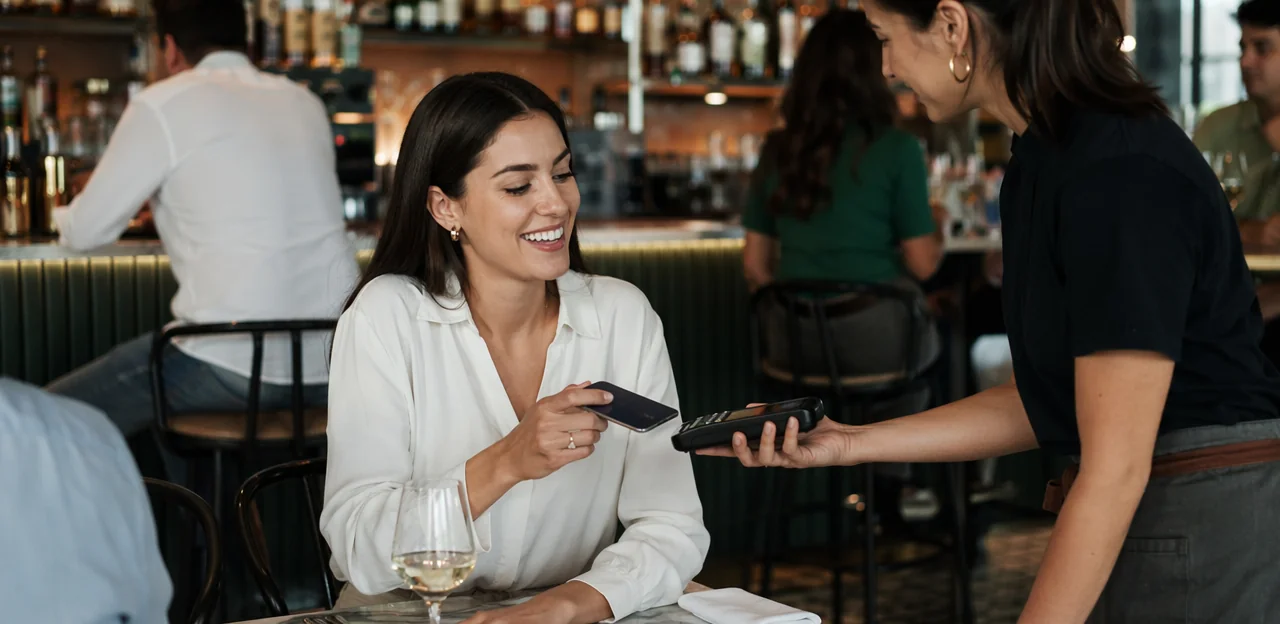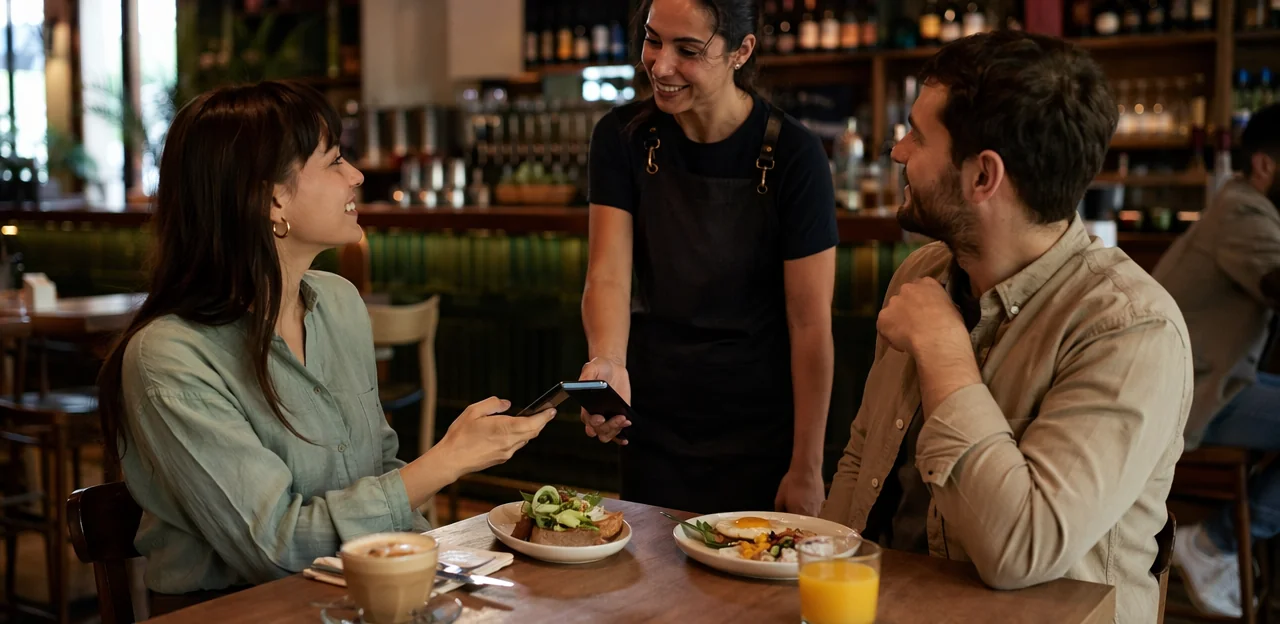
QR codes are now everywhere in restaurants and cafés—on tables, receipts, windows, menus, and takeaway bags. That convenience has made them a powerful tool for collecting guest insights, but it has also created a new challenge: QR fatigue. When diners are asked to scan too often, at the wrong moment, or for too many reasons, even the best-designed feedback request can start to feel like background noise.
That is why using a restaurant feedback QR code effectively is not just about placing a code on every surface. It is about timing, context, and making the experience feel quick, useful, and worth the guest’s attention. Done well, QR-based feedback can help restaurants capture in-the-moment reactions, spot service issues before they turn into public reviews, and learn what is really shaping the dining experience.
In this article, we will look at how restaurants and cafés can use QR feedback touchpoints strategically without overwhelming customers. We will cover where to place codes, when to ask for feedback, how to keep surveys short, and how to turn responses into operational improvements. We will also explore how tools such as Tapsy can support real-time feedback collection and service recovery while keeping the guest experience smooth and low-friction.
Why QR fatigue happens in restaurants and why it matters

What QR fatigue looks like for diners
QR fatigue in restaurants happens when guests are asked to scan too often during one visit. A diner may scan for the menu, then again for ordering, payment, Wi‑Fi, loyalty, and finally a restaurant feedback QR code. That level of restaurant QR code overuse creates friction instead of convenience.
Common signs include:
- Guests ignoring table tents, receipts, or posters
- Lower trust in unfamiliar links or repeated prompts
- Drop-offs before completing feedback or sign-up forms
- Frustration when every action requires a phone
To reduce fatigue, limit scans to the highest-value moments, combine functions where possible, and keep feedback short. Tools like Tapsy can help streamline one clear post-visit prompt.
How feedback requests can hurt the guest experience
A restaurant feedback QR code can backfire when it appears at the wrong moment or asks too much. If guests are prompted before they’ve finished eating, while they are paying, or multiple times during one visit, the request can feel intrusive instead of helpful.
- It interrupts the meal: Guests want to relax, talk, and enjoy the moment—not switch tasks mid-dining experience.
- It creates friction: Long forms or repeated scans turn guest experience feedback into extra work.
- It weakens perception: When feedback feels self-serving, it can reduce restaurant customer satisfaction and make the brand seem pushy.
Keep prompts short, well-timed, and optional. Tools like Tapsy work best when feedback is collected after the key experience is complete.
When a restaurant feedback QR code still makes sense
A restaurant feedback QR code is still highly effective when it solves a specific operational need instead of becoming just another sign on the table. It works best when feedback must be fast, simple, and tied to the exact moment of service.
- Right after the meal: Capture quick sentiment while the experience is still fresh with 1–3 tap ratings.
- For table-specific issues: Let guests report cold food, slow service, or cleanliness problems linked to a table, zone, or shift.
- In high-volume environments: Busy cafés, food halls, and quick-service restaurants can use QR code customer feedback to spot recurring issues quickly.
- For service recovery: Route low ratings to staff in real time so problems can be fixed before guests leave.
Tools like Tapsy can support this with instant alerts and simple no-app flows.
Build a feedback journey that feels helpful, not pushy

Choose the right moment to ask for feedback
The best time to ask for restaurant feedback is when the experience is still fresh, but the request does not interrupt the guest. A well-placed restaurant feedback QR code should match how people order, eat, and leave.
- After payment: Ideal for dine-in guests because the meal is complete and they are no longer focused on ordering or service.
- At the end of the meal: Best when placed on the bill holder, table tent, or exit sign for quick, low-friction responses.
- On takeaway packaging: Great for off-premise orders, where guests can scan after eating at home.
- In digital or printed receipts: Useful for delivery, pickup, and busy cafés where guests may not stop on-site.
A post-meal feedback QR code works best when the customer mindset is relaxed, satisfied, and ready to reflect briefly—not rushed, hungry, or mid-experience.
Limit prompts across the full customer journey
To reduce QR fatigue, avoid asking guests to scan at every step. Too many restaurant QR touchpoints across menus, ordering, payment, reviews, and surveys can make the experience feel repetitive and transactional.
Instead, choose one primary restaurant feedback QR code at the moment when guests are most likely to respond thoughtfully, such as after payment or near the exit.
- Audit every QR request in the journey and remove duplicates.
- Separate utility from feedback: menu and payment QR codes serve a function; feedback should have its own clear moment.
- Prioritize one action: don’t ask for a review, survey, and loyalty signup all at once.
- Use clear signage: explain why scanning matters and how long it takes.
- Test placement: a single post-meal prompt often performs better than multiple low-intent prompts.
Tools like Tapsy can help centralize feedback into one simple touchpoint.
Offer alternatives for guests who do not want to scan
Not every diner wants to use a restaurant feedback QR code, and that is exactly why backup options matter. Offering QR code alternatives for restaurants helps you collect more honest, representative, and accessible customer feedback from guests of different ages, abilities, and tech comfort levels.
Consider giving guests a choice:
- Short URL on receipts or table tents for people who prefer typing a simple link
- SMS feedback option so guests can text a keyword and respond on their own device
- Printed comment cards for low-tech or accessibility-friendly feedback
- Staff-led check-ins where a server or manager asks one or two quick questions before guests leave
Choice reduces friction and survey fatigue. It also improves inclusivity for guests with visual, motor, or digital access challenges. Platforms like Tapsy can support flexible feedback touchpoints, but the key is simple: make feedback easy in more than one way.
Design a restaurant feedback QR code experience that converts
Use clear calls to action and realistic expectations
A restaurant feedback QR code performs better when guests instantly understand why they should scan. Your sign should answer three questions at a glance: what the scan is for, how long it takes, and what the guest gets in return. This improves both trust and restaurant survey conversion.
- Lead with the value: “Help us improve your next visit” is stronger than “Scan here.”
- Set a realistic time: Say “30 seconds” or “3 quick questions” to reduce hesitation.
- Explain the benefit: Mention outcomes like better service, faster fixes, or a small reward.
Respectful QR code call to action examples:
- Scan to rate your visit in 30 seconds
- Tell us how we did — 3 quick taps
- Share feedback and get 10% off your next coffee
- Help us improve today’s service before you leave
If you use a tool like Tapsy, you can pair feedback with instant rewards without adding friction.
Keep the survey short, mobile-friendly, and relevant
A restaurant feedback QR code should lead to a fast, low-friction experience. The best results usually come from a short restaurant survey that guests can finish in under a minute.
- Limit question count: Aim for 3–5 questions max. Start with an overall rating, then ask about key drivers like food, service, or cleanliness.
- Design for mobile first: Your mobile feedback form should use large tap targets, minimal typing, fast load times, and a single-column layout.
- Use simple rating scales: Stick to 5-star, thumbs, or 1–5 scales so guests can respond instantly without overthinking.
- Add conditional logic: Only show follow-up questions when needed, such as asking for details after a low rating or offering a comment box for specific issues.
Shorter surveys increase completion rates, reduce drop-off, and produce cleaner, more actionable data. Tools like Tapsy can help restaurants build streamlined flows that capture useful feedback without overwhelming diners.
Match branding, placement, and table context
A restaurant feedback QR code performs best when it looks intentional, easy to scan, and relevant to the moment. Good restaurant QR code placement can lift scan rates without adding clutter.
- Use the right size and contrast: Make codes large enough to scan at arm’s length, with dark-on-light contrast and quiet space around the edges. Avoid glossy finishes and busy backgrounds.
- Match the touchpoint to the service model:
- Dine-in: Place codes on table tents, bill holders, or payment trays after the meal.
- Takeaway: Add them to receipts, bag stickers, or packaging inserts.
- Delivery: Put them on sealed packaging or thank-you cards inside the order.
- Café counter-service: Use countertop signs near pickup and condiment stations.
- Keep design on-brand: A branded QR code for restaurants with your logo, colors, and a short CTA feels more trustworthy and gets more scans. Tools like Tapsy can help standardize this across touchpoints.
Turn feedback into operational improvements guests can feel

Route responses to the right team quickly
A restaurant feedback QR code only creates value when responses reach the people who can act on them immediately. Build a clear restaurant feedback workflow so each issue type is routed to the right team without delay:
- Manager: low ratings, refund requests, serious complaints, or repeat issues
- Front-of-house: slow service, unfriendly interactions, seating, or billing concerns
- Kitchen: cold food, wrong order, taste, portion, or timing issues
- Customer service/marketing: follow-up requests, loyalty questions, or private outreach
Set instant alerts for low scores or urgent categories so staff can step in before the guest leaves. That speed is critical for service recovery restaurant efforts, helping turn a poor experience into a resolved one. Tools like Tapsy can help automate routing and real-time notifications.
Track patterns by shift, location, and touchpoint
A restaurant feedback QR code becomes far more useful when you segment responses instead of reviewing them as one mixed stream. Strong restaurant feedback analytics help you spot repeat problems and fix root causes faster.
- Break feedback down by daypart: compare breakfast, lunch, dinner, late-night, and weekend rushes.
- Review by team and service context: track scores by server, shift lead, takeaway channel, or campaign source.
- Map issues by place: analyze store, table zone, patio, counter, pickup shelf, or drive-through performance.
- Look for trends, not one-offs: repeated comments about slow drinks on Friday evenings matter more than a single complaint.
This approach reveals real customer feedback trends restaurant teams can act on. Tools like Tapsy can help organize these views across touchpoints.
Close the loop with guests and staff
Collecting feedback is only useful if people see what happens next. To close the feedback loop, acknowledge responses quickly and act on them visibly.
- Reply fast to key issues: Send a short thank-you message after a restaurant feedback QR code submission, and follow up personally when a guest reports a serious problem.
- Make your restaurant guest feedback response specific: Reference the issue, explain what you’re doing, and offer a practical recovery step if appropriate.
- Share patterns with staff: Review feedback in pre-shift huddles so teams understand recurring wins and pain points.
- Show visible improvements: If guests mention slow service, long waits, or cleanliness, tell both staff and diners what changed.
When guests see action, trust grows, participation increases, and future feedback becomes more honest and useful.
Use incentives and review requests carefully

Encourage participation without biasing responses
Use a restaurant feedback QR code to invite responses, but keep incentives light so you collect unbiased customer feedback, not just higher scores.
- Offer neutral restaurant survey incentives such as:
- entry into a monthly prize draw
- a loyalty point bonus
- a small next-visit perk for completing the survey, regardless of rating
- Avoid rewards tied to positive reviews, 5-star ratings, or edited feedback, as these can distort results and may violate platform rules.
- State clearly that all honest feedback is welcome and incentives are for participation only.
- Check local sweepstakes/privacy laws and any review-site policies before launching.
Tools like Tapsy can help structure reward flows without pressuring guests toward favorable responses.
Separate private feedback from public review requests
A restaurant feedback QR code should not send every guest through the same flow. Mixing operational complaints with a restaurant review request QR code creates friction, lowers response quality, and can frustrate diners who simply want to report an issue quickly.
Use private feedback vs public reviews as two clear paths:
- Private feedback path: collect service, food, cleanliness, or wait-time issues for internal follow-up.
- Public review path: invite happy guests to leave a review on platforms like Google only after a positive experience is confirmed.
- Set clear triggers: low ratings stay internal; high ratings can be redirected to review sites.
Tools like Tapsy can help route feedback appropriately and support faster service recovery.
Protect privacy and build trust at the point of scan
A restaurant feedback QR code gets more responses when guests feel safe scanning it. Make customer feedback privacy clear before the form opens and keep every step simple.
- State what you collect: Explain whether you gather ratings only, contact details, device data, or location.
- Offer anonymity: Let guests submit feedback anonymously, with contact fields marked optional.
- Ask for consent: Use a short consent line before submission, especially if follow-up messages are possible.
- Use secure handling: Link to a secure QR code survey with HTTPS, branded pages, and a visible privacy policy.
- Show trust signals: Add your logo, “no app required,” and “2-minute survey” messaging to increase scan confidence and completion rates.
Tools like Tapsy can help present secure, low-friction feedback flows.
Measure success and optimize your QR feedback strategy

Key metrics to monitor beyond scan rate
A restaurant feedback QR code should be judged by what happens after the scan, not just how often it’s opened. Focus on these QR code feedback metrics and restaurant survey KPIs:
- Completion rate: Percentage of guests who finish the survey after opening it.
- Response quality: Track useful comments, not just star ratings.
- Issue resolution time: Measure how quickly staff respond to low scores or complaints.
- Sentiment trends: Monitor whether guest tone improves or declines over time.
- Repeat complaint categories: Spot recurring issues like slow service, cold food, or cleanliness.
- Guest recovery outcomes: Track whether resolved complaints lead to return visits, better reviews, or redeemed offers.
Tools like Tapsy can help route issues quickly and make these KPIs easier to act on.
Test placements, wording, and formats
Use your restaurant feedback QR code strategy as an ongoing experiment, not a one-time setup. Small tweaks can lift scans and improve answer quality.
- A/B test QR code signage with different CTAs: “Rate your meal in 20 seconds” often outperforms generic “Scan for feedback.”
- Test placement types: receipt folders, table tents, exit doors, and payment counters each capture different moments and response intent.
- Optimize restaurant feedback form length by limiting it to 1–3 quick questions plus one optional comment field.
- Compare incentive language: “Free coffee next visit” may beat “Complete our survey for a reward” because it feels specific and immediate.
Tools like Tapsy can help restaurants test these variables quickly and identify which combinations drive both more responses and more useful feedback.
Create a simple rollout plan for restaurants and cafés
Use a phased restaurant feedback QR code rollout to avoid clutter and train teams before scaling. A practical restaurant feedback QR code strategy looks like this:
- Start with one touchpoint: test at the bill folder, counter, or takeaway pickup area.
- Keep the survey short: ask 1–3 rating questions and one optional comment.
- Set clear triggers: route low scores or cleanliness issues to a manager immediately.
- Pilot for 2–4 weeks: measure scan rate, response quality, and recovery speed.
- Expand carefully: add more tables, counters, or sites only after refining signage and timing.
For a cafe feedback QR code, place it where guests naturally pause, not everywhere. Tools like Tapsy can help centralize alerts across locations.
Conclusion
Using a restaurant feedback QR code effectively is not about placing a scan point on every surface. It is about choosing the right moments, keeping the experience short, and giving guests a clear reason to respond. When restaurants focus on high-intent touchpoints like the bill, receipt, exit, or counter, they can collect more meaningful feedback without overwhelming diners. Pairing a simple survey with smart timing, limited prompts, and visible action on feedback helps prevent QR fatigue while improving the guest experience.
The best restaurant feedback QR code strategy also goes beyond data collection. It should help teams spot service issues quickly, recover unhappy guests before they leave a negative public review, and create opportunities to encourage repeat visits. In many cases, a small incentive or follow-up offer can make participation feel worthwhile and strengthen loyalty at the same time.
If you are ready to improve feedback collection, start by auditing your current QR placements, reducing friction, and testing one or two high-impact touchpoints first. You can also explore tools like Tapsy if you want a no-app way to capture real-time feedback and connect it to service recovery or return-visit rewards. The right restaurant feedback QR code setup can turn quick guest input into better operations, stronger reviews, and more repeat business.
Frequently Asked Questions
- What is QR fatigue in restaurants?
QR fatigue happens when guests are asked to scan too many codes during one visit, such as for menus, ordering, payment, Wi‑Fi, loyalty, and feedback. It can lead to ignored prompts, lower trust, incomplete forms, and frustration with needing a phone for every step.
- Why can a restaurant feedback QR code hurt the guest experience?
A feedback QR code can feel intrusive if it appears before the meal is finished, during payment, or multiple times in one visit. Long forms and repeated prompts add friction and may make the brand seem pushy instead of helpful.
- When does a restaurant feedback QR code make the most sense?
It works best when it solves a clear operational need and fits a high-intent moment. Good examples include right after the meal, for table-specific issues, in high-volume settings, and for real-time service recovery before guests leave.
- What is the best time to ask diners for feedback with a QR code?
The strongest moment is after payment or at the end of the meal, when the experience is still fresh but no longer interrupted. For takeaway, delivery, and pickup, receipts and packaging are effective because guests can respond after eating.
- How many QR feedback prompts should a restaurant use in one customer journey?
Use one primary feedback prompt instead of asking guests to scan at every stage. Auditing all QR touchpoints and removing duplicates helps reduce fatigue and usually creates a clearer, more thoughtful response moment.
- What alternatives should restaurants offer for guests who do not want to scan a QR code?
Useful alternatives include a short URL on receipts or table tents, an SMS option, printed comment cards, and quick staff-led check-ins. Offering choices improves accessibility and makes feedback easier for guests with different levels of tech comfort.
- What should a restaurant say next to a feedback QR code?
The message should explain why the guest should scan, how long it will take, and what benefit they get. Clear calls to action like 'Scan to rate your visit in 30 seconds' or 'Tell us how we did — 3 quick taps' set realistic expectations and improve trust.
- How long should a restaurant QR feedback survey be?
Keep it short enough to finish in under a minute, usually with 3–5 questions. Start with an overall rating, use simple mobile-friendly scales, and only show follow-up questions when they are relevant.
- Where should restaurants place feedback QR codes for the best results?
Placement should match the service model and the moment when guests naturally pause. Common high-intent spots include bill holders, payment trays, receipts, takeaway bags, sealed delivery packaging, and countertop signs near pickup areas.
- How should restaurants handle low ratings or urgent complaints from QR feedback?
Responses should be routed quickly to the right team based on the issue type. Managers should receive serious complaints or repeat issues, while front-of-house, kitchen, or customer service teams can handle service, food, billing, or follow-up concerns.
- What feedback patterns should restaurants track beyond individual comments?
Restaurants should review feedback by shift, daypart, location, table zone, channel, or team member to find repeat problems. Trends such as slow drinks on Friday evenings are more useful for operational changes than isolated one-off complaints.
- How can a restaurant close the feedback loop after collecting QR responses?
Acknowledge submissions quickly, follow up personally on serious issues, and explain what action is being taken. Sharing recurring feedback with staff and making improvements visible helps build trust and encourages more honest future responses.
- Should restaurants use incentives for QR feedback?
Yes, but incentives should stay neutral so they do not bias responses. Options like a monthly prize draw, loyalty points, or a small next-visit perk for completing the survey work better than rewards tied to positive ratings or reviews.
- What is the difference between private feedback and a public review request?
Private feedback is for reporting service, food, cleanliness, or wait-time issues so the restaurant can follow up internally. Public review requests should be a separate path and are better suited for guests whose positive experience has already been confirmed.
- Which metrics matter most when measuring a restaurant feedback QR code strategy?
Scan rate alone is not enough. Restaurants should also track completion rate, response quality, issue resolution time, sentiment trends, repeat complaint categories, and whether service recovery leads to return visits or better reviews.