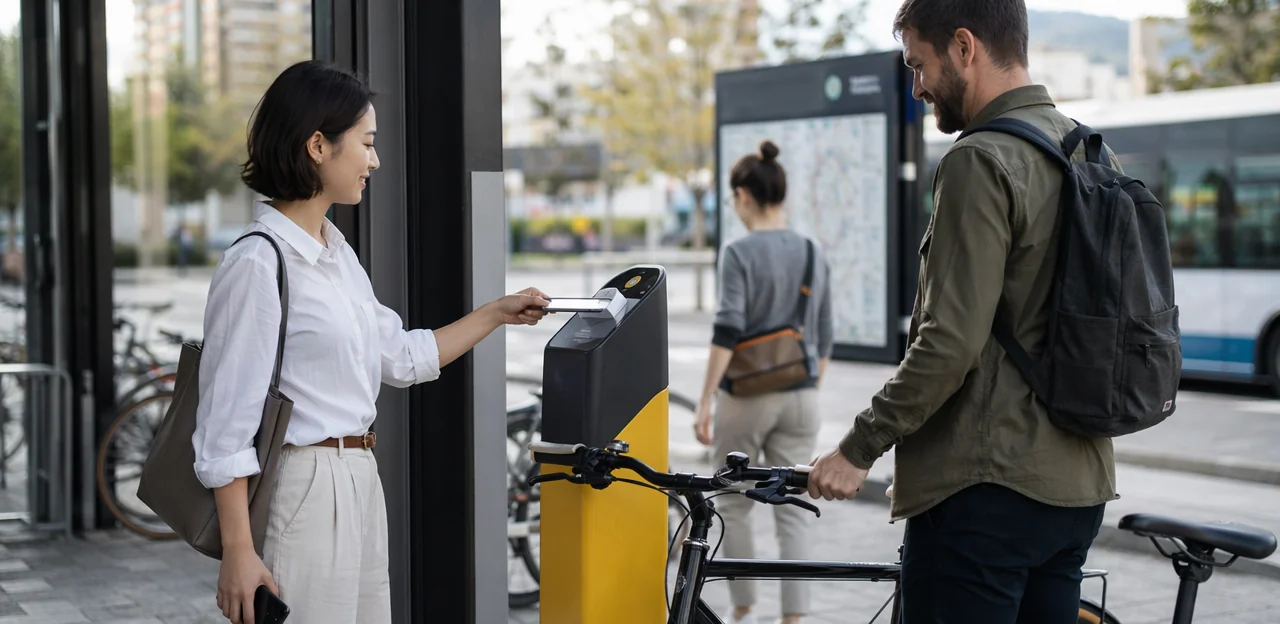
In a busy mobility hub, passenger impressions are formed in seconds, and they can change just as quickly. A smooth ticket purchase, clear signage, clean facilities, and timely updates all shape the journey, while a single broken touchpoint can undermine the entire experience. That is why mobility hub feedback has become essential for operators looking to improve service quality, reduce friction, and respond faster to real-world issues as they happen.
But collecting feedback is only part of the challenge. The real value comes from measuring the right signals across the full passenger journey, from entrances and ticketing points to platforms, waiting areas, toilets, parking, and exits. Each touchpoint reveals something different about operational performance, accessibility, safety, convenience, and overall passenger satisfaction.
This article explores what operators should measure across physical and digital touchpoints in travel and mobility hubs, including NFC and QR-based feedback moments that make it easier to capture insights in real time. It will look at the key metrics that matter most, how to connect feedback to action, and how operators can use touchpoint-level data to strengthen passenger experience at scale. Where relevant, solutions like Tapsy can help collect fast, no-app feedback exactly where the experience happens.
Why mobility hub feedback matters for passenger experience and operations

Defining mobility hub feedback in a multi-touchpoint environment
Mobility hub feedback is the structured collection of traveler input across every point in a connected journey, not just after the trip ends. In travel and mobility hubs, that includes:
- stations and interchanges
- curbside pickup and drop-off zones
- bike-share docks and parking areas
- ticketing points and payment moments
- digital wayfinding, QR, and NFC touchpoints
Unlike general customer satisfaction, multi-touchpoint feedback measures what happened at each stage: arrival, transfer, waiting, boarding, and exit. This helps operators pinpoint friction such as poor signage, congestion, broken equipment, or unclear pickup flows. Tools like Tapsy can support fast, in-the-moment feedback where issues actually occur.
How feedback supports smoother journeys and better hub performance
Effective mobility hub feedback connects the real passenger experience to daily operations. When operators measure feedback at key touchpoints, they can spot where journey friction builds, such as unclear signage, broken lifts, overcrowded platforms, or slow ticketing.
- Reduce friction: Track issues by location, time, and touchpoint to improve transfers, queues, and wayfinding.
- Improve service quality: Use real-time feedback to trigger faster fixes for cleanliness, staff support, and equipment failures.
- Protect accessibility and safety: Monitor comments on step-free access, lighting, emergency help points, and platform gaps.
- Strengthen hub performance: Compare trends across zones to prioritise resources where they improve passenger experience most.
Tools like Tapsy can help capture fast, in-the-moment feedback via QR or NFC.
Common feedback blind spots operators should address
Strong mobility hub feedback programs often miss the moments that shape the full journey. To improve service quality metrics and generate better transport customer insights, operators should track these common feedback blind spots:
- First-mile and last-mile transitions: access from parking, bike storage, bus stops, and ride-hailing zones
- Signage clarity: wayfinding at entrances, transfers, exits, and accessibility routes
- Queueing: ticketing, security, boarding, toilets, and help desks
- Cleanliness: waiting areas, lifts, toilets, and shared touchpoints
- Staff helpfulness: visibility, problem resolution, and empathy
- Digital touchpoint usability: QR/NFC interactions, apps, kiosks, and mobile ticketing
When these areas go unmeasured, operators get incomplete data, misread pain points, and make weaker operational decisions.
Which touchpoints operators should measure across the mobility hub journey

Physical touchpoints: entrances, platforms, waiting areas, and amenities
Strong mobility hub feedback programs start by mapping the physical touchpoints where passengers judge the journey in real time. Each area should connect to clear station feedback themes:
- Entrances and access points: measure wayfinding clarity, ticket gate flow, crowding, lighting, and first-impression cleanliness.
- Elevators and escalators: track uptime, wait times, accessibility, maintenance issues, and ease of movement for luggage, strollers, and wheelchair users.
- Platforms and waiting areas: collect feedback on seating availability, shelter, temperature, noise, real-time information screens, and perceived safety.
- Restrooms and retail: monitor cleanliness, stock levels, queue times, pricing fairness, and overall quality of mobility hub amenities.
- Safety features: assess CCTV visibility, emergency help points, staff presence, lighting, and incident reporting confidence.
QR/NFC prompts at each location—using tools like Tapsy—help capture fast, location-specific insights and route issues to the right team.
Digital touchpoints: apps, kiosks, NFC, QR, and real-time information
Digital interfaces strongly influence mobility hub feedback because they shape key moments in the passenger journey, from planning to boarding. Operators should measure digital passenger feedback at the exact point of interaction, not hours later.
- Mobile apps: Trigger short in-app prompts after journey planning, ticket purchase, or disruption alerts.
- Ticketing kiosks: Ask one-tap questions after payment or service completion to identify friction, downtime, or unclear instructions.
- QR touchpoints: Place QR codes on platforms, exits, and help points to capture fast, location-specific feedback.
- NFC touchpoints: Use tap-to-feedback tags for low-friction reporting on cleanliness, accessibility, or crowding.
- Live departure screens: Add nearby QR or NFC options so passengers can report whether information is accurate, visible, and timely.
Tools such as Tapsy can help collect contextual, real-time signals and route urgent issues to operations teams quickly.
Intermodal transfer points and first-mile or last-mile connections
Strong mobility hub feedback should capture how easily passengers move between bus, rail, micromobility, rideshare, and parking. For intermodal transfers, operators should measure both operational performance and traveler perception across the full first mile last mile journey.
- Transfer ease: Ask whether connections felt simple, barrier-free, and well-timed. Track walking distance, elevator/escalator availability, and handoff friction between services.
- Wait times: Measure actual versus perceived waiting time at pickup zones, platforms, bike docks, and parking exits.
- Navigation success: Monitor whether passengers found the right stop, bay, platform, or pickup point without staff help. Signage clarity and wayfinding errors are key indicators.
- Perceived reliability: Compare confidence in connected services, especially when one delay disrupts the full transfer experience.
QR or NFC touchpoints, such as Tapsy, can collect in-the-moment feedback exactly where transfer pain occurs.
What operators should measure: core metrics and feedback categories

Experience metrics: satisfaction, effort, accessibility, and trust
To make mobility hub feedback useful, operators should track passenger-centered metrics that explain why an experience succeeds or fails, not just whether someone liked it.
- Customer satisfaction (CSAT): Measure satisfaction at specific touchpoints such as ticketing, security, toilets, waiting areas, and exits. This shows where experience quality rises or drops.
- Customer effort score: Ask how easy it was to complete a task like finding a platform, buying a ticket, or getting assistance. High effort often predicts complaints and abandonment better than overall ratings.
- Accessibility feedback: Capture satisfaction from passengers using lifts, ramps, tactile guidance, hearing support, and accessible information. This reveals barriers generic surveys often miss.
- Perceived safety and comfort: Track how safe travelers feel in corridors, car parks, platforms, and late-night areas.
- Confidence in wayfinding: Measure whether signage, maps, announcements, and staff directions helped passengers navigate without confusion.
Together, these metrics uncover operational friction, inclusion gaps, and trust issues that broad star ratings cannot.
Operational metrics linked to passenger sentiment
To make mobility hub feedback actionable, operators should map sentiment to concrete operational metrics at each touchpoint. This turns opinions into clear priorities and stronger transport KPIs.
- Queue length and wait time: Compare low sentiment scores at ticketing, security, or boarding points with average queue length and peak-time delays.
- Dwell time: Track whether longer platform, lounge, or interchange dwell times correlate with frustration, confusion, or comfort issues.
- Incident response time: Measure how quickly teams resolve reported safety, accessibility, or service problems after negative feedback.
- Cleanliness frequency: Link restroom, seating, and concourse ratings to cleaning schedules and inspection logs.
- Equipment uptime: Match feedback on gates, escalators, lifts, kiosks, and validators with uptime and fault data.
- Information accuracy: Monitor complaints about signage, announcements, and digital boards against update accuracy and delay communication times.
Combining sentiment with performance data gives a fuller view of service reliability, helping operators identify root causes, prioritize fixes, and improve passenger experience faster. Tools like Tapsy can help capture real-time feedback directly at these touchpoints.
Touchpoint-specific KPIs for NFC and QR feedback collection
To improve mobility hub feedback, operators should track touchpoint KPIs at the exact place feedback is collected. For NFC feedback and QR feedback metrics, the most useful KPIs include:
- Scan rate: how many passengers tap or scan compared with total footfall at a gate, platform, toilet, kiosk, or exit.
- Response rate: the share of scans that lead to a submitted rating or comment.
- Completion rate: how many users finish the full feedback flow, helping reveal if questions are too long or unclear.
- Issue category volume: counts of complaints by type, such as cleanliness, accessibility, delays, signage, or staff support.
- Location-based sentiment: average rating or sentiment trend by touchpoint, zone, or terminal.
- Time-to-resolution: how quickly reported issues are acknowledged and fixed.
Together, these metrics show which touchpoints underperform, where passenger frustration is concentrated, and which operational teams need faster action. Platforms like Tapsy can help surface these patterns in real time.
How to collect high-quality mobility hub feedback across touchpoints

Choosing the right feedback methods for each touchpoint
Effective mobility hub feedback depends on matching the method to the moment:
- Instant ratings capture fast sentiment at exits, toilets, gates, or ticket machines.
- QR surveys and NFC surveys work best for short, in-the-moment checks when passengers are moving quickly. Keep them to 1–3 questions.
- Deeper surveys are better after complex journeys, disruptions, or accessibility issues, where follow-up research can explore causes and expectations.
- Passive listening helps track social posts, reviews, and unsolicited comments for emerging patterns.
- Staff-reported issues surface operational friction passengers may not formally report.
- Observational audits reveal queueing, signage confusion, cleanliness, and crowd flow problems.
- Complaint analysis highlights recurring failures and priorities for service recovery.
The strongest feedback collection methods combine real-time touchpoint data with richer follow-up insight. Tools like Tapsy can support quick QR/NFC capture at high-traffic locations.
Designing low-friction feedback prompts that passengers will complete
To improve mobility hub feedback, make every prompt fast, visible, and easy to answer in motion. Strong passenger feedback design reduces drop-off and lifts survey response rate without interrupting the journey.
- Time prompts carefully: Ask at natural pauses such as exits, platforms, ticket machines, waiting areas, or after service interactions.
- Keep questions short: Use 1–3 taps, one optional comment box, and clear labels. Avoid long forms in busy environments.
- Place signage where decisions happen: Position QR/NFC prompts at eye level near touchpoints, queues, lifts, toilets, and help desks.
- Optimize for mobile: No app download, fast loading, large buttons, and minimal typing are essential.
- Support multiple languages: Detect device language or offer clear language switching.
- Prioritize accessible feedback collection: Ensure screen-reader compatibility, strong contrast, simple wording, and reachable placement for wheelchair users.
Tools like Tapsy can support quick QR/NFC feedback flows at high-traffic touchpoints.
Ensuring data quality, privacy, and representative sampling
High-value mobility hub feedback depends on collecting clean, trustworthy input from a broad mix of passengers, not just the most vocal users. To improve data quality and representative sampling, operators should:
- Reduce bias: Gather feedback across different times, days, locations, routes, and passenger types, including commuters, tourists, older travelers, and passengers with accessibility needs.
- Prevent duplicates: Limit repeat submissions with session controls, device checks, QR/NFC rate limits, or light verification without adding too much friction.
- Filter poor-quality data: Flag spam, incomplete responses, and contradictory answers, while keeping surveys short and touchpoint-specific.
- Protect feedback privacy: Clearly explain what data is collected, why it is needed, and how long it is stored. Use consent prompts where required and anonymization by default.
- Stay inclusive: Balance digital QR/NFC collection with staffed outreach or accessible offline options so convenience does not distort the sample.
Tools such as Tapsy can support fast, touchpoint-based collection while helping operators structure cleaner input.
Turning feedback into action: analysis, prioritization, and continuous improvement

How to analyze feedback by location, time, and journey stage
Strong mobility hub feedback programs go beyond overall satisfaction scores. Use feedback analysis to segment responses by:
- Hub zone: entrances, platforms, toilets, parking, ticketing, lounges
- Touchpoint type: QR posters, NFC tags, kiosks, staff desks, apps
- Time of day: peak commute, midday, evening, late-night
- Route or service: line, operator, destination, interchange path
- Passenger type: commuter, tourist, accessibility user, family, business traveler
Pair this with journey stage mapping—arrival, wayfinding, waiting, boarding, transfer, exit—to see where friction builds. These location-based insights reveal recurring issues, such as poor signage at transfers or cleanliness drops after rush hour, that broad averages often hide. Tools like Tapsy can help capture and compare feedback at each touchpoint in real time.
Prioritizing fixes based on impact and feasibility
Turn mobility hub feedback into action with a simple issue prioritization framework:
- Score each issue on four factors:
- Passenger impact: How strongly it affects comfort, safety, or wayfinding
- Operational risk: Whether it disrupts flow, compliance, or service continuity
- Frequency: How often the issue appears across touchpoints
- Cost and effort to resolve: Time, budget, and team dependency
- Prioritize quick wins first for fast service improvement:
- Update confusing digital content on screens or QR/NFC pages
- Replace unclear signage
- Adjust cleaning schedules in toilets or waiting areas
- Redeploy staff during peak congestion periods
- Escalate high-risk recurring passenger pain points even if costlier.
Using dashboards from tools like Tapsy can support smarter issue prioritization across locations.
Building a closed-loop process for ongoing optimization
To turn mobility hub feedback into results, operators need a clear closed-loop feedback process:
- Assign ownership: Route each issue type—cleanliness, signage, staffing, accessibility, safety—to a named team or manager.
- Track corrective actions: Log the problem, action taken, target resolution date, and status in one shared dashboard.
- Communicate improvements: Tell passengers what changed through signage, apps, email updates, or on-site QR/NFC touchpoints.
- Measure impact over time: Compare scores before and after fixes by location, touchpoint, and time period.
This creates actionable insights that support continuous improvement. Tools like Tapsy can help capture real-time input, but the key is continuous measurement—not one-off surveys.
Best practices and examples for a scalable mobility hub feedback program

Creating a feedback framework that works across multiple hubs
A strong mobility hub feedback approach starts with a shared feedback framework that keeps reporting consistent while reflecting local realities. Operators should:
- Standardize core KPIs such as cleanliness, safety, wayfinding, wait times, and staff helpfulness
- Segment results by hub size, mode mix, and passenger demographics
- Use the same scoring model and reporting cadence across sites
This supports multi-site benchmarking, reveals best practices, and strengthens a scalable mobility hub strategy.
- Transfer signage: Use mobility hub feedback from platform, concourse, and exit QR/NFC points to spot missed connections and unclear wayfinding, then update arrows, color coding, and multilingual signs for faster station optimization.
- Ticket kiosks: If touchpoint insights show repeated confusion at payment or fare-selection screens, simplify prompts and add staff support during peak times.
- Accessibility and comfort: Escalate elevator outage reports faster and increase waiting-area cleaning where feedback trends drop, driving measurable passenger experience improvement.
Key mistakes to avoid when measuring mobility hub feedback
- Collecting too much data without action: One of the biggest feedback mistakes is gathering endless responses but failing to prioritize fixes, owners, and timelines.
- Ignoring accessibility: A weak transport feedback strategy excludes passengers with disabilities, language needs, or low digital confidence.
- Overrelying on one channel: Avoid customer insight pitfalls by combining QR, NFC, staff-led, and web inputs.
- Not linking mobility hub feedback to operations: Tie insights to delays, cleanliness, staffing, and safety outcomes.
Conclusion
In high-traffic environments, the best decisions come from feedback captured in the moment. That’s why effective mobility hub feedback should be measured across every key touchpoint, from entrances, platforms, and ticketing areas to waiting zones, toilets, parking, exits, and digital service interactions. By tracking sentiment, issue categories, response times, location-based trends, and recurring friction points such as cleanliness, signage, accessibility, crowding, and staff support, operators gain a clearer picture of the real passenger experience.
The most valuable mobility hub feedback strategies are simple, fast, and actionable. Short surveys, QR and NFC touchpoints, and real-time alerts help teams identify problems early, prioritize operational fixes, and benchmark performance across stations, terminals, routes, and times of day. Just as importantly, they turn feedback into a continuous improvement loop rather than a one-off reporting exercise.
For operators looking to strengthen passenger experience, the next step is to audit current touchpoints, define the metrics that matter most, and implement a system that makes it easy for travelers to respond instantly. Solutions like Tapsy can support this with no-app QR/NFC feedback collection at the point of experience. Start measuring mobility hub feedback where journeys actually happen, and use those insights to create smoother, safer, and more satisfying travel experiences.
Frequently Asked Questions
- What is mobility hub feedback?
Mobility hub feedback is the structured collection of traveler input across the full journey, not only after a trip ends. It covers touchpoints such as stations, interchanges, curbside zones, bike-share docks, ticketing moments, and digital wayfinding through QR and NFC.
- Why should operators measure feedback at multiple touchpoints instead of using one overall survey?
A single overall survey can hide where friction actually happens. Measuring by touchpoint helps operators identify specific problems such as poor signage, congestion, broken equipment, unclear pickup flows, or slow ticketing at the exact stage of the journey.
- Which physical areas in a mobility hub should be monitored most closely?
Operators should measure entrances, access points, elevators, escalators, platforms, waiting areas, restrooms, retail zones, and safety features. These locations reveal issues related to crowding, cleanliness, accessibility, comfort, lighting, and perceived safety.
- What digital touchpoints are most useful for collecting passenger feedback?
Useful digital touchpoints include mobile apps, ticketing kiosks, QR codes, NFC tags, and live departure screens. Feedback works best when it is collected right after a planning, payment, boarding, or information-checking moment.
- How can QR and NFC feedback improve real-time issue detection?
QR and NFC prompts let passengers report problems exactly where they happen, such as at platforms, toilets, exits, lifts, or help points. This makes feedback more contextual and helps route urgent issues to the right operational team faster.
- What are the biggest feedback blind spots in mobility hubs?
Common blind spots include first-mile and last-mile transitions, signage clarity, queueing, cleanliness, staff helpfulness, and digital touchpoint usability. When these areas are not measured, operators risk incomplete data and weaker operational decisions.
- Which passenger experience metrics matter most in a mobility hub?
Key experience metrics include customer satisfaction, customer effort, accessibility feedback, perceived safety and comfort, and confidence in wayfinding. These measures explain why an experience succeeds or fails at specific touchpoints rather than only giving a broad rating.
- How should operators connect passenger sentiment to operational performance?
Sentiment should be mapped to operational metrics such as queue length, wait time, dwell time, incident response time, cleaning frequency, equipment uptime, and information accuracy. This helps identify root causes and prioritize fixes based on actual service reliability.
- What KPIs should be tracked for QR and NFC feedback points?
Important KPIs include scan rate, response rate, completion rate, issue category volume, location-based sentiment, and time-to-resolution. Together, these show which touchpoints attract engagement, where frustration is concentrated, and how quickly teams respond.
- How can operators design feedback prompts that passengers will actually complete?
Prompts should appear at natural pauses such as exits, platforms, ticket machines, waiting areas, or after service interactions. Keeping them to 1–3 taps, avoiding app downloads, using large buttons, and placing QR or NFC signage where decisions happen all reduce drop-off.
- What makes a mobility hub feedback program more accessible and representative?
Operators should support multiple languages, screen-reader compatibility, strong contrast, simple wording, and reachable placement for wheelchair users. Representative sampling also requires collecting feedback across different times, locations, and passenger groups, while balancing digital methods with staffed or offline options.
- How should feedback be analyzed to reveal useful patterns?
Responses should be segmented by hub zone, touchpoint type, time of day, route or service, passenger type, and journey stage. This makes it easier to spot recurring issues such as transfer confusion, late-night safety concerns, or cleanliness drops after rush hour.
- What is a practical way to prioritize fixes from mobility hub feedback?
A simple framework is to score each issue by passenger impact, operational risk, frequency, and cost or effort to resolve. Quick wins like updating confusing signage, adjusting cleaning schedules, or redeploying staff during congestion can be addressed first, while recurring high-risk issues should be escalated.
- How does a closed-loop feedback process work in a transport hub?
A closed-loop process assigns each issue type to a named team, tracks actions and deadlines in a shared dashboard, communicates improvements to passengers, and measures results over time. This turns feedback into continuous improvement instead of one-off reporting.
- What mistakes should operators avoid when measuring mobility hub feedback?
Operators should avoid collecting large volumes of data without clear action, ignoring accessibility needs, relying on only one feedback channel, and failing to link feedback to operational outcomes. Strong programs combine QR, NFC, staff-led, and web inputs while tying insights to delays, cleanliness, staffing, and safety.