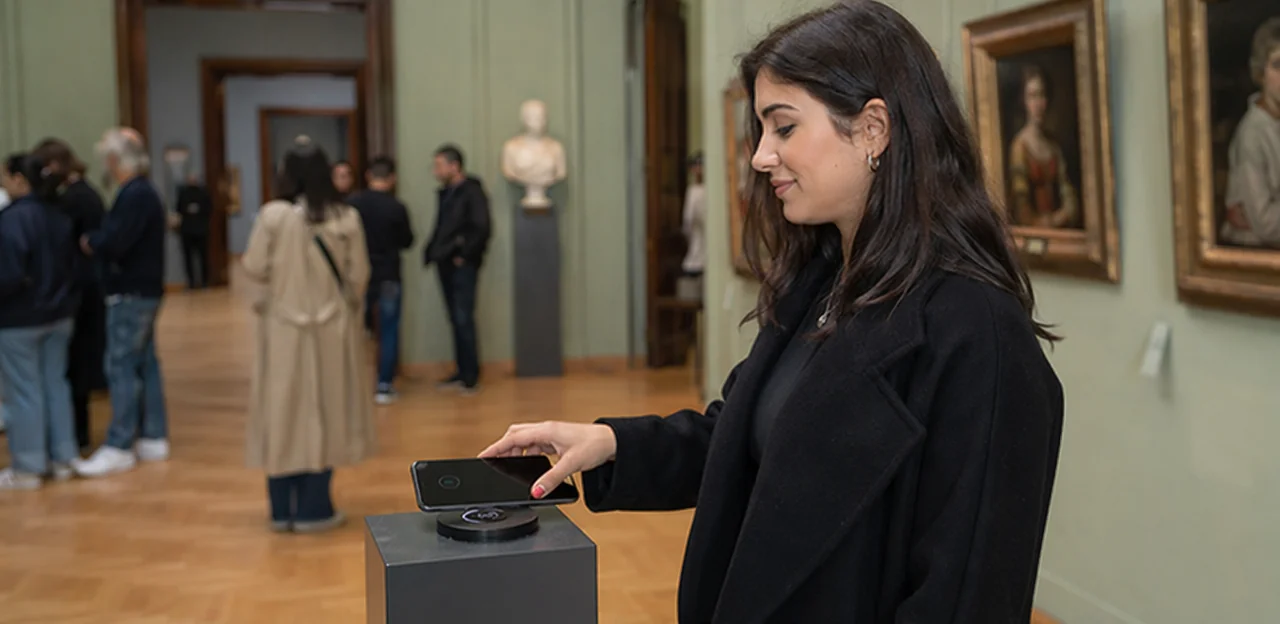
A great exhibition can still leave visitors frustrated by unclear signage, long queues, poor wayfinding, or inaccessible touchpoints—and if your team only hears about those issues days later through low-response surveys, the chance to act has already passed. That is why choosing the right museum feedback software has become a strategic decision for visitor experience teams across museums, galleries, heritage sites, and cultural attractions.
Today’s institutions need more than a basic survey tool. They need a system that captures feedback while the visit is still fresh, reveals patterns across exhibitions and services, and helps staff respond quickly when something affects satisfaction. From gallery exits and guided tours to cafés, gift shops, and accessibility touchpoints, the best platforms turn everyday visitor interactions into practical insight.
In this article, we’ll explore what teams should compare when evaluating museum feedback software, including ease of use, response rates, touchpoint flexibility, real-time alerts, reporting, integrations, and the ability to support service recovery and long-term experience improvement. We’ll also look at how solutions such as Tapsy reflect a growing shift toward in-the-moment, no-app feedback collection—helping attractions understand what visitors feel, where friction happens, and what to improve next.
Why museum feedback software matters for visitor experience teams
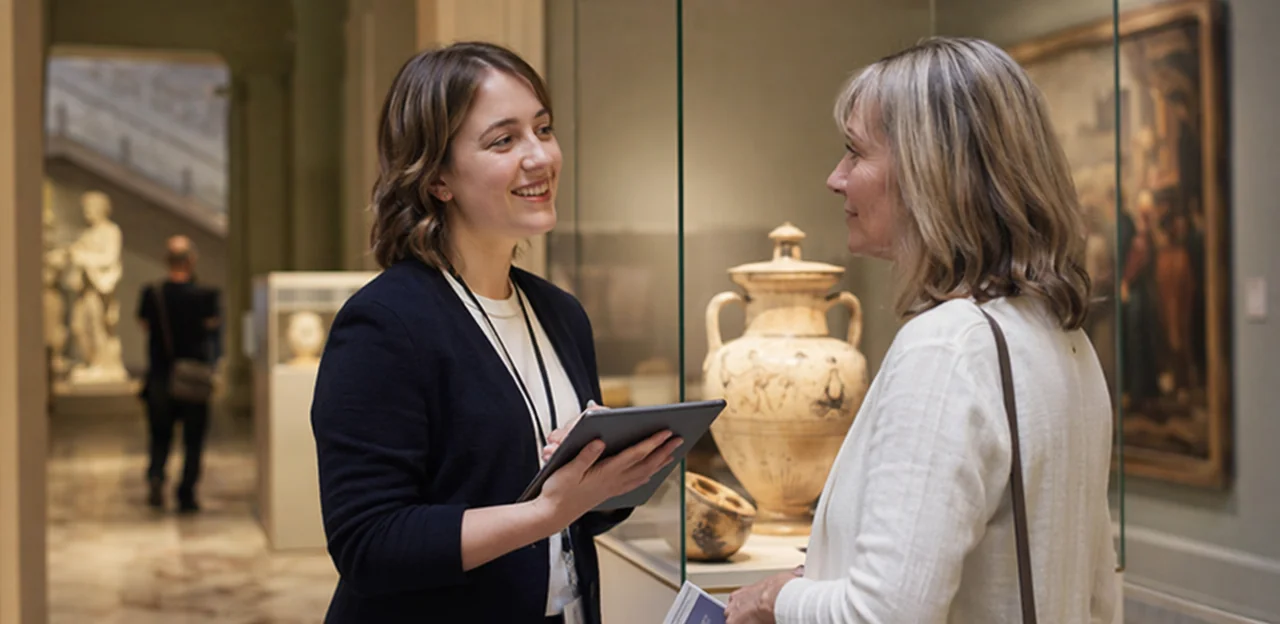
How feedback tools support museums and attractions
Museum feedback software helps visitor experience teams capture and analyse visitor sentiment at key touchpoints, not just after a visit. The best visitor feedback tools for museums make it easy to gather fast, actionable insight across:
- exhibitions and galleries
- front-of-house and admissions
- retail and gift shops
- cafés and catering
- memberships and donations
- tours, workshops, and events
This gives teams a clearer view of the full museum visitor experience, including what delights visitors and where friction appears. With real-time responses, museums can spot recurring issues, route feedback to the right department, and test improvements quickly. Tools such as Tapsy can also collect feedback at the moment of experience, helping teams turn visitor insight into continuous service and programming improvements.
Common challenges with manual or disconnected feedback processes
Many museums still rely on paper forms, emailed surveys, or separate tools, which makes museum feedback software a practical way to remove friction and improve decision-making. Common issues include:
- Low response rates: long surveys sent after the visit often miss in-the-moment reactions.
- Siloed data: comments from front-of-house, exhibitions, retail, and cafés sit in different systems.
- Delayed reporting: manual collation slows action on service or exhibition issues.
- Inconsistent methods: different teams use different questions, making trends hard to compare.
- Limited visibility: leadership, operations, and visitor experience teams lack a shared view.
The right museum survey software strengthens visitor feedback management and makes customer experience software for attractions far more actionable.
What success looks like after implementation
With the right museum feedback software, success shows up in day-to-day operations as well as leadership reporting:
- Faster issue resolution: Low scores on cleanliness, queues, signage, or accessibility trigger quick action before complaints escalate.
- Better exhibit insights: Teams can compare responses by gallery, tour, or touchpoint to see what drives engagement and what causes friction.
- Stronger visitor satisfaction metrics: Track museum NPS, CSAT, and comment trends consistently across locations and time periods.
- Clearer accountability: Feedback is routed to the right teams, with owners and follow-up timelines attached.
- Leadership-ready reporting: Dashboards turn raw feedback into clear summaries of museum customer experience performance, priorities, and improvement progress.
Core features to compare in museum feedback software

Feedback collection channels and survey flexibility
When comparing museum feedback software, look beyond response rates and assess how well each channel fits different visitor moments:
- Museum survey kiosk: Best for exits, cafés, and temporary exhibitions where staff want fast, high-volume sentiment capture.
- QR code visitor feedback: Ideal for galleries, tours, signage, and object labels, letting visitors respond in the moment without queuing.
- Email and SMS surveys: Better for post-visit reflection, membership feedback, and longer-form questions.
- Web forms and in-app options: Useful for ticketing journeys, digital guides, and repeat visitors.
Key features to compare include:
- Survey logic to route questions by exhibition, ticket type, or score.
- Multilingual museum surveys so tourists and local audiences can respond comfortably.
- Accessibility such as screen-reader support, large text, and simple input flows.
- Offline capture for historic buildings or low-signal spaces.
- Timing controls to trigger surveys at entry, after tours, or post-visit.
Platforms like Tapsy can be useful when museums want no-app, on-site QR feedback at physical touchpoints.
Analytics, dashboards, and sentiment reporting
Strong museum feedback software should do more than collect responses; it should help teams act on them quickly. A clear museum reporting dashboard gives visitor experience, operations, and leadership teams a shared view of what is happening across exhibitions, tours, cafés, and facilities.
Key capabilities to compare include:
- Real-time dashboards: spot issues like crowding, signage confusion, or cleanliness complaints as they emerge
- Trend analysis: track scores by day, exhibition, touchpoint, or season to identify recurring patterns
- Text analytics: turn open comments into themes such as accessibility, staff helpfulness, or queue times
- Visitor sentiment analysis: detect positive, neutral, and negative language at scale
- Benchmarking: compare locations, departments, and time periods to see where performance improves or slips
- Role-based reporting: give frontline managers operational detail while leadership sees strategic summaries
The best feedback analytics software helps museums convert qualitative comments into operational insights, so feedback leads to better staffing, clearer wayfinding, and stronger visitor experiences.
Case management, alerts, and action workflows
The best museum feedback software does more than collect comments; it helps teams act before a poor experience turns into a lost visitor. When a guest reports long queues, unclear signage, accessibility problems, or a cleanliness issue, fast visitor issue resolution matters.
Key capabilities to compare include:
- Real-time customer experience alerts for low scores, urgent keywords, or location-specific complaints
- Ticketing and case assignment so issues go directly to front-of-house, facilities, or visitor services
- Closed-loop feedback tools that document follow-up, resolution status, and visitor outreach
- Escalation workflows for serious complaints, safety concerns, or repeat issues that need management attention
These workflows support service recovery by ensuring no complaint disappears in an inbox. Teams can acknowledge the problem, fix it quickly, and follow up with the visitor when appropriate. That responsiveness protects reputation, improves satisfaction, and increases the chance that disappointed guests return instead of sharing only negative word of mouth. Solutions such as Tapsy may also help trigger instant alerts at key visitor touchpoints.
Integrations that make feedback data more useful

Ticketing, CRM, and membership system integrations
Strong integrations turn museum feedback software from a survey tool into a decision-making system. With ticketing integration, museum CRM integration, and membership data integration, visitor experience teams can connect each response to the full visit context and act faster.
- Segment by visitor type: Compare feedback from members, first-time visitors, school groups, tourists, and event attendees.
- Track visit timing: Link responses to visit date, daypart, exhibition slot, or special event to spot operational issues.
- Use membership status: See whether members report different satisfaction, renewal intent, or benefits usage.
- Measure campaign impact: Tie feedback to email, paid ads, partner promotions, or social campaigns.
This helps teams prioritise improvements, personalise follow-up, and prove which audiences and campaigns drive the best experience.
Connecting feedback with operational and marketing tools
The best museum feedback software does more than collect scores; it fits into your wider customer experience workflow so teams can act quickly and learn across departments. Prioritise feedback software integrations that connect with:
- Help desks: turn low ratings or urgent comments into tickets for facilities, front-of-house, or visitor services.
- Email platforms: trigger follow-up messages, membership offers, or event campaigns based on visitor sentiment and consent.
- BI tools: feed dashboards for business intelligence for museums, combining feedback with footfall, ticketing, retail, and exhibition data.
- Collaboration software: send alerts to Slack or Microsoft Teams so issues reach the right team in real time.
Tools like Tapsy can support this by routing feedback directly from on-site touchpoints into action.
API access, data ownership, and export options
When comparing museum feedback software, do not treat integrations as a nice-to-have. Long-term flexibility depends on three basics:
- Open API access: A strong feedback software API lets you connect feedback data to CRM, ticketing, BI, and incident-management tools.
- Reliable data export options: Check for scheduled CSV exports, raw data access, and easy historical downloads so reporting does not depend on one dashboard.
- Clear data ownership terms: Your museum should retain full ownership of responses, visitor metadata, and analytics outputs.
These points reduce vendor lock-in and make future migration easier. For example, platforms such as Tapsy are often evaluated on how easily data can flow into existing visitor experience systems.
Selection criteria beyond features: usability, compliance, and fit

Ease of use for front-line and head-office teams
The best museum feedback software should be simple enough for busy front-line staff and flexible enough for head-office reporting. If teams struggle to use it, adoption drops quickly.
Look for:
- Intuitive interfaces: Clear dashboards, mobile-friendly forms, and fast workflows help staff capture and review feedback without slowing service.
- Simple survey setup: Non-technical teams should be able to launch, edit, and localise surveys in minutes.
- Role-based permissions: Marketing, visitor services, and operations need access to the right data without creating confusion or risk.
- Minimal training needs: Choose easy-to-use feedback software with clear navigation, templates, and guided setup.
Strong visitor services tools should support day-to-day action, while wider museum operations software should make reporting and collaboration easy across departments.
Accessibility, privacy, and compliance requirements
When comparing museum feedback software, treat compliance as a core selection criterion, not a later checklist. Public-facing cultural institutions need tools that are inclusive, transparent, and secure.
- Choose accessible survey software that supports WCAG standards, keyboard navigation, screen readers, strong colour contrast, and simple mobile forms.
- Prioritise GDPR feedback software with clear consent management, lawful-basis controls, cookie transparency, and easy data-export/delete workflows.
- Offer anonymous feedback options so visitors can report accessibility, safeguarding, or service issues without sharing personal data.
- Review museum data privacy controls: encryption, role-based access, secure hosting, retention settings, and audit logs.
- Check sector-specific needs for museums, galleries, and heritage venues, especially around children, public accountability, and multilingual access.
Platforms such as Tapsy can be useful if they combine low-friction collection with strong privacy controls.
Pricing models, support, and vendor reliability
When comparing museum feedback software, look beyond headline costs. A strong software vendor evaluation should include total cost, service quality, and sector fit.
- Compare feedback software pricing carefully: check per-location, per-user, response-volume, or feature-tier pricing, and confirm what is included.
- Ask about implementation fees: setup, integrations, hardware, training, and custom reporting can add significantly to year-one cost.
- Review onboarding and support levels: clarify whether you get a dedicated success manager, admin training, and help during launch periods or major exhibitions.
- Check SLAs and response times: especially if your team needs rapid alerts for visitor issues.
- Assess vendor reliability: prioritize museum technology partners with proven experience in museums, attractions, and cultural organizations, plus relevant case studies and references.
For example, solutions like Tapsy may suit venues needing fast, touchpoint-based feedback collection.
How visitor experience teams should run the software selection process

Define goals, stakeholders, and use cases first
Before comparing museum feedback software, align on what success looks like. A clear software selection process starts with specific, measurable visitor experience goals tied to your wider museum digital strategy.
- Define priority outcomes: improve exhibit feedback, reduce recurring complaints, track satisfaction by gallery or event, or connect positive feedback to memberships and repeat visits.
- Map core use cases: exhibition exits, guided tours, accessibility touchpoints, cafés, shops, and member experiences.
- Involve key stakeholders early:
- CX teams for survey design and insight needs
- Operations for issue routing and service recovery
- IT for security, integrations, and data governance
- Leadership for reporting, ROI, and strategic alignment
This upfront alignment helps teams compare platforms based on real operational needs, not just feature lists.
Build a practical comparison checklist and scorecard
A software comparison checklist helps visitor experience teams evaluate museum feedback software consistently instead of relying on demos alone. Create a simple vendor scorecard and weight each category by importance to your museum.
- Channels (25%): QR, SMS, email, kiosk, web, NFC, multilingual support
- Analytics (20%): real-time dashboards, sentiment analysis, location-level reporting, benchmarking
- Integrations (20%): CRM, ticketing, help desk, BI tools, marketing platforms
- Compliance (15%): GDPR, data retention controls, consent management, security standards
- Support (10%): onboarding, training, SLA, account management
- Total cost of ownership (10%): setup, hardware, licences, support, scaling costs
Score each vendor from 1–5, multiply by the weighting, and compare totals side by side. This structured museum software evaluation makes trade-offs visible and decisions more objective.
Pilot, measure, and validate before full rollout
Before committing to museum feedback software, run a focused software pilot program in one exhibition, café, or exit zone. This lets visitor experience teams test real-world performance before procurement is finalized and reduces risk during a wider museum technology rollout.
Track pilot success against clear metrics, such as:
- Visitor feedback response rate: for example, 8–15% of visitors at QR or NFC touchpoints
- Staff adoption: percentage of frontline teams actively checking alerts and closing issues
- Dashboard usefulness: time saved in reporting, clarity of trends, and ability to spot pain points
- Integration quality: reliable data flow into CRM, ticketing, or BI tools with minimal manual work
Also confirm training needs, device placement, governance, and support capacity before scaling across all sites.
Best practices for turning feedback into better museum experiences

Use feedback to improve exhibits, services, and journeys
Effective museum feedback software should let teams review comments by touchpoint, making museum journey mapping far more practical and actionable. Use tagged exhibit feedback and service data to spot friction, then prioritize fixes such as:
- Wayfinding: identify confusing entrances, maps, and gallery routes
- Accessibility: flag lift access, seating, lighting, captions, and toilet issues
- Interpretation: refine labels, audio guides, and multilingual content
- Retail, food, and events: compare queues, pricing, staff helpfulness, and atmosphere
This touchpoint analysis drives faster visitor experience improvement across the full visit.
Regular reporting turns museum feedback software into a decision-making tool, not just a data source. A shared visitor feedback dashboard helps every team see what matters most and act faster:
- Operations: spot recurring issues with queues, signage, cleanliness, or staffing.
- Curatorial: identify which exhibits inspire, confuse, or need better interpretation.
- Marketing: connect sentiment, campaigns, and audience segments to improve messaging.
- Leadership: use museum performance reporting to prioritize budgets and changes with confidence.
These cross-functional insights create one evidence base, helping departments align around visitor needs rather than assumptions.
- Use museum feedback software dashboards to track visitor satisfaction trends by exhibition, daypart, team, and touchpoint, so you can spot whether improvements hold over months, not just after one campaign.
- Tie feedback data to repeat visitation indicators such as membership renewals, return intent, voucher redemptions, or event rebooking.
- Measure complaint volume, issue categories, and resolution speed to show service improvements.
- Report service recovery outcomes, including recovered detractors and follow-up satisfaction, to quantify feedback software ROI and turn museum customer insights into budget-proof evidence.
Conclusion
Choosing the right museum feedback software is ultimately about more than collecting comments—it’s about giving visitor experience teams the insight they need to improve exhibitions, tours, facilities, and every touchpoint in between. As you compare options, focus on the features that matter most: real-time feedback capture, ease of use for visitors, flexible survey formats, clear reporting dashboards, alerting for service recovery, and integrations with your wider CRM, ticketing, and operational systems.
The best museum feedback software should help your team move from passive data collection to actionable visitor intelligence. That means understanding not just overall satisfaction, but where friction happens, which experiences drive loyalty, and how feedback can inform programming, accessibility, and staff performance. Strong integration capabilities are especially important if you want a complete view of the visitor journey rather than isolated survey results.
Your next step is to create a shortlist, map your key visitor touchpoints, and request demos that reflect real museum use cases. It can also help to review case studies, involve frontline teams in evaluation, and define success metrics before implementation. If you’re exploring modern, on-site feedback tools, solutions like Tapsy may be worth considering. The right museum feedback software can turn everyday visitor input into better experiences, stronger engagement, and smarter decisions.
Frequently Asked Questions
- What is museum feedback software used for?
Museum feedback software helps visitor experience teams capture and analyse visitor sentiment at key touchpoints during or around the visit. It can be used across exhibitions, admissions, retail, cafés, memberships, tours, workshops, and events to identify what is working and where friction appears.
- Why is in-the-moment feedback important for museums and attractions?
In-the-moment feedback helps teams catch issues while the visit is still fresh, rather than days later through low-response surveys. That makes it easier to respond quickly to problems such as unclear signage, long queues, accessibility issues, or cleanliness concerns before they escalate.
- What problems do manual or disconnected feedback processes create?
Paper forms, emailed surveys, and separate tools often lead to low response rates, siloed data, and delayed reporting. They also make it harder to compare trends consistently across front-of-house, exhibitions, retail, and cafés, leaving teams without a shared view of visitor experience.
- Which feedback channels should museums compare when choosing a platform?
Museums should compare kiosks, QR code feedback, email and SMS surveys, web forms, and in-app options. Different channels suit different moments, such as exits, galleries, tours, ticketing journeys, digital guides, and post-visit reflection.
- What survey features matter most for museum environments?
Important features include survey logic, multilingual support, accessibility, offline capture, and timing controls. These help teams tailor questions by exhibition or ticket type, support diverse audiences, and collect responses even in historic buildings or low-signal spaces.
- How do dashboards and analytics improve museum decision-making?
Strong dashboards give visitor experience, operations, and leadership teams a shared view of what is happening across exhibitions, tours, cafés, and facilities. Real-time reporting, trend analysis, text analytics, sentiment analysis, benchmarking, and role-based reporting help teams turn comments into operational insight.
- Why are alerts and case management important in museum feedback software?
Alerts and case workflows help teams act quickly when visitors report long queues, unclear signage, accessibility problems, or cleanliness issues. Useful capabilities include real-time alerts, ticket assignment, closed-loop follow-up, and escalation workflows so complaints are routed, tracked, and resolved.
- What integrations should museums prioritise in feedback software?
Museums should prioritise integrations with ticketing systems, CRM platforms, membership systems, help desks, email tools, BI platforms, and collaboration tools such as Slack or Microsoft Teams. These connections make feedback more useful by linking responses to visitor type, visit timing, campaigns, and operational workflows.
- How do API access and data ownership affect long-term flexibility?
Open API access allows feedback data to connect with CRM, ticketing, BI, and incident-management tools. Clear data ownership terms and reliable export options reduce vendor lock-in and make future reporting or migration easier.
- What makes feedback software easy for museum teams to use?
Good usability means intuitive dashboards, mobile-friendly forms, simple survey setup, role-based permissions, and minimal training needs. Front-line teams need fast workflows for daily action, while head-office teams need flexible reporting and collaboration across departments.
- What accessibility and privacy requirements should museums check before buying?
Museums should look for WCAG-oriented accessibility features such as keyboard navigation, screen-reader support, strong colour contrast, and simple mobile forms. They should also review GDPR-related controls, consent management, anonymous feedback options, encryption, secure hosting, retention settings, and audit logs.
- How should museums compare pricing and vendor reliability?
Teams should look beyond headline pricing and compare per-location, per-user, response-volume, or feature-tier costs. It is also important to check implementation fees, onboarding, support levels, SLAs, response times, and whether the vendor has proven experience with museums, attractions, or cultural organisations.
- What is the best way to run a museum feedback software selection process?
Start by defining clear visitor experience goals, mapping use cases, and involving CX, operations, IT, and leadership early. Then build a weighted scorecard covering channels, analytics, integrations, compliance, support, and total cost of ownership so vendors can be compared consistently.
- Why should museums pilot feedback software before a full rollout?
A pilot in one exhibition, café, or exit zone helps teams test response rates, staff adoption, dashboard usefulness, and integration quality in real conditions. It also helps confirm training needs, device placement, governance, and support capacity before scaling across sites.
- How can museums turn feedback into better visitor experiences over time?
Teams can use touchpoint-level feedback to improve wayfinding, accessibility, interpretation, retail, food, and events. Shared dashboards also help operations, curatorial, marketing, and leadership track satisfaction trends, complaint categories, resolution speed, and indicators linked to repeat visits or membership renewals.