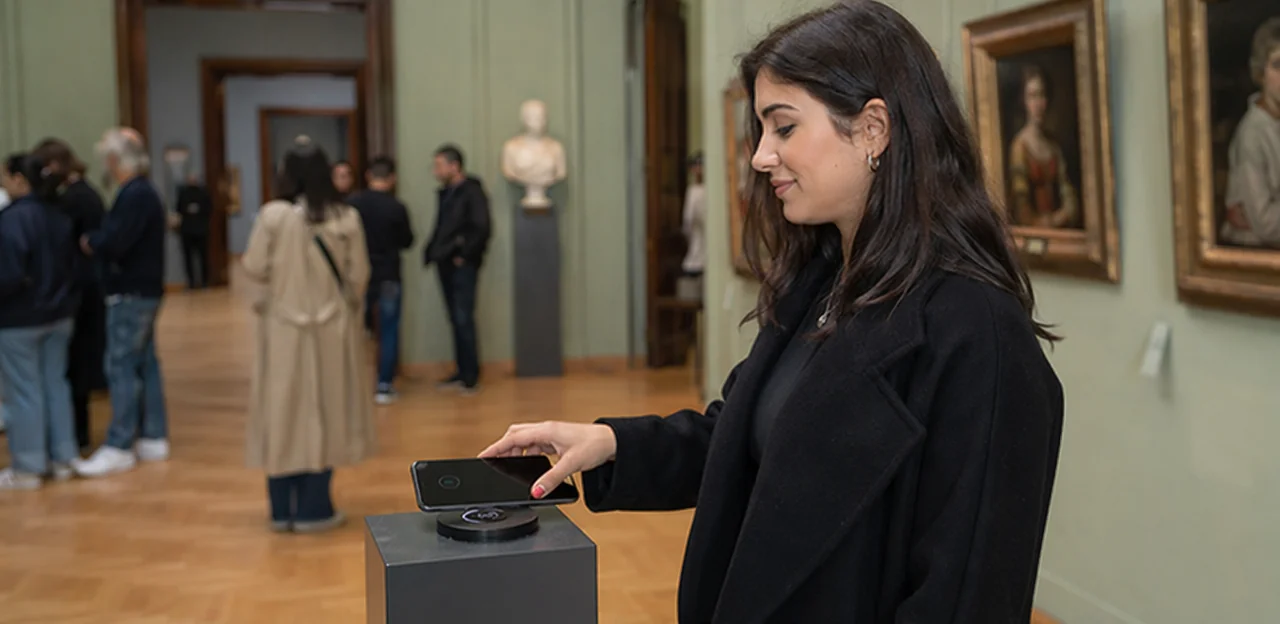
What if the most valuable visitor insight could be captured in the exact moment it’s felt—right beside a gallery wall, at the end of an exhibition trail, or just after an interactive display? That’s the promise of NFC-powered feedback in cultural spaces. As museums and attractions look for smarter ways to understand visitor behaviour, improve experiences, and respond in real time, the idea of the NFC feedback museum is becoming increasingly relevant.
Instead of relying only on long post-visit surveys or generic review platforms, museums can place simple tap-to-rate touchpoints throughout exhibitions, galleries, cafés, and exits. With a quick tap of a smartphone, visitors can share immediate reactions while the experience is still fresh. That means richer insight into which exhibits resonate, where friction appears, and how teams can act faster to improve satisfaction.
In this article, we’ll explore how NFC feedback works in museums, why tap-to-rate moments are especially effective in visitor attractions and cultural venues, and where NFC and QR touchpoints can fit naturally into the museum journey. We’ll also look at the operational and visitor-experience benefits, from capturing more authentic feedback to identifying issues before they turn into negative reviews. Where relevant, platforms like Tapsy can help illustrate how no-app feedback tools make these touchpoints easier to deploy at scale.
Why NFC feedback matters in museums and attractions

Traditional post-visit surveys often arrive too late. By the time a visitor gets an email, the emotional detail behind a “good” or “poor” experience has faded, and museums lose the context that makes museum visitor feedback useful.
With an NFC feedback museum setup, visitors can tap and rate the experience exactly where it happens, creating stronger real-time visitor insights.
- At exhibits: capture surprise, curiosity, confusion, or accessibility issues in the moment
- At wayfinding points: learn where signage, maps, or flow break down
- In retail and cafés: spot queue, service, or pricing friction immediately
- At amenities: monitor toilets, seating, lockers, and family spaces before complaints escalate
This touchpoint-level feedback helps teams act faster, improve operations, and understand not just what visitors felt, but where and why.
How tap-to-rate moments improve visitor experience
Well-placed NFC feedback museum prompts make it easy for visitors to share impressions in the moment, not hours later when details are lost. A simple tap to rate museum flow reduces friction and helps teams spot what is working and what needs attention across the full journey.
- At gallery entrances and exits: measure first impressions, clarity of wayfinding, and overall mood.
- Near exhibitions: identify which displays feel engaging, confusing, crowded, or underexplained.
- In queues and cafés: uncover wait-time frustration before it affects the wider visitor experience museum.
- At interactive spaces: flag broken tech, accessibility issues, or standout hands-on moments.
A strong gallery feedback system turns quick taps into actionable insight, helping staff improve layouts, staffing, signage, and exhibit interpretation in real time.
Where NFC fits within museums, attractions, and cultural venues
NFC works best as part of a wider museum feedback technology mix rather than as a standalone tool. In practice, NFC and QR touchpoints serve different visitor moments:
- Use NFC at exits, object labels, temporary exhibitions, and busy dwell points where a fast tap beats scanning a code.
- Use QR codes where signage space is limited or visitors may want to respond later.
- Use kiosks for longer, guided surveys or accessibility support.
- Use email surveys for post-visit reflection, memberships, and deeper analysis.
For high-traffic, mobile-first, and contact-light environments, NFC feedback museum setups often reduce friction and lift response rates. For stronger visitor attractions feedback, pair NFC with simple rating prompts and optional comments. Platforms like Tapsy can combine both NFC and QR touchpoints in one flow.
How NFC feedback touchpoints work in galleries and exhibitions
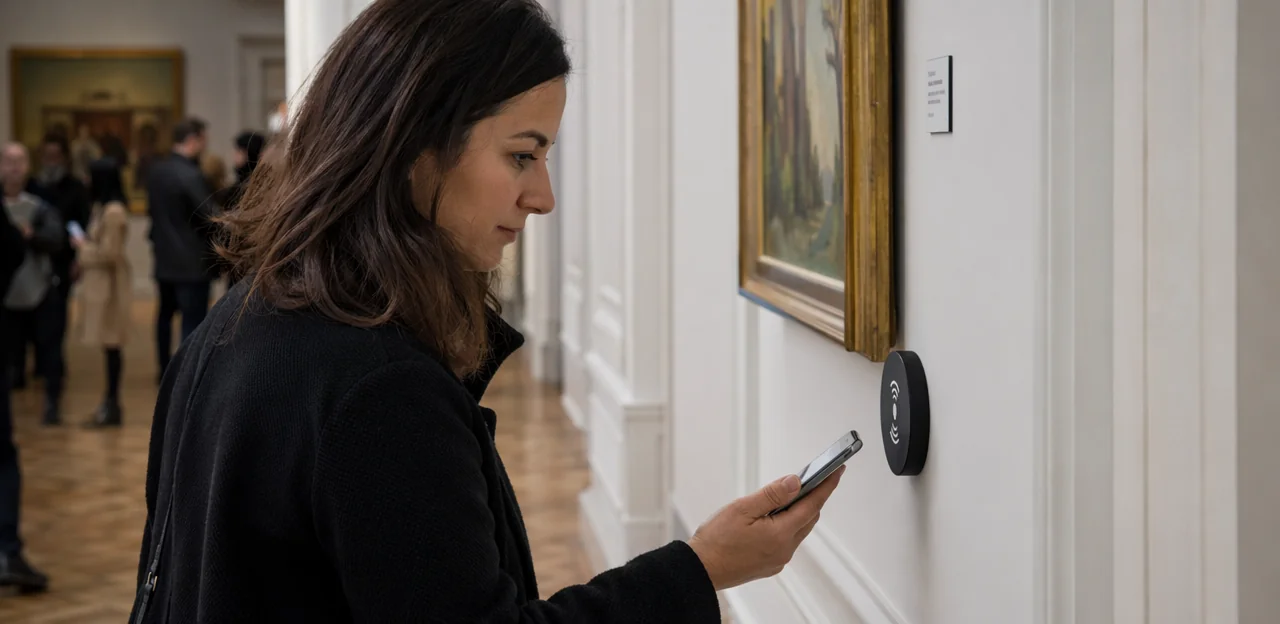
What an NFC feedback journey looks like for visitors
In an NFC feedback museum setup, the visitor flow should feel instant and effortless:
- Tap at the touchpoint
A visitor taps their phone on an exhibit label, stand, or sign with an NFC tag. - Open the mobile page
Their phone launches a no-app museum mobile feedback page linked to that exact gallery, artwork, or display. - Rate the experience
The exhibition feedback form asks for a quick score, such as enjoyment, clarity, or interactivity. - Add optional comments
Visitors can leave a short note about what they loved, what felt confusing, or what could be improved. - Submit in seconds
A strong NFC feedback journey is fast, mobile-friendly, and tied to the precise touchpoint, helping museums collect more accurate in-the-moment insight.
Best touchpoint locations across the visitor journey
Strong NFC feedback museum results depend on placing prompts where visitors naturally pause and impressions are fresh. Use visitor journey mapping museum exercises to identify high-attention, high-emotion moments, then deploy museum touchpoints strategically:
- Entrances: capture first impressions on welcome, ticketing, queues, and signage.
- Exhibit exits: place gallery NFC tags after major displays to measure clarity, emotional impact, and dwell satisfaction.
- Immersive rooms: add a tap point at the exit while reactions are immediate.
- Cafés and gift shops: collect feedback on service, pricing, and overall convenience.
- Toilets: monitor cleanliness and maintenance in real time.
- Wayfinding pinch points: add tags near stairwells, maps, and confusing junctions to reveal navigation friction.
Tools like Tapsy can help route low scores quickly to the right team.
NFC vs QR codes for museum feedback collection
For NFC feedback museum deployments, the best choice depends on visitor flow, device habits, and exhibit context. In the NFC vs QR museum debate, both support fast, contactless feedback attractions programs, but they behave differently in practice:
- Speed: NFC is usually faster: visitors simply tap. QR feedback museum journeys require opening the camera and aligning the code.
- Accessibility: QR works on more devices, including older phones; NFC can be unavailable or switched off on some devices.
- Signage needs: QR codes need clear visual placement and lighting. NFC can be more discreet, but still benefits from “Tap to rate” prompts.
- User behavior: NFC suits impulse, in-the-moment reactions; QR often works better when visitors expect to scan for more information.
- Operational trade-offs: Use NFC at exits, labels, and high-traffic moments; keep QR as a visible fallback.
A combined NFC + QR setup often delivers the highest response rate and inclusivity.
Benefits of NFC feedback for museum teams

Improving exhibitions with actionable visitor insight
With NFC feedback museum touchpoints placed beside objects, interactives, and exits, teams can collect timely museum exhibition feedback at the exact moment a reaction happens. This gives curators a clearer visitor insight museum view than end-of-visit surveys alone.
- Refine interpretation: Spot labels, themes, or narratives that visitors find confusing, too dense, or especially compelling.
- Improve layout: Identify bottlenecks, skipped sections, and underperforming zones, then adjust flow, signage, or object placement.
- Strengthen interactivity: See which hands-on elements drive engagement and which need clearer instructions or maintenance.
- Support accessibility: Track comments on lighting, text size, audio, seating, and route clarity.
- Measure dwell-time hotspots: Combine tap data with observation to understand where visitors linger, rush, or disengage.
Used well, this supports continuous gallery experience improvement and smarter exhibition planning.
Supporting operations, staff, and service recovery
With NFC feedback museum touchpoints placed at exits, rest areas, cafés, cloakrooms, and queue points, teams can spot friction while visitors are still onsite. This turns museum operations feedback into immediate action rather than a post-visit surprise.
- Catch issues early: low tap-to-rate scores can flag queue frustration, unclear wayfinding, temperature problems, or washroom cleanliness concerns.
- Route feedback fast: send alerts directly to front-of-house, cleaning, security, or duty managers based on issue type.
- Recover service in the moment: staff can apologise, redirect visitors, open another queue line, or refresh facilities before dissatisfaction grows.
- Track patterns: repeated complaints by location or time help managers improve staffing and maintenance schedules.
This real-time approach strengthens service recovery museum processes and reduces the chance of negative reviews spreading through delayed attraction customer feedback.
Boosting engagement, loyalty, and repeat visits
A well-placed NFC feedback museum prompt helps visitors respond in the moment, when reactions are most authentic. That simple tap signals that the institution values participation, which strengthens museum visitor engagement and builds trust over time.
- Make feedback effortless: Place tap-to-rate points near standout exhibits, exits, and interactive zones to capture fresh impressions.
- Keep prompts short: Ask 1–2 quick questions with an optional comment box to increase completion rates.
- Show visible impact: Share “You said, we changed” updates in-gallery or online to prove that audience feedback culture shapes decisions.
- Encourage return journeys: Offer tailored invitations to upcoming exhibitions, memberships, or events based on interests, supporting repeat visits museum goals.
Tools like Tapsy can help museums collect and act on feedback without adding friction to the visitor experience.
Best practices for implementing an NFC feedback museum strategy

Designing low-friction feedback prompts that get responses
For NFC feedback museum touchpoints, the best prompts feel effortless, relevant, and fast. Keep every interaction short enough to complete in seconds without pulling visitors out of the exhibition flow.
- Use ultra-short forms: Start with a 1-tap rating, then offer one optional comment field. This is core to effective museum feedback form design.
- Write clear calls to action: Phrases like “Tap to rate this gallery” or “How was this exhibit?” outperform vague prompts.
- Prioritize mobile-first layouts: A strong mobile survey museum flow should load instantly, use large tap targets, and avoid pinching, typing, or scrolling.
- Choose accessible language: Keep wording simple, inclusive, and free of jargon so all visitors can respond confidently.
- Pick easy rating formats: Stars, emoji scales, or 3-point satisfaction buttons create low friction feedback and improve completion rates.
Platforms like Tapsy can support no-app NFC flows that make in-gallery feedback quick and natural.
Choosing the right questions and metrics
An effective NFC feedback museum strategy uses short, contextual prompts that match the moment. Instead of one generic survey, ask museum feedback questions tied to the exact exhibit, gallery, café, shop, or wayfinding point visitors just experienced.
- Star ratings: Use 1–5 stars for quick scoring on exhibit enjoyment, clarity of interpretation, queue experience, or cleanliness.
- Sentiment prompts: Add simple options like “Loved it,” “It was okay,” or “Needs improvement” to capture emotional response fast.
- NPS-style questions: Ask, “How likely are you to recommend this exhibition to a friend?” to track NPS museum performance by space or show.
- Open comments: Include one optional text field for specific suggestions, confusion points, or standout moments.
Keep each tap-to-rate flow to 1–3 questions. This improves completion rates while giving you practical visitor satisfaction metrics you can compare across touchpoints and time periods.
Privacy, accessibility, and staff adoption considerations
For any NFC feedback museum rollout, trust matters as much as convenience. Build the system around privacy, inclusion, and confident team use:
- GDPR and consent: Keep GDPR museum feedback flows simple. Explain what data is collected, why, how long it is stored, and whether responses are anonymous. Use clear opt-ins for email follow-up or marketing, and avoid collecting unnecessary personal data.
- Accessible museum technology: Offer NFC alongside QR codes and short URLs for visitors whose devices do not support tap interactions. Use large text, high-contrast signage, plain language, and wheelchair-height placement. Consider multilingual prompts and screen-reader-friendly forms.
- Signage clarity: Tell visitors exactly what happens after they tap: “Rate this gallery in 10 seconds.”
- Staff adoption NFC: Train front-of-house teams to explain the benefit, troubleshoot basic device issues, and escalate urgent feedback quickly. Platforms such as Tapsy can help teams act on responses in real time.
Measuring success and optimizing NFC feedback programs

Key KPIs for tap-to-rate performance
To measure NFC feedback museum success, track a focused set of KPIs that connect engagement to operational improvement:
- Tap rate NFC: the percentage of visitors who tap at a feedback point after viewing an exhibit.
- Completion rate: how many tapped visitors finish the rating flow, showing whether the prompt is quick and intuitive.
- Visitor sentiment museum: average score, positive/negative ratio, and comment themes by gallery or exhibition.
- Response volume by zone: compare entrances, temporary exhibitions, cafés, and gift shops to spot high- and low-engagement areas.
- Issue resolution speed: time from low-rating alert to staff action.
- Repeat visitor participation: how often returning guests engage again.
A strong museum feedback KPI dashboard helps teams optimize placement, staffing, and exhibit experience in real time.
Turning feedback data into operational and curatorial decisions
To make NFC feedback museum data useful, turn raw responses into clear action priorities using simple segmentation:
- By exhibit: identify low-rated displays, confusing interpretation, or dwell-time drop-offs.
- By time: compare weekends, school holidays, late openings, and peak queue periods.
- By audience segment: separate families, members, tourists, schools, and accessibility users.
- By venue area: track galleries, entrances, cafés, rest areas, and wayfinding points.
These museum data insights support stronger curatorial decision making and smarter operations. Use feedback analytics attractions dashboards to rank issues by frequency, severity, and visitor volume, then fix high-impact problems first, such as unclear labels, crowding, lighting, or staff deployment.
Common mistakes to avoid when scaling touchpoints
When expanding NFC feedback museum touchpoints across galleries and exhibitions, avoid mistakes that reduce response quality and trust:
- Over-surveying visitors: Too many prompts create visitor survey fatigue and lower completion rates.
- Poor tag placement: Hidden, crowded, or awkwardly positioned tags are a common NFC implementation challenge and lead to missed taps.
- Unclear signage: Visitors should instantly know why they should tap and how long it will take.
- Long forms: Keep feedback to 1–3 quick questions, with an optional comment box.
- No follow-up: If visitors report issues, acknowledge and route them internally.
- No action plan: One of the biggest museum feedback mistakes is collecting data without assigning owners, review cycles, and improvement steps.
Future trends in museum feedback and visitor experience technology

- Use an NFC QR hybrid strategy to match visitor preference and context: NFC taps for fast, in-gallery prompts, QR for shared signage, printed guides, and post-visit follow-up.
- Connect each NFC feedback museum touchpoint to your museum CRM integration stack so ratings, exhibit interests, and visit timing enrich audience profiles.
- Trigger a personalized visitor experience with smart automations: membership offers for engaged guests, family-program emails for parents, or curator content for repeat visitors.
- Tools like Tapsy can help route feedback, capture first-party data, and support tailored outreach.
Using feedback to shape smarter cultural experiences
Museums can turn every NFC feedback museum touchpoint into a practical planning tool for a more smart museum experience. Ongoing visitor input helps teams move from assumptions to evidence-based improvements, supporting cultural venue innovation and visitor-led exhibition design.
- Track repeated comments to refine layouts, labels, lighting, and dwell zones.
- Use accessibility feedback to improve seating, wayfinding, captioning, audio support, and sensory-friendly routes.
- Shape talks, workshops, and family programming around what audiences value most.
- Adjust digital interpretation based on which stories, languages, or media formats visitors engage with best.
In-the-moment feedback is set to become standard because visitors already expect fast, low-friction digital interactions. For museums, that makes NFC feedback museum touchpoints a practical next step in the future of visitor experience.
- Mobile-first behavior: guests are comfortable tapping for information, tickets, and payments, making contactless museum technology feel natural.
- Immediate action: real-time museum feedback helps teams fix queues, signage confusion, or exhibit issues before dissatisfaction spreads.
- Operational agility: live insights support faster staffing, cleaner galleries, and smarter exhibition adjustments.
Tools like Tapsy can help museums turn each tap into timely action.
Conclusion
In an increasingly experience-led cultural sector, NFC feedback can help museums capture what visitors think in the exact moment it matters most. From rating a single gallery or exhibition room to flagging wayfinding issues, accessibility concerns, or standout moments of delight, an effective NFC feedback museum strategy turns passive visits into actionable insight. Instead of relying only on post-visit surveys, museums can gather real-time responses at key touchpoints and use that data to improve curation, staffing, interpretation, and overall visitor flow.
The real value lies in simplicity: a quick tap, a short rating, and immediate insight for teams who want to make exhibitions more engaging and responsive. Whether used in permanent collections, temporary exhibitions, family trails, or special events, NFC touchpoints help institutions understand the visitor journey at a deeper, more practical level.
If your organisation wants to modernise audience listening, now is the time to explore an NFC feedback museum approach that is easy for visitors and useful for staff. Start by identifying high-impact moments, piloting tap-to-rate points in a few galleries, and reviewing patterns over time. For teams looking for a no-app way to deploy NFC and QR feedback touchpoints, solutions like Tapsy can be a helpful place to begin.
Frequently Asked Questions
- What is NFC feedback in museums?
NFC feedback in museums lets visitors tap their smartphone on a tag placed at a gallery, exhibit, café, or exit to open a mobile feedback page. It captures reactions in the moment, while details about enjoyment, confusion, accessibility, or service are still fresh.
- Why is tap-to-rate feedback more useful than post-visit surveys for museums?
Post-visit surveys often arrive after emotional detail has faded, which reduces context. Tap-to-rate prompts collect feedback exactly where the experience happens, helping teams understand what visitors felt, where they felt it, and why.
- How does an NFC feedback journey work for a visitor?
A visitor taps their phone on an NFC tag attached to a sign, label, or stand. The phone opens a no-app mobile page, the visitor gives a quick rating, can add an optional comment, and submits in seconds.
- Where should museums place NFC feedback touchpoints?
Strong locations include entrances, exhibit exits, immersive rooms, cafés, gift shops, toilets, and wayfinding pinch points. The best placements are places where visitors naturally pause and where reactions are immediate.
- What kinds of issues can museums detect with NFC feedback?
Museums can spot confusion around interpretation, broken interactive technology, queue frustration, unclear signage, cleanliness concerns, and accessibility problems. These touchpoints also help identify which exhibits feel especially engaging or underperforming.
- Should museums use NFC or QR codes for feedback collection?
NFC is usually faster because visitors only need to tap, while QR requires opening the camera and scanning a code. QR works on more devices, so a combined NFC and QR setup is often the most inclusive and practical choice.
- What questions should a museum ask in an NFC feedback form?
Short, contextual questions work best, such as ratings for enjoyment, clarity, interactivity, queue experience, or cleanliness. A simple sentiment option and one optional comment field can add useful detail without making the form too long.
- How long should a museum tap-to-rate form be?
The most effective flows stay very short, usually 1 to 3 questions. A one-tap rating followed by an optional comment field helps keep the experience quick and improves completion rates.
- How can NFC feedback help museum operations and service recovery?
Low scores can alert teams to issues like long queues, temperature problems, poor wayfinding, or washroom cleanliness while visitors are still onsite. Staff can then respond quickly by apologizing, redirecting visitors, opening another queue line, or refreshing facilities.
- How can curators and exhibition teams use NFC feedback?
Curators can use it to refine labels, themes, narratives, layout, and object placement based on real visitor reactions. It also helps identify bottlenecks, skipped sections, accessibility concerns, and which interactive elements need clearer instructions or maintenance.
- What are the main accessibility and privacy considerations for museum NFC feedback?
Museums should explain what data is collected, why it is collected, how long it is stored, and whether responses are anonymous, while using clear opt-ins for follow-up or marketing. For accessibility, NFC should be offered alongside QR codes and short URLs, with large text, high contrast, plain language, and suitable placement.
- Which KPIs should museums track for NFC feedback performance?
Useful KPIs include tap rate, completion rate, average sentiment, response volume by zone, issue resolution speed, and repeat visitor participation. These measures help teams improve placement, staffing, and the visitor experience over time.
- What mistakes should museums avoid when scaling NFC feedback touchpoints?
Common mistakes include over-surveying visitors, hiding tags in awkward locations, using unclear signage, and asking too many questions. Collecting feedback without routing issues internally or assigning owners for follow-up also reduces value and trust.
- How can museums turn NFC feedback data into practical decisions?
Teams can segment responses by exhibit, time period, audience type, and venue area to find the most urgent patterns. That makes it easier to prioritize fixes such as unclear labels, crowding, lighting problems, or staffing gaps.
- How can tools like Tapsy support museum NFC feedback programs?
Tools like Tapsy are presented as a way to deploy no-app NFC and QR feedback touchpoints at scale. They can also help route low scores to the right team, combine touchpoints in one flow, and support real-time action on visitor feedback.