
Every visitor leaves with an impression of your museum, but not every visitor tells you what shaped it. That’s why choosing the right museum survey software matters so much for visitor experience teams. The best platforms do more than collect post-visit opinions—they help museums capture timely feedback across the full journey, from ticketing and wayfinding to exhibitions, amenities, and staff interactions.
In a sector where audience expectations, funding pressures, and reputation all matter, survey tools have become a practical part of customer experience strategy. But with so many options on the market, selecting the right solution can quickly become overwhelming. Should you prioritize ease of use, mobile-friendly design, multilingual surveys, real-time alerts, CRM integrations, or advanced reporting? And how do you make sure the software supports both day-to-day operational improvements and long-term audience insight?
This buying guide is designed to help museums and attractions make a confident, informed decision. We’ll break down the key features to look for in museum survey software, explain how to evaluate survey design and distribution options, and explore the integrations that can turn raw feedback into meaningful action. We’ll also cover practical considerations like team workflows, data quality, and visitor participation—so you can choose a platform that improves experiences, not just reporting.
Why Museum Survey Software Matters for Visitor Experience

Structured feedback helps museums and attractions move from assumptions to evidence-based decisions. With museum survey software, visitor experience teams can capture timely insights across the full journey and improve museum customer experience at scale.
- Measure satisfaction by gallery, exhibit, event, café, or shop
- Spot exhibit engagement trends, including dwell time, relevance, and interpretation quality
- Identify wayfinding pain points such as confusing signage, queues, or entry flow
- Monitor accessibility feedback on mobility, sensory support, and inclusive design
- Track membership sentiment, renewal intent, and benefits perception
The best visitor feedback software turns responses into action with dashboards, alerts, and trend reporting. Tools like Tapsy can also support real-time, touchpoint-level feedback collection.
Common use cases across the visitor journey
Effective museum survey software should support visitor journey surveys at every stage, not just after exit. A practical setup often includes:
- Before the visit: send ticketing follow-up surveys after booking to understand expectations, accessibility needs, and visit intent.
- During the visit: use on-site kiosk surveys and QR code feedback at entrances, cafés, and wayfinding points for real-time museum feedback collection.
- At exhibit level: trigger short pulse surveys for specific galleries, interactives, or temporary exhibitions to spot friction fast.
- After the visit: collect event feedback, overall satisfaction, and likelihood to return.
- Long-term relationships: track membership and donor sentiment over time to improve retention and supporter experience.
Tools like Tapsy can also support quick QR-based touchpoint feedback.
What makes museum needs different from other venues
Museums and attractions need museum survey software that reflects a more complex visitor journey than many commercial venues. The best survey software for museums and attraction survey software should support:
- Rotating exhibitions: compare feedback by exhibition, gallery, or event rather than only by site.
- Seasonal attendance swings: track sentiment across peak tourism periods, school holidays, and quieter months.
- Family and mixed-age audiences: capture parent, child, member, tourist, and school-group perspectives separately.
- Multilingual and accessible design: offer multiple languages, mobile-friendly formats, screen-reader support, and simple question flows.
- Connected insights: integrate with admissions, CRM, ticketing, and operational systems so feedback can inform staffing, wayfinding, programming, and membership strategy.
Define Requirements Before Comparing Vendors

Set goals, stakeholders, and success metrics
Before comparing museum survey software, define exactly what success should improve. Strong survey software requirements start with a short list of outcomes tied to measurable visitor experience metrics:
- Loyalty: NPS, repeat visitation, membership retention
- Satisfaction: CSAT, exhibit ratings, wayfinding, amenities, staff helpfulness
- Recovery: complaint resolution time, service recovery rate, negative review prevention
- Engagement: program feedback, education session ratings, donation or membership intent
Then align stakeholders early:
- Visitor experience owns feedback quality and follow-up
- Marketing uses insights for campaigns, segmentation, and retention
- Operations fixes queues, signage, cleanliness, and staffing issues
- Education evaluates tours, workshops, and learning outcomes
- Leadership tracks trends, benchmarks, and ROI
Choose 3–5 priority KPIs, assign owners, and review them regularly.
Map audiences, channels, and survey moments
Start by segmenting who you need feedback from, because each group experiences the museum differently:
- General visitors: overall journey, wayfinding, exhibitions, facilities
- Members: repeat-visit satisfaction, benefits, programming, loyalty drivers
- School groups: booking, arrival, learning outcomes, educator support
- Tourists: ticketing, accessibility, language support, highlights
- Event attendees: catering, crowd flow, venue experience, staff support
Then align museum survey channels and visitor survey timing to the moment. Use kiosks, tablets, or QR codes for in-the-moment reactions at exits or galleries; email or SMS for richer post-visit feedback; web surveys for members and pre-booked groups. Good museum survey software should let you trigger short surveys immediately after key touchpoints, while the experience is still fresh.
Budget, staffing, and governance considerations
Plan museum survey software as an operational program, not just a line-item purchase. A realistic museum software budget should cover licensing, setup, integrations, staff training, and ongoing analysis time.
- Budget realistically: Include implementation support, kiosk or QR deployment, CRM/email integrations, and renewal costs.
- Assign ownership: Name one internal lead for platform admin, survey design, and vendor coordination.
- Build in privacy review: Confirm consent language, data retention, access controls, and compliance before launch to support strong survey governance.
- Define reporting workflows: Decide who receives alerts, how often dashboards are reviewed, and which teams act on low scores.
Smaller museums should prioritize must-have features like easy setup, simple dashboards, and low admin effort. Larger institutions often need enterprise permissions, multi-site management, and standardized reporting across venues.
Core Features to Look for in Museum Survey Software
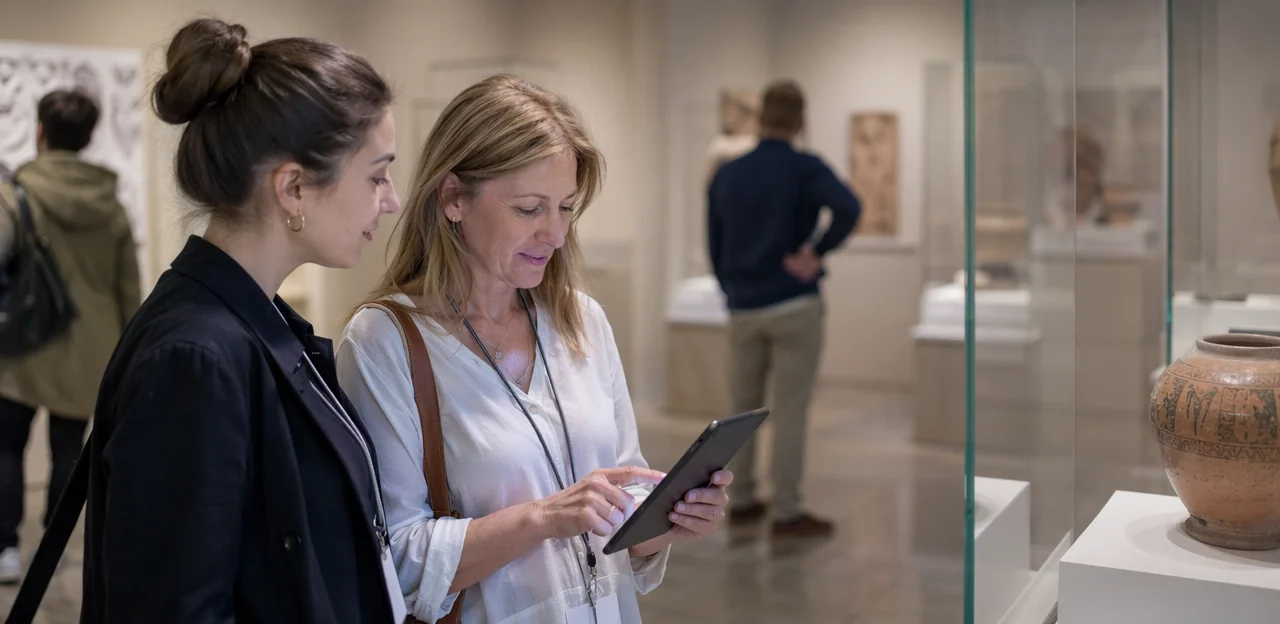
Survey creation, logic, and multilingual support
When comparing museum survey software, prioritize tools that make feedback easy to launch, complete, and analyze in busy public spaces. The best survey design software should support:
- Ready-made templates for exit surveys, exhibit feedback, event evaluations, and membership follow-ups, so teams can deploy quickly without starting from scratch.
- Branching logic to tailor questions by visitor type, gallery visited, ticket type, or satisfaction score, reducing survey fatigue and improving data quality.
- Mobile-friendly design for QR-code and kiosk use, with fast load times and clear buttons for high-traffic environments.
- Multilingual museum surveys that let visitors switch languages instantly, helping museums capture more representative feedback from international audiences.
- Accessibility compliance such as screen-reader support, strong contrast, and simple navigation to make participation inclusive.
- Offline collection for galleries with weak connectivity, ensuring no responses are lost.
- Branded experiences that match your museum’s visual identity and build visitor trust.
Platforms such as Tapsy may also suit teams that want no-app, touchpoint-based feedback collection.
Reporting, dashboards, and sentiment analysis
Strong museum survey software should turn responses into decisions, not just charts. When comparing tools, assess whether the survey reporting dashboard helps teams quickly spot patterns and share insights across departments.
- Dashboards and filtering: Look for flexible filters by exhibit, gallery, date range, venue, ticket type, membership status, or visitor segment. This makes it easier to isolate what is driving satisfaction or friction.
- Benchmarking: Choose software that supports comparisons across locations, time periods, campaigns, or exhibitions, so teams can track improvement and identify underperforming areas.
- Text analytics and visitor sentiment analysis: Open-text comments should be automatically grouped into themes such as wayfinding, staff helpfulness, accessibility, or queue times. Sentiment tagging should highlight recurring positives and negatives at scale.
- Role-based reporting: Curators, operations, front-of-house, and leadership need different views, alerts, and KPIs.
The best systems move beyond raw data to actionable trends, showing where experience issues emerge and which changes improve visitor outcomes.
Security, compliance, and scalability
When evaluating museum survey software, security and governance should be part of the shortlist, not an afterthought. Museums and public-facing attractions often handle personal data from families, members, donors, and school groups, so choose a secure survey platform with clear controls in place.
- GDPR readiness: Look for built-in consent capture, lawful-basis options, cookie transparency, and tools to support subject access or deletion requests. Strong GDPR survey software should make compliance operational, not manual.
- User permissions: Role-based access helps limit who can view visitor data, edit surveys, export reports, or manage integrations across departments.
- Audit trails: Ask whether the platform logs changes to surveys, permissions, and data exports for accountability and internal review.
- Scalability: Multi-site museum groups need location-level reporting, centralized admin, and benchmarking across venues without mixing sensitive data.
- Operational reliability: Confirm uptime commitments, support response times, backup processes, and data retention policies so feedback remains accessible, secure, and manageable over time.
Platforms such as Tapsy may also be worth reviewing if you need secure, touchpoint-based feedback collection across multiple venues.
Survey Design Best Practices for Better Response Quality

Write shorter, clearer visitor surveys
Strong visitor survey best practices start with brevity: ask only what staff can act on, and keep most surveys to 3–5 questions. Use plain, specific wording, avoid double-barrelled or leading questions, and match questions to the touchpoint, such as exit, café, gallery, or temporary exhibition. Good museum survey software can trigger short, context-aware prompts at the right moment.
- Exhibits: “How engaging did you find this exhibition today?”
- Staff: “How helpful were our staff during your visit?”
- Facilities: “How would you rate cleanliness and signage?”
- Overall: “Overall, how satisfied were you with your museum visit?”
These museum survey questions are simple, neutral, and easier for visitors to answer quickly.
Choose museum survey software that supports both industry-standard KPIs and exhibit-level insight:
- Use NPS for museums to measure overall advocacy after the visit.
- Use CSAT survey software features for touchpoint satisfaction, such as ticketing, wayfinding, cafés, or special exhibitions.
- Use CES when visitors must complete tasks, like booking, finding galleries, or accessing audio guides.
- Use star ratings for fast, mobile-friendly feedback at exits or inside exhibits.
- Add open text to capture why visitors engaged, skipped displays, or felt confused.
- Use matrix questions sparingly for comparing multiple spaces or services.
- Include demographic fields only when actionable, such as age group, membership status, party type, or first-time vs repeat visitor.
Balance benchmark metrics with museum-specific questions about interpretation, accessibility, dwell time, and interaction.
To increase survey response rates and reduce survey fatigue, keep every museum survey focused and easy to complete:
- Keep it short: Aim for 3–7 questions, with optional comments only where useful.
- Optimize for mobile: Choose museum survey software with fast-loading, mobile-first forms, large tap targets, and no login barrier.
- Time triggers carefully: Send surveys right after a visit, event, or membership interaction while details are fresh.
- Use light incentives: Offer small rewards such as café discounts, prize draws, or digital perks without biasing answers.
- Segment audiences: Set rules for members, annual pass holders, and frequent visitors so they are surveyed less often than one-time guests.
Frequency caps, rotating question sets, and touchpoint-based tools like Tapsy can help collect enough reliable data without over-surveying loyal audiences.
Integrations That Turn Feedback Into Action

Connect survey software with ticketing, CRM, and marketing tools
Integrations turn museum survey software from a reporting tool into an action engine. When feedback connects with admissions, membership, and communications systems, visitor experience teams can respond faster and market smarter.
- Link to ticketing and admissions platforms: connect feedback to visit date, exhibition, ticket type, or channel to spot patterns by audience and journey stage.
- Use museum CRM integration: combine survey responses with donor, member, and household records for a fuller view of visitor behavior and loyalty.
- Sync with email and marketing tools: trigger post-visit outreach, recovery messages, renewals, or segmented campaigns based on satisfaction and interests.
- Route issues into ticketing/helpdesk systems: low scores can create follow-up tasks automatically.
Strong survey software integrations reduce manual work and make insights usable across teams.
Link operational systems and service recovery workflows
To get full value from museum survey software, connect feedback data to your frontline tools so issues trigger action, not just reports. A strong customer experience workflow should turn low scores and complaints into trackable tasks within minutes.
- Set instant alerts for low ratings, accessibility concerns, safety risks, or broken facilities.
- Use service recovery software with case management to assign owners, deadlines, and follow-up notes.
- Automate routing by issue type:
- front-of-house for queueing, staff interaction, or wayfinding problems
- exhibitions for label clarity, gallery temperature, or interactive faults
- retail for checkout delays or product availability
- food service for cleanliness, wait times, or menu concerns
Platforms such as Tapsy can support real-time alerts and faster recovery loops.
Evaluate APIs, data exports, and implementation support
For museum survey software, integrations often determine long-term value as much as survey features.
- Check native integrations first: Ask which tools connect out of the box to your CRM, ticketing, email, help desk, and analytics stack. Native options are faster to launch, but may be less flexible.
- Review survey software API access: Confirm whether the platform offers a well-documented API, webhook support for real-time alerts, and secure authentication.
- Assess data export integrations: Look for scheduled exports to BI tools, CSV access, and clean schemas that make reporting sustainable.
Also ask about onboarding: implementation timeline, vendor-led setup, internal technical effort, and who maintains integrations after launch. A platform such as Tapsy may be worth considering if simple deployment and ongoing usability matter.
How to Compare Vendors and Make the Final Decision

Build a practical vendor shortlist and scorecard
Use a simple survey software scorecard to make your software vendor comparison objective and repeatable for your visitor experience team.
- List requirements: Split needs into must-have, should-have, and nice-to-have for your museum survey software.
- Set weighted criteria: Score vendors on usability, analytics, integrations, support, compliance, and total cost of ownership.
- Assign weights: Give higher percentages to mission-critical items, such as CRM integration or GDPR compliance.
- Score each vendor consistently: Use the same 1–5 scale for demos, trials, and references.
- Compare totals and risks: Review both final scores and any gaps in essential capabilities.
Questions to ask during demos and trials
Use survey software demo questions that reflect real gallery, front-of-house, and exhibition workflows, not polished generic presentations. During your museum software evaluation, ask:
- How long does setup take for one site, multiple venues, and temporary exhibitions?
- Can dashboards be customized by team, location, campaign, or visitor segment?
- How do multilingual surveys, translations, and language-routing workflows work?
- Does the platform support kiosk, tablet, and QR-based feedback collection?
- What alerts can be triggered for low scores or urgent issues?
- How granular are user permissions?
- Can reports be filtered, exported, and scheduled flexibly?
For museum survey software, insist on a live test using your real visitor journey.
Red flags, rollout planning, and measuring ROI
Before choosing museum survey software, watch for these warning signs:
- weak onboarding or slow support response times
- limited integrations with CRM, ticketing, or email tools
- poor accessibility for diverse visitor needs
- unclear pricing, add-on fees, or rigid contracts
- inflexible dashboards that make reporting hard for frontline teams
For strong museum software implementation, start with a pilot in one gallery, exhibition, or visitor journey touchpoint. Train staff on collection methods, escalation workflows, and reporting. Plan adoption early by assigning owners and success metrics. Track survey software ROI through higher visitor satisfaction, faster issue resolution, improved staff efficiency, and better operational decisions.
Conclusion
Choosing the right museum survey software is ultimately about more than collecting responses—it’s about understanding visitor needs, improving exhibitions and services, and giving your team the insight to act with confidence. As this buying guide has shown, the best platforms combine thoughtful survey design, easy integrations with your existing systems, strong reporting, and flexible deployment across galleries, cafés, shops, and events. For visitor experience teams, that means capturing feedback at the right moment, spotting issues early, and turning data into measurable improvements.
When evaluating museum survey software, focus on usability for both staff and visitors, real-time alerting, integration options, mobile-friendly formats, and analytics that support better decision-making across your attraction. A solution that fits smoothly into daily operations will always deliver more value than one packed with features your team won’t use.
Your next step is to shortlist vendors, book demos, and test survey flows in real visitor environments before committing. It can also help to create a checklist covering goals, budget, integrations, reporting needs, and accessibility requirements. If you’re exploring modern, touchpoint-based feedback options, tools like Tapsy may be worth reviewing as part of your research.
Invest in the right museum survey software now, and you’ll be better equipped to create visitor experiences that keep people engaged, satisfied, and eager to return.
Frequently Asked Questions
- What should museum survey software help visitor experience teams measure?
It should help teams measure satisfaction across galleries, exhibits, events, cafés, and shops. It should also reveal trends in exhibit engagement, wayfinding problems, accessibility feedback, and membership sentiment. Strong platforms turn those responses into action through dashboards, alerts, and trend reporting.
- When should museums collect visitor feedback during the journey?
Feedback can be collected before, during, and after the visit, as well as across long-term member and donor relationships. Common moments include post-booking surveys, on-site kiosk or QR feedback, exhibit-level pulse surveys, and post-visit follow-ups. Collecting feedback close to each touchpoint helps keep responses timely and relevant.
- How are museum survey needs different from other venues?
Museums often need to compare feedback by exhibition, gallery, or event rather than only by site. They also deal with seasonal attendance swings, mixed audience types such as families and school groups, and a stronger need for multilingual and accessible survey design. Connected insights from admissions, CRM, ticketing, and operations are especially important for turning feedback into improvements.
- What should a museum define before comparing survey software vendors?
Start with clear goals, stakeholders, and success metrics tied to outcomes like loyalty, satisfaction, recovery, and engagement. Choose a small set of priority KPIs, assign owners, and align teams such as visitor experience, marketing, operations, education, and leadership. Budget, staffing, privacy review, and reporting workflows should also be decided early.
- Which visitor groups should museums segment in surveys?
Useful segments include general visitors, members, school groups, tourists, and event attendees. Each group experiences the museum differently, so their surveys should reflect different goals such as learning outcomes, accessibility, loyalty, or venue experience. Segmenting audiences also helps teams choose the right timing and channel for each survey.
- What survey channels work best for museums and attractions?
Museums can use kiosks, tablets, and QR codes for in-the-moment feedback at exits, galleries, cafés, and wayfinding points. Email and SMS are better for richer post-visit surveys, while web surveys can work well for members and pre-booked groups. The best setup matches the channel to the touchpoint and keeps the survey easy to complete.
- Which core features matter most in museum survey software?
Important features include ready-made templates, branching logic, mobile-friendly design, multilingual support, accessibility compliance, offline collection, and branded survey experiences. These features help teams launch surveys quickly and improve completion rates in busy public spaces. They also support better data quality by tailoring questions to visitor type and context.
- What reporting capabilities should museums look for in a survey platform?
Look for dashboards with filters by exhibit, gallery, date range, venue, ticket type, membership status, or visitor segment. Benchmarking across locations, campaigns, time periods, or exhibitions is also useful for spotting underperformance and tracking improvement. Text analytics and sentiment analysis can help group comments into themes like wayfinding, accessibility, or staff helpfulness.
- Why do security and compliance matter when choosing survey software for museums?
Museums may collect personal data from families, members, donors, and school groups, so governance cannot be treated as an afterthought. Useful controls include consent capture, lawful-basis options, deletion support, role-based permissions, audit trails, and clear data retention policies. Multi-site organizations should also check whether the platform supports centralized administration without mixing sensitive data.
- How long should a museum visitor survey be?
Most surveys should stay short, usually around 3 to 5 questions, and often no more than 3 to 7 questions. Shorter surveys reduce fatigue and make it easier for visitors to respond on mobile devices or kiosks. Questions should be specific to the touchpoint, such as an exit, café, gallery, or temporary exhibition.
- Which question types are most useful for museum feedback?
A balanced survey can use NPS for overall advocacy, CSAT for touchpoint satisfaction, and CES for task-based experiences like booking or finding galleries. Star ratings work well for quick mobile or exit feedback, while open text explains why visitors felt engaged or confused. Demographic questions should only be included when they support action, such as membership status or first-time versus repeat visits.
- How can museums increase response rates without over-surveying visitors?
Keep surveys short, mobile-friendly, and timed right after a visit or interaction while details are still fresh. Light incentives such as café discounts, prize draws, or digital perks can help, as long as they do not bias responses. Frequency caps and audience segmentation are important so members and frequent visitors are not surveyed too often.
- What integrations make museum survey software more useful?
Connections to ticketing, admissions, CRM, email, marketing, help desk, and analytics systems make feedback more actionable. These integrations can link responses to visit date, exhibition, ticket type, or household records, and they can trigger follow-up messages or recovery tasks automatically. This reduces manual work and helps multiple teams use the same insights.
- How should museums evaluate APIs, exports, and implementation support?
Start by checking which native integrations are available for your CRM, ticketing, email, help desk, and analytics tools. Then confirm whether the platform offers API access, webhook support, secure authentication, scheduled exports, and clean data schemas. It is also important to ask about onboarding timeline, vendor-led setup, internal technical effort, and who maintains integrations after launch.
- What are the main red flags and best practices when making a final vendor decision?
Warning signs include weak onboarding, slow support, limited integrations, poor accessibility, unclear pricing, and inflexible dashboards. A practical way to decide is to use a weighted scorecard based on must-have and nice-to-have requirements, then run a live test using your real visitor journey. Starting with a pilot in one gallery or touchpoint can also reduce risk and make rollout easier.