
At conferences, timing is everything—and that includes feedback. The problem is that most attendees are moving between sessions, networking in hallways, and checking their phones only when absolutely necessary. If giving feedback feels slow, inconvenient, or easy to postpone, valuable insights disappear. That’s why the conference feedback QR code is becoming such an effective tool for event organizers who want faster responses and a better attendee experience without adding friction.
By placing simple QR touchpoints at key moments—outside breakout rooms, near registration desks, in expo areas, or after keynote sessions—organizers can capture impressions while they’re still fresh. Instead of relying only on long post-event surveys, conferences can gather real-time input that helps teams spot issues early, improve flow during the event, and understand which sessions, speakers, or touchpoints are delivering the most value.
This article explores how QR-based feedback can reduce effort for busy attendees, increase participation rates, and create a smoother, more responsive event experience. We’ll also look at best practices for placement, question design, and timing, along with how tools like Tapsy can support no-app feedback collection through QR and NFC touchpoints.
Why QR code feedback works at conferences

The friction problem in traditional event feedback
Post-event email surveys often fail because they arrive when conference attendees are already focused on travel, inbox catch-up, or the next meeting. That delay creates major event feedback friction and hurts the conference survey response rate.
Key reasons include:
- Bad timing: Feedback requests arrive hours or days after a session, when details are less vivid.
- Device switching: Attendees may scan agendas on mobile, then receive surveys later on desktop, adding extra steps.
- Packed schedules: Moving between talks, networking, and sponsor booths leaves little time for long forms.
- Attendee survey fatigue: Multiple organizers, exhibitors, and apps may all request feedback.
A conference feedback QR code placed at session exits reduces friction by capturing fast, in-the-moment responses while the experience is still fresh.
How a conference feedback QR code fits attendee behavior
Conference attendees already rely on their phones to check agendas, maps, speaker updates, and networking messages. A conference feedback QR code fits that mobile-first behavior by turning feedback into a quick, familiar action.
- No friction: attendees scan and open a short mobile event survey instantly—no typing long URLs or digging through follow-up emails.
- Faster responses: placing codes at session exits, booths, and lounges captures QR code attendee feedback while impressions are still fresh.
- Higher completion rates: short, mobile-friendly forms feel easier to finish during a busy event schedule.
- Better accuracy: in-the-moment responses reflect real experiences, not delayed memories after the conference ends.
For best results, keep surveys to 1–3 questions and place QR codes exactly where feedback moments happen.
Benefits for organizers, sponsors, and speakers
A conference feedback QR code gives event teams a faster, cleaner way to capture insight while sessions are still fresh. Instead of chasing post-event surveys, organizers can collect high-response data in the room and act on it sooner.
- Faster data collection: A session feedback QR code reduces friction, helping busy attendees respond in seconds without apps or paper forms.
- Better session-level analysis: Teams can compare ratings by speaker, topic, room, or time slot to uncover stronger event organizer insights.
- More useful speaker coaching: A focused speaker feedback survey highlights what resonated, where clarity dropped, and which formats drove engagement.
- Clearer sponsor ROI: Sponsors can measure sentiment, content relevance, and audience interest at specific touchpoints.
Platforms like Tapsy can also support real-time feedback flows, making follow-up faster and more actionable.
Where to place QR codes for maximum feedback response

High-intent touchpoints throughout the attendee journey
Strong event QR code placement depends on catching attendees when motivation is highest and effort is lowest. Place a conference feedback QR code where people have just formed an opinion:
- Session exits: capture immediate reactions on content, speakers, and room setup
- Registration desks: collect first-impression feedback on check-in speed and signage
- Badge backs: create always-available access to attendee journey feedback
- Presentation slides: prompt responses during closing remarks while attention is focused
- Expo booths: gather lead quality and booth experience insights in real time
- Networking lounges: measure comfort, layout, and connection quality across key conference touchpoints
Context matters because response quality improves when the question matches the moment. Ask about registration at check-in, not hours later. Ask about a session at the door, not in a generic end-of-day survey. This makes feedback more accurate, specific, and actionable.
Using signage, screens, and printed materials effectively
Make your conference feedback QR code impossible to miss and easy to scan in every attendee touchpoint. Strong placement improves response rates without interrupting the event flow.
- Use QR code signage for events at entrances, exits, registration desks, session doors, and networking areas.
- Add conference survey signage to table tents, sponsor booths, coffee stations, and help desks where attendees naturally pause.
- Include an event print materials QR code on agendas, badges, handouts, and session programs for quick access.
- Show the code on venue screens between sessions, during breaks, and before closing remarks.
- Keep the code large, high-contrast, and paired with a short CTA like “Share feedback in 30 seconds.”
- Test scanning distance, lighting, and mobile responsiveness before launch.
Tools like Tapsy can help standardize QR touchpoints across physical and digital assets.
Matching feedback prompts to specific moments
To improve response quality, tie each conference feedback QR code to the attendee’s exact touchpoint:
- After keynotes: Ask broad value questions such as speaker clarity, relevance, and inspiration. A short session feedback survey works best here.
- After breakout sessions: Focus on practical takeaways, pacing, room setup, and topic depth. This gives more actionable real-time event feedback for content planning.
- After sponsor interactions: Keep prompts brief: booth helpfulness, demo quality, and purchase interest. This helps sponsors measure engagement without slowing conversations.
- At event exit or post-event email/QR: Use a conference experience survey to capture registration, venue flow, networking, catering, and overall satisfaction.
Keep each prompt to 2–4 questions, matched to context. Tools like Tapsy can help deploy touchpoint-specific QR flows quickly.
How to design a low-friction QR feedback experience
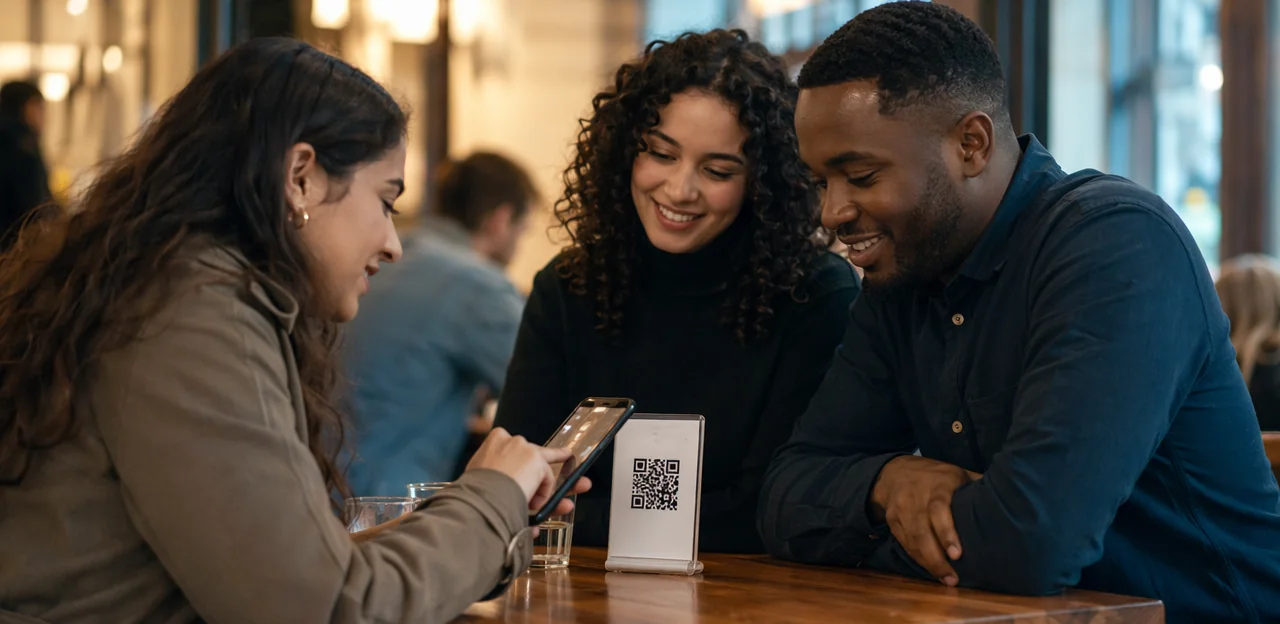
Keep surveys short, mobile-friendly, and specific
A conference feedback QR code should lead to a fast, effortless experience. Busy attendees are far more likely to respond when the form feels quick and clear.
- Keep it short: Aim for a short event survey with 3–5 questions max. If it takes more than a minute, completion rates usually drop.
- Use tap-based inputs: Prefer star ratings, multiple choice, emoji scales, and yes/no buttons over open-text fields. This makes the mobile-friendly feedback form easier to complete while walking between sessions.
- Limit typing: Include just one optional comment box for extra context, not several required fields.
- Focus on one goal: Don’t mix speaker feedback, venue logistics, and sponsor opinions in one form. Create separate surveys for each objective.
- Optimize for phones: Use large buttons, clear progress indicators, fast load times, and minimal scrolling.
These QR code survey best practices reduce friction and improve response quality. Platforms like Tapsy can help streamline these touchpoint-based feedback flows.
Reduce drop-off with smart landing pages and clear CTAs
A conference feedback QR code only works if the post-scan experience feels instant, credible, and easy to finish. To improve survey completion rate, optimize the QR code landing page around speed and clarity:
- Load fast: Keep the page lightweight, mobile-first, and free of unnecessary form fields. Even a short delay can cause busy attendees to abandon the survey.
- Match event branding: Use the conference logo, colors, and session name so attendees know they scanned the right code.
- Add trust signals: Include a short privacy note, estimated completion time, and wording like “2 quick questions” or “takes 20 seconds.”
- Use one clear event survey CTA: Make the next step obvious with concise prompts such as:
- Rate this session
- Share feedback in 30 seconds
- Tell us what to improve
- Vote on today’s keynote
Platforms like Tapsy can support fast, no-app feedback flows that reduce friction at live events.
Offer incentives without hurting feedback quality
Used well, conference feedback incentives can lift response rates for a conference feedback QR code survey, especially when attendees are short on time. The key is to reward participation without encouraging random taps.
- Choose light, relevant rewards: prize draws, coffee vouchers, branded swag, or exclusive slide decks work better than large cash prizes. These are practical survey incentive ideas that motivate action without overpowering honest feedback.
- Reward completion, not positivity: make it clear every response has an equal chance, regardless of rating.
- Keep eligibility tied to quality signals: require all core questions answered and set one optional open-text prompt such as “What should we improve next year?”
- Use fast but thoughtful forms: 3–5 questions is ideal for protecting event survey quality.
- Match incentives to audience value: VIP content or networking access may outperform generic giveaways.
Platforms like Tapsy can help pair QR feedback with simple reward flows while keeping surveys friction-free.
Best use cases across events and conferences

Session, keynote, and workshop feedback
A conference feedback QR code works best when placed at the exit of each room, on presentation slides, and in printed agendas so attendees can respond in seconds while details are still fresh. This improves response rates and gives organizers actionable insight across formats.
- Use a session feedback QR code to rate content relevance, speaker clarity, pacing, and audience engagement.
- Launch a keynote feedback survey immediately after the talk to measure inspiration, takeaway value, and delivery quality.
- Capture workshop attendee feedback on interactivity, practical usefulness, timing, and whether the room setup, audio, and seating supported learning.
Keep forms short: 3–5 rating questions, one comment box, and one issue flag for room logistics.
Expo booth, sponsor, and activation feedback
A conference feedback QR code helps exhibitors capture insights the moment booth visits and brand activations happen—without slowing attendees down. Place codes on counters, demo stations, giveaway tables, and exit points to collect fast, high-intent responses.
- Use a sponsor feedback QR code to ask 2–3 quick questions on brand recall, interest level, and next-step intent.
- Run an expo booth survey to measure staff helpfulness, demo quality, wait times, and product fit.
- Collect event activation feedback right after games, sampling, or interactive experiences to track enjoyment, participation, and conversion potential.
Keep forms mobile-first, optional for comments, and tied to lead scoring so teams can separate casual traffic from qualified prospects.
Venue, logistics, and overall event experience measurement
A conference feedback QR code helps organizers capture fast, in-the-moment event experience feedback across the full attendee journey. Place a venue feedback QR code at key touchpoints to identify friction before it affects future events.
- Check-in: measure queue times, badge pickup speed, and staff helpfulness
- Navigation: ask whether signage, room directions, and session wayfinding were clear
- Catering: gather ratings on food quality, variety, dietary options, and wait times
- Staffing and accessibility: track responsiveness, support quality, seating access, and mobility needs
- Overall satisfaction: include one final score in your conference logistics survey to benchmark venue performance
Tools like Tapsy can help collect touchpoint-level insights without adding extra attendee effort.
Measuring success and improving future events

Key metrics to track from scan to submission
To improve a conference feedback QR code program, focus on the metrics that reveal both reach and response quality:
- Scan rate: Measure scans per attendee, per session, or per signage location. This is a core part of QR code survey analytics and shows whether placement and calls to action are working.
- Completion rate: Track how many scans become submitted responses. Strong survey completion analytics help identify friction, such as too many questions or poor mobile UX.
- Response quality: Review comment depth, answer consistency, and usable qualitative insights, not just volume.
- Session-level participation: Compare engagement across speakers, rooms, and time slots to spot high- and low-performing sessions.
- Sentiment trends: Monitor positive, neutral, and negative feedback over time to uncover patterns in attendee experience.
Together, these event feedback metrics help teams optimize future events faster.
Turning attendee feedback into actionable event improvements
A conference feedback QR code system is only valuable if you turn responses into clear next steps. To analyze conference feedback effectively:
- Segment responses by session, venue area, attendee type, and time of day to spot where friction happens most.
- Tag recurring themes in comments, such as long registration lines, weak Wi-Fi, unclear signage, or low-value sessions.
- Compare scores with comments to understand not just what scored poorly, but why.
Then prioritize actions based on impact and frequency:
- Programming: refine topics, speaker formats, and session lengths.
- Logistics: fix bottlenecks in check-in, seating, catering, and navigation.
- Experience: address comfort, networking flow, and communication gaps.
These attendee insights help teams improve event experience faster and make future conferences more relevant, efficient, and satisfying.
Testing and optimizing your QR feedback strategy
To optimize QR survey performance, treat every event as a learning cycle. A strong conference feedback strategy comes from testing small variables and tracking what improves both completion rates and response quality.
- A/B test QR placement: Compare badges, session exits, tables, and signage near coffee stations to see where your conference feedback QR code gets the most scans.
- Test CTA wording: Try prompts like “Share feedback in 30 seconds” versus “Help improve next year’s event.”
- Adjust survey length: Measure drop-off on 1-question, 3-question, and 5-question versions.
- Experiment with timing: Test during sessions, immediately after keynotes, and post-event follow-ups.
Use consistent reporting across events so you can A/B test event surveys over time and steadily improve data quality.
Implementation checklist and common mistakes to avoid

A practical setup checklist for event teams
Use this event QR code checklist to streamline your conference survey setup and improve QR code implementation for events:
- Create a short, mobile-first form for each session, zone, or sponsor touchpoint.
- Generate a unique conference feedback QR code for every form.
- Link codes clearly and label them by location or purpose.
- Test scans on iPhone, Android, tablets, and low-signal networks.
- Assign QR placements to entrances, exits, booths, and breakout rooms.
- Brief staff to prompt attendees with a simple participation script.
Platforms like Tapsy can help manage touchpoints efficiently.
Common QR feedback mistakes that lower response rates
Avoid these QR survey mistakes if you want better scans and completions from busy attendees:
- Poor placement: A conference feedback QR code hidden on tiny signs, crowded booths, or exit-only areas gets missed.
- Forms that are too long: Keep it to 1–3 key questions to reduce conference feedback challenges.
- Weak Wi-Fi planning: If pages load slowly, attendees drop off fast.
- Generic questions: Vague prompts create weak insights and classic event survey errors.
- Unclear value: Explain why feedback matters and what attendees gain, such as improvements or a small incentive.
- Make every conference feedback QR code flow consent-first: clearly state what data is collected, why it’s needed, how long it’s stored, and who can access it. This strengthens event survey privacy compliance.
- Offer anonymous conference feedback by default where possible, with optional contact fields for follow-up.
- Build an accessible QR code survey with high-contrast design, screen-reader-friendly forms, large tap targets, plain language, and a short URL alternative for attendees who cannot scan.
- Be transparent about outcomes: explain how feedback will be used and, if relevant, use tools like Tapsy to route issues quickly and build trust-driven participation.
Conclusion
In the end, the best event feedback strategy is the one attendees will actually use. A well-placed conference feedback QR code removes the friction of long forms, forgotten follow-up emails, and delayed responses by making it easy for busy attendees to share input in the moment. That means higher response rates, more accurate insights, and faster action on issues that can affect the event experience while the conference is still happening.
By placing QR codes at key touchpoints—session exits, registration desks, networking areas, catering stations, and expo booths—organizers can capture real-time sentiment across the attendee journey. Short, mobile-friendly surveys also help teams identify what is working, what needs improvement, and where to focus resources for future events. In many cases, a conference feedback QR code can turn feedback from an afterthought into a practical, always-on part of event operations.
If you want to improve attendee engagement and make feedback collection effortless, now is the time to build a smarter on-site system. Start by mapping your highest-traffic touchpoints, simplifying your questions, and setting up alerts for urgent issues. For teams looking for a no-app QR/NFC approach, solutions like Tapsy can help streamline real-time feedback collection. Explore your event journey, test your touchpoints, and make every attendee interaction easier to measure and improve.
Frequently Asked Questions
- What is a conference feedback QR code?
A conference feedback QR code is a scannable code that opens a short mobile survey at the moment feedback is most relevant. It helps attendees respond quickly without typing URLs, opening email follow-ups, or installing an app.
- Why do QR code surveys often work better than post-event email surveys at conferences?
Email surveys often arrive after attendees have moved on to travel, inbox catch-up, or other meetings. QR surveys capture feedback in the moment, when session details are still fresh and the effort to respond is lower.
- Where should organizers place QR codes to get more attendee feedback?
Strong locations include session exits, registration desks, expo booths, networking lounges, badge backs, presentation slides, and printed agendas. These touchpoints work well because attendees have just formed an opinion and can respond immediately.
- How many questions should a conference QR feedback survey include?
The recommended approach is to keep surveys very short, usually 1–3 questions for fast touchpoints and up to 3–5 questions for slightly broader feedback. Once a form takes more than about a minute, completion rates usually drop.
- What types of questions are best for busy conference attendees?
Tap-based inputs such as star ratings, multiple choice, emoji scales, and yes/no buttons are the easiest to complete on the go. One optional comment box can add context without creating too much typing.
- Should the same QR survey be used for sessions, sponsors, and venue logistics?
No, each survey should focus on one goal and match the specific touchpoint. Separate forms for speaker feedback, sponsor interactions, and venue logistics produce more accurate and actionable responses.
- What should organizers ask right after a keynote or breakout session?
After keynotes, broad questions about speaker clarity, relevance, and inspiration work well. After breakout sessions, it is better to ask about practical takeaways, pacing, room setup, and topic depth.
- How can a QR feedback landing page reduce survey drop-off?
The page should load fast, feel mobile-first, and avoid unnecessary fields. It should also match event branding, include a short privacy note and completion time, and use a clear CTA such as "Rate this session" or "Share feedback in 30 seconds."
- What are the main benefits of QR feedback for organizers, sponsors, and speakers?
Organizers get faster data collection and better session-level analysis across speakers, rooms, and time slots. Speakers receive focused coaching on clarity and engagement, while sponsors can measure sentiment, relevance, and audience interest at specific touchpoints.
- Can incentives improve conference QR survey participation without hurting quality?
Yes, if the reward is light and relevant, such as a prize draw, coffee voucher, branded swag, or exclusive slide deck. The incentive should reward completion rather than positive ratings, and the form should still require core questions to be answered.
- What metrics should teams track for a conference QR feedback program?
Useful metrics include scan rate, completion rate, response quality, session-level participation, and sentiment trends. Together, these show whether placement, survey design, and calls to action are working.
- How can event teams turn QR feedback into improvements for future conferences?
Responses should be segmented by session, venue area, attendee type, and time of day to identify where friction happens. Teams can then tag recurring themes, compare scores with comments, and prioritize fixes in programming, logistics, and overall experience.
- What are common mistakes that lower QR feedback response rates at events?
Poor placement, long forms, slow-loading pages caused by weak Wi-Fi planning, and generic questions all reduce results. Response rates also suffer when attendees are not told why their feedback matters or what value they get from participating.
- How can organizers make conference QR feedback more private and accessible?
The flow should clearly explain what data is collected, why it is needed, how long it is stored, and who can access it. It should also support anonymous responses by default where possible, use accessible design, and offer a short URL for people who cannot scan a code.
- How can Tapsy support conference QR code feedback collection?
Tapsy is presented as a tool that can support no-app feedback collection through QR and NFC touchpoints. It can also help standardize touchpoints, support real-time feedback flows, and streamline issue routing and follow-up.