
In a busy restaurant, every guest interaction matters, but getting honest feedback at the right moment is often harder than it sounds. Many operators turn to a customer feedback kiosk restaurant setup to capture quick ratings before diners walk out the door. On the surface, it seems like a simple fix: place a screen near the exit, ask a few questions, and collect insights in real time. But does it actually improve the guest experience, or does it create more friction than value?
The answer depends on your goals, your service model, and how your customers prefer to engage. While feedback kiosks can help restaurants spot service issues faster and gather higher volumes of responses, they also come with trade-offs such as hardware costs, limited flexibility, hygiene concerns, and lower engagement in some environments.
This article explores the pros and cons of customer feedback kiosks for restaurants, from operational benefits to practical limitations. It also looks at modern alternatives, including QR and NFC-based touchpoints that let guests respond on their own devices. In some cases, solutions like Tapsy offer a more flexible way to collect real-time feedback without adding another physical device to manage. By the end, you’ll have a clearer view of which approach best fits your restaurant’s customer experience strategy.
What Is a Customer Feedback Kiosk Restaurant System?
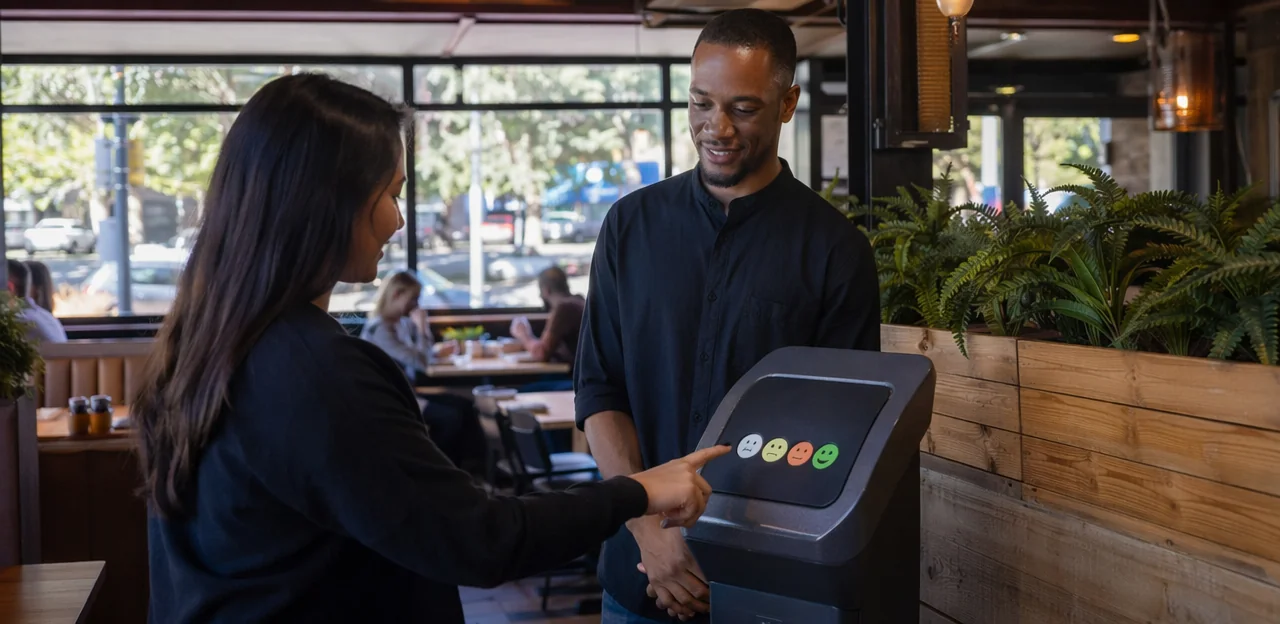
How feedback kiosks work in restaurants and cafés
A customer feedback kiosk restaurant setup is a simple in-venue system that captures guest opinions at the moment of service. It usually combines:
- Hardware: a tablet, touchscreen terminal, or compact stand with power, internet, and protective casing
- Software: survey tools, dashboards, alerts, and reporting for managers
- Survey flow: a quick rating, optional comment, and sometimes issue categories such as food quality, speed, cleanliness, or staff service
A typical restaurant feedback kiosk is designed for speed, often taking under 15 seconds to complete. To increase response rates, place a guest feedback kiosk where customers naturally pause, such as:
- exits
- payment counters
- self-service kiosks
- pickup shelves
- takeaway waiting areas
Some operators also pair kiosks with QR or NFC options, using tools like Tapsy, to collect feedback beyond the screen itself.
Common use cases across dine-in, quick-service, and cafés
Different formats use a customer feedback kiosk restaurant setup in slightly different ways, but the goal is the same: capture feedback while the visit is still fresh.
- Dine-in restaurants: Place a restaurant customer feedback system near exits or on-table QR/NFC touchpoints to collect satisfaction scores, staff friendliness feedback, and cleanliness ratings for dining rooms and restrooms.
- Quick-service venues: A quick service restaurant feedback kiosk works well near pickup counters, self-order stations, or exits to measure speed of service, order accuracy, and queue experience.
- Cafés: A café feedback kiosk near the condiment station or takeaway area can track drink quality, wait times, seating cleanliness, and barista experience.
For best results, keep questions short, trigger alerts on low scores, and review trends by location, shift, or team.
How kiosks fit into restaurant operations and software stacks
A customer feedback kiosk restaurant setup works best when it connects to the tools teams already use. For smarter restaurant software selection, look for strong feedback kiosk integration across the core stack:
- POS systems: tie feedback to order type, ticket size, location, shift, or menu item to spot operational issues faster.
- CRM and loyalty tools: link responses to guest profiles, rewards, and repeat-visit campaigns while building first-party data.
- Review management platforms: route unhappy guests into private recovery flows before they post public reviews.
- Analytics dashboards: combine kiosk data with sales, labor, and service metrics to see what affects satisfaction.
The best restaurant operations software turns kiosk feedback into alerts, trends, and actions. Solutions like Tapsy can also support QR/NFC touchpoints alongside kiosk-based feedback collection.
Pros of Using Feedback Kiosks in Restaurants
Higher response rates at the point of experience
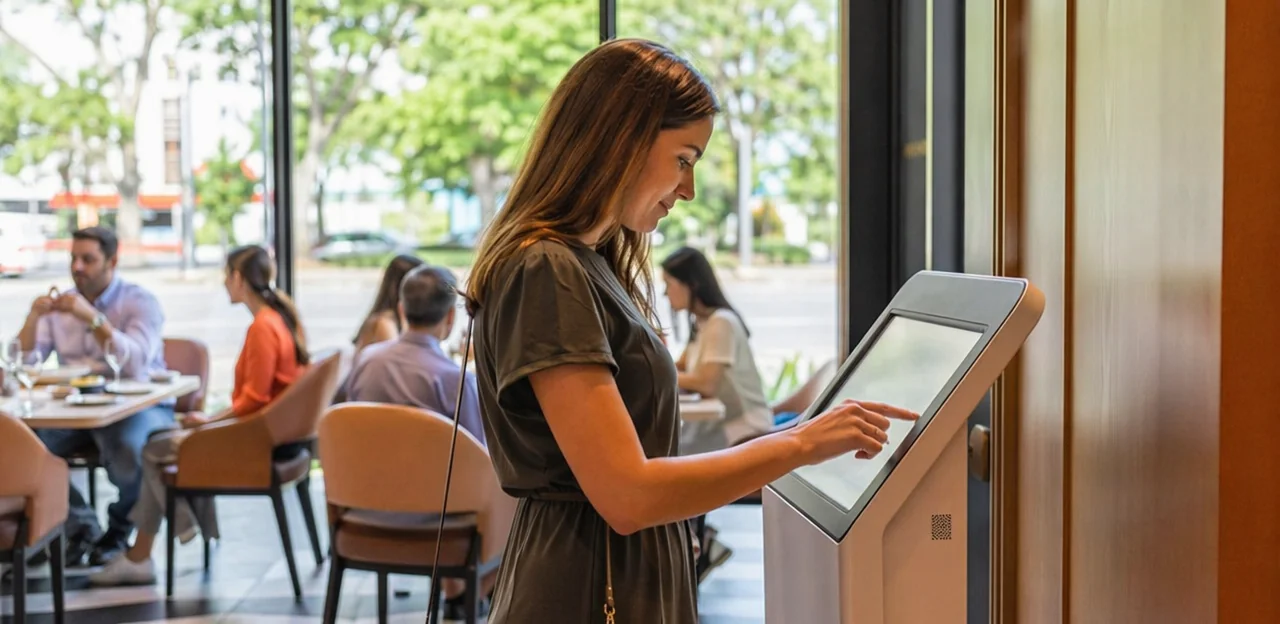
A customer feedback kiosk restaurant setup often gets better participation because guests can respond while the visit is still fresh. Instead of relying on later emails, an in-store feedback kiosk captures reactions at checkout, near the exit, or by pickup counters—when service speed, food quality, and cleanliness are top of mind.
- Immediate recall: Guests give more accurate real-time restaurant feedback before details fade.
- Higher visibility: In busy, high-footfall venues, a well-placed point of experience survey reaches more diners than post-visit messages.
- Lower friction: A quick 1–3 tap rating boosts completion rates compared with longer forms.
- Faster action: Managers can spot issues during service and recover the experience before a negative review appears.
For even lower-friction touchpoints, some restaurants also pair kiosks with QR/NFC tools like Tapsy.
Simple, structured data for operational improvements
A customer feedback kiosk restaurant setup works best when every location asks the same short, standardized questions. Consistent inputs make restaurant feedback analytics far more useful, because operators can compare stores, shifts, and teams without guessing what changed.
For example, track the same core areas everywhere:
- Service speed: Was ordering and delivery fast enough?
- Food quality: Was the meal fresh, accurate, and well prepared?
- Cleanliness: Were tables, restrooms, and dining areas clean?
- Staff friendliness: Was the team welcoming and helpful?
This structure turns comments into measurable restaurant guest satisfaction metrics. Over time, managers can spot recurring issues, benchmark locations, and prioritize the right operational improvement restaurant actions, such as staffing adjustments, retraining, or cleaning schedule changes. Tools like Tapsy can also help standardize touchpoint-level feedback collection.
Visibility for guests and frontline teams
A customer feedback kiosk restaurant setup does more than collect ratings—it makes listening visible. When guests see an easy way to share feedback at the counter, exit, or pickup area, it signals that management takes restaurant customer experience seriously. That can lift trust and encourage honest input before frustration turns into a public review.
For staff, visible feedback points also reinforce accountability and support frontline service improvement by keeping service standards top of mind.
- Place kiosks where feedback feels natural: near exits, host stands, or self-service areas.
- Share simple team metrics, such as cleanliness or speed scores, during shift huddles.
- Use real-time alerts to resolve low ratings quickly and protect guest satisfaction restaurant goals.
- Consider QR/NFC tools like Tapsy when you want similar visibility without adding hardware.
Cons and Limitations of Restaurant Feedback Kiosks
Cost, maintenance, and space constraints
Before installing a customer feedback kiosk restaurant setup, weigh the ongoing operational trade-offs:
- Upfront and recurring costs: A typical feedback kiosk cost includes the tablet or touchscreen, stand, power access, protective casing, and mounting hardware. Many restaurants also pay monthly software subscriptions for surveys, analytics, alerts, and integrations.
- Setup complexity: You may need Wi-Fi configuration, user permissions, branding, and staff training before launch. Even simple deployments take planning.
- Restaurant kiosk maintenance: Screens need frequent cleaning to remove grease, fingerprints, and food residue, especially in high-traffic dining areas.
- Damage and misuse: Public-facing devices can attract spills, vandalism, or accidental knocks, increasing repair and replacement costs.
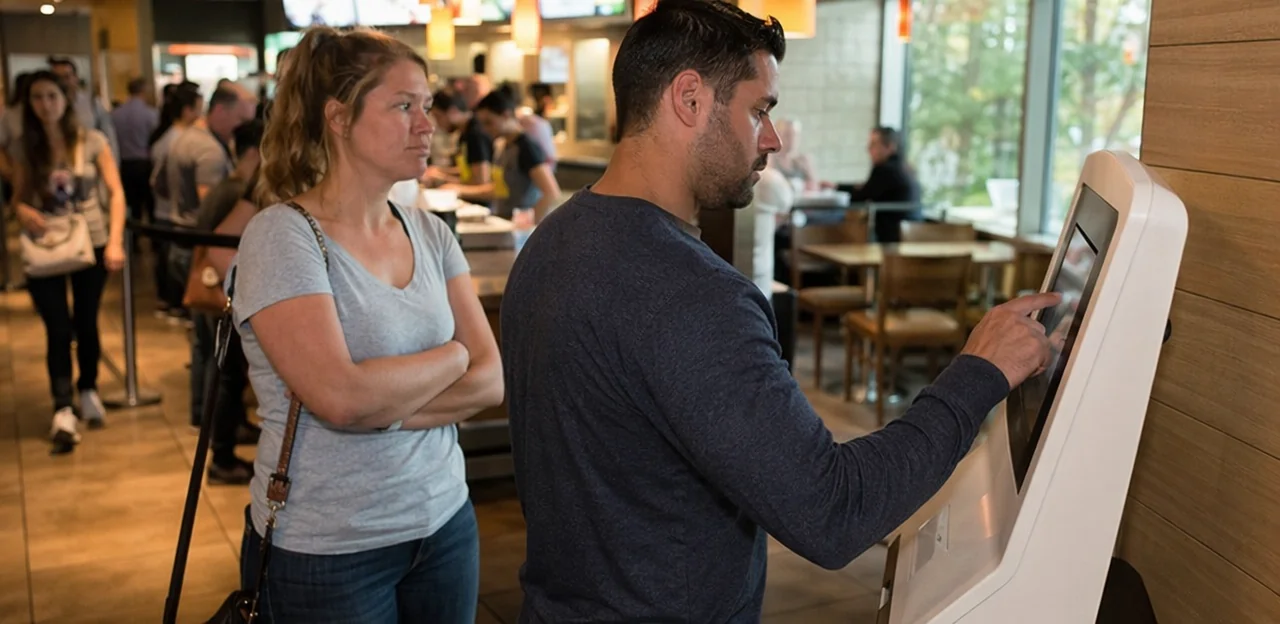
- Small restaurant space constraints: In tight cafés or quick-service venues, finding room without disrupting queues, tables, or service flow can be difficult.
For smaller venues, QR or NFC options such as Tapsy can reduce hardware burden.
Biased or low-context responses
A customer feedback kiosk restaurant setup can collect fast ratings, but speed often comes at the cost of insight. One-tap surveys are convenient, yet they can create low-context customer feedback that is hard to act on.
- Extreme opinions dominate: Very happy or very unhappy guests are more likely to tap, creating survey bias restaurant teams should account for.
- No clear reason behind the score: A low rating may reflect food quality, wait time, cleanliness, or a single staff interaction, but the kiosk may not capture which one.
- Limited recovery options: Without a follow-up question or comment field, managers cannot fix issues quickly.
To reduce these restaurant feedback limitations, add one optional open-text prompt, issue categories, or route low scores to a QR/NFC follow-up flow such as Tapsy.
Hygiene, accessibility, and adoption concerns
A customer feedback kiosk restaurant setup can be useful, but it also creates practical barriers that operators should plan for:
- Hygiene matters: Shared screens can raise touchscreen hygiene restaurant concerns, especially near restrooms, exits, or busy counters. Clean screens frequently, provide sanitizer nearby, and display a visible cleaning schedule to reassure guests.
- Accessibility is essential: Not every diner can comfortably use a standing touchscreen. Choose accessible feedback tools with readable text, simple flows, screen-height considerations, multilingual options, and mobile alternatives for guests with visual, mobility, or dexterity limitations.
- Adoption will vary: Real-world restaurant kiosk adoption is never 100%. Many guests are in a hurry, distracted, or simply unwilling to stop. Pair kiosks with QR/NFC options or tools like Tapsy to capture feedback through multiple touchpoints.
Best Alternatives to Feedback Kiosks

QR code surveys for tables, receipts, and takeaway packaging
QR touchpoints are a flexible alternative to a customer feedback kiosk restaurant setup because they remove most hardware, maintenance, and floor-space costs. Instead of installing fixed devices, restaurants can place a QR feedback restaurant prompt on:
- table tents or menu holders for dine-in feedback
- bills and a receipt survey QR code for post-payment responses
- takeaway bags, cups, and stickers for off-premise orders
A restaurant QR survey can also be updated dynamically without reprinting the whole process. Route guests to different questions by location, daypart, order type, or campaign, and trigger alerts for low ratings. For delivery and takeaway, add the QR to packaging so customers can report food quality, missing items, or delivery issues while the experience is still fresh. Tools like Tapsy can support no-app QR feedback flows with real-time routing.
NFC touchpoints for fast tap-to-feedback journeys
NFC can reduce feedback friction more effectively than a traditional customer feedback kiosk restaurant setup, especially for guests already using smartphones for payments and menus. With a simple tap, diners can open a short feedback form instantly—no app, typing, or queue needed.
- Place NFC tags where feedback happens: tables, pickup counters, receipts, self-service stations, and exits.
- Keep the flow short: 1–3 rating questions, one optional comment, and a clear next step.
- Match the moment: use table taps for food quality, counter taps for speed, and exit taps for overall experience.
- Act fast on low scores: route poor responses to managers before they become public reviews.
A strong NFC feedback restaurant setup supports tap to review restaurant behavior and makes NFC touchpoints hospitality programs easier to scale.
SMS, email, and app-based post-visit feedback
Compared with a customer feedback kiosk restaurant setup, digital follow-up channels give restaurants more flexibility and better data depth after the visit.
- SMS surveys: A restaurant SMS survey typically gets fast opens and works well for short, mobile-friendly questions sent within hours of payment.
- Email surveys: A restaurant email survey supports longer forms, photos, detailed comments, and follow-up offers.
- App-based feedback: Best for loyalty members, with personalized prompts based on visit history, spend, or location.
These channels improve post-visit feedback restaurant programs because they can:
- Segment guests by order type, table service, location, or server
- Trigger automated recovery flows for low scores
- Connect responses to loyalty, POS, and CRM records
Tools such as Tapsy can also support QR/NFC-led journeys that feed richer customer profiles.
How to Choose the Right Feedback Method for Your Restaurant

Match the channel to your service model and customer journey
The best feedback method restaurant depends on where guests interact with your brand and how fast you can act on issues. Build your restaurant feedback strategy around the customer journey restaurant feedback moments that matter most:
- Dine-in: A customer feedback kiosk restaurant setup near exits can work, but QR or NFC at the table often captures fresher feedback while the experience is still happening.
- Quick-service: Use QR on receipts, tray liners, or counters for fast, low-friction responses.
- Drive-thru: Digital follow-up by SMS or email after purchase is usually more practical than on-site feedback.
- Takeaway/delivery pickup: Add QR or NFC to packaging for immediate post-order input.
- Multi-location brands: Choose tools that compare locations, channels, and issue types consistently. Solutions like Tapsy can help unify QR/NFC touchpoints across sites.
Evaluate software features, reporting, and integrations
When comparing vendors for a customer feedback kiosk restaurant setup, look beyond hardware and assess the software layer carefully. The best restaurant feedback software should make feedback easy to collect, analyze, and act on.
- Dashboard quality: Choose a clear restaurant analytics dashboard with location, shift, and touchpoint-level reporting.
- Sentiment analysis: Prioritize tools that automatically tag comments by topic and flag negative trends fast.
- Multilingual support: Essential for diverse guest bases and multi-location restaurant groups.
- Review routing: Strong feedback platform features should route happy guests to public review sites and unhappy guests to private recovery workflows.
- Integrations: Check for POS and CRM connections so feedback can be tied to orders, visit times, loyalty profiles, or staff performance.
Platforms like Tapsy are useful when you also want QR/NFC touchpoints and real-time alerts.
Measure ROI with clear KPIs
To prove restaurant feedback ROI, track a small set of metrics tied to both guest experience and revenue. A customer feedback kiosk restaurant setup should show whether feedback is being captured, acted on, and converted into loyalty.
- Response rate: Measure how many diners interact with the kiosk versus total covers.
- Completion rate: Track how many guests finish the survey; low rates often signal friction.
- NPS or CSAT trends: Use restaurant NPS CSAT scores over time as a core guest satisfaction KPI.
- Review uplift: Monitor increases in Google or Tripadvisor review volume and average rating.
- Issue resolution speed: Measure how quickly staff close complaints before they become public reviews.
- Repeat visit impact: Compare return rates, coupon redemptions, or loyalty activity after feedback.
Tools like Tapsy can help connect touchpoint feedback with recovery and repeat-visit outcomes.
Implementation Best Practices and Final Recommendation

- Keep a short customer survey restaurant flow to 3–5 questions max on a customer feedback kiosk restaurant so guests can finish in under 30 seconds.
- Use simple restaurant survey design: one overall rating, one question on a key touchpoint (speed, food quality, cleanliness), and one optional category selector.
- Stick to consistent rating scales such as 1–5 stars or smiley faces for fast taps.
- Add one optional open-text prompt like: “What should we improve today?”
- To prevent fatigue, rotate topics by location or shift and only ask for actionable guest feedback you can actually use.
- Set clear alert rules in your customer feedback kiosk restaurant workflow: send low ratings, safety complaints, and repeat issue categories to the duty manager immediately, while routing food, cleanliness, or speed issues to the relevant team lead.
- To close the loop customer feedback, contact unhappy guests fast, apologize, fix the issue, and document the outcome for stronger restaurant service recovery.
- Use recurring feedback in shift huddles and one-to-one coaching.
- Track changes like ticket times, remake rates, complaint volume, and satisfaction scores to build true feedback-driven operations.
When a kiosk makes sense and when an alternative is better
Use this simple decision framework to choose the best customer feedback tool restaurant:
- Choose a customer feedback kiosk restaurant if you have high foot traffic, enough counter/exit space, staff to maintain it, and want instant on-site volume.
- Choose QR or NFC if budget and space are tight, or you want a flexible feedback kiosk vs QR code option across tables, receipts, and takeout packaging.
- Choose post-visit channels like email or SMS if your goal is richer comments, loyalty follow-up, and lower hardware costs.
For many brands, QR/NFC tools such as Tapsy are the most practical restaurant feedback alternatives.
Conclusion
Ultimately, choosing the right customer feedback kiosk restaurant setup comes down to your service model, budget, and guest experience goals. Kiosks can make feedback collection more visible and immediate, helping restaurants capture in-the-moment opinions, spot operational issues faster, and show customers that their voice matters. At the same time, they can bring drawbacks such as hardware costs, maintenance needs, space constraints, and lower flexibility compared with newer digital options.
That is why many restaurants and cafés now look beyond the traditional customer feedback kiosk restaurant model and consider alternatives like QR codes, NFC touchpoints, SMS surveys, or tablet-based systems. These options can reduce friction, improve response rates, and give teams faster access to actionable insights without adding unnecessary complexity to the floor.
The key is to choose a solution that fits naturally into the guest journey and makes it easy for staff to respond quickly when problems arise. If you are reviewing your options, start by mapping your main touchpoints, defining the feedback you actually need, and comparing tools based on ease of use, reporting, and cost. For restaurants that want a no-app QR/NFC approach, Tapsy is one example worth exploring.
Ready to improve guest satisfaction? Evaluate your current process, test a modern feedback solution, and turn every visit into an opportunity to learn and improve.
Frequently Asked Questions
- What is a customer feedback kiosk system in a restaurant?
It is an in-venue setup that collects guest opinions during or right after service. It usually includes hardware like a tablet or touchscreen, software for surveys and reporting, and a short survey flow with a rating, optional comment, and issue categories.
- Where should a restaurant place a feedback kiosk for the best response rate?
Place it where guests naturally pause, such as near exits, payment counters, pickup shelves, self-service kiosks, or takeaway waiting areas. The goal is to capture feedback while the visit is still fresh and easy to recall.
- Why do feedback kiosks often get more responses than post-visit surveys?
They ask for feedback at the point of experience, when food quality, speed, and cleanliness are still top of mind. A quick one- to three-tap flow also reduces friction compared with longer email or app-based forms.
- What kind of questions should a restaurant ask on a feedback kiosk?
Keep the survey short and focused on actionable topics such as service speed, food quality, cleanliness, and staff friendliness. A practical setup uses one overall rating, one key touchpoint question, and one optional comment or category selector.
- How can kiosk feedback help improve restaurant operations?
Standardized questions make it easier to compare locations, shifts, and teams over time. Managers can use the data to spot recurring issues and act on staffing, retraining, cleaning schedules, or service recovery.
- What are the main drawbacks of restaurant feedback kiosks?
They can add hardware and software costs, require setup and maintenance, and take up valuable floor space. Shared screens also raise hygiene concerns, and some guests may ignore them or provide low-context responses.
- Are feedback kiosk responses always reliable enough to act on?
Not always, because very happy or very unhappy guests may be more likely to respond. Short surveys can also miss the reason behind a low score unless you include an optional comment field or issue categories.
- How can restaurants reduce hygiene and accessibility issues with kiosks?
Clean screens frequently, provide sanitizer nearby, and make the cleaning routine visible to guests. Choose readable layouts, simple flows, suitable screen height, multilingual options, and mobile alternatives for guests who cannot comfortably use a standing touchscreen.
- When is a QR code survey a better choice than a feedback kiosk?
QR surveys are often better when budget and space are limited or when you want feedback across tables, receipts, and takeaway packaging without extra hardware. They also make it easier to update survey flows by location, order type, or campaign.
- How do NFC touchpoints compare with restaurant feedback kiosks?
NFC lets guests open a feedback form with a simple tap on their own phone, which can reduce friction more than a fixed screen. It works well at tables, pickup counters, self-service stations, receipts, and exits when the form is kept very short.
- What are the benefits of SMS, email, or app-based feedback after a visit?
Post-visit channels allow longer responses, richer comments, and stronger links to loyalty, POS, and CRM records. They are especially useful for segmentation, automated recovery flows, and follow-up based on visit history or order type.
- How should a restaurant choose the right feedback method for its service model?
Match the channel to the customer journey and the moment when feedback is easiest to capture. Dine-in can benefit from table QR or NFC, quick-service can use receipts or counters, drive-thru often fits SMS or email better, and takeaway can use packaging-based prompts.
- Which software features matter most when evaluating restaurant feedback tools?
Look for clear dashboards, touchpoint-level reporting, sentiment analysis, multilingual support, review routing, and integrations with POS and CRM systems. Strong software should help teams collect, analyze, and act on feedback quickly.
- What KPIs should restaurants track to measure feedback ROI?
Track response rate, completion rate, NPS or CSAT trends, review volume and rating changes, issue resolution speed, and repeat-visit impact. These metrics show whether feedback is being captured, acted on, and connected to loyalty or revenue outcomes.
- When does a feedback kiosk make sense, and when should a restaurant use an alternative?
A kiosk makes sense when a venue has high foot traffic, enough space, staff to maintain the device, and a need for instant on-site feedback volume. QR, NFC, SMS, or email are often better when flexibility, lower hardware burden, or richer follow-up matters more.