
For heritage sites, every visit is more than a transaction — it is a personal encounter with history, identity, and place. That makes understanding the visitor experience essential, but it also creates a challenge: how do you collect meaningful insight without interrupting the very atmosphere people came to enjoy? Traditional surveys are often too long, too late, and too easy to ignore, leaving teams with low response rates and limited insight.
This is where smarter approaches to heritage site feedback are changing the picture. Instead of relying on lengthy forms sent after the visit, museums, historic houses, monuments, and cultural attractions can capture quick, relevant reactions at key moments while memories are still fresh. Short, well-designed feedback methods can reveal what visitors loved, where they felt confused, and which operational issues need attention — without creating survey fatigue.
In this article, we’ll explore how heritage organisations can measure visitor satisfaction with concise, effective feedback tools, what questions actually matter, and how to place feedback opportunities in the right locations for better participation. We’ll also look at how digital options, including touchpoint-based tools like Tapsy, can help attractions gather real-time insight, improve visitor experience, and make better decisions without relying on long surveys.
Why heritage site feedback needs a low-friction approach
The problem with long visitor surveys
Long visitor surveys often seem thorough, but they usually reduce participation and weaken visitor satisfaction data.
- Lower response rates: Most visitors to museums, historic houses, and cultural landmarks are short on time. If a survey feels too long, they skip it entirely.
- Survey fatigue: Too many questions lead to rushed answers, straight-lining, or drop-offs before completion, which makes results less reliable.
- Skewed feedback: Long forms tend to attract only highly motivated visitors, often those who were either extremely pleased or very disappointed. That means your heritage site feedback may miss the views of the silent majority.
For better insight, keep surveys short, focused, and timed close to the experience. Tools like Tapsy can help capture quick, in-the-moment responses without overwhelming visitors.
How heritage audiences differ from other attractions
Heritage site feedback needs to reflect the wider mix of heritage visitors and the different reasons they come. Unlike many leisure venues, heritage sites often serve several audience types at once:
- Multigenerational groups: need simple, fast prompts that capture comfort, pacing, seating, and wayfinding.
- Tourists and international audiences: benefit from multilingual, mobile-friendly feedback with clear icons and minimal text.
- Members and repeat visitors: can provide deeper museum audience insights on programming, interpretation, and value over time.
- School visits: require staff-led or teacher-led feedback focused on learning, safety, and group flow.
- Visitors with accessibility needs: should be able to respond through inclusive formats, not just QR codes or long forms.
For cultural attraction visitors, short, touchpoint-based methods often outperform one-size-fits-all surveys. Tools such as Tapsy can help capture feedback in the moment, at entrances, galleries, tours, and exits.
Benefits of short-form feedback collection
Short-form heritage site feedback helps teams capture useful insight without overwhelming visitors or staff. Compared with long questionnaires, short surveys and micro-feedback tools are faster to answer and easier to manage.
- Higher completion rates: A 1–3 question kiosk prompt or QR code survey feels low-effort, so more visitors respond.
- Fresher impressions: Asking at exits, galleries, cafés, or just after a tour captures reactions while details are still clear.
- Better coverage across touchpoints: Different visitor feedback methods can be placed where experiences happen, not only at the end of the visit.
- Easier analysis: Short answers create cleaner data, helping small teams spot trends, fix issues quickly, and report on visitor satisfaction with less manual work.
Tools like Tapsy can support this lightweight approach.
What to measure when assessing visitor satisfaction
Core metrics that matter most
For effective heritage site feedback, focus on a small set of high-impact visitor satisfaction metrics that reveal both service quality and emotional value. Prioritise:
- Overall satisfaction: the clearest headline measure of the visit.
- Likelihood to recommend: a strong indicator of word-of-mouth and one of the most useful heritage attraction KPIs.
- Value for money: especially important for paid entry, tours, and special exhibitions.
- Ease of navigation: shows whether signage, maps, and layout support a smooth visit.
- Staff helpfulness: captures the human side of the experience.
- Emotional connection to the site: essential for heritage venues, where meaning, learning, and personal resonance matter.
Keep questions short, consistent, and track scores by touchpoint. Tools like Tapsy can help capture this feedback in the moment, without long surveys.
Experience drivers across the visitor journey
To improve heritage site feedback, map satisfaction to each stage of the visitor journey and place short prompts where impressions are freshest:
- Pre-visit: Booking, website clarity, opening times, pricing, and accessibility information shape expectations. Add a one-tap prompt in confirmation emails or ticket pages.
- Arrival: Parking, queues, welcome, and first impressions set the tone. Capture feedback at entrances or ticket desks.
- Wayfinding: Signage, maps, and route clarity strongly affect stress levels. Use targeted wayfinding feedback points near junctions, lifts, and outdoor paths.
- Interpretation: Labels, audio guides, and storytelling drive learning and emotional impact. Prompt after key exhibits or tours.
- Facilities and retail: Clean toilets, cafés, seating, and shop relevance influence the overall museum visitor experience.
- Exit: Ask one final rating at exits to measure overall satisfaction and intent to return.
Balancing quantitative scores with qualitative insight
Effective heritage site feedback does not require a long questionnaire. A smart short format can combine clear metrics with useful context:
- Ask one or two rating questions, such as overall satisfaction and ease of navigation.
- Follow with one open-text prompt like: “What most influenced your visit today?”
This approach gives you quantitative survey data you can track over time, while also collecting qualitative feedback that explains why scores rise or fall. The key is to keep the prompt broad enough to capture surprises, but specific enough to stay relevant.
Review open-text responses alongside low or high ratings to spot recurring issues, standout moments, and improvement opportunities. Tools like Tapsy can help collect this quickly at the point of experience without adding survey fatigue.
Best methods to collect heritage site feedback without long surveys
On-site micro-surveys and QR code prompts
For effective heritage site feedback, place a QR code survey where visitors naturally pause: exits, key exhibits, cafés, toilets, and ticket desks. This captures on-site feedback while the experience is still fresh and keeps response time under a minute.
Best practices:
- Match the prompt to the location: ask about wayfinding at entrances, interpretation at exhibits, food service in cafés, and queueing at ticket areas.
- Keep it ultra-short: 1–3 taps, one optional comment box, and a clear finish screen.
- Use strong calls to action: “Tell us in 30 seconds” or “Scan to improve today’s visit.”
- Prioritise mobile survey design: large buttons, minimal typing, fast loading, and no app download.
- Make codes easy to spot: place them at eye level with concise signage and good lighting.
Tools such as Tapsy can help museums deploy no-app QR prompts at key touchpoints and act on low scores quickly.
Kiosks, smiley terminals, and intercept feedback
For heritage site feedback, on-site tools are often the best way to capture honest reactions while the visit is still fresh. Many visitors will not complete a later email survey, but they will tap a screen or answer one quick question before leaving.
- Feedback kiosks work well at exits, exhibition end points, cafés, gift shops, and audio guide return areas. Use them for 1–3 questions on satisfaction, signage, accessibility, or crowding.
- Smiley terminals are ideal for ultra-fast pulse checks in toilets, entrances, cloakrooms, and queue areas, where a simple emotional response is enough.
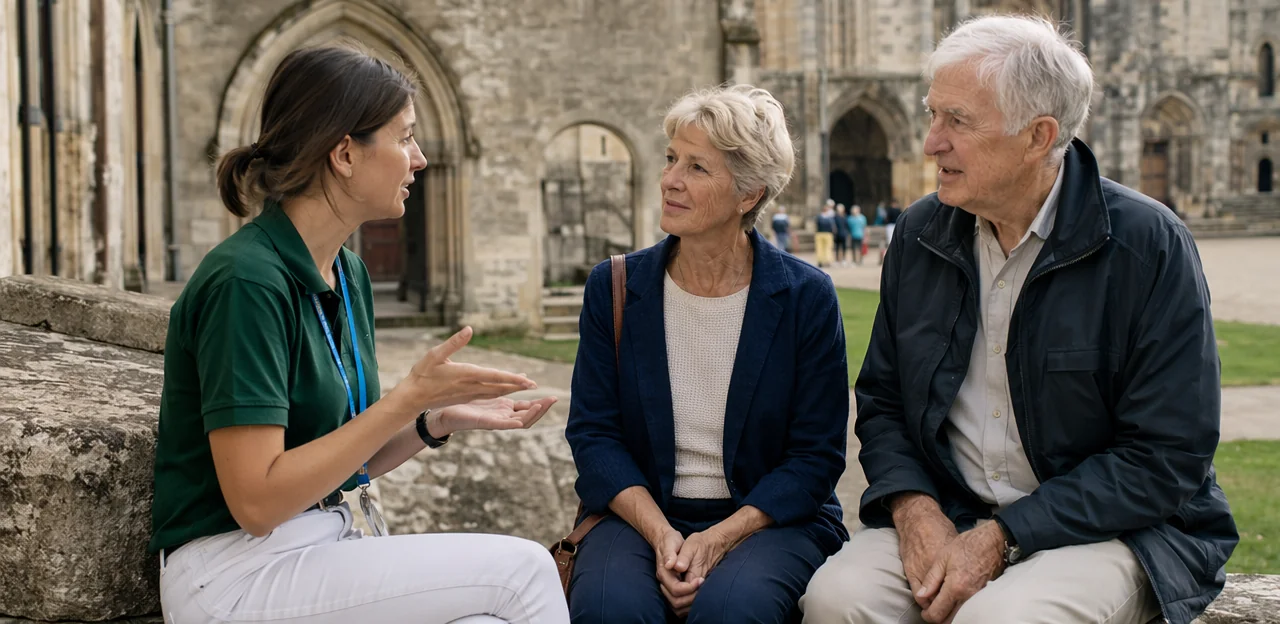
- Intercept surveys are best for deeper insight. Position trained staff near exits, tour finishing points, or high-friction spaces to ask two or three short questions.
To improve response quality:
- Keep questions immediate and specific.
- Place devices where visitors naturally pause.
- Review results by location and time of day.
Tools such as Tapsy can support quick, touchpoint-based collection without adding friction.
Post-visit email and SMS pulse surveys
A well-timed post-visit survey helps capture honest impressions while the experience is still vivid. For strong heritage site feedback, send follow-ups within 2–24 hours of the visit: soon enough to preserve detail, but not so fast that guests are still travelling home.
Keep each email pulse survey or SMS feedback request short and easy to complete:
- Ask 2–4 questions max on overall satisfaction, highlights, and any friction points
- Use mobile-friendly formats such as rating scales, thumbs up/down, or one-tap choices
- Include one optional open comment for context
- Personalise the message with the site or exhibition name and visit date
- Match the channel to the visitor: SMS for speed, email for slightly richer responses
Segment surveys by visit type, such as guided tours, family visits, or special exhibitions, so questions stay relevant. Tools like Tapsy can also support quick, low-friction follow-up flows.
How to design short surveys that still deliver useful insight

Writing better questions for cultural attractions
Strong heritage site feedback starts with clear, respectful wording that visitors can answer in seconds. Good survey question design improves completion rates and gives more reliable insight.
- Use plain language: Avoid jargon such as “interpretation quality” when “How easy was the display to understand?” is clearer.
- Avoid bias: Don’t lead visitors with phrases like “How inspiring was the exhibition?” Instead, use neutral visitor feedback questions such as “How would you rate this exhibition?”
- Limit question count: Keep it to 3–5 essential museum survey questions plus one optional comment.
- Tailor wording to heritage settings: Ask about signage, storytelling, accessibility, preservation, and staff helpfulness.
- Make answers quick: Use simple scales, yes/no options, and concise prompts that suit families, tourists, older visitors, and non-native speakers.
Choosing the right question types and scales
For effective heritage site feedback, keep the format fast, clear, and easy to trend over time. The best short survey design usually combines just a few question types:
- Rating questions: Use consistent survey scales such as 1–5 or 1–10 for overall satisfaction, signage, staff helpfulness, or value. These are best for benchmarking because results stay easy to compare month to month.
- Yes-no questions: Ideal for simple facts, such as “Did you find the site easy to navigate?” Use sparingly, as they lack nuance.
- Multiple choice: Best for identifying reasons behind scores, like crowding, accessibility, or interpretation quality.
- Comment boxes: Make these optional. They add context to low scores without slowing most visitors down.
To keep data comparable, avoid changing wording, scale length, or answer order too often.
Accessibility, inclusion, and multilingual feedback design
Good heritage site feedback should be easy for every visitor to give, not just confident smartphone users. Strong inclusive survey design helps older visitors, families, disabled visitors, and international tourists respond quickly and comfortably.
- Use large text, high contrast, clear buttons, and simple one-screen layouts for truly accessible surveys.
- Keep questions short, avoid jargon, and use inclusive wording such as “How accessible was your visit?” rather than assumptions about ability or group type.
- Offer multilingual visitor feedback with translated prompts, flag icons, and plain language that works across reading levels.
- Provide multiple input options: QR codes, NFC taps, touchscreen kiosks, and staff-supported paper alternatives.
- Test surveys with real users, including wheelchair users, parents, and older adults.
Tools like Tapsy can support quick, no-app feedback at key touchpoints.
Turning feedback into action at museums and heritage attractions
Spotting patterns in visitor comments and scores
Short surveys can still produce strong heritage site feedback when you review results by context, not just overall averages. Effective feedback analysis helps teams spot repeated friction points and quick wins.
- By exhibit: Compare scores and comments to find displays linked to confusion, crowding, or stronger emotional impact.
- By daypart: Morning, lunchtime, and late-afternoon responses often reveal staffing, queue, or tour-flow issues.
- By audience type: Separate feedback from families, members, schools, tourists, or accessibility-focused visitors for clearer museum insights.
- By season: Track holiday peaks, school breaks, and off-season visits to uncover recurring operational pressures.
Pair scores with visitor comment analysis to understand why ratings change. Even a 1–3 question survey can highlight practical priorities such as signage, seating, interpretation clarity, or staff availability.
Using feedback to improve interpretation and operations
Effective heritage site feedback should lead to visible changes, not just reports. When teams review patterns by location, time, and visitor type, they can make smarter decisions that improve visitor experience and strengthen museum operations without relying on assumptions.
- Signage and wayfinding: Fix unclear routes, labels, and entrance instructions where confusion scores are highest.
- Storytelling and interpretation planning: Identify exhibits visitors find confusing, too text-heavy, or emotionally flat, then refine tone, pacing, and narrative flow.
- Staffing: Adjust staff placement and training around busy galleries, ticketing points, or tour handovers.
- Facilities and accessibility: Prioritise toilets, seating, lifts, lighting, and step-free access based on recurring pain points.
- Retail and café experiences: Use feedback to improve queues, menu clarity, pricing perception, and product relevance.
Tools like Tapsy can help capture these insights at the moment they happen.
Closing the loop with staff, leadership, and visitors
Collecting heritage site feedback only creates value when people see what happens next. Closing the feedback loop should be built into your visitor experience strategy, with clear ownership and regular updates.
- Share results internally: give frontline teams and leadership short weekly summaries with key themes, top pain points, and quick wins.
- Align around action: connect feedback to shared goals such as wayfinding, accessibility, welcome, or queue times, so departments work from the same priorities.
- Boost staff engagement: celebrate positive comments, recognise teams behind improvements, and explain how visitor insight informs decisions.
- Show visitors visible change: use signs, website updates, or social posts saying “You said, we improved” to highlight actions taken.
Tools like Tapsy can help teams spot issues quickly and respond while feedback is still fresh.
A practical heritage site feedback framework to implement now
A simple three-question survey model
Use this three-question survey as a practical heritage site feedback template:
- Overall satisfaction: “How satisfied were you with your visit today?”
- Key driver: “What most influenced your experience?” (for example: staff, interpretation, signage, accessibility, or crowding)
- Open comment: “What is one thing we should keep or improve?”
This visitor satisfaction survey works well in busy heritage environments because it is fast, easy to complete on-site, and still reveals clear priorities for action.
Recommended feedback touchpoints by site type
- Museums: Build a museum feedback strategy around exits, gallery transitions, cafés, and audio-guide return points.
- Historic houses: Use a historic house visitor survey at the final room, gardens exit, or tearoom to avoid interrupting guided flow.
- Outdoor heritage sites: Place attraction feedback touchpoints at shuttle stops, viewpoints, and visitor centres.
- Temporary exhibitions: Capture heritage site feedback at exhibition exits while impressions are fresh, using QR/NFC tools such as Tapsy.
Common mistakes to avoid
- Asking too many questions: Long heritage attraction surveys reduce response rates and often produce weaker data. Keep it to 1–3 high-value questions.
- Collecting feedback without action: One of the biggest survey mistakes is failing to close the loop. Turn insights into visible improvements.
- Ignoring accessibility: Include easy-to-use formats and questions about access barriers.
- Failing to compare results over time: Strong visitor feedback best practices track heritage site feedback consistently across seasons, exhibitions, and touchpoints.
Conclusion
In the end, effective heritage site feedback is not about asking more questions — it is about asking the right ones at the right moments. Short, well-placed feedback prompts can help museums, historic houses, galleries, and visitor attractions capture honest impressions while the experience is still fresh. That means higher response rates, clearer insights, and faster action on the issues that shape satisfaction, from wayfinding and accessibility to exhibition flow and staff interactions.
By replacing long, delayed surveys with simple touchpoint-based methods, heritage organisations can build a more complete picture of the visitor journey without creating friction. The result is better decision-making, stronger visitor experience strategies, and more opportunities to turn positive moments into repeat visits, memberships, donations, and word-of-mouth recommendations.
If improving heritage site feedback is a priority, the next step is to review your current feedback journey and identify where visitors are most likely to respond in the moment. Start small, test concise questions, and track what drives the most useful insights. You can also explore practical tools such as QR- or NFC-based solutions like Tapsy to collect feedback quickly and act on it in real time.
Better heritage site feedback leads to better visitor experiences — and better experiences keep cultural places thriving.
Frequently Asked Questions
- Why are long surveys a poor fit for heritage site feedback?
Long surveys often reduce participation because visitors are short on time and do not want to interrupt or revisit the experience with a lengthy form. They also increase survey fatigue, rushed answers, and drop-offs, which makes the data less reliable.
- What makes a low-friction feedback approach better for museums and heritage attractions?
A low-friction approach captures quick reactions at key moments while memories are still fresh. It helps teams gather useful insight without overwhelming visitors or damaging the atmosphere people came to enjoy.
- Which visitor satisfaction metrics should heritage sites prioritise?
The most useful core metrics are overall satisfaction, likelihood to recommend, value for money, ease of navigation, staff helpfulness, and emotional connection to the site. Together, these measures cover both service quality and the meaning visitors take from the experience.
- How can heritage organisations collect feedback at the right points in the visitor journey?
Feedback should be placed where impressions are freshest, such as booking pages, entrances, key junctions, exhibits, cafés, and exits. Matching the question to the location helps teams understand specific parts of the journey instead of relying only on an end-of-visit view.
- What is a good short survey format for a heritage site?
A practical format is one or two rating questions followed by one optional open-text prompt. A simple three-question model can ask about overall satisfaction, what most influenced the experience, and one thing to keep or improve.
- How many questions should a heritage feedback survey include?
Keeping surveys to 1–3 high-value questions works best in busy heritage environments. For slightly richer follow-up surveys, 2–4 questions plus one optional comment can still stay concise and useful.
- What types of feedback tools work well on-site without long surveys?
Useful on-site options include QR code prompts, feedback kiosks, smiley terminals, and short intercept surveys run by staff. These methods work best when placed at natural pause points such as exits, cafés, toilets, ticket desks, and exhibition end points.
- When should post-visit email or SMS feedback be sent?
Post-visit follow-ups should be sent within 2–24 hours of the visit. That timing keeps the experience vivid enough for detailed responses without contacting people so quickly that they are still travelling home.
- How should questions be written for cultural attraction visitors?
Questions should use plain, neutral language that people can answer in seconds. It is better to ask clear prompts such as how easy a display was to understand rather than using jargon or leading wording.
- Which question types are most useful in short heritage surveys?
Rating scales are best for tracking satisfaction, signage, staff helpfulness, or value over time. Yes-no questions can confirm simple facts, multiple choice can identify likely causes, and optional comment boxes add context without slowing most visitors down.
- How can heritage feedback be made more accessible and inclusive?
Good feedback design uses large text, high contrast, clear buttons, simple layouts, and short wording. It should also offer multilingual prompts and multiple input options such as QR codes, NFC taps, touchscreen kiosks, and staff-supported paper alternatives.
- How should teams analyse short-form visitor feedback?
Results should be reviewed by context, including exhibit, daypart, audience type, and season. Pairing scores with comments helps teams understand why ratings change and identify recurring issues such as signage, seating, interpretation clarity, or staffing gaps.
- What kinds of improvements can heritage sites make from this feedback?
Feedback can guide changes to signage, route clarity, storytelling, staff placement, facilities, accessibility, retail, and café operations. The goal is to turn repeated pain points and standout moments into practical improvements visitors can feel.
- Why is closing the feedback loop important?
Feedback only creates value when it leads to visible action and shared understanding. Teams should share regular summaries internally, align around priorities, recognise positive staff contributions, and show visitors what has been improved.
- How can tools like Tapsy support heritage site feedback collection?
Tools like Tapsy are presented as touchpoint-based digital options that support quick, in-the-moment feedback without long surveys. They can be used for QR- or NFC-based prompts at entrances, galleries, tours, exits, and other key locations.