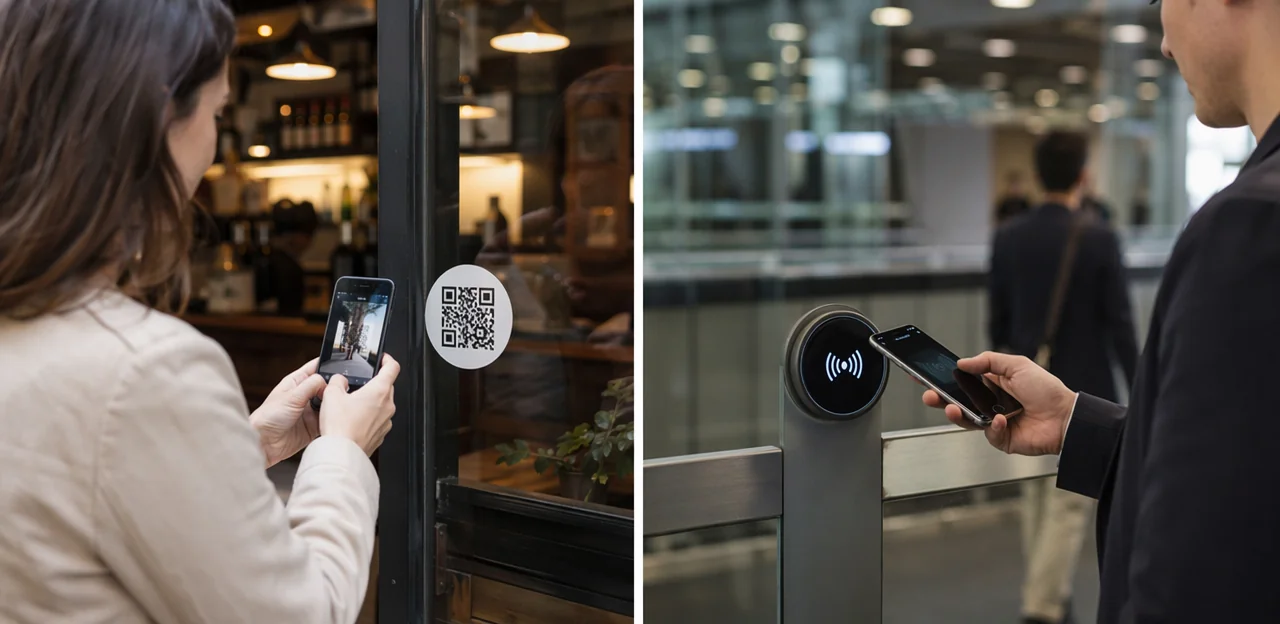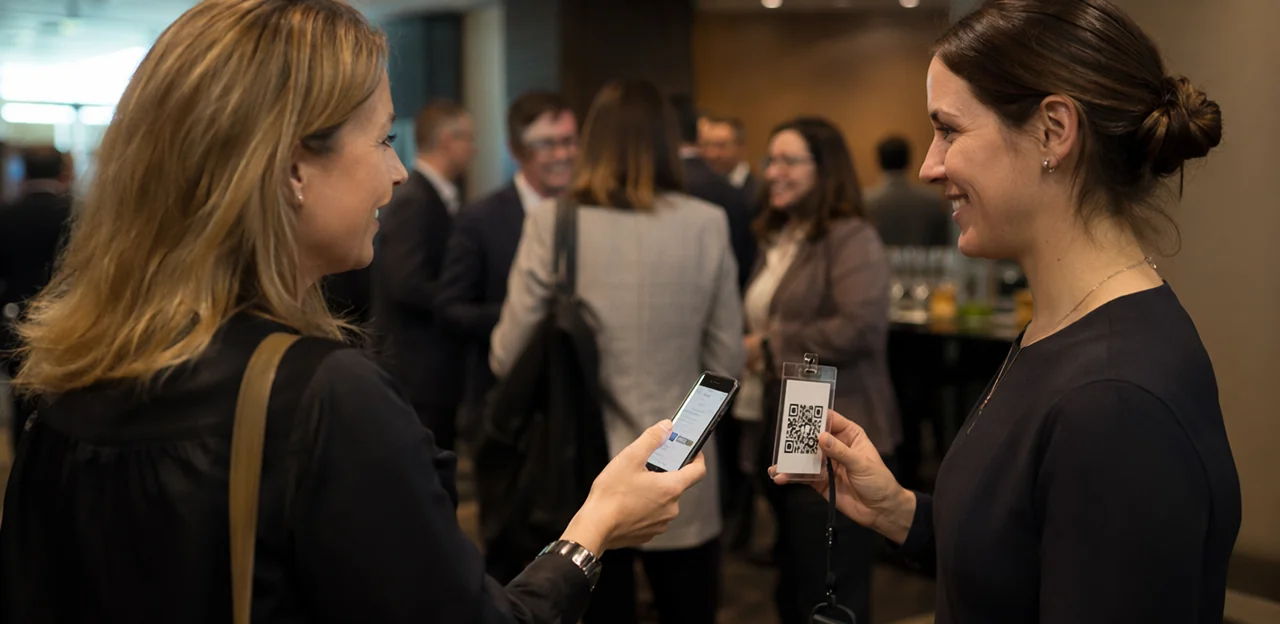
Great event feedback doesn’t just depend on asking the right questions—it depends on asking them in the right place. At conferences, trade shows, and live events, timing and placement can make the difference between a flood of useful responses and a survey that gets ignored. That’s why the positioning of your event feedback QR code matters far more than many organizers realize.
When attendees are moving between sessions, waiting in lines, visiting exhibitor booths, or heading for the exit, each touchpoint creates a different feedback opportunity. A QR code placed too early may feel irrelevant. Too late, and the moment has passed. Put it where the experience is freshest, however, and response rates can rise significantly.
In this article, we’ll explore where to place QR codes for maximum visibility and engagement across the event journey—from registration desks and breakout rooms to networking areas, food stations, and post-session exits. We’ll also look at how touchpoint design, survey length, signage, and incentives influence participation, and how tools like Tapsy can support real-time, no-app feedback collection at physical event touchpoints. By the end, you’ll have a clearer strategy for turning attendee traffic into meaningful, actionable insights.
Why QR code placement matters for event feedback

How attendee behavior affects scan and completion rates
Attendee behavior directly shapes survey response rates because people act on what is easiest to notice and finish in the moment. An event feedback QR code performs best when it matches natural movement and attention patterns.
- Convenience matters: Place codes where attendees already pause—exits, registration desks, coffee lines, and lounge areas.
- Visibility drives scans: Clear signage at eye level helps people notice the survey without searching.
- Timing affects completion: Right after a session or interaction, feedback feels relevant and easier to recall.
During session transitions, attendees are moving quickly, checking schedules, and managing higher cognitive load. That means long surveys get ignored. Keep the flow short, mobile-friendly, and positioned at low-friction touchpoints to align with real attendee behavior.
Benefits of QR-based feedback over paper and email-only surveys
Compared with paper forms and delayed email follow-ups, an event feedback QR code makes feedback faster, easier, and more accurate.
- Instant responses: A QR code survey captures reactions while sessions, food, or networking moments are still fresh, improving the quality of post-event feedback.
- Mobile-first convenience: Attendees scan an event survey QR code on signage, badges, tables, or screens and respond on their phones—no clipboard, no printing, no inbox hunting later.
- Lower friction: Fewer steps mean higher completion rates than paper forms or email surveys sent hours or days afterward.
- Faster action: Real-time insights help event teams spot issues during the event, not after it ends.
Tools like Tapsy can support this kind of in-the-moment collection.
What makes a placement high-converting
A high-converting event feedback QR code placement appears where attendees are already primed to respond. The best spots combine visibility, timing, and relevance.
- High foot traffic: Put your QR code placement in entrances, exits, registration desks, coffee stations, and session transitions where many people naturally pass.
- Dwell time: Use areas where people pause—queues, lounges, expo booths, and charging stations—so scanning feels effortless.
- Contextual relevance: Match the ask to the moment. A session exit sign works for speaker ratings; catering areas suit food feedback.
- Clear calls to action: Strong high-converting event signage should say exactly what attendees get by scanning, such as “Rate this session in 20 seconds.”
The highest response rates come from matching touchpoints to attendee intent for each conference feedback survey.
Best places to put an event feedback QR code

Session exits, breakout rooms, and keynote doors
Immediate post-session touchpoints usually deliver the highest response rates because attendees still remember the speaker, content, pacing, and room experience. That makes the event feedback QR code most effective when it appears right as people leave.
Practical event feedback QR code placement ideas include:
- Exit signs and easels: Place a large session feedback QR code beside the main exit with a clear CTA such as “Rate this session in 20 seconds.”
- Door decals: Add QR stickers on breakout room and keynote doors so attendees can scan while walking out.
- Presentation end slides: Show the conference session survey link as the final slide and leave it up during applause and transition time.
- Moderator reminders: Ask moderators to give a short verbal prompt before dismissing the room.
For better completion rates, keep the survey session-specific, mobile-friendly, and under a minute. Platforms like Tapsy can help connect QR touchpoints to fast, no-app feedback flows.
Registration desks, badge pickup, and help counters
Front-of-house touchpoints are ideal for capturing first impressions while the experience is still fresh. A well-placed event feedback QR code at registration can reveal queue issues, signage confusion, staffing gaps, or badge pickup delays before they affect more attendees.
- Use a registration desk QR code for quick pulse feedback right after check-in:
- “How smooth was check-in?”
- “Did you find registration easily?”
- “How long did you wait?”
This short event check-in feedback works best because attendees are busy and focused on getting inside. Keep it to 1–3 taps max.
- Place a second QR code at help counters for operational feedback:
- staff helpfulness
- problem resolution
- wayfinding or schedule clarity
Save the full attendee experience survey for later in the day or near session exits, when guests can evaluate the broader event. If you use a platform like Tapsy, route low scores from front-of-house areas to staff in real time so issues can be fixed immediately.
Networking lounges, expo booths, and food areas
High-dwell zones are ideal for onsite feedback collection because attendees are already pausing, waiting, or recharging. In these spaces, an event feedback QR code feels less intrusive and gets better completion rates than in fast-moving entry or exit points.
- Sponsor booths: Add an expo booth QR code on counters, demo tables, and takeaway materials so visitors can rate booth experience, product interest, or staff helpfulness right after the interaction.
- Charging stations: These are excellent scan points because people stay put for several minutes. Use clear signage with a short prompt like “Share your experience while you charge.”
- Cafe tables and food areas: Table tents, tray liners, or condiment stations work well when attendees are seated and have a natural moment to respond.
- Seating zones and lounges: An event lounge survey can capture session impressions, venue comfort, or networking quality while conversations are still fresh.
Keep surveys short, mobile-friendly, and visible from a seated position for higher response rates.
How to optimize each QR touchpoint for more scans

Signage design, size, and visibility best practices
To improve scans, your event feedback QR code should be instantly noticeable and easy to use from a natural standing or seated position. Strong QR code signage design directly affects response rates.
- Use high contrast: Black on white works best. Avoid busy backgrounds, low-contrast brand colors, or glare on glossy prints.
- Leave white space: Keep a clear margin around the code so cameras can detect it quickly. This is essential for a scan-friendly QR code.
- Set practical height: Place wall signage around chest to eye level, and tabletop displays upright rather than flat.
- Size for distance: Larger codes are needed for posters and wall signage; smaller but still prominent codes work on table tents and handouts.
- Match format to placement: On print materials, keep the code unobstructed; on digital screens, avoid animation near the code and ensure it stays visible long enough to scan.
These event signage best practices help reduce friction across print, screens, tabletops, and venue walls.
Calls to action that increase participation
A strong survey call to action can make the difference between being ignored and getting a response. Keep the message short, specific, and benefit-led next to your event feedback QR code.
- “Got 30 seconds? Scan to rate today’s session.”
Works because it lowers the time commitment and feels easy. - “Help us improve the next talk—scan and share your feedback.”
This can increase survey participation by showing attendees their opinion has a purpose. - “Scan for a quick survey and enter to win a coffee voucher.”
A small incentive adds urgency and value without overcomplicating the QR code CTA. - “Tell us what worked—and what didn’t—before you leave.”
Timely wording encourages immediate action while the experience is still fresh.
Wording matters because vague prompts like “Take our survey” create friction, while clear, concise CTAs set expectations, reduce effort, and motivate action.
Using NFC and QR together at event touchpoints
Combining NFC and QR touchpoints gives attendees the fastest way to respond based on their device and habits. Some people prefer a quick tap, while others instinctively scan an event feedback QR code with their camera. Offering both reduces friction, supports more phone types, and improves contactless event feedback completion rates.
Dual-format feedback stations work especially well at:
- Session exits: capture speaker and content ratings while impressions are fresh
- Registration desks: measure check-in experience without creating queues
- Booth stands: collect lead quality and demo feedback at exhibitions
- Food, lounge, and networking areas: track comfort, service, and flow issues
For best results, place NFC tags and QR codes side by side with one clear CTA, such as “Tap or scan to rate in 10 seconds.” This simple event technology setup can lift participation across conferences and exhibitions.
Survey design tips that improve response rates after the scan

Keep the survey short, mobile-first, and context-specific
An event feedback QR code works best when the survey feels effortless in the moment. For onsite use, prioritize a short event survey that takes under 30 seconds and is built for thumb-friendly completion.
- Limit length: Aim for 1–3 questions plus one optional comment field. Long forms increase drop-off fast.
- Use simple question types: Tap-based ratings, multiple choice, and yes/no questions outperform open-ended fields on mobile.
- Optimize for mobile survey design: Large buttons, minimal typing, fast load times, and no login requirement are essential.
- Match questions to the moment: A session exit QR should ask about speaker clarity or room comfort, while a booth QR should focus on staff helpfulness or demo quality.
A focused onsite feedback form captures fresher, more accurate responses. Tools like Tapsy can support quick, touchpoint-specific pulse surveys without requiring an app.
Ask the right questions at the right moment
The best event feedback QR code strategy matches each survey to the attendee’s immediate experience. When questions feel timely and specific, completion rates rise and responses become more accurate.
- At session room exits: ask about speaker clarity, relevance, pacing, and overall session value.
- Near catering stations: use attendee satisfaction questions about food quality, variety, wait times, and dietary options.
- At registration or check-in areas: focus on queue length, staff helpfulness, and ease of entry.
- In networking zones: ask whether attendees made useful connections or found the space comfortable.
This approach strengthens survey question design by making every prompt context-driven. Better contextual event feedback means cleaner data, clearer insights, and faster improvements. Tools like Tapsy can help deploy these touchpoint-based surveys efficiently.
Reduce drop-off with smart incentives and trust signals
Even a well-placed event feedback QR code can lose responses if attendees feel the survey is unclear, too long, or risky. Reduce hesitation with a few simple feedback form trust signals:
- Offer an optional event survey incentive: a prize draw, coffee voucher, or content download can lift survey completion rate without making feedback feel forced.
- Add clear privacy messaging: state how responses are used, whether answers are anonymous, and that personal data will not be shared.
- Show estimated completion time: “Takes 60 seconds” sets expectations and makes the task feel manageable.
- Use progress indicators: a short step bar or “2 of 4 questions” reassures attendees they are nearly done.
Together, these cues build confidence and encourage more completed responses.
Timing, testing, and measurement strategies

When to request feedback during and after the event
A strong conference feedback strategy uses multiple moments, not one survey blast.
- During sessions: Place an event feedback QR code at exits, on slides, or seat cards to capture real-time event feedback. This usually drives higher volume because the prompt is immediate, and comments are more specific about speakers, room setup, or content quality.
- End of day: Use a short pulse survey to measure overall sentiment while the day is still fresh. Response volume may dip slightly, but patterns across sessions become clearer.
- Post-event follow-up: Best for broader reflections, ROI, and future intent. However, post-event survey timing matters: wait too long and recall accuracy drops, even if strategic feedback becomes more considered.
Tools like Tapsy can help trigger fast, touchpoint-based responses.
A/B testing placement, messaging, and format
To improve event feedback QR code response rates, run small, controlled tests across touchpoints and compare results weekly.
- Test placement: Try entrances, registration desks, session exits, catering areas, badge backs, and restroom mirrors.
- Test CTA wording: Compare messages like “Share feedback in 30 seconds” vs. “Help us improve this event.”
- Test format: Use tabletop signs, posters, lanyard inserts, slides, or stickers to A/B test QR code visibility and scan ease.
- Test incentives: No reward vs. coffee voucher, prize draw, or instant perk.
Track simple event feedback analytics such as:
- Scan rate
- Survey starts
- Completion rate
- Incentive redemption rate
This data-driven survey optimization reveals the highest-converting touchpoints.
Key metrics to track for better event insights
To improve an event feedback QR code program, track the KPIs that reveal both engagement and survey quality:
- Scan rate: Measures how many attendees noticed and scanned the code at each touchpoint.
- Start rate: Shows how many scanners actually began the survey, helping you judge landing page clarity and intent.
- Completion rate: One of the most important survey completion metrics, indicating whether your survey is short, relevant, and easy to finish.
- Response quality: Review comment depth, answer consistency, and useful sentiment signals in your event feedback data.
- Location-level performance: Compare entrances, booths, breakout rooms, and exits using QR code analytics to identify the placements that drive the strongest results.
These metrics help refine placement, survey design, and future event feedback strategy.
Common mistakes to avoid and final implementation checklist

Placement mistakes that reduce visibility and trust
Common QR code mistakes can quietly damage scans and credibility:
- Putting the event feedback QR code in low-traffic corners, behind queues, or only at exits
- Printing it too small, too high, or with poor contrast, making it easy to miss
- Sending attendees to long, slow forms, which increases drop-off
- Failing to explain why feedback matters or how long it takes
These event feedback errors are major low survey response causes because attendees ignore unclear, inconvenient, or untrustworthy prompts.
Accessibility and technical considerations
Even the best-placed event feedback QR code can underperform if scanning or loading feels difficult. Reduce friction with a few essentials:
- Use an accessible QR code with strong contrast, clear instructions, and a readable backup short URL.
- Check event tech setup for reliable Wi-Fi or mobile signal in every placement zone.
- Test across iPhone, Android, older cameras, and different browsers.
- Optimize mobile landing page speed so the survey opens instantly.
Small technical barriers can quickly lower response rates.
Simple checklist for launching a high-response feedback program
- Pre-event: Finalize your conference survey plan by choosing high-traffic placements for each event feedback QR code—entrances, session exits, catering zones, and registration desks.
- Signage: Review visibility, CTA wording, and scan instructions as part of your event feedback checklist.
- Survey testing: Complete QR code survey setup checks on multiple devices; keep the form short and fast.
- Onsite: Train staff to give simple verbal prompts at key moments.
- Analytics: Set tracking by location, time, and response rate to optimize quickly.
Conclusion
Ultimately, the success of an event feedback QR code comes down to timing, visibility, and context. The best response rates happen when you place QR codes at natural pause points throughout the attendee journey, not just at the end of the event. Entrances, session exits, registration desks, food areas, networking lounges, and venue exits all create opportunities to capture feedback while the experience is still fresh and specific.
Just as important, the survey itself should be quick, mobile-friendly, and clearly tied to the moment. A well-placed event feedback QR code paired with a short, relevant survey can help organizers collect more honest insights, spot issues in real time, and improve future events with confidence. Clear signage, a simple callout, and even a small incentive can further increase participation.
If you want better feedback data from your next conference or live event, start by mapping your attendee touchpoints and testing QR code placement where engagement feels most natural. You can also explore touchpoint-based solutions like Tapsy to streamline feedback collection across physical event spaces.
The next step is simple: review your event flow, identify high-traffic moments, and deploy an event feedback QR code strategy that makes responding easy. Better placement leads to better insights—and better events.
Frequently Asked Questions
- Why does QR code placement affect event feedback response rates?
Placement matters because attendees are most likely to respond when scanning feels easy and relevant in the moment. Codes perform better at natural pause points like exits, registration desks, coffee lines, and lounges, where visibility and convenience are higher.
- Where should I place a QR code to collect feedback right after a session?
Use session exits, breakout room doors, keynote doors, and final presentation slides. A moderator reminder and a clear call to action like “Rate this session in 20 seconds” can help capture feedback while the experience is still fresh.
- Are registration desks and badge pickup areas good places for feedback QR codes?
Yes, they are useful for capturing first impressions such as queue issues, wayfinding confusion, staffing gaps, and badge pickup delays. Keep these surveys extremely short, ideally 1–3 taps, because attendees are focused on getting inside.
- What types of event areas usually have the highest dwell time for QR survey scans?
Networking lounges, expo booths, charging stations, cafe tables, and food areas tend to work well because attendees are already pausing or waiting. In these spaces, scanning feels less intrusive and completion rates can improve.
- How is QR-based event feedback better than paper forms or email-only surveys?
QR-based feedback captures reactions immediately, while sessions and interactions are still fresh. It also reduces friction because attendees can respond on their phones without paper forms, printing, or waiting for a follow-up email later.
- What makes a feedback QR code placement high-converting?
High-converting placements combine high foot traffic, dwell time, contextual relevance, and a strong call to action. Entrances, exits, registration desks, coffee stations, and session transitions are effective when the message clearly explains what attendees should do and how long it will take.
- How should event QR code signage be designed for better visibility?
Use high contrast, leave white space around the code, and place signage at a practical standing or seated height. The code should be sized for viewing distance, and digital displays should keep it visible long enough to scan without distracting animation nearby.
- What kind of call to action increases QR survey participation at events?
Short, specific, benefit-led prompts work best, especially when they set expectations clearly. Examples include mentioning the time required, explaining that feedback will improve future sessions, or adding a simple incentive like a coffee voucher.
- Should I use NFC and QR together at event touchpoints?
Using both can reduce friction because some attendees prefer tapping while others prefer scanning with their camera. This dual-format setup works especially well at session exits, registration desks, booth stands, and lounge or food areas.
- How long should an onsite event feedback survey be after someone scans the QR code?
Keep it under 30 seconds whenever possible, with 1–3 questions and an optional comment field. Tap-based ratings, multiple choice, and yes/no questions are usually better than long open-ended forms on mobile.
- What questions should I ask at different event touchpoints?
Match the questions to the immediate experience. Ask about speaker clarity and pacing at session exits, food quality and wait times near catering, check-in ease at registration, and connection quality or comfort in networking zones.
- How can I reduce survey drop-off after attendees open the feedback form?
Use trust signals and make the experience feel safe and manageable. Clear privacy messaging, an estimated completion time, progress indicators, and optional incentives like a prize draw or voucher can help more people finish.
- When is the best time to request event feedback?
Use multiple moments instead of relying on one survey blast. During-session and immediate post-session prompts usually capture more specific real-time feedback, while end-of-day and post-event follow-ups are better for broader reflections.
- How can I test which QR code placements and messages work best?
Run small A/B tests across different locations, calls to action, formats, and incentive options. Compare scan rate, survey starts, completion rate, and incentive redemption rate to identify which touchpoints perform best.
- What common mistakes lower event feedback QR code performance?
Poor results often come from placing codes in low-traffic corners, printing them too small, using weak contrast, or sending attendees to long, slow forms. Missing privacy cues, unclear instructions, weak connectivity, and lack of a backup short URL can also reduce trust and completion.