
In airports and mobility hubs, every minute matters—and so does every interaction. A missed bag drop, a confusing transfer, or a long security queue can shape a passenger’s entire perception of the journey. That’s why airport feedback placement is no longer just a customer service detail; it’s a strategic decision that influences passenger experience, operational efficiency, and the quality of data teams collect.
The challenge is not simply asking for feedback, but asking for it at the right moment and in the right place. From check-in zones and security exits to boarding gates, lounges, arrival halls, and intermodal transfer points, each location captures a different emotional state and a different type of insight. Well-placed feedback points can reveal friction in real time, support faster service recovery, and help operators understand how people move through complex travel environments.
In this article, we’ll explore where feedback points deliver the most value across airports and mobility hubs, how NFC and QR touchpoints can reduce friction, and how AI and analytics turn passenger responses into actionable improvements. We’ll also look at practical placement strategies that help transport operators collect more relevant feedback without disrupting the travel journey.
Why airport feedback placement matters in modern mobility hubs

The link between location and response quality
Airport feedback placement directly affects how honest, useful, and timely responses are. When passengers share feedback at the exact touchpoint where an experience happens, the detail is fresher and easier to act on than in a generic post-trip survey sent hours or days later.
- Context improves accuracy: A queue-area prompt captures security wait frustration better than a later email.
- Timing increases relevance: Real-time passenger feedback helps teams fix issues while travelers are still on site.
- Placement boosts completion rates: Short, visible passenger feedback points near gates, lounges, restrooms, or baggage claim feel easier to answer.
Well-planned airport feedback placement turns sentiment into location-specific insight, making operational improvements faster and more precise.
Airports and travel and mobility hubs differ from hotels or retail spaces because journeys are fragmented, time-sensitive, and operationally complex. Effective airport feedback placement must reflect how passengers move through terminals, rail links, bus interchanges, and security-controlled areas.
- Map by journey stage: place mobility hub feedback points at check-in, security exit, gates, arrivals, baggage claim, and transfer corridors.
- Match mode changes: capture sentiment where air, rail, metro, taxi, and bus journeys connect.
- Use dwell time wisely: longer waits at gates or baggage belts suit richer surveys; fast-flow zones need one-tap feedback.
- Respect operational pressure: avoid bottlenecks and place touchpoints where they won’t disrupt staff or passenger flow.
This tailored approach improves airport passenger experience and produces more actionable insight.
Business outcomes of better feedback placement
Strategic airport feedback placement turns passenger comments into measurable business value across the terminal. A strong feedback strategy airports teams can use should connect each touchpoint to a clear operational goal:
- Faster service recovery: Place feedback points near security, gates, baggage claim, and assistance desks to catch issues in real time and resolve them before complaints escalate.
- Operational improvements: Use location-based insights to identify queue bottlenecks, staffing gaps, and wayfinding pain points that affect airport service quality.
- Concession performance: Collect feedback near dining and retail zones to track wait times, product satisfaction, and spend drivers.
- Cleanliness monitoring: Position touchpoints in restrooms and seating areas for rapid housekeeping alerts.
- Benchmarking: Compare zones consistently to improve customer satisfaction airport reporting over time.
Best places to install feedback points across the passenger journey
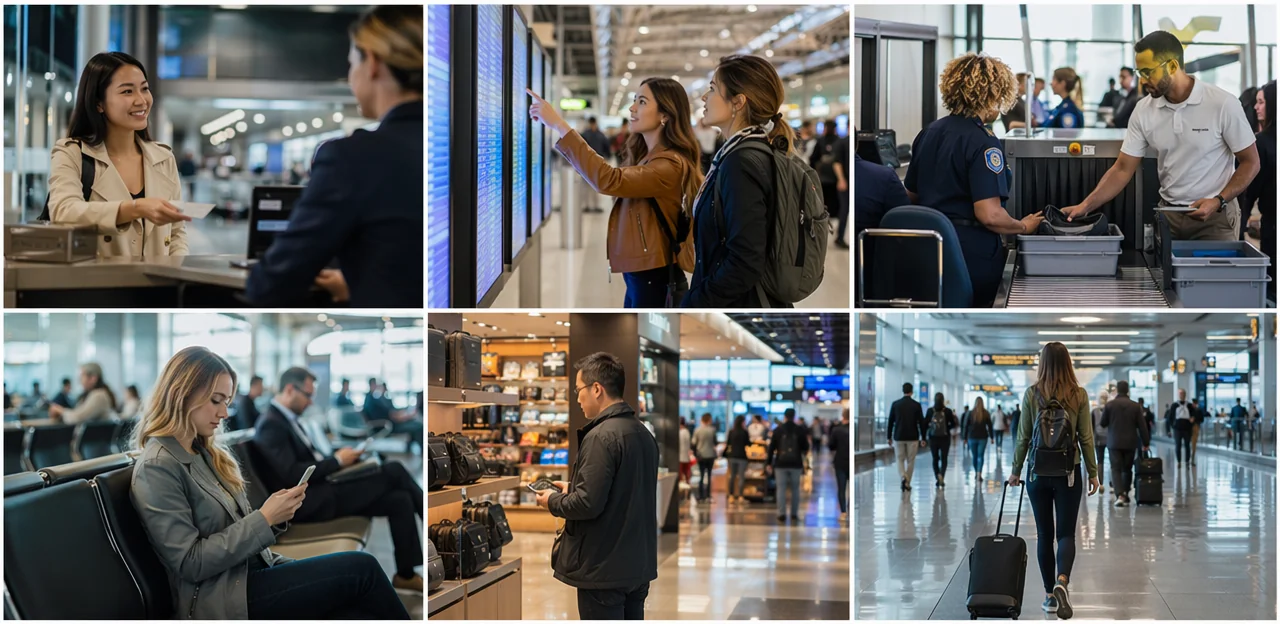
High-impact zones before and after security
For effective airport feedback placement, focus on moments where passengers feel pressure, uncertainty, or relief. These transition points generate the most useful operational insights and strongest response rates.
- Check-in and bag drop: Ideal for capturing first impressions, queue friction, staffing issues, and wayfinding problems. A short check-in feedback airport prompt works best here because passengers are still early in the journey and can report confusion before frustration builds.
- Security exit: One of the best locations for security checkpoint feedback. Passengers have just experienced screening, so their view of wait times, staff communication, and process efficiency is fresh. This is a prime spot to measure stress reduction immediately after a high-tension stage.
- Passport control exit: Valuable for international hubs. Use this touchpoint to assess border processing speed, signage clarity, and perceived fairness of queues.
- Arrivals and baggage reclaim exits: Best for understanding final journey satisfaction, including baggage wait times, customs flow, and the airport’s last impression.
For higher completion rates, place NFC or QR touchpoints directly in walking paths, with one-tap questions and clear multilingual prompts.
Feedback opportunities in dwell and service areas
Effective airport feedback placement should cover the places where passengers wait, spend, and notice service gaps most clearly. Dwell and service zones are especially useful because they capture both operational pain points and commercial experience signals in real time.
- Lounges and gate areas: Use gate area feedback points near seating, charging stations, and boarding lanes to measure crowding, comfort, Wi-Fi quality, announcements, and delay handling.
- Restrooms: Airport restroom feedback helps identify cleanliness, stock levels, odors, and maintenance issues before complaints escalate.
- Retail and food courts: Place QR or NFC prompts at exits, tables, and payment points to understand queue times, staff helpfulness, pricing perception, and product availability.
- Baggage claim: Baggage claim feedback reveals issues with wait times, carousel information, damaged luggage handling, and wayfinding after arrival.
- Parking and ground transport zones: Capture feedback at shuttle stops, payment machines, taxi ranks, and rail links to monitor signage clarity, safety, delays, and transfer convenience.
For best results, keep prompts short, location-specific, and easy to access via mobile touchpoints.
Multimodal and landside mobility hub touchpoints
To capture the full door-to-door journey, airport feedback placement should extend beyond terminals into every ground transport transition. The most effective mobility hub touchpoints are where passengers wait, decide, or complete a handoff between modes.
- Train and metro links: Place NFC/QR feedback points at platform exits, station escalators, and airport rail transfer gates to measure wayfinding, transfer times, and baggage convenience.
- Shuttle stops: Add feedback prompts at curbside pickup zones and onboard shuttle exits to track wait times, crowding, and stop clarity.
- Taxi ranks and ride-hailing pickup areas: Install quick-response touchpoints near queue entry, dispatch screens, and pickup bays for insights on queue management and safety.
- Car rental desks: Position feedback points at desk counters and vehicle collection zones to assess signage, paperwork speed, and staff support.
- Parking exits: Capture airport ground transport feedback at payment machines and exit barriers to understand pricing clarity, congestion, and egress flow.
- Intermodal corridors: In walkways linking rail, parking, bus, and terminal areas, gather intermodal passenger feedback on signage, accessibility, lighting, and perceived walking distance.
Low-friction tools such as QR/NFC stands can help operators collect real-time feedback without slowing passenger movement.
Choosing the right format: kiosks, NFC, QR, and mobile feedback
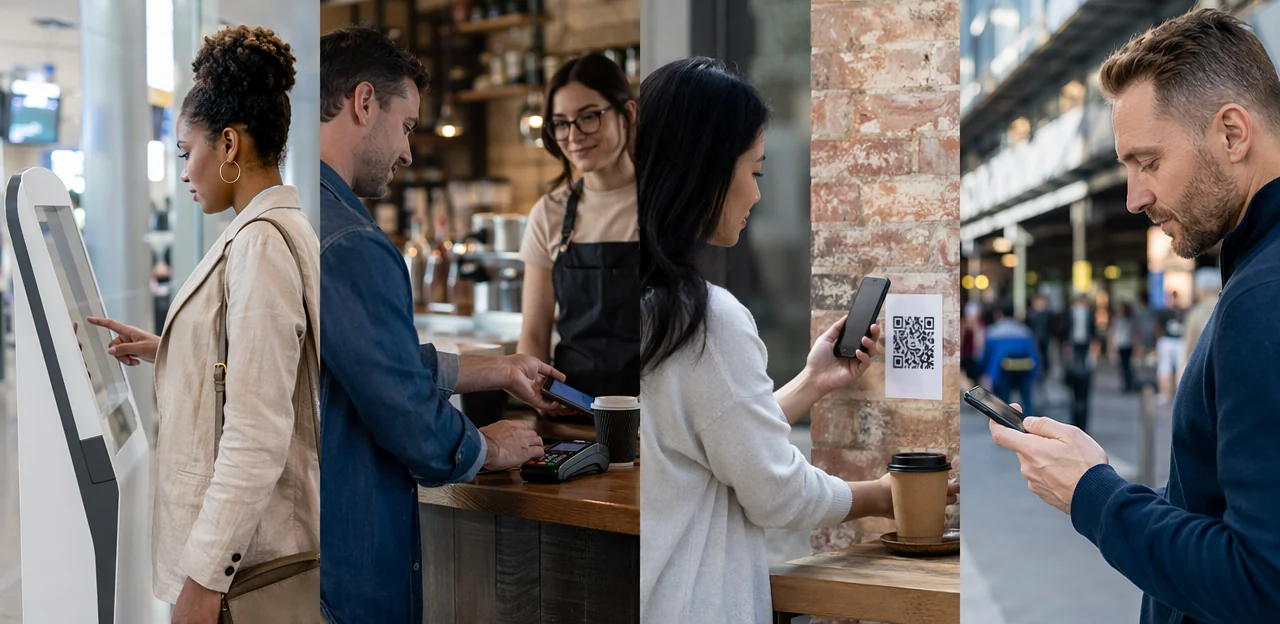
When physical feedback kiosks work best
Physical airport feedback kiosks are most effective where passengers already pause and can respond in seconds. For strong airport feedback placement, prioritize fixed points that are highly visible, intuitive, and easy to use without staff support.
- Best-fit locations: security exits, immigration halls, baggage claim, restroom corridors, lounge entrances, and gate waiting areas
- Why they work: terminal survey stations stand out in busy environments, offer a simple tap-or-press interaction, and capture immediate sentiment while the experience is still fresh
- Operational advantage: fixed passenger feedback devices create consistent data collection zones and are easy for teams to monitor
Use kiosks in wide circulation areas with natural dwell time. Avoid placing them in narrow walkways, boarding queues, or pinch points, where they can create congestion and discourage participation. In tighter spaces, lighter-touch NFC or QR options may reduce friction.
Using NFC and QR touchpoints for low-friction responses
NFC tags and QR codes make airport feedback placement faster and more effective by turning idle moments into instant, contactless airport surveys. They reduce friction, work on passengers’ own phones, and can launch multilingual forms based on device language.
Best practices for deployment:
- Place tags and codes at natural pause points: security exits, gate seating, baggage claim, lounges, and mobility assistance desks.
- Mount signage at 1.2–1.4 m height for easy visibility and wheelchair accessibility.
- Use large, high-contrast visuals with a clear CTA such as “Tap or scan to rate this area in 20 seconds.”
- Design for scan-to-complete: mobile-first, no app download, 2–4 questions max, auto-detect language, and large tap targets.
- Pair NFC feedback airport prompts with visible QR code passenger feedback options so both tap and scan users are covered.
Platforms like Tapsy can support multilingual, location-aware flows across different airport zones.
Matching channel choice to passenger behavior
Effective airport feedback placement starts with how people move and respond in different moments. The best passenger survey channels vary by traveler type, trip stage, queue pressure, and available dwell time.
- Business travelers: Prefer fast, low-friction airport digital touchpoints such as QR codes at gates, lounges, and baggage claim.
- Leisure and family travelers: Respond better to visible, simple traveler feedback methods like NFC taps or smiley-button kiosks in calmer areas.
- Security and check-in queues: Use one-tap or two-question formats only; long surveys increase drop-off.
- Post-service dwell zones: Lounges, gate seating, arrivals halls, and baggage reclaim support richer surveys because passengers have more time.
- High-flow transfer areas: Prioritize passive or ultra-short feedback prompts.
A blended approach often works best: kiosks for instant sentiment, QR/NFC for detailed follow-up, and mobile links for post-journey insight. Tools like Tapsy can support location-specific flows across the hub.
Using AI and analytics to optimize feedback point placement

Finding placement gaps with journey and response data
To improve airport feedback placement, airports should map feedback points against real passenger movement and engagement signals. Combining passenger journey data with AI airport analytics reveals where feedback opportunities are missing or underperforming.
- Compare footfall with survey completion rates to spot high-traffic areas that generate little feedback.
- Overlay queue length and dwell-time data to find moments when passengers are available but not being asked.
- Track responses by journey stage—check-in, security, retail, gates, arrivals—to uncover blind spots.
- Use feedback placement analytics to test whether QR or NFC touchpoints perform better in fast-moving vs. waiting zones.
This helps teams relocate, add, or redesign touchpoints where they can capture more relevant, timely insight.
Turning raw feedback into operational insight
Well-planned airport feedback placement becomes far more valuable when AI turns comments into clear action points. With AI passenger feedback tools, airport teams can move from reading isolated complaints to spotting operational patterns quickly.
- Sentiment analysis highlights where satisfaction drops, such as security, restrooms, gates, or baggage reclaim.
- Topic clustering groups similar comments into themes like queue times, cleanliness, wayfinding, or staff helpfulness.
- Trend detection shows when issues spike by hour, day, flight bank, or season.
This approach strengthens airport sentiment analysis by linking feedback to specific zones, services, and time periods, creating faster operational insights airport teams can use to deploy staff, fix bottlenecks, and improve passenger experience in real time.
Continuous testing and optimization
Effective airport feedback placement should never be static. Use survey A/B testing to compare small changes and scale what performs best.
- Test signage: Compare headline wording, icon use, color contrast, and call-to-action clarity.
- Test prompts: Try service-specific asks like “Rate security wait time” versus broader satisfaction questions.
- Test languages: Match prompts to passenger mix by terminal, gate area, or route profile.
- Test placement: Evaluate NFC/QR touchpoints at queues, exits, lounges, baggage claim, and transfer zones.
Track results through airport experience analytics, focusing on response volume, completion rate, sentiment quality, and downstream operational outcomes such as faster issue resolution or reduced complaints. This iterative approach drives smarter feedback optimization airport programs over time.
Best practices for passenger experience, accessibility, and compliance

Designing feedback points that passengers will actually use
Effective airport feedback placement depends on making participation feel effortless, relevant, and trustworthy. To improve passenger experience feedback and boost survey completion airport rates, design touchpoints around real traveler behavior:
- Maximize visibility: place QR/NFC feedback points at eye level in queues, gates, lounges, and baggage claim.
- Keep questions concise: ask 1–3 quick, context-specific questions to reduce survey fatigue.
- Support multiple languages: multilingual flows make airport UX feedback accessible to international passengers.
- Use intuitive interfaces: clear icons, mobile-first layouts, and one-tap ratings increase completion.
- Get the timing right: ask immediately after security, lounge use, or arrivals—when the experience is fresh.
Brief, well-timed feedback requests build trust and deliver higher-quality responses.
Accessibility and inclusive placement standards
To make airport feedback placement effective for everyone, design each touchpoint around real passenger needs:
- Install accessible airport feedback points at wheelchair-friendly heights, with clear floor space and step-free access.
- Use high-contrast screens, large fonts, glare-resistant displays, and simple layouts to improve readability in bright terminals.
- Offer inclusive passenger surveys in multiple languages, with easy language switching via NFC, QR, or on-screen prompts.
- Add tactile markers, braille labels, and audible guidance where possible to support blind and low-vision travelers.
- Position airport accessibility touchpoints near seating, family zones, gates, baggage claim, and assistance desks so older travelers, families, and passengers with reduced mobility can respond comfortably.
Privacy, consent, and data governance considerations
For effective airport feedback placement, privacy must be designed into every touchpoint used for public space feedback collection.
- Minimize personal data: Collect only what is necessary. For strong airport data privacy, offer anonymous responses by default and request contact details only for follow-up or rewards.
- Use clear consent notices: Support survey consent compliance with short, visible disclosures explaining what data is collected, why, how long it is stored, and who can access it.
- Secure devices and links: Protect NFC tags, QR codes, tablets, and kiosks from tampering, phishing redirects, and unauthorized data access.
- Set governance rules: Define retention periods, access controls, and vendor responsibilities. Platforms such as Tapsy can help centralize permissions and audit trails.
How to build an airport feedback placement strategy that delivers results

Setting goals by zone and stakeholder
Use airport feedback placement to assign one clear owner and one decision goal to each touchpoint:
- Airport operators: measure wayfinding, security flow, seating, and overall terminal comfort.
- Airlines: track check-in, boarding, baggage delivery, and disruption handling.
- Retailers/F&B: capture wait times, staff helpfulness, and conversion blockers.
- Cleaning teams: monitor restroom cleanliness, replenishment, and response speed.
- Ground transport partners: assess pickup clarity, queue times, and transfer reliability.
This creates a stronger airport feedback strategy, improves terminal stakeholder alignment, and links each zone to actionable service quality metrics airport teams can review together.
Creating a rollout plan for terminals and mobility hubs
Use a phased airport rollout plan to make airport feedback placement measurable and scalable:
- Audit the journey: map arrivals, security, gates, baggage claim, rail links, bus bays, and parking exits.
- Prioritize locations: rank by passenger volume, dwell time, stress points, and service ownership.
- Select technology: match QR, NFC, or compact kiosks to each zone’s traffic, language needs, and maintenance limits.
- Launch in phases: pilot one terminal and one connected transport node, optimize, then expand for consistent mobility hub implementation and efficient feedback point deployment.
Measuring success after deployment
Track airport feedback placement with clear, zone-level metrics so each touchpoint proves its value:
- Response rate: measure scans/submissions by terminal, gate, lounge, security, and baggage claim.
- Response quality: track completion rate, comment depth, and sentiment relevance.
- Issue resolution time: monitor how quickly teams close reported problems.
- NPS or CSAT by zone: compare passenger satisfaction metrics across locations and time periods.
- Operational impact: link insights to cleaner facilities, shorter queues, better wayfinding, or staffing changes.
These airport feedback KPIs support stronger feedback performance measurement and continuous improvement.
Conclusion
Effective airport feedback placement is ultimately about meeting passengers where their experience is happening. The most valuable feedback points are positioned at decision-making and emotion-heavy moments: check-in, security exits, boarding gates, arrivals, baggage claim, lounges, restrooms, parking areas, and intermodal transfer zones. When feedback is captured in real time through well-placed NFC and QR touchpoints, airports and mobility hubs gain faster insights, higher response rates, and a clearer view of what travelers actually need.
Just as important as location is relevance. Each touchpoint should reflect the context of that zone, making it easy for passengers to share quick, meaningful input without disrupting their journey. A smart airport feedback placement strategy helps operators identify friction, recover service issues quickly, and continuously improve passenger experience across the entire hub.
The next step is to audit your passenger journey, map high-impact touchpoints, and test which placements generate the strongest engagement and most actionable data. Consider exploring tools that support multilingual, real-time feedback collection and analytics, such as Tapsy, if you want a more responsive approach.
Done well, airport feedback placement becomes more than a survey tactic—it becomes a core part of smarter, more passenger-centric mobility operations.
Frequently Asked Questions
- Why does feedback point placement matter so much in airports and mobility hubs?
Placement affects how timely, accurate, and useful passenger responses are. Feedback collected at the exact touchpoint where an experience happens is easier to act on than a generic post-trip survey sent later. It also helps teams recover service issues faster and understand specific friction points across the journey.
- Where should airports place feedback points first?
Start with high-impact zones such as check-in and bag drop, security exits, passport control exits, arrivals, and baggage reclaim. These areas capture strong emotions like stress, uncertainty, or relief, which often lead to the most actionable insights. They also connect clearly to operational teams that can respond quickly.
- What are the best locations for collecting feedback before and after security?
Before security, check-in and bag drop are useful for first impressions, queue friction, staffing issues, and wayfinding problems. After security, exits from screening and passport control are strong points for measuring wait times, staff communication, and process clarity while the experience is still fresh. These transition moments often produce high response relevance.
- Which airport areas are best for longer or richer surveys?
Zones with natural dwell time work best, including lounges, gate seating areas, arrivals halls, and baggage claim. Passengers in these spaces are more likely to complete a slightly richer survey because they are waiting rather than moving quickly. Fast-flow areas should use very short prompts instead.
- How should feedback be collected in high-flow areas without creating congestion?
Use one-tap or two-question formats in queues, transfer corridors, and other fast-moving spaces. Avoid placing bulky devices in narrow walkways, boarding queues, or pinch points where they can slow passenger flow. Lighter-touch NFC and QR options are better suited to these environments.
- What kinds of insights can airports gather from gate areas and lounges?
Gate and lounge feedback points can measure crowding, comfort, Wi-Fi quality, announcements, and delay handling. These zones are also useful because passengers often have enough time to give more detailed feedback. Placement near seating, charging stations, and boarding lanes makes participation easier.
- Why are restrooms and baggage claim important feedback locations?
Restrooms help teams monitor cleanliness, stock levels, odors, and maintenance issues before complaints escalate. Baggage claim is valuable for understanding wait times, carousel information, damaged luggage handling, and post-arrival wayfinding. Both locations support quick operational fixes when feedback is tied to a specific zone.
- Should feedback points extend beyond the terminal into ground transport areas?
Yes, feedback should cover the full door-to-door journey, not just the terminal interior. Useful touchpoints include train and metro links, shuttle stops, taxi ranks, ride-hailing pickup areas, car rental desks, parking exits, and intermodal corridors. These locations reveal issues with transfers, signage, safety, delays, and convenience between modes.
- When are physical feedback kiosks the right choice?
Kiosks work best in places where passengers naturally pause and can respond in seconds, such as security exits, immigration halls, baggage claim, restroom corridors, lounge entrances, and gate waiting areas. They are highly visible and easy to use without staff support. Their fixed placement also creates consistent data collection points for monitoring.
- What are the main advantages of NFC and QR feedback touchpoints?
NFC tags and QR codes reduce friction by letting passengers use their own phones for quick, contactless feedback. They work well at natural pause points like gate seating, lounges, baggage claim, and mobility assistance desks. Mobile-first forms with no app download and only a few questions help increase completion.
- How should airports design QR and NFC feedback prompts for better response rates?
Signage should be mounted at about 1.2 to 1.4 meters for visibility and wheelchair accessibility. Use large, high-contrast visuals and a clear call to action such as inviting passengers to tap or scan and rate the area quickly. The form should be mobile-first, short, easy to tap, and able to support multiple languages.
- How can airports match feedback channels to different passenger behaviors?
Business travelers often prefer fast digital options like QR codes at gates, lounges, and baggage claim. Leisure and family travelers may respond better to visible, simple methods such as NFC taps or smiley-button kiosks in calmer areas. A blended approach often works best, using kiosks for instant sentiment and QR or NFC for more detailed follow-up.
- How can AI and analytics improve feedback point placement?
AI and analytics can compare footfall with survey completion rates to find high-traffic areas that are not generating enough feedback. They can also combine queue length, dwell time, and journey-stage data to reveal missing or underperforming touchpoints. This helps teams relocate, add, or redesign feedback points based on actual passenger movement and engagement.
- What should airports consider for accessibility, privacy, and compliance?
Feedback points should be placed at wheelchair-friendly heights with clear floor space, step-free access, readable displays, and simple layouts. Inclusive design can also include multiple languages, tactile markers, braille labels, and audible guidance where possible. For privacy, responses should be anonymous by default when possible, with clear consent notices, secure devices and links, and defined data governance rules.
- How do airports build and measure a successful feedback placement strategy?
A strong strategy starts by auditing the passenger journey, prioritizing locations by volume, dwell time, stress points, and service ownership, and then matching each zone to the right technology. Rollout should be phased, often beginning with one terminal and one connected transport node before expanding. Success should be tracked with zone-level metrics such as response rate, completion quality, issue resolution time, NPS or CSAT by zone, and operational improvements like cleaner facilities or shorter queues.