
In physical venues, timing is everything. A customer’s impression is often shaped in a single moment at the counter, in a fitting room, at checkout, or while waiting for service. If businesses wait too long to ask for input, valuable context disappears—and with it, the chance to fix issues before they turn into complaints, lost loyalty, or negative reviews. That’s why choosing the right feedback collection methods is no longer just a customer service decision; it’s a core part of the overall experience strategy.
From QR codes placed at high-traffic touchpoints to NFC taps, follow-up emails, and in-venue kiosks, today’s businesses have more ways than ever to capture feedback quickly and conveniently. But each method comes with different strengths, depending on the setting, customer behavior, and the kind of insights a venue wants to collect.
This article explores the most effective feedback collection methods for physical venues across industries, comparing how QR, NFC, email, and kiosks work in real-world environments. It will cover the advantages and limitations of each approach, where they perform best, and how businesses can combine channels to increase response rates and gather more actionable insights. In some cases, solutions like Tapsy help bring QR and NFC feedback directly to the moments that matter most.
Why feedback collection methods matter in physical venues

The role of in-person feedback in customer experience
In physical venues, feedback collection methods are the tools and moments used to capture reactions during or immediately after a visit. In stores, restaurants, hotels, healthcare sites, entertainment venues, and service locations, this can include QR codes at tables, NFC taps at exits, email follow-ups, or on-site kiosks.
Why it matters:
- In-person customer feedback is fresher: guests remember wait times, cleanliness, staff helpfulness, and product or service quality more accurately on-site.
- It enables faster action: teams can resolve issues before a bad review or lost return visit.
- It improves customer experience feedback quality: responses are tied to a specific touchpoint, shift, or location.
Compared with delayed surveys alone, real-time capture produces more precise, actionable insight. Solutions like Tapsy can help venues collect and route feedback at the moment it matters most.
Common venue challenges: low response rates, bias, and friction
Physical venues often struggle with survey response rates because the ask comes at the wrong moment or feels like extra work. Common customer feedback challenges include:
- Survey fatigue: guests ignore yet another request, especially after payment or checkout.
- Poor timing: asking too early misses the full experience; asking too late reduces recall and actionability.
- Staff-dependent collection: when feedback relies on employees to invite participation, consistency drops.
- Selection bias: only very happy or very unhappy visitors respond, skewing results.
- Long forms: too many fields create feedback friction and increase abandonment.
The best feedback collection methods reduce effort: place QR, NFC, email, or kiosk prompts at natural touchpoints, keep forms short, and match the channel to the context. Tools like Tapsy can help capture faster, more representative in-venue feedback.
How to match collection channels to customer journeys
Use feedback collection methods that fit each stage of the visit, not a one-size-fits-all survey. A simple framework for customer journey feedback is:
- Entry: Use QR or NFC at entrances for fast pulse checks when traffic is high and dwell time is low.
- Service moments: Place kiosks or tap points where staff interaction happens, such as counters, tables, or help desks, to capture in-the-moment feedback touchpoints.
- Checkout: Trigger short physical venue surveys at payment or exit, when the experience is still fresh.
- Post-visit: Send email surveys for longer responses, especially when customers need time to reflect.
Choose channels based on:
- traffic flow and queue pressure
- dwell time at each location
- whether staff can prompt participation
- customer device behavior and willingness to scan, tap, or type
Tools like Tapsy can support QR/NFC touchpoint mapping across these moments.
QR code feedback collection
Best use cases for QR feedback in physical spaces
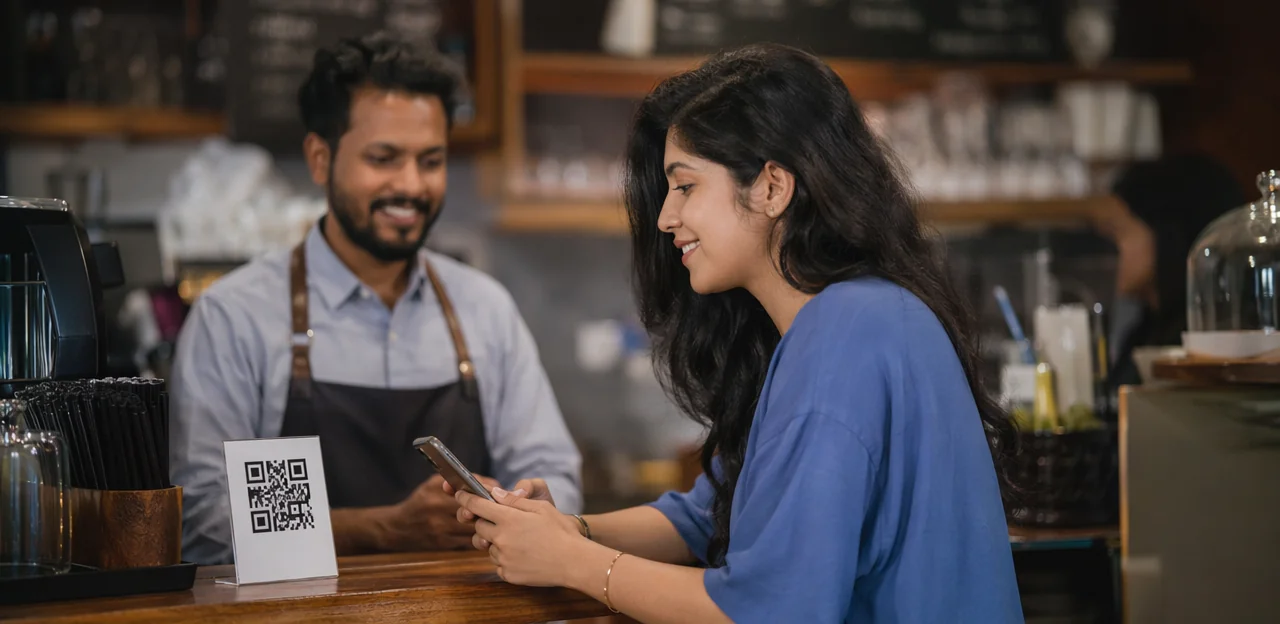
QR code feedback works best where customers already pause, wait, or complete a transaction. As one of the most flexible feedback collection methods, it fits high-visibility, low-friction touchpoints such as:
- Tables and receipts: ideal for restaurants, cafés, and retail checkouts
- Packaging and posters: useful for product feedback in retail and FMCG
- Waiting areas: strong for healthcare clinics, banks, and service centers
- Exits and boarding zones: effective in events, cinemas, airports, and public transport hubs
A customer feedback QR code performs well when the experience is still fresh. For example, hotels can place a QR survey for venues in rooms or reception, while transit operators can use QR codes at station exits to measure cleanliness, delays, or staff helpfulness. Keep placement visible and the survey short for higher response rates.
How to design high-converting QR touchpoints
To make QR-based feedback collection methods work in real venues, reduce friction at every step:
- Place codes where decisions happen: entrances, exits, tables, counters, waiting areas, fitting rooms, and service recovery points. Keep signage at eye level with strong contrast so it stands out in busy spaces.
- Use clear CTA wording: “Scan to rate your visit in 30 seconds” performs better than generic prompts. This is one of the most effective QR code survey best practices.
- Build trust: add a short privacy note, brand logo, and staff cue like “No app needed.”
- Offer light incentives: small discounts, loyalty points, or prize draws can increase survey completion without biasing responses.
- Optimize the mobile feedback form: fast-loading, mobile-first, and limited to 1–3 questions plus an optional comment.
Pros, limitations, and measurement considerations
Among modern feedback collection methods, QR stands out for speed, flexibility, and low setup cost. It is easy to deploy across tables, counters, receipts, and posters without new hardware.
- QR feedback advantages: low-cost rollout, simple updates, no app required, and fast testing by venue or campaign.
- Key limitations: some customers hesitate to scan unknown codes, results depend heavily on clear signage and placement, and participation drops when visitors lack smartphones or reliable connectivity.
- Measurement considerations: track QR survey metrics such as scan rate, survey start rate, completion rate, and drop-off points.
- Review feedback analytics by location, touchpoint, and time of day to identify where performance is strongest or weakest.
Platforms like Tapsy can help compare touchpoint-level performance and improve conversion through better placement and flow design.
NFC touchpoints for instant feedback

What NFC feedback collection looks like on-site
NFC feedback works by letting guests or customers tap to review with their phone—no app, typing, or camera alignment needed. In practical feedback collection methods, NFC touchpoints are placed where the experience happens:
- Counters and service desks for quick post-service ratings
- Restaurant tables for in-the-moment dining feedback
- Room cards for hotel stay comments
- Kiosks and product displays for location-specific input
Compared with QR, NFC feedback is usually faster and more seamless: users tap instead of opening a camera and scanning. That convenience often changes behavior—NFC touchpoints can increase impulse responses in high-traffic or fast-service environments, while QR remains useful when visual prompts or longer-distance access matter. Tools like Tapsy can combine both for broader coverage.
Where NFC outperforms QR and where it does not
In feedback collection methods, NFC shines when speed and convenience matter most. In the NFC vs QR feedback comparison, NFC often wins for:
- Premium venues: a simple tap feels smoother and more polished than opening a camera.
- Repeat visitors: guests quickly learn the tap point, making contactless feedback effortless on return visits.
- Fast interactions: ideal at exits, counters, lifts, or tables where stopping to scan feels like extra work.
However, NFC is not always the best venue feedback technology:
- Some customers do not realize their phone supports NFC or how to use it.
- Setup requires physical NFC tags or embedded hardware.
- QR remains more universal and visually familiar.
For many venues, combining both—such as with Tapsy—reduces friction while maximizing participation.
Implementation tips for cross-industry teams
To scale feedback collection methods across sites, standardize your contactless survey setup from day one:
- Place tags where decisions happen: entrances, exits, counters, tables, waiting areas, and service recovery points. Keep NFC tags visible, labeled, and easy to tap.
- Test every touchpoint: verify scan speed, device compatibility, page load time, and fallback QR performance before rollout.
- Use redirect management: dynamic links let you update destinations, campaigns, and forms without replacing tags.
- Create branded landing pages: match location, language, and offer to improve trust and completion rates.
- Plan maintenance: audit damaged tags, track scans by venue, and assign local owners for replenishment.
For multi-location feedback, use consistent naming, UTM rules, and centralized dashboards. Platforms like Tapsy can help make NFC implementation more trackable across locations.
Email and kiosk feedback methods
When email follow-up surveys are the better choice
Among feedback collection methods, email is strongest when you already capture customer contact details. Email feedback surveys work especially well for appointment-based businesses, loyalty programs, ticketed venues, and completed purchases where a customer feedback email can be sent after the visit.
- Send at the right time: Trigger a post-visit survey within 24–48 hours while the experience is still fresh.
- Use segmentation: Tailor questions by visit type, location, service, ticket category, or purchase history.
- Personalize the message: Include the customer’s name, appointment details, or event attended to increase opens and completions.
- Go deeper: Email supports longer-form questions, ratings, and open-text responses that are harder to collect at the venue.
This makes email ideal for richer insights, trend analysis, and follow-up on service quality after the visit ends.
Using kiosks for on-site, high-visibility feedback capture
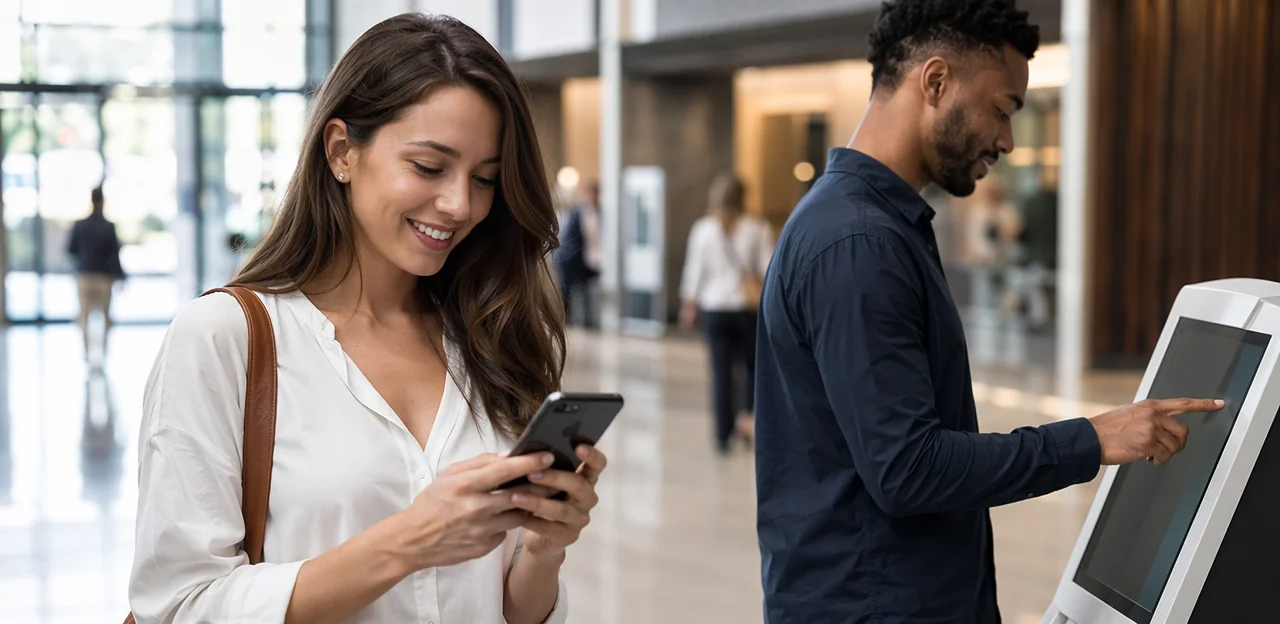
A feedback kiosk works best where people naturally pause: exits, lobbies, waiting rooms, and self-service zones. In these moments, real-time customer feedback is easiest to capture because the experience is still fresh. As part of broader feedback collection methods, kiosks help venues gather fast, visible sentiment without requiring a phone scan or email follow-up.
- Place an on-site survey kiosk near checkout points, reception desks, ticket exits, or queue areas.
- Use simple smiley-button interfaces for one-tap responses, then offer an optional comment screen for detail.
- Prioritize accessibility with clear height placement, large buttons, multilingual prompts, and screen-reader-friendly design.
- Assign staff ownership for cleaning, uptime checks, and escalation workflows.
- Enable real-time alerts on low scores so teams can step in quickly for service recovery before a complaint becomes a negative review.
Comparing email and kiosks with QR and NFC
A practical feedback channel comparison starts with venue context, not a one-size-fits-all choice:
- QR and NFC: Best for fast, in-the-moment responses. They usually deliver higher immediacy and more accurate context, though answers are often shorter. In a QR vs email survey, QR/NFC wins on speed and convenience, while NFC often reduces friction even further.
- Email: Lower setup effort if you already collect customer data, and better for longer surveys or richer profiling. Response rates are usually lower, but data depth can be higher after the visit.
- Kiosks: Strong for high-traffic exits and simple ratings. In kiosk vs NFC feedback, kiosks capture volume well, but NFC is cheaper to scale and easier to place at multiple touchpoints.
For most feedback collection methods, combining channels works best: use QR/NFC or kiosks for instant sentiment, then email for deeper follow-up.
Choosing the right mix of feedback collection methods

A decision framework by venue type and customer behavior
To choose feedback collection methods effectively, match your venue feedback strategy to how people move, wait, and return:
- High foot traffic, short visits: Retail and public venues should prioritize QR or NFC at exits and counters.
- Longer dwell time, staff interaction: Restaurants, hotels, and clinics benefit from table, room, or reception touchpoints plus follow-up email.
- High repeat frequency: Gyms can mix NFC/QR in-club with periodic email surveys.
- Low staff involvement, self-guided visits: Museums work well with kiosks at exits and QR near exhibits.
- Higher digital maturity: Use blended customer feedback channels across touchpoints, with tools like Tapsy for real-time QR/NFC capture.
The best feedback collection methods depend on behavior, not just industry.
Combining channels for better coverage and less bias
The strongest feedback collection methods rarely rely on one touchpoint alone. A smart customer feedback strategy uses a survey channel mix to capture different moments and customer types:
- Kiosks collect instant sentiment at exits, counters, or waiting areas, making it easy to measure in-the-moment reactions.
- QR or NFC touchpoints capture contextual feedback exactly where the experience happens, such as a table, room, aisle, or service desk.
- Email follow-ups gather richer comments after the visit, when customers have time to reflect.
This multi-channel feedback approach improves representativeness by reaching both hurried visitors and more thoughtful respondents, reducing bias and closing gaps that any single channel would miss.
Privacy, consent, and data governance essentials
Strong feedback collection methods depend on trust as much as convenience. To protect feedback data privacy and improve participation:
- Use clear survey consent language at the point of scan, tap, email click, or kiosk start, explaining what data is collected, why, and how long it is kept.
- Offer both anonymous and identified options when possible; anonymous feedback can increase honesty, while identified responses support follow-up and service recovery.
- Apply secure handling practices: encrypt data in transit and at rest, limit staff access, and define retention and deletion rules.
- Build solid customer data governance with documented ownership, audit trails, and compliance checks for local privacy laws.
Transparent, respectful processes make customers more willing to share feedback safely.
Optimization, metrics, and turning feedback into action

Key KPIs for measuring feedback program performance
Track feedback KPIs that show both volume and operational impact across your feedback collection methods:
- Participation rate: Percentage of visitors who start feedback after seeing a QR code, NFC tag, email prompt, or kiosk.
- Survey completion rate: Measures how many users finish the form once started; a key indicator of friction and question quality.
- Sentiment score: Use rating averages, NPS/CSAT, and customer sentiment metrics from comments to spot experience shifts.
- Location trends: Compare results by venue, zone, counter, entrance, room, or checkout area.
- Channel conversion: Identify which touchpoints drive the most starts and completions.
- Issue resolution time: Track how quickly teams close reported problems.
Benchmark by venue type and touchpoint, not just overall averages. For example, kiosks in busy transit areas may convert differently than QR codes at tables. Tools like Tapsy can help compare touchpoint-level performance.
How to improve response rates and feedback quality
To get more useful results from your feedback collection methods, focus on speed, relevance, and trust:
- Shorten the form: Ask 1–3 core questions first, then offer an optional comment box. This is one of the fastest ways to improve survey response rate.
- Improve timing: Trigger requests immediately after checkout, purchase, service, or a key touchpoint, when details are still fresh.
- Localize prompts: Match language, tone, and examples to the venue, audience, and location to lift feedback quality.
- Use closed-loop follow-up: Route low scores to staff for quick recovery, while inviting high scorers to leave fuller reviews.
- Test incentives and CTAs: Try small rewards, clearer wording, and different button text as part of ongoing survey optimization.
- Reduce poor submissions: Limit repeat entries by session, device, or receipt, and use basic validation to filter spam, duplicates, and empty comments.
Closing the loop with operational and CX improvements
The real value of feedback collection methods appears after the response is captured. To create true closed-loop feedback, teams need a clear process for turning signals into action:
- Route feedback instantly to the right manager by location, shift, or issue type so problems are handled quickly.
- Spot recurring themes by tagging comments around wait times, cleanliness, staff service, or product availability.
- Recover unhappy customers with fast follow-up, apologies, fixes, or make-good offers before frustration becomes a negative review.
- Prioritize changes using frequency, severity, and revenue impact to focus on the biggest customer experience improvement opportunities.
Dashboards and alerts can help teams turn raw responses into actionable customer insights. Platforms such as Tapsy can support this flow, but any system must make improvements visible to staff and customers.
Conclusion
Choosing the right feedback collection methods can make the difference between delayed, incomplete insights and real-time improvements that customers actually feel. Whether you use QR codes for speed, NFC touchpoints for convenience, email for follow-up engagement, or kiosks for on-site accessibility, the best approach depends on your venue, customer journey, and operational goals. In many cases, the strongest strategy is not a single channel, but a mix of feedback collection methods placed at the moments that matter most.
Across industries, the priority is the same: make it easy for customers to respond, capture feedback while the experience is still fresh, and route insights to the right team quickly. When done well, these systems help physical venues improve service recovery, increase response rates, and turn everyday interactions into measurable customer experience gains.
Now is the time to review your current process and identify where friction exists. Start by mapping your key touchpoints, testing the most relevant feedback collection methods, and measuring which channels deliver the best participation and insight quality. If you want a no-app option for QR and NFC touchpoints, solutions like Tapsy can help streamline in-the-moment feedback collection. For next steps, explore customer journey mapping, response rate optimization, and real-time alert workflows to build a more effective feedback program.
Frequently Asked Questions
- Why is timing so important when collecting feedback in physical venues?
Timing matters because customer impressions are often formed in a single moment, such as at checkout, while waiting, or during service. Capturing feedback during or immediately after the visit preserves context and makes it easier to resolve issues before they become complaints, lost loyalty, or negative reviews.
- What are the main feedback collection methods used in physical venues?
Common methods include QR codes, NFC tap points, follow-up emails, and on-site kiosks. Each one serves a different purpose depending on the venue, customer behavior, and whether the goal is fast in-the-moment input or deeper post-visit insight.
- When does QR code feedback work best in a physical space?
QR feedback performs best where customers naturally pause, wait, or complete a transaction. Good examples include tables, receipts, waiting areas, exits, reception desks, fitting rooms, and service counters.
- How can businesses improve QR survey completion rates?
Place QR codes at eye level in high-visibility spots and use clear calls to action such as promising a quick response time. Keep the form mobile-friendly and short, add trust signals like branding and a privacy note, and consider light incentives such as loyalty points or small discounts.
- What are the main advantages and limitations of QR feedback?
QR is low cost, easy to deploy, simple to update, and does not require an app. Its limitations are that some people hesitate to scan unknown codes, results depend heavily on signage and placement, and participation can drop when customers lack smartphones or reliable connectivity.
- How does NFC feedback collection work on-site?
NFC feedback lets customers tap their phone on a tag or touchpoint to open a review or survey flow without scanning a code. It is commonly used at counters, service desks, restaurant tables, hotel room cards, kiosks, and product displays.
- When is NFC a better choice than QR for venue feedback?
NFC is often stronger when speed and convenience are the top priorities, especially in premium venues, fast-service environments, and places with repeat visitors. It reduces friction because tapping is usually faster than opening a camera and scanning.
- What should teams consider before rolling out NFC across multiple locations?
Teams should standardize placement, test device compatibility, verify page load speed, and make sure a fallback QR option works. It also helps to use dynamic redirects, branded landing pages, maintenance checks, and consistent naming and tracking rules across sites.
- When are email follow-up surveys the better option?
Email works best when the business already has customer contact details, such as in appointment-based services, loyalty programs, ticketed venues, or completed purchases. It is especially useful for sending a post-visit survey within 24 to 48 hours and collecting longer, more detailed responses.
- What makes kiosks effective for on-site feedback capture?
Kiosks are effective in places where people naturally pause, such as exits, lobbies, waiting rooms, and self-service zones. They can capture quick sentiment with simple smiley-button interfaces and support optional comments, while also allowing real-time alerts for low scores.
- How do QR, NFC, email, and kiosks compare for customer feedback?
QR and NFC are best for fast, in-the-moment responses and usually provide fresher context, though answers may be shorter. Email supports deeper surveys after the visit, while kiosks are strong for high-traffic locations and simple on-site ratings.
- How should a venue choose the right mix of feedback channels?
The best mix depends on traffic flow, dwell time, staff involvement, repeat visit patterns, and how willing customers are to scan, tap, type, or use a kiosk. Retail and public venues often benefit from QR or NFC at exits, while restaurants, hotels, and clinics may combine on-site touchpoints with follow-up email.
- Why is a multi-channel feedback strategy better than using only one method?
Using multiple channels improves coverage across different moments and customer types. Kiosks can capture instant sentiment, QR or NFC can collect context-specific feedback where the experience happens, and email can gather richer comments after the visit, which helps reduce bias.
- What privacy and consent practices should venues follow when collecting feedback?
Venues should clearly explain what data is collected, why it is collected, and how long it will be kept at the point of scan, tap, click, or kiosk start. They should also support secure handling, limit staff access, define retention rules, and offer anonymous or identified response options when possible.
- Which KPIs help measure whether a feedback program is working?
Useful KPIs include participation rate, survey completion rate, sentiment score, location trends, channel conversion, and issue resolution time. Reviewing these by venue, touchpoint, and time of day helps identify where friction exists and which channels perform best.