
In physical retail, the moment of truth doesn’t end at checkout. It continues in the customer’s mind as they leave the store, remember the experience, and decide whether to come back. The challenge for retailers is capturing that feedback while it’s still fresh. Too often, stores rely on long surveys, delayed email requests, or generic review prompts that miss the moment entirely—resulting in a low retail feedback response rate and limited insight into what’s really happening on the shop floor.
Increasing participation requires more than simply asking more often. It depends on where and when you ask, how easy the process feels, and whether customers see a clear reason to respond. In-store touchpoints such as QR codes, NFC-enabled feedback stations, and well-designed micro-surveys can make feedback collection faster, more natural, and far more effective. Solutions like Tapsy also show how no-app feedback flows placed at key physical moments can help retailers capture real-time sentiment and act on issues sooner.
This article explores practical ways to improve your retail feedback response rate in physical stores, from optimizing survey design and placement to using NFC and QR touchpoints that fit seamlessly into the retail experience.
Why retail feedback response rates matter in physical stores

The business value of more in-store feedback
A higher retail feedback response rate gives stores a clearer, more representative view of what shoppers actually experience across locations, times, and service moments. More in-store customer feedback reduces bias from only hearing from very happy or very unhappy customers.
- Spot issues faster: Frequent physical store feedback helps teams catch problems like long queues, poor shelf availability, unclear signage, or inconsistent service before they affect more shoppers.
- Improve operational decisions: Better data supports smarter staffing during peak hours, stronger merchandising choices, and targeted store layout improvements.
- Strengthen accountability: Store managers can track recurring issues by shift, department, or touchpoint and act quickly.
Tools like Tapsy can help capture feedback at the moment of experience.
What a low response rate can hide
A low retail feedback response rate can make store performance look better, or worse, than it really is. When only a small group responds, a low survey response rate often creates customer feedback bias because the data reflects extremes rather than the full customer base.
- Biased insights: You may mostly hear from very happy or very unhappy shoppers, missing everyday experiences.
- Hidden operational issues: Problems like long queues, poor shelf availability, or inconsistent staff service can go unnoticed if too few customers respond.
- Incomplete location view: Low participation makes it harder to compare retail customer satisfaction across stores, departments, or shifts.
To reduce blind spots, collect feedback at more in-store touchpoints and review results by location and team.
Key benchmarks and goals for store teams
Set retail feedback response rate goals by context, not one chain-wide number. A useful survey response rate benchmark should reflect store format, traffic, and where the ask appears.
- By store type: Flagship stores may target lower percentages but higher volume; smaller specialty stores can aim for higher participation.
- By traffic level: Compare busy weekends, weekdays, and low-traffic hours separately to create realistic retail KPIs.
- By touchpoint: Exit QR codes, fitting-room prompts, receipts, and NFC displays will perform differently, so track each one as separate store feedback metrics.
- Prioritize trends: Focus on month-over-month improvement, completion quality, and issue resolution speed rather than vanity metrics alone.
Tools like Tapsy can help teams benchmark touchpoints consistently across locations.
What prevents shoppers from responding in-store

Friction, timing, and survey fatigue
The biggest threats to a strong retail feedback response rate are usually simple but avoidable customer response barriers:
- Long surveys: If shoppers see too many questions, they abandon quickly. Keep it to 1–3 questions with an optional comment.
- Poor timing: Asking right after checkout, when customers are juggling bags, receipts, or queues, creates in-store survey friction. Place requests at natural pause points like exits or waiting areas.
- Unclear value: Customers need a reason to respond. Explain how feedback improves the store experience, and consider a small incentive.
- Repeated requests: Over-asking leads to survey fatigue and lower participation over time.
Tools like Tapsy can reduce friction with fast QR/NFC touchpoints placed where feedback feels effortless.
Store environment and customer mindset
The retail feedback response rate often depends less on the survey itself and more on the moment you ask. In a busy retail experience, shoppers decide in seconds whether to scan or tap.
- Queue pressure: Avoid asking during checkout bottlenecks. Long lines reduce patience and lower completion rates.
- Distractions: Noise, bags, children, and competing signage interrupt focus across the customer journey in store.
- Staff interactions: Friendly, low-pressure prompts from staff can improve participation, while pushy requests can hurt trust.
- Shopper intent: Mission-driven buyers want speed; browsers may be more open to feedback after a positive moment.
Place QR or NFC touchpoints at natural pause points, and keep surveys short to match real shopper behavior.
Trust, privacy, and perceived effort
A low retail feedback response rate often has less to do with apathy and more to do with uncertainty. If shoppers are unsure who is collecting the feedback, how their data will be used, or how long the survey takes, feedback participation drops quickly.
To improve customer trust and reduce survey privacy concerns:
- State the purpose clearly: “2 questions to improve this store experience.”
- Show legitimacy: use branded signage, staff prompts, and official QR/NFC touchpoints.
- Be transparent about data use: explain whether responses are anonymous and if contact details are optional.
- Set effort expectations: display “takes 30 seconds” or a progress bar.
Simple, visible reassurance makes customers far more willing to respond.
Use QR codes and NFC touchpoints to reduce response friction

Where to place QR and NFC touchpoints in retail spaces
To improve retail feedback response rate, place NFC and QR touchpoints where customers naturally pause, wait, or complete a task. The best-performing locations match the survey prompt to the moment in the shopper journey.
- Checkout counters: Capture feedback right after payment, when the experience is fresh.
- Fitting rooms: Ask about sizing, product availability, and staff support.
- Store exits: Ideal for quick overall satisfaction ratings before customers leave.
- Tables or café areas: Useful in retail spaces with dwell time, such as showrooms or in-store dining.
- Product displays: Run a QR code survey retail prompt for product discovery, promotions, or stock feedback.
- Receipts and packaging: Extend feedback collection beyond the visit.
- Service desks: Best for returns, exchanges, and support interactions.
Keep surveys short and place signage at eye level for higher scan and tap rates.
How to optimize the scan-or-tap experience
To improve your retail feedback response rate, make the journey from scan or tap to survey completion feel instant and effortless. Strong mobile survey optimization is essential because most shoppers respond on their phones, often while standing in-store.
- Use mobile-first landing pages: Design for small screens first, with large buttons, short text, and easy thumb-friendly navigation.
- Prioritize fast load times: Compress images, remove unnecessary scripts, and keep the page lightweight so QR code customer feedback opens immediately.
- Show one clear CTA: Use direct prompts like “Rate your visit” or “Share feedback now.”
- Skip friction: Let customers access the survey immediately—no app download, account creation, or login required.
- Keep the first step simple: For NFC feedback and QR touchpoints, open directly to the first question, not a homepage or menu.
Tools like Tapsy can help streamline this no-app feedback flow.
Signage and messaging that increase participation
Strong in-store signage can lift your retail feedback response rate by asking at the exact moment the experience is still fresh. Keep every customer feedback prompt short, visible, and action-oriented.
- Use a clear survey call to action such as “Tap to rate your visit in 10 seconds” or “Scan to tell us how we did.”
- Lead with the shopper benefit: “Help us improve today”, “Report an issue before you leave”, or “Share feedback for a small reward.”
- Add visual cues like QR icons, NFC tap symbols, arrows, contrasting colors, and placement at exits, fitting rooms, checkout, or service desks.
- Train staff to reinforce the prompt with a simple line: “If you have a second, please scan and rate your experience.”
Tools like Tapsy can support these touchpoints with fast QR/NFC feedback flows that reduce friction and capture more responses.
Design surveys that shoppers will actually complete

Keep surveys short, relevant, and easy to answer
A faster survey design removes friction and improves your retail feedback response rate, especially when shoppers respond on the go. In-store customers will rarely complete a long form, so build a short customer survey around only the insights you truly need.
- Limit question count: Aim for 3–5 questions max. Start with one rating question, add 1–2 follow-ups, and make comments optional.
- Prioritize 1–3 core goals: Focus on the most important topics, such as staff helpfulness, checkout speed, or store cleanliness.
- Use simple language: Avoid jargon, long sentences, and double-barreled questions. Each question should ask about only one thing.
- Make it a mobile-friendly survey: Use large tap targets, multiple-choice answers, and minimal typing so customers can finish in under a minute.
Tools like Tapsy can support quick QR or NFC feedback flows that fit naturally into busy retail visits.
Ask better questions for retail experience insights
To improve your retail feedback response rate, keep every customer experience survey short, specific, and easy to answer in-store. The best retail survey questions focus on moments customers can clearly remember and staff can act on quickly.
- Staff helpfulness: Use a rating scale such as “How helpful was our team today?” plus an optional comment field.
- Checkout speed: Ask “How satisfied were you with wait time at checkout?” to spot queue issues by time or location.
- Product availability: Include “Did you find the item you came in for?” with yes/no and a follow-up reason.
- Cleanliness: Ask customers to rate store cleanliness, fitting rooms, or restrooms separately.
- Overall store experience: End your store feedback form with one overall satisfaction question and one open-text prompt for improvement ideas.
QR or NFC touchpoints, including tools like Tapsy, can help capture these answers while the visit is still fresh.
Use branching, ratings, and open text strategically
To improve retail feedback response rate, keep surveys short but adaptive. The goal is to ask only what matters based on the shopper’s previous answer.
- Use survey branching logic to skip irrelevant questions. For example, if a customer gives a high score for checkout, move them to completion instead of asking problem-related follow-ups.
- Start with a simple customer rating scale such as 1–5 stars or a smiley scale. These are fast to answer at QR or NFC touchpoints and reduce drop-off.
- Trigger one optional open-ended feedback field only after very low or very high ratings. This captures useful context without forcing every shopper to type.
- Limit comment prompts to one focused question, such as “What could we improve today?”
Platforms like Tapsy can support this kind of fast, touchpoint-based feedback flow in physical stores.
Operational tactics to improve retail feedback response rate
Train staff to invite feedback naturally
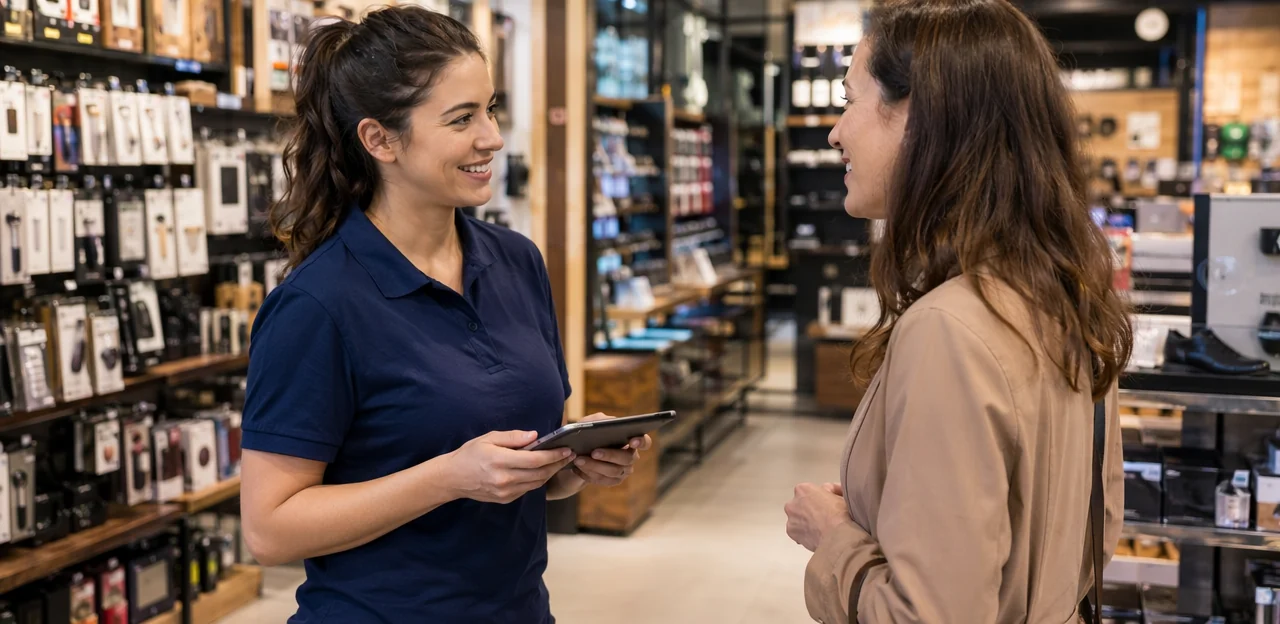
Strong staff training customer feedback habits can lift your retail feedback response rate without making interactions feel forced. Coach associates to ask at the right moment and keep the invitation conversational:
- Ask after the service moment: right after checkout, a fitting room assist, or problem resolution.
- Use simple language: “Thanks for shopping with us. If you have 10 seconds, please tap here and tell us how we did.”
- Explain the benefit: connect responses to cleaner stores, faster service, better stock, or improved staff support.
- Personalize the ask: mention the specific interaction instead of repeating a script.
- Keep retail team engagement high: share feedback wins in team huddles so staff see why they should ask for feedback in store consistently.
Use incentives carefully without harming data quality
Incentives can lift retail feedback response rate, but they should reward participation without encouraging careless answers. The best survey incentives retail programs are small, relevant, and easy to redeem.
- Offer modest rewards such as loyalty points, instant coupons, or entry into a sweepstakes to increase survey participation.
- Match the reward to the effort: a one-minute checkout survey may justify a small discount, while longer feedback can earn more.
- Avoid overly generous offers, which can attract rushed or duplicate submissions.
- Keep surveys short, add one open-text field, and use basic validation checks to protect feedback quality.
- Deliver rewards after completion, and if using QR/NFC tools like Tapsy, track redemption patterns for abuse.
Follow up on feedback to build a response culture
Customers are more likely to respond when they can see their input matters. To improve your retail feedback response rate, make action visible at the store level and consistently close the feedback loop.
- Show changes clearly: Use signs, shelf talkers, or digital screens with messages like “You asked, we improved checkout speed.”
- Follow up fast: When possible, send a brief thank-you or update after a survey to confirm feedback was reviewed.
- Share wins with staff and shoppers: This strengthens your customer feedback strategy and encourages future participation.
- Highlight specific fixes: Cleaner fitting rooms, better stock availability, or shorter queues make retail experience improvement tangible.
Even simple QR/NFC systems such as Tapsy can help connect responses to visible action.
Measure, test, and optimize your in-store feedback program

Track the right metrics beyond raw response rate
To improve retail feedback response rate, measure the full feedback funnel, not just total submissions. Strong feedback analytics reveal exactly where customers drop off:
- Scan-to-start rate: How many shoppers who scan a QR code or tap NFC actually begin the survey
- Start-to-complete rate: Your true survey completion rate, showing whether questions feel too long or unclear
- Completion time: Identifies friction and helps shorten slow survey flows
- Location performance: Compare stores, entrances, fitting rooms, checkout areas, or receipt touchpoints
- Sentiment trends: Track recurring positive and negative themes over time
These retail performance metrics help diagnose weak points and optimize faster.
Run experiments across stores and touchpoints
Use A/B testing surveys to find what actually lifts your retail feedback response rate instead of relying on guesswork. Test one variable at a time across similar stores, entrances, checkouts, fitting rooms, or exits.
- Signage: Compare bold headlines, colors, and QR/NFC callouts.
- Placement: Test eye-level vs counter mats vs exit displays.
- Wording: Try “Share feedback” against benefit-led copy like “Help us improve today.”
- Incentives: Measure discounts, loyalty points, or prize draws.
- Survey length: Compare 1-question, 3-question, and 5-question flows.
Track results by location and time period to optimize response rate through ongoing retail feedback testing.
Build a repeatable framework for continuous improvement
Treat every survey cycle as part of a continuous improvement retail process, not a one-off campaign. Use a simple monthly rhythm to improve your retail feedback response rate and strengthen your customer insight strategy:
- Review results regularly: Track response rate, completion rate, low-score themes, and top-performing QR/NFC touchpoints by store.
- Share learnings across teams: Give store managers a short weekly summary with wins, issues, and tested prompts that worked.
- Scale what performs: Roll out the best survey wording, incentive offers, and placement tactics chain-wide as part of ongoing feedback program optimization.
Tools like Tapsy can help standardize this process across locations.
Conclusion
Increasing your retail feedback response rate in physical stores comes down to one core principle: make feedback easy, timely, and worthwhile. When retailers place surveys at the right moments, use simple QR or NFC touchpoints, keep survey design short and relevant, and offer a clear incentive or benefit, customers are far more likely to respond. Just as importantly, acting on feedback quickly shows shoppers that their opinions matter, which builds trust and encourages future participation.
The most effective strategy is not collecting more questions—it is removing friction. A fast, mobile-friendly experience, thoughtful placement near exits, fitting rooms, checkout counters, or service areas, and a survey flow designed for real in-store behavior can significantly improve your retail feedback response rate while also delivering more accurate, actionable insights.
Now is the time to audit your current feedback journey and identify where customers drop off. Start by testing one or two high-traffic touchpoints, shortening your survey, and measuring results over time. If you want to streamline in-store feedback collection, tools like Tapsy can help support no-app QR and NFC interactions at the point of experience.
Focus on convenience, relevance, and follow-through—and your retail feedback response rate will rise along with customer satisfaction and store performance.
Frequently Asked Questions
- Why is a higher retail feedback response rate important in physical stores?
A higher response rate gives stores a more representative view of what shoppers experience across locations, shifts, and service moments. It helps reduce bias from hearing only from very happy or very unhappy customers. It also makes it easier to spot issues like queues, poor shelf availability, unclear signage, or inconsistent service sooner.
- What problems can a low in-store feedback response rate hide?
Low participation can distort store performance because the feedback may reflect only extreme opinions. That can hide everyday operational issues such as long lines, stock problems, or uneven staff service. It also makes comparisons across stores, departments, or shifts less reliable.
- How should retailers set feedback response rate goals for different stores?
Goals should be set by context rather than using one chain-wide target. Store format, traffic level, and the specific touchpoint all affect likely participation. Teams should compare weekends, weekdays, and different feedback placements separately, while focusing on trends, completion quality, and issue resolution speed.
- What usually stops shoppers from completing feedback surveys in-store?
The biggest barriers are long surveys, poor timing, unclear value, and repeated requests. Shoppers are less likely to respond when they are handling bags, receipts, or queues right after checkout. Survey fatigue also builds when stores ask too often without making the process feel quick and worthwhile.
- When is the best moment to ask customers for feedback during a store visit?
The best time is at natural pause points when customers are not rushed or distracted. Good moments include store exits, waiting areas, fitting rooms, service desks, or right after a specific service interaction. Asking during checkout bottlenecks is less effective because queue pressure reduces patience.
- How can stores improve trust and reduce privacy concerns when asking for feedback?
Stores should clearly state the purpose, such as explaining that the survey is only a couple of questions to improve the experience. Branded signage, official QR or NFC touchpoints, and staff prompts help show legitimacy. It also helps to explain whether responses are anonymous, whether contact details are optional, and how long the survey will take.
- Where should QR codes and NFC feedback touchpoints be placed in a retail store?
They work best where customers naturally pause, wait, or complete a task. Common placements include checkout counters, fitting rooms, store exits, tables or café areas, product displays, receipts, packaging, and service desks. Eye-level signage and a short survey improve scan and tap rates.
- What makes a scan-or-tap feedback experience more effective on mobile?
The experience should feel instant and require no extra steps. Mobile-first pages, fast load times, large buttons, and one clear call to action make completion easier on a phone. Customers should land directly on the first question without needing to download an app, create an account, or log in.
- What kind of signage and messaging can increase participation?
Short, action-oriented prompts work best, such as asking shoppers to tap or scan to rate their visit. Benefit-led wording like helping improve the store or reporting an issue before leaving can give customers a reason to respond. Visual cues such as QR icons, NFC symbols, arrows, and contrasting colors also make the prompt easier to notice.
- How long should an in-store feedback survey be?
It should be very short and focused on only the most important insights. A practical range is 3 to 5 questions maximum, often starting with one rating question and adding 1 or 2 follow-ups, with comments optional. The goal is to let customers finish in under a minute.
- What are the most useful questions to ask in a retail feedback survey?
Useful topics include staff helpfulness, checkout speed, product availability, cleanliness, and overall store experience. Questions should be specific and tied to moments customers can clearly remember. A simple rating plus one optional comment field can provide actionable feedback without adding too much effort.
- How can branching logic and rating scales improve survey completion?
Branching helps by skipping irrelevant questions based on the shopper's previous answer, which keeps the survey shorter. Simple rating formats like stars or smiley scales are fast to answer at QR or NFC touchpoints and reduce drop-off. Optional open text can then be shown only after very low or very high ratings to capture useful context.
- Should retail stores use incentives to get more feedback responses?
Yes, but incentives should be modest and matched to the effort required. Small rewards like loyalty points, instant coupons, or sweepstakes entry can increase participation without encouraging careless answers. Overly generous offers can attract rushed or duplicate submissions, so stores should keep surveys short and use basic validation checks.
- How can staff ask for feedback without sounding pushy?
Staff should invite feedback right after a relevant service moment, such as checkout, fitting room assistance, or problem resolution. The request should be simple, conversational, and tied to a clear benefit like better stock, cleaner stores, or faster service. Personalizing the ask works better than repeating a rigid script.
- What metrics should retailers track besides raw response rate?
Teams should measure the full feedback funnel, including scan-to-start rate, start-to-complete rate, and completion time. They should also compare performance by location, such as exits, fitting rooms, checkout areas, or receipt touchpoints, and monitor sentiment trends over time. Testing signage, placement, wording, incentives, and survey length can then help improve results continuously.