
Students experience campus life in real time, from classroom teaching and library support to dining halls, study spaces, and student services. Yet many institutions still rely on delayed surveys that arrive long after the moment has passed. That gap makes it harder to spot issues early, improve daily experiences, and respond when feedback matters most. This is where NFC student feedback is changing the conversation.
By placing simple tap-to-rate touchpoints in classrooms, service areas, and shared facilities, schools, colleges, and universities can capture opinions while they are still fresh. A quick tap can reveal patterns in teaching environments, cleanliness, technology performance, wait times, or overall satisfaction, giving administrators and campus teams a clearer view of what students actually experience day to day.
In this article, we’ll explore how NFC student feedback helps education providers collect faster, more accurate insights across services, classrooms, and facilities. We’ll also look at why tap-to-rate systems can increase participation, how real-time feedback supports quicker issue resolution, and what institutions should consider when implementing NFC and QR touchpoints across campus. Solutions such as Tapsy also show how no-app feedback tools can make student experience measurement simpler, more immediate, and more actionable.
Why NFC student feedback matters on modern campuses

What NFC student feedback means in education
NFC student feedback is a simple way for learners to share quick opinions by tapping a phone on a physical tag placed where the experience happens, such as classrooms, libraries, labs, cafeterias, or reception desks. It supports fast, in-the-moment tap-to-rate feedback across higher education, K-12, and training environments.
- NFC tags: Students tap a compatible phone to open a feedback form instantly.
- QR codes: Students scan with their camera for the same result, useful for devices without NFC.
- Traditional surveys: Usually sent later by email, making responses slower and less context-specific.
This kind of education feedback technology helps schools collect fresher insights, spot issues earlier, and improve services faster. Platforms like Tapsy can combine NFC and QR touchpoints in one no-app workflow.
Why students respond better to low-friction feedback tools
Students are far more likely to share feedback when the process is immediate, simple, and built for the phone already in their hand. NFC student feedback improves student feedback response rates because it removes the delays and effort that make email surveys and paper forms easy to ignore.
- Instant access: A quick tap opens the form at the exact classroom, service desk, or facility, improving participation while the experience is still fresh.
- Mobile-first design: Short, tap-friendly flows make mobile campus feedback feel natural between classes.
- Less effort, more responses: No logins, long links, or paper handling means more frictionless feedback and fewer drop-offs.
For best results, keep questions short, place touchpoints where experiences happen, and review responses in real time. Platforms like Tapsy can support this no-app approach.
How feedback supports student experience and guest experience goals
NFC student feedback helps campuses turn everyday interactions into measurable improvements across learning and service environments. By collecting input at classrooms, libraries, dining halls, reception areas, and event spaces, institutions can act faster on what shapes student experience, guest experience, and overall campus satisfaction.
- Improve satisfaction in real time: Spot issues like room comfort, cleanliness, Wi-Fi, or queue times before they affect perceptions.
- Support retention: When students see feedback lead to visible changes, they feel heard, valued, and more connected to campus life.
- Raise service quality: Teams can identify recurring pain points, prioritize fixes, and benchmark performance by location.
- Strengthen visitor impressions: Better-managed touchpoints help parents, partners, and event guests experience a more welcoming, organized campus.
Tools like Tapsy can make this process simple and immediate.
Where to use NFC feedback touchpoints across campus
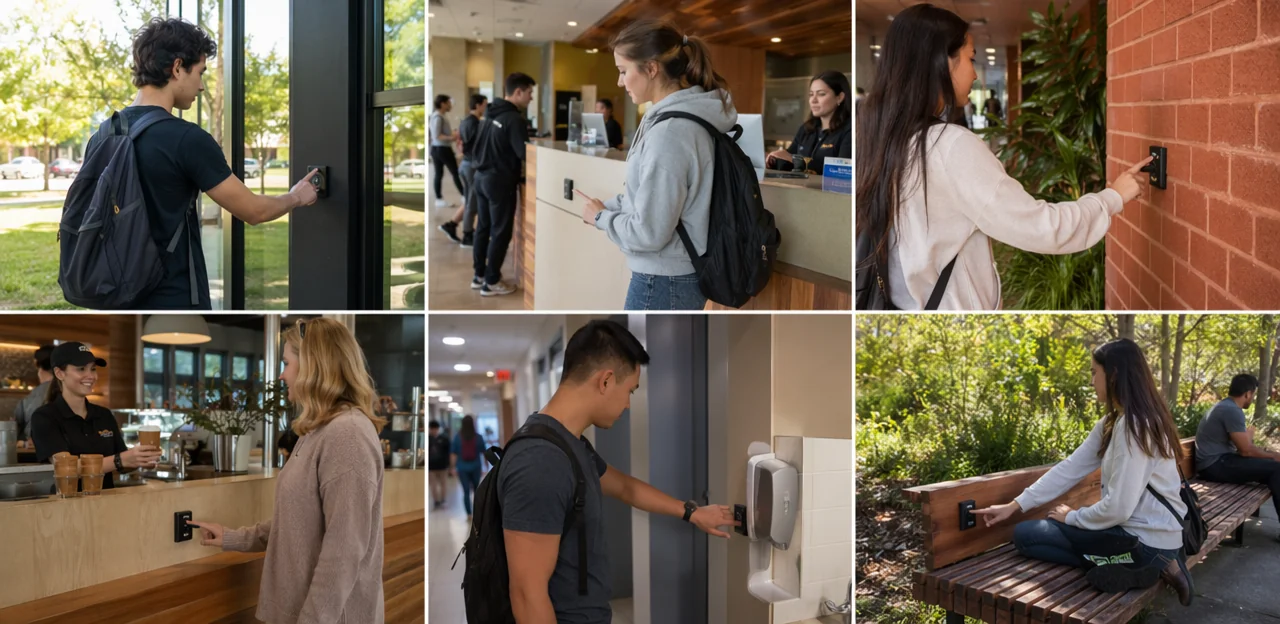
Tap-to-rate services such as dining, libraries, and student support
NFC student feedback works especially well in high-traffic service areas where students can respond immediately after an interaction. Placing NFC feedback tags at key touchpoints helps teams collect fast, accurate campus services feedback while the experience is still fresh.
- Advising desks: capture wait-time, clarity, and helpfulness ratings after appointments.
- Dining halls and cafés: measure food quality, speed of service, cleanliness, and seating availability.
- IT help desks: gather instant feedback on issue resolution, staff communication, and response time.
- Libraries and campus stores: track support quality, checkout ease, product availability, and environment.
- Student support centers: collect sensitive, real-time student support feedback on accessibility, empathy, and next-step guidance.
Keep forms short—1 to 3 taps plus an optional comment—and route low scores to the right team for quick follow-up.
Classroom and learning space feedback opportunities
With NFC student feedback, institutions can collect insights exactly where learning happens, without interrupting lessons or adding survey fatigue. Placing education NFC touchpoints at classroom exits, labs, study zones, and lecture halls makes classroom feedback and learning space feedback immediate, relevant, and easy to act on.
- Add tap-to-rate points near doors or shared equipment so students can quickly report:
- room temperature, lighting, noise, and seating comfort
- projector, screen, audio, Wi-Fi, and charging reliability
- accessibility issues such as desk layout, lift access, or unclear signage
- Keep forms short: 1–3 rating questions plus an optional comment
- Route low scores to facilities, IT, or accessibility teams for fast follow-up
- Review patterns by room, building, and time slot to spot recurring problems
Tools like Tapsy can support this no-app, point-of-experience approach.
Facilities feedback for restrooms, study areas, housing, and shared spaces
With NFC student feedback points placed at restrooms, libraries, residence halls, lounges, and common areas, facilities teams can capture facilities feedback exactly where issues happen. This makes it easier to act on cleanliness concerns, equipment faults, noise complaints, and overcrowding before they affect more students.
- Monitor cleanliness in real time: Students can instantly flag empty soap dispensers, overflowing bins, or unclean washrooms.
- Speed up repairs: Broken lights, damaged furniture, HVAC problems, or Wi-Fi issues can be routed as campus maintenance feedback to the right team.
- Improve space quality: Track patterns in comfort, noise, seating availability, and safety to strengthen the overall student facilities experience.
Location-specific insights help teams spot recurring problems by building, floor, or room, prioritize resources, and measure whether fixes actually improve satisfaction.
How NFC and QR touchpoints work together

NFC vs QR codes: strengths, limitations, and when to use each
For NFC student feedback, both options reduce friction, but they work best in different contexts. When comparing NFC vs QR codes, focus on how quickly students can respond, what devices they use, and where the touchpoint is placed.
- NFC touchpoints: Fastest option for tap-and-rate moments in classrooms, libraries, labs, and dining areas. They feel effortless, but some older phones may not support NFC or may have it disabled.
- QR feedback system: More universal and visible. Almost any smartphone camera can scan a QR code, making it ideal for broad accessibility and mixed-device campuses. The tradeoff is slower action and higher drop-off.
Best practice: use both together. NFC touchpoints capture quick, in-the-moment responses, while QR codes provide a reliable fallback for maximum participation.
Designing a seamless tap-to-rate journey
A strong NFC student feedback flow should feel instant, clear, and effortless. To reduce drop-off, design the tap-to-rate journey around speed and mobile simplicity:
- Tap opens the right page immediately
Send students to a touchpoint-specific landing page for the classroom, library, cafeteria, or service desk. - Keep the landing page focused
Use one clear question, minimal text, fast load times, and a visible progress cue. Good feedback UX avoids clutter and distractions. - Use simple rating scales
Offer 1–5 stars, emoji ratings, or a short satisfaction scale that students can answer in one tap. - Make comments optional
Add an optional comment box for context, but never require typing to submit the mobile feedback form. - Optimize for mobile completion
Large buttons, thumb-friendly spacing, autofit layouts, and no login requirement help increase submissions. Tools like Tapsy can support this no-app flow effectively.
Placement, signage, and calls to action that increase participation
To make NFC student feedback work, place tags where the experience happens and where students naturally pause. Smart NFC tag placement and clear feedback signage can significantly increase survey participation.
- Place tags at high-intent touchpoints: classroom exits, library help desks, lab entrances, cafeteria pickup points, residence halls, and gym exits.
- Keep signage visible and simple: use eye-level placement, strong contrast, campus-brand colors, and a tap icon with short instructions.
- Design for accessibility: ensure wheelchair-reachable height, readable fonts, and QR backup for non-NFC devices.
- Use action-focused wording:
- Tap to rate this classroom in 10 seconds
- Tap to report a facility issue now
- Share feedback and help improve campus services
- Tap here—your input shapes student experience
Platforms like Tapsy can support no-app tap-to-feedback flows at these touchpoints.
Benefits of NFC student feedback for institutions

Faster data collection and more actionable campus insights
NFC student feedback helps campuses collect input at the exact moment and location an experience happens, making responses more accurate and useful than end-of-term surveys. Instead of waiting weeks to uncover issues, teams can act on real-time student feedback while problems are still manageable.
- Spot issues faster: Identify recurring complaints about classroom temperature, Wi-Fi, cleanliness, or queue times by building.
- Prioritize what matters: Use location-based trends to focus resources on the services and facilities causing the most friction.
- Turn feedback into action: Generate actionable feedback data that facilities, student services, and academic teams can use immediately.
This creates stronger campus insights, faster fixes, and a better student experience overall.
Improving service quality, facilities management, and classroom experience
With NFC student feedback, departments can spot recurring issues early and turn comments into measurable action. Trend data helps teams prioritize fixes that improve both daily operations and student satisfaction.
- Improve staffing: Identify peak times for queues, support requests, or low service ratings, then adjust staff schedules and training.
- Strengthen facilities management feedback: Track repeated reports about heating, lighting, Wi-Fi, cleanliness, or broken equipment to speed up maintenance planning.
- Enhance classroom experience: Use feedback on seating, acoustics, ventilation, and AV setup to optimize room layouts and teaching environments.
- Refine support services: Compare trends across libraries, labs, and student services to allocate resources more efficiently.
This approach drives service quality improvement, reduces preventable issues, and creates a more responsive campus experience.
Supporting retention, reputation, and continuous improvement
When students can share concerns in the moment and see visible action, NFC student feedback becomes more than a survey tool—it becomes proof that the institution listens. That responsiveness helps strengthen trust, supports student retention, and protects campus reputation by resolving issues before frustration turns into complaints or negative reviews.
- Close the loop publicly: share “you said, we did” updates on classrooms, facilities, and services.
- Act on patterns quickly: use recurring feedback to prioritize fixes that affect daily student experience.
- Route urgent issues fast: cleanliness, safety, or equipment problems should trigger immediate follow-up.
- Track improvement over time: measure changes by location, service, or department to support continuous improvement in education.
Platforms like Tapsy can help campuses capture and act on feedback at the point of experience.
Implementation best practices and common challenges

Choosing the right feedback questions and rating formats
Effective NFC student feedback starts with short, specific prompts tied to each touchpoint. Good student survey design keeps the interaction fast while still collecting useful insight.
- Match the question to the location: ask about teaching clarity in classrooms, cleanliness in restrooms, or wait times in student services.
- Use simple rating scale options:
- Star ratings for overall satisfaction
- Smiley scales for quick, low-friction emotional feedback
- NPS-style questions to measure likelihood to recommend a service or facility
- Add one optional open comment box: this captures context behind low scores without slowing everyone down.
Keep feedback questions focused on one topic at a time, and limit each tap flow to 1–3 questions for higher completion rates.
Privacy, consent, and data governance in education settings
For NFC student feedback to work well, institutions must pair convenience with strong safeguards. A responsible approach builds trust while protecting student data privacy and supporting sound education data governance.
- Offer anonymous feedback by default where possible, especially for classroom, facility, or service ratings.
- Collect only necessary data and clearly explain what is stored, why, and for how long.
- Obtain clear consent when personal data, follow-up contact, or incentives are involved.
- Limit access and secure records with role-based permissions, retention rules, and audit trails.
- Be transparent about compliance with relevant school, district, and legal requirements.
Platforms such as Tapsy can support fast feedback collection while still enabling responsible, transparent data handling.
Common rollout mistakes and how to avoid them
A strong NFC student feedback program depends on execution, not just technology. Common rollout errors include:
- Poor placement: Tags hidden in low-traffic areas get ignored. Place them at natural decision points like classroom exits, libraries, labs, cafeterias, and residence halls.
- Overly long forms: Long surveys cause survey fatigue. Keep feedback to 1–3 quick questions with an optional comment box.
- Lack of follow-up: If students never see action, response rates drop. Share improvements through email, signage, or student portals to reinforce trust.
- Weak promotion: Even smart tools need visibility. Use posters, staff reminders, orientation messaging, and incentives as part of your feedback rollout strategy.
Following these campus feedback best practices improves adoption and long-term performance.
Measuring success and optimizing your NFC feedback program

Key metrics to track from taps to satisfaction trends
To measure NFC student feedback effectively, track a small set of high-impact feedback metrics:
- Tap volume: shows how often students engage with touchpoints and which services or spaces generate the most responses.
- Survey completion rate: reveals whether the feedback flow is short, clear, and easy to finish.
- Sentiment score: highlights positive, neutral, and negative responses to spot emerging issues fast.
- Response by location: compares classrooms, libraries, dining areas, and support desks to identify weak points.
- Issue resolution time: measures how quickly teams act on reported problems.
Together, these KPIs expose participation, friction, and student satisfaction trends, helping campuses improve both experience quality and operational response.
Turning feedback into visible campus improvements
Collecting NFC student feedback is only valuable when students can see what changed. To close the feedback loop, campuses should make actions visible, timely, and specific.
- Share “You said, we did” updates on screens, email, student portals, and signage near the reported issue.
- Report progress regularly, including what was fixed, what is in progress, and why some requests may take longer.
- Assign ownership to teams so students know who is responding to their student voice.
- Use dashboards or touchpoint tools such as Tapsy to track issues and response times.
This transparency builds trust, strengthens participation, and turns feedback into measurable campus improvement.
Scaling from pilot projects to campus-wide deployment
To scale NFC student feedback effectively, start with a focused campus feedback pilot in 3–5 high-traffic areas, such as libraries, dining halls, student services, and large lecture buildings. Then use a phased rollout:
- Test high-impact locations first to measure tap volume, response rates, and recurring issues.
- Review pilot data with cross-functional teams including IT, facilities, academic departments, and student affairs.
- Standardize workflows for alerts, ownership, and follow-up before wider rollout.
- Scale feedback program by expanding to similar touchpoints across departments and facilities.
This approach strengthens education technology implementation by aligning operations, technology, and student experience goals.
Conclusion
In a campus environment, timing and context make all the difference. That’s why NFC student feedback is such a powerful approach for schools, colleges, and universities looking to improve services, classrooms, and facilities in real time. By letting students tap to rate experiences the moment they happen, institutions can gather more accurate insights, spot recurring issues faster, and respond before small frustrations become larger satisfaction or retention problems.
From lecture halls and libraries to dining areas, housing, and support services, NFC student feedback helps education teams understand what is working, what needs attention, and where resources should be focused. It also creates a more student-centered culture by making feedback easy, immediate, and actionable—without adding friction to the student experience.
The next step is to identify your highest-impact campus touchpoints and design simple tap-to-rate journeys that students will actually use. Pair those touchpoints with clear internal workflows so feedback reaches the right team quickly and leads to visible improvements. For institutions exploring practical tools, solutions like Tapsy can help bring no-app NFC and QR feedback into real-world education settings.
If you’re ready to modernize campus listening, now is the time to turn NFC student feedback into a smarter, faster feedback loop that improves every part of the student journey.
Frequently Asked Questions
- What is NFC student feedback?
NFC student feedback lets learners tap a compatible phone on a physical tag to open a feedback form where the experience happens. It is used in places like classrooms, libraries, labs, cafeterias, and reception desks to capture quick, in-the-moment ratings.
- How is NFC feedback different from traditional student surveys?
NFC feedback is collected immediately at the point of experience, while traditional surveys are often sent later by email. That makes NFC responses more timely and more specific to the exact service, room, or facility being rated.
- Why do students respond better to tap-to-rate feedback tools?
Students are more likely to respond when feedback is fast, mobile-friendly, and requires very little effort. A quick tap removes common barriers like logins, long links, and paper forms, which helps reduce drop-off.
- Where should campuses place NFC feedback touchpoints?
The best locations are places where students naturally pause right after an experience, such as classroom exits, library help desks, lab entrances, cafeteria pickup points, residence halls, and gym exits. Placement should be visible, easy to reach, and supported by clear signage.
- What campus services can use NFC student feedback effectively?
High-traffic service areas are strong use cases, including advising desks, dining halls, cafés, IT help desks, libraries, campus stores, and student support centers. These touchpoints help teams capture feedback on wait times, helpfulness, cleanliness, speed, and service quality.
- How can NFC feedback be used in classrooms and learning spaces?
Campuses can place touchpoints near classroom doors or shared equipment so students can quickly rate room temperature, lighting, noise, seating comfort, and technology reliability. Low scores can then be routed to facilities, IT, or accessibility teams for follow-up.
- Can NFC feedback help facilities teams manage shared spaces?
Yes, it can help teams monitor restrooms, study areas, housing, lounges, and other shared spaces in real time. Students can report issues like poor cleanliness, broken equipment, noise, overcrowding, or Wi-Fi problems at the exact location.
- Should schools use NFC, QR codes, or both?
Using both is the strongest approach. NFC is faster for tap-and-rate moments, while QR codes provide a more universal fallback for students whose phones do not support NFC or have it disabled.
- What makes a good tap-to-rate journey for students?
A strong flow opens the correct page immediately, keeps the screen focused, and uses simple rating options such as stars, emoji, or a short satisfaction scale. Comments should be optional, and the form should be optimized for mobile with large buttons and no login requirement.
- How many questions should an NFC student feedback form include?
Keeping the form to 1 to 3 quick questions works best for completion. Each prompt should match the location, such as teaching clarity in classrooms, cleanliness in restrooms, or wait times in student services.
- What rating formats work well for campus feedback?
Simple formats such as star ratings, smiley scales, and NPS-style questions are recommended. These options help students respond quickly while still giving teams useful signals about satisfaction and service quality.
- What privacy and data governance practices matter for NFC student feedback?
Anonymous feedback should be offered by default where possible, especially for classroom, facility, and service ratings. Institutions should collect only necessary data, explain what is stored and why, obtain clear consent when personal data is involved, and protect records with controlled access and retention rules.
- What rollout mistakes should campuses avoid?
Common mistakes include hiding tags in low-traffic areas, using forms that are too long, failing to act on feedback, and not promoting the system clearly. Better results come from visible placement, short forms, follow-up communication, and support through posters, staff reminders, orientation messaging, or incentives.
- Which metrics should institutions track to measure success?
Useful metrics include tap volume, survey completion rate, sentiment score, response by location, and issue resolution time. Together, these show how often students engage, where problems are happening, and how quickly teams respond.
- How can a campus scale NFC student feedback from a pilot to wider deployment?
A practical approach is to start with 3 to 5 high-traffic areas such as libraries, dining halls, student services, and large lecture buildings. After reviewing pilot results with IT, facilities, academic departments, and student affairs, campuses can standardize alerts and follow-up workflows before expanding to more locations.