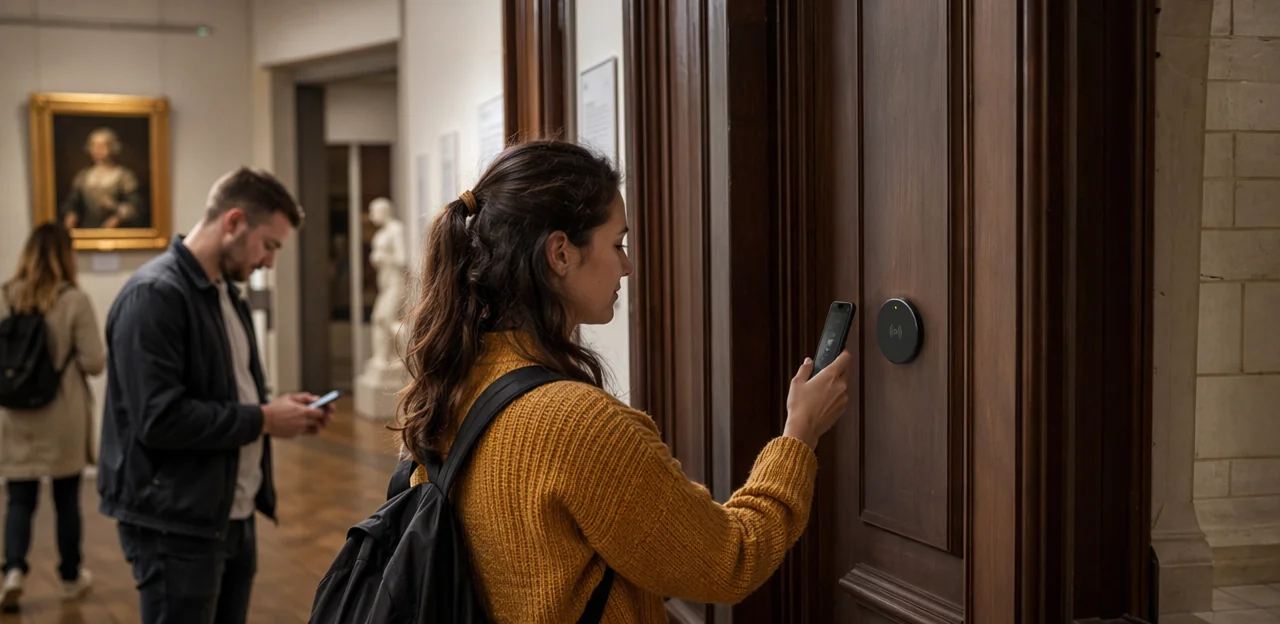
In museums, galleries, heritage sites, and visitor attractions, every guest interaction shapes the overall experience. Yet many venues still rely on delayed surveys or generic comment cards that miss the moment when impressions are freshest. That is why nfc visitor feedback is becoming such a valuable tool for attractions focused on audience experience, customer satisfaction, and data-driven improvement. By placing simple NFC and QR touchpoints throughout an attraction, teams can capture real-time reactions, uncover service issues faster, and turn casual visitors into engaged participants.
This approach goes far beyond traditional event feedback methods. Whether collecting insights after a special exhibition, seasonal program, guided tour, or live cultural event, attractions can use smart touchpoints to streamline the event feedback form, improve conference feedback collection for professional events, and refine survey event feedback processes without adding friction. From choosing the right event feedback questions to learning from effective event feedback examples and acting on meaningful post event feedback, modern systems make it easier to gather feedback that is timely, actionable, and measurable.
In this article, we will explore how NFC visitor feedback points work, why they matter for museums and attractions, and how AI and analytics can help turn visitor responses into better experiences, stronger loyalty, and smarter operational decisions.
Why NFC Visitor Feedback Matters for Attractions

The shift from traditional surveys to instant touchpoint feedback
Paper forms, delayed email surveys, and static kiosks often miss the moment that matters most: the visitor experience as it happens. By the time guests receive a post event feedback email, details are forgotten, motivation drops, and response rates fall. Generic kiosks can also feel intrusive, create queues, and collect vague answers.
NFC visitor feedback improves this by letting visitors tap and respond in seconds at key journey points, such as entrances, exhibit exits, cafés, or gift shops.
- Higher completion rates: less friction than an event feedback form sent later
- More accurate sentiment: captures real-time reactions, not faded memories
- Better targeting: tailor event feedback questions by location or experience
- Stronger insights: ideal for survey event feedback, conference feedback, and attraction-specific event feedback examples
This makes event feedback faster, richer, and more actionable.
How museums and attractions benefit from real-time visitor insight
Real-time nfc visitor feedback helps museums and attractions act on issues while visitors are still on-site, not days later through post event feedback. By placing touchpoints at galleries, entrances, cafés, and exits, teams can quickly spot what is affecting customer experience.
- Identify friction points such as confusing wayfinding, crowded exhibits, or slow entry lines
- Improve displays using live event feedback on clarity, interactivity, and accessibility
- Reduce queues by adjusting staffing, timed entry, or visitor flow in busy zones
- Refine programming with smarter event feedback questions in each event feedback form
This approach also strengthens conference feedback, survey event feedback, and temporary exhibition reviews by revealing trends in real time. Reviewing event feedback examples helps teams benchmark what to ask and improve continuously.
What makes NFC and QR touchpoints effective in cultural spaces
NFC and QR touchpoints work especially well in museums and attractions because they remove barriers at the moment of experience. With nfc visitor feedback, guests can tap or scan instantly on their own phones, making participation faster than filling out a paper event feedback form or waiting for post event feedback emails.
- Low-friction participation: ideal for capturing real-time event feedback beside exhibits, exits, cafés, and gift shops.
- Mobile accessibility: visitors use familiar devices, improving response rates for survey event feedback and even conference feedback during talks or cultural programs.
- Multilingual support: forms can switch language quickly, helping international audiences answer event feedback questions accurately.
- Indoor and outdoor suitability: NFC plaques and QR signs are easy to place across galleries, heritage sites, sculpture trails, and temporary exhibitions.
This improves audience experience while giving teams clearer event feedback examples to act on.
Where to Place NFC Visitor Feedback Points Across the Visitor Journey
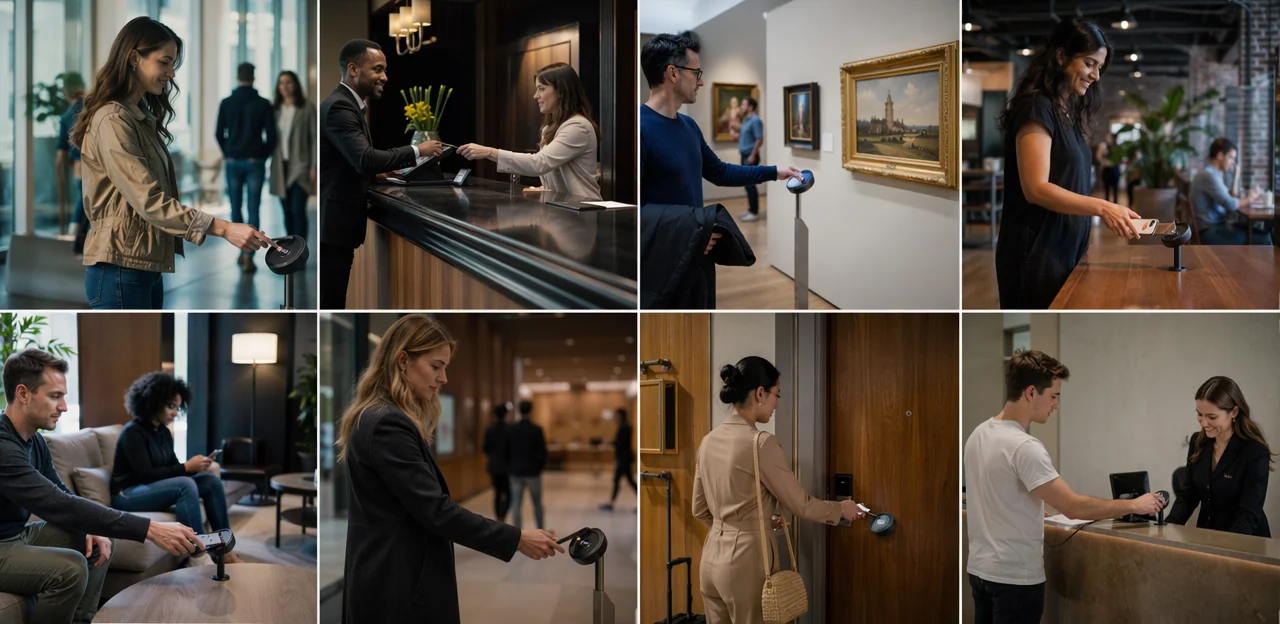
Entry, ticketing, and welcome zones
Placing nfc visitor feedback points at entrances, ticket desks, and welcome areas helps attractions capture first impressions while they are still fresh. These touchpoints reveal ease-of-arrival issues such as queue length, signage clarity, staff helpfulness, accessibility, and whether the visit is starting smoothly. They also surface visitor expectations early, giving teams a chance to improve the experience before dissatisfaction grows.
Useful event feedback questions for an attraction-style event feedback form include:
- How easy was it to find the entrance and ticket desk?
- Was the check-in or admission process quick and clear?
- Did our welcome team make you feel informed and ready to explore?
- What are you most excited to see today?
These short event feedback prompts work well for museums, galleries, heritage sites, and even conference feedback or survey event feedback collection. Reviewing these event feedback examples alongside post event feedback helps teams compare expectations with the final experience.
Exhibitions, galleries, and interactive installations
Placing nfc visitor feedback points beside exhibits, digital interactives, and learning zones helps attractions capture reactions while the experience is still fresh. Visitors can quickly rate clarity, relevance, enjoyment, and accessibility, giving teams richer event feedback than delayed surveys.
- Exhibit-specific insight: Use short event feedback questions to learn which objects, labels, or interactives resonate most.
- Dwell-time context: Combine tap locations with time-based analytics to identify where audiences stay longer, disengage, or need better interpretation.
- Accessibility improvements: Add an event feedback form for captioning, audio guides, physical access, and sensory considerations.
This approach strengthens audience experience by turning each gallery touchpoint into a live listening post. It also supports smarter exhibit optimization using survey event feedback, conference feedback-style benchmarking, event feedback examples, and targeted post event feedback analysis.
Cafes, gift shops, exits, and post-visit moments
Placing nfc visitor feedback points in cafés, gift shops, and exit zones captures valuable post event feedback while the visit is still fresh. These end-of-journey touchpoints are ideal for measuring retail satisfaction, food service quality, overall experience, and likelihood to recommend.
- Ask short event feedback questions about queue times, product range, pricing, food quality, and staff helpfulness.
- Use a simple event feedback form to collect fast ratings plus one open comment.
- Compare exit responses with earlier touchpoint event feedback from galleries, exhibits, or wayfinding points to identify where sentiment improved or dropped.
- Review patterns across survey event feedback, conference feedback, or attraction visits to refine offers and operations.
This approach also creates useful event feedback examples for future campaign and experience design.
Designing Better Feedback Forms and Questions for Higher Response Rates

How to create a simple event feedback form for attractions
For effective nfc visitor feedback, keep your event feedback form short, clear, and effortless on mobile. When guests tap an NFC point or scan a QR code, they should be able to complete the form in under 30 seconds.
- Start with 1 core rating question: Use a 1–5 star scale or smiley rating for quick event feedback.
- Add 2–3 focused event feedback questions: Ask about exhibit enjoyment, staff helpfulness, or queue experience. This works well for conference feedback, museum tours, and live attraction events.
- Include one optional comment box: Keep it open-ended for richer survey event feedback without forcing typing.
- Use large buttons and minimal scrolling: Mobile-friendly layouts reduce abandonment and improve post event feedback completion.
- Show progress clearly: A simple one-screen format often performs best.
Review event feedback examples regularly to refine wording and boost responses.
Best event feedback questions for museums and visitor attractions
Strong event feedback questions should reflect the type of experience and what the venue wants to improve. Using nfc visitor feedback points at exits, galleries, cafés, or activity zones helps capture immediate reactions while memories are fresh.
- Exhibitions: “How engaging was this exhibition?” and “Did the displays help you understand the topic clearly?”
- Tours: “Was the guide informative and easy to follow?” and “Was the tour length appropriate?”
- Family activities: “How suitable was this activity for your child’s age?” and “Did your family feel included?”
- Seasonal programming: “Did this event feel unique and worth attending?” and “Would you return next season?”
- Special events: “How would you rate the atmosphere, organisation, and value?”
Include event feedback examples that measure learning, accessibility, and emotion, such as: “Did you learn something new?”, “Was the event accessible and easy to navigate?”, and “How did this experience make you feel?” These prompts strengthen any event feedback form, survey event feedback, or post event feedback process, including adapted conference feedback formats.
Balancing quantitative scores with qualitative comments
Effective nfc visitor feedback works best when attractions combine fast scoring with a small space for context. This gives teams clean data for reporting while still capturing the “why” behind each score.
- Use star ratings for immediate reactions to exhibits, cleanliness, staff helpfulness, or wayfinding.
- Use NPS-style questions to measure overall likelihood to recommend after a visit, tour, or special exhibition.
- Use sentiment prompts such as “What delighted you?” or “What frustrated you?” to strengthen event feedback and conference feedback analysis.
- Use open-text responses sparingly in an event feedback form, ideally as one optional final question.
A balanced mix improves survey event feedback, supports stronger event feedback questions, and produces richer event feedback examples and post event feedback insights without overwhelming visitors.
Using AI and Analytics to Turn Feedback Into Action

How AI identifies patterns in visitor sentiment and behavior
AI turns nfc visitor feedback into clear, usable insight by analyzing comments at scale and spotting what staff might miss. Instead of reading every response manually, teams can use AI & Analytics to:
- group similar comments into themes, such as queue times, signage, accessibility, or exhibit engagement
- detect recurring issues by exhibit, location, or time of day
- compare sentiment across audience segments, from families to school groups to members
- surface trends from event feedback, conference feedback, and post event feedback
AI can also review answers from an event feedback form, open-text replies, and survey event feedback data to highlight which event feedback questions reveal the most operational value. This helps attractions turn event feedback examples into faster fixes and smarter long-term planning.
Measuring performance across exhibitions, programs, and events
With nfc visitor feedback, attractions can compare performance across permanent galleries, temporary exhibitions, workshops, and venue hire events from one dashboard. Instead of relying only on delayed post event feedback, teams can capture sentiment at the point of experience and benchmark results over time.
- Track consistent metrics such as satisfaction, ease, dwell time, and likelihood to recommend.
- Use tailored event feedback questions for each format while keeping shared KPIs for comparison.
- Review results through an event feedback form triggered by NFC or QR at exits, rooms, or activity zones.
- Compare cultural programming with venue hire reporting using methods similar to conference feedback and survey event feedback analysis.
This makes event feedback examples more actionable, helping teams refine programming, staffing, interpretation, and commercial strategy.
Turning insights into operational and experience improvements
The value of nfc visitor feedback lies in acting on it quickly to improve customer experience and prove impact. Teams can turn live responses, post event feedback, and wider event feedback into clear operational changes such as:
- updating wayfinding and signage where visitors report confusion
- adjusting staffing levels at peak times or in under-supported galleries
- refining interpretation, labels, and audio guides based on common event feedback questions
- strengthening accessibility support, seating, sensory tools, and multilingual content
- reshaping programming, tours, and family activities using survey event feedback
- improving cafés, shops, and retail offers through targeted conference feedback or attraction-specific comments
Use each event feedback form to track actions, compare before-and-after results, and review event feedback examples for recurring themes. Closing the loop means linking changes to measurable outcomes like dwell time, spend, satisfaction, and return visits.
Practical Implementation Tips for Museums and Attractions

Choosing hardware, signage, and digital workflows
Effective nfc visitor feedback starts with simple, durable setup choices that visitors understand instantly. Prioritize:
- Reliable hardware: Use NFC tags in tamper-resistant plaques, labels, or stands, with clear NFC & QR Touchpoints so every visitor has a fallback if tapping fails.
- Visible signage: Add short prompts such as “Tap or scan to share your visit feedback” and place them at exits, galleries, cafés, and temporary exhibition spaces.
- Mobile-friendly landing pages: Keep the event feedback form fast, branded, and limited to essential event feedback questions for stronger completion rates.
- Connected workflows: Sync forms with your CMS, CRM, ticketing, or analytics tools to compare conference feedback, survey event feedback, and post event feedback trends.
- Easy maintenance: Use editable QR destinations, test regularly, and review event feedback examples to refine messaging and improve ongoing event feedback capture.
Accessibility, privacy, and staff adoption
Strong nfc visitor feedback programs work best when they are easy, trusted, and inclusive.
- Design for everyone: Use clear icons, high-contrast layouts, screen-reader-friendly pages, and simple taps or QR fallbacks. Offer multilingual flows so international guests can answer event feedback questions without friction.
- Protect privacy: Keep the event feedback form short, explain consent clearly, and collect only necessary data. For GDPR-style compliance, state how event feedback, conference feedback, or survey event feedback responses will be stored, used, and deleted.
- Train frontline teams: Staff should know how to introduce the touchpoint, reassure visitors, and share event feedback examples. Their confidence increases participation, trust, and better post event feedback for customer experience improvement.
Common mistakes and how to avoid them
- Asking too many questions: Long surveys reduce completions. Keep nfc visitor feedback to 1–3 essential prompts, then offer an optional follow-up. Use only the most useful event feedback questions in each event feedback form.
- Poor tag placement: NFC points hidden in low-traffic areas get ignored. Place them at exits, cafés, galleries, and queue points where visitors naturally pause.
- Untested mobile journeys: A broken tap-to-survey flow ruins response rates. Test on iPhone and Android, check load speed, and review wording, rewards, and survey event feedback paths.
- Ignoring the data: Collecting event feedback, conference feedback, or post event feedback without action damages trust. Review themes weekly, share updates with staff, and use event feedback examples to refine exhibits and services.
Examples and Use Cases for Different Attraction Types

Museums, galleries, and heritage sites
Museums, galleries, and heritage venues can tailor nfc visitor feedback to match how people explore each space, improving the overall visitor experience with timely, relevant prompts.
- Permanent collections: Use simple event feedback questions like “Which display taught you something new?” or “Was interpretation clear?”
- Temporary exhibitions: Build an event feedback form around layout, storytelling, and standout pieces; these are strong event feedback examples for changing programs.
- Guided tours: Adapt survey event feedback with questions on pace, guide knowledge, and group size—similar to conference feedback, but designed for cultural audiences.
- Historic properties: Capture post event feedback on accessibility, atmosphere, signage, and whether visitors felt connected to the site’s history.
Placed at exits, gallery rooms, or tour end-points, NFC touchpoints help each venue collect more meaningful event feedback.
Zoos, theme parks, and family attractions
For large, multi-zone venues, nfc visitor feedback helps teams capture real-time insight exactly where experiences happen: at rides, animal habitats, food outlets, playgrounds, and rest areas. This improves customer experience by surfacing issues before they affect more families and by highlighting what guests enjoy most.
- Place touchpoints at key zones to collect fast event feedback on queues, cleanliness, staff helpfulness, and food quality.
- Use simple event feedback questions in a mobile-friendly event feedback form so parents can respond in seconds.
- Compare ride, habitat, and dining responses to guide staffing, maintenance, and layout decisions.
- Apply survey event feedback, post event feedback, or even conference feedback methods for seasonal shows, education sessions, and special events.
Strong event feedback examples include “How was the wait time?” and “Was this area family-friendly and easy to navigate?”
Special events, talks, and venue hire programs
Attractions that host lectures, festivals, weddings, and corporate functions can use nfc visitor feedback points to capture conference feedback and post event feedback while the experience is still fresh. Placing touchpoints at exits, reception desks, breakout rooms, and catering areas makes event feedback immediate, simple, and more actionable.
- Use a short event feedback form with targeted event feedback questions on speakers, flow, food, accessibility, and venue setup.
- Trigger different survey event feedback flows for public talks, private hire, and business events.
- Review event feedback examples by event type to spot trends, improve operations, and strengthen future bookings.
This approach turns every event into measurable insight.
Conclusion
In a sector where every visit shapes reputation, learning, and revenue, nfc visitor feedback gives museums, galleries, heritage sites, and attractions a faster, smarter way to understand audiences in the moment. By placing NFC and QR touchpoints at key locations, teams can capture real-time sentiment, reduce friction, and turn casual reactions into actionable insight. From improving exhibits and wayfinding to refining staff interactions and programming, this approach supports stronger visitor experience strategies backed by AI and analytics.
Just as importantly, the same framework can support event feedback for temporary exhibitions, talks, launches, and cultural programs. Whether you need better event feedback questions, a simple event feedback form, or richer conference feedback for professional gatherings, contactless touchpoints make survey event feedback easier to collect and analyze. Reviewing event feedback examples and post event feedback trends can then help teams spot patterns, respond quickly, and plan with more confidence.
If you’re ready to modernize audience listening, start by mapping key visitor touchpoints, choosing the right questions, and testing a low-friction feedback journey. Explore solutions that combine NFC, QR, multilingual access, and analytics dashboards—such as Tapsy when appropriate—to turn every visit into a measurable opportunity for improvement and loyalty.
Frequently Asked Questions
- What is NFC visitor feedback for attractions?
NFC visitor feedback lets guests tap or scan touchpoints with their phones to share reactions in real time. It is used across museums, galleries, heritage sites, and other attractions to capture feedback at the moment of experience. This makes responses more timely and actionable than delayed surveys.
- Why is NFC feedback often better than paper forms or post-visit email surveys?
It captures impressions while they are still fresh, instead of relying on memory days later. It also reduces friction because visitors can respond in seconds on their own phones. Compared with paper forms, delayed emails, or static kiosks, it can produce clearer and more targeted insight.
- Where should attractions place NFC or QR feedback points?
Good locations include entrances, ticket desks, galleries, exhibit exits, cafés, gift shops, queue points, and final exit areas. These are natural pause points where visitors can respond quickly without disrupting their visit. Placement should match key moments in the visitor journey.
- What can venues learn from feedback collected at entry and welcome zones?
Entry touchpoints can reveal queue length issues, signage clarity, accessibility concerns, and how helpful the welcome team was. They also help teams understand whether visitors feel informed and ready to explore. This gives staff a chance to improve the experience before dissatisfaction grows.
- How can museums use NFC feedback inside exhibitions and galleries?
They can place touchpoints beside exhibits, interactives, and learning zones to ask about clarity, relevance, enjoyment, and accessibility. This helps identify which displays resonate most and where interpretation may need improvement. Combined with location and time-based patterns, it can also show where visitors stay engaged or disengage.
- What should a simple event feedback form include for higher response rates?
A strong mobile form should be short enough to complete in under 30 seconds. Start with one core rating question, add two or three focused questions, and include one optional comment box. Large buttons, minimal scrolling, and a clear one-screen layout help reduce abandonment.
- What are good event feedback questions for museums and visitor attractions?
Useful questions depend on the experience, such as asking whether an exhibition was engaging, whether displays were clear, or whether a tour guide was easy to follow. Family activities can ask about age suitability and inclusion, while seasonal events can ask whether the experience felt unique and worth attending. Questions about learning, accessibility, and emotion also provide valuable insight.
- Should attractions use ratings, open comments, or both?
A balanced mix works best. Ratings and NPS-style questions give clean data for reporting, while one optional open comment explains why a visitor felt that way. This combination keeps the process fast without losing useful context.
- How can AI and analytics help teams act on visitor feedback?
AI can group comments into themes such as queues, signage, accessibility, or exhibit engagement. It can also detect recurring issues by location, time of day, or audience segment. This helps teams spot patterns faster and decide which changes will have the most operational value.
- Can NFC feedback be used for special events, talks, and venue hire?
Yes, the same approach can support event feedback, conference feedback, and post-event feedback for lectures, festivals, weddings, and corporate functions. Touchpoints can be placed at exits, reception desks, breakout rooms, and catering areas. Different feedback flows can be used for public events, private hire, and business gatherings.
- How do attractions compare performance across exhibitions, programs, and events?
They can track shared metrics such as satisfaction, ease, dwell time, and likelihood to recommend across different formats. At the same time, they can tailor specific questions for exhibitions, workshops, tours, or venue hire. This makes it easier to benchmark performance over time from one dashboard.
- What hardware and setup choices matter most for implementation?
Reliable NFC tags in durable plaques, labels, or stands are important, along with QR codes as a fallback. Signage should clearly invite people to tap or scan, and landing pages should be fast, branded, and mobile-friendly. It also helps to connect forms with CMS, CRM, ticketing, or analytics tools for easier reporting.
- What accessibility and privacy considerations should be included?
Feedback flows should use clear icons, high-contrast layouts, screen-reader-friendly pages, and multilingual options. Privacy should be handled by keeping forms short, explaining consent clearly, and collecting only necessary data. Visitors should also be told how responses will be stored, used, and deleted.
- What common mistakes reduce response rates or trust?
Asking too many questions is a major problem because long surveys lower completion rates. Poor tag placement, broken mobile journeys, and failing to act on collected feedback also weaken results. Regular testing, careful placement, and visible follow-through help avoid these issues.
- Which types of attractions benefit most from NFC visitor feedback?
Museums, galleries, heritage sites, zoos, theme parks, and family attractions can all use it effectively. It also works well for guided tours, temporary exhibitions, seasonal programming, and professional or private events hosted at venues. Any attraction with multiple visitor touchpoints can use it to improve experience and operations.