
The delivery may be complete, but the customer experience rarely ends at the doorstep. In today’s fast-moving e-commerce and home delivery landscape, the moments immediately after a package arrives can reveal some of the most valuable insights a brand can collect. Was the parcel on time? Was the packaging intact? Did the delivery experience meet expectations? A well-placed package feedback QR code makes it easy for customers to share those answers in seconds, right when the experience is still fresh.
As competition grows and customer expectations rise, businesses need faster, smarter ways to capture sentiment after delivery without relying on delayed email surveys or low-response follow-ups. QR-enabled packaging creates a simple, low-friction touchpoint that turns every shipment into an opportunity for feedback, service recovery, and better customer understanding. Solutions like Tapsy also show how QR and smart touchpoints can support real-time engagement and richer analytics.
This article explores how package QR code feedback works, why it improves response rates, and how brands can use it to measure satisfaction, identify delivery issues, and feed AI and analytics systems with timely customer sentiment. You’ll also learn best practices for designing effective post-delivery feedback journeys that strengthen the overall delivery experience.
Why post-delivery feedback matters in home delivery

The moment after delivery is ideal for sentiment capture
The minutes after a package arrives are the best time to collect post-delivery feedback. The experience is still fresh, so customers can accurately rate delivery speed, package condition, driver professionalism, and ease of receipt before details fade.
- A package feedback QR code on the parcel or insert creates an instant, low-friction way to capture customer sentiment after delivery
- Real-time responses help teams separate delivery issues from product issues
- Fast feedback enables proactive service recovery before frustration turns into churn or negative reviews
Package-level surveys also connect operational performance to business outcomes. When brands consistently act on post-delivery feedback, they strengthen trust, improve the delivery experience, and increase repeat purchases. Tools such as Tapsy can help streamline QR-triggered feedback collection and sentiment analysis.
How QR codes reduce friction compared with email surveys
A package feedback QR code removes the biggest barrier to post-delivery feedback: waiting for customers to open an email later. Instead, the survey starts at the moment of unboxing, when the experience is still fresh.
- Instant access: A quick scan launches a QR code survey with no inbox search, login, or extra clicks.
- Mobile-first convenience: Most customers already have their phone in hand while opening a package, making a delivery feedback QR code feel natural.
- Higher response potential: Real-time prompts capture sentiment before it fades or gets buried under other messages.
- Faster issue recovery: Brands can spot damaged items, delays, or packaging problems sooner and respond before frustration turns into a negative review.
Keep the survey short, mobile-optimized, and visible on the box or insert.
Common delivery pain points customers want to report
A package feedback QR code should make it easy for customers to flag the issues that most affect satisfaction and loyalty. The most common themes in delivery experience feedback include:
- Late or missed delivery: arrived outside the promised window or with no useful status updates.
- Damaged packaging: crushed boxes, torn mailers, broken seals, or signs of mishandling.
- Missing or incorrect items: incomplete orders, wrong products, or absent paperwork.
- Unclear delivery instructions: parcels left in the wrong location or drivers unable to follow access notes.
- Positive delivery moments: on-time arrival, careful handling, friendly drivers, and accurate drop-off.
Tracking these package delivery issues helps teams spot recurring problems, improve route execution, and reinforce what customers already value.
How a package feedback QR code system works
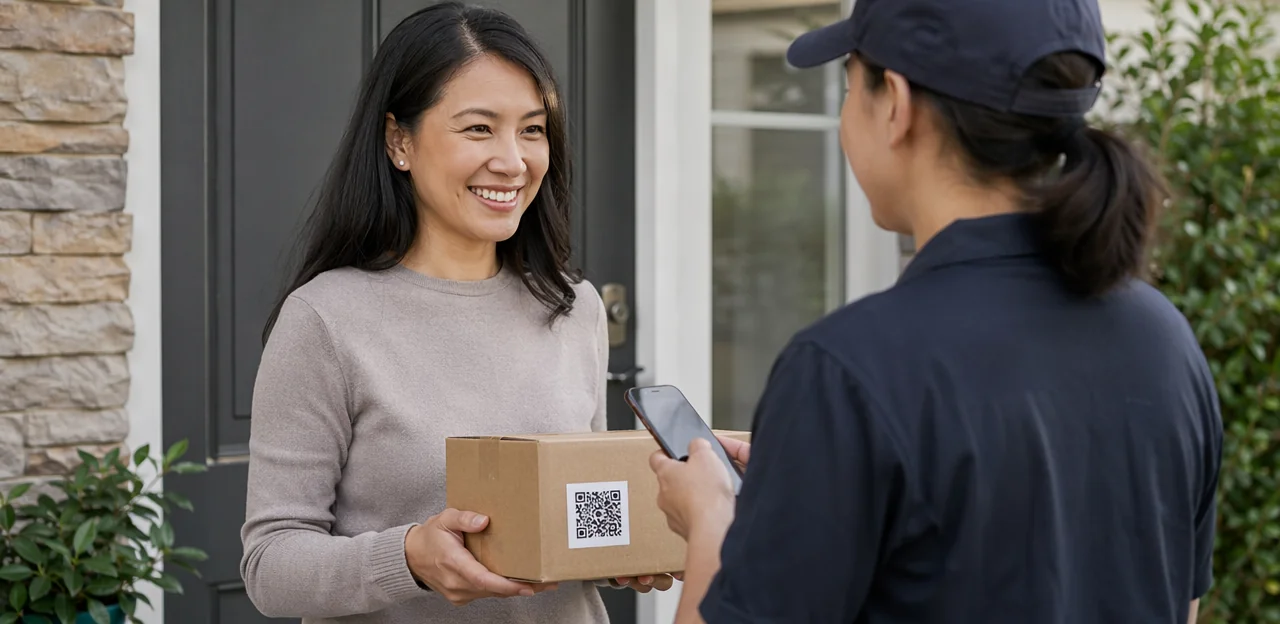
Where to place the QR code on packaging and inserts
Smart package QR code placement can lift scans and improve feedback quality. Put the package feedback QR code where customers naturally look first and where the code stays flat, visible, and easy to scan.
- Shipping label area: High visibility at delivery, but avoid placing the code near barcodes or curved edges.
- Inside box flap: Great for post-unboxing feedback; pair it with a short prompt like “How did your delivery arrive?”
- Thank-you cards: One of the best spots for a packaging feedback QR code because it feels intentional and branded.
- Tape or sealing stickers: Eye-catching, but only if the code remains undamaged and scannable.
- Product inserts or return slips: Useful for detailed feedback after the customer checks the order.
Use clear CTA text, strong contrast, and enough white space. A simple incentive or branded platform such as Tapsy can further increase response rates.
What happens after the scan
An effective package feedback QR code journey should feel effortless and mobile-first:
- Scan and land instantly on a fast, branded page that matches the retailer or carrier, building trust and reducing drop-off.
- Show a short mobile feedback form with 2–5 questions, such as delivery satisfaction, package condition, and an optional comment box.
- Keep the QR code customer feedback flow simple with large buttons, autofill where possible, and no forced login.
- Offer an optional incentive—for example, loyalty points, a discount code, or sweepstakes entry—to increase completion rates.
- End with a confirmation screen that thanks the customer, confirms submission, and may share next steps or support options.
Platforms like Tapsy can help brands create optimized, branded flows that improve response rates.
Using NFC and QR touchpoints together
Combining NFC and QR touchpoints gives brands a more flexible way to capture smart packaging feedback after delivery. A package feedback QR code works well for universal access, while NFC adds a faster tap experience for premium packaging or loyal, repeat buyers.
- QR codes: Best for broad accessibility. Any smartphone camera can scan them, making them ideal for first-time customers and printed inserts.
- NFC tags: Better for frictionless repeat interactions. A simple tap can open a prefilled feedback form, loyalty offer, or reorder page.
- Omnichannel strategy: Use QR on the outer package for immediate post-delivery feedback, then place NFC inside premium packaging for follow-up sentiment, product satisfaction, and retention campaigns.
Platforms like Tapsy can help unify these touchpoints into one feedback flow.
Designing a high-converting delivery feedback experience

Questions to ask in a short post-delivery survey
A package feedback QR code should lead to a survey that takes less than a minute to complete. The best post-delivery survey questions focus on a few high-value signals you can act on quickly:
- Overall rating: “How satisfied were you with this delivery?”
- Delivery condition: “Did your package arrive in good condition?”
- Timeliness: “Did your order arrive on time?”
- Packaging quality: “How would you rate the packaging quality?”
- Open-text sentiment: “What is one thing we did well, or could improve?”
Keep answer formats simple with star ratings, yes/no choices, and one optional comment box. These customer feedback questions help teams spot damaged parcels, late deliveries, and packaging issues without creating survey fatigue. If you use a platform such as Tapsy, AI can also help categorize open-text responses into clear action areas.
Best practices for copy, incentives, and trust signals
To improve scans and survey completion rate, keep the message around your package feedback QR code simple, specific, and low-friction:
- Use a clear QR code call to action: Say exactly what happens next, such as “Scan to rate your delivery in 30 seconds.” Action-led copy consistently outperforms vague prompts like “Give feedback.”
- Set expectations upfront: Mention the estimated time, such as “3 quick questions” or “under 1 minute.” This reduces hesitation and abandonment.
- Reassure on privacy: Add a short trust signal like “Anonymous unless you choose to share contact details” or “Your feedback is used only to improve delivery service.”
- Offer light, non-leading incentives: Small rewards like entry into a monthly draw or loyalty points can lift participation without biasing responses, as long as they reward completion, not positive ratings.
Accessibility, language, and mobile UX considerations
To increase response rates, a package feedback QR code should be easy to scan, read, and complete on any device. Prioritize an accessible QR code survey experience with these practical steps:
- Use readable code size: Print the QR code large enough for quick scanning on labels or inserts, with strong contrast and quiet space around it.
- Offer multilingual survey options: Detect browser language or let recipients choose their preferred language before starting.
- Optimize for mobile survey UX: Use fast-loading, lightweight pages that work well on slower mobile connections.
- Keep forms simple: Limit questions, use large tap targets, auto-fill where possible, and avoid unnecessary typing.
- Design inclusively: Support screen readers, clear headings, plain language, and high-contrast buttons for users with visual or motor impairments.
Platforms like Tapsy can help support multilingual, mobile-friendly feedback flows.
Turning package feedback into insights with AI and analytics

Analyzing ratings, comments, and sentiment at scale
Once a package feedback QR code starts collecting responses, AI helps turn raw ratings and open-text comments into clear operational insight. With AI sentiment analysis and delivery feedback analytics, teams can quickly spot what drives satisfaction—and what causes complaints.
- Classify feedback themes: Automatically group comments into topics such as late delivery, damaged packaging, driver professionalism, missing items, or unclear tracking.
- Detect sentiment: Identify positive, neutral, and negative sentiment in both star ratings and written feedback to prioritize urgent issues.
- Surface recurring patterns: Compare trends by region, carrier, product type, route, or customer segment to find where problems repeat.
- Trigger action faster: Route negative feedback to support teams, flag high-risk delivery zones, and inform carrier scorecards or packaging improvements.
Platforms with AI workflows, such as Tapsy, can help centralize this analysis and support faster service recovery.
Connecting feedback to operational and customer data
A package feedback QR code becomes far more useful when survey responses are tied to operational records. Instead of reviewing comments in isolation, combine them with delivery performance data and customer history to uncover root causes quickly.
- Match feedback to delivery timestamps to spot patterns like late-night drop-offs, weekend delays, or missed ETA windows.
- Compare sentiment with carrier performance by route, driver, region, or service level to identify recurring fulfillment issues.
- Add order details such as SKU type, order value, packaging method, or fragile-item flags to see which shipments trigger complaints most often.
- Link responses to support tickets to measure whether issues were resolved fast enough or escalated after delivery.
This approach strengthens customer feedback analytics, helping teams prioritize fixes that reduce complaints, improve delivery consistency, and protect customer loyalty.
Creating closed-loop actions from customer responses
A package feedback QR code only creates value when responses trigger fast, measurable action. Build a closed-loop feedback process that routes issues by severity and ownership:
- Alert support teams instantly: Send negative sentiment, low ratings, or keywords like “late,” “missing,” or “damaged” to customer support via CRM, help desk, or Slack.
- Trigger a customer recovery workflow: Automatically send apology messages, refund options, replacement forms, or delivery follow-up updates when complaints meet predefined rules.
- Escalate damaged delivery reports: Route photo-based damage claims to logistics, warehouse, or carrier partners with order ID, timestamp, and location attached.
- Feed insights into operations: Aggregate trends from recurring complaints to improve box durability, labeling, packing materials, courier selection, and delivery handling.
Platforms such as Tapsy can help automate routing, sentiment analysis, and recovery actions in real time.
Measuring ROI and success metrics for QR-based package feedback
Core KPIs to track from scan to resolution
To measure a package feedback QR code program effectively, track the QR code feedback metrics that show both participation and service impact:
- Scan rate: Percentage of delivered packages that generate a QR scan.
- Survey completion rate: How many scanners finish the feedback form.
- CSAT: Your core customer satisfaction KPI, showing how customers rate the delivery experience.
- Sentiment score: AI or text analysis that flags positive, neutral, or negative feedback.
- Issue category volume: Count complaints by theme, such as delays, damage, or missing items.
- Response time: Time from submission to first action or reply.
- Resolution outcomes: Measure resolved cases, escalation rate, refund rate, and repeat complaints.
Review these weekly to spot friction fast and improve post-delivery recovery.
A package feedback QR code turns post-delivery sentiment into fast, usable action for delivery experience improvement and stronger retention.
- Reduce complaints early: Capture reactions right after drop-off to spot damaged items, late arrivals, or confusing handoffs before they become public reviews.
- Improve first-contact resolution: Route feedback by issue type so support teams respond with the right fix on the first touch, lowering repeat contacts.
- Refine packaging: Use recurring sentiment themes to identify weak materials, poor labeling, or missing inserts and make targeted packaging updates.
- Strengthen loyalty: Fast recovery and visible improvements show customers they are heard, generating better customer retention insights and encouraging repeat purchases.
Tools like Tapsy can help analyze sentiment trends in real time.
Testing and optimizing your QR feedback program
Treat your package feedback QR code as an evolving conversion funnel, not a fixed asset. Use survey A/B testing to improve both response rate and insight quality over time:
- QR placement: Test the label on the box top, inside flap, packing slip, or thank-you card.
- CTA wording: Compare prompts like “Rate your delivery” versus “Tell us how it arrived.”
- Survey length: Start with 1–3 questions, then test slightly longer flows only if completion stays strong.
- Incentives: Measure whether discounts, loyalty points, or prize draws drive better-quality feedback.
- Landing page design: Optimize mobile speed, branding, button size, and progress indicators for better QR code optimization and completion.
Implementation tips, pitfalls, and next steps

Technical setup and integration checklist
Use this checklist to launch a reliable package feedback QR code workflow and keep reporting clean from day one:
- Set up dynamic QR codes: Use editable links so you can change destinations, test offers, and enable dynamic QR code tracking by carrier, route, SKU, or delivery date.
- Add analytics tagging: Apply UTM parameters and event tracking to measure scans, form starts, completions, and sentiment by package cohort.
- Connect core systems: Prioritize feedback system integration with your CRM and help desk so negative responses create tickets and positive feedback updates customer profiles.
- Handle consent properly: Capture opt-in for marketing, explain data use clearly, and store consent records.
- Build dashboards: Track scan rate, response rate, CSAT/NPS, issue themes, and resolution time in one reporting view.
Mistakes to avoid when collecting package feedback
Avoid these common customer feedback mistakes when using a package feedback QR code after delivery:
- Making surveys too long: Keep it to 2–5 questions. Long forms reduce completion rates and frustrate customers.
- Hiding the QR code: Follow QR survey best practices by placing it where customers will actually see it—on the outer label, insert card, or thank-you note.
- Asking generic questions: Skip vague prompts like “How was it?” Ask specific questions about packaging, delivery condition, and overall satisfaction.
- Ignoring follow-up: If someone reports damage or a poor experience, respond quickly to recover trust.
- Collecting data without action: Review trends, assign ownership, and use insights to improve delivery operations.
How to launch a pilot and scale successfully
Start your QR feedback pilot program small so you can measure results clearly and improve fast. A focused rollout makes it easier to validate your package feedback QR code strategy before wider deployment.
- Choose one test segment — start with a single region, carrier, or product line.
- Set benchmark metrics — track scan rate, response rate, sentiment score, issue categories, and resolution time.
- Refine the experience — simplify the landing page, shorten questions, and test QR placement on packaging or inserts.
- Close the loop — route negative feedback quickly to customer service for recovery.
- Scale customer feedback systematically — expand to more routes, carriers, and SKUs once performance is consistent.
Platforms such as Tapsy can help centralize feedback and sentiment analysis as programs grow.
Conclusion
In a delivery-driven market, the moments after a package arrives are some of the most valuable for understanding customer satisfaction. A well-placed package feedback QR code turns the box itself into a direct feedback channel, making it easy for customers to share impressions while the experience is still fresh. That means more accurate sentiment data, faster issue detection, and better visibility into what’s working across packaging, delivery speed, product condition, and overall service.
By collecting post-delivery feedback through QR touchpoints, brands can reduce friction, improve response rates, and feed real-time insights into their home delivery, AI, and analytics strategies. The result is a stronger delivery experience, smarter service recovery, and a clearer path to long-term loyalty. When supported by tools that analyze sentiment and surface trends quickly, a package feedback QR code becomes more than a survey tool—it becomes a scalable customer intelligence asset.
Now is the time to review your delivery journey and identify where a QR-based feedback touchpoint can create the most impact. Start with a simple post-delivery flow, track response patterns, and refine questions based on customer behavior. For teams looking to scale this approach, solutions like Tapsy can help streamline real-time engagement and sentiment capture. The next step is simple: make every delivered package a listening opportunity.
Frequently Asked Questions
- What is a package feedback QR code?
A package feedback QR code is a scannable code placed on packaging or inserts that opens a short post-delivery survey. It lets customers share delivery sentiment right after receiving a parcel, when details like timing, package condition, and handoff quality are still fresh.
- Why is right after delivery the best time to collect customer sentiment?
The minutes after delivery are ideal because customers can still accurately recall whether the parcel was on time, intact, and handled well. Capturing feedback at that moment helps teams separate delivery issues from product issues and respond before frustration turns into churn or negative reviews.
- How does a QR code survey reduce friction compared with email surveys?
A QR code survey starts instantly at unboxing, without asking customers to search their inbox, log in, or click through later. Because most people already have their phone nearby, the experience feels natural and can capture feedback before it gets forgotten or buried.
- What delivery problems should a package feedback survey ask about?
The most useful themes include late or missed delivery, damaged packaging, missing or incorrect items, and unclear delivery instructions. It should also make room for positive feedback such as on-time arrival, careful handling, friendly drivers, and accurate drop-off.
- Where should a package feedback QR code be placed for the best scan rate?
Good placement options include the shipping label area, inside box flap, thank-you cards, sealing stickers, and product inserts or return slips. The code should stay flat, visible, and easy to scan, with strong contrast, enough white space, and a clear call to action.
- What should happen after a customer scans the QR code?
The scan should open a fast, branded landing page that feels trustworthy and works well on mobile. From there, customers should see a short form with 2–5 questions, large buttons, no forced login, and a confirmation screen after submission.
- How many questions should a post-delivery feedback form include?
A short form with 2–5 questions is recommended, and the full survey should take less than a minute. Keeping it brief helps reduce abandonment while still capturing key signals like satisfaction, package condition, timeliness, and one optional comment.
- What are the best questions to include in a delivery feedback survey?
Useful questions cover overall satisfaction, whether the package arrived in good condition, whether the order arrived on time, and how the packaging quality was perceived. A final open-text prompt asking what went well or what could improve adds context without making the survey heavy.
- Should brands offer incentives for package feedback?
Light incentives can help increase completion rates when they reward participation rather than positive ratings. Examples mentioned include loyalty points, discount codes, sweepstakes entry, or a monthly draw, paired with clear expectations and privacy reassurance.
- How can QR and NFC be used together on packaging?
QR codes are best for broad accessibility because almost any smartphone camera can scan them, making them suitable for outer packaging and first-time users. NFC works well for faster tap-based interactions inside premium packaging or for repeat buyers, creating a more flexible omnichannel feedback flow.
- How does AI help analyze package feedback at scale?
AI can classify comments into themes such as late delivery, damaged packaging, missing items, or driver professionalism. It can also detect positive, neutral, and negative sentiment, surface recurring patterns by route or region, and help teams prioritize urgent issues faster.
- Why should feedback be connected to delivery and customer data?
Linking responses to delivery timestamps, carrier performance, order details, and support tickets helps teams find root causes instead of reviewing comments in isolation. That makes it easier to spot patterns like weekend delays, fragile-item complaints, or unresolved post-delivery issues.
- What KPIs should be tracked in a package QR feedback program?
Core metrics include scan rate, survey completion rate, CSAT, sentiment score, issue category volume, response time, and resolution outcomes. Reviewing these regularly helps identify friction in the feedback journey and shows whether service recovery is improving.
- What common mistakes should be avoided when collecting package feedback?
Common mistakes include making surveys too long, hiding the QR code, asking vague questions, failing to follow up on negative responses, and collecting data without acting on it. A better approach is to keep the survey short, place the code where customers will notice it, and assign ownership for improvements.
- How should a business launch and scale a package feedback QR pilot?
Start with one test segment such as a single region, carrier, or product line, then set benchmark metrics like scan rate, response rate, sentiment score, issue categories, and resolution time. After refining placement, survey length, and follow-up workflows, expand gradually to more routes, carriers, and SKUs.