
In a world where every customer interaction can shape loyalty, reputation, and revenue, the tools businesses use to connect with people matter more than ever. Traditional business cards still have their place, but today’s brands are looking for smarter, trackable, and more interactive ways to start conversations. That is why qr code business cards have gained attention across industries, offering a quick way to share contact details, websites, portfolios, and social profiles with a simple scan.
But they are only one part of a much bigger picture. From qr code stickers for business cards to qr code stickers for business placed on counters, packaging, tables, or service points, QR-enabled touchpoints are evolving from simple networking tools into valuable customer experience assets. Businesses are also exploring options like a qr code sticker, branded qr code stickers, a qr code stamp, and custom qr code printing to make every physical touchpoint more useful and measurable.
This article explores the key differences between QR code business cards and QR feedback points, including how each works, where each performs best, and how they support engagement, data collection, and real-time insights. We will also look at how AI, analytics, and NFC and QR touchpoints are helping organizations choose smarter software and create better customer experiences across industries.
What Are QR Code Business Cards and QR Feedback Points?

Defining QR Code Business Cards in Modern Networking
QR code business cards turn traditional business cards into instant digital gateways. Instead of sharing only a name, phone number, and email, they let contacts scan once and open a vCard, booking page, portfolio, product catalog, or social profile in seconds. This makes networking faster, more trackable, and easier to update than reprinting static details.
They are especially useful for:
- Sales: link to product catalogs, demos, and meeting schedulers
- Events: speed up lead capture and post-event follow-up
- Recruiting: direct candidates to applications, CVs, or company pages
- Field service: connect customers to support, quotes, or service menus
- Relationship building: simplify saving contact details and staying connected
For flexibility, brands often use qr code printing, qr code stickers for business cards, a qr code sticker, qr code stickers, qr code stickers for business, or even a qr code stamp.
What counts as a QR feedback point
Unlike qr code business cards, QR feedback points are scan-to-review or scan-to-survey touchpoints placed where the customer experience actually happens. They turn moments of service into immediate feedback opportunities.
- Tables and counters: Use qr code stickers or a durable qr code sticker to collect dining, retail, or reception feedback in real time.
- Packaging and receipts: Add qr code printing so customers can review delivery, product quality, or support after purchase.
- Signage and service areas: Place qr code stickers for business in waiting rooms, exits, fitting rooms, hotel desks, or washrooms to capture location-specific insights.
- Brand assets: Even business cards, qr code stickers for business cards, or a qr code stamp can invite quick post-meeting feedback.
The best QR feedback points are visible, easy to scan, and linked to short mobile-friendly forms.
Core difference: contact exchange vs experience capture
The biggest distinction is purpose. QR code business cards are built for identity sharing: they help people save your details, visit a profile, and enter a lead-nurturing journey. Whether you use digital business cards, qr code printing, a qr code stamp, or qr code stickers for business cards, the goal is usually connection and follow-up.
Feedback points serve a different stage of the customer experience. Placed on tables, counters, packaging, or exits as a qr code sticker or qr code stickers for business, they capture what happened after the interaction.
- QR code business cards: contact exchange, networking, sales follow-up
- Feedback points: sentiment capture, reviews, issue detection, service recovery, operational improvement
Use this framework throughout the article: choose business cards for relationship start, and feedback points for experience insight and action.
When to Use Each Across Industries

Best use cases for sales, professional services, and B2B teams
QR code business cards work best when speed, convenience, and follow-up matter more than a long brand pitch. They help B2B teams share details instantly, reduce manual data entry, and connect prospects to the next step.
- Consultants and agencies: Pair printed business cards with a digital profile, case studies, and a booking link.
- SaaS sales teams: Use qr code printing to send prospects to demos, pricing pages, or calendar scheduling.
- Real estate agents: Add a qr code sticker or qr code stamp linking to listings, virtual tours, and contact forms.
- Healthcare reps: Use qr code stickers for business cards to share product info and compliant follow-up resources.
- Trade show staff: Apply qr code stickers for business to badges, brochures, or cards for frictionless lead capture.
For flexible deployment, qr code stickers make it easy to update campaigns without reprinting entire cards.
Best use cases for retail, hospitality, healthcare, and local services
While qr code business cards help with networking, QR feedback points are better for live customer feedback at the moment of service. They work especially well in:
- Restaurants and cafés: place qr code stickers for business on tables, packaging, and receipts to capture quick ratings before guests leave.
- Hotels: use qr code stickers in rooms, lobbies, and breakfast areas to spot issues early and support review generation.
- Clinics, salons, and gyms: add a qr code sticker at reception or treatment exits for private sentiment checks and fast service recovery.
- Retail stores and service counters: use windows, checkout desks, and counters to collect instant feedback on staff, wait times, and product experience.
For consistency, pair touchpoints with branded business cards, qr code stickers for business cards, a qr code stamp, and clear qr code printing.
Hybrid models that combine both touchpoints
A strong cross-industry strategy uses qr code business cards for person-to-person follow-up and in-location QR feedback points for real-time service monitoring. For example, a salesperson, consultant, realtor, or hotel events manager can share digital-ready business cards, while the branch, venue, clinic, or showroom uses qr code stickers or an NFC/QR feedback point at key service moments.
- Front-end connection: Use qr code business cards or qr code stickers for business cards to drive prospects to booking pages, portfolios, or contact forms.
- On-site experience tracking: Add qr code stickers for business, a qr code sticker, or even a qr code stamp at counters, tables, exits, or reception desks to capture instant satisfaction feedback.
- Full-funnel insight: Pair contact capture with post-visit feedback, loyalty offers, and smarter qr code printing across teams and locations.
This model improves both lead generation and service quality visibility.
Customer Experience and Conversion Impact

How qr code business cards reduce friction in first-contact moments
QR code business cards streamline the first-contact journey: a prospect scans, lands on a mobile-friendly profile or vCard page, taps Save Contact, and stores accurate details in seconds. That removes manual typing, reduces missed digits and email errors, and makes follow-up easier while the interaction is still fresh.
To improve scan rates and trust:
- Use clear CTA wording like “Scan to save my contact” or “Tap to connect.”
- Prioritize sharp qr code printing with strong contrast, quiet zones, and adequate size.
- Match the landing page to the card design for a more polished first impression.
- Test alternatives like qr code stickers for business cards, qr code stickers for business, a qr code sticker, qr code stickers, or even a qr code stamp for flexible updates without reprinting all business cards.
When execution is clean, the experience feels instant, modern, and professional.
How QR feedback points improve reviews, recovery, and loyalty
Unlike qr code business cards, QR feedback points are designed for the exact moment an experience happens. Placing qr code stickers at tables, exits, reception desks, or product displays makes feedback fast, effortless, and more accurate.
- A well-placed qr code sticker captures reactions instantly, before customers leave or forget details.
- Smart flows can direct unhappy guests to a private form, helping teams resolve issues quickly and protect public ratings.
- Satisfied customers can be routed straight to Google or other review platforms, increasing positive reviews naturally.
- QR code stickers for business also support loyalty by linking feedback to instant offers, discounts, or return incentives.
For brands comparing business cards with touchpoint tools, qr code stickers for business cards, a qr code stamp, and quality qr code printing can support networking, but on-site feedback points drive faster service recovery and stronger retention.
Common UX mistakes that hurt scan performance
Even well-designed qr code business cards can underperform when basic UX details are missed. Common issues include:
- Poor contrast: Light codes on light backgrounds, glossy finishes, or busy designs reduce scan accuracy. Good qr code printing needs strong contrast and a quiet zone.
- Codes that are too small: A tiny code on business cards, a qr code sticker, or a qr code stamp may look neat but often fails in real use.
- Weak placement: If the code sits near folds, corners, or cluttered areas, users miss it. The same applies to qr code stickers for business cards and qr code stickers for business displays.
- Generic landing pages: Don’t send users to a homepage. Match the scan to a clear action.
- Unclear value proposition: Tell people why to scan—review, menu, offer, contact, or feedback.
- No testing or accessibility checks: Test across iPhone and Android cameras, different lighting, and ensure readable labels for all users and industries.
AI, Analytics, and Measurement Strategy

Metrics to track for qr code business cards
To evaluate qr code business cards, track metrics that connect scans to real outcomes, not just traffic. Key KPIs include:
- Total scans and unique visitors to measure reach
- Profile views and contact saves to gauge interest
- Booking conversions, meeting requests, or demo sign-ups
- Follow-up actions such as email clicks, calls, downloads, or form fills
- Repeat scans to identify ongoing intent after events
Dynamic QR systems improve analytics by letting teams update destinations without reprinting, whether using standard business cards, qr code stickers for business cards, a qr code sticker, qr code stickers, qr code stickers for business, a qr code stamp, or customized qr code printing. With CRM integration, you can attribute networking ROI by person, event, region, or campaign and see which contacts actually convert.
Metrics to track for QR feedback points
Unlike qr code business cards, QR feedback points reveal what happens after the scan. Track these core metrics:
- Scan-to-feedback rate: how many guests who tap a qr code sticker or scan qr code stickers actually start feedback.
- Review completion rate: measure drop-off between opening and submitting.
- Sentiment trends: use AI & analytics to spot improving or declining satisfaction over time.
- Location performance: compare qr code stickers for business by store, table, room, counter, or event zone.
- Issue categories: group complaints by service, cleanliness, wait time, product quality, or staff behavior.
- Response times: monitor how fast teams resolve issues after submission.
For deeper reporting, tie qr code stickers for business cards, staff badges, business cards, qr code stamp, and qr code printing assets to individual employees or locations.
How AI improves routing, personalization, and insight generation
AI turns scans from qr code business cards and feedback touchpoints into usable decisions, improving customer experience and simplifying software selection across industries.
- Summarizes open text: AI condenses comments from business cards, qr code stickers, or a qr code sticker on packaging into clear themes.
- Detects sentiment patterns: It spots praise, friction, and urgency by location, team, or campaign.
- Recommends next-best actions: Route unhappy users to support, send promoters to reviews, and trigger tailored offers.
- Personalizes landing pages: After a scan from qr code stickers for business cards, qr code stickers for business, a qr code stamp, or qr code printing, AI can adapt content by source, device, or intent.
- Identifies top-performing touchpoints: AI & analytics reveal which placements drive conversions, feedback quality, and loyalty.
NFC, QR Touchpoints, and Physical Format Options
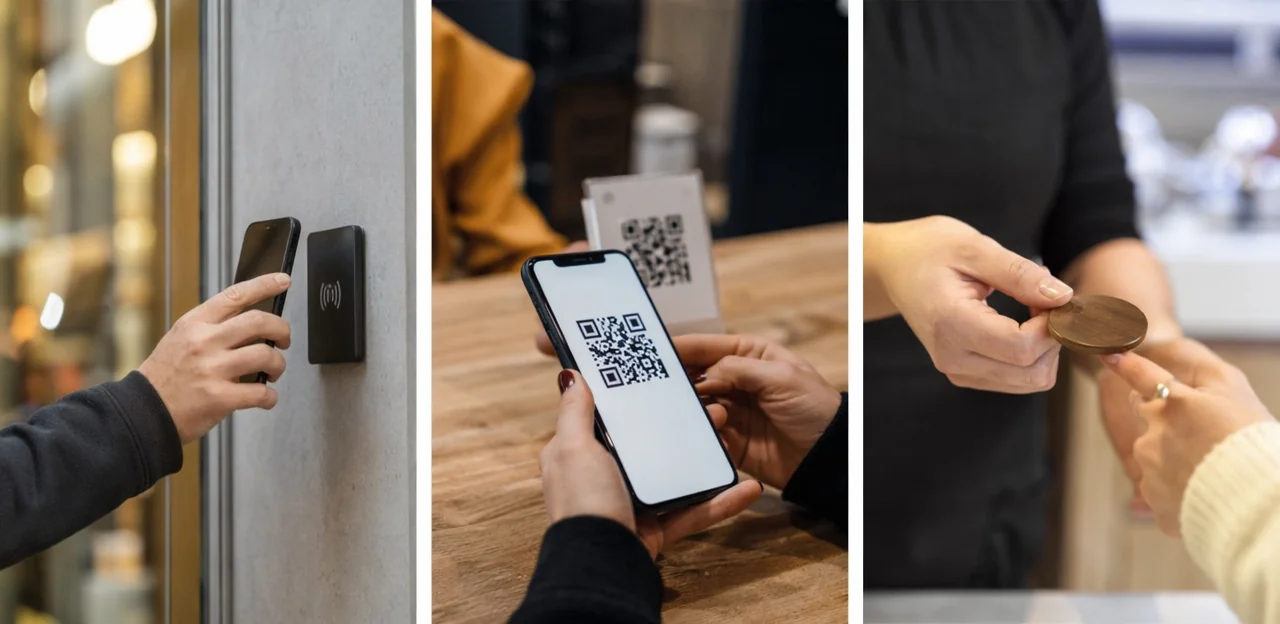
QR-only vs NFC-enabled business cards
QR code business cards are the most affordable starting point: they work on nearly any smartphone camera, are easy to update with dynamic links, and fit simple use cases like portfolios, booking pages, or review requests. Static codes cost less, while dynamic codes add analytics and editable destinations.
- Choose QR-only when budget, broad compatibility, and easy qr code printing matter most.
- Add NFC when you want a faster, more premium tap experience with fewer steps than scanning.
NFC-enabled business cards work especially well at networking events, sales meetings, and hospitality desks where speed matters. For low-cost testing, qr code stickers for business cards, qr code stickers, or a qr code sticker can upgrade existing stock. A qr code stamp or qr code stickers for business also helps scale NFC & QR touchpoints without reprinting everything.
Using stickers, stamps, signage, and printed materials effectively
To extend qr code business cards beyond handoffs, use printed touchpoints that match customer behavior and environment:
- Business cards: Add qr code stickers for business cards when updating old stock, or use direct qr code printing for a cleaner branded finish.
- Counters and tables: QR code stickers for business, table tents, and a well-placed qr code sticker near payment or service areas drive fast scans.
- Storefronts and packaging: Window decals, packaging inserts, and receipts work well for reviews, menus, reorders, or loyalty prompts.
- Flexible deployment: A qr code stamp is useful for boxes, bags, loyalty cards, and event materials where variable placement matters.
Choose durable, scuff-resistant materials, keep branding consistent, and place codes where customers naturally pause, wait, or complete a transaction.
Printing and design best practices for reliable scans
Strong qr code printing standards directly affect scan speed and reliability across qr code business cards, signage, and every qr code sticker customers touch.
- Use the right size: Keep codes at least 0.8 x 0.8 inches on business cards, and larger for posters or counters.
- Protect the quiet zone: Leave a clear margin around the code with no text, borders, or graphics.
- Maximize contrast: Black on white works best; avoid low-contrast brand colors.
- Choose matte finishes: Gloss and lamination can create glare, especially on qr code stickers and qr code stickers for business cards.
- Use logos carefully: Small center logos are fine, but oversized branding or a dense qr code stamp can reduce readability.
- Test before rollout: Scan samples on different phones, angles, and lighting conditions for qr code stickers for business and cards.
How to Choose the Right Software and Build a Scalable Strategy

Software selection checklist for all industries
Use this software selection checklist before choosing a platform for qr code business cards or in-person feedback tools:
- Dynamic editing: Update destinations after qr code printing without replacing business cards, a qr code sticker, or qr code stickers for business.
- Analytics depth: Track scans, location, device, conversions, repeat visits, and form completion.
- Integrations: Connect CRM, email tools, review platforms, POS, or feedback systems.
- Permissions: Set role-based access for teams, branches, and agencies.
- Branding controls: Customize landing pages, logos, colors, and domains.
- Testing: Run A/B tests on offers, profiles, or feedback prompts.
- Security: Check GDPR/privacy features, secure hosting, and data ownership.
- Scale: Support multi-location reporting for qr code stickers for business cards, a qr code stamp, and venue-wide touchpoints.
Decision matrix: which option fits your goals
Use this simple model to choose the right touchpoint for better customer experience across cross-industry use cases:
- Choose qr code business cards if your goal is networking, lead capture, or easy contact sharing. Best for events, sales teams, consultants, and service professionals using digital business cards.
- Choose QR feedback points if the code lives at the moment of service—tables, counters, exits, rooms, or packaging—where audience intent is immediate feedback.
- Choose both if you need relationship-building plus on-site insight: cards drive follow-up, while feedback points improve operations and reporting.
If you rely on qr code stickers for business cards, qr code stickers, a qr code sticker, qr code stamp, or qr code printing, match the format to the setting and track scans, responses, and conversion outcomes.
Implementation roadmap and governance tips
Use a simple governance framework so qr code business cards, branch feedback points, and qr code stickers stay accurate and measurable over time:
- Pilot first: Test one team, one branch, and one use case before scaling. Compare scans from business cards, lobby signage, and qr code stickers for business cards.
- Train staff: Standardize how employees explain the QR destination, reward, or feedback flow.
- Set naming rules: Use clear asset names by branch, channel, and owner to track qr code printing, reorders, and updates.
- Assign ownership: Define who approves each qr code sticker, qr code stamp, and landing page.
- Protect privacy: Publish consent language, retention rules, and access controls.
- Optimize quarterly: Review scan rates, broken links, design consistency, and performance of qr code stickers for business.
Conclusion
Ultimately, the choice between qr code business cards and QR feedback points comes down to purpose. If your goal is one-to-one networking, lead sharing, and quick contact exchange, business cards enhanced with smart QR functionality remain a practical, modern tool. But if you want continuous, location-based customer insights, stronger engagement, and measurable experience data, QR feedback points offer a more scalable solution across industries.
The most effective organizations often use both. Qr code business cards help professionals connect instantly, while in-store or on-site touchpoints such as qr code stickers for business cards, qr code stickers for business, or a well-placed qr code sticker create ongoing opportunities for feedback, loyalty, and service improvement. Even simple tools like qr code stickers, a qr code stamp, or high-quality qr code printing can extend your reach and make customer interaction more immediate and trackable.
As you evaluate your next step, focus on customer journey, ease of use, analytics, and long-term value. Start by auditing where your audience interacts with your brand, then test the right mix of digital contact tools and feedback touchpoints. For deeper results, explore platforms that combine QR and NFC engagement with analytics and rewards, such as Tapsy. The right strategy will turn every scan or tap into a stronger connection.
Frequently Asked Questions
- What is the main difference between QR code business cards and QR feedback points?
QR code business cards are designed for contact exchange, networking, and follow-up. QR feedback points are placed where service happens to capture reviews, sentiment, and operational insights after an interaction.
- When should a business use a QR code business card instead of a feedback QR code?
Use a QR code business card when the goal is to share contact details, portfolios, booking links, demos, or social profiles quickly. Choose a feedback QR code when you want customers to rate an experience, report an issue, or leave a review at the point of service.
- Which industries benefit most from QR code business cards?
They are especially useful for sales teams, consultants, agencies, recruiters, real estate agents, healthcare reps, field service teams, and trade show staff. These use cases benefit from fast contact sharing, lead capture, and easier follow-up.
- Where should QR feedback points be placed for the best results?
Good placements include tables, counters, exits, reception desks, packaging, receipts, waiting rooms, hotel desks, fitting rooms, and washrooms. The best locations are visible, easy to scan, and close to the moment when customers naturally reflect on the experience.
- Can a business use both QR code business cards and QR feedback points together?
Yes, using both creates a stronger full-funnel strategy. Business cards support person-to-person connection and follow-up, while on-site feedback points monitor satisfaction, reveal issues, and improve service quality.
- How do QR code business cards improve the first-contact experience?
They let someone scan once, open a mobile-friendly profile or vCard, and save accurate contact details in seconds. This reduces manual typing, avoids contact errors, and makes follow-up easier while the interaction is still fresh.
- How do QR feedback points help with reviews and service recovery?
They capture reactions immediately, before customers leave or forget details. Smart routing can send unhappy customers to a private form for quick resolution and direct satisfied customers to public review platforms.
- What common design mistakes reduce QR scan performance?
Poor contrast, codes that are too small, weak placement near clutter or folds, and glossy finishes can all hurt scan reliability. Sending users to a generic homepage, failing to explain why to scan, and skipping cross-device testing also reduce performance.
- What metrics should be tracked for QR code business cards?
Key metrics include total scans, unique visitors, profile views, contact saves, booking conversions, meeting requests, demo sign-ups, and repeat scans. With CRM integration, teams can also connect scans to people, events, regions, and actual conversion outcomes.
- What should businesses measure for QR feedback points?
Important metrics include scan-to-feedback rate, review completion rate, sentiment trends, location performance, issue categories, and response times. These measures show how well each touchpoint captures feedback and how quickly teams act on it.
- How can AI improve QR business cards and feedback touchpoints?
AI can summarize open-text comments, detect sentiment patterns, recommend next actions, and personalize landing pages based on source or intent. It also helps identify which touchpoints perform best for conversions, feedback quality, and loyalty.
- Should a business choose QR-only cards or NFC-enabled business cards?
QR-only cards are a strong starting point when affordability, broad smartphone compatibility, and simple printing matter most. NFC-enabled cards are better when a faster, more premium tap experience is important, especially in networking events, sales meetings, and hospitality settings.
- What are the recommended printing and design best practices for reliable scans?
Use codes at least 0.8 x 0.8 inches on business cards, keep a clear quiet zone around the code, and maximize contrast with dark code elements on a light background. Matte finishes, careful logo use, and testing across different phones, angles, and lighting conditions improve reliability.
- What should businesses look for when choosing QR software?
Look for dynamic editing, strong analytics, integrations with CRM and review tools, role-based permissions, branding controls, testing options, privacy features, and support for multi-location reporting. These capabilities make QR programs easier to manage, measure, and scale.
- What is a practical way to roll out QR touchpoints across teams or locations?
Start with a pilot using one team, one branch, and one use case, then compare performance across cards, signage, and feedback placements. Train staff, set naming rules, assign ownership, protect privacy, and review scan rates and link accuracy regularly to keep the system reliable.