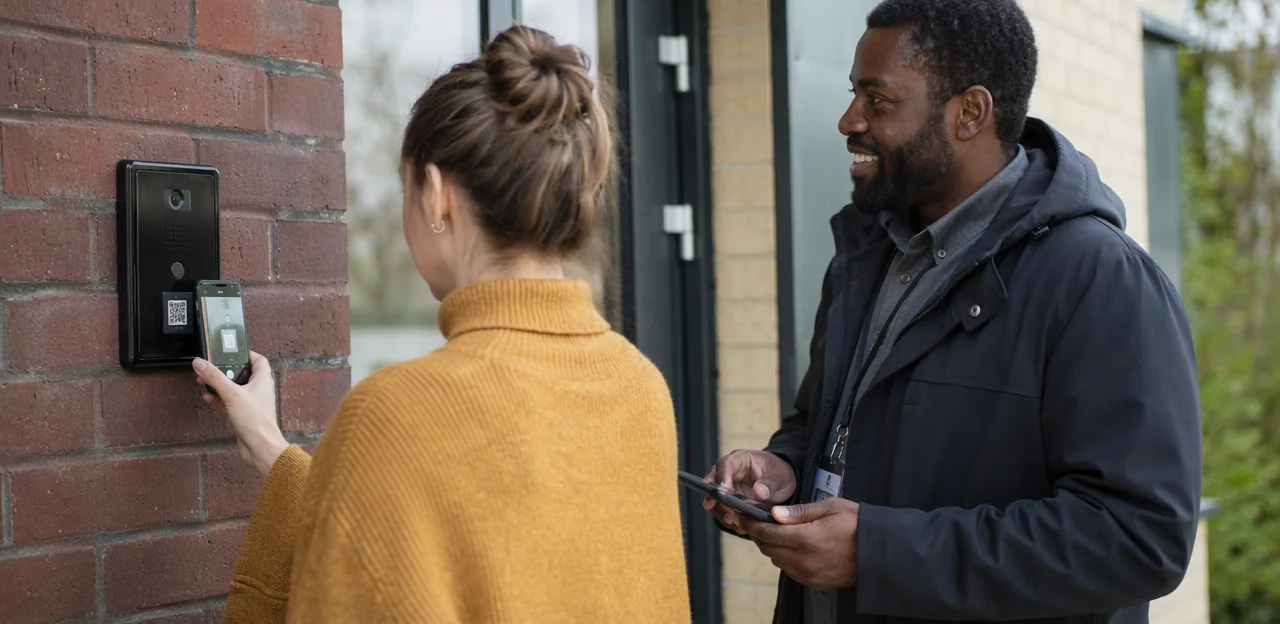
A leaking pipe in a shared laundry room, a broken light in a stairwell, a damaged entry panel that residents pass every day — small property issues can quickly become bigger service problems when reporting is slow, unclear, or inconvenient. That is why a well-planned property issue reporting QR code setup is becoming such a practical tool for housing providers, landlords, and property managers who want to improve response times and resident trust.
Instead of asking residents to download an app, call an office, or remember the right email address, QR codes placed at key touchpoints make it easy to report problems the moment they are noticed. In housing environments, that simple shift can lead to faster issue capture, better location context, and smoother service recovery across shared spaces and amenities.
This article explores practical ways to set up QR code reporting across residential properties, from entrances, lifts, and bin areas to gyms, parking zones, and maintenance hotspots. It will also cover what makes a reporting flow effective, how to route issues to the right teams, and how solutions such as Tapsy can support no-app QR and NFC touchpoints designed to improve the resident experience.
Why QR code issue reporting works in housing
The resident problems QR reporting solves
Traditional housing repairs reporting often creates avoidable friction for residents. Common problems include:
- Long forms: too many fields discourage quick reporting
- Call waiting times: residents delay non-urgent issues if phone lines are busy
- Unclear fault descriptions: without location prompts, teams receive vague reports
- Delayed triage: issues sit in inboxes before reaching the right contractor or team
A property issue reporting QR code reduces that effort by taking residents straight to a short, mobile-friendly form at the exact location of the problem. This improves resident issue reporting by making it easier to add photos, select issue types, and submit reports in seconds. The result is faster reporting, better triage, and fewer missed maintenance problems.
Benefits for housing teams and contractors
A property issue reporting QR code helps teams move from vague complaints to actionable jobs, improving both response speed and accountability.
- Better data capture: Residents submit issues at the source, with photos, timestamps, and category selection that support cleaner repairs triage.
- Location-specific reporting: A property management QR code fixed to a stairwell, lift, bin store, or block entrance automatically ties the report to the exact area.
- Fewer missed details: Structured forms reduce back-and-forth and help contractors arrive with the right context, tools, and parts.
- Faster routing: Urgent safety, cleaning, or maintenance cases can be sent straight to housing officers, repairs teams, or housing service recovery staff.
- Improved visibility: Dashboards make it easier to track recurring issues, monitor contractor performance, and spot service gaps across estates.
When QR codes are better than phone or email
A property issue reporting QR code works best where speed, location context, and repeat reporting matter more than a long conversation.
- Communal areas: Ideal for communal area issue reporting in lifts, bin stores, stairwells, laundries, car parks, and entrances, where residents can scan on the spot.
- Temporary accommodation: Useful when occupants may not know the right team or contact details, making digital repairs reporting simpler.
- New developments and voids: Helps snagging, pre-let checks, and contractor follow-up with exact location details.
- High-volume recurring issues: Best for lighting faults, cleaning problems, damp, leaks, or access issues where fast QR code maintenance reporting reduces repeat calls.
Tools like Tapsy can add no-app reporting at the exact touchpoint.
Practical setup ideas for a property issue reporting QR code
Best locations for QR and NFC touchpoints
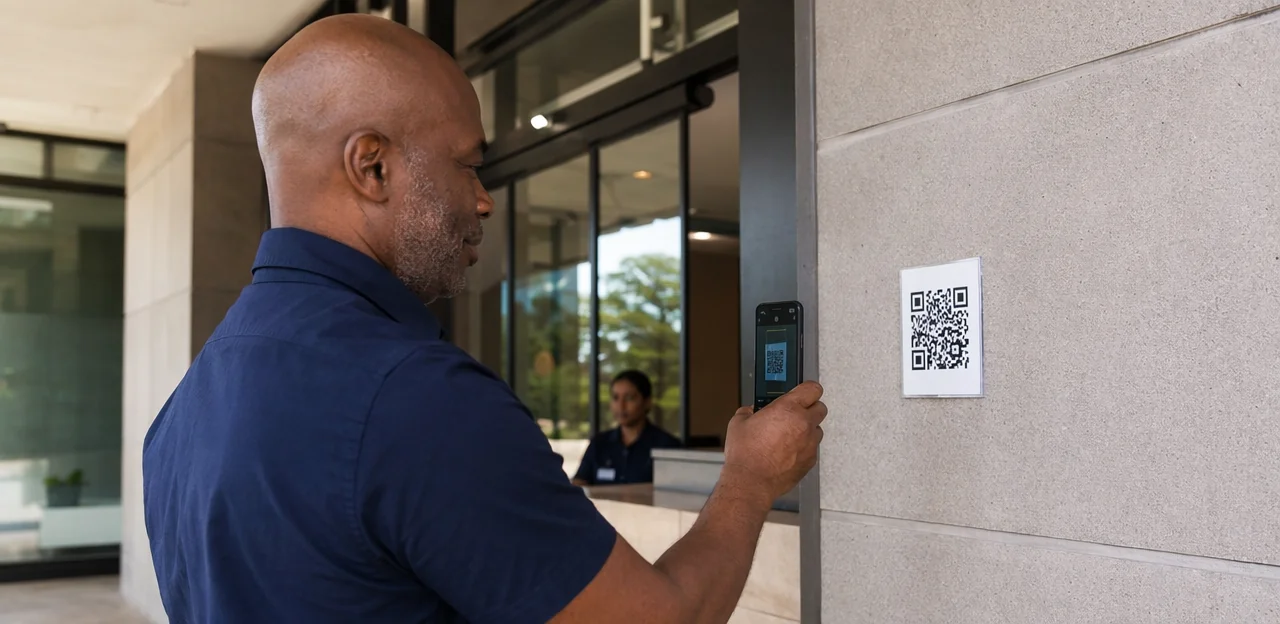
Choosing the right NFC and QR touchpoints is what makes a property issue reporting QR code useful rather than ignored. The best spots are where residents naturally pause and can report issues at the moment they notice them.
- Lifts: ideal for reporting breakdowns, lighting faults, damage, or cleanliness issues
- Bin stores: useful for missed collections, overflowing bins, pests, or odours
- Entrances and communal hallways: good for lighting, security, access, and cleaning reports
- Laundry rooms: helps capture machine faults, leaks, and hygiene problems quickly
- Car parks: effective for lighting failures, gate issues, line marking, or safety concerns
- Boiler cupboards or plant areas: supports contractor and staff reporting for maintenance teams
- Concierge desks: works well for assisted reporting and lower-digital-confidence residents
- Resident welcome packs: introduces QR code placement housing from day one and builds awareness
Good resident touchpoints improve scan rates because they are visible, relevant, and easy to use in context. Better placement also improves report quality, as residents can submit accurate details while standing at the exact location.
What the QR code should link to
A property issue reporting QR code should open a dedicated QR code reporting form, not a generic homepage or resident portal landing screen. The goal is to let residents report problems in as few taps as possible.
An effective page should include:
- Prefilled location data so the resident does not need to type the building, block, floor, or room/area
- Clear issue categories such as lighting, plumbing, cleaning, access, safety, heating, or lift faults
- A simple mobile maintenance form with large fields, minimal typing, and fast submit buttons
- Photo upload to show damage, leaks, mess, or hazards instantly
- Urgency prompts like routine, urgent, or health and safety risk
- Accessibility support, including mobile-friendly design, screen-reader compatibility, clear contrast, and plain language
- Strong confirmation messaging that explains what happens next, expected response times, and any reference number
A focused property issue form improves completion rates. Tools like Tapsy can also attach location context automatically, which helps route issues faster.
Examples by housing environment
- Social housing blocks: Use a social housing QR code in lifts, bin stores, entrances, and communal hallways. Keep the flow simple: choose issue type, add a photo, confirm flat or block, then route urgent safety risks straight to housing officers or contractors.
- Student accommodation: For student housing maintenance reporting, place codes in kitchens, laundry rooms, bathrooms, and study spaces. The flow should be mobile-first and fast, with options for noise, cleaning, Wi-Fi, and repairs, plus automatic routing to on-site teams during term time.
- Build-to-rent schemes: Support the build to rent resident experience with branded QR touchpoints in gyms, lounges, parcel rooms, and apartments. Include service updates, expected response times, and optional satisfaction follow-up after resolution.
- Supported housing: Use larger labels and fewer form fields. Reporting flows may need carer, support worker, or resident options, with clear escalation for accessibility or welfare-related issues.
- Mixed-use developments: A property issue reporting QR code should separate resident, retailer, and visitor journeys, since assets and responsibilities vary across residential, parking, and commercial areas. Tools like Tapsy can help route reports by location automatically.
Designing a resident-friendly reporting journey
Keep forms short, clear, and mobile-first
A property issue reporting QR code should open a form that feels effortless on a phone. Good mobile-first issue reporting means residents can submit in under a minute, without pinching, zooming, or typing too much.
- Start with clear issue categories such as plumbing, lighting, cleaning, safety, noise, or access.
- Limit mandatory fields to the essentials: issue category, location, and short description.
- Use simple language and short labels so the resident reporting form is easy to scan.
- Add smart defaults like auto-filled building, floor, or QR-linked location data.
- Use mobile-friendly inputs including large buttons, tap-friendly dropdowns, and photo upload.
To reduce abandonment, show a progress bar, avoid long text boxes, and save partial responses. A smooth QR code user experience can also include optional contact details rather than making every field required.
Use photos, location data, and guided prompts
A property issue reporting QR code works best when the form captures the details teams need to diagnose problems quickly and improve first-time resolution.
- Enable photo-based maintenance reporting: Let residents upload 1–3 images so teams can see damage, leaks, blocked access, or faulty equipment before visiting.
- Use location-based reporting: Auto-tag the scan point, building, floor, or room so the issue is routed to the right contractor without back-and-forth clarification.
- Add guided prompts for better issue triage housing: Ask short, practical questions such as:
- What happened?
- When did you notice it?
- Is it safe to use?
- Is access blocked or urgent?
Keep privacy in mind: explain why photos and location data are collected, avoid requesting unnecessary personal data, and include clear consent language, especially for shared spaces. Solutions like Tapsy can support no-app reporting with location context attached.
Accessibility, language, and inclusion considerations
To make property issue reporting QR code signage genuinely useful, design for residents with different abilities, languages, and levels of digital confidence:
- Use large text, high-contrast colours, plain language, and clear icons on every poster or sticker.
- Ensure the reporting page supports screen readers, keyboard navigation, alt text, and mobile-friendly form fields.
- Offer multilingual housing communications by letting residents switch languages immediately after scanning, with translated issue categories and confirmation messages.
- Include a short URL, phone number, email address, or front-desk option so accessible QR code reporting does not exclude non-digital residents.
- Place signs at readable heights and in well-lit areas, with concise instructions such as “Scan to report a repair.”
Platforms like Tapsy can support no-app reporting flows, helping create a more inclusive resident experience across shared spaces.
Implementation and service recovery best practices

Connect reports to the right workflow
A property issue reporting QR code only adds value if every scan lands in the correct operational queue. Build the flow so reports move straight into your CRM, helpdesk, repairs platform, or through CAFM integration, with no manual re-entry.
- Map issue types to owners: damp, lighting, lifts, cleaning, antisocial behaviour, and safety issues should each route to the right team.
- Set clear SLAs: define response and resolution targets by priority, especially for urgent repairs.
- Automate escalation rules: missed deadlines, vulnerable residents, or repeat reports should trigger manager review.
- Enable contractor handoff: pass location, photos, category, and access notes directly into the contractor job workflow.
- Close the loop: send updates at receipt, scheduling, attendance, and completion so residents know what is happening.
This creates a stronger housing repairs workflow, improves the service recovery process, and makes reporting more accountable.
Set expectations after the scan
A strong property issue reporting QR code journey should not end at form submission. The confirmation step is where trust starts to build and repeat contacts can be reduced.
- Show a clear confirmation screen: confirm the issue type, location, and submitted details so residents know the report was received correctly.
- Provide a reference number: make it easy for residents to quote the case if they need support later.
- Set realistic response times: explain what happens next, such as urgent issues reviewed within hours and standard repairs within a set number of working days.
- Offer self-help guidance: include simple steps for safe temporary action, FAQs, or emergency contact instructions where relevant.
- Send resident communication updates: use email or SMS for repair status notifications, progress milestones, and closure messages.
This kind of transparent follow-up supports service recovery housing efforts, improves satisfaction, and reassures residents that action is underway.
Pilot, test, and improve before scaling
A strong property issue reporting QR code rollout should start small. Run a QR code pilot program in one building, or focus on one issue type such as cleaning, lighting, or lift faults. This makes housing technology implementation easier to manage and improves learning before wider deployment.
- Track core metrics: monitor scan rates, form completion rates, drop-off points, and time to resolution.
- Create a resident feedback loop: ask residents whether the QR code was easy to find, simple to use, and clear about what happens next.
- Refine the experience: improve sign placement, shorten forms, clarify issue categories, and adjust routing logic so reports reach the right team faster.
- Document what works: use pilot results to set standards for signage, response workflows, and reporting rules across other properties.
Tools like Tapsy can help test QR/NFC touchpoints with minimal friction.
Common mistakes to avoid with QR issue reporting
Poor signage and weak calls to action
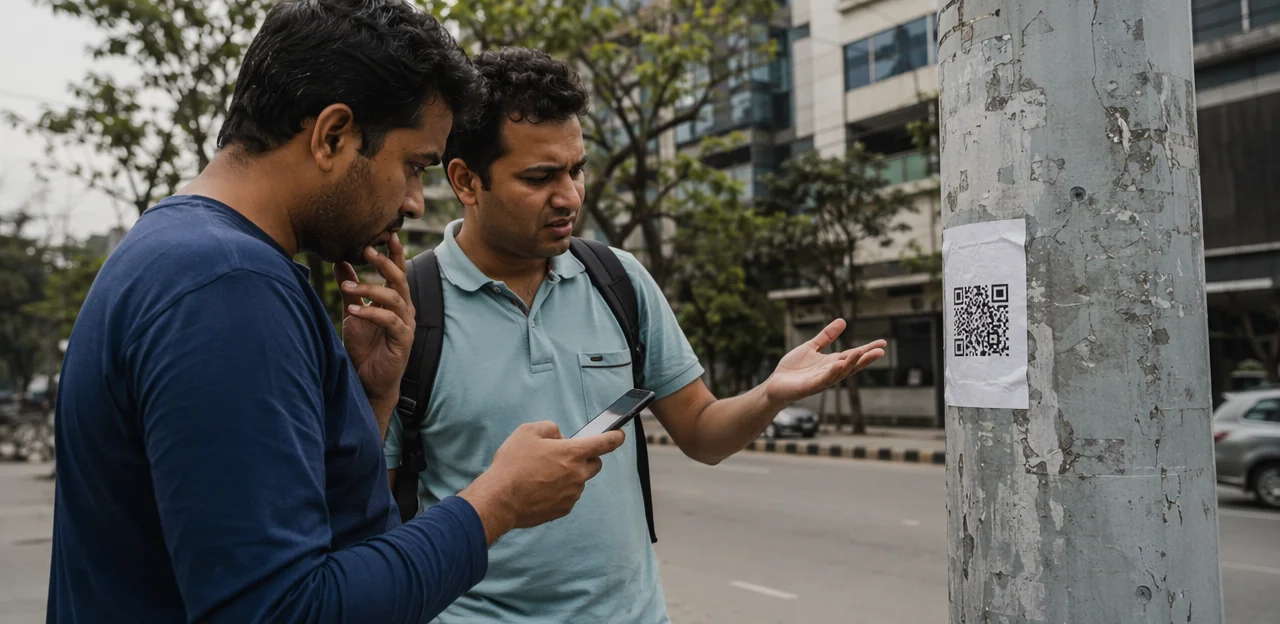
Many property issue reporting QR code campaigns fail because the sign does not make scanning feel easy or useful. Common mistakes include:
- Tiny codes that are hard to scan from normal standing distance
- Bad placement on doors, corners, or poorly lit areas
- Vague instructions like “Scan here” with no clear benefit
- No reporting guidance, so residents do not know whether to report leaks, lighting, cleaning, safety, or noise
For stronger QR code signage best practices and scan rate improvement, use clear housing communications such as: “Scan to report cleaning, repairs, safety, or shared-area issues in under 30 seconds.”
Too many form fields or no routing logic
A property issue reporting QR code should make reporting faster, not create extra admin. Poor digital service design often fails when forms are too long or submissions land in a generic inbox.
- Remove duplicate questions and keep fields to essentials: issue type, location, photo, and optional comment.
- Use form optimization with conditional logic so residents only see relevant follow-up questions.
- Apply smart issue routing by category, urgency, or building area, so repairs, cleaning, and safety teams get the right alerts immediately.
Tools like Tapsy can support faster, more accurate routing at the point of report.
Ignoring data, privacy, and maintenance
A property issue reporting QR code only works long term if governance is built in from day one. Strong QR code governance should include:
- Link management: use editable URLs, test for broken links, and review destinations regularly so old forms or closed service pages do not stay live.
- Data privacy housing controls: add clear consent language, explain what data is collected, and limit personal information to what teams actually need.
- Ownership: assign one team or named owner to update codes, forms, categories, and escalation paths.
- Analytics: track scans, submissions, completion rates, and location trends to spot weak touchpoints early.
Tools like Tapsy can help centralize updates and reporting.
How to measure success and build the business case

Key metrics to track
To measure whether your property issue reporting QR code setup is working, monitor a small set of practical, outcome-focused KPIs:
- Scan volume: tracks awareness and usage by location, building, or issue type.
- Form completion rate: shows whether the reporting flow is simple enough to finish.
- Time to triage: measures how quickly teams review and assign new reports.
- First-time fix rate: one of the most useful reparis performance KPIs for operational efficiency.
- Repeat contact reduction: indicates whether issues are resolved clearly the first time.
- Resident satisfaction metrics: post-resolution ratings and feedback trends.
- Complaint reduction: validates impact using QR code analytics and service data.
Estimating operational and resident value
Build the business case for QR codes by linking each property issue reporting QR code to measurable outcomes:
- Saved staff time: reduce calls, emails, and manual triage by capturing location, category, and photos at source.
- Improved issue visibility: spot repeat problems by block, floor, or amenity to support better prioritisation.
- Faster resolution: route urgent reports instantly, improving service recovery and reducing follow-up chasing.
- Fewer complaints: fix issues earlier before they escalate into formal cases.
- Resident experience improvement: visible action builds trust, strengthens communication, and supports long-term housing operational efficiency.
Tools like Tapsy can help track these gains.
Next steps for housing providers
Use a simple implementation roadmap to move from idea to launch:
- Choose a pilot area with frequent issues, such as entrances, lifts, or bin stores.
- Map workflows so each property issue reporting QR code routes to the right team with clear response times.
- Create signage with plain instructions and visible placement.
- Build the form to capture location, issue type, photo, and contact details.
- Train teams on triage and follow-up.
- Review performance after launch to refine your housing QR code strategy and scale.
Conclusion
A well-designed property issue reporting QR code system turns resident feedback into faster action, clearer accountability, and a better day-to-day living experience. By placing QR codes at key touchpoints such as entrances, lifts, laundry rooms, bin areas, parking spaces, and shared amenities, housing teams make it easy for residents to report problems the moment they see them. When the setup is simple, mobile-friendly, and connected to the right internal workflows, reports arrive with better context, response times improve, and service recovery becomes more consistent.
The most effective approach is practical: use clear signage, keep forms short, route issues by category and location, and trigger alerts for urgent maintenance or safety concerns. Just as importantly, close the loop by acknowledging reports and updating residents when action has been taken. That is what builds trust and encourages ongoing participation.
If you are planning your own property issue reporting QR code rollout, start with one or two high-friction locations, measure usage, and refine the reporting journey before scaling across the property portfolio. For teams looking for a no-app way to combine QR and NFC touchpoints with real-time feedback collection, tools like Tapsy can be a useful example. The next step is simple: map your reporting hotspots, define your escalation rules, and launch a pilot that makes resident issue reporting easier from day one.
Frequently Asked Questions
- What is a property issue reporting QR code used for?
It gives residents a fast way to report repairs, cleaning problems, safety concerns, or shared-area issues at the exact place they notice them. Instead of calling, emailing, or downloading an app, they can scan a code and open a short mobile-friendly form.
- Why can QR code reporting work better than phone or email in housing settings?
QR reporting is especially useful when speed and location context matter more than a long conversation. It helps residents report issues on the spot in communal areas such as lifts, bin stores, stairwells, laundries, car parks, and entrances, which can improve triage and reduce vague reports.
- Where should housing teams place QR codes for the best results?
Good locations are places where residents naturally pause and can report problems immediately, such as lifts, bin stores, entrances, communal hallways, laundry rooms, and car parks. Concierge desks and resident welcome packs can also help increase awareness and support assisted reporting.
- What should a QR code link to instead of a generic homepage?
It should open a dedicated reporting form designed for quick mobile use. The page should include prefilled location data, clear issue categories, photo upload, urgency prompts, accessibility support, and a confirmation message explaining what happens next.
- What information should a resident-friendly reporting form include?
The essentials are issue category, location, and a short description, with minimal typing required. Large buttons, tap-friendly inputs, photo upload, and smart defaults such as auto-filled building or floor details help residents complete the form quickly.
- How do photos and location data improve repairs triage?
Photos help teams see damage, leaks, blocked access, or faulty equipment before visiting, which supports better first-time resolution. Location data tied to the scan point helps route the report to the correct team or contractor without extra clarification.
- How can housing providers make QR issue reporting more accessible and inclusive?
Use large text, high-contrast colours, plain language, and clear icons on signs and stickers. The reporting page should support screen readers, keyboard navigation, and mobile-friendly fields, while also offering language options and non-digital alternatives such as a short URL, phone number, email, or front-desk support.
- How should reports be routed after someone scans and submits a form?
Reports should flow directly into the correct CRM, helpdesk, repairs platform, or CAFM-connected workflow without manual re-entry. Issue types such as damp, lighting, lifts, cleaning, antisocial behaviour, and safety should each map to the right owner, with escalation rules for missed deadlines, vulnerable residents, or repeat reports.
- What should happen after a resident submits a QR code report?
The confirmation step should clearly show the issue type, location, and submitted details so the resident knows the report was received correctly. It should also provide a reference number, realistic response times, and updates by email or SMS where available.
- How can a housing team pilot QR code issue reporting before a wider rollout?
Start with one building or one issue type, such as cleaning, lighting, or lift faults, to keep the rollout manageable. Track scan rates, completion rates, drop-off points, and time to resolution, then refine signage, form design, categories, and routing before expanding.
- What common mistakes reduce the effectiveness of QR issue reporting?
Poor signage, tiny codes, weak placement, and vague instructions can make residents ignore the touchpoint. Long forms, generic inbox routing, broken links, unclear ownership, and weak privacy controls also reduce trust and slow down service recovery.
- Which housing environments can benefit from QR code issue reporting?
It can work across social housing blocks, student accommodation, build-to-rent schemes, supported housing, temporary accommodation, new developments, voids, and mixed-use developments. The setup should match the environment, such as simpler flows for supported housing or separate reporting journeys for residents, retailers, and visitors in mixed-use sites.
- What metrics should teams track to measure success?
Useful KPIs include scan volume, form completion rate, time to triage, first-time fix rate, repeat contact reduction, resident satisfaction, and complaint reduction. These measures show whether the reporting flow is easy to use and whether operational response is improving.
- How do QR codes help build a business case for operational improvement?
They can reduce staff time spent on calls, emails, and manual triage by capturing location, category, and photos at the source. They also improve issue visibility, support faster resolution, reduce complaints, and strengthen resident trust through clearer follow-up.
- How can tools like Tapsy support a property issue reporting setup?
Tools like Tapsy are described as supporting no-app QR and NFC touchpoints for resident reporting. They can help attach location context automatically, support routing by location, and make it easier to test and manage touchpoints during pilot and rollout stages.