
A QR code only works when people can scan it quickly, easily, and without friction. Yet many businesses invest in design, campaigns, and placement materials without paying enough attention to one critical detail: qr code sticker size. If the code is too small, poorly positioned, or printed on the wrong surface, even the best offer or customer journey can fail before it starts.
Across retail, hospitality, events, healthcare, real estate, and offices, well-designed qr code stickers can improve customer experience, connect physical spaces to digital actions, and generate better data for marketing and operations. Whether you need a custom qr code sticker for packaging, an instagram qr code sticker for social growth, or a personalized qr code sticker for branded touchpoints, size and placement directly affect scan rates. The same is true for qr code sticker printing quality, contrast, material choice, and viewing distance.
In this article, we’ll break down how to choose the right qr code sticker maker, determine the ideal dimensions for different use cases, and place each qr code sticker where people will actually notice and use it. We’ll also cover common mistakes that reduce performance and practical tips to help customers scan qr code sticker designs more reliably in real-world environments.
Why QR Code Sticker Size Matters for Scan Performance

How size affects readability and scan speed
QR code sticker size has a direct impact on how quickly phones can detect and decode the pattern. If a code is too small, each square module becomes harder for the camera to separate, especially in low light or at a distance. That reduces success rates, even with a high-quality custom qr code sticker or polished qr code sticker printing.
- Match size to distance: A common rule is larger viewing distance requires larger modules, so users can scan qr code sticker designs without moving too close.
- Consider camera quality: Older phones struggle more with tiny qr code stickers, while newer cameras handle detail better.
- Account for error correction: Logos, colors, or an instagram qr code sticker need more space to stay readable.
- Prioritize print clarity: A qr code sticker maker or personalized qr code sticker design should avoid shrinking the code below practical scan size.
Common reasons QR stickers fail to scan
Even the best campaign can underperform when qr code sticker size and placement are overlooked. Common scanning problems include:
- Printed too small: A tiny qr code sticker is hard for phones to read, especially from normal standing distance. Poor qr code sticker printing often makes this worse.
- Low contrast: Light gray codes on white or busy brand colors reduce scan accuracy, whether it’s a menu tag or an instagram qr code sticker.
- Glossy glare: Shiny finishes reflect overhead lighting, making it difficult to scan qr code sticker surfaces quickly.
- Crowded design: Over-branding a custom qr code sticker or personalized qr code sticker can interfere with the code’s quiet zone.
- Damage or wear: Scratches, peeling, dirt, and curved surfaces can break readability.
- Awkward placement: Codes placed too high, too low, or around corners create friction.
A reliable qr code sticker maker should support proper sizing, contrast, and spacing across qr code stickers.
A simple rule of thumb for sizing by distance
A practical rule for qr code sticker size is: the farther people stand, the larger the code should be. As a baseline, make the code’s width about 1 cm for every 25–30 cm of scanning distance.
- Packaging, badges, takeaway cups: 2–3 cm minimum for close-up scans
- Retail shelves, restaurant tables, office desks: 3–5 cm for easy phone access
- Hotel signage, clinic counters, event check-in points: 5–8 cm so guests can quickly scan qr code sticker placements without crowding
- Posters, windows, wall signs: 8–12 cm+ for longer-range visibility
For a custom qr code sticker or personalized qr code sticker, increase size if lighting is poor, surfaces are curved, or branding reduces contrast. Whether using a qr code sticker maker for an instagram qr code sticker or bulk qr code sticker printing, always test real-world qr code stickers before rollout.
Best QR Code Sticker Sizes by Use Case and Industry
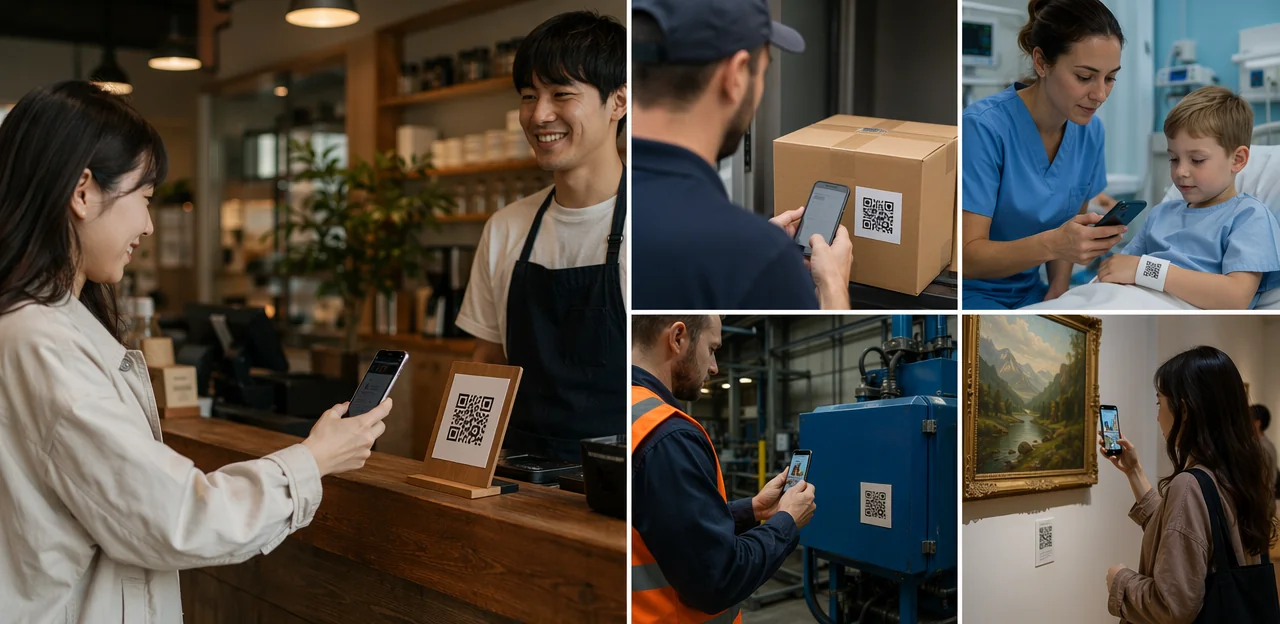
Small-format uses: packaging, products, and business cards
When space is tight, qr code sticker size matters even more. For reliable scans, keep the code at least 0.8 x 0.8 inches (2 x 2 cm) for short URLs, and closer to 1 x 1 inch on curved or glossy surfaces.
- Product labels: Use a custom qr code sticker at 0.8–1 inch, leaving a clear white margin. Avoid seams, folds, and metallic finishes.
- Takeaway packaging: For qr code sticker printing, go 1–1.2 inches so customers can easily scan qr code sticker surfaces on cups, boxes, or bags.
- Loyalty cards: A personalized qr code sticker should be at least 0.75–0.9 inches and printed with high contrast.
- Business cards: Keep qr code stickers around 0.8 inches minimum; an instagram qr code sticker may need more space if branding is added.
A good qr code sticker maker should preview print readability before production.
Medium and large formats: windows, tables, counters, and signage
For medium and large placements, qr code sticker size should match viewing distance and foot traffic. A custom qr code sticker that looks great but scans poorly will underperform, so prioritize visibility, contrast, and easy reach.
- Storefront windows: Use 3.5–5 inch qr code stickers so passersby can scan without pressing against glass. Great for promos or an instagram qr code sticker.
- Restaurant tables: A 2–3 inch qr code sticker works well for dine-in menus, feedback, or payments.
- Hotel desks, office lobbies, event booths: Choose 3–4 inch formats where guests naturally pause and can comfortably scan qr code sticker prompts.
- Wayfinding signs: Use 4–6 inch sizes for longer viewing distances.
With qr code sticker printing, keep codes at chest-to-hand height, avoid glare, and leave quiet space around the code. A good qr code sticker maker should support a personalized qr code sticker without reducing scannability.
Special use cases: Instagram, promotions, and branded campaigns
An instagram qr code sticker works best when the goal is instant social growth at physical touchpoints: packaging, event booths, café counters, hotel rooms, receipts, or creator merch. In these cases, qr code sticker size should usually be at least 1.2 x 1.2 inches for close-range scanning, and larger for windows or posters.
- Use an instagram qr code sticker to drive follows, UGC, giveaways, or creator collaborations.
- Choose a custom qr code sticker with brand colors, but keep strong contrast so users can still scan qr code sticker designs easily.
- For promotions, pair a CTA like “Follow for 10% off” with qr code sticker printing that matches the campaign theme.
- A personalized qr code sticker is ideal for limited-time offers, influencer drops, or location-specific omnichannel journeys.
A reliable qr code sticker maker helps create branded qr code stickers without hurting scan performance.
Placement Guidelines That Improve Customer Experience

Where to place stickers for fast, natural scanning
Placement matters as much as qr code sticker size. Put each qr code sticker where people naturally pause, look, or reach, so they can scan qr code sticker prompts without bending, stretching, or blocking traffic.
- Entrances: Place codes at chest or eye level on doors, windows, or host stands for quick check-in or offers.
- Checkout areas: Position near card terminals and counters at hand level for loyalty, receipts, or reviews.
- Tables: Set qr code stickers flat or slightly angled where seated guests can scan comfortably.
- Shelves and product displays: Keep codes beside pricing or product details, around eye level.
- Kiosks and equipment: Add a custom qr code sticker near screens, buttons, or instructions for support and tutorials.
For branded campaigns, an instagram qr code sticker, personalized qr code sticker, or assets from a qr code sticker maker should still prioritize visibility, contrast, and durable qr code sticker printing.
Surface, lighting, and angle considerations
Even the right qr code sticker size can fail if placement conditions work against the camera. To improve scan reliability across industries, check these factors before ordering qr code sticker printing:
- Use flat mounting areas: Curved bottles, cups, poles, or textured walls can distort the code grid and make a scan qr code sticker attempt fail.
- Avoid reflective materials: Glossy laminates, metal, glass, and mirrored finishes create glare. A custom qr code sticker with a matte finish is usually easier to scan.
- Plan for lighting: Low light reduces contrast, while direct sunlight can wash out black-and-white modules. Test qr code stickers in real conditions, not just indoors.
- Keep the viewing angle comfortable: If users must lean, crouch, or twist, scan rates drop.
- Protect the quiet zone: Leave clear space around every qr code sticker with no logos, borders, or clutter.
Whether using an instagram qr code sticker, a personalized qr code sticker, or output from a qr code sticker maker, clean placement matters.
Accessibility and cross-industry placement best practices
For better results, qr code sticker size and placement should support every user, especially wheelchair users, multilingual audiences, and first-time scanners. Keep codes at 90–120 cm (35–47 in) from the floor for seated access, use high contrast, and add a short instruction like “Open camera to scan qr code sticker.”
- Healthcare: Place a qr code sticker at reception desks and waiting areas with large text and language options.
- Retail: Use a custom qr code sticker on shelves for product info, offers, or an instagram qr code sticker near displays.
- Manufacturing: Add durable qr code stickers on equipment at reachable heights for safety guides.
- Education: Use a personalized qr code sticker on classroom doors for schedules and maps.
- Real estate: Include qr code sticker printing on signs for virtual tours.
- Transportation: Position codes near ticketing and platforms with icons for first-time users.
A reliable qr code sticker maker helps standardize accessible layouts across locations.
Design, Printing, and Material Choices for Reliable QR Code Stickers
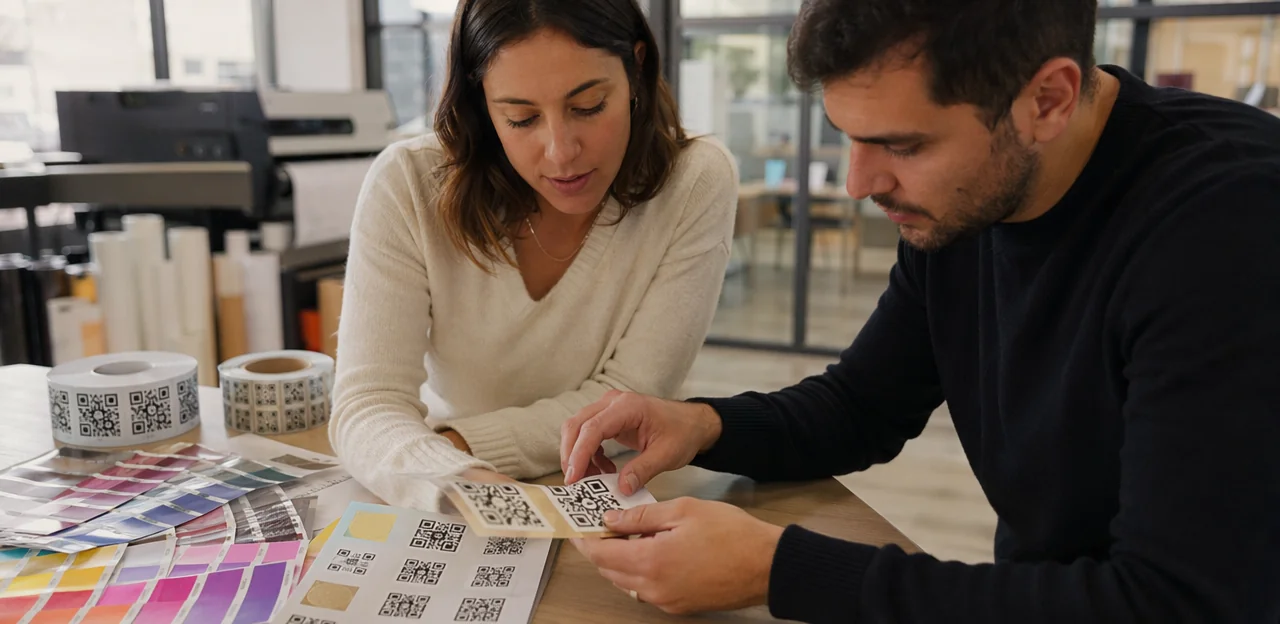
Design rules that protect scannability
A branded qr code sticker should look good, but scan speed must come first. Keep these rules in mind when deciding qr code sticker size and styling:
- Use strong contrast: Dark code on a light background works best. Avoid low-contrast metallics, gradients, or busy patterns, especially for qr code sticker printing.
- Preserve quiet zones: Leave a clear margin around the code so phones can instantly detect it. Crowding text or graphics too close reduces scan success.
- Be careful with logos: A small centered logo can work on a custom qr code sticker, but don’t cover too much data.
- Choose colors wisely: Brand colors are fine if contrast stays high; test every personalized qr code sticker before rollout.
- Set error correction appropriately: Higher correction helps if your qr code sticker maker adds a logo or design elements.
Whether creating qr code stickers, an instagram qr code sticker, or a scan qr code sticker for tables and packaging, balance branding with reliable performance.
Choosing the right materials and finishes
Material choice matters as much as qr code sticker size: the wrong stock fades, peels, or becomes hard to scan.
- Paper: Best for short-term indoor use, packaging inserts, and promos like an instagram qr code sticker. Low cost, but weaker against moisture and frequent cleaning.
- Vinyl: A strong default for most qr code sticker printing projects. Durable, wipeable, and ideal for a custom qr code sticker on tables, counters, or windows.
- Waterproof/outdoor-rated: Use for bathrooms, patios, delivery lockers, or anywhere exposed to rain, UV, or sanitizer.
- Tamper-evident: Smart for compliance, asset tracking, and security-sensitive industries.
- Removable adhesive: Ideal when qr code stickers need seasonal updates without residue.
If guests must scan qr code sticker labels often, choose matte finishes to reduce glare. A good qr code sticker maker should also support personalized qr code sticker options for branding and compliance.
Working with a qr code sticker maker or print partner
Choosing the right qr code sticker maker matters as much as qr code sticker size and placement. A good partner should help you produce qr code stickers that scan reliably in real-world conditions, not just look good on screen.
- Dynamic code support: Use editable links so a custom qr code sticker can be updated without reprinting.
- High-quality exports: Ask for vector files (SVG, PDF, EPS) to keep every qr code sticker sharp at any size.
- Print resolution: Confirm at least 300 DPI for dependable qr code sticker printing.
- Proofing process: Request test proofs and scan checks before full production.
- Batch generation: Essential for multi-location rollouts or campaigns like an instagram qr code sticker series.
- Variable data options: Useful for a personalized qr code sticker with unique URLs, table numbers, or asset IDs.
A strong print partner should also test how easily customers can scan qr code sticker designs on different materials and finishes.
Tracking Performance with AI, Analytics, and Software Tools

Using dynamic QR codes for measurement and updates
Dynamic codes make qr code sticker size and placement decisions more valuable because the destination can be changed without reprinting. If a menu, feedback form, offer, or landing page changes, your custom qr code sticker still works. This is especially useful when testing qr code stickers across entrances, tables, packaging, or displays.
- Track where people scan qr code sticker placements most often
- Compare scans by time, device type, and campaign
- Update links for seasonal promotions, support pages, or an instagram qr code sticker
- Use data from your qr code sticker maker to improve rollout and software selection
When planning qr code sticker printing, choose platforms that support analytics, redirects, and easy management for every personalized qr code sticker.
What analytics reveal about size and placement
Analytics show whether your qr code sticker size and location help or hurt scans. Track scan rate by surface, distance, lighting, and step in the journey to spot friction fast. For example, if table tents outperform window decals, the issue may be glare or poor visibility—not the offer.
- A/B test sticker dimensions: compare a 1.5-inch vs. 3-inch qr code sticker to see which gets more scans.
- Test placement: counter edge, front door, packaging, receipts, or menus.
- Segment results: a custom qr code sticker or personalized qr code sticker may perform differently by audience.
Use data from qr code stickers, instagram qr code sticker campaigns, and even your qr code sticker maker or qr code sticker printing batches to improve every scan qr code sticker touchpoint.
Combining QR with NFC touchpoints for better engagement
Pair a qr code sticker with NFC when speed and choice matter. In hospitality, retail, events, smart packaging, and service settings, tap-or-scan access improves participation because guests can use whichever method feels easiest.
- Use both on menus, tables, packaging, counters, badges, and kiosks to reduce friction.
- Keep qr code sticker size large enough for quick camera reads, while NFC enables instant tap access at close range.
- A custom qr code sticker or personalized qr code sticker works well for loyalty, feedback, product info, and offers.
- For social engagement, an instagram qr code sticker can sit beside NFC on displays or packaging.
- Choose durable qr code sticker printing and test placement angles so people can easily scan qr code sticker designs.
A good qr code sticker maker helps create branded qr code stickers that match the touchpoint context.
Implementation Checklist and Common Mistakes to Avoid

Pre-launch checklist for sizing, placement, and testing
Before rollout, use this practical checklist to confirm your qr code sticker size and setup will deliver reliable scans:
- Print proofs first: Test full-size samples before bulk qr code sticker printing. Check contrast, quiet zone, finish, and whether a custom qr code sticker or personalized qr code sticker remains readable after branding.
- Match size to distance: The farther people stand, the larger the qr code sticker should be. Confirm placement height, angle, and lighting.
- Test across devices: Use iPhone and Android models to scan qr code sticker proofs, including glossy and matte versions.
- Check the destination page: Ensure fast load speed, mobile formatting, and a clear CTA.
- Keep instructions obvious: Add simple “Scan for menu,” “Tap to review,” or similar wording—even on instagram qr code sticker designs made with a qr code sticker maker.
- Train staff: Show teams where qr code stickers are placed and how to guide guests confidently.
Mistakes that hurt scan rates and trust
Avoid these common errors when planning qr code sticker size and placement:
- Linking a qr code sticker to a desktop-only page. If the landing page is slow, cluttered, or hard to use on mobile, people abandon it fast.
- Mounting qr code stickers too high, too low, behind glare, or on curved surfaces. Users should be able to scan qr code sticker content comfortably at eye or hand level.
- Making the code too small for style reasons. A sleek custom qr code sticker or personalized qr code sticker still needs enough contrast, quiet space, and readable dimensions.
- Failing to explain the benefit. Whether it’s a menu, offer, review, or instagram qr code sticker, add a short CTA so people know why to scan.
- Choosing poor qr code sticker printing or a weak qr code sticker maker, which can reduce clarity and trust.
How to maintain and optimize sticker campaigns over time
To keep qr code stickers performing, review them regularly and update both the physical sticker and the linked experience.
- Replace wear quickly: If a qr code sticker is scratched, faded, peeling, or placed on damaged surfaces, reprint it. Use durable materials in high-traffic areas and confirm the qr code sticker size is still easy to scan from the expected distance.
- Refresh destinations: Update landing pages, offers, menus, or forms without changing the printed code when possible. A personalized qr code sticker or custom qr code sticker works best when content stays relevant by location.
- Monitor analytics: Track scans by venue, time, and device to see where people scan qr code sticker placements most.
- Refine by behavior: Test entrances, counters, tables, packaging, or even an instagram qr code sticker. A reliable qr code sticker maker and quality qr code sticker printing help scale improvements across industries.
Conclusion
Getting qr code sticker size and placement right is what turns a code from a nice idea into a reliable customer touchpoint. Across industries, the best results come from matching size to scanning distance, using strong contrast, testing lighting and surface conditions, and placing each qr code sticker where people naturally pause and engage. Whether you need qr code stickers for packaging, storefronts, menus, events, equipment, or in-store displays, usability should always come before design. Even a well-branded custom qr code sticker or personalized qr code sticker will underperform if it is too small, poorly positioned, or hard to notice.
As you plan your rollout, choose the right materials, verify qr code sticker printing quality, and test every placement with multiple devices before launch. If you use a qr code sticker maker, make sure it preserves scan accuracy while supporting your branding. The same principle applies to niche uses like an instagram qr code sticker: visibility, clarity, and context drive scans. When customers can instantly scan qr code sticker placements without friction, you improve response rates, engagement, and measurable outcomes.
Next, create a placement checklist, run real-world scan tests, and monitor performance with analytics. If you want to connect physical QR touchpoints with feedback, loyalty, or smarter insights, platforms like Tapsy can help extend that value even further.
Frequently Asked Questions
- What is the basic rule for choosing QR code sticker size by scanning distance?
A practical baseline is to make the code about 1 cm wide for every 25–30 cm of scanning distance. Close-range uses like packaging can work at 2–3 cm, while posters, windows, and wall signs often need 8–12 cm or more.
- Why do QR code stickers often fail to scan?
Common causes include printing the code too small, using low contrast, placing it on glossy surfaces that create glare, and crowding the design too closely. Damage, dirt, curved surfaces, and awkward placement heights can also reduce readability.
- What size should a QR code sticker be for packaging or product labels?
For small-format uses, keep the code at least 0.8 x 0.8 inches (2 x 2 cm) for short URLs. On curved or glossy packaging, moving closer to 1 x 1 inch improves scan reliability.
- How large should QR code stickers be on tables, counters, windows, or signs?
Restaurant tables usually work well with 2–3 inch stickers, while hotel desks, office lobbies, and event booths often need 3–4 inches. Storefront windows generally need 3.5–5 inches, and wayfinding signs may require 4–6 inches for longer viewing distances.
- Where should a QR code sticker be placed for the easiest customer scanning?
Place it where people naturally pause, look, or reach, such as entrances, checkout areas, tables, shelves, and kiosks. Chest-to-hand height is usually best because it lets people scan without bending, stretching, or blocking traffic.
- What placement height supports accessibility for more users?
A good accessible range is 90–120 cm (35–47 inches) from the floor for seated access. High contrast and a short instruction like “Open camera to scan” also help first-time users and multilingual audiences.
- Does surface type affect QR code sticker performance?
Yes, flat mounting areas are easier to scan because curved or textured surfaces can distort the code grid. Glossy laminates, glass, metal, and mirrored finishes can create glare, so matte finishes are usually safer.
- What design choices protect QR code scannability?
Use a dark code on a light background, preserve a clear quiet zone around the code, and avoid busy patterns or low-contrast colors. Small logos can work, but they should not cover too much of the code data.
- Which sticker materials are best for different environments?
Paper is suitable for short-term indoor use and low-cost promotions, while vinyl is a strong general-purpose option for tables, counters, and windows. Waterproof or outdoor-rated materials are better for rain, UV, sanitizer exposure, and other harsh conditions.
- What should you ask from a QR code sticker maker or print partner?
Look for dynamic code support, high-quality vector exports, and print resolution of at least 300 DPI. It also helps if they offer proofing, scan testing, batch generation, and variable data options for unique URLs or asset IDs.
- When should you increase the size of a branded or customized QR code sticker?
Increase the size when lighting is poor, the surface is curved, or branding elements reduce contrast or cover part of the code. Customized designs with logos or colors need enough space to remain readable.
- How can dynamic QR codes improve sticker campaigns?
Dynamic codes let you change the destination without reprinting the sticker, which is useful for menus, offers, support pages, and feedback forms. They also support analytics so you can compare scans by location, time, device type, and campaign.
- What can analytics tell you about QR code sticker size and placement?
Analytics can show whether a specific surface, distance, or location is helping or hurting scan rates. They also make it easier to A/B test different sticker sizes and compare placements like tables, windows, counters, packaging, or receipts.
- Is it useful to combine QR code stickers with NFC touchpoints?
Yes, using both gives people a choice between tapping and scanning, which can reduce friction in hospitality, retail, events, packaging, and service settings. The QR code still needs to be large enough for quick camera reads, while NFC supports instant close-range access.
- What should be checked before launching a QR code sticker rollout?
Test full-size print proofs, confirm the size matches the expected scanning distance, and scan samples on multiple iPhone and Android devices. You should also verify the landing page is mobile-friendly, add a clear call to action, and make sure staff know how to guide customers.