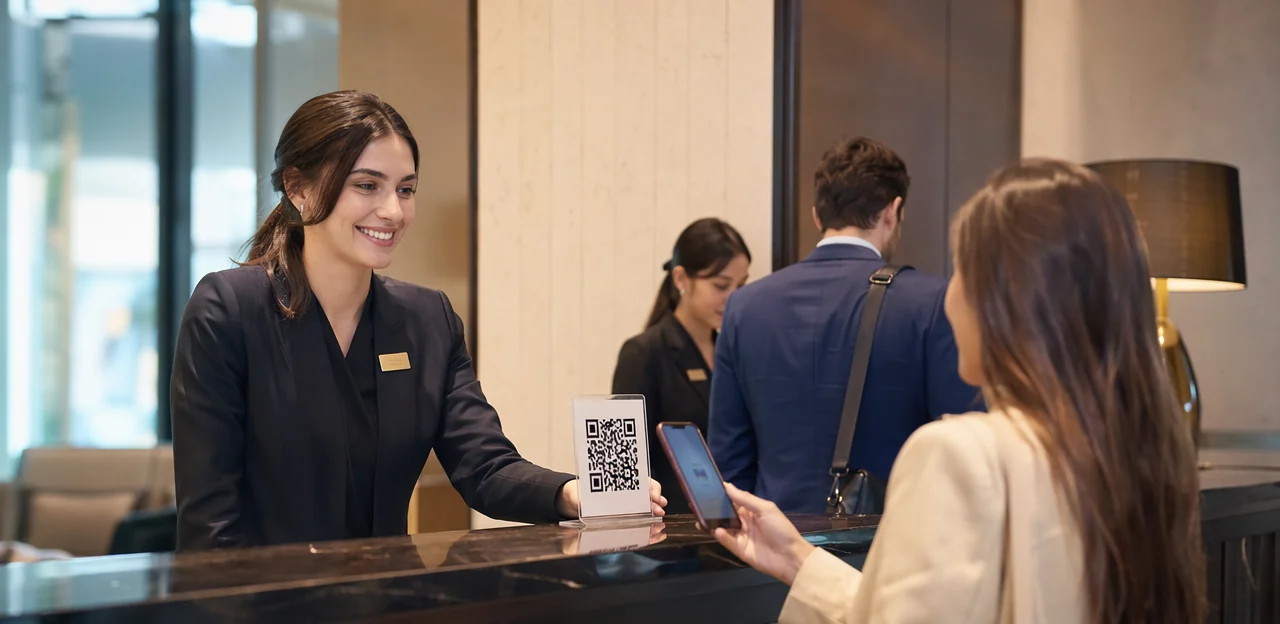
A great guest experience can be won or lost in the moment, which is why many hospitality brands are rethinking how they collect feedback. Instead of relying on emails that go unopened, a qr code survey hotel strategy lets guests respond instantly at the table, in the room, at reception, or on check-out. With well-placed qr code stickers and clear calls to action, hotels can turn everyday touchpoints into valuable opportunities to understand satisfaction, resolve issues faster, and encourage repeat visits.
For accommodation providers, a modern hotel survey is no longer just a post-stay form. It can be embedded into the guest journey through a simple qr code sticker placed on menus, key card holders, welcome packs, mirrors, or lobby displays. When supported by thoughtful hotel survey questions, smart placement, and durable qr code printing materials, these surveys can deliver higher response rates and more actionable insights. From choosing whether to print qr code stickers for rooms or use qr code paper inserts for temporary campaigns, the setup matters just as much as the survey itself.
In this article, we’ll explore how hotels can use QR-based surveys to improve guest experience, design better feedback flows, choose the right software, and combine AI, analytics, NFC, and QR touchpoints into a more responsive hospitality strategy.
Why a QR Code Survey Hotel Strategy Matters
Real-time feedback across the guest journey
A qr code survey hotel strategy helps properties capture feedback while the experience is still fresh, making it easier to protect and improve the guest experience before frustration turns into a public complaint.
- Check-in: Place qr code stickers at reception to ask short hotel survey questions about arrival, wait time, and staff welcome.
- In-room: Use a qr code sticker on key cards, bedside materials, or qr code paper inserts so guests can report cleanliness, noise, or maintenance issues instantly.
- Dining and spa: Add codes to menus, table tents, and treatment rooms to collect fast service feedback.
- Check-out: Run a final hotel survey to measure satisfaction and recovery success.
With smart qr code printing and durable placements, hotels can print qr code stickers across every touchpoint and resolve issues in real time, not after negative reviews are posted.
Benefits for operations, reputation, and revenue
A qr code survey hotel setup helps teams act while the stay is still in progress, not after checkout. Placing qr code stickers in rooms, lifts, and dining areas shortens the feedback loop and turns a simple hotel survey into measurable business impact.
- Improve operations fast: Use smart hotel survey questions to flag housekeeping, check-in, or breakfast issues early, helping managers recover service before complaints escalate.
- Boost reputation: Faster fixes improve guest experience, lift satisfaction and NPS, and can increase review volume and ratings on public platforms.
- Grow revenue: Real-time signals reveal upsell moments for spa, dining, and late checkout offers.
- Strengthen accountability: With AI & analytics, responses can be tied to staff performance, shift patterns, and location-based trends.
Well-placed qr code sticker formats, durable qr code paper, and quality qr code printing or print qr code stickers execution all support higher scan rates.
When QR surveys outperform email-only surveys
A qr code survey hotel setup often beats post-stay email because it captures feedback while the experience is still fresh. Guests are more likely to scan qr code stickers on a table, room card, or reception desk than open an email days later.
- Higher visibility: A well-placed qr code sticker is seen at the point of service, unlike emails buried in inboxes.
- More convenience: Guests scan instantly—no login, no searching—especially when qr code printing and placement are clear.
- Better completion rates: Short, mobile-friendly hotel survey questions get more responses in the moment.
- Stronger context: A hotel survey triggered in-room, at breakfast, or at checkout ties feedback to a specific touchpoint.
For software selection, use QR for real-time insights and email for deeper post-stay follow-up. To scale, print qr code stickers or use durable qr code paper for multiple hotel locations.
Where to Place QR Touchpoints in Hotels

High-conversion locations for QR codes
For a qr code survey hotel strategy, placement matters as much as design. Put codes where guests already pause and have fresh impressions to share:
- Reception desks: capture first-arrival feedback or quick service ratings.
- Key card sleeves: ideal for prompting mid-stay hotel survey responses.
- Elevators and room directories: good for short, low-effort hotel survey questions.
- Restaurant tables and spa counters: collect feedback immediately after service, improving response quality.
- Conference areas and check-out stations: capture event and departure insights while details are still vivid.
Use durable qr code stickers or a branded qr code sticker on surfaces guests naturally notice. Prioritize clear qr code printing, easy-to-scan sizing, and quality materials like qr code paper when you print qr code stickers for temporary campaigns. Context drives intent: the closer the code is to the experience, the more accurate and useful the feedback.
Choosing materials: stickers, paper, table tents, and signage
For a qr code survey hotel setup, match the material to the guest touchpoint and cleaning routine.
- QR code stickers: Affordable and easy to place on mirrors, check folders, elevators, or takeaway packaging. A waterproof qr code sticker works well in high-touch areas, but edges can peel with frequent disinfecting. When you print qr code stickers, use strong adhesive and matte lamination to reduce glare.
- Laminated cards or table tents: Better for desks, bedside tables, and restaurant settings. They look more premium, support branding, and survive repeated cleaning, making them ideal for a hotel survey linked to key hotel survey questions.
- QR code paper: Best for short-term campaigns, in-room inserts, or event handouts. Low-cost and fast for qr code printing, but less durable and easier to damage or replace.
- Larger signage: Useful in lobbies or lifts where visibility matters most.
Design and visibility best practices
For a qr code survey hotel setup, design directly affects scan rate and completion:
- Use scan-friendly size: Print codes at least 2.5–3 cm wide for tables and larger for lobby signage. Tiny codes on a qr code sticker often fail in low light.
- Prioritize contrast: Black on white works best. Avoid glossy finishes, busy backgrounds, or low-contrast brand colors on qr code paper.
- Write a clear CTA: Use action-led wording such as “Scan to share feedback” or “Scan for 1-minute hotel survey.”
- Place at eye and hand level: Desk counters, bedside tables, elevators, and restaurant tables improve visibility.
- Keep branding light but clear: Add logo, brand colors, and short context around hotel survey questions.
- Support multilingual guests: Include 2–3 language prompts where relevant.
High-quality qr code printing builds trust, improves readability, and makes qr code stickers look professional. When you print qr code stickers, durable materials and sharp edges matter.
How to Design a Hotel Survey Guests Will Complete

Keep surveys short, relevant, and mobile-first
A successful qr code survey hotel experience should feel effortless. In hospitality, guests scan on the go, so your hotel survey should take under two minutes and include only the most useful hotel survey questions.
- Aim for 3–5 questions: Start with one rating question, then 1–2 follow-ups based on the score, plus an optional comment box.
- Use smart question flow: Ask only relevant questions by branching. For example, low scores can trigger service recovery questions, while high scores can prompt a review or loyalty offer.
- Design for phones first: Use large tap targets, minimal typing, fast-loading pages, and one-question-per-screen layouts.
- Match placement to context: QR code stickers on room desks, lifts, or check-out areas should lead to different survey design flows.
- Optimize scan quality: Use clear qr code printing, durable qr code sticker materials, and even qr code paper inserts where appropriate. If needed, print qr code stickers sized for easy scanning in low light.
Best hotel survey questions by department
A qr code survey hotel works best when each touchpoint asks short, specific hotel survey questions that match the guest journey. Place qr code stickers or a single qr code sticker in-room, at reception, and dining areas using durable qr code printing, whether you print qr code stickers or use laminated qr code paper prompts.
- Rooms: “How comfortable was your room?” (1–5 rating)
- Housekeeping: “Was your room cleaned to your expectations?” (Yes/No + comment box)
- Front desk: “How easy was check-in?” (1–10 scale)
- Dining: “What best describes your breakfast experience?” (multiple choice + open text)
- Amenities: “Which amenities did you use?” (checkboxes) and “How satisfied were you?” (rating scale)
- Overall stay: “How likely are you to recommend us?” (NPS) and “What is one thing we could improve?” (open text)
This mix makes every hotel survey more actionable and improves guest experience insights.
Timing, triggers, and personalization
A strong qr code survey hotel strategy asks for feedback at the right moment, not just after checkout. Use in-stay prompts to fix issues while guests are still on property, then send a short post-stay follow-up for broader sentiment.
- During stay: place qr code stickers or a qr code sticker in rooms, elevators, spa areas, and dining spaces to capture immediate service feedback.
- Post-stay: ask about overall satisfaction, likelihood to return, and review intent.
Personalize every hotel survey with conditional logic:
- By guest type: business travelers see speed, Wi-Fi, and check-in hotel survey questions; families get questions on room space and amenities.
- By booking source: OTA guests can be asked about rate clarity; direct bookers about the website journey.
- By department visited: restaurant, spa, or front desk feedback routes to the right team.
With AI & analytics, responses can trigger dynamic routing, alerts, and smarter follow-ups. For visibility, prioritize clear qr code printing, print qr code stickers, and durable qr code paper placement.
Using AI and Analytics to Turn Feedback Into Action

Dashboards, sentiment analysis, and trend detection
A strong qr code survey hotel setup does more than collect responses; it turns them into fast, usable decisions. With modern AI & analytics, dashboards group open-text comments by topic, sentiment, and urgency, so managers can spot patterns without reading every reply.
- Categorize feedback automatically: AI tags comments about cleanliness, check-in, breakfast, Wi-Fi, or staff service from your hotel survey and related hotel survey questions.
- Detect recurring issues: Trends can be filtered by location, shift, room type, or amenity, including feedback from qr code stickers placed on doors, tables, or lifts.
- Prioritize action quickly: If qr code sticker responses show repeated complaints from deluxe rooms or the spa, teams can fix problems immediately.
For best results, align qr code printing, print qr code stickers, and even temporary qr code paper placements with key guest touchpoints.
Closing the loop with service recovery workflows
A strong qr code survey hotel setup should do more than collect scores; it should trigger action fast. When a guest submits a low rating through a hotel survey, alerts can route instantly to the duty manager, front office, or housekeeping lead for rapid recovery and better guest experience.
- Set thresholds for low CSAT/NPS responses.
- Send alerts by email, SMS, Slack, or hotel ops dashboards.
- Push cases into CRM, ticketing, or guest messaging tools for follow-up.
During software selection, prioritize platforms that connect feedback to workflows, not just reporting. Well-placed qr code stickers or a qr code sticker on in-room materials, qr code paper, or menus should link to smart hotel survey questions. Reliable qr code printing and the ability to print qr code stickers clearly also improve scan rates and response quality.
Measuring success and optimizing over time
To improve a qr code survey hotel strategy, track performance consistently and refine what guests see and when they see it.
- Scan rate: Measure how often guests scan from qr code stickers, table cards, or in-room materials. Strong qr code printing and visible placement matter.
- Completion rate: See how many guests finish the hotel survey after scanning.
- Response quality: Review whether hotel survey questions produce useful, specific feedback.
- Issue resolution time: Track how quickly staff respond to complaints or service gaps.
- Review uplift: Compare guest feedback trends with public review growth over time.
Use A/B testing to compare CTA wording, qr code sticker placement, question length, and materials like qr code paper or print qr code stickers formats. With AI & analytics, hotels can spot patterns and optimize faster.
How to Choose the Right Hotel Survey Software

Core features hospitality teams should prioritize
For strong software selection, a qr code survey hotel program should include:
- Mobile-friendly forms: Guests scan at bedside, reception, or dining areas, so every hotel survey must load fast and work flawlessly on phones.
- Multilingual support: Essential for international travelers and clearer responses across guest segments.
- Conditional logic: Tailor hotel survey questions based on stay type, rating, or department to keep surveys short and relevant.
- Role-based dashboards: Housekeeping, front office, and management need filtered visibility so issues reach the right team quickly.
- Integrations: Connect with PMS, CRM, and ticketing tools to turn feedback into action.
- Automated alerts: Instantly flag low scores or service complaints before they become public reviews.
Also check deployment basics: durable qr code stickers, each qr code sticker placed strategically, plus reliable qr code printing, whether you print qr code stickers or use qr code paper for temporary placements.
QR code management, branding, and deployment
For a qr code survey hotel program, management matters as much as design. Use:
- Dynamic QR codes when you may change the survey URL, rotate offers, or update hotel survey questions without replacing every qr code sticker.
- Static QR codes only for permanent, simple destinations with little risk of change.
Brand each touchpoint with a hotel-branded landing page so guests trust the scan and connect it to your hotel survey experience. For groups, bulk-create codes by property, floor, outlet, or department to simplify reporting.
Practical deployment tips:
- Keep version control for every asset: code ID, location, print date, and destination URL.
- Test before qr code printing.
- Use durable qr code stickers or qr code paper based on placement.
- Print qr code stickers with clear labels so teams can replace outdated assets fast.
Privacy, compliance, and vendor evaluation
When choosing a qr code survey hotel platform, privacy should be part of your software selection checklist, not an afterthought. Whether you use qr code stickers on tables, a qr code sticker at reception, or qr code paper inserts in rooms, confirm that guest data is handled responsibly.
- Consent and transparency: Clearly state why data is collected, whether responses are anonymous, and if contact details are optional.
- Data storage and compliance: Ask where data is stored, how long it is retained, and whether the vendor supports GDPR and regional privacy laws.
- Security review: Check encryption, access controls, audit logs, and breach response processes.
- Vendor comparison: Evaluate support quality, scalability across properties, reporting depth, and how easily hotel survey questions can be customized.
Also review qr code printing quality and how easily teams can print qr code stickers for each guest experience touchpoint.
Implementation Plan and Common Mistakes to Avoid

Step-by-step rollout for one property or a hotel group
- Set goals first: Decide whether your qr code survey hotel launch will measure satisfaction, capture service issues, or grow repeat stays.
- Map touchpoints: Choose where guests will scan—rooms, reception, lifts, breakfast areas, spa, and checkout.
- Build the survey: Keep the hotel survey short, with focused hotel survey questions for each location.
- Create and print codes: Use branded qr code stickers, a durable qr code sticker format, or qr code paper for temporary tests. Plan qr code printing carefully and print qr code stickers that are easy to scan.
- Test placements and train staff: Verify scan speed, visibility, and staff prompts.
- Pilot, then scale: Run one property first, review analytics weekly, refine wording and placement, then expand group-wide.
Common mistakes that reduce scan and completion rates
- Poor QR code printing: Blurry codes, tiny sizes, or cheap qr code paper make scanning fail. Use high-resolution files, test before launch, and print qr code stickers with durable, matte finishes.
- Low-contrast designs: Light-on-light or overstyled codes hurt readability. Keep dark codes on a light background and leave clear white space.
- Too many questions: Long hotel survey questions cause drop-off. Keep each hotel survey short, mobile-friendly, and focused on 3–5 essentials.
- Weak CTA: “Scan me” is vague. Tell guests the benefit: “Scan to rate your stay and unlock a reward.”
- Bad placement: A qr code sticker hidden at reception gets ignored. Place qr code stickers in rooms, elevators, check-out desks, and table tents.
- No follow-up: A qr code survey hotel strategy fails if feedback disappears. Send instant thanks, fix issues fast, and close the loop.
How to maintain and refresh QR survey assets
To keep a qr code survey hotel program effective, review physical assets on a set schedule:
- Inspect signage weekly in high-touch areas like reception, elevators, tables, and room folders. Check if qr code stickers are peeling, scratched, blocked, or hard to scan.
- Replace worn assets immediately. A damaged qr code sticker can reduce response rates and frustrate guests.
- Refresh printed materials monthly or seasonally. Swap outdated qr code paper inserts, tent cards, and flyers, especially after rate, menu, or service changes.
- Update survey logic quarterly by reviewing hotel survey performance, guest comments, and seasonal patterns. Refine hotel survey questions to match peak travel periods, amenities, and operational priorities.
- Use high-quality qr code printing and print qr code stickers with durable, hospitality-grade materials.
Conclusion
In today’s competitive hospitality landscape, a well-executed qr code survey hotel strategy gives properties a faster, smarter way to understand guests and improve every stay. By placing surveys at the right touchpoints, refining hotel survey questions, and using clear incentives, hotels can capture feedback in the moment instead of relying on low-response follow-up emails. Simple deployment tools like qr code stickers, a durable qr code sticker for rooms or reception areas, and thoughtful qr code printing make it easy to gather insights across the guest journey. Whether you choose waterproof signage, table displays, or even qr code paper inserts, the goal is the same: remove friction and make participation effortless.
The next step is to audit your guest touchpoints, build a concise hotel survey, and test placement, messaging, and rewards to improve response rates. From there, review analytics regularly to spot service gaps, identify trends, and turn feedback into action. If you’re ready to scale, explore platforms that combine NFC and QR engagement, multilingual support, and AI-powered analysis, such as Tapsy. Start by mapping where to print qr code stickers, launch a pilot campaign, and optimize based on results. A strong qr code survey hotel approach doesn’t just collect opinions—it helps create better experiences, stronger loyalty, and smarter hospitality decisions.
Frequently Asked Questions
- What is a QR code survey hotel strategy?
It is a way for hotels to collect guest feedback instantly through QR codes placed at key touchpoints such as reception, rooms, dining areas, spa spaces, and check-out. This approach helps capture feedback while the experience is still fresh, making it easier to improve service and resolve issues quickly.
- Why do QR surveys often work better than email-only hotel surveys?
QR surveys are visible at the point of service, so guests can respond immediately instead of opening an email days later. They are also more convenient because guests can scan and answer short mobile-friendly questions without extra steps.
- Where should hotels place QR codes to get more survey responses?
High-conversion locations include reception desks, key card sleeves, elevators, room directories, restaurant tables, spa counters, conference areas, and check-out stations. The best placements are close to the experience being rated, because context improves both response volume and feedback quality.
- What materials are best for hotel QR survey touchpoints?
QR code stickers work well for mirrors, elevators, takeaway packaging, and other visible surfaces, especially when waterproof and laminated. Laminated cards or table tents suit desks and restaurant settings, while QR code paper is better for short-term campaigns, inserts, or event handouts.
- How should a hotel design a QR code so guests can scan it easily?
Use a code size of at least 2.5–3 cm wide for tables and larger for lobby signage, with strong contrast such as black on white. Avoid glossy finishes and busy backgrounds, place the code at eye or hand level, and add a clear call to action like “Scan to share feedback.”
- How long should a hotel QR survey be?
A good hotel QR survey should take under two minutes and usually include 3–5 questions. A simple structure is one rating question, one or two follow-ups based on the score, and an optional comment box.
- What hotel survey questions work best for different departments?
Rooms can use comfort ratings, housekeeping can ask whether cleaning met expectations, and front desk can measure check-in ease. Dining can ask about the breakfast experience, amenities can track usage and satisfaction, and the overall stay can use NPS plus one open-text improvement question.
- When is the best time to ask guests for feedback with QR surveys?
The strongest timing is during the stay, when hotels can still fix problems before checkout. In-room, dining, spa, elevator, and checkout prompts work well for immediate feedback, while a short post-stay follow-up can capture broader satisfaction and return intent.
- How can hotels personalize QR surveys for different guest types?
Conditional logic can tailor questions by guest type, booking source, or department visited. For example, business travelers can see questions about Wi-Fi and speed, families can see room space and amenities questions, and restaurant or spa visitors can be routed to the relevant team.
- How do AI and analytics help hotels act on survey feedback?
AI can group comments by topic, sentiment, and urgency so managers can spot patterns quickly. It can also highlight recurring issues by location, shift, room type, or amenity, helping teams prioritize fixes faster.
- What should happen after a guest leaves a low survey score?
Low scores should trigger alerts to the duty manager, front office, or housekeeping lead so service recovery can begin quickly. Useful platforms can send alerts through email, SMS, Slack, or dashboards and push cases into CRM, ticketing, or guest messaging tools.
- Which metrics should hotels track to improve QR survey performance?
Key metrics include scan rate, completion rate, response quality, issue resolution time, and review uplift over time. Hotels can also run A/B tests on CTA wording, placement, question length, and materials to improve results.
- What features matter most when choosing hotel survey software?
Important features include mobile-friendly forms, multilingual support, conditional logic, role-based dashboards, integrations with PMS or CRM systems, and automated alerts. These features help keep surveys relevant and ensure feedback reaches the right team quickly.
- Should a hotel use dynamic or static QR codes for surveys?
Dynamic QR codes are better when the survey URL, offers, or questions may change, because the destination can be updated without replacing printed assets. Static QR codes are more suitable for permanent, simple destinations that are unlikely to change.
- What common mistakes reduce hotel QR survey scan and completion rates?
Typical problems include blurry or tiny codes, low-contrast designs, too many questions, weak calls to action, poor placement, and no follow-up after feedback is submitted. Hotels should also inspect assets regularly and replace peeling, scratched, or outdated materials to keep scanning easy.