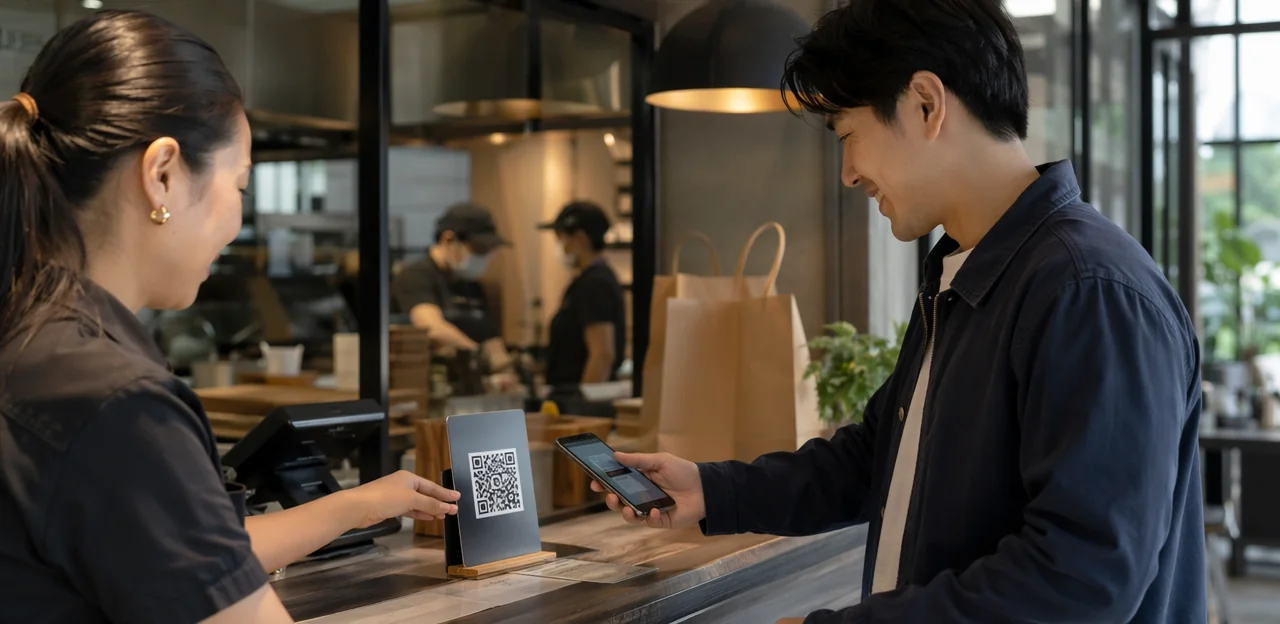
The pickup counter is often the last touchpoint a customer has with your brand, yet it is one of the most overlooked moments for collecting insight and building loyalty. A well-placed takeaway feedback qr code can turn that brief handoff into a valuable source of real-time customer feedback, repeat visits, and operational improvement. For restaurants and cafés managing high takeaway volume, this simple tool creates a fast, low-friction way to hear what customers think while the experience is still fresh.
When paired with smart placement and design, tools like a qr code loyalty card, counter signage, and branded qr code stickers can encourage more scans without slowing service. Details such as qr code sticker size, material choice, qr code printing quality, and whether you use a single qr code sticker, print qr code stickers in bulk, or test temporary qr code paper displays can all affect visibility and response rates in busy pickup areas.
This article explores how restaurants and cafés can use a takeaway feedback qr code to improve customer experience, streamline restaurant operations, and unlock better analytics from pickup traffic. We’ll also cover best practices for NFC and QR touchpoints, loyalty-building strategies, and practical setup considerations that help turn every collection point into a measurable engagement opportunity.
Why Pickup Areas Need a Takeaway Feedback QR Code

The feedback gap in takeaway and click-and-collect journeys
Pickup customers often leave without sharing feedback because the interaction is fast, transactional, and ends at the handoff. Once they walk out, attention shifts to travel, eating, or work, so response rates drop and small service issues go unreported. A takeaway feedback qr code closes that gap by capturing sentiment at the exact moment of service, with almost no friction.
- Place qr code stickers at pickup shelves, counters, bags, and receipts.
- Use a clear qr code sticker with a visible reward or thank-you prompt.
- Get qr code printing right: high contrast, durable materials, and practical qr code sticker size for quick scans.
- For low-cost rollouts, print qr code stickers or use qr code paper inserts.
- Pair feedback with a qr code loyalty card to improve both response rates and customer experience.
Benefits for restaurants and cafés
A takeaway feedback qr code placed in pickup zones gives restaurants and cafés fast, location-specific insight that improves restaurant operations during peak service.
- Spot wait-time bottlenecks: Guests can report delays immediately, helping managers identify rush-hour slowdowns by time slot, handoff station, or staffing level.
- Catch packaging issues early: Feedback highlights leaks, missing cutlery, damaged bags, or poor heat retention, so teams can adjust packaging standards quickly.
- Monitor order accuracy: QR responses reveal recurring mistakes such as missing items, wrong drinks, or unclear labeling.
- Track service trends with AI & Analytics: Patterns across busy pickup periods can uncover coaching needs, process gaps, and top-performing shifts.
Use qr code stickers, a qr code sticker on counters, or qr code paper inserts on bags. Pair with a qr code loyalty card, and optimize qr code printing, print qr code stickers, and qr code sticker size for easy scanning.
Why QR touchpoints outperform traditional feedback methods
In busy pickup zones, a takeaway feedback qr code captures reactions while the experience is still fresh. Compared with paper cards, email follow-ups, or app-only forms, NFC & QR Touchpoints remove friction and boost response potential.
- Faster than paper: No pens, boxes, or lost qr code paper inserts. Guests scan and submit in seconds.
- More convenient than email surveys: Feedback happens on-site, before customers ignore later messages.
- Easier than app-only forms: No download, login, or account creation slows the process.
- Flexible placement: Use qr code stickers on counters, bags, and windows; choose the right qr code sticker size for visibility.
- Actionable operations: Improve redemption with a qr code loyalty card, and support rollout through quality qr code printing or print qr code stickers for high-traffic areas.
Where to Place QR Codes in Pickup Areas for More Scans
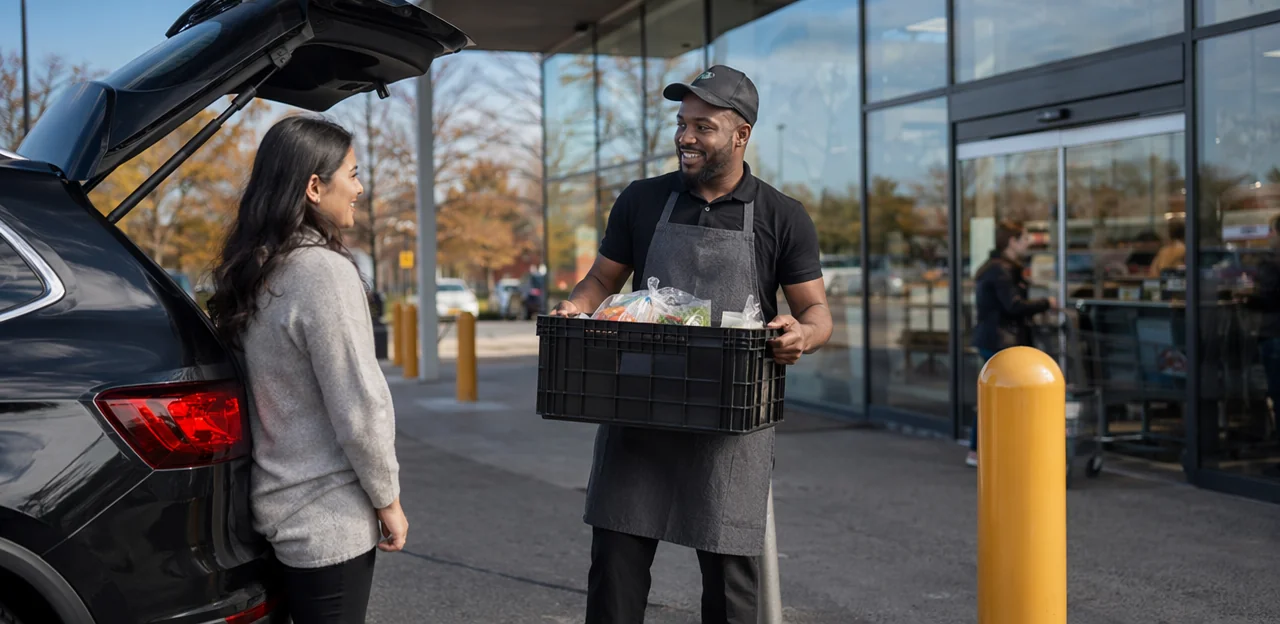
Best physical touchpoints for visibility and action
To get more scans, place your takeaway feedback qr code where customers naturally pause, carry, or look while waiting to leave. Prioritize high-visibility, low-friction spots:
- Pickup counters and order shelves: Use durable qr code stickers at eye level where names and order numbers are checked.
- Takeaway bags and drink carriers: A well-placed qr code sticker turns packaging into an instant feedback and qr code loyalty card touchpoint.
- Receipts and bag seals: Ideal for low-cost qr code printing on qr code paper, especially for short feedback prompts.
- Front windows and doors: Catch customers before they leave the area.
- Table tents near waiting zones: Useful when guests are standing by for collection.
For best results, print qr code stickers in a clear qr code sticker size large enough to scan quickly without slowing pickup flow.
Choosing materials and formats for each surface
Match your takeaway feedback qr code format to the environment so scans stay easy and codes stay readable.
- Use durable qr code stickers on splash-prone counters, drink fridges, pickup shelves, and doors. A laminated qr code sticker resists moisture, grease, and frequent wiping. Choose the right qr code sticker size so it’s visible from queue distance without overwhelming the surface.
- Use temporary signage for seasonal promos, limited-time menus, or test campaigns. Lightweight counter cards work well where layouts change often.
- Use receipt-based qr code printing when packaging space is limited or cleaning chemicals would damage labels. This is ideal for short-term offers or a qr code loyalty card prompt.
- Use qr code paper inserts inside dry takeaway bags or boxes. Qr code paper is cost-effective for high-volume runs but less suitable near steam, spills, or condensation.
For best results, always test scan speed after qr code printing and before you print qr code stickers at scale.
Sizing and scanability considerations
In a busy pickup zone, a takeaway feedback qr code must scan instantly or customers will walk away. Prioritize these basics when you print qr code stickers:
- Use the right qr code sticker size: For close-range counter use, aim for at least 3 x 3 cm, but 4–5 cm is safer in fast-moving settings.
- Keep strong contrast: Black on white works best. Avoid low-contrast brand colors, glossy finishes, or busy backgrounds that reduce readability during quick scans.
- Preserve the quiet zone: Leave a clear white border around the code so phone cameras can detect it properly.
- Match size to viewing distance: The farther away the code is placed, the larger it should be.
For qr code printing, test different qr code stickers, qr code paper, and placements before rollout. The same rules also improve a qr code loyalty card or any single qr code sticker used at pickup.
How to Design a High-Converting Feedback QR Experience

Create a clear call to action customers will actually follow
A takeaway feedback qr code works best when the prompt removes doubt and sets a clear expectation before customers scan. Short, specific wording increases response rates and improves customer experience because people instantly know what they will get and how long it will take.
- Use action-led prompts like “Rate your pickup in 10 seconds” or “Tell us how we did”
- Add a benefit, such as “Scan for feedback and your qr code loyalty card reward”
- Place messaging on visible qr code stickers near pickup shelves, bags, and counters
- Keep design readable by choosing the right qr code sticker size
- Use durable materials for qr code printing, whether on qr code paper or waterproof labels
- If scaling across locations, print qr code stickers with consistent branding so every qr code sticker feels familiar and trustworthy
Keep the landing page short, mobile-first, and useful
A takeaway feedback qr code should open a fast, mobile-first page that guests can finish in seconds while waiting in pickup areas. Keep the flow frictionless to support better response rates and smoother restaurant operations.
- Start with a one-tap rating first, such as 1–5 stars or happy-to-unhappy icons.
- Show an optional comment box only after the rating, so guests can add detail without feeling forced.
- Limit form fields to the essentials. If you offer a qr code loyalty card, make email or phone optional unless truly needed.
- Use clear buttons, large tap targets, and fast-loading pages optimized for AI & Analytics tracking.
- Match the page to the placement format, whether using qr code stickers, a single qr code sticker, or qr code paper inserts.
- Test practical details like qr code sticker size, qr code printing quality, and where to print qr code stickers for easy scanning.
Connect feedback to retention with loyalty incentives
A takeaway feedback qr code works best when the reward feels like a thank-you, not a bribe. Instead of offering discounts before feedback, invite customers to share a quick pickup experience review and then unlock a light-touch perk through a qr code loyalty card, such as a stamp, bonus point, or next-visit treat. This keeps responses more honest while still encouraging repeat visits.
- Place qr code stickers at the pickup shelf, bag seal, or receipt for easy scanning.
- Use clear qr code printing so the code scans fast, even on qr code paper labels.
- Keep the offer modest and consistent to avoid biased answers.
- Match the qr code sticker size to the placement area so it stays visible without clutter.
- If you print qr code stickers, add a short CTA like “Rate your pickup, unlock your next perk.”
A well-designed qr code sticker turns feedback into a simple retention loop.
Printing, Production, and Deployment Best Practices

What to know before QR code printing
Before you print a takeaway feedback qr code, make sure the file is production-ready and easy to scan in busy pickup areas.
- Use vector files like SVG, PDF, or EPS for sharp qr code printing at any size. If using PNG, export at 300 DPI minimum.
- Keep strong contrast: black on white works best. Avoid glossy finishes, low-contrast brand colors, or busy backgrounds on qr code paper.
- Choose dynamic codes when possible so you can update links later; static codes suit fixed campaigns like a qr code loyalty card.
- Test the final design at real qr code sticker size before ordering qr code stickers.
- Scan from multiple phones, angles, and lighting conditions, especially on a qr code sticker near counters or windows.
- Always print qr code stickers with quiet space around the code.
When to print qr code stickers versus paper inserts
Use print qr code stickers for fixed pickup touchpoints where your takeaway feedback qr code should stay visible every day. Stickers work best on counters, shelves, pickup windows, and collection stations because they’re durable, fast to scan, and easy to standardize with the right qr code sticker size.
- Choose qr code stickers for permanent placement, repeat visibility, and simple qr code printing across multiple locations.
- Use a single qr code sticker design when the feedback link rarely changes.
Choose qr code paper for flexible, disposable placements like takeaway bags, receipts, box toppers, and limited-time promotions.
- Best for campaign-specific offers, seasonal surveys, or a qr code loyalty card insert.
- Ideal when codes, incentives, or messaging need frequent updates.
Operational rollout across single and multi-site locations
To scale a takeaway feedback qr code program across one store or many, standardize every touchpoint from day one so restaurant operations teams can compare results accurately.
- Use a fixed naming structure:
Brand-StoreID-Zone-AssetType-Version(for example:Cafe01-PickupShelf-QRSticker-V2). - Keep placement consistent: place qr code stickers in the same pickup-area position at every site, with the same height, messaging, and qr code sticker size.
- Standardize production: define approved qr code printing specs, materials, and whether you use waterproof vinyl, qr code paper, or a durable qr code sticker.
- Track by location and campaign: separate feedback, scans, and qr code loyalty card redemptions by store, shift, and placement version.
- Create a rollout kit: templates to print qr code stickers, naming rules, and audit checklists improve consistency chain-wide.
Using AI and Analytics to Turn Scans Into Operational Improvements

Track the metrics that matter after each scan
A takeaway feedback qr code should do more than collect comments; it should reveal what needs fixing at pickup level. Focus your AI & Analytics dashboard on KPIs that drive faster service and repeat orders:
- Scan rate: how many customers scan versus total pickups; this also helps assess qr code sticker placement and qr code sticker size.
- Survey completion rate: shows whether your questions are short, clear, and relevant.
- Satisfaction score: track overall pickup experience by shift, day, and store.
- Repeat visit intent: pair feedback with a qr code loyalty card offer to encourage return visits.
- Wait-time complaints: identify delays, bottlenecks, and staffing gaps.
- Location-level trends: compare branches to spot recurring issues.
Use durable qr code stickers, smart qr code printing, or qr code paper inserts. If you print qr code stickers, test visibility at the handoff counter.
Use sentiment analysis to spot recurring issues faster
A takeaway feedback qr code helps managers collect comments at pickup, but AI & Analytics turns that feedback into fast action. Instead of reading every response manually, sentiment analysis groups comments by theme and urgency, improving customer experience across busy service periods.
- Food temperature: Flags repeated complaints about cold fries, melted desserts, or delayed handoff.
- Packaging: Detects issues like leaks, weak lids, or poor labeling.
- Missing items: Highlights patterns around forgotten drinks, sauces, or cutlery.
- Staff friendliness: Surfaces praise or concerns about greeting, speed, and professionalism.
When using qr code stickers at pickup shelves, counters, or bags, choose durable materials and the right qr code sticker size. Consistent qr code printing—whether on a qr code loyalty card, qr code paper, or a single qr code sticker—helps capture cleaner data and lets managers fix repeat problems faster.
Close the loop with teams and customers
A takeaway feedback qr code only creates value when insights lead to action. Share pickup-area feedback with staff in simple weekly reviews so teams can spot delays, packaging issues, or order accuracy trends and improve restaurant operations fast.
- Brief the team: Turn comments into clear actions for kitchen, front-of-house, and pickup staff.
- Adjust workflows: If feedback highlights queue confusion, test better signage, smarter handoff timing, or updated qr code sticker size and placement on counters, bags, or qr code stickers.
- Track touchpoints: Review whether qr code printing, print qr code stickers, or qr code paper materials remain scannable and visible.
- Follow up smartly: When customers opt in, connect responses to a qr code loyalty card, CRM, or rewards flow to send offers, apologies, or win-back messages.
Common Mistakes to Avoid and a Simple Launch Plan

Mistakes that reduce scans and response quality
Common setup errors can make a takeaway feedback qr code underperform, even in busy pickup areas:
- Poor placement: If qr code stickers sit below eye level, behind clutter, or away from the handoff point, fewer guests notice them.
- Low contrast or bad materials: Weak color contrast, glossy finishes, and poor qr code printing on cheap qr code paper can hurt scan reliability.
- Wrong qr code sticker size: An untested qr code sticker size may be too small to scan quickly during pickup rushes.
- Oversized surveys: Long forms reduce completion rates; keep feedback fast and mobile-friendly.
- Broken links: Always test every qr code sticker after printing.
- Weak incentives: Pair feedback with a simple reward, such as a qr code loyalty card, to boost responses.
A 30-day launch checklist for restaurants and cafés
- Days 1–5: Set goals for your takeaway feedback qr code: response rate, review recovery, repeat visits, or sign-ups to a qr code loyalty card. Keep questions short.
- Days 6–10: Create the code and link it to a mobile-friendly form or platform like Tapsy if needed.
- Days 11–15: Plan qr code printing for counters, bags, cups, and pickup shelves. Choose durable qr code stickers, test qr code sticker size, and use qr code paper for temporary runs.
- Days 16–20: Train staff to invite scans naturally.
- Days 21–25: Test every qr code sticker location and print qr code stickers with clear calls to action.
- Days 26–30: Launch, then review feedback weekly and optimize placement, incentives, and wording.
How to scale from one location to a full estate
Once a takeaway feedback qr code pilot proves response rates and service improvements, scale it with a repeatable rollout plan across every site. Standardize your NFC & QR Touchpoints so each pickup shelf, counter, and bag insert captures comparable feedback while feeding one dashboard for loyalty and operations.
- Create one master template for surveys, rewards, and branding.
- Use location tags to compare stores, shifts, and pickup performance.
- Connect feedback to a qr code loyalty card so reviews, repeat visits, and offers sit in one journey.
- Standardize qr code stickers, qr code sticker size, and qr code printing specs.
- Use durable qr code sticker materials or qr code paper for temporary campaigns, then print qr code stickers in bulk for estate-wide consistency.
Conclusion
In fast-moving pickup areas, every second counts—but so does every customer impression. A well-placed takeaway feedback qr code helps restaurants and cafés capture real-time insights at the moment of handoff, when the experience is still fresh and most actionable. Combined with smart placement, durable qr code stickers, and clear signage, it becomes a simple way to improve service speed, order accuracy, packaging, and overall customer satisfaction without disrupting operations.
Just as importantly, a takeaway feedback qr code can do more than collect opinions. It can support repeat visits through a qr code loyalty card, connect feedback to rewards, and turn one-time pickup customers into loyal regulars. Whether you use a single qr code sticker at the collection counter or invest in larger-scale qr code printing for multiple pickup zones, details like qr code sticker size, material choice, and even qr code paper quality can influence scan rates and usability. If you plan to print qr code stickers, focus on visibility, durability, and a frictionless mobile experience.
The next step is to audit your pickup journey, identify the best scan points, and launch a simple feedback-and-reward flow. For added efficiency, consider tools like Tapsy that combine QR and NFC touchpoints with real-time analytics. Start optimizing your takeaway feedback qr code strategy now to turn every pickup into a source of insight, loyalty, and growth.
Frequently Asked Questions
- What is a takeaway feedback QR code used for in pickup areas?
A takeaway feedback QR code gives customers a fast way to share feedback at the handoff point, while the experience is still fresh. It helps restaurants and cafés collect real-time insights, improve operations, and encourage repeat visits with minimal friction.
- Why do pickup and click-and-collect orders often need a different feedback approach?
Pickup journeys are quick and transactional, so customers often leave before sharing what went well or what went wrong. A QR code placed at the collection point closes that gap by capturing sentiment before attention shifts to travel, eating, or work.
- Where should restaurants place QR codes to get more scans during pickup?
Strong placement points include pickup counters, order shelves, takeaway bags, drink carriers, receipts, bag seals, windows, doors, and table tents near waiting zones. The best spots are where customers naturally pause, look, or carry items before leaving.
- What size should a QR code sticker be for fast scanning?
For close-range counter use, at least 3 x 3 cm is recommended, while 4–5 cm is safer in busy pickup settings. The farther the code is from the customer, the larger it should be to stay easy to scan.
- What printing and design choices improve QR code scanability?
Black on white with strong contrast works best, and the code should keep a clear white quiet zone around it. Vector files such as SVG, PDF, or EPS are preferred for printing, and final designs should be tested across phones, angles, and lighting conditions.
- Should a business use QR code stickers or paper inserts for takeaway feedback?
QR code stickers are better for permanent pickup touchpoints like counters, shelves, windows, and collection stations because they are durable and consistently visible. QR code paper inserts work better for receipts, bags, box toppers, seasonal campaigns, or situations where links and messaging change often.
- What materials are best for QR codes in busy restaurant pickup zones?
Laminated or durable stickers are useful on splash-prone counters, fridges, shelves, and doors because they resist grease, moisture, and frequent wiping. Paper inserts are more cost-effective for dry bags or boxes but are less suitable near steam, spills, or condensation.
- How should the feedback page work after someone scans the code?
The page should be mobile-first, fast-loading, and short enough to complete in seconds. A one-tap rating should come first, with an optional comment box after that, and only essential fields should be included.
- What kind of call to action helps a feedback QR code convert better?
Short, specific prompts such as “Rate your pickup in 10 seconds” or “Tell us how we did” make the next step clear. Adding a simple benefit, like a loyalty reward after feedback, can increase participation without making the process feel complicated.
- How can a QR code loyalty card be connected to feedback without biasing responses?
The reward should feel like a thank-you after the feedback rather than a discount offered before it. Light-touch perks such as a stamp, bonus point, or next-visit treat can support repeat visits while helping responses stay more honest.
- What operational problems can takeaway feedback QR codes help uncover?
They can reveal wait-time bottlenecks, packaging problems, order accuracy issues, and service trends by shift or location. Feedback can also highlight leaks, missing cutlery, wrong drinks, damaged bags, and unclear labeling.
- Which metrics should teams track after customers scan a feedback QR code?
Useful metrics include scan rate, survey completion rate, satisfaction score, repeat visit intent, wait-time complaints, and location-level trends. These indicators help teams judge placement quality, form design, and service performance across stores and shifts.
- How does sentiment analysis help with pickup feedback?
Sentiment analysis groups comments by recurring themes and urgency so managers can act faster. It can surface patterns around food temperature, packaging, missing items, and staff friendliness without requiring every comment to be reviewed manually.
- What mistakes commonly reduce QR feedback response rates?
Common issues include poor placement, low contrast, glossy finishes, bad printing quality, the wrong sticker size, long surveys, broken links, and weak incentives. Any of these can make codes harder to notice, harder to scan, or less appealing to complete.
- How can a restaurant roll out and scale a takeaway feedback QR program?
A practical launch starts with setting goals, creating a mobile-friendly form, planning printing for pickup assets, training staff, testing every location, and reviewing results weekly. To scale across multiple sites, standardize naming, placement, sticker size, production specs, and tracking by store, shift, and campaign.