
The moments that shape customer loyalty rarely happen later in an inbox—they happen on the spot, at the table, at checkout, in a hotel lobby, or right after a service interaction. That is why tap scan feedback is becoming such a powerful approach across industries. By letting people respond instantly through NFC or QR touchpoints, businesses can capture customer feedback while the experience is still fresh, making responses more accurate, actionable, and easier to collect than traditional follow-up methods.
This shift is changing how organizations think about customer feedback best practices. Instead of relying only on delayed customer feedback surveys, brands can use a simple feedback form delivered at the right moment to gather user feedback with far less friction. The result is better participation, richer insights, and a clearer view of what customers actually need.
In this article, we will explore how tap scan feedback works, why it matters for modern customer experience strategies, and how AI and analytics can turn raw responses into meaningful action. We will also cover practical guidance on choosing customer feedback tools, designing effective feedback questions, and deploying NFC and QR touchpoints in ways that improve response rates across hospitality, retail, healthcare, events, and other sectors.
Why Tap Scan Feedback Matters for Modern Customer Experience
What tap scan feedback is and how it works
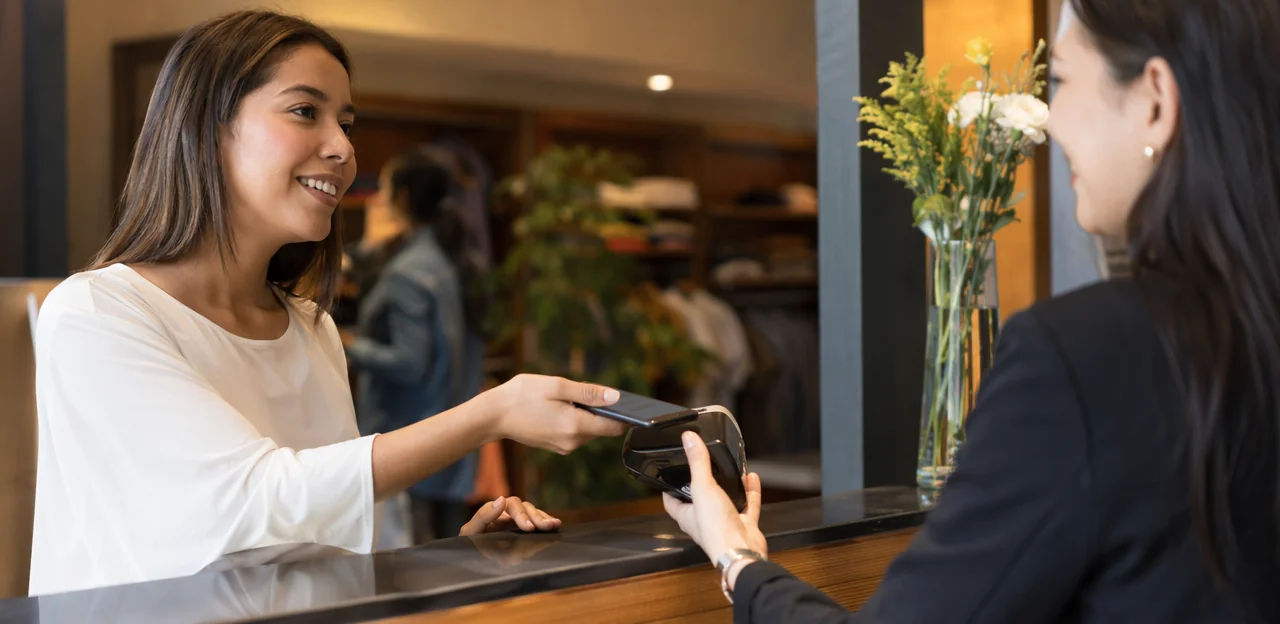
Tap scan feedback is a fast way to collect customer feedback at the moment of experience. Guests tap an NFC tag or scan a QR code, which instantly opens a mobile feedback form in their browser—no app download, login, or delay.
This approach differs from passive review collection on public platforms. Reviews are optional, unstructured, and often submitted later. Tap scan feedback supports structured customer feedback surveys with targeted feedback questions that capture timely, actionable user feedback.
How it works:
- Place NFC/QR touchpoints at key moments, such as tables, exits, rooms, or service counters
- Direct users to a short feedback form optimized for mobile
- Ask focused questions tied to service, satisfaction, or effort
- Route responses into customer feedback tools for analysis and follow-up
Among the most effective customer feedback best practices, this method reduces friction, increases response rates, and improves real-time insight.
Why response rates improve at the point of experience
Tap scan feedback works better because it reaches people when the experience is still fresh. Delayed email requests often arrive after interest fades, while generic customer feedback surveys feel easy to ignore.
- Instant timing: Guests can share customer feedback in the exact moment a service, product, or interaction happens, which improves accuracy and completion.
- Low effort: A quick tap or scan opens a mobile-friendly feedback form with focused feedback questions, reducing friction.
- Mobile-first behavior: People already use phones constantly, so tap-to-respond fits natural habits better than logging into email later.
- Stronger psychology: When responding takes only seconds, user feedback feels simple, relevant, and rewarding rather than like another task.
Among the most effective customer feedback best practices is asking at the right moment with the right customer feedback tools. That context is what drives higher response rates.
Cross-industry use cases and business value
Tap scan feedback helps organizations capture customer feedback in the moment, where issues are easiest to fix and insights are most accurate. Across industries, it strengthens customer experience programs by turning every touchpoint into a fast, low-friction feedback form.
- Hospitality: Hotels and restaurants use tap scan feedback at tables, rooms, and exits to spot service gaps, trigger service recovery, and improve customer feedback surveys.
- Retail: Stores collect user feedback at checkout or fitting rooms to refine staffing, layout, and product availability.
- Healthcare: Clinics gather patient customer feedback after visits to identify wait-time and communication pain points.
- Events and transportation: Venues, airlines, and transit hubs use customer feedback tools to monitor queues, cleanliness, and staff support in real time.
- Service businesses: Salons, repair shops, and agencies ask targeted feedback questions to improve consistency at scale.
Following customer feedback best practices, businesses can act faster, close loops, and improve loyalty.
Best Practices for Designing High-Converting Feedback Journeys

Place NFC and QR touchpoints where feedback intent is highest
Effective tap scan feedback starts with placement. The best response rates happen when the request appears exactly where giving customer feedback feels easy, relevant, and timely.
- Counters and checkouts: Capture quick impressions at payment, pickup, or exit points with a short feedback form.
- Tables and seating areas: Use table tents or stickers so guests can share in-the-moment user feedback while the experience is fresh.
- Receipts and packaging: Add QR codes for fast post-purchase responses, especially useful for retail, takeaway, and delivery.
- Kiosks and self-service stations: Ask targeted feedback questions right after task completion to improve usability.
- Waiting areas: Invite low-friction responses during natural downtime.
- Post-service moments: Trigger customer feedback surveys after support, appointments, or check-ins when intent is highest.
Among the most important customer feedback best practices is matching touchpoints to the customer journey. The right placement makes customer feedback tools feel helpful, not intrusive.
Build a short, mobile-friendly feedback form
For effective tap scan feedback, keep the feedback form fast, simple, and easy to finish with one hand on a phone. The best customer feedback surveys remove friction and ask only what matters in the moment.
- Limit fields: Start with 1–3 core feedback questions, such as a star rating, NPS score, or yes/no satisfaction check.
- Use a clear CTA: Buttons like “Rate your visit” or “Share feedback” outperform vague prompts.
- Balance ratings with text: Begin with a quick quantitative score, then offer one optional open-text prompt like “What could we improve?”
- Optimize for speed: Use mobile-first layouts, large tap targets, autofill where relevant, and lightweight pages that load instantly.
- Avoid survey fatigue: Don’t ask for unnecessary personal details unless tied to a reward or follow-up.
Among the most important customer feedback best practices is capturing useful user feedback without overloading guests. Strong customer feedback tools make it easy to collect actionable customer feedback in seconds.
Ask smarter feedback questions for better insights
Strong tap scan feedback starts with concise, purposeful feedback questions. The best customer feedback surveys uncover four essentials: satisfaction, effort, issue resolution, and sentiment.
- Use rating scales for fast, measurable answers:
- “How satisfied were you today?”
- “How easy was it to complete your purchase?”
These work well in high-traffic touchpoints like checkout counters, hotel exits, or service desks.
- Use yes-no prompts to identify clear outcomes:
- “Was your issue resolved?”
- “Did you find what you needed?” These are ideal for support, healthcare, and retail feedback form flows.
- Use open-ended questions to capture deeper user feedback:
- “What could we improve?”
- “What stood out most about your experience?” Best after a rating question, so customer feedback tools can connect comments to scores.
Tailor customer feedback by industry and moment. Restaurants may ask about speed and taste, while hotels may focus on check-in ease and room comfort. This is one of the most effective customer feedback best practices for better insights.
How to Turn Customer Feedback Into Actionable Insights

Capture structured and unstructured user feedback
Effective tap scan feedback should combine fast quantitative signals with rich qualitative context. Relying only on ratings tells you what happened; adding comments helps explain why it happened, which is essential for root-cause analysis.
- Use structured customer feedback first: star ratings, NPS-style scores, and multiple-choice feedback questions reveal trends quickly across locations, teams, or touchpoints.
- Follow with one open-text field in the same feedback form: this captures emotional nuance, service details, and unexpected issues that standard customer feedback surveys may miss.
- Keep the flow short: ask 1–3 rating or choice questions, then prompt, “What influenced your score?”
This balance is one of the most important customer feedback best practices because it improves reporting, strengthens customer feedback tools, and turns raw user feedback into actionable insight.
Use AI and analytics to detect patterns faster
AI turns tap scan feedback into clear, usable insight instead of a pile of comments. The best customer feedback tools automatically categorize responses, score sentiment, and surface urgent issues before they escalate. This is one of the most effective customer feedback best practices for teams managing high volumes of customer feedback surveys and open-text replies.
- Categorize comments by topic such as service, cleanliness, wait time, or product quality.
- Detect sentiment to separate positive, neutral, and negative user feedback.
- Flag urgent issues when a low rating, complaint, or risky feedback form response appears.
- Reveal trends by location, team, product, or time period to improve operations.
Connect customer feedback and smart feedback questions to live dashboards so managers can spot patterns quickly, act faster, and make better day-to-day decisions.
Close the loop with service recovery and continuous improvement
Strong tap scan feedback programs do more than collect responses; they trigger action. Build clear workflows so low scores from customer feedback surveys or a quick feedback form are routed instantly to the right manager, location, or support team. Fast follow-up turns negative experiences into recovery opportunities and reinforces customer feedback best practices.
- Route low ratings automatically: Send alerts for poor scores, urgent comments, or repeated complaints.
- Respond visibly and quickly: Acknowledge the issue, explain next steps, and confirm when it is resolved.
- Track recurring themes: Review user feedback, common feedback questions, and operational patterns weekly.
- Assign ownership: Use customer feedback tools to give each issue a clear owner and deadline.
- Measure improvement over time: Compare trends before and after process changes to prove better customer feedback outcomes.
Cross-Industry Strategies and Examples

Retail, restaurants, and hospitality
In high-volume, front-line settings, tap scan feedback works best when placed exactly where the experience happens: on tables, receipts, takeaway packaging, self-checkout screens, fitting rooms, and exit counters. This helps teams capture customer feedback while details are fresh and turn quick responses into operational fixes.
Customer feedback best practices for these environments include:
- Keep the feedback form to 1–3 taps
- Ask only essential feedback questions
- Trigger location-specific customer feedback surveys
- Review trends daily for speed, cleanliness, and staff service
Examples:
- “How was the speed of service today?”
- “Was your table, store area, or pickup point clean?”
- “Did our staff make your visit easy?”
- “Would you return?”
Using simple customer feedback tools to collect real-time user feedback helps managers spot issues fast and improve consistency across shifts and locations.
Healthcare, clinics, and public services
In sensitive settings, tap scan feedback should feel discreet, fast, and respectful. Place QR or NFC touchpoints at exits, reception desks, waiting areas, or appointment summaries so patients and visitors can share user feedback without pressure. Keep each feedback form short, mobile-friendly, and focused on essentials.
- Ask only high-value feedback questions: wait times, staff communication, accessibility, cleanliness, and overall experience.
- Use anonymous or optional-identification customer feedback surveys to build trust.
- Avoid long forms during stressful moments; 3–5 questions is often enough.
- Follow customer feedback best practices by using plain language, large text, and multilingual options.
- Review results with customer feedback tools to spot service gaps and improve care delivery.
Strong customer feedback processes help public-facing teams act quickly and compassionately.
Events, transportation, and field services
For mobile, distributed teams, tap scan feedback makes it easy to capture customer feedback exactly where the experience happens—at event exits, inside vehicles, or after on-site service visits. NFC and QR touchpoints help teams deploy fast, consistent customer feedback surveys without apps or paperwork.
- Place a simple feedback form at key moments: boarding, drop-off, booth exit, or job completion.
- Use short, targeted feedback questions tied to location, route, vehicle, crew, or venue zone.
- Review user feedback in real time to spot delays, cleanliness issues, staff concerns, or service failures immediately.
- Follow customer feedback best practices: keep surveys brief, trigger them instantly, and connect responses to operational data.
The right customer feedback tools turn every touchpoint into actionable insight.
Choosing the Right Customer Feedback Tools and Software

Core features to look for in tap scan feedback platforms
When comparing tap scan feedback platforms, prioritize features that improve response rates and make insights easy to act on:
- NFC and QR support so guests can access a feedback form instantly on any device.
- Customizable templates for different customer feedback surveys, touchpoints, and feedback questions.
- Multilingual options to capture broader customer feedback across locations and audiences.
- Branching logic that adapts questions based on ratings or previous answers, improving user feedback quality.
- Analytics dashboards that track trends, sentiment, and completion rates.
- Real-time alerts for low scores so teams can recover issues quickly.
- CRM or help desk integrations to turn insights into follow-up actions using connected customer feedback tools.
These are core customer feedback best practices for scalable programs.
Questions to ask vendors before you buy
Before choosing a tap scan feedback platform, use this checklist to compare vendors clearly and avoid costly gaps later:
- How fast is implementation? Ask about setup time, training, hardware delivery, and how quickly live customer feedback surveys can launch.
- How deep is reporting? Look for dashboards that go beyond basic scores to show trends, sentiment, location-level insights, and actionable feedback questions.
- What AI features are included? Check for theme detection, summaries, alerts, and analysis of user feedback at scale.
- How is privacy handled? Confirm consent controls, data ownership, retention settings, and compliance support for every feedback form.
- Does it work offline? Reliable customer feedback tools should capture responses even with weak connectivity.
- Can it scale easily? Make sure it supports multiple sites, teams, permissions, and consistent customer feedback best practices across locations.
Common mistakes to avoid during rollout
Avoid these pitfalls when launching tap scan feedback:
- Making surveys too long: Keep customer feedback surveys short, with only essential feedback questions. Long forms reduce completion rates and weaken user feedback quality.
- Placing touchpoints poorly: Put each feedback form where the experience is fresh—checkout counters, exits, tables, waiting areas, or service completion points.
- Undertraining staff: Teams should know how to invite participation naturally and explain the value of your customer feedback tools.
- Assigning no owner: Someone must review trends, route issues, and report outcomes.
- Failing to act on customer feedback: Collecting data without visible improvements damages trust.
Strong customer feedback best practices depend on process, accountability, and follow-through—not technology alone.
Measuring Success and Scaling Your Program

Key metrics for evaluating performance
To measure tap scan feedback effectively, track the KPIs that show both engagement and service impact:
- Scan rate: How many guests tap or scan versus total visitors exposed to the touchpoint.
- Survey completion rate: Indicates whether your feedback form and feedback questions are short, clear, and well-timed.
- Response volume: Reveals whether your customer feedback surveys generate enough data for reliable decisions.
- Satisfaction score: Monitor CSAT, NPS, or CES to benchmark experience quality.
- Sentiment trends: Use customer feedback tools to spot shifts in user feedback over time.
- Resolution time: Measure how quickly teams act on negative customer feedback.
- Repeat issue frequency: A core customer feedback best practices metric for identifying unresolved operational problems.
Testing, optimization, and governance
To improve tap scan feedback performance, treat every touchpoint as a testable conversion step:
- A/B test calls to action: Compare prompts like “Tap to rate your visit” vs. “Scan for a quick reward” to lift response rates and better capture user feedback.
- Test placement: Move NFC/QR points between tables, exits, counters, rooms, or receipts to find where customer feedback is easiest to give.
- Refine feedback questions: Keep customer feedback surveys short, test question order, and simplify each feedback form to reduce drop-off.
For governance, standardize survey templates, scoring, and reporting across teams or locations. Set rules for data quality, consent, privacy, and duplicate removal so customer feedback tools produce reliable insights. These are core customer feedback best practices for consistent, actionable reporting.
How to Scale Across Industries and Locations
To scale tap scan feedback successfully, build one repeatable framework, then localize execution by venue, region, or use case. Strong customer feedback tools should let teams standardize triggers, routing, alerts, and reporting while tailoring each feedback form to the customer journey.
- Create a core template for customer feedback surveys with shared KPIs, brand language, and essential feedback questions.
- Customize by environment: retail counters, hotel rooms, restaurants, clinics, or events all need different touchpoints and user feedback flows.
- Centralize analytics to compare locations, identify trends, and turn customer feedback into action.
- Review results regularly to refine workflows and maintain customer feedback best practices as you grow.
Conclusion
In a market where speed, convenience, and relevance shape every interaction, tap scan feedback gives organizations a smarter way to capture customer feedback at the moment it matters most. Across industries, the strongest results come from keeping the experience simple, placing touchpoints strategically, asking focused feedback questions, and using AI and analytics to turn raw responses into action. Whether you are refining a digital feedback form, improving customer feedback surveys, or comparing customer feedback tools, the goal is the same: remove friction, increase participation, and make every insight count.
The most effective customer feedback best practices also go beyond collection. They include closing the loop quickly, acting on user feedback visibly, and measuring trends over time so teams can improve service, products, and operations with confidence. Tap scan feedback works best when it is easy to access, mobile-friendly, and tied to clear outcomes.
As a next step, audit your current touchpoints, review your existing survey and feedback form design, and test a tap-to-scan experience in one high-traffic location. Then expand based on response quality and operational impact. If you are evaluating modern platforms, solutions such as Tapsy can help streamline real-time, no-app engagement. Start optimizing your tap scan feedback strategy now to turn more everyday interactions into measurable customer experience wins.
Frequently Asked Questions
- What is tap scan feedback?
Tap scan feedback is a way to collect customer feedback at the moment of experience using NFC tags or QR codes. A guest taps or scans and a mobile feedback form opens in the browser without requiring an app download or login.
- Why does tap scan feedback usually get better response rates than email surveys?
It reaches people while the experience is still fresh, which improves accuracy and makes responding feel more relevant. It also reduces effort because a quick tap or scan opens a short mobile-friendly form immediately.
- How is tap scan feedback different from public review collection?
Public reviews are optional, unstructured, and often submitted later. Tap scan feedback uses structured surveys with targeted questions, which makes responses more timely and easier to analyze and act on.
- Where should businesses place NFC tags and QR codes for the best results?
The strongest placements are where feedback intent is naturally high, such as checkout counters, tables, exits, rooms, waiting areas, kiosks, and service completion points. Matching the touchpoint to the customer journey helps the request feel timely instead of intrusive.
- How long should a tap scan feedback form be?
The form should be short, fast, and easy to complete on a phone, ideally starting with 1–3 core questions. Long surveys create friction, lower completion rates, and reduce the quality of user feedback.
- What kinds of questions work best in a tap scan survey?
The most effective mix includes rating scales, yes-no prompts, and one optional open-text question. Good examples include satisfaction, effort, issue resolution, and a follow-up such as “What influenced your score?”
- Should businesses collect both ratings and written comments?
Yes, combining structured and unstructured feedback gives a clearer picture. Ratings show what happened across locations or teams, while comments explain why it happened and help with root-cause analysis.
- How can AI and analytics improve tap scan feedback programs?
AI can categorize comments by topic, detect sentiment, flag urgent issues, and reveal trends by location, team, product, or time period. Connected dashboards help managers spot patterns quickly and act before problems grow.
- What does it mean to close the loop on customer feedback?
Closing the loop means routing low scores or urgent comments to the right team and following up quickly. Strong programs acknowledge the issue, assign ownership, track recurring themes, and measure whether changes improve outcomes over time.
- How should restaurants, retail stores, and hotels use tap scan feedback?
These businesses should place touchpoints where the experience happens, such as tables, receipts, packaging, fitting rooms, self-checkout screens, and exit counters. Surveys should stay very short and focus on essentials like speed, cleanliness, staff service, and likelihood to return.
- What are the best practices for healthcare clinics and public services?
Feedback should feel discreet, respectful, and easy to complete at exits, reception desks, waiting areas, or on appointment summaries. Short forms, plain language, large text, multilingual options, and anonymous or optional identification can help build trust and improve participation.
- Which software features matter most when choosing a tap scan feedback platform?
Important features include NFC and QR support, customizable templates, multilingual options, branching logic, analytics dashboards, real-time alerts, and CRM or help desk integrations. These features help improve response rates and make follow-up easier to manage.
- What should teams ask vendors before buying a tap scan feedback solution?
Key questions include how fast implementation is, how detailed reporting is, what AI features are included, how privacy is handled, whether the system works offline, and how easily it scales across sites and teams. These checks help avoid gaps in rollout, reporting, and compliance.
- What common mistakes can hurt a tap scan feedback rollout?
Frequent mistakes include making surveys too long, placing touchpoints in weak locations, undertraining staff, assigning no owner, and failing to act on feedback. Technology alone is not enough; process, accountability, and visible follow-through are essential.
- Which metrics should businesses track to measure success?
Useful KPIs include scan rate, survey completion rate, response volume, satisfaction scores such as CSAT, NPS, or CES, sentiment trends, resolution time, and repeat issue frequency. These metrics show both how well the touchpoints perform and whether service improvements are actually happening.