
A QR code can be placed almost anywhere, but placement alone does not drive responses. What truly determines whether customers scan, tap, and share useful feedback is the message that appears beside it. The right qr code call to action can turn a passive sign into a high-performing customer experience tool, helping businesses collect more real-time insights across hospitality, retail, healthcare, events, and service industries.
This article explores how to write effective CTA text for feedback campaigns that actually gets noticed and acted on. We will look at the wording, tone, and placement strategies that make qr code stickers more compelling, whether you are designing a single qr code sticker for a counter or planning large-scale qr code printing for multiple locations. We will also cover practical considerations such as how to print qr code stickers that are easy to scan, when to use qr code paper, what to know about qr code sticker size, and how custom qr code stickers can strengthen branding and response rates.
From cross-industry examples to customer experience best practices, analytics considerations, and modern NFC and QR touchpoints, this guide will help you create feedback prompts that are clear, persuasive, and built for measurable results.
Why QR Code Call-to-Action Text Matters for Feedback

What makes a feedback CTA scan-worthy
A strong qr code call to action turns passive signage into immediate customer feedback. To lift scan rate, the message beside the code should answer four things fast:
- Clarity: Say exactly what happens: “Scan to rate your visit” or “Tap to share feedback.”
- Urgency: Encourage action now with phrases like “Tell us before you leave” or “2-minute feedback.”
- Value: Give a reason to respond: “Scan for feedback + a thank-you reward.”
- Trust: Reduce hesitation with “No app needed” or “Anonymous and quick.”
This matters whether you use qr code stickers, a single qr code sticker at checkout, or custom qr code stickers on tables. Good placement, readable qr code printing, durable qr code paper, and the right qr code sticker size also help. When you print qr code stickers, pair them with short, benefit-led CTA text.
How CTA wording affects customer experience
The right qr code call to action does more than drive scans—it shapes the entire customer experience. Clear, benefit-led wording lowers hesitation, sets expectations, and improves feedback form completion quality.
- Reduce friction: Use direct language like “Scan to rate your visit in 10 seconds” instead of vague prompts. This works especially well on qr code stickers placed at exits, tables, or packaging.
- Improve response quality: Promise relevance—“Tell us what went well and what we should fix”—to support satisfaction tracking and faster service recovery.
- Support post-purchase engagement: CTAs on a qr code sticker, qr code paper insert, or receipt can invite reviews, reorder feedback, or reward-based follow-up.
For best results, align wording with placement, qr code sticker size, and qr code printing quality. Well-designed custom qr code stickers and clear prompts make it easier to print qr code stickers that get meaningful responses.
Common CTA mistakes that lower scans
A weak qr code call to action often fails because it asks too little, says too little, or appears in the wrong place.
- Generic wording: Phrases like “Scan here,” “Click here,” or “Learn more” give no reason to act. Better copy is specific and benefit-led: “Scan to leave feedback and get 10% off” or “Tap to rate your visit in 10 seconds.”
- Vague instructions: If users do not know what happens next, engagement drops. Your qr code sticker should explain the outcome clearly.
- Poor placement: Even great qr code stickers underperform when hidden near cluttered counters, low on doors, or far from the moment of experience.
- Bad production choices: Weak contrast, tiny qr code sticker size, poor qr code printing, flimsy qr code paper, or low-quality custom qr code stickers make scans harder.
When you print qr code stickers, pair visibility with action-led copy.
Best QR Code Call-to-Action Text Examples by Use Case
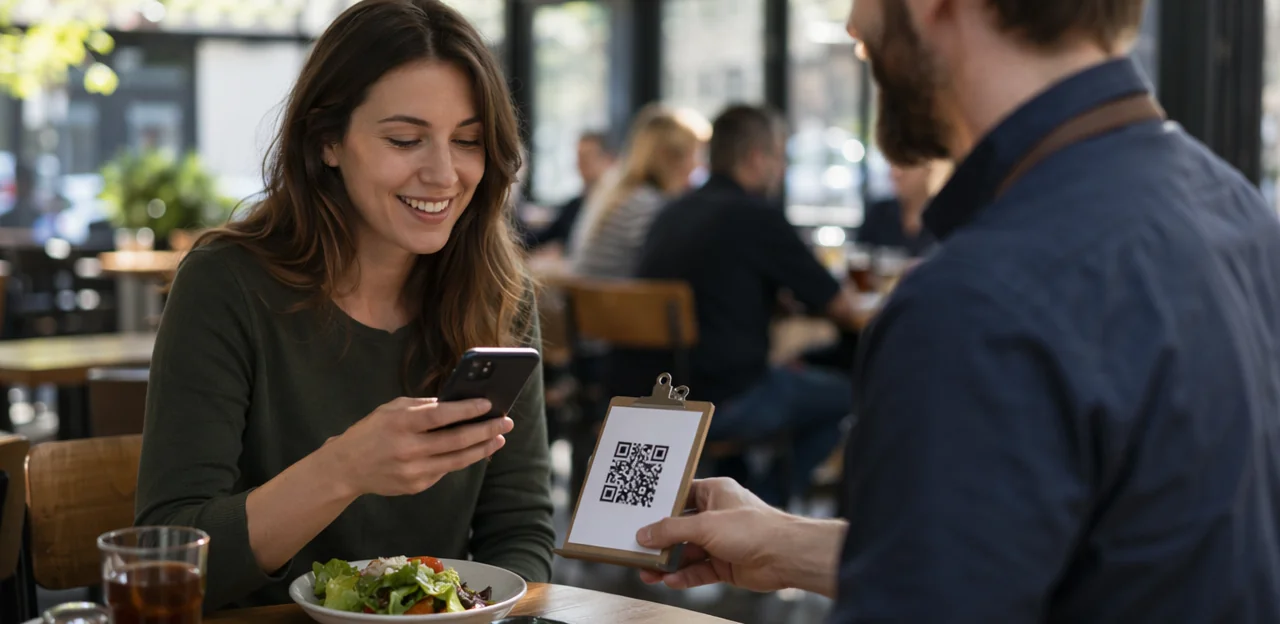
Short CTA examples for retail, hospitality, and healthcare
A strong qr code call to action should be short, specific, and easy to act on across all industries. The best feedback request copy matches the setting and the moment.
- Retail: “Rate your checkout in 10 seconds,” “Loved your visit? Leave a quick review,” “Scan to tell us how we did.”
- Hospitality: “Share your stay feedback,” “Rate your meal and service,” “Tap for a quick guest review.” Tools like Tapsy can help collect on-site responses instantly.
- Healthcare: “Tell us about your visit today,” “Rate your care experience,” “Scan to share service feedback.”
Keep CTAs visible on qr code stickers, table tents, receipts, packaging, or posters. When planning qr code printing, choose readable placement, durable materials like qr code paper, and the right qr code sticker size for scanning distance. If you print qr code stickers or order custom qr code stickers, pair them with action verbs like “Scan,” “Rate,” “Review,” or “Share” for better response rates.
CTA formulas that increase response rates
A strong qr code call to action should tell people exactly what to do and why it is worth doing. For better conversion optimization and more customer feedback, use repeatable formulas:
- Action + benefit: “Scan to improve your next visit” or “Tap to help us serve you better.”
Best for hotels, retail, healthcare, and service brands where the value is better experience. - Action + time estimate: “Scan to share feedback in 30 seconds.”
This works best on qr code stickers, table tents, packaging, and receipts because it reduces perceived effort. - Action + incentive: “Scan and get 10% off your next order.”
Ideal when using custom qr code stickers in high-traffic spaces where immediate motivation matters.
Match the message to placement and format. A small qr code sticker size needs short copy, while larger qr code printing on signage or qr code paper inserts can support more detail. When you print qr code stickers, keep the CTA visible, specific, and outcome-driven.
When to use formal vs conversational CTA language
Choosing the right qr code call to action depends on your brand voice, audience, and where the code appears. A luxury hotel, clinic, or financial office usually benefits from polished, professional wording such as “Share your feedback” or “Rate your experience.” In contrast, cafés, retail counters, and casual venues often get better response from warmer prompts like “Tell us how we did” or “Scan for a quick review.”
- Use formal wording for premium spaces, regulated industries, and high-trust touchpoints.
- Use conversational wording on tables, takeaway bags, and everyday service counters where speed and friendliness matter.
- Match the CTA to the format: qr code stickers, a single qr code sticker, or signage used in qr code printing.
- Keep text readable based on qr code sticker size and placement on qr code paper or packaging.
- Test tone across custom qr code stickers before you print qr code stickers at scale.
A good feedback CTA should feel natural, clear, and on-brand.
Designing QR Touchpoints That Get More Scans

Using qr code stickers and custom qr code stickers effectively
QR code stickers turn everyday surfaces into instant feedback points when paired with clear qr code call to action text. Place a qr code sticker where the experience happens so customers can respond in the moment:
- Tables and counters: capture service, wait-time, or product feedback
- Windows and doors: invite walk-ins to rate their visit
- Packaging: collect post-purchase feedback at home
- Kiosks and reception desks: prompt quick satisfaction checks
For best results, match qr code sticker size to viewing distance, use durable materials instead of thin qr code paper in high-traffic areas, and ensure sharp qr code printing. Print qr code stickers with short prompts like “Scan to rate us in 10 seconds.”
Choose custom qr code stickers when branding matters. Adding your logo, colors, and tone boosts recognition, trust, and scan confidence—especially in hospitality, retail, and events.
Choosing the right QR code sticker size and layout
A strong qr code call to action only works if the code is easy to spot and scan. Use qr code sticker size based on viewing distance: for close-up surfaces like tables or counters, aim for at least 1 x 1 inch; for doors, walls, or windows, go larger so guests can scan comfortably.
- Keep the qr code sticker large enough to scan instantly without zooming.
- Leave generous white space around the code so phone cameras can detect it quickly.
- Balance the code with short CTA text, such as “Scan to leave feedback,” without crowding the design.
- When using logos or branding on custom qr code stickers, avoid shrinking the code too much.
- Test qr code printing on your actual material, whether vinyl or qr code paper, before you print qr code stickers at scale.
Well-designed qr code stickers improve visibility, trust, and response rates.
Print materials: qr code printing, qr code paper, and durability
A strong qr code call to action only works if the code scans instantly in real-world conditions. For reliable qr code printing across labels, receipts, posters, menus, and qr code paper, focus on production quality first:
- Use high contrast: black on white performs best; avoid low-contrast brand colors.
- Choose matte finishes for menus, posters, and custom qr code stickers to reduce glare from overhead lighting.
- Check material quality: thin receipt stock, textured qr code paper, or cheap laminates can blur edges and hurt scans.
- Match placement to use: waterproof qr code stickers suit counters and outdoor areas, while a durable qr code sticker works well on packaging or table tents.
- Keep qr code sticker size large enough for the expected scanning distance.
- If you print qr code stickers, test them under sunlight, moisture, heat, and frequent cleaning.
Placement Strategies Across Industries

High-intent moments to request feedback
Timing often matters more than design when choosing a qr code call to action. The best response quality comes at high-intent points in the customer journey, when the experience is fresh and the next step feels natural.
- After checkout or payment: ideal for post-purchase feedback while satisfaction or friction is still top of mind.
- Right after service completion: place qr code stickers on receipts, counters, or packaging.
- During delivery or unboxing: use a qr code sticker on inserts or qr code paper to capture immediate reactions.
- At exits, event gates, or hotel lobbies: a well-timed prompt can lift completion rates.
For stronger results, align qr code printing, custom qr code stickers, and qr code sticker size with visibility and convenience. When you print qr code stickers, keep placement effortless to scan.
Best physical locations for QR feedback prompts
Place each qr code call to action where customers naturally pause, finish, or reflect, so feedback collection feels effortless.
- Receipts and packaging inserts: Ideal right after purchase or unboxing, when impressions are fresh. Use clear qr code printing on durable qr code paper or inserts.
- Table tents and countertop displays: Great for restaurants, cafés, and service desks where guests have a moment to scan before leaving.
- Waiting rooms and lounges: Capture feedback during idle time with visible qr code stickers near seating or check-in.
- Product displays and shelves: Encourage in-the-moment responses at the decision point using custom qr code stickers.
- NFC & QR touchpoints: Combine tap-and-scan options on doors, kiosks, and stands for maximum convenience.
Choose the right qr code sticker size, and print qr code stickers large enough to scan easily from normal viewing distance.
Cross-industry examples from restaurants to SaaS
The best qr code call to action works across all industries because the core rule stays the same: make the benefit clear, immediate, and easy to act on. In cross-industry use, only the wording and placement change.
- Restaurants: “Scan to rate your meal and get a reward.” Use table tents or qr code stickers on takeaway bags.
- Hotels: “Tell us about your stay in 30 seconds.” Place a qr code sticker in rooms or at reception.
- Clinics: “Share your visit feedback privately.” Keep qr code sticker size readable at check-out.
- Retail: “Scan to review today’s service.” Add custom qr code stickers near tills.
- Field services: Use durable labels after qr code printing on job cards or equipment.
- Software/SaaS: “Rate onboarding” or “Share product feedback.” Even digital teams can print qr code stickers for events, packaging, or qr code paper inserts.
Using AI and Analytics to Improve Feedback CTA Performance

What to measure beyond scan volume
Scan volume alone does not show whether your qr code call to action is effective. Use feedback analytics to measure what happens after the scan:
- Scan-to-submit rate: Shows whether the CTA and landing experience convert interest into action.
- Completion rate: Reveals if the form is too long or confusing.
- Sentiment quality: With AI & Analytics, track whether responses are detailed, positive, negative, or actionable.
- Location performance: Compare results from qr code stickers on tables, doors, packaging, or qr code paper inserts.
- Device trends: See whether mobile OS, camera behavior, or placement affects response rates.
Also test qr code sticker size, custom qr code stickers, and qr code printing quality. Even small changes in where you print qr code stickers or place a qr code sticker can improve results.
How AI can optimize CTA wording and routing
AI & Analytics can turn a basic qr code call to action into a high-performing feedback entry point. By testing multiple CTA optimization variants—such as “Tap to rate your visit” vs. “Scan for a quick 10-second review”—AI identifies which wording works best by location, audience, and device, whether placed on qr code stickers, menus, packaging, or signage.
- Test and refine: Compare copy across custom qr code stickers, qr code paper, and different qr code sticker size formats.
- Personalize flows: Adapt follow-up questions based on visit type, language, or previous responses.
- Route intelligently: Send negative or urgent feedback to staff instantly, while positive feedback can trigger review or loyalty prompts.
This improves customer experience through faster service recovery and smarter feedback management, even when you print qr code stickers or scale qr code printing across locations.
Software selection tips for QR feedback campaigns
When comparing feedback software, look beyond the design of your qr code call to action and assess how the platform performs at scale:
- Choose dynamic QR codes so you can update destinations without redoing qr code printing or replacing qr code stickers.
- Prioritize dashboards with location-level analytics, response trends, sentiment, and A/B testing for CTA text, placement, and offers.
- Check integrations with CRM, POS, help desk, and loyalty tools to connect feedback with action.
- Confirm compliance features such as GDPR/CCPA support, consent capture, and secure data handling.
- For multi-site rollout, ensure centralized management of custom qr code stickers, qr code sticker size, qr code paper, and templates to easily print qr code stickers consistently across industries.
Implementation Checklist and Best Practices

Creating a complete feedback QR asset
A high-performing feedback touchpoint combines a clear qr code call to action, strong branding, frictionless mobile UX, and a dependable destination link. Your qr code sticker or display should tell people exactly what they get: “Scan to rate your visit in 10 seconds.” Pair that message with branded colors, the right qr code sticker size, and durable materials such as qr code paper or custom qr code stickers suited to the environment.
Launch checklist:
- Write benefit-led qr code call to action text
- Use branded qr code stickers with strong contrast
- Optimize the form for mobile and fast completion
- Test the destination URL before qr code printing
- Choose materials and placement carefully when you print qr code stickers
Testing print quality and scan reliability
Before rolling out a qr code call to action, test every version of your print qr code stickers in real conditions:
- Check devices: Scan with iPhone and Android models, using both native cameras and common QR apps.
- Test environments: Review performance in bright sunlight, dim interiors, glare, and shadows.
- Verify distance: Confirm the qr code sticker size is readable from the intended range, whether on tables, windows, packaging, or counters.
- Inspect print specs: Use strong contrast, avoid blurry qr code printing, and apply suitable error correction in case qr code stickers get scratched.
- Review materials: Test matte vs. glossy finishes, adhesive durability, and whether qr code paper or custom qr code stickers hold up to moisture, heat, and cleaning.
A small pilot helps validate each qr code sticker before full deployment.
Maintaining and refreshing campaigns over time
A strong qr code call to action should never stay static for too long. To keep engagement high, refresh both the message and the placement regularly.
- Update CTA copy based on performance: test phrases like “Scan to rate your visit” vs. “Tap for a quick reward and feedback.”
- Rotate placements of qr code stickers across counters, packaging, tables, doors, or receipts to reduce banner blindness.
- Review print quality: faded qr code printing, poor qr code paper, or the wrong qr code sticker size can hurt scans.
- Track declines in scan rate, completion rate, and sentiment trends to guide campaign optimization.
- Refresh seasonally with custom qr code stickers and timely offers when you print qr code stickers or replace each qr code sticker.
Conclusion
A strong qr code call to action can be the difference between being ignored and getting meaningful, real-time feedback. Across industries, the best results come from clear, specific prompts that tell customers exactly what to do and what they’ll gain—whether that’s sharing an opinion, rating a visit, or unlocking a reward. Just as important, the physical experience matters: well-designed qr code stickers, thoughtful placement, and high-quality qr code printing all help increase scans and improve response rates.
When planning your rollout, pay attention to practical details like qr code sticker size, visibility, durability, and surface choice. Whether you print qr code stickers for tables, packaging, counters, or windows, or test options with qr code paper, consistency and clarity should guide every decision. Branded or custom qr code stickers can also strengthen trust and make your feedback touchpoints feel more intentional and professional.
The next step is simple: review your current messaging, test a stronger qr code call to action, and measure which wording drives the most engagement. From there, refine your design, placement, and analytics strategy to keep improving customer experience. If you want to go further, explore tools that combine QR and NFC touchpoints with real-time feedback and reporting, such as Tapsy, to turn every scan into actionable insight.