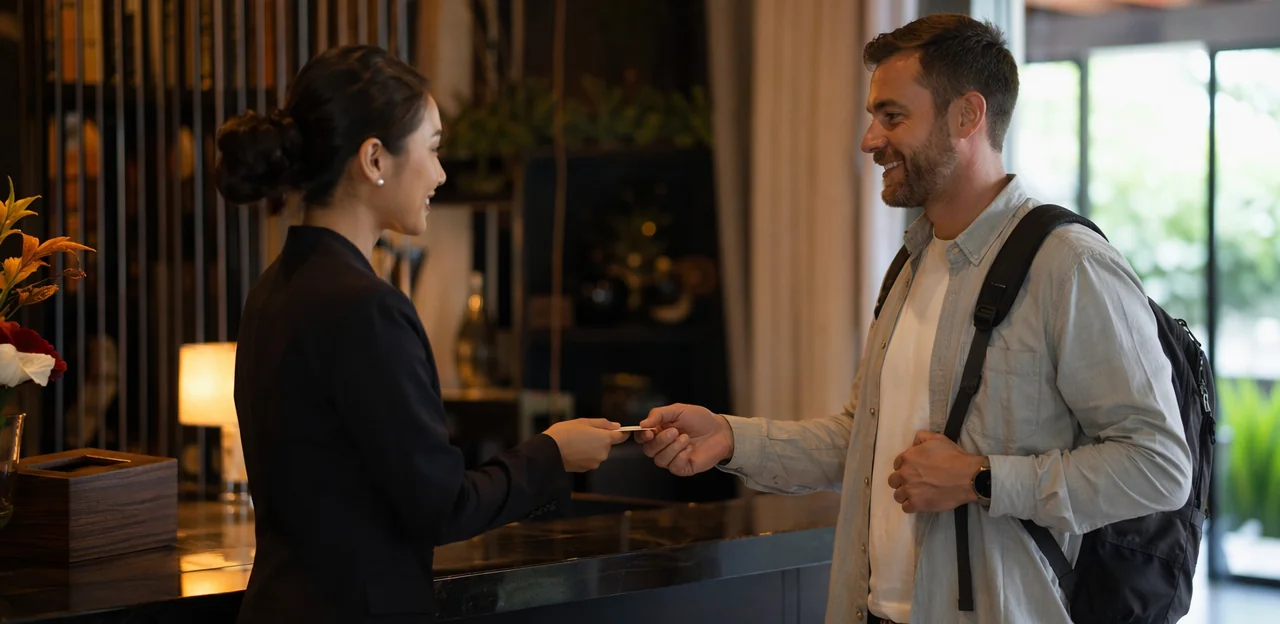
In hospitality, every guest interaction is a chance to strengthen loyalty, resolve issues faster, and improve the overall experience. Yet many hotels and accommodation providers still rely on follow-up emails that arrive too late or go unopened. That is why branded feedback points are becoming an increasingly valuable part of modern guest engagement strategies. Placed at key touchpoints such as reception desks, hotel rooms, dining areas, and check-out zones, they make it easier for guests to share customer feedback in the moment through simple NFC or QR interactions.
More than a convenience, branded feedback points can act as a powerful guest feedback tool that helps properties collect real-time insights, increase response rates, and turn everyday interactions into measurable service improvements. When connected to intelligent guest feedback software, these touchpoints can streamline customer feedback surveys, simplify every feedback form, and capture meaningful user feedback before small issues become public complaints. They can also support a more effective guest satisfaction survey process by making participation quick, accessible, and relevant to the guest’s exact location or experience.
This article explores how branded feedback points work, why they matter for hotels and hospitality businesses, and how they support better guest experience, smarter AI-driven analytics, and more responsive customer engagement.
Why Branded Feedback Points Matter in Modern Hospitality

What branded feedback points are and how they work
Branded feedback points are customized digital or physical touchpoints placed across the guest journey to capture customer feedback in real time. They connect guests to a short feedback form or guest satisfaction survey using your branding, messaging, and preferred channels.
Common examples include:
- QR codes at reception for quick check-in or arrival impressions
- NFC tags in rooms for instant service ratings or amenity comments
- Links sent after check-in or checkout for timely customer feedback surveys
- Table cards, key sleeves, or signage that prompt fast user feedback
They work by directing guests to a mobile-friendly feedback form through a guest feedback tool or guest feedback software, making it easy to collect actionable insights while the experience is still fresh. This helps hospitality teams spot issues early, improve service, and turn more customer feedback into measurable action.
Why hotels need real-time guest engagement tools
Hotels can no longer rely on post-stay emails alone. By the time a guest satisfaction survey arrives, the guest has checked out, the issue is public, and the chance to recover the experience is gone. Branded feedback points placed in rooms, lobbies, or dining areas turn customer feedback surveys into in-the-moment action.
- A guest feedback tool captures concerns during the stay, not days later.
- Staff can resolve housekeeping, noise, dining, or check-in issues before checkout.
- Faster service recovery improves guest satisfaction and reduces negative reviews.
- Simple tap, scan, or feedback form flows increase user feedback volume.
- Ongoing customer feedback helps teams spot patterns and improve operations.
The right guest feedback software turns every touchpoint into a chance to listen, respond, and retain loyalty.
The branding advantage for trust and response rates
Branded feedback points help guests feel confident that a request is official, safe, and worth their time. When colors, logo, messaging, and placement match the wider guest journey, a feedback form feels like part of the service rather than a random prompt. That trust directly improves completion rates for customer feedback surveys and strengthens overall brand perception.
- Use consistent visuals across signage, QR/NFC touchpoints, and your guest feedback tool
- Match tone of voice to your brand: warm, premium, relaxed, or efficient
- Place prompts at natural moments, such as checkout, dining tables, lifts, or room exits
- Keep the journey simple with branded guest feedback software that feels seamless
A polished, familiar experience encourages more customer feedback, richer user feedback, and better participation in every guest satisfaction survey.
Where to Place Feedback Touchpoints Across the Guest Journey

Pre-arrival, check-in, and lobby opportunities
Hotels can use branded feedback points to capture expectations before arrival and first impressions the moment guests enter the property. The key is a short, mobile-friendly feedback form that takes under 30 seconds to complete.
- Booking confirmations: Add a link or QR code to collect preferences, arrival details, and early user feedback through targeted customer feedback surveys.
- Mobile check-in flows: Include one or two questions in your guest feedback tool to identify special requests, trip purpose, or service expectations.
- Front desk signage: Place branded QR prompts where guests naturally pause, helping staff gather instant customer feedback without slowing check-in.
- Lobby touchpoints: Use digital displays or table cards to trigger a quick guest satisfaction survey.
Keep fields minimal, use tap-based answers, and connect responses to guest feedback software or guest feedback software dashboards for faster action.
In-room, dining, and amenity-based feedback collection
Branded feedback points placed exactly where service happens make it easier to capture timely user feedback and meaningful customer feedback. Using NFC and QR touchpoints in rooms, restaurants, spas, and pools, hotels can prompt guests to complete a quick feedback form while the experience is still fresh.
- In-room: Ask about housekeeping speed, room comfort, temperature, noise, and amenities.
- Dining areas: Collect customer feedback surveys on food quality, wait times, menu variety, and staff service.
- Spa and pool zones: Use a short guest satisfaction survey to measure cleanliness, ambience, and facility upkeep.
This approach turns each touchpoint into a practical guest feedback tool, helping teams act faster, improve service in context, and feed insights into guest feedback software for better recovery, trend analysis, and experience optimization.
Checkout and post-stay follow-up channels
Checkout is the ideal moment to extend branded feedback points into digital follow-up and complete the guest satisfaction survey journey. A strong mix of channels helps hotels capture richer customer feedback after departure:
- Checkout kiosks: Invite guests to complete a quick feedback form before leaving, while the experience is still fresh.
- SMS links: Send short, mobile-friendly customer feedback surveys within hours of checkout to boost response rates.
- Email surveys: Useful for longer reflections, detailed user feedback, and service-specific questions.
- App notifications: For properties with mobile apps, push reminders can drive timely responses through a familiar guest feedback tool.
Using guest feedback software or a centralized guest feedback tool lets teams compare in-stay sentiment with post-stay responses. This reveals whether issues were resolved before departure, identifies hidden friction, and makes guest feedback software more actionable for service improvement.
How AI and Analytics Turn Feedback Into Action

Using AI to detect sentiment, themes, and urgency
With branded feedback points, hotels can turn every tap or scan into actionable insight. AI helps hospitality teams analyze open-text customer feedback from a feedback form, guest satisfaction survey, or instant touchpoint response without manually reading every comment.
- Sentiment analysis flags whether user feedback is positive, neutral, or negative, helping teams spot service wins and pain points fast.
- Theme categorization groups recurring topics such as cleanliness, check-in delays, breakfast quality, or staff friendliness across customer feedback surveys.
- Urgency detection highlights issues that need immediate action, like safety concerns, room problems, or unresolved complaints.
- Multilingual processing lets guest feedback software interpret comments from international travelers accurately.
Used well, a guest feedback tool or guest feedback software helps teams respond faster, improve operations, and protect guest experience in real time.
Building dashboards for operations and guest experience teams
With branded feedback points placed across rooms, lobbies, dining areas, and spa spaces, a strong guest feedback software setup can turn every interaction into clear operational insight. Instead of chasing scattered customer feedback surveys, managers get one dashboard that centralizes responses, touchpoint activity, and trend reporting.
Key dashboard views should include:
- Location performance: compare properties, floors, outlets, or zones
- Department insights: track housekeeping, front desk, food service, or maintenance
- Time-based trends: spot recurring issues by shift, day, week, or season
- Survey and form data: combine each feedback form, guest satisfaction survey, and open-text user feedback
This helps teams use a single guest feedback tool to identify service gaps fast, prioritize follow-up, and improve customer feedback response workflows before small issues affect guest experience scores.
Closing the loop with alerts and service recovery workflows
Branded feedback points are most valuable when they trigger immediate action, not just collect data. By connecting each guest satisfaction survey or feedback form to automated alerts, teams can respond the moment low scores or negative customer feedback appears.
- Route issues instantly: Send alerts to the right staff member when a guest feedback tool detects poor ratings, complaint keywords, or urgent user feedback.
- Recover service in real time: Front desk, housekeeping, or restaurant teams can intervene before checkout, turning a bad moment into a positive resolution.
- Improve review outcomes: Fast follow-up often reduces public complaints and increases the chance of better post-stay reviews.
With the right guest feedback software, customer feedback surveys become an operational workflow, not just a report—helping hospitality teams protect satisfaction, loyalty, and reputation.
Best Practices for Designing High-Converting Feedback Experiences

Keep surveys short, relevant, and easy to complete
To get more responses from branded feedback points, keep each feedback form fast and friction-free. Guests are far more likely to complete customer feedback surveys when they feel simple, timely, and relevant to the moment.
- Limit question count: Aim for 3–5 questions max. Start with one rating question, then add one optional comment field.
- Use mobile-friendly layouts: Large tap targets, clear buttons, and minimal scrolling improve completion on phones.
- Ask context-specific questions: A room QR code can trigger a guest satisfaction survey, while a restaurant touchpoint can focus on service or food quality.
A streamlined guest feedback tool or guest feedback software captures high-quality customer feedback and user feedback without overwhelming guests. Simple surveys often deliver better insights because more people actually finish them.
Match questions to touchpoint context and guest intent
To improve response quality, branded feedback points should ask the right question at the right moment. Guests are far more likely to give accurate customer feedback when prompts reflect what they just experienced, rather than a generic feedback form sent later.
- After check-in: ask about room readiness, cleanliness, and arrival experience.
- After dining: use a short guest satisfaction survey on food quality, speed, and service.
- At checkout: collect broader user feedback on the full stay and likelihood to return.
This contextual approach makes customer feedback surveys feel relevant, not intrusive. A strong guest feedback tool or guest feedback software can personalize prompts by location, timing, or service type, helping hotels capture more useful insights and act faster on guest needs.
Use branding, incentives, and privacy cues strategically
Well-designed branded feedback points feel familiar, credible, and easy to trust. To improve participation in customer feedback surveys, align each touchpoint with your brand:
- Use your logo, brand colors, and a consistent tone of voice so the feedback form feels like a natural part of the guest journey.
- Add a short privacy cue such as “Takes 30 seconds” or “Your responses help us improve service and are handled securely” to reduce hesitation.
- Keep messaging relevant to the location, whether it’s a room, lobby, or dining area.
Optional incentives can help, but convenience and timing usually matter more than rewards. A simple guest feedback tool or guest feedback software experience often drives better user feedback, customer feedback, and guest satisfaction survey completion.
Measuring Success and ROI From Branded Feedback Points

Core metrics to track across hotels and accommodation brands
To get real value from branded feedback points, hotels should track KPIs that turn customer feedback into operational action:
- Response rate: Measures how many guests engage with each touchpoint, showing placement effectiveness for your guest feedback tool.
- Completion rate: Reveals whether a feedback form or guest satisfaction survey is quick and clear enough to finish.
- Sentiment score: Uses user feedback from comments and ratings to spot positive or negative experience trends.
- Issue resolution time: Tracks how fast teams respond to service problems raised through customer feedback surveys.
- Satisfaction by department: Compare housekeeping, front desk, dining, and spa performance using guest feedback software.
- Repeat-stay indicators: Connect survey responses with return visits, loyalty, and upsell potential.
Connecting feedback data to reviews, loyalty, and revenue
Branded feedback points turn in-the-moment customer feedback into measurable commercial value, not just survey responses. When a guest feedback tool captures issues during the stay, teams can recover service before checkout, improving review scores and reducing negative public posts.
- Boost online ratings: Fast action on a guest satisfaction survey or simple feedback form helps resolve complaints before they reach review sites.
- Increase direct bookings: Stronger ratings and better user feedback insights improve trust, conversion, and repeat website bookings.
- Drive upsells: Guest feedback software can identify preferences for spa, dining, or late checkout offers.
- Improve retention: Ongoing customer feedback surveys reveal what keeps guests returning and joining loyalty programs.
The right guest feedback software connects customer feedback to revenue, making engagement a profit driver.
Common mistakes hotels should avoid
Hotels often invest in branded feedback points but undermine results with poor execution. Avoid these common mistakes:
- Over-surveying guests: Too many prompts or lengthy customer feedback surveys create fatigue. Keep each feedback form short, relevant, and timed to the guest journey.
- Ignoring negative user feedback: Complaints are operational signals. If teams fail to acknowledge or resolve issues quickly, trust drops and repeat bookings suffer.
- Using generic forms: A one-size-fits-all guest satisfaction survey misses context. Tailor questions by location, service, or touchpoint for better customer feedback.
- Failing to act on insights: Even the best guest feedback tool or guest feedback software is wasted without follow-through, staff accountability, and visible service improvements.
Strong systems turn user feedback into action, not just data.
Implementation Roadmap for Hotels and Hospitality Teams

Choosing the right technology stack and touchpoints
When selecting branded feedback points, prioritize tools that match daily operations, not just feature lists. The best guest feedback software should make it easy to capture customer feedback in the moment and turn it into action across every property.
- Choose a guest feedback tool that supports NFC tap and QR scan options, so guests can open a feedback form instantly without downloading an app.
- Make sure it connects with your PMS or CRM to link customer feedback surveys and each guest satisfaction survey to stay data, loyalty profiles, or service recovery workflows.
- For multi-site groups, look for centralized reporting, location-level dashboards, and consistent branding.
- Prioritize simple setup, multilingual flows, and analytics that surface user feedback trends quickly.
Training staff and assigning ownership
To make branded feedback points effective, every department needs clear ownership and response rules for customer feedback.
- Front desk: Monitor urgent comments from each guest feedback tool, resolve simple issues immediately, and log follow-up actions in the guest feedback software.
- Housekeeping: Review room-related user feedback daily, correct cleanliness or maintenance concerns fast, and confirm completion with supervisors.
- Food and beverage: Act on dining-related customer feedback surveys, especially service speed, food quality, and billing issues.
- Guest experience team: Own the overall guest satisfaction survey process, spot trends, and escalate serious complaints to managers.
Use shared dashboards, response-time targets, and defined escalation paths so every feedback form submission leads to action.
Launching, testing, and optimizing over time
Start with a small pilot before rolling out branded feedback points across every touchpoint. This helps you validate what drives the best response rates and strongest customer feedback.
- Test locations such as reception, lifts, room desks, and breakfast areas.
- Experiment with CTA wording, reward messaging, and the length of each feedback form.
- Use a guest feedback tool or guest feedback software to review completion rates, drop-off points, sentiment, and trends from customer feedback surveys.
- Compare short pulse questions with a fuller guest satisfaction survey to see which format produces better user feedback.
Refine regularly: simplify questions, improve placement visibility, and adjust timing. Continuous optimization improves response quality, engagement, and long-term insight value.
Conclusion
In a market where every interaction shapes loyalty, branded feedback points give hospitality businesses a smarter way to capture insight at the moment it matters most. By combining visible, on-site touchpoints with seamless digital experiences, hotels and accommodation providers can turn customer feedback into immediate action, stronger service recovery, and more memorable stays. Unlike delayed customer feedback surveys, a well-placed feedback form accessed through NFC or QR makes it easier for guests to respond in real time, increasing participation and improving the quality of user feedback.
More importantly, branded feedback points do more than collect opinions. They support a complete guest feedback tool strategy—connecting guest feedback software, AI-driven analytics, and guest satisfaction survey data to reveal trends, identify pain points, and uncover opportunities to improve the guest experience at scale. From lobby check-ins to room service and checkout, every touchpoint can become a source of meaningful customer feedback.
If you want to strengthen engagement, boost satisfaction, and build a more responsive hospitality brand, now is the time to invest in branded feedback points. Start by auditing your current feedback journey, identifying high-impact touchpoints, and choosing guest feedback software that supports fast, frictionless participation. For additional guidance, explore solutions like Tapsy and review your survey, analytics, and reward strategy to create a more connected guest experience.
Frequently Asked Questions
- What are branded feedback points in hospitality?
Branded feedback points are customized digital or physical touchpoints placed throughout the guest journey to collect feedback in real time. They usually connect guests to a short mobile-friendly form or survey through QR codes, NFC tags, links, signage, or table cards.
- Why are branded feedback points better than relying only on post-stay emails?
They capture feedback while the guest experience is still happening, which gives staff a chance to fix problems before checkout. Post-stay emails often arrive too late, go unopened, or miss the opportunity for service recovery.
- Where should hotels place feedback touchpoints for the best results?
Useful locations include reception desks, hotel rooms, dining areas, spa and pool zones, lobby spaces, checkout areas, and follow-up channels like SMS or email. The best placements are natural pause points where guests can quickly tap or scan without disruption.
- How do QR codes and NFC tags support guest feedback collection?
QR codes and NFC tags let guests open a feedback form instantly on their phones without a complicated process. That makes it easier to collect timely comments on check-in, room comfort, dining, amenities, or checkout experiences.
- What kinds of guest issues can real-time feedback help hotels resolve?
Hotels can catch and address housekeeping problems, noise complaints, dining concerns, check-in delays, room issues, and other service gaps during the stay. Faster intervention can improve satisfaction and reduce the chance of negative public reviews.
- How does branding improve feedback response rates?
Consistent branding helps guests recognize the feedback request as official, safe, and part of the service experience. Matching logos, colors, tone of voice, and placement can make surveys feel more trustworthy and easier to complete.
- What should a high-converting hotel feedback form look like?
It should be short, mobile-friendly, and relevant to the exact moment or location. A strong setup usually limits surveys to 3 to 5 questions, starts with a simple rating, and includes an optional comment field.
- How can hotels match survey questions to the guest journey?
Questions should reflect the service the guest just experienced. For example, after check-in you can ask about room readiness and cleanliness, after dining you can ask about food and service, and at checkout you can ask about the overall stay.
- What role does AI play in branded feedback systems?
AI helps analyze open-text responses by detecting sentiment, grouping recurring themes, and identifying urgent issues that need immediate attention. It can also process multilingual feedback, which is useful for international hospitality guests.
- What should hotels track in a guest feedback dashboard?
Key views include location performance, department-level insights, time-based trends, and combined survey and open-text feedback data. This helps managers compare properties or service areas and identify recurring operational issues faster.
- How do alerts and service recovery workflows improve guest experience?
Automated alerts can send low scores or complaint keywords directly to the right team as soon as feedback is submitted. That allows front desk, housekeeping, or restaurant staff to respond immediately and recover the experience before the guest leaves.
- Which metrics matter most when measuring ROI from branded feedback points?
Important metrics include response rate, completion rate, sentiment score, issue resolution time, satisfaction by department, and repeat-stay indicators. These measures show whether touchpoints are being used, whether surveys are easy to complete, and how feedback connects to loyalty and operations.
- How can guest feedback data influence reviews, retention, and revenue?
In-stay feedback gives teams a chance to resolve complaints before they appear on review sites, which can support better ratings. It can also reveal preferences tied to repeat stays, loyalty participation, direct bookings, and upsell opportunities such as spa, dining, or late checkout.
- What common mistakes should hotels avoid when launching feedback touchpoints?
Hotels should avoid over-surveying guests, using generic forms, ignoring negative feedback, and failing to act on the insights they collect. Poor timing, too many questions, or weak follow-through can reduce trust and limit the value of the system.
- What is a practical way to roll out branded feedback points across a hotel?
Start with a small pilot in selected areas such as reception, lifts, room desks, or breakfast spaces. Then test placement, wording, rewards, and survey length, review completion and sentiment data, and refine the setup before expanding more widely.