
A great film experience depends on more than the screen. Even with strong programming, comfortable seating, and efficient service, poor audio can quickly undermine audience satisfaction. Dialogue that feels muffled, volume that shifts too sharply, or surround sound that lacks clarity can leave guests disappointed long after the credits roll. That is why cinema sound feedback matters so much: it gives operators a fast, practical way to understand what audiences are hearing in real time, while the experience is still fresh.
Collecting quick signals after screenings helps cinemas move beyond occasional complaints and delayed online reviews. Instead, they can spot recurring sound issues by auditorium, showtime, or film format, respond faster, and protect the overall customer experience. Short post-show feedback methods, such as simple exit surveys or QR-based touchpoints, make it easier to gather useful insights without creating friction for guests. Solutions like Tapsy can support this kind of instant, no-app feedback flow in cinema environments.
In this article, we will explore why cinema sound feedback is essential, how to collect it efficiently after screenings, which questions generate the most actionable responses, and how cinemas can turn audience input into better showtime experiences and stronger loyalty.
Why cinema sound feedback matters for audience experience

How sound quality shapes the moviegoing experience
Strong cinema audio quality can elevate a film, while poor sound quickly breaks immersion and lowers satisfaction. To improve the audience experience, cinemas should track cinema sound feedback around a few core factors:
- Dialogue clarity: If guests miss key lines, they feel disconnected from the story.
- Volume balance: Sound should be powerful without making speech hard to understand or effects painfully loud.
- Bass levels: Deep bass adds impact, but excessive low-end can feel muddy or uncomfortable.
- Surround effects: Well-tuned surround sound creates realism and emotional engagement.
- Consistency across auditoriums: Guests expect the same standard in every screen, not a great experience in one room and a weak one in another.
Collect quick post-show ratings to spot recurring issues fast. Tools like Tapsy can help cinemas capture fresh feedback before guests leave.
Why quick post-screening signals are more accurate
Collecting cinema sound feedback immediately after a screening gives cinemas clearer, more reliable insight than delayed surveys. When guests respond on the way out, they remember exact moments: muffled dialogue, volume spikes, bass distortion, or sound imbalance in a specific row. This improves post-screening feedback quality and reduces recall bias.
- Fresh memory: Guests can describe issues while the experience is still vivid.
- Screening-specific detail: Feedback ties directly to a film, showtime, and auditorium.
- Faster fixes: Teams can investigate projector, speaker, or calibration problems before the next audience arrives.
- Better trend tracking: Repeated signals reveal whether problems are isolated or ongoing.
Using real-time customer feedback helps operators protect the overall cinema customer experience and act before small sound issues become recurring complaints.
Common sound complaints cinemas should monitor
Strong cinema sound feedback helps teams catch repeat problems before they damage reviews or repeat visits. Watch for these common cinema sound issues:
- Muffled dialogue: Guests struggle to hear speech clearly, especially during quiet scenes or films with heavy effects.
- Excessive volume: Sound that feels painfully loud is one of the most frequent audio complaints in cinemas.
- Uneven speaker output: Audio may sound stronger on one side, from the rear only, or inconsistent by seat location.
- Distortion and crackling: Buzzing, clipping, or rattling often points to damaged speakers or calibration faults.
- Accessibility concerns: Poor subtitle support, weak assistive listening devices, or unclear vocal ranges create serious movie theater sound problems.
Use quick post-show surveys to tag issues by screen and showtime. Tools like Tapsy can help surface patterns early and trigger faster fixes.
Best ways to collect quick sound feedback after screenings

QR codes, SMS, and app-based surveys
For fast cinema sound feedback, remove every possible step and let guests respond in under 10 seconds from their phones. The best formats are:
- QR code survey cinema: Place scannable signs in the foyer, at auditorium exits, beside recycling bins, and on concession counters with a prompt like “How was the sound tonight?”
- SMS feedback survey: Add a short code or link on printed tickets, e-tickets, and booking confirmations so guests can reply as they leave.
- Cinema app feedback: Use a one-tap push notification 5–15 minutes after the screening ends, while the experience is still fresh.
Keep surveys short:
- Rate sound quality
- Report any issue
- Add an optional comment
Tools like Tapsy can help cinemas deploy no-app QR touchpoints and route urgent issues quickly.
In-person prompts from staff at exit points
A simple cinema exit survey can happen face to face without creating queues. Train ushers or duty managers to ask one or two consistent questions as guests leave, keeping the interaction under 10 seconds. This approach improves in-person customer feedback and captures fresh reactions while cinema sound feedback is still top of mind.
- Use a fixed script, such as:
- “How was the sound in your screen today?”
- “Was anything too loud, too quiet, or unclear?”
- Ask at natural slow-down points near auditorium exits, not in narrow doorways.
- Record answers in simple categories: positive, volume issue, dialogue clarity, bass imbalance, other.
- Escalate repeated comments from the same screening immediately to projection or management.
For faster guest feedback collection, staff can also direct willing guests to a QR follow-up, using tools like Tapsy.
Digital kiosks and touchscreen stations
A feedback kiosk cinema setup works best in high-traffic locations where guests naturally pause for a few seconds, such as auditorium exits, lobby bottlenecks, and concession walkways. For effective cinema sound feedback, place kiosks immediately after screenings so impressions are still fresh.
- Keep each touchscreen survey to 2–3 taps maximum.
- Ask one primary sound question first, such as sound clarity, volume balance, or dialogue intelligibility.
- Use large buttons, simple scales, and an optional comment field.
To avoid muddy data, separate sound responses from broader service topics like snacks, cleanliness, or staff. Many cinema survey tools let you route guests into a second short survey only if they want to rate the wider experience. Platforms like Tapsy can support fast, touchpoint-based feedback flows.
Questions cinemas should ask to get actionable sound feedback

Core questions for fast response rates
For effective cinema sound feedback, keep your survey short and specific so guests can answer in seconds. The best sound feedback questions focus on the issues audiences notice most:
- Dialogue clarity: “How clear was the dialogue?”
Use a 1–5 rating scale. - Overall volume: “Was the sound volume comfortable throughout the screening?”
Use a 1–5 scale from too low to too loud. - Sound balance: “How well were dialogue, music, and effects balanced?”
Use a 1–5 scale. - Impact on enjoyment: “Did any audio issue affect your enjoyment of the film?”
Use a simple Yes/No format.
These cinema survey questions improve completion rates while delivering useful audio quality survey data. Tools like Tapsy can help cinemas collect these quick signals immediately after screenings.
Open-text prompts that reveal specific problems
Alongside a quick rating, include one optional free-text prompt to improve cinema sound feedback quality:
- “If you noticed any sound issue, please tell us the exact scene, seat number or row, and auditorium where it happened.”
This kind of open-ended feedback helps guests move beyond vague complaints like “audio was bad” and share details your team can act on fast. It strengthens qualitative cinema feedback by identifying whether the problem was tied to a specific speaker zone, screening, or room setup.
To get better customer comments audio insights, encourage guests to mention:
- the film moment or approximate time
- their seat or seating area
- the auditorium number
- the issue type, such as low dialogue, distortion, echo, or volume spikes
Tools like Tapsy can capture these comments immediately after the screening.
Segmenting responses by screen, format, and film type
To make cinema sound feedback useful, tag every response with the operational context behind the screening. This turns quick ratings into actionable screening feedback analysis and stronger cinema operations data.
- Auditorium: Track auditorium-level feedback to spot recurring issues like weak surround sound, bass imbalance, or volume inconsistency in a specific screen.
- Showtime: Compare matinee, evening, late-night, and weekend sessions to identify staffing, calibration, or crowd-related patterns.
- Format: Separate standard, IMAX, 3D, Dolby Atmos, and other premium formats to see where expectations are higher and failures matter more.
- Language version: Tag dubbed, subtitled, and original-language screenings to catch mix or dialogue-clarity issues.
- Genre: Group action, drama, horror, and family films, since sound expectations differ by content type.
Tools like Tapsy can help capture and organize these tags in real time.
Turning cinema sound feedback into operational improvements
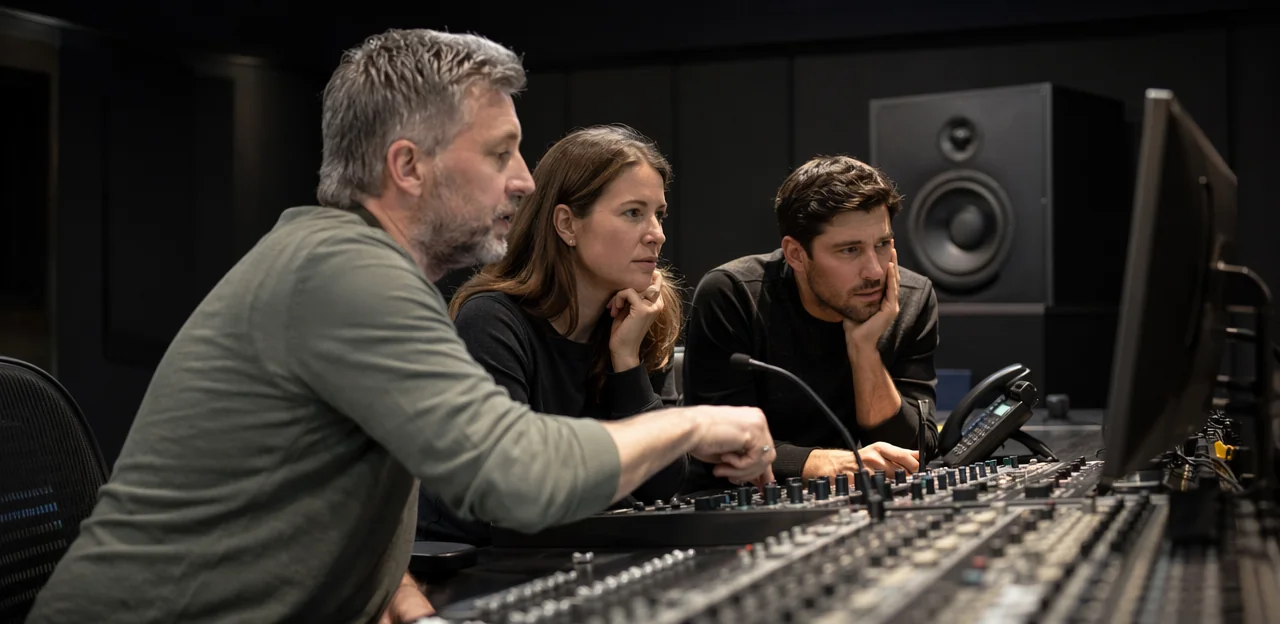
Routing issues to projection, AV, and site teams
To turn cinema sound feedback into action, route every report by category, severity, and location as soon as a screening ends. A simple triage flow supports faster fixes and stronger cinema operations improvement:
- Projection team: sync drift, incorrect format, low dialogue clarity tied to playback settings, or auditorium-specific playback faults
- AV team: distortion, volume imbalance, blown speakers, hum, feedback loops, or processor/amplifier alerts requiring AV issue reporting
- Site operations: complaints linked to doors, HVAC noise, crowd noise, seating vibration, or staff response
Set clear escalation rules:
- Urgent technical failures affecting the current or next show should trigger immediate alerts and auditorium checks.
- Recurring complaints from two or more screenings in the same room should open a theater sound maintenance ticket and manager review.
Tools like Tapsy can help route alerts in real time.
Using feedback trends to support preventive maintenance
Consistent cinema sound feedback is one of the simplest ways to strengthen preventive maintenance cinema workflows. When guests repeatedly mention muffled dialogue, uneven volume, harsh bass, or sound “pulling” to one side in the same auditorium, those patterns often point to technical issues before they turn into widespread complaints.
- Track comments by screen, seat zone, and showtime to spot room-specific issues.
- Use recurring signals to flag possible calibration drift and trigger audio calibration feedback checks.
- Investigate repeated reports of distortion, dropouts, or rattling as early signs for cinema sound system maintenance.
- Compare trends across auditoriums to separate content mix issues from speaker faults or acoustic problems.
Tools like Tapsy can help teams capture these quick signals fast and act before performance declines further.
Closing the loop with customers and staff
Collecting cinema sound feedback only creates value when people see action. Closing the feedback loop means acknowledging comments quickly, fixing issues, and showing guests their input matters.
- Acknowledge feedback fast: Send a short thank-you message, explain what will be reviewed, and follow up when a sound issue is resolved.
- Equip frontline teams: Strong cinema staff training helps ushers, duty managers, and projection teams respond confidently, log issues accurately, and escalate urgent problems during the same day.
- Share visible improvements: Use foyer signage, email updates, or social posts to highlight changes such as recalibrated speakers or adjusted volume checks.
This approach supports ongoing customer experience improvement, builds trust, and reinforces a customer-first culture across every screening.
Measuring success: KPIs for cinema sound feedback programs

Response rate, issue rate, and resolution time
Track a small set of metrics to judge whether your cinema sound feedback process is simple and fast enough to drive action:
- Feedback response rate: the percentage of guests who submit feedback after a screening. A higher feedback response rate usually means the form is easy to find, quick to complete, and relevant.
- Sound issue rate: the share of responses that report volume, clarity, balance, or distortion problems. This is a core cinema KPI for spotting recurring auditorium issues.
- Issue resolution time: the average time from report to fix or staff confirmation. Short issue resolution time shows strong operational follow-through.
Set targets by auditorium and showtime, review trends weekly, and trigger alerts for repeated low sound scores. Tools like Tapsy can help route urgent reports in real time.
Linking sound feedback to satisfaction and loyalty
To prove the value of cinema sound feedback, compare audio scores with core business metrics over time and by auditorium, film, and showtime:
- Match sound ratings with NPS cinema to see whether better audio lifts promoter scores.
- Track whether guests who rate sound highly show stronger cinema loyalty, including repeat attendance and loyalty-program use.
- Compare low sound scores with complaints, refunds, and seat moves to quantify service recovery costs.
- Review whether poor audio feedback appears in online reviews, lowering overall ratings and harming acquisition.
- Build a simple dashboard that links sound trends to customer satisfaction cinema KPIs, so teams can prioritize fixes with the highest revenue impact.
Tools like Tapsy can help capture these signals quickly after screenings.
Benchmarking across sites and screening formats
For regional chains, cinema sound feedback becomes far more useful when it is compared across venues and screen types. Strong multi-site cinema benchmarking helps operators spot whether issues are isolated to one location, one auditorium, or a specific format.
- Compare scores by site, auditorium, showtime, and film type
- Separate premium format feedback from standard screen results to avoid misleading averages
- Track recurring low scores for bass balance, dialogue clarity, or volume consistency
- Identify top-performing locations and document staffing, calibration, and maintenance routines behind them
- Use a simple dashboard or tools like Tapsy to support faster cinema performance comparison and share best practices chain-wide
Best practices and pitfalls when collecting post-screening audio feedback

Keep surveys short, clear, and mobile-friendly
To improve cinema sound feedback response rates, remove every possible barrier. Guests are far more likely to complete a short feedback form if it takes under a minute and works smoothly on their phones as they leave the screen.
- Limit the survey to 1–3 questions, with one optional comment box.
- Use plain language such as “Was the sound clear and comfortable?” instead of technical audio terms.
- Design a mobile-friendly survey with large tap targets, fast loading, and no login required.
- Follow customer survey best practices by making accessibility a priority: high contrast, readable font sizes, and simple layouts.
- Tools like Tapsy can help cinemas collect quick QR-based responses at auditorium exits.
Avoid biased questions and unusable data
Good cinema sound feedback depends on neutral questions and enough context to make results actionable. Poor cinema survey design can quickly create survey bias and weaken feedback data quality.
- Use neutral wording: Ask “How would you rate the sound quality?” instead of “Did you enjoy the excellent sound?”
- Keep answer options simple: Too many choices slow people down and create inconsistent responses. A 1–5 scale is usually enough.
- Capture context every time: Include screen number, showtime, film, and seat area so teams can identify whether the issue was auditorium-specific or time-specific.
- Avoid vague comments-only surveys: Ratings plus basic metadata make trends easier to spot.
Tools like Tapsy can help structure fast, location-aware feedback flows.
Respect privacy and data governance requirements
When collecting cinema sound feedback through QR codes, SMS, email, or web forms, privacy must be built into the process from the start. Protecting customer data privacy strengthens trust and improves response quality.
- Get clear consent: Explain what data you collect, why you collect it, and how long you keep it.
- Minimize data collection: Only ask for details you truly need to improve the screening experience.
- Secure the data: Use encrypted forms, restricted access, and secure storage to support feedback data security.
- Follow regulations: Align with GDPR, CCPA, and internal survey compliance policies.
- Choose compliant tools: Platforms such as Tapsy should support secure, permission-based feedback collection.
Conclusion
In the end, great screenings are remembered not just for the film, but for how the experience felt in the room. That is why cinema sound feedback matters so much. When cinemas collect quick, in-the-moment signals right after a screening, they gain a clearer view of what audiences actually heard and experienced—whether that means dialogue clarity, volume balance, bass levels, or disruptive technical issues. Fast feedback helps teams spot patterns, fix problems sooner, and protect guest satisfaction before small issues turn into negative reviews or lost repeat visits.
Just as importantly, a simple post-show process makes feedback easier for guests to share while the experience is still fresh. Short surveys, QR-based prompts, and real-time alerts can turn cinema sound feedback into a practical tool for both operations and customer experience improvement.
The next step is to make feedback collection part of every screening, not an occasional effort. Start with a few focused questions, review responses by auditorium and showtime, and create a clear process for acting on recurring issues. If you want a faster way to do that, tools like Tapsy can help cinemas capture instant audience signals at key touchpoints. Build a system, measure consistently, and use those insights to create better-sounding, more enjoyable cinema experiences that keep audiences coming back.
Frequently Asked Questions
- Why is cinema sound feedback important after screenings?
It helps cinemas understand what guests actually heard while the experience is still fresh. Quick feedback makes it easier to catch issues like muffled dialogue, sharp volume shifts, or weak surround sound before they turn into repeated complaints, poor reviews, or lost repeat visits.
- What sound problems should cinemas monitor most closely?
The main issues to watch are muffled dialogue, excessive volume, uneven speaker output, distortion or crackling, and accessibility-related problems. These complaints often affect satisfaction directly and can point to calibration faults, damaged speakers, or inconsistent performance across auditoriums.
- Why is immediate post-screening feedback more useful than delayed surveys?
Guests remember specific moments better when they respond on the way out. That makes it easier to link feedback to a particular film, showtime, auditorium, or even seating area, which supports faster investigation and more accurate fixes.
- What are the best ways to collect quick cinema sound feedback?
The most effective methods are QR codes, SMS links, app-based prompts, in-person exit questions, and digital kiosks. Each option works best when the process is fast, simple, and placed at natural touchpoints right after the screening.
- How short should a cinema sound survey be?
It should stay very short, ideally 1 to 3 questions with an optional comment box. A simple flow such as rating sound quality, reporting any issue, and adding a short note keeps response friction low and improves completion rates.
- What questions should cinemas ask to get actionable audio feedback?
Useful questions focus on dialogue clarity, overall volume comfort, sound balance between dialogue, music, and effects, and whether any audio issue affected enjoyment. These topics are specific enough to guide action while still being quick for guests to answer.
- Should cinemas include an open-text comment field in sound feedback forms?
Yes, but it should be optional and focused. A prompt asking for the exact scene, seat number or row, auditorium, and issue type helps teams move from vague complaints to details they can investigate quickly.
- How can cinemas make sound feedback more useful operationally?
Every response should be tagged with context such as auditorium, showtime, format, language version, and film type. That makes it easier to spot whether a problem is tied to one room, one session, or a specific premium format.
- Who should receive different types of cinema sound issues?
Projection teams should handle playback-related issues such as sync drift, incorrect format, or low dialogue clarity tied to settings. AV teams should receive distortion, blown speaker, hum, or amplifier-related problems, while site operations should handle noise from doors, HVAC, crowd disruption, or seating vibration.
- When should a cinema escalate a sound complaint immediately?
Urgent technical failures affecting the current or next screening should trigger immediate alerts and auditorium checks. Repeated complaints from two or more screenings in the same room should open a maintenance ticket and prompt manager review.
- How does sound feedback support preventive maintenance?
Repeated comments about muffled dialogue, uneven volume, harsh bass, distortion, or sound pulling to one side can reveal technical problems early. Tracking these patterns by screen, seat zone, and showtime helps teams identify calibration drift or hardware issues before performance declines further.
- What KPIs should cinemas track for a sound feedback program?
The key measures are feedback response rate, sound issue rate, and issue resolution time. Together, these show whether guests are actually responding, how often sound problems are being reported, and how quickly teams are fixing them.
- How can cinemas connect sound feedback to customer satisfaction and loyalty?
They can compare sound ratings with NPS, repeat attendance, loyalty-program use, complaints, refunds, seat moves, and online review patterns. This helps show whether stronger audio performance is linked to better satisfaction and lower service recovery costs.
- What are the main best practices for post-screening audio surveys?
Keep surveys short, clear, mobile-friendly, and easy to complete without login barriers. Use neutral wording, simple answer scales, and collect basic context like screen number, showtime, film, and seat area so the results are usable.
- What privacy rules should cinemas follow when collecting sound feedback digitally?
Cinemas should explain what data is collected, why it is collected, and how long it will be kept. They should also minimize data collection, secure the information properly, and align with regulations such as GDPR, CCPA, and internal compliance policies.