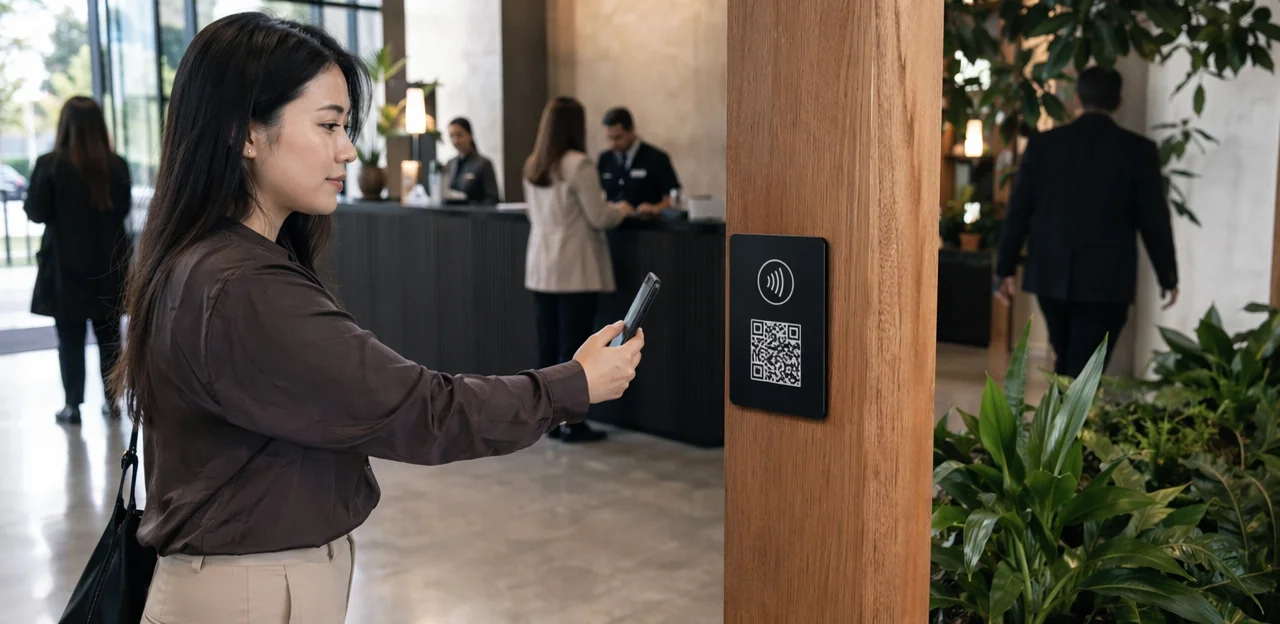
Every customer interaction creates a moment of truth, but most businesses still miss the chance to capture it. By the time a follow-up email arrives, the experience has faded, inboxes are crowded, and response rates drop. That is why feedback point signage is becoming such a powerful tool across industries. Placed at the right touchpoints, it makes customer feedback immediate, visible, and easy to give—whether through a quick tap, scan, or digital feedback form.
From retail stores and restaurants to healthcare, offices, attractions, and service environments, well-designed feedback point signage can turn passive visitors into active participants. It helps businesses collect more relevant customer feedback surveys, gather real-time user feedback, and improve the quality of answers to key feedback questions. Combined with modern customer feedback tools and feedback software, these touchpoints do more than measure satisfaction—they reveal patterns, identify friction, and support faster decisions.
In this article, we will explore how effective signage increases participation, what design and placement strategies work best, and how NFC, QR, AI, and analytics are reshaping the way organizations collect and act on customer feedback. We will also look at how the right approach can strengthen engagement, improve data quality, and make every feedback request feel simple, timely, and worthwhile.
Why Feedback Point Signage Matters Across Industries

What feedback point signage is and why it works
Feedback point signage is any physical or digital prompt placed at the moment of service to capture customer feedback and user feedback instantly. It can include countertop signs, wall decals, table tents, posters, QR codes, NFC touchpoints, or a simple feedback form linked from signage.
Why it works:
- It reaches people in the moment: feedback given right after a purchase, appointment, class, ride, or stay is more accurate and detailed.
- It reduces friction: clear prompts linked to fast customer feedback surveys make participation easy.
- It fits every setting: retail, healthcare, hospitality, education, transport, and service businesses can place customer feedback tools exactly where experiences happen.
- It improves insights: better-timed feedback questions produce stronger data for feedback software and faster service improvements.
Collecting feedback close to the experience increases response rates and makes action more relevant.
The psychology behind higher participation
Effective feedback point signage works because it matches how people make quick decisions in real time. Participation rises when customer feedback surveys appear at the exact moment the experience is fresh, easy to rate, and impossible to miss.
- Timing matters: Asking immediately after service captures accurate customer feedback before memory fades.
- Convenience wins: A simple tap, scan, or short feedback form lowers friction and boosts completion.
- Visibility prompts action: Clear placement near exits, tables, counters, or waiting areas keeps user feedback top of mind.
- Low effort increases responses: Fewer feedback questions reduce fatigue and improve answer quality.
- Trust reduces hesitation: Clear calls to action, privacy reassurance, and recognizable branding make people more willing to engage with customer feedback tools or feedback software.
Cross-industry use cases and business outcomes
Across hospitality, retail, healthcare, transport, and leisure, feedback point signage helps organizations collect in-the-moment customer feedback where experiences actually happen. Placed at exits, tables, counters, rooms, or service desks, these touchpoints increase participation in customer feedback surveys by making each feedback form fast and visible.
- Hotels and restaurants: capture dining, room, and service sentiment to fix issues before negative reviews spread.
- Retail and clinics: use targeted feedback questions to identify wait-time, staff, or cleanliness gaps.
- Attractions and transport hubs: gather user feedback at key journey points to improve flow and satisfaction.
The result is stronger response rates, better use of customer feedback tools, faster recovery actions, improved retention, more positive reviews, and revenue protection. With modern feedback software, teams can turn real-time insights into measurable operational gains.
Designing Feedback Point Signage for Maximum Response Rates

Core design elements that drive action
Effective feedback point signage should remove friction and make participation feel obvious:
- Lead with a clear headline: Use direct language like “Share your experience” or “Leave quick customer feedback.” Visitors should instantly understand the purpose.
- Keep copy concise: Limit instructions to one short sentence and a simple CTA tied to the feedback form. Short prompts improve completion rates for customer feedback surveys.
- Create strong visual hierarchy: Make the headline largest, the QR code or NFC tap icon second, and supporting text last. This helps users act fast.
- Stay on-brand: Consistent colors, fonts, and tone build trust and increase response quality in user feedback.
- Make scan/tap prompts prominent: Label QR and NFC clearly so people know how to access customer feedback tools and answer feedback questions.
- Design for accessibility: Use high contrast, readable fonts, plain language, and multilingual options so more people can engage with your feedback software.
Placement strategy: where signage performs best
The best feedback point signage appears where intent is highest and effort is lowest. Placement directly shapes customer feedback quality, completion rates, and the usefulness of customer feedback surveys.
- Exits: Ideal for capturing overall impressions while the experience is fresh. Keep the feedback form short and focused on satisfaction.
- Waiting areas: Guests have idle time, making these strong spots for quick feedback questions or ratings.
- Counters and checkouts: Best for service-speed, staff helpfulness, and transaction experience.
- Tables, kiosks, and treatment rooms: Context-specific prompts improve user feedback because customers respond in the moment.
- Packaging and takeaway bags: Great for post-purchase follow-up, especially with QR-based customer feedback tools.
- Post-service touchpoints: Receipts, doors, and collection points work well when paired with simple feedback software and a clear incentive.
Match the question to the moment to collect better, more actionable insights.
Calls to action and incentive messaging
Effective feedback point signage uses clear, low-friction prompts that invite action without pressure. Keep wording specific, brief, and benefit-led:
- Rating requests: “How was your visit today? Tap to rate in 10 seconds.”
- Issue reporting: “Something not right? Tell us now so we can fix it.”
- Quick feedback invitations: “Share quick customer feedback and help us improve.”
Match the prompt to the feedback form length. If you want fast responses, ask 1–3 focused feedback questions. For deeper customer feedback surveys, explain the value: better service, faster fixes, or improved experiences.
Incentives work best for boosting participation in broad user feedback collection, especially with NFC/QR customer feedback tools or feedback software. Avoid offering rewards tied to positive ratings, which can bias results. Instead, reward completion equally and state that honest feedback is valued to maintain trust.
Using QR Codes, NFC, and Touchpoints to Reduce Friction

QR code best practices for customer feedback surveys
Effective feedback point signage reduces friction between the customer experience and the response moment. To increase participation, optimize every step:
- Make scanning effortless: Use high-contrast QR codes, adequate sizing, and clear placement at eye level or checkout points so customers can open customer feedback surveys instantly.
- Prioritize fast mobile pages: A slow page kills intent. Your feedback form should load quickly, be mobile-first, and avoid unnecessary fields.
- Use branded destinations: Send users to a branded survey page that matches your signage. This builds trust and improves completion rates for customer feedback and user feedback.
- Match survey length to context: For quick interactions, ask 1–3 feedback questions. For longer visits, slightly deeper customer feedback surveys may work.
The best customer feedback tools and feedback software keep the process simple, relevant, and immediate.
NFC touchpoints for seamless participation
In busy venues, feedback point signage works best when participation takes seconds. NFC lets guests tap their phone and open a feedback form instantly, removing the friction of typing URLs or aligning a camera. That speed can lift completion rates for customer feedback surveys, especially where people are moving quickly or expect a polished experience.
- Faster access: NFC is often quicker than QR in high-traffic spaces like counters, lobbies, and exits.
- More accessible: A simple tap reduces effort, helping more guests share customer feedback and user feedback.
- Cleaner interaction: Contactless taps support hygiene-conscious environments.
- Premium feel: NFC-enabled customer feedback tools create a smoother brand experience than manual entry.
Use QR as a reliable backup, but in premium or fast-paced settings, NFC-powered feedback software can improve response volume and the quality of feedback questions answered.
Omnichannel feedback collection beyond the sign
Effective feedback point signage should act as the starting point of a connected feedback journey, not a standalone channel. To improve response rates without creating survey fatigue, link your signage with the same feedback software used for email, SMS, kiosks, receipts, apps, and web pages.
- Use one centralized system for all customer feedback surveys so each interaction updates a single customer record.
- Trigger the right feedback form by touchpoint: a quick rating at a sign, deeper feedback questions by email, and issue-resolution prompts via SMS.
- Set rules to suppress duplicate requests when customer feedback has already been submitted recently.
- Sync channels with customer feedback tools to capture user feedback consistently and compare trends across locations, devices, and journeys.
This creates cleaner data, better timing, and a more seamless customer experience.
Creating Better Surveys, Forms, and Feedback Questions

How to build a short, effective feedback form
To get more responses from feedback point signage, keep your feedback form fast, clear, and mobile-friendly. The best customer feedback surveys take under 30 seconds and ask only what matters.
- Start with one rating question: Use a 1–5 scale, thumbs, or smiley icons to capture quick customer feedback.
- Add one open-text field: Ask a simple follow-up like “What could we improve?” to collect richer user feedback.
- Make contact details optional: Offer email or phone only if guests want a reply, reward, or follow-up.
- Use smart logic: Show different feedback questions based on location, channel, audience, or score.
- Keep it minimal: Strong customer feedback tools and feedback software should reduce friction, not add steps.
Feedback questions that generate useful insights
Effective feedback point signage should guide people to the right feedback questions at the right moment.
- Transactional questions measure a specific interaction, such as checkout, delivery, or staff helpfulness. Use CSAT for satisfaction and CES to learn how easy the experience felt.
- Relationship questions track overall brand perception over time. Use NPS-style questions after several visits or once customers know your business well.
- Use issue-specific prompts in a feedback form when you need precise user feedback on wait times, cleanliness, product quality, or support.
To improve customer feedback surveys, avoid vague or leading wording. Ask “How easy was it to find what you needed?” instead of “Did our team provide excellent service?” Clear, neutral wording helps customer feedback tools and feedback software capture more useful customer feedback.
Balancing participation rate with response depth
Effective feedback point signage should match the moment: keep customer feedback surveys short when traffic is high, and go deeper when customers have more time. A smart structure improves both completion rates and data quality.
- Start with 1–2 fast feedback questions such as a rating or thumbs-up/down to capture quick customer feedback.
- Put the most important question first; later questions always get fewer responses.
- Use an optional feedback form field for comments so willing users can share richer user feedback without slowing everyone down.
- Trigger longer follow-ups only after low scores or specific issues.
Use quick signals for volume and trend tracking; use richer flows for diagnosis. The best customer feedback tools and feedback software help you balance both.
Measuring Performance with AI, Analytics, and Feedback Software

What to track: scans, starts, completions, and sentiment
To measure feedback point signage performance, track the full journey from tap to insight:
- Scans by location: Measure NFC/QR scans at each touchpoint to compare visibility and engagement rate by table, lobby, checkout, restroom, or exit.
- Starts: Track how many people open the feedback form or begin customer feedback surveys after scanning. This shows whether signage copy and placement motivate action.
- Completions: Monitor completion rate to spot friction in feedback questions, survey length, or mobile usability.
- Response quality: Review comment depth, usable answers, and repeat themes in user feedback.
- Sentiment and issue categories: Use feedback software or customer feedback tools to classify positive, neutral, and negative customer feedback, then group issues by service, cleanliness, wait times, or product quality.
How AI and analytics turn responses into action
With feedback point signage, businesses can collect more timely customer feedback at the moment of experience—but the real value comes from what happens next. AI-powered feedback software helps teams turn raw comments from a feedback form, customer feedback surveys, and quick-tap prompts into clear action.
- Categorize comments automatically by topic, such as cleanliness, wait times, staff service, or product quality
- Detect sentiment to flag positive, neutral, and negative user feedback instantly
- Surface recurring themes by spotting patterns across locations, teams, or time periods
- Prioritize urgent issues so service recovery happens before complaints escalate
Combined with dashboards and trend reports, customer feedback tools help teams refine feedback questions, improve operations, and make faster, data-backed decisions.
Choosing the right customer feedback tools
To get the most from feedback point signage, choose customer feedback tools that make response collection simple and analysis actionable. Look for:
- Easy capture: Mobile-friendly feedback form options, NFC/QR access, and short customer feedback surveys with clear feedback questions.
- Strong integrations: Connect feedback software with CRM, POS, help desk, and marketing tools so customer feedback turns into follow-up action.
- Clear dashboards: Compare results by site, team, campaign, or touchpoint to spot trends fast.
- Automation: Route low scores instantly, trigger alerts, and tag user feedback by theme or sentiment.
- Privacy controls: Consent settings, secure data handling, and role-based access are essential.
- Multilingual support: Let guests respond in their preferred language.
The best tools turn feedback into measurable improvements, not just reports.
Implementation Best Practices and Common Mistakes to Avoid

Launching a feedback point signage program step by step
- Set clear goals: Decide whether your feedback point signage will improve service recovery, increase customer feedback surveys, or collect more actionable user feedback.
- Segment audiences: Tailor prompts by visitor type, location, and journey stage so feedback questions feel relevant.
- Design simple signage: Use clear calls to action, QR/NFC instructions, and a short feedback form optimized for mobile.
- Choose touchpoints carefully: Place signs where intent is highest—exits, tables, counters, waiting areas, or service completion points.
- Pilot and measure: Test messaging, placement, and incentives using customer feedback tools and feedback software.
- Train staff: Teach teams how to invite customer feedback naturally.
- Optimize continuously: Review response rates, completion quality, and trends monthly.
Mistakes that lower participation and data quality
Even strong feedback point signage can underperform if the experience creates friction or doubt. Avoid these common mistakes:
- Poor placement: If signs are hidden, awkwardly positioned, or placed after the key moment, fewer people engage with your feedback form.
- Too many feedback questions: Long customer feedback surveys cause drop-off and rushed answers, reducing useful user feedback.
- Broken QR links: A failed scan instantly damages trust and makes your customer feedback tools look unreliable.
- Unclear privacy messaging: If people do not know how customer feedback is used, they are less likely to respond honestly.
- Failing to close the loop: When guests never see action taken, future participation falls and feedback software captures less meaningful insight.
How to close the loop and improve customer experience
Feedback point signage works best when people see their input leads to action. To turn customer feedback into better service and stronger loyalty:
- Review user feedback daily with feedback software to spot recurring issues, service gaps, and quick wins.
- Prioritize fixes based on volume, urgency, and impact from customer feedback surveys, open-text comments, and each feedback form.
- Communicate changes clearly with signs, staff messaging, or follow-up updates such as “You asked, we improved.”
- Refine operations, staff training, and service standards using insights from feedback questions and other customer feedback tools.
When organizations visibly act on feedback, participation rises because customers feel heard—and that drives repeat visits and trust.
Conclusion
Effective feedback point signage does more than direct attention—it removes friction, invites action in the moment, and turns everyday interactions into measurable insight. Across industries, the most successful strategies combine clear messaging, smart placement, mobile-friendly NFC or QR access, and concise customer feedback surveys that feel fast and worthwhile. When signage is paired with the right feedback form, thoughtful feedback questions, and intuitive feedback software, businesses can capture richer customer feedback and user feedback at the exact touchpoint where experiences happen.
The real advantage of strong feedback point signage is participation. Instead of waiting for low-response follow-up emails, brands can gather immediate insight, spot service issues sooner, and use customer feedback tools to identify patterns, improve operations, and strengthen loyalty. With AI and analytics layered in, feedback becomes even more actionable—helping teams prioritize what matters most and respond with confidence.
Now is the time to audit your current touchpoints, simplify your survey experience, and invest in feedback point signage that makes responding effortless. Start by reviewing your signage copy, optimizing QR or NFC access, and refining your questions for speed and clarity. For added inspiration, explore modern feedback software and touchpoint platforms such as Tapsy to see how real-time engagement can scale across locations.
Frequently Asked Questions
- What is feedback point signage?
Feedback point signage is any physical or digital prompt placed at the moment of service to collect customer or user feedback instantly. It can include countertop signs, posters, table tents, wall decals, QR codes, NFC touchpoints, or signage linked to a digital feedback form.
- Why does feedback point signage usually increase participation?
It asks for feedback while the experience is still fresh, which makes responses more accurate and detailed. It also reduces friction by making it easy to respond with a quick tap, scan, or short form.
- Which industries can benefit most from feedback point signage?
It works across retail, restaurants, hotels, healthcare, offices, attractions, transport, education, and other service environments. Any business that wants in-the-moment feedback at exits, counters, tables, rooms, or service desks can use it effectively.
- Where should feedback signs be placed for the best response rates?
High-performing locations include exits, waiting areas, counters, checkouts, tables, kiosks, treatment rooms, packaging, receipts, and collection points. The best placement is where customer intent is high and the effort to respond is low.
- What design elements make feedback signage more effective?
Clear headlines, short instructions, strong visual hierarchy, and prominent QR or NFC prompts help people act quickly. High contrast, readable fonts, plain language, and consistent branding also improve trust and accessibility.
- How long should a feedback form be?
Short forms perform best, especially when they take under 30 seconds to complete. A strong setup often starts with one rating question, adds one optional open-text field, and keeps contact details optional.
- What types of feedback questions work best at different touchpoints?
Transactional questions are useful right after specific interactions like checkout, delivery, or staff support, while relationship questions fit better after several visits. Issue-specific prompts work well when you need focused feedback on wait times, cleanliness, product quality, or support.
- Should businesses use QR codes or NFC for collecting feedback?
Both reduce friction, but they suit different situations. QR works well as a flexible and reliable option, while NFC can be faster and smoother in premium or high-traffic spaces like lobbies, counters, and exits.
- What are the most important QR code best practices for feedback surveys?
Use high-contrast QR codes, make them large enough to scan easily, and place them where people can see them clearly. The linked page should load quickly, be mobile-friendly, and match the branding on the sign to build trust.
- How can incentives be used without biasing the results?
Incentives should reward completion equally rather than positive ratings. Clear messaging that honest feedback is valued helps maintain trust and protects the quality of responses.
- How can signage-based feedback fit into an omnichannel strategy?
It should connect to the same feedback software used for email, SMS, kiosks, receipts, apps, and web pages. That allows one customer record to be updated across channels, supports touchpoint-specific forms, and helps prevent duplicate requests.
- What metrics should be tracked to measure signage performance?
Track scans by location, survey starts, completions, and the quality of responses. It is also useful to monitor sentiment and issue categories such as service, cleanliness, wait times, or product quality.
- How do AI and analytics help teams act on feedback faster?
AI-powered tools can automatically categorize comments, detect sentiment, surface recurring themes, and flag urgent issues. Combined with dashboards and trend reports, that helps teams prioritize fixes and make faster operational decisions.
- What common mistakes reduce participation and data quality?
Poor placement, too many questions, broken QR links, and unclear privacy messaging all create friction and reduce trust. Participation also drops when businesses fail to act on feedback or show customers that improvements were made.
- What are the main steps to launch a feedback point signage program?
Start by setting clear goals, segmenting audiences, and designing simple mobile-friendly signage with clear calls to action. Then choose the right touchpoints, pilot and measure results, train staff, and optimize performance continuously based on response rates and feedback quality.