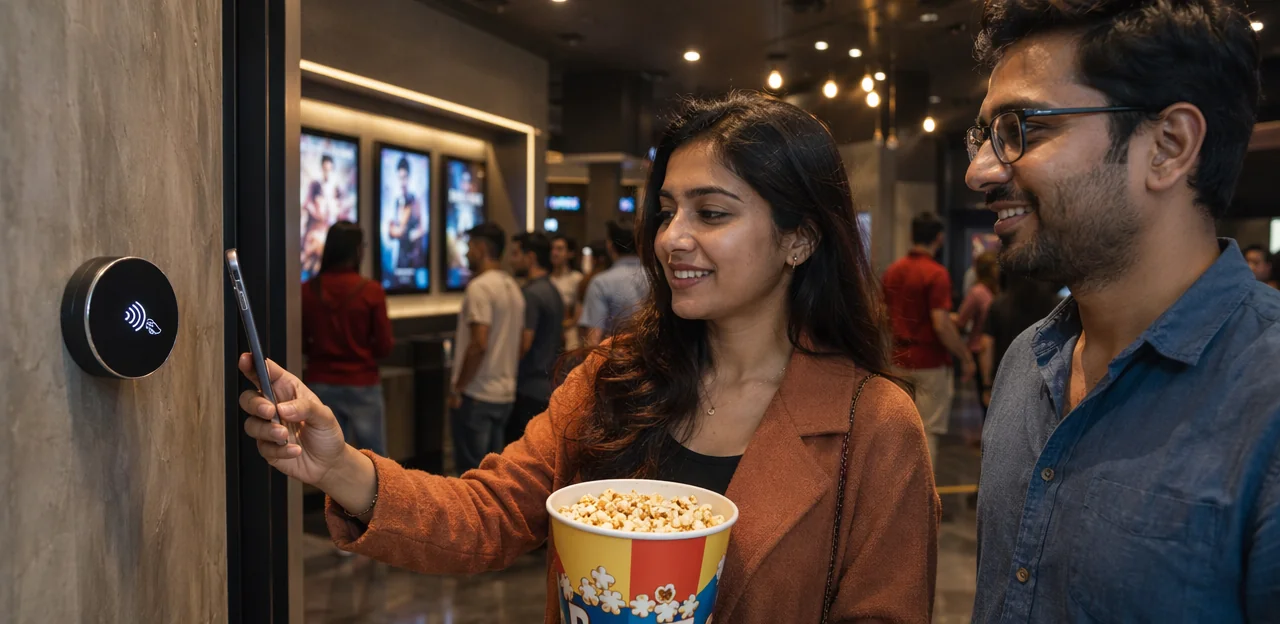
NFC feedback for cinemas: tap-to-rate showtimes, seating, and service

A great movie experience is about more than what happens on screen. From smooth entry and easy seat access to clean auditoriums, comfortable seating, and fast concession service, every detail shapes how audiences remember a visit. That is why NFC feedback cinema strategies are becoming an increasingly valuable tool for modern theaters. By placing simple tap-to-rate touchpoints at key moments in the customer journey, cinemas can capture real-time opinions on showtimes, seating comfort, queue times, staff service, and overall atmosphere—while the experience is still fresh.

Instead of relying only on post-visit surveys or public reviews, NFC-enabled feedback gives cinema operators immediate, location-specific insight they can actually act on. A quick tap near the auditorium entrance, lobby, or concessions counter can reveal friction points before they turn into negative reviews or lost repeat visits. Solutions such as Tapsy show how no-app NFC and QR feedback can make this process seamless for both guests and staff.

In this article, we’ll explore how NFC feedback works in cinema environments, where to place touchpoints for the best response rates, what kinds of questions to ask, and how cinemas can use audience feedback to improve service, boost satisfaction, and create a better end-to-end viewing experience.

Why NFC feedback matters in the modern cinema journey
Why NFC feedback matters in the modern cinema journey

What is NFC feedback in a cinema setting?

NFC feedback cinema refers to a contactless way for moviegoers to share instant opinions by simply tapping their phone on a tagged touchpoint—no app or long survey required. It turns the cinema feedback system into something fast, location-specific, and easy to use while the experience is still fresh.

Common cinema touchpoints include:

  • Tap-to-rate stations at exits for overall showtime satisfaction
  • Seat-area touchpoints to report comfort, cleanliness, or temperature issues
  • Lobby posters that collect feedback on queues, signage, or atmosphere
  • Concession counter prompts for speed, order accuracy, and staff service

Unlike QR codes, NFC customer feedback works with a single tap instead of scanning a camera code. QR still complements broader digital feedback strategies, giving cinemas flexible options across devices and placements.

Why audiences respond better to low-friction feedback tools

Low-friction tools work because they capture instant customer feedback at the exact moment the experience happens. In an NFC feedback cinema setup, guests can tap to rate showtimes, seating comfort, or staff service in seconds, without opening email or filling out a long form later.

  • Speed increases participation: a two-second tap feels effortless compared with a survey sent hours after the film.
  • Convenience removes drop-off: no app download, login, or lengthy questions means more responses from casual moviegoers.
  • Context improves accuracy: feedback given near the screen, lobby, or concession stand reflects the real audience experience while details are still fresh.

This approach helps cinemas collect more honest, useful sentiment and act faster on issues. Tools like Tapsy can make this process seamless at key touchpoints.

Key cinema pain points NFC can help uncover

NFC feedback cinema touchpoints make it easier to capture movie theater feedback at the exact moment friction happens, giving teams fast insight into the real cinema customer experience.

  • Delayed showtimes: Guests can report late starts, extended trailers, or slow auditorium turnaround before frustration turns into poor reviews.
  • Poor seat comfort: Instant ratings reveal recurring issues with legroom, broken recliners, cleanliness, or temperature.
  • Unclear wayfinding: Feedback near entrances, kiosks, or screens highlights confusion around ticket pickup, auditorium locations, and restroom access.
  • Slow concessions: Real-time responses expose queue bottlenecks, stock shortages, and payment delays.
  • Inconsistent staff interactions: Audiences can flag helpful or disappointing service, helping managers track service quality in cinemas by shift or location.

With immediate alerts, cinemas can fix operational problems before they affect repeat visits.

Best NFC touchpoints for rating showtimes, seating, and service

Best NFC touchpoints for rating showtimes, seating, and service

Showtime feedback at entry, exit, and digital signage

To capture showtime feedback when impressions are freshest, cinemas should place NFC tags at the exact points where timing and flow matter most. This helps teams measure cinema entry experience, movie schedule satisfaction, and operational consistency in real time.

  • At entry gates: Ask whether doors opened on time, ticket scanning was smooth, and queues moved quickly. This is ideal for spotting bottlenecks before peak sessions.
  • Near concession or corridor digital signage: Prompt guests to rate trailer length, schedule clarity, and whether start times matched expectations.
  • At auditorium doors: Collect feedback on screen readiness, lighting, cleanliness, and whether seating areas were prepared before admission.
  • At exits: Capture post-show opinions on punctuality, crowd flow, and overall timing satisfaction.

In multiplexes, deploy tags by each screen and central lobby signage to compare sessions. Boutique cinemas can place one discreet NFC feedback cinema point at the entrance and one by the auditorium exit for simpler, high-quality insights.

Seating feedback inside auditoriums and premium zones

With NFC feedback cinema touchpoints placed discreetly near seat rows, armrests, recliner controls, or VIP lounge tables, cinemas can collect real-time seating feedback cinema insights without interrupting the film. A quick tap lets guests rate the auditorium experience while details are still fresh.

  • Row-level placement: Tags near entrances or row markers help identify issues with legroom, sightlines, or blocked views in specific sections.
  • Seat-area feedback: Armrest or recliner-side taps can capture comments on cinema seat comfort, cushioning, tray tables, cupholders, and seat functionality.
  • Premium zone monitoring: In VIP lounges and recliner sections, guests can flag temperature, cleanliness, lighting, and noise expectations tied to higher-priced tickets.
  • Fast operational response: Route low scores on comfort or cleanliness directly to housekeeping or floor staff before the next showtime.

Platforms such as Tapsy can support no-app tap-to-rate flows, helping cinemas turn small seating issues into fast service improvements.

Service feedback for concessions, ushers, and support staff

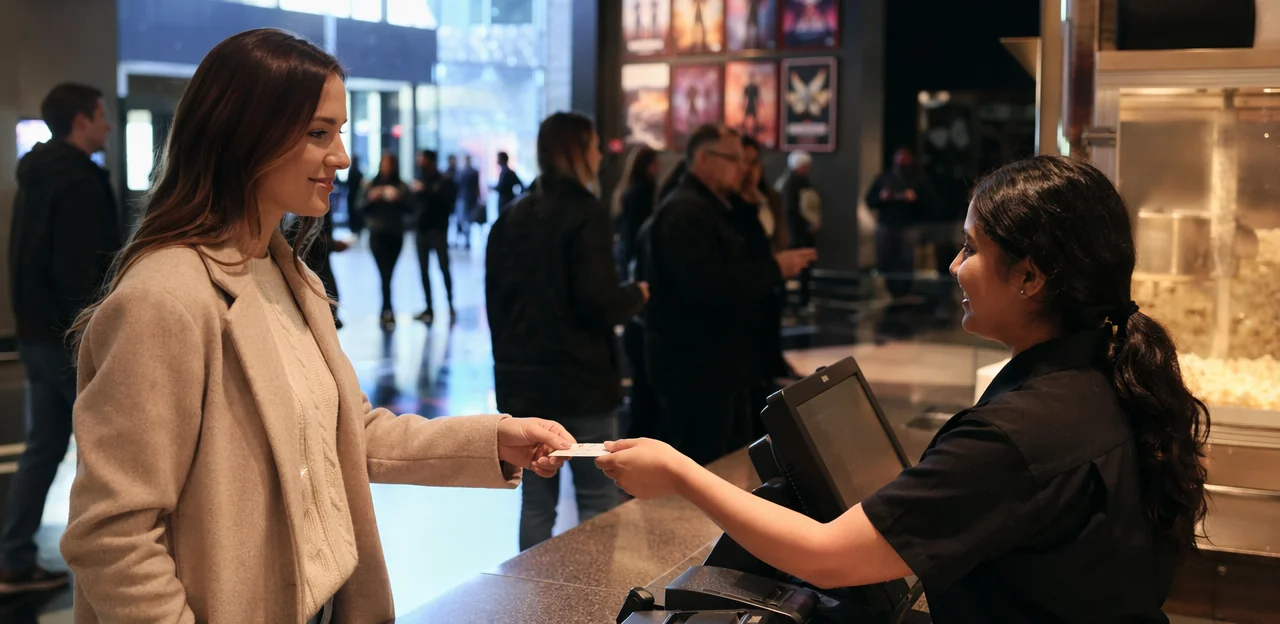
With NFC feedback cinema touchpoints placed where interactions happen, theaters can collect fast, specific service insights before frustration turns into complaints or negative reviews. A simple tap at snack counters, self-service kiosks, and customer service desks helps teams track concession feedback, cinema staff service, and overall theater customer service in real time.

  • At concession stands: ask guests to rate queue length, order accuracy, speed, and staff friendliness.
  • At self-service kiosks: capture issues like confusing menus, payment errors, sold-out items, or unclear pickup instructions.
  • At customer service desks: measure how well staff handled seating problems, ticket errors, refunds, or accessibility requests.

This touchpoint-level data helps managers spot peak-time bottlenecks, coach staff, and resolve recurring issues faster. Platforms like Tapsy can also route low scores instantly, so supervisors can step in while the guest is still on-site.

How cinemas implement an effective NFC feedback system

How cinemas implement an effective NFC feedback system

Choosing NFC tags, landing pages, and rating flows

For effective NFC feedback cinema setups, keep the tap-to-response journey fast, durable, and friction-free:

  • Choose durable NFC tags for business: Use waterproof, tamper-resistant tags or hard PVC stickers for armrests, counters, and lobby walls. Check chip compatibility with iPhone and Android, and use short, locked URLs.
  • Build a mobile feedback form: Pages should load in under 2–3 seconds, match cinema branding, and work without an app download. Ask for a star rating first, then 1–2 optional follow-up fields.
  • Simplify the customer feedback flow: One clear CTA such as “Tap to rate this showtime” improves completion. Keep forms minimal, with large buttons and easy thumbs-friendly design.
  • Route by touchpoint: Separate flows for seating, showtime quality, and staff service help teams act faster.

Tools like Tapsy can support no-app NFC feedback journeys.

Combining NFC with QR touchpoints for wider accessibility

For the best NFC feedback cinema setup, cinemas should offer both NFC and QR touchpoints at key moments such as exits, concession counters, and seat rows. Not every guest uses tap-enabled phones, and some audiences still prefer scanning a code they can see and trust.

  • Support more devices: NFC works fast for newer smartphones, while QR feedback cinema options cover older devices and camera-first users.
  • Match audience habits: Families, teens, tourists, and older moviegoers all interact differently with technology.
  • Increase response rates: Giving guests a choice reduces friction and boosts contactless feedback participation.
  • Improve placement flexibility: Use NFC stickers on armrests or counters, with QR codes on posters, tickets, and digital screens.

Platforms like Tapsy can help cinemas manage both touchpoints in one simple flow.

Effective rollout depends on making NFC feedback cinema touchpoints easy to notice, trust, and use in seconds. Focus on operations, not just technology:

  • Train staff first: Ushers, concession teams, and managers should know where tags are placed, what each prompt asks, and how feedback supports service recovery and customer engagement strategy.
  • Place tags strategically: Put taps at exits, seat rows, concession pickup, and restroom entrances—where reactions are immediate and response friction is low.
  • Use clear cinema signage: Short prompts like “Tap to rate this showtime” or “Tap to rate your seat and service” outperform vague wording.
  • Add light incentives: Offer loyalty points, a monthly prize draw, or small snack upgrades to lift feedback participation without biasing responses.

Platforms like Tapsy can help connect taps, alerts, and rewards in one flow.

Using audience feedback data to improve cinema operations

Using audience feedback data to improve cinema operations

Turning real-time ratings into actionable service improvements

With NFC feedback cinema touchpoints, managers can move from passive surveys to fast, targeted action. The key is using real-time feedback analytics to spot patterns by screen, showtime, and location.

  • Monitor live dashboards: Track low ratings as they come in and filter by cleaning, staffing, seating, or scheduling issues.
  • Identify recurring problems: If multiple guests flag sticky floors in one auditorium or long concession waits before evening shows, the issue is operational, not isolated.
  • Prioritize fixes by impact: Address urgent, repeat complaints first—such as broken seats, restroom cleanliness, understaffed counters, or delayed screenings.
  • Act locally and quickly: Location-specific insights help teams resolve problems before the next audience arrives, improving cinema operations and overall service improvement.

Tools like Tapsy can help route alerts to the right team in real time.

Segmenting feedback by showtime, screen, and customer type

With NFC feedback cinema touchpoints, theaters can turn quick ratings into useful customer feedback analytics by comparing responses across audience segments. This makes showtime analysis and audience segmentation far more actionable.

  • By showtime: Compare peak evening slots with weekday matinees to spot recurring issues like queue times, late seating, or concession delays.
  • By screening type: Separate family screenings from standard shows to identify patterns around cleanliness, noise, stroller access, or kid-focused service needs.
  • By screen and format: Track feedback for IMAX, 3D, VIP, or recliner auditoriums to measure whether premium pricing matches perceived value.
  • By customer type: Review ratings from loyalty members, first-time visitors, and frequent premium buyers to tailor offers and service recovery.

Tools like Tapsy can help cinemas capture and compare this data in real time, making it easier to optimize each segment’s experience.

Measuring ROI from better experiences and repeat visits

To prove NFC feedback cinema programs deliver value, tie audience feedback to revenue and loyalty outcomes, not just response volume. Stronger experiences often lead to better reviews, higher concession sales, and more repeat moviegoers.

Track these customer satisfaction metrics over time:

  • Average rating by touchpoint: showtime punctuality, seat comfort, cleanliness, staff service
  • Online review impact: Google rating, review volume, and sentiment trends
  • Concession performance: average spend per guest, upsell rate, and sales by screening
  • Retention indicators: repeat booking rate, loyalty sign-ups, and visit frequency
  • Recovery metrics: low-score alerts resolved, response time, and recovered guests

For clearer cinema ROI, compare locations and periods before and after rollout. Platforms like Tapsy can help cinemas connect real-time feedback with operational fixes and measurable business gains.

SEO, privacy, and trust considerations for cinema feedback programs

SEO, privacy, and trust considerations for cinema feedback programs

Creating feedback content that supports local cinema SEO

NFC feedback cinema data can do more than improve operations—it can power stronger local SEO for cinemas and smarter cinema website SEO. When you aggregate comments by location, screen, and showtime, clear search themes emerge.

  • Turn recurring questions into local FAQ pages, such as parking, late entry, recliner seating, accessibility, or busiest weekend showtimes.
  • Use feedback trends to publish location-specific pages highlighting updated concessions, cleaner auditoriums, faster service, or premium seating upgrades.
  • Build audience experience content around real moviegoer language to match local search intent.

Tools like Tapsy can help cinemas collect these insights at the moment of experience, making content more relevant and easier to rank.

For NFC feedback cinema programs, trust matters as much as response volume. Build feedback data privacy into every tap-to-rate flow:

  • Show clear notices upfront: explain what data is collected, why it is used, and whether device interactions such as tap time, location, or browser data are logged.
  • Make personal details optional: allow anonymous customer feedback by default, with separate opt-ins for email, rewards, or follow-up.
  • Use simple consent management: include clear consent checkboxes only when needed, and avoid bundling feedback with marketing permission.
  • Protect comments carefully: limit access to customer comments, redact sensitive details, and store responses securely.
  • Keep compliance in mind: set retention rules and document handling processes. Platforms like Tapsy can help structure privacy-friendly touchpoints.

Building trust with visible action and closed-loop feedback

To increase participation, an NFC feedback cinema strategy must prove that audience comments lead to real improvements. When guests see action, customer trust grows and they are more likely to tap and respond again.

  • Share “You said, we did” updates on lobby screens, booking emails, or concession counters.
  • Highlight changes such as improved cleaning schedules, faster service lanes, or updated seating maintenance programs.
  • Use closed-loop feedback to alert staff quickly, resolve issues during the same day, and follow up where possible.
  • Track recurring themes by showtime or screen to support smarter cinema reputation management.

Tools like Tapsy can help cinemas capture and act on feedback in real time.

Common mistakes cinemas should avoid with NFC feedback

Common mistakes cinemas should avoid with NFC feedback

Overcomplicated forms and poorly placed touchpoints

Even strong NFC feedback cinema programs fail when the experience feels slow or easy to miss. To reduce survey abandonment, keep every tap flow short, mobile-friendly, and visible at the right moment.

  • Limit forms to 1–3 quick questions plus an optional comment for better feedback form optimization
  • Prioritize fast, responsive mobile pages with no app download or clunky redirects
  • Improve NFC placement by positioning tags at exits, seat rows, concession pickup, and restrooms where feedback is timely and convenient

Simple flow + smart timing consistently drives higher response rates.

Collecting feedback without acting on it

In an NFC feedback cinema setup, asking for ratings without visible action can quickly erode trust. If guests repeatedly report dirty seats, long concession lines, or poor sound and nothing changes, customer feedback management becomes performative instead of useful.

  • Create response workflows for low scores, with clear owners and deadlines
  • Set escalation rules for recurring issues, safety concerns, or repeated staff complaints
  • Run weekly reporting on trends, closure rates, and unresolved themes

This supports stronger service recovery and consistent operational follow-up, rather than collecting feedback for show.

Ignoring accessibility can weaken any NFC feedback cinema strategy. To build an accessible feedback system with strong device compatibility and an inclusive customer experience, cinemas should:

  • Support both Android and iPhone NFC behavior, since tap flows can vary by device and settings.
  • Add a visible QR code beside every NFC point so guests can still respond if tapping fails.
  • Use large text, strong contrast, clear labels, and simple form steps.
  • Ensure screen-reader support, keyboard navigation, and easy language for all guests.

Platforms like Tapsy can help deliver no-app NFC and QR feedback journeys.

Conclusion

In a competitive entertainment market, every cinema touchpoint matters. From showtime accuracy and seat comfort to queue times, cleanliness, and staff helpfulness, timely audience insight can make the difference between a one-time visit and a loyal moviegoer. That’s why NFC feedback cinema strategies are so effective: they let guests tap and rate their experience in the moment, when impressions are fresh and actionable.

By placing simple NFC or QR touchpoints at entrances, concession stands, auditoriums, and exits, cinemas can collect fast, frictionless feedback without forcing customers to download an app or complete long surveys. The result is better operational visibility, faster service recovery, and a clearer understanding of what drives satisfaction across the full moviegoing journey.

For cinema operators looking to improve audience experience, the next step is to start small: identify key feedback points, keep questions short, and create clear internal workflows for responding to low ratings. From there, use reporting dashboards and trend analysis to refine staffing, seating, scheduling, and service delivery over time. Solutions such as Tapsy can help bring this kind of real-time feedback loop to life.

If you’re ready to turn audience reactions into measurable improvements, now is the time to invest in an NFC feedback cinema approach that helps every screening perform better.

Frequently Asked Questions

  • What is NFC feedback in a cinema?

    NFC feedback in a cinema is a contactless way for guests to share instant opinions by tapping their phone on a tagged touchpoint. It lets theaters collect location-specific feedback on things like showtimes, seating, queues, and service without requiring an app or a long survey.

  • The article explains that NFC captures feedback while the experience is still fresh, which improves accuracy and makes it easier to act quickly. It also reduces friction because guests can respond in seconds instead of opening an email survey later.

  • Recommended locations include entry gates, auditorium doors, exits, concession counters, self-service kiosks, seat rows, and restroom entrances. These placements work well because they match moments when guests can immediately rate timing, comfort, cleanliness, or service.

  • It can reveal delayed showtimes, long concession lines, poor seat comfort, cleanliness problems, unclear wayfinding, and inconsistent staff interactions. Because the feedback is tied to a specific place and moment, teams can identify operational friction before it becomes a negative review or lost repeat visit.

  • NFC works through a phone tap, while QR requires the guest to scan a code with their camera. The article suggests using both together so cinemas can support more devices, match different user habits, and increase participation.

  • The article recommends a fast mobile page that loads in under 2–3 seconds and starts with a star rating. After that, cinemas should keep follow-up fields optional and minimal, with clear calls to action and large mobile-friendly buttons.

  • Managers can monitor live dashboards, spot recurring low scores by screen or showtime, and prioritize urgent issues such as broken seats, dirty auditoriums, delayed screenings, or understaffed counters. The goal is to route problems to the right team quickly so fixes happen before the next audience arrives.

  • The article recommends comparing responses by showtime, screening type, screen or format, and customer type. This helps cinemas understand whether issues are tied to evening peaks, family screenings, premium auditoriums, loyalty members, or first-time visitors.

  • Cinemas should clearly explain what data is collected, why it is used, and whether device interaction details are logged. Personal details should be optional, anonymous responses should be allowed by default, and comments should be stored securely with simple consent handling where needed.

  • The article warns against overcomplicated forms, poorly placed touchpoints, and collecting feedback without acting on it. It also says cinemas should not ignore accessibility, so they should support both iPhone and Android behavior, add QR backups, and use clear, readable, accessible form design.

Prev
Senior housing feedback: collecting resident voice with low-friction tools
Next
Mobility hub customer insights: turning short comments into better service

We're looking for people who share our vision!