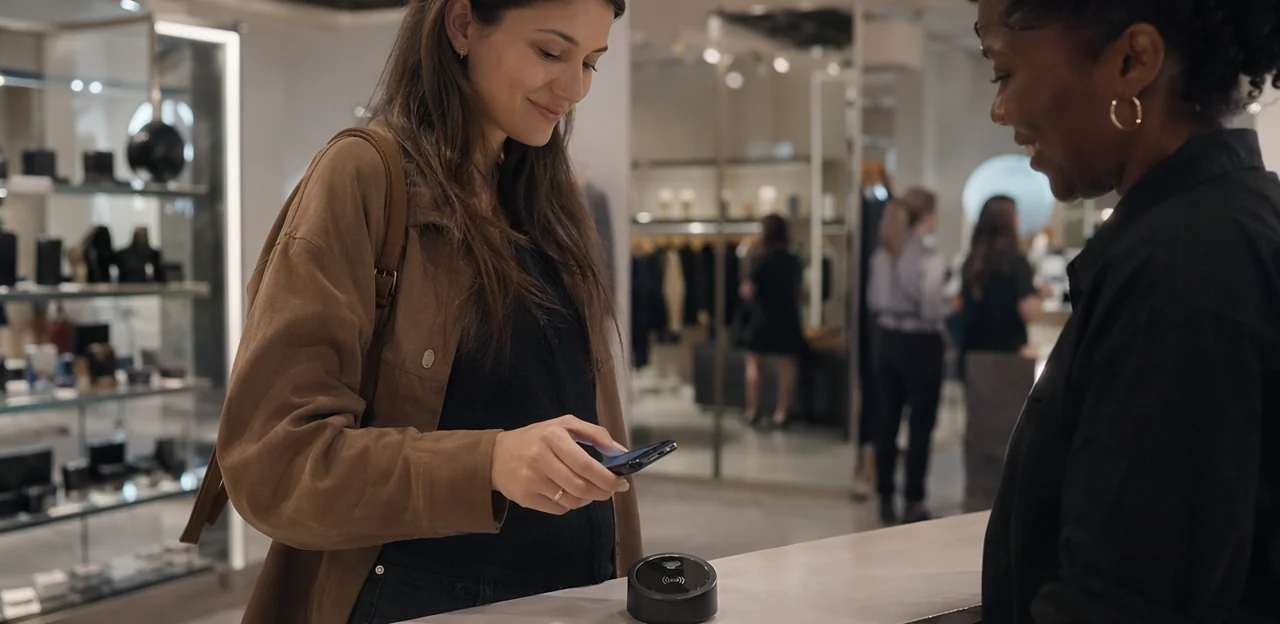
Retail stores are full of decision points, but some of the most valuable moments happen after the product is picked up, the fitting room is used, or the checkout experience is complete. That is where NFC feedback retail is changing the game. Instead of relying on long surveys sent hours later, retailers can invite shoppers to tap their phone and rate the experience instantly, right where it happened.
A simple NFC touchpoint placed at the entrance, on a display, outside fitting rooms, at self-checkout, or near the exit can capture real-time sentiment while it is still fresh. That means stores can spot friction faster, understand which spaces perform best, and respond to service issues before they turn into lost sales or negative reviews. In practice, solutions such as Tapsy show how no-app NFC and QR feedback can turn everyday store interactions into measurable customer insight.
This article explores how tap-to-rate moments work across the retail journey, where to place NFC touchpoints for the biggest impact, and how retailers can use the data to improve store operations, customer experience, and conversion. From retail spaces to checkout touchpoints, we will look at how smarter feedback collection can make physical stores more responsive and more profitable.
Why NFC feedback matters in modern retail spaces

What NFC feedback retail means in practice
NFC feedback retail means placing tap-enabled feedback prompts exactly where the customer experience happens, so shoppers can rate or report issues in seconds with a phone tap.
Common tap-to-rate retail touchpoints include:
- Tap-to-rate tags at entrances, displays, or service desks
- Smart posters for campaign, store, or staff feedback
- Shelf-edge prompts to flag pricing, stock, or product clarity issues
- Fitting room touchpoints to capture sizing, availability, or service feedback
- Checkout feedback stations for queue time and payment experience
Unlike QR codes, NFC customer feedback requires no camera scan or code framing, which can reduce friction. It also differs from email surveys or receipt-based requests by collecting in-the-moment feedback while staff can still fix the problem. Solutions like Tapsy can support these real-time retail touchpoints.
Why in-the-moment feedback outperforms delayed surveys
Delayed surveys rely on memory. Moment-based feedback captures what shoppers actually felt at the exact touchpoint, making responses more accurate, specific, and useful. In NFC feedback retail, a tap right after staff help, a fitting room visit, product discovery, or checkout turns fresh impressions into actionable data.
- Higher-quality responses: shoppers remember details like wait time, staff knowledge, stock availability, or fitting room cleanliness.
- Better actionability: teams can link in-store customer feedback to a precise location, employee interaction, or store moment.
- Faster service recovery: low ratings can trigger immediate follow-up before the customer leaves.
- Stronger trend visibility: real-time retail feedback reveals recurring friction points by zone or journey stage.
Tools like Tapsy can help retailers capture these tap-to-rate moments without adding friction.
Retail experience benefits for customers and teams
NFC feedback retail makes it easy for shoppers to share input in the moment, without downloading an app or waiting for an email survey. That low-friction approach improves the retail experience by capturing feedback while it is still fresh and actionable.
- For customers: a quick tap lets shoppers report long queues, missing sizes, poor signage, or fitting-room issues in seconds, improving customer experience retail at the exact touchpoint.
- For frontline teams: instant alerts help staff fix problems before they escalate into complaints or negative reviews.
- For managers: real-time store operations feedback reveals recurring service gaps, merchandising errors, stock issues, and checkout bottlenecks across the store.
Platforms like Tapsy can help route feedback to the right team fast, turning small fixes into measurable experience gains.
Best tap-to-rate moments across the store

Entry, welcome zones, and service desks
Front-of-store retail touchpoints are ideal for capturing immediate sentiment, because first impressions and service friction happen fast. With NFC feedback retail, retailers can place tap-to-rate tags where customers naturally pause:
- At the entrance: collect store entrance feedback on cleanliness, signage, promotions, and overall welcome.
- At concierge or welcome desks: measure greeting quality, staff helpfulness, and queue perception.
- At click-and-collect counters: ask about pickup speed, order accuracy, and ease of collection.
- At customer service desks: gather service desk feedback on resolution speed, professionalism, and satisfaction.
Keep each tap flow short: a rating, one optional comment, and a clear issue category. Position signage at eye level with a simple prompt such as “Tap to rate your visit.” Tools like Tapsy can help route low scores quickly, so teams can fix delays or service issues before they affect the wider store experience.
Product displays, shelves, and fitting rooms
Placing NFC tags at displays, endcaps, shelves, and fitting rooms helps retailers collect feedback exactly where buying decisions happen. With NFC feedback retail, shoppers can tap and share fast, specific insights that teams can act on immediately.
- Near product displays and endcaps: capture product display feedback on merchandising clarity, pricing visibility, promotion relevance, and whether the display makes comparison easy.
- At shelves: gather shelf feedback on stock availability, missing sizes or colors, misplaced items, and how easy products are to find.
- Inside fitting rooms: collect fitting room feedback on comfort, lighting, cleanliness, item availability, and whether the try-on experience increased purchase confidence.
Keep prompts short and action-focused, such as “Did you find your size?” or “Was this display easy to shop?” Platforms like Tapsy can support no-app NFC touchpoints, helping store teams spot friction quickly and improve conversion at the exact moment it matters.
Checkout, exits, and post-visit transition points
The final moments of a store visit are ideal for NFC feedback retail because impressions are still fresh and customers have enough context to rate the full journey. Placing tap-to-rate prompts at self-checkout, cashier lanes, exits, and receipt stations helps teams capture fast, actionable checkout feedback before shoppers leave.
- Self-checkout stations: Ask about transaction speed, ease of scanning, payment flow, and technical issues.
- Cashier lanes: Measure staff helpfulness, queue length, and whether the checkout felt smooth and friendly.
- Exit points: Use a short exit survey retail prompt to capture overall visit satisfaction in one tap.
- Receipt stations or bagging areas: Invite optional comments while the experience is still top of mind.
Keep prompts short: 1–3 questions, clear rating buttons, and one optional comment field. Tools like Tapsy can help route low scores quickly, supporting faster service recovery and stronger customer satisfaction retail outcomes.
NFC vs QR touchpoints for retail feedback

When NFC creates a lower-friction experience
In busy retail environments, NFC feedback retail often removes more steps than QR, making response rates easier to win at the moment of experience. In the NFC vs QR retail comparison, tapping usually feels faster than opening a camera, lining up a code, and waiting for a link to load.
- Speed matters: At exits, fitting rooms, and checkout, tap-to-rate supports low-friction feedback in seconds.
- Ease of use: NFC is intuitive for newer smartphones, while QR still helps where NFC behavior is less familiar.
- Adoption strategy: Use NFC as the primary option and QR as a visible backup for broader contactless retail feedback coverage.
Platforms like Tapsy can support both touchpoints in one flow.
Where QR codes still add value
Even with NFC feedback retail growing fast, QR still plays an important supporting role in stores. The best NFC and QR touchpoints often work together:
- Older devices: QR offers access for shoppers whose phones do not support NFC or who have it turned off.
- Visual calls to action: A printed QR code with “Scan to rate this fitting room” can prompt action from a distance.
- Printed campaigns: Shelf talkers, receipts, bags, posters, and window displays make QR feedback retail easy to deploy at scale.
- Mixed-channel feedback strategies: Use QR as a backup and compare performance across retail survey methods by location, moment, or campaign.
Platforms like Tapsy can support both formats in one flow.
Building a hybrid NFC and QR feedback strategy
A strong hybrid feedback strategy combines NFC and QR at the same retail touchpoints so every shopper has an easy way to respond. In NFC feedback retail, this approach improves accessibility, lifts participation, and strengthens omnichannel retail feedback data collection across customer segments.
- Add NFC QR retail prompts to shelf talkers, endcap displays, fitting rooms, checkout counters, and service desks.
- Use NFC for fast tap-to-rate convenience, while QR supports older devices, camera-first users, and customers who prefer scanning.
- Keep the destination consistent: the same short survey, offer, or issue-reporting flow across both channels.
- Track responses by location and touchpoint to compare engagement and identify friction points.
Tools like Tapsy can help unify these no-app feedback journeys.
How to implement NFC feedback retail successfully

Choosing hardware, tags, and placement
Strong NFC feedback retail results start with practical setup choices. Use these guidelines to make each tap easy, durable, and measurable:
- Choose the right NFC tags for retail: NTAG213 or NTAG215 tags work well for simple tap-to-rate journeys. For busy areas, use tamper-resistant, waterproof, or metal-mount tags to improve lifespan.
- Match NFC hardware retail needs to the environment: Counters may suit acrylic stands, while shelves, fitting rooms, and exits often need adhesive tags, window decals, or embedded plates.
- Design signage for instant understanding: Add a short CTA like “Tap to rate this area” with a clear icon and minimal text.
- Optimize feedback touchpoint placement: Mount tags at natural hand height, typically around 1.2–1.4 meters, and avoid glare, heat, moisture, or metal interference where possible.
- Map each tag to a specific flow: Link every touchpoint to its store zone—checkout, fitting room, entrance, or product demo—so feedback is actionable. Platforms like Tapsy can help organize these zone-level flows.
Designing short, high-converting feedback journeys
For NFC feedback retail to work, the experience after the tap must feel instant, effortless, and tied to the exact store moment. A strong customer feedback journey should open a mobile feedback form that takes seconds, not minutes, to complete.
- Start with one-tap ratings: Use emoji, stars, or thumbs to capture sentiment immediately.
- Keep comments optional: Let shoppers add context only if they want to explain a low or high score.
- Limit fields aggressively: Avoid long forms, account creation, or unnecessary personal details.
- Match the touchpoint: Ask about checkout speed at the till, fitting room experience near changing areas, or staff helpfulness in service zones.
- Use clear microcopy: Short prompts like “How was this aisle?” improve response quality.
This is the core of effective retail survey optimization: speed, clarity, and relevance. Platforms like Tapsy can support no-app NFC flows that reduce friction and increase completion rates.
Privacy, consent, and data integration
For NFC feedback retail programs to work at scale, customers must trust how their information is collected and used. Keep retail feedback privacy simple, visible, and specific at every tap point.
- State what you collect: explain whether you capture ratings only, optional comments, location, time, or contact details.
- Use clear customer data consent messaging: add a short notice before submission and separate optional opt-ins for follow-up or marketing.
- Minimize data collection: only ask for information needed to resolve issues or improve the store experience.
- Show the benefit: tell shoppers how feedback helps fix queues, stock issues, cleanliness, or staff support faster.
To turn responses into action, connect feedback with operational systems:
- CRM for customer follow-up and loyalty context
- Help desk for service recovery tickets
- Feedback analytics retail dashboards for trend analysis
- Store operations platforms to route recurring issues to the right team
Platforms like Tapsy can help connect touchpoint feedback to real-time workflows.
Measuring performance and optimizing the retail experience

Key metrics to track by touchpoint
To make NFC feedback retail effective, track metrics at each in-store moment so teams can spot friction fast and improve the experience where it happens. Focus on these retail feedback metrics:
- Tap rate KPI: how many shoppers tap versus how many pass the touchpoint
- Completion rate: percentage of taps that turn into submitted feedback
- Customer sentiment retail: average rating, positive/negative trend, and comment tone
- Location-based satisfaction: compare entrance, fitting rooms, checkout, help desk, and exit
- Issue categories: stock availability, wait times, cleanliness, pricing, navigation, or product support
- Staff-related scores: friendliness, product knowledge, speed, and helpfulness by zone
- Resolution time by store zone: how quickly issues are addressed in checkout, service desk, or fitting areas
A platform like Tapsy can help visualize these touchpoint-level insights in real time.
Turning feedback into operational improvements
NFC feedback retail works best when each tap is tied to a location, time, and issue type, giving managers fast store performance insights they can act on during the same shift.
- Staffing: Spot repeated low ratings at checkout, customer service, or peak hours and reassign associates before queues grow.
- Merchandising: Use touchpoint feedback to identify confusing displays, missing sizes, or poor product placement, then adjust the floor quickly for better retail operations improvement.
- Queue management: Monitor wait-time complaints by zone and trigger extra tills or mobile checkout support.
- Fitting rooms: Flag cleanliness, stock returns, or room availability issues in near real time so teams can reset faster.
- Service recovery retail: Route negative taps instantly to supervisors, who can apologize, solve the issue, and prevent lost sales.
Platforms like Tapsy can help route alerts and trends to the right team fast.
Testing, learning, and scaling across locations
To make NFC feedback retail effective, start with a focused retail pilot program in 3–5 stores that reflect different formats, traffic levels, or regions. This helps you validate what works before wider rollout.
- Test key touchpoints: place NFC tags at entrances, fitting rooms, checkout, and service desks.
- Compare performance: track tap volume, completion rate, sentiment, and issue themes by store and touchpoint.
- Refine messaging: adjust CTA copy, signage placement, and question length based on real customer behavior.
- Standardize what wins: build a repeatable playbook covering tag placement, survey flow, alert rules, and reporting.
A strong multi-store feedback strategy turns pilot insights into a scalable operating model. Platforms like Tapsy can support benchmarking and rollout as you scale retail technology across locations.
Common mistakes and best practices for long-term success

Mistakes that reduce response rates
- Poor tag placement: Hidden or low-traffic tags are classic NFC implementation errors that hurt feedback response rate.
- Weak prompts: If NFC feedback retail signage lacks a clear “Tap to rate” CTA, shoppers ignore it.
- Long surveys: Keep it to 1–3 questions.
- Bad mobile UX: Slow, cluttered forms cause drop-off.
- Wrong timing: Avoid asking during rushed or frustrating moments—one of the biggest retail survey mistakes.
Best practices for customer adoption
- Use short, benefit-led copy on signs: “Tap to rate this area in 10 seconds” works better than generic requests and supports NFC signage best practices.
- Train staff to give a light, optional prompt at natural pauses, boosting in-store engagement without pressure.
- Offer small incentives only when relevant.
- Prioritize accessibility with clear icons, large text, and reachable placement.
- Keep NFC feedback retail visuals clean, branded, and instantly recognizable to improve customer adoption retail tech.
Future trends in contactless retail feedback
- Loyalty-linked taps: The future of retail feedback will connect NFC feedback retail moments to loyalty points, coupons, and repeat-visit incentives, increasing response rates.
- Smarter personalization: Feedback tied to shopper profiles can improve offers, service recovery, and in-store messaging for a better contactless customer experience.
- AI-powered action: AI retail insights and sentiment analysis will spot issues instantly, helping stores adjust staffing, displays, and service in near real time.
Conclusion
In-store feedback works best when it happens in the moment, not hours or days later. That’s why NFC feedback retail strategies are becoming so valuable for modern stores. By placing tap-to-rate touchpoints at entrances, fitting rooms, checkout counters, service desks, and exits, retailers can capture real customer sentiment while the experience is still fresh. The result is faster issue resolution, better visibility into store-level friction points, and a clearer understanding of what drives satisfaction, loyalty, and repeat visits.
More importantly, NFC feedback retail helps teams move from reactive to proactive. Instead of discovering problems through public reviews after the fact, stores can identify pain points immediately, respond quickly, and improve the customer journey across every retail space. Combined with simple questions, smart routing, and optional incentives, these touchpoints can turn everyday interactions into actionable insight.
If you’re looking to improve retail experience measurement, the next step is to map your highest-traffic and highest-friction store moments, then test NFC-enabled feedback where it can make the biggest impact. You can also explore solutions like Tapsy for no-app NFC and QR feedback flows. Start small, measure results, and build a smarter, more responsive feedback system that keeps customers engaged—and keeps your stores improving every day.
Frequently Asked Questions
- What does NFC feedback in retail mean?
NFC feedback in retail means placing tap-enabled prompts at the exact point where a shopper experiences something worth rating or reporting. Customers can tap with their phone and submit feedback in seconds at places like entrances, displays, fitting rooms, service desks, or checkout.
- Why is tap-to-rate feedback better than sending surveys later?
In-the-moment feedback captures what shoppers felt while the experience is still fresh. That makes responses more specific about issues like wait times, staff helpfulness, stock availability, or cleanliness, and it gives teams a chance to fix problems before the customer leaves.
- Where should retailers place NFC feedback touchpoints for the biggest impact?
High-impact locations include entrances, welcome desks, click-and-collect counters, customer service desks, product displays, shelves, fitting rooms, checkout areas, and exits. These are the moments where first impressions, buying decisions, and final satisfaction are most visible.
- What kinds of questions work best at retail NFC touchpoints?
Short, relevant prompts work best, such as asking about checkout speed, display clarity, fitting room comfort, or whether a shopper found the right size. A simple rating plus one optional comment field keeps the experience fast and improves completion.
- How does NFC feedback compare with QR codes in a store?
NFC usually removes more steps because shoppers can tap instead of opening a camera and aligning a code. QR still adds value as a backup for older devices, for shoppers who prefer scanning, and for printed materials like receipts, bags, posters, and shelf talkers.
- Should retailers use NFC only, or combine NFC and QR?
A hybrid approach is recommended because it gives more shoppers an easy way to respond. NFC can be the primary option for speed, while QR supports broader accessibility and keeps the destination consistent across both touchpoints.
- How long should an NFC retail feedback form be?
The most effective flows are very short, usually one to three questions. Starting with a one-tap rating and making comments optional helps reduce friction and keeps the feedback tied to the exact store moment.
- What hardware and placement details matter for NFC tags in stores?
The setup should match the environment, using options like acrylic stands for counters or adhesive tags, decals, and embedded plates for shelves, fitting rooms, and exits. Tags should be placed at natural hand height, around 1.2 to 1.4 meters, with clear signage and away from glare, moisture, heat, or metal interference where possible.
- What should retailers communicate about privacy and consent?
Retailers should clearly explain what they collect, such as ratings, optional comments, location, time, or contact details. Consent messaging should be visible before submission, optional follow-up or marketing opt-ins should be separate, and only necessary data should be requested.
- Which metrics should be tracked for NFC feedback by touchpoint?
Useful metrics include tap rate, completion rate, average rating, positive or negative sentiment trends, issue categories, staff-related scores, and resolution time by store zone. Comparing these across entrances, fitting rooms, checkout, service desks, and exits helps teams spot friction quickly.
- How can store teams turn tap-to-rate feedback into operational improvements?
Location-based feedback can guide staffing changes, merchandising fixes, queue management, fitting room resets, and faster service recovery. When low scores are tied to a zone and issue type, managers can act during the same shift instead of waiting for later reviews.
- What is a good way to start an NFC feedback rollout across multiple stores?
A practical starting point is a pilot in three to five stores with different formats, traffic levels, or regions. Testing key touchpoints, comparing results, refining signage and question flow, and then standardizing what works creates a repeatable rollout model.
- What common mistakes reduce response rates for retail NFC feedback?
Poor tag placement, weak calls to action, long surveys, and slow or cluttered mobile forms can all reduce participation. Asking at the wrong moment, especially when shoppers are rushed or frustrated, also lowers response rates.
- How can retailers improve customer adoption of tap-to-rate prompts?
Clear, benefit-led signage such as promising a quick 10-second rating experience helps shoppers understand the value immediately. Adoption also improves when staff give a light optional prompt, visuals stay clean and branded, and touchpoints are accessible with large text, clear icons, and reachable placement.
- What future trends are shaping contactless retail feedback?
Emerging directions include loyalty-linked taps, more personalized feedback flows, and AI-powered analysis of sentiment and issue patterns. These approaches can help stores connect feedback to incentives, improve service recovery, and adjust staffing or displays more quickly.