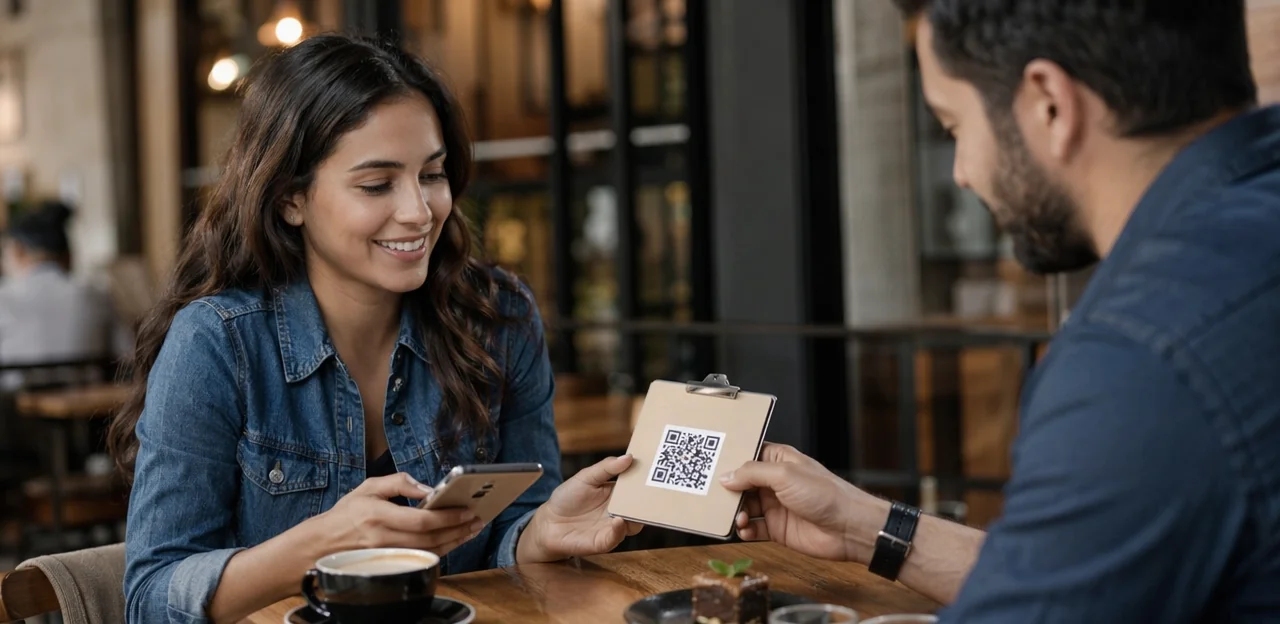
Getting customers to share feedback is harder than ever. Email requests are ignored, SMS surveys feel intrusive, and long forms create friction at the worst possible moment. That is why the qr code customer survey has become one of the most effective ways for businesses in every industry to capture insights in real time, right at the point of experience.
From retail counters and restaurant tables to hotel rooms, clinics, events, and service desks, a well-placed survey can turn a quick scan into valuable feedback. Simple tools like qr code stickers, durable signage, and thoughtful qr code printing make it easy to place surveys where customers are most likely to respond. Whether you use a single qr code sticker at checkout or print qr code stickers for multiple touchpoints, success depends on more than visibility alone. Details such as qr code paper quality, the right qr code sticker size, survey length, mobile design, incentives, and analytics all influence completion rates.
In this article, you will learn how to design a high-performing customer satisfaction survey, where to place QR codes for the best results, how AI and analytics improve response quality, and what to consider when choosing software for cross-industry use. We will also explore how NFC and QR touchpoints can work together to create a faster, more seamless feedback experience.
Why a QR Code Customer Survey Works Across Industries
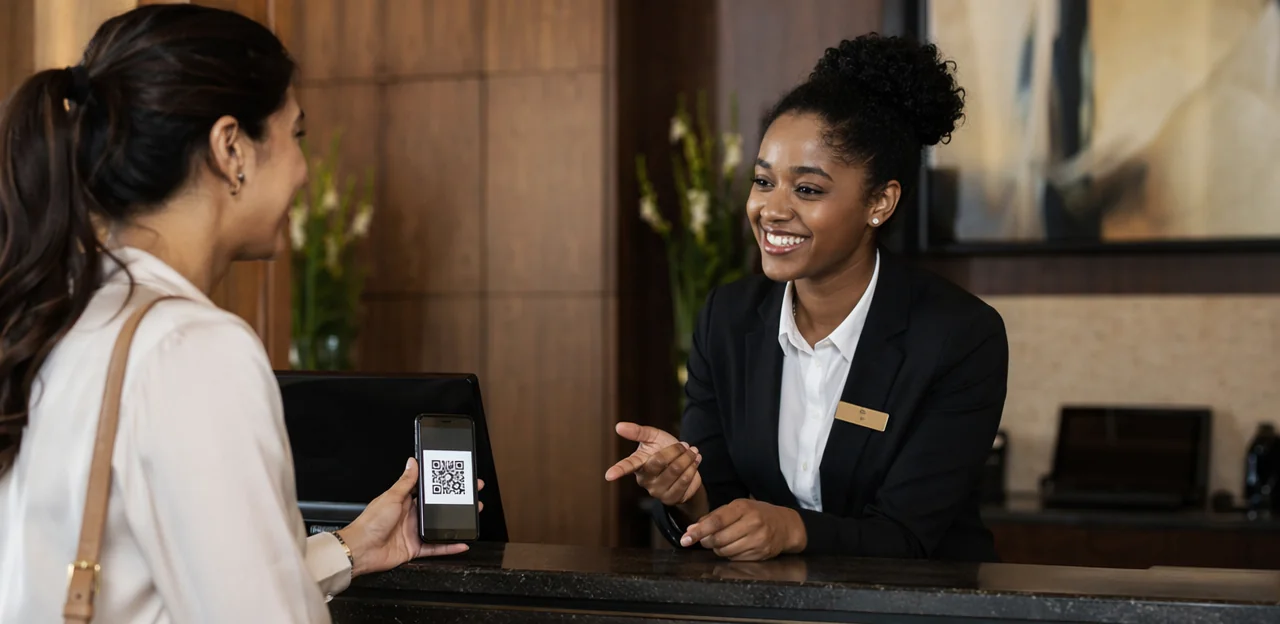
The convenience advantage for modern feedback collection
A qr code customer survey removes the biggest barrier to feedback: effort. Customers simply scan with their phone, answer in seconds, and submit a customer satisfaction survey while the experience is still fresh—no app, login, or later email reminder required.
- Retail: place qr code stickers at checkout or fitting rooms for instant service feedback.
- Hospitality and restaurants: use a qr code sticker on tables, receipts, or room cards.
- Healthcare: add codes in waiting areas to capture post-visit impressions quickly.
- Events, offices, and field services: use badges, counters, vehicles, or leave-behind cards.
For stronger results, focus on clear qr code printing, durable qr code paper or waterproof materials, and the right qr code sticker size for easy scanning. When businesses print qr code stickers and place them at high-traffic touchpoints, response rates often improve.
Where QR surveys fit in the customer journey
A qr code customer survey works best when it appears exactly where the experience happens, making feedback fast, relevant, and easy to complete.
- At the table or counter: Use qr code stickers on tables, trays, menus, or checkout areas to capture in-the-moment reactions.
- On receipts and post-service materials: QR code paper is ideal for receipts, invoices, appointment cards, and takeaway inserts, turning routine handouts into a customer satisfaction survey opportunity.
- On packaging: Add a qr code sticker to product boxes, delivery bags, or labels to learn what customers think after unboxing or use.
- In waiting rooms and kiosks: Place codes where customers have a natural pause.
For better results, plan qr code printing carefully, print qr code stickers in high contrast, and choose the right qr code sticker size for quick scanning.
When QR codes outperform email and SMS surveys
A qr code customer survey often beats email and SMS because it captures feedback at the exact moment the experience is still fresh. Instead of hoping someone opens a message later, a qr code sticker placed on a table, receipt, counter, package, or exit sign makes the request instantly visible and easy to act on.
- Faster timing: Guests scan immediately after service, improving customer satisfaction survey accuracy.
- Better visibility: Unlike crowded inboxes or ignored texts, qr code stickers stand directly in the physical environment.
- Less friction: No typing links or searching messages—just scan and respond.
For best results, focus on clear qr code printing, durable qr code paper or sticker materials, and the right qr code sticker size for the location. Businesses that print qr code stickers for high-traffic touchpoints often see stronger response rates than delayed digital follow-ups.
How to Design a Survey That Gets More Responses

Keep the survey short, relevant, and easy to complete
A qr code customer survey works best when it feels effortless the moment someone scans. The faster guests can respond, the higher your completion rate.
- Limit the question count: Aim for 3–5 questions. A short customer satisfaction survey captures useful feedback without overwhelming mobile users.
- Ask only what matters: Focus on one goal, such as service, product quality, or overall experience. Remove anything that does not lead to action.
- Use mobile-friendly formats: Choose tap-based ratings, multiple choice, and optional short-text fields instead of long forms.
- Match design to placement: Clear qr code stickers, the right qr code sticker size, and quality qr code printing on qr code paper help users scan quickly. If needed, print qr code stickers for tables, packaging, or counters.
Concise surveys reduce drop-off and improve response quality.
Write prompts and incentives that increase scan-to-start rates
For any qr code customer survey, the prompt beside the code matters as much as placement. Use clear, benefit-led wording that tells people what they’ll get and how long it takes.
- Use direct CTAs: “Scan to rate your visit in 30 seconds” outperforms vague text like “Give feedback.”
- Lead with value: On signage, try “Scan to help us improve your next visit.” On packaging or qr code stickers, use “Scan for a quick customer satisfaction survey and a thank-you reward.”
- Keep incentives neutral: Offer a small reward for completion, not for positive feedback, to avoid bias.
- Match format to context: Print qr code stickers for counters, receipts, and takeaway packaging; use durable qr code paper or laminated signage where needed.
- Optimize visibility: Test qr code sticker size, contrast, and qr code printing quality so every qr code sticker scans instantly.
Match question design to industry context
A qr code customer survey performs best when questions reflect the setting, customer intent, and operational goals.
- Retail: Keep it fast and transactional. Use NPS and a short customer satisfaction survey to measure checkout speed, staff helpfulness, product availability, and store cleanliness. Place qr code stickers near receipts, exits, or fitting rooms.
- Hospitality: Focus on service recovery and in-the-moment issues. Ask about room comfort, wait times, food quality, or staff responsiveness so teams can act before negative reviews appear. Table tents, door signage, or NFC/QR touchpoints work well.
- Healthcare: Use compliant, privacy-aware wording. Measure communication clarity, wait experience, and facility cleanliness without requesting sensitive health details.
For stronger results, match qr code sticker size to viewing distance, invest in clear qr code printing, and test qr code paper or durable materials before you print qr code stickers.
QR Code Sticker and Print Best Practices

Choosing materials: stickers, paper, labels, and signage
Material choice can make or break a qr code customer survey campaign. Match the format to the location, traffic level, and expected lifespan:
- QR code stickers / qr code sticker: Best for tables, counters, takeaway cups, mirrors, and equipment. They’re low-cost, easy to replace, and ideal when you need to print qr code stickers in volume. Use waterproof, scratch-resistant finishes in busy areas, and choose the right qr code sticker size so scanning works from normal viewing distance.
- QR code paper: Good for receipts, flyers, packaging inserts, room drops, and temporary promotions. It’s the cheapest option but less durable, so best for short-term indoor use.
- Laminated signs and table tents: Better for restaurants, hotel desks, and waiting areas where a customer satisfaction survey needs to stay clean and visible.
- Window decals: Ideal for storefronts and entry points; use UV- and weather-resistant materials outdoors.
For reliable qr code printing, prioritize contrast, matte finishes, and placement away from glare.
Getting qr code sticker size right for reliable scanning
For a qr code customer survey, scan success often comes down to print basics. If the code is too small, blurry, or badly placed, response rates drop fast.
- Match size to viewing distance: A practical rule is about 1 cm of code width for every 10 cm of scanning distance. For table tents or counters, a 3–4 cm qr code sticker size usually works well. For walls or doors, go larger.
- Keep a clear quiet zone: Leave a white border around the code, ideally 4 modules wide, so phones can detect it quickly.
- Use strong contrast: Black on white is best. Avoid glossy glare, low-contrast colors, or patterned backgrounds on qr code paper.
- Prioritize print quality: Sharp qr code printing matters; pixelated or stretched codes reduce scans.
- Place smartly: Put qr code stickers at eye level or easy reach, where guests naturally pause during a customer satisfaction survey moment.
When you print qr code stickers, always test them on multiple phones before full rollout.
QR code printing tips to avoid scan failures
Use this checklist to keep every qr code customer survey easy to scan:
- Export high-resolution files: For sharp qr code printing, use vector files like SVG, PDF, or EPS. If using PNG, choose at least 300 DPI.
- Prioritize contrast: Print dark codes on a light background. Avoid low-contrast brand colors, gradients, or glossy finishes that reduce scan reliability.
- Choose the right material: QR code paper works for short-term use, but laminated signs or durable qr code stickers are better for moisture, heat, and heavy handling.
- Check qr code sticker size: Make each qr code sticker large enough for the scanning distance; test before rollout.
- Test across devices: Scan with iPhone and Android cameras in different lighting conditions.
- For teams that print qr code stickers at scale: Standardize file formats, proof batches, and verify placement surfaces are flat, clean, and not reflective—especially for a customer satisfaction survey.
Placement Strategy: Put the QR Code Where Customers Will Act

High-conversion physical touchpoints by industry
Place each qr code customer survey where the experience is freshest and response friction is lowest:
- Restaurants: table tents, check presenters, takeaway bags, and exit doors
- Hotels: room desks, key card sleeves, elevators, breakfast areas, and checkout counters
- Clinics: reception desks, waiting rooms, discharge paperwork, and pharmacy pickup
- Retail stores: fitting rooms, receipts, product displays, and exits
- Venues: seat backs, concession stands, restrooms, and exits
- Transportation: boarding areas, seat pockets, baggage claim, and ride receipts
- Service businesses: invoices, counters, and post-service stations
Use durable qr code stickers or a well-placed qr code sticker with clear CTA text. Get qr code printing right by testing scan distance, choosing practical qr code sticker size, and using weather-resistant stock or qr code paper where needed. Many brands print qr code stickers near payment or completion moments to lift customer satisfaction survey response rates.
How context and timing influence response rates
A qr code customer survey performs best when the request matches the customer’s mindset. In many settings, placement near the end of the journey works best because people can evaluate the full experience before answering a customer satisfaction survey. In other cases—such as events, healthcare, transport, or retail—in-the-moment feedback captures fresh reactions before details fade.
- Place a qr code sticker at natural pause points: checkout, exits, tables, receipts, or waiting areas.
- Prioritize visibility, dwell time, and clear CTA text when choosing qr code sticker size and qr code printing.
- Use durable qr code stickers or qr code paper suited to the environment.
- Train staff to give a short prompt to scan, especially where you print qr code stickers for high-traffic touchpoints.
Using NFC and QR touchpoints together
Combining tap-and-scan on the same asset helps more people complete a qr code customer survey because it matches different habits and device capabilities. A single table tent, counter card, or poster can include NFC plus qr code stickers to support fast, omnichannel feedback capture across retail, hospitality, healthcare, events, and offices.
- Add both options to one qr code sticker or sign so customers can tap or scan instantly.
- Use clear CTAs for a customer satisfaction survey at key moments like checkout, service completion, or delivery.
- Optimize qr code printing materials: test qr code sticker size, contrast, and placement before rollout.
- For flexible deployment, print qr code stickers on durable qr code paper for counters, packaging, and temporary campaigns.
This dual approach improves reach, accessibility, and response rates across cross-industry customer experience programs.
Software, AI, and Analytics for Better Survey Performance

What to look for in survey and QR management software
When evaluating software selection for a qr code customer survey, prioritize tools that make deployment, analysis, and scaling easy across locations.
- Dynamic QR codes: Update survey links without redoing qr code printing, replacing qr code stickers, or changing qr code paper materials.
- Smart response routing: Send guests to different flows based on location, language, score, or service type for a better customer satisfaction survey process.
- Mobile optimization: Surveys should load instantly, display clearly, and work with the right qr code sticker size in real-world settings.
- Dashboard reporting: Look for live analytics, trend views, and location-level comparisons.
- Integrations: Connect with CRM, POS, help desk, or loyalty tools.
- Permissions and roles: Essential for multi-site teams and controlled access.
- Multilingual support: Critical if you print qr code stickers for diverse audiences.
Using AI and analytics to find response-rate opportunities
A qr code customer survey performs best when AI & Analytics show exactly where responses drop and why. Use data to improve both the customer satisfaction survey flow and the physical placement of codes.
- Find drop-off points: AI highlights questions with high abandonment, helping you shorten forms, reorder questions, or simplify language.
- Track sentiment trends: Analyze open-text feedback to spot recurring praise, complaints, and urgency by location or shift.
- Compare placement performance: Measure scans from tables, counters, packaging, and receipts to see which qr code stickers convert best.
- Optimize physical assets: Test qr code sticker size, contrast, and placement, plus materials like qr code paper versus durable qr code sticker formats.
- Improve deployment: Review whether qr code printing quality affects scan rates, and regularly print qr code stickers for high-traffic touchpoints with proven engagement.
Tracking scans, starts, completions, and outcomes
To improve any qr code customer survey, track the full journey, not just total responses. Focus on these metrics:
- Scan rate: how often guests scan your qr code stickers after seeing them
- Start rate: how many scanners begin the customer satisfaction survey
- Completion rate: how many finish it
- Outcome rate: how many issues are resolved, rewards redeemed, or follow-up actions completed
Compare performance by location, audience, and material. Test qr code sticker size, CTA wording, and placement on tables, counters, doors, packaging, or qr code paper inserts. Even small changes in qr code printing quality or contrast can affect scans.
Run simple A/B tests with different qr code sticker formats, then scale what works. If you print qr code stickers regularly, review results monthly to keep improving response and resolution rates.
Common Mistakes to Avoid and a Simple Launch Plan

Frequent QR survey mistakes that reduce responses
Even a well-planned qr code customer survey can underperform because of small execution mistakes. Common issues include:
- Surveys that are too long: Keep a customer satisfaction survey short—ideally 1–3 questions.
- Poor placement: Don’t hide qr code stickers where customers won’t notice them. Place each qr code sticker at high-intent touchpoints.
- Low contrast or tiny codes: Bad design, weak qr code paper, or the wrong qr code sticker size can make scanning frustrating.
- Broken or outdated links: Always test every destination before launch.
- Generic CTAs: “Scan me” is weaker than “Scan to rate your visit and get a reward.”
- Untested qr code printing: Before you print qr code stickers, test lighting, distance, and device compatibility.
A step-by-step rollout checklist for any industry
- Define goals first: Decide whether your qr code customer survey will track NPS, service speed, product feedback, or a customer satisfaction survey score.
- Build the survey: Keep it short, mobile-friendly, and tied to one touchpoint.
- Generate and place codes: Use reliable qr code printing methods and choose between durable qr code stickers or low-cost qr code paper for temporary campaigns.
- Check design details: Select the right qr code sticker size for tables, packaging, counters, or receipts, then print qr code stickers clearly.
- Test every scan: Verify speed, landing pages, and analytics tracking.
- Train staff: Show teams where each qr code sticker is placed and how to encourage responses.
- Monitor results: Review completion rates, comments, and drop-off points, then refine placement and questions.
How to optimize after launch
A qr code customer survey should improve over time, not stay static. Use a simple monthly review cycle to grow responses and quality:
- Review performance data: Compare scan rate, completion rate, drop-off points, and customer satisfaction survey scores by location, time, and audience.
- Refresh creative: Update CTA wording, colors, incentives, and the design of your qr code stickers if scans slow down.
- Test new placements: Move each qr code sticker to higher-visibility spots like exits, counters, packaging, or tables, and reassess qr code sticker size.
- Update print materials: Revisit qr code printing, replace worn print qr code stickers, and test different qr code paper finishes as customer behavior changes.
Continuous optimization keeps response rates rising long term.
Conclusion
A well-executed qr code customer survey turns everyday touchpoints into valuable moments of insight. Across industries, the most successful programs keep the experience simple, visible, and rewarding: place surveys where customers already pause, use clear prompts, optimize survey length, and connect responses to meaningful action through AI and analytics. Whether you deploy qr code stickers at checkout, on tables, packaging, receipts, or service counters, the goal is the same—make feedback effortless and immediate.
Details matter. Choosing the right qr code sticker size, durable materials, and reliable qr code printing helps ensure scans happen consistently. Businesses can also print qr code stickers for short-term campaigns or use qr code paper inserts for menus, invoices, and event handouts. When paired with a focused customer satisfaction survey, these small design choices can significantly improve response rates and data quality.
Now is the time to audit your current feedback journey and upgrade it with a smarter qr code customer survey strategy. Start by testing one high-traffic location, refining your questions, and measuring completion rates. Then expand to additional touchpoints and compare results. For next steps, review your survey design, placement strategy, hardware materials, and analytics tools—or explore platforms such as Tapsy if you want a no-app, touchpoint-based approach to real-time feedback and loyalty.
Frequently Asked Questions
- What is a QR code customer survey?
A QR code customer survey lets customers scan a code with their phone and submit feedback immediately. It removes common barriers like app downloads, logins, and delayed email follow-ups.
- Why can QR surveys get more responses than email or SMS surveys?
QR surveys appear at the exact moment the experience is still fresh, such as at checkout, on a table, or on a receipt. They are also easier to act on because customers only need to scan instead of opening a message later or typing a link.
- Where should a business place QR codes to collect more feedback?
Place them at natural pause points where customers are most likely to respond, such as tables, counters, exits, waiting areas, receipts, packaging, and post-service materials. High-traffic touchpoints near payment or completion moments often perform especially well.
- How long should a customer satisfaction survey be?
Keep it short and easy to finish on a phone. A practical target is 3 to 5 questions, and in some cases even 1 to 3 questions can reduce drop-off and improve completion rates.
- What kind of questions work best in a mobile QR survey?
Use tap-friendly formats such as ratings, multiple choice, and optional short-text fields. Focus on one goal, like service quality, product feedback, or overall experience, and remove anything that does not lead to action.
- What call-to-action text can improve scan-to-start rates?
Clear, benefit-led prompts work better than vague wording. Examples include messages like "Scan to rate your visit in 30 seconds" or "Scan to help us improve your next visit," especially when paired with a small neutral completion reward.
- Should incentives be used for QR code customer surveys?
Yes, a small incentive can help increase participation if it rewards completion rather than positive feedback. That approach encourages responses without biasing the results toward only favorable answers.
- How should survey questions change by industry?
Retail surveys should stay fast and transactional, often focusing on checkout speed, staff helpfulness, product availability, and cleanliness. Hospitality surveys should help teams catch service issues quickly, while healthcare surveys should use privacy-aware wording and avoid sensitive health details.
- What materials are best for printing QR codes?
QR code stickers work well for tables, counters, takeaway cups, mirrors, and equipment because they are easy to replace and scale. QR code paper is useful for receipts, flyers, packaging inserts, and temporary promotions, while laminated signs and weather-resistant materials are better for longer-term or outdoor use.
- What QR code sticker size is best for reliable scanning?
A practical rule is about 1 cm of code width for every 10 cm of scanning distance. For table tents or counters, a 3 to 4 cm code usually works well, and larger placements like walls or doors should use bigger codes.
- How can businesses avoid QR scan failures?
Use high-resolution files, strong contrast, a clear quiet zone around the code, and sharp print quality. It also helps to avoid glare, test multiple phones in different lighting conditions, and make sure the surface is flat, clean, and not reflective.
- Can NFC and QR be used together for customer feedback?
Yes, combining tap and scan on the same table tent, counter card, or poster can improve accessibility and reach. It gives customers two fast ways to start the same feedback flow depending on their device and habits.
- What software features matter most for managing QR surveys?
Useful features include dynamic QR codes, smart response routing, mobile optimization, dashboard reporting, integrations, permissions, and multilingual support. These make it easier to update links, compare locations, and scale across teams and sites.
- Which metrics should be tracked after launch?
Track scan rate, start rate, completion rate, and outcome rate rather than looking only at total responses. Comparing these by location, audience, material, and placement helps identify where people scan, where they drop off, and which touchpoints drive action.
- What are the most common mistakes that reduce QR survey responses?
The biggest problems are surveys that are too long, poor placement, low-contrast or tiny codes, broken links, weak CTA text, and untested print quality. A simple rollout with testing, staff training, and monthly optimization helps prevent these issues and improve results over time.