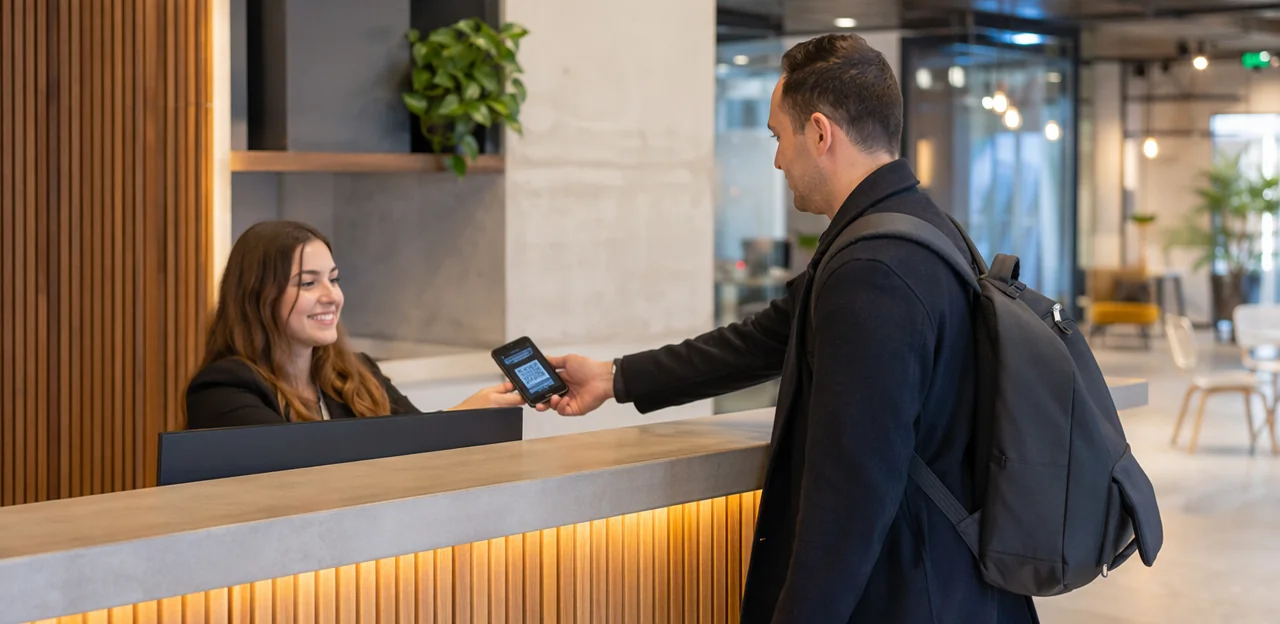
In a coworking space, every touchpoint shapes the member experience, from the front desk and meeting rooms to phone booths, kitchens, and shared lounges. But if feedback only arrives through occasional surveys or public reviews, operators often learn about issues too late. That is where a coworking feedback QR code can make a measurable difference. By placing simple QR touchpoints exactly where experiences happen, coworking teams can collect fast, relevant feedback while impressions are still fresh.
Used well, QR code feedback helps flexible workspace operators spot friction early, improve guest and member satisfaction, and respond before small problems turn into churn, complaints, or negative reviews. A poorly cleaned kitchen, unreliable Wi-Fi in a meeting room, confusing check-in flow, or noise in a focus area can all be flagged in real time with far less effort than traditional feedback channels.
This article explores where to place QR feedback points across coworking offices for the best response rates, which use cases deliver the most value, and how QR and NFC touchpoints can support a stronger client, guest, and member experience. It will also cover practical deployment ideas, common feedback moments to prioritize, and how solutions like Tapsy can help turn on-site feedback into faster action and better workspace operations.
Why QR code feedback matters in coworking spaces

The role of instant feedback in flexible work environments
Coworking spaces change hour by hour, so operators need fast, low-friction feedback to catch issues before they affect member satisfaction. A coworking feedback QR code makes it easy for members and guests to report problems in the moment, without downloading an app or filling out long surveys.
- Monitor changing conditions: Track cleanliness, noise, Wi-Fi reliability, meeting room setup, and front-desk hospitality as usage shifts throughout the day.
- Enable real-time action: Real-time feedback coworking helps teams respond quickly to spills, overcrowding, tech failures, or service gaps.
- Improve operations by zone: Place QR codes in kitchens, phone booths, lounges, restrooms, and meeting rooms to collect flexible workspace feedback at the exact touchpoint.
Tools like Tapsy can help route urgent issues to the right team instantly.
How QR codes improve member, guest, and client experience
A coworking feedback QR code makes it easy for people to respond in seconds, without downloading an app or searching for a form later. That low-friction approach helps teams capture feedback while the experience is still fresh.
- Improve member experience coworking: Place QR surveys in meeting rooms, phone booths, kitchens, and lounges so members can instantly flag Wi-Fi issues, noise, cleanliness, or booking friction.
- Strengthen guest experience QR code flows: Add codes at reception, event spaces, and exits to collect quick impressions from day-pass users and visitors.
- Enhance client experience coworking: Use QR touchpoints after tours, meetings, or office viewings to understand what influenced satisfaction or conversion.
With real-time alerts, operators can fix problems faster and continuously improve the full workspace journey.
QR codes vs traditional feedback methods
Compared with older workspace feedback tools, a coworking feedback QR code removes friction at the exact moment an experience happens.
- Email surveys: easy to ignore, delayed, and often completed after members forget details. A QR code survey coworking setup captures fresher, more accurate input on-site.
- Front-desk forms: require staff involvement, create queues, and reduce honesty when members must hand feedback to someone directly.
- Suggestion boxes: anonymous but slow; they offer poor operational visibility and make trend tracking difficult.
- App-only feedback tools: add download and login barriers, which lowers participation from guests and occasional users.
A contactless feedback system gives faster response times, higher scan-to-submit rates, and clearer dashboards by location, such as meeting rooms, kitchens, or phone booths. Tools like Tapsy can also surface issues in real time.
Best places to put a coworking feedback QR code

High-traffic shared areas and first-impression touchpoints
For effective QR code placement coworking, focus on spots where people naturally slow down, wait, or orient themselves. A well-placed coworking feedback QR code should be visible, easy to scan, and tied to the moment someone is experiencing the space.
- Reception desks: Add a reception feedback QR code on counter stands, payment terminals, or welcome signage to capture immediate impressions of check-in, staff helpfulness, and wait times.
- Entryways and lobby zones: Use door decals or branded signs for coworking lobby feedback right after arrival, when first impressions are freshest.
- Elevators: Place codes beside call buttons or inside the cabin for quick feedback during short idle moments.
- Check-in counters: Prompt visitors and day-pass users to rate speed, clarity, and friendliness before they move on.
- Community boards: Add QR codes near event schedules, announcements, or kitchen notices where members already pause to read.
Keep prompts short, mobile-friendly, and action-oriented.
Amenity-specific locations for targeted feedback
To make a coworking feedback QR code truly useful, place it exactly where the experience happens. This turns everyday workspace touchpoints into real-time insight sources and makes amenity feedback coworking far more actionable.
- Meeting rooms: Add a meeting room feedback QR code near the door, display, or booking panel to capture comments on AV, cleanliness, temperature, and scheduling.
- Phone booths: Place codes inside at eye level for quick feedback on soundproofing, ventilation, and availability.
- Kitchens and lounges: Position codes near coffee machines, fridges, and seating zones to track cleanliness, stock levels, and comfort.
- Restrooms: Use discreet signage near exits for hygiene and maintenance reporting.
- Printing stations: Add codes beside printers to flag paper, toner, or connectivity issues fast.
- Wellness rooms: Place codes at the entrance or exit to assess privacy, calm, and upkeep.
Tools like Tapsy can help route location-specific issues to the right team quickly.
Event, day pass, and visitor journey touchpoints
To capture feedback from non-members and short-term users, place each coworking feedback QR code where the experience happens and again at the exit moment.
- Event spaces: Add a visitor feedback QR code on check-in desks, presentation screens, and exit signage to measure speaker quality, room comfort, Wi-Fi, and networking value. This supports better event feedback coworking insights.
- Hot desks and day offices: Use a day pass survey QR code on desk tents, monitor stands, and room doors so guests can rate setup, noise, cleanliness, and booking ease while still on-site.
- Visitor badges and welcome packets: Print QR codes on temporary badges, lanyards, and day-pass inserts for quick mobile responses.
- Post-tour materials: Include a QR code in follow-up emails, brochures, or digital tour summaries to capture impressions after tours and trial visits.
Keep surveys short: 1–3 questions, one comment box, and one clear follow-up option.
Top use cases for QR code feedback in coworking offices

Facility, cleanliness, and maintenance reporting
A coworking feedback QR code makes it easy for members and guests to flag issues the moment they notice them, without visiting reception or sending an email. Placed on desks, meeting rooms, kitchens, printer stations, and restrooms, a facility feedback QR code can route reports directly to the right team.
- Equipment issues: report broken chairs, faulty monitors, printers, or phone booths
- Comfort problems: flag temperature, lighting, noise, or ventilation concerns
- Connectivity alerts: submit Wi-Fi drops or weak signal complaints in seconds
- Supply shortages: note low coffee, paper towels, soap, or printer paper
- Cleaning requests: trigger a cleanliness survey workspace flow for spills, full bins, or restroom attention
For effective maintenance reporting coworking, keep forms short: issue type, location, optional photo, and comment. Tools like Tapsy can help teams capture real-time reports and respond faster.
Service quality and staff experience feedback
A coworking feedback QR code is ideal for capturing fast, location-specific insight on how members and guests experience your team. Place a service quality survey QR code at reception, onboarding desks, meeting room exits, and café or lounge areas to track service consistency across sites.
Use it to collect:
- Front-desk support ratings for friendliness, speed, and problem resolution
- Onboarding feedback on tours, access setup, Wi-Fi guidance, and policy clarity
- Hospitality feedback covering coffee stations, guest welcome, and overall helpfulness
- Community manager feedback on events, introductions, and member support
- Responsiveness scores for maintenance requests, booking help, and follow-up times
Keep surveys short: 1–3 rating questions plus an optional comment. Tag responses by location, shift, or team member to spot coaching needs, recognize top performers, and improve staff feedback coworking programs at scale.
Meeting rooms, events, and member engagement insights
A coworking feedback QR code helps operators capture timely insights right after high-value interactions, when impressions are still fresh. Place codes at meeting room exits, workshop check-in desks, event signage, and community boards to collect fast, actionable responses.
- Use a meeting room survey coworking flow after bookings to rate cleanliness, AV quality, Wi-Fi, room comfort, and ease of scheduling.
- Add an event feedback QR code to workshops and networking sessions to measure speaker quality, relevance, turnout, and preferred event times.
- Gather member engagement feedback after community programs to learn which formats, topics, and hosts drive repeat participation.
Keep surveys short: 2–4 questions plus an optional comment box. Review results by room, event type, and time slot to improve programming, adjust schedules, and allocate staff, space, and amenities where demand is highest.
How to design QR feedback touchpoints that get responses

Create clear calls to action and visible signage
A coworking feedback QR code performs best when people instantly understand why they should scan. Keep your QR code call to action short, specific, and benefit-led.
- Use direct prompts like “Scan to rate workspace”, “Report a cleaning issue”, or “Share your experience in 10 seconds.”
- Match the message to the location: kitchens can ask about cleanliness, meeting rooms about tech issues, and exits about overall satisfaction.
- Design feedback signage coworking users can spot quickly, with brand colors, simple icons, and large readable text.
- Highlight the outcome: “Help us fix issues faster” or “Improve your member experience today.”
Tools like Tapsy can support branded, no-app feedback touchpoints.
Keep surveys short, mobile-friendly, and context-based
A coworking feedback QR code works best when the form feels fast and relevant. Keep each mobile feedback form to 1–5 questions so members can respond in seconds, not minutes.
- Design for mobile first: use large tap targets, one-question-per-screen layouts, and minimal typing.
- Use conditional logic: show follow-up questions only when needed, such as asking for details after a low cleanliness or Wi-Fi score.
- Match the form to the location: a kitchen QR should ask about cleanliness or supplies, while a meeting room short survey QR code can focus on AV, comfort, and booking experience.
- Keep feedback contextual: this makes contextual feedback coworking more accurate and boosts completion rates.
Tools like Tapsy can help deploy touchpoint-specific flows efficiently.
Use NFC and QR touchpoints together
For the best contactless coworking feedback setup, combine NFC tags with QR codes at the same touchpoint. This gives members and guests two easy ways to respond, depending on their device and preference, while improving scan and tap rates in premium, tech-enabled spaces.
- Place both on reception desks, meeting rooms, phone booths, cafés, and exits.
- Use NFC for fast “tap-to-rate” actions in smart office feedback journeys.
- Keep the coworking feedback QR code visible for users without NFC enabled or when camera scanning feels more familiar.
- Link both to the same short feedback flow so reporting stays consistent.
- Track performance by location to learn which NFC and QR touchpoints drive the highest response rates.
Tools like Tapsy can support this no-app experience.
Implementation, tracking, and optimization best practices

Set up forms, routing, and response workflows
To make a coworking feedback QR code useful, build a simple but structured QR feedback workflow:
- Assign unique QR codes by location: reception, meeting rooms, phone booths, kitchens, restrooms, and lounges. This helps track issue hotspots and improves coworking operations feedback analysis.
- Keep forms short: rating, issue type, optional comment, and contact field for follow-up.
- Use a survey routing system: send cleanliness or maintenance issues to operations, Wi-Fi complaints to IT, and community or service feedback to front desk or member experience teams.
- Tag every response by location, category, urgency, and time submitted.
- Integrate with your help desk or CRM so low ratings create tickets automatically. Tools like Tapsy can help streamline alerts and routing.
Measure performance with the right metrics
To improve a coworking feedback QR code program, track a small set of actionable feedback metrics coworking teams can review weekly:
- Scan rate: how many people scan each code by location, such as reception, meeting rooms, kitchens, or phone booths.
- Completion rate: the percentage of scans that become submitted responses, revealing whether your form is too long or unclear.
- Issue resolution time: how fast teams close reported problems like Wi-Fi outages, noise, or cleaning gaps.
- Satisfaction score and NPS: core member satisfaction KPI measures for benchmarking experience over time.
- Recurring complaint categories: identify patterns by area or service to prioritize fixes.
Strong QR code survey analytics help coworking operators spot friction early and improve member retention.
Common mistakes to avoid
Avoid these QR code feedback mistakes to make your coworking feedback QR code strategy effective:
- Poor placement: Don’t hide codes in low-traffic corners. Place them at exits, meeting rooms, phone booths, kitchens, and reception where feedback is most relevant.
- Too many questions: Long surveys kill participation. For better survey optimization coworking, keep it to 1–3 quick questions plus an optional comment.
- Generic forms: Ask touchpoint-specific questions instead of using the same form everywhere.
- Broken links or bad mobile UX: Test every code regularly to improve response rates QR code and avoid abandoned submissions.
- No follow-up: If members report issues, respond fast.
- No visible improvements: Share what changed based on feedback so members know their input matters.
Turning coworking feedback into better experiences and retention

Close the loop with members and guests
Collecting responses through a coworking feedback QR code only creates value when people see action follow. To close the feedback loop effectively:
- Acknowledge every submission quickly with a thank-you message or follow-up note.
- Share updates publicly on noticeboards, member emails, or community channels: “You asked, we improved.”
- Make fixes visible by resolving Wi-Fi issues, restocking kitchens, or adjusting quiet-zone policies where members notice.
This transparency builds trust, improves guest satisfaction workspace-wide, and encourages more participation next time. Over time, responsive feedback habits also support stronger member retention coworking by showing that every voice matters.
Use insights to improve operations and space design
Recurring responses from a coworking feedback QR code system can turn member comments into practical changes for data-driven coworking operations across one or many sites.
- Adjust front-desk, community, or IT staffing around peak complaint times
- Refine cleaning schedules based on restroom, kitchen, and meeting room feedback
- Update room policies for noise, booking overruns, or phone booth misuse
- Prioritize amenity investments, such as better Wi-Fi, monitors, seating, or coffee stations
- Test layout changes to improve flow, privacy, and collaboration zones
- Shape events and programming around real member demand
This supports ongoing coworking space optimization and measurable workspace experience improvement.
Build a scalable feedback program across locations
For operators managing multiple sites, a scalable QR code program starts with one shared framework and flexible local layers. Use the same coworking feedback QR code structure across all spaces, then tailor forms to each context for better signal quality.
- Standardize core questions to support multi-location coworking feedback benchmarking
- Customize by location, audience, and touchpoint, such as reception, meeting rooms, kitchens, or day-pass zones
- Route alerts to on-site teams while keeping group-level reporting centralized
- Tag responses by site, member type, and journey stage to strengthen your workspace feedback strategy
Tools like Tapsy can help unify deployment while preserving local relevance.
Conclusion
In today’s flexible workplace landscape, a well-planned coworking feedback QR code strategy can turn everyday touchpoints into powerful sources of insight. By placing QR codes in high-traffic, high-intent areas—such as reception desks, meeting rooms, phone booths, kitchens, lounges, exits, and event spaces—coworking operators can collect timely feedback while experiences are still fresh. This makes it easier to spot recurring issues, improve amenities, respond faster to service gaps, and strengthen both member and guest satisfaction.
The real value of a coworking feedback QR code lies in its simplicity and immediacy. Instead of relying only on long surveys or delayed review requests, coworking spaces can capture quick, actionable input at the exact moment it matters. From reporting Wi-Fi issues and cleanliness concerns to rating meeting room experiences or event satisfaction, these use cases help teams make smarter operational decisions and deliver a better overall experience.
The next step is to map your member journey, identify your key feedback touchpoints, and test a simple QR-based flow with clear routing and follow-up. If you want a no-app way to collect real-time feedback and improve service recovery, solutions like Tapsy can be a practical example to explore. Start building your coworking feedback QR code system today to create a more responsive, member-focused workspace.
Frequently Asked Questions
- What is a coworking feedback QR code used for?
It lets members, guests, and clients share feedback at the exact moment they experience a space or service. Operators can use it to catch issues like noise, cleanliness, Wi-Fi problems, or check-in friction before they turn into complaints, churn, or negative reviews.
- Why are QR feedback touchpoints better than email surveys or suggestion boxes in coworking spaces?
QR feedback is collected on-site while impressions are still fresh, which makes responses more timely and specific. Email surveys are easy to ignore and often delayed, while suggestion boxes are slow and hard to track operationally.
- Where should a coworking space place QR codes for the best response rates?
The strongest placements are high-traffic and high-intent areas where people naturally pause, such as reception desks, entryways, elevators, check-in counters, and community boards. Codes should also be placed where the experience happens, including meeting rooms, phone booths, kitchens, lounges, restrooms, and printer stations.
- Which locations are best for collecting targeted amenity feedback?
Meeting rooms, phone booths, kitchens, lounges, restrooms, printing stations, and wellness rooms are ideal because they tie feedback to a specific experience. This makes it easier to identify whether the issue involves AV, cleanliness, stock levels, ventilation, privacy, or maintenance.
- How can coworking operators collect feedback from day-pass users, visitors, and event attendees?
Place QR codes in event spaces, on hot desks, in day offices, on visitor badges, and inside welcome packets. Exit signage and post-tour materials can also capture impressions after a visit, tour, or trial workspace experience.
- What are the most valuable use cases for QR feedback in coworking offices?
The main use cases are facility and maintenance reporting, service quality feedback, and insights from meeting rooms, events, and community programs. Common reports include broken equipment, supply shortages, Wi-Fi issues, cleanliness concerns, staff helpfulness, and room comfort.
- How many questions should a coworking QR feedback form include?
Short forms work best, typically 1 to 5 questions depending on the touchpoint. For many placements, 1 to 3 rating questions plus an optional comment field is enough to keep completion rates high.
- What should a meeting room QR feedback form ask about?
It should focus on the room experience, such as AV performance, Wi-Fi reliability, cleanliness, temperature, comfort, and ease of scheduling. Keeping the form specific to the room makes the feedback easier to act on.
- How should QR feedback signage be designed to encourage scans?
Use short, clear calls to action like “Scan to rate workspace” or “Report a cleaning issue.” Signage should be easy to spot, use readable text, simple icons, and brand colors, and explain the benefit, such as helping the team fix issues faster.
- Should coworking spaces use NFC together with QR codes?
Yes, combining NFC tags with QR codes gives people two easy ways to respond at the same touchpoint. NFC supports quick tap-to-rate interactions, while the visible QR code remains available for users who prefer scanning or do not use NFC.
- How should feedback responses be routed after someone submits a QR form?
Responses should be tagged by location, category, urgency, and time submitted, then sent to the right team. Cleanliness and maintenance issues can go to operations, Wi-Fi complaints to IT, and service or community feedback to front desk or member experience teams.
- What metrics should operators track to evaluate a QR feedback program?
Useful metrics include scan rate, completion rate, issue resolution time, satisfaction score, NPS, and recurring complaint categories. Reviewing these regularly helps identify friction points, improve forms, and prioritize operational fixes.
- What common mistakes reduce QR feedback performance in coworking spaces?
Poor placement, long surveys, generic forms, broken links, weak mobile experience, and lack of follow-up all reduce results. Members are also less likely to keep participating if they never see visible improvements based on their feedback.
- How can coworking teams close the feedback loop with members and guests?
Acknowledge submissions quickly, share updates publicly, and make fixes visible in the space. Showing actions like resolving Wi-Fi issues, restocking kitchens, or adjusting quiet-zone policies builds trust and encourages future participation.
- How can a multi-location coworking operator scale QR feedback across sites?
Use a shared structure for core questions and reporting, then customize forms by location, audience, and touchpoint. Centralized reporting with local routing helps benchmark sites while still keeping each space relevant to its own member journey.