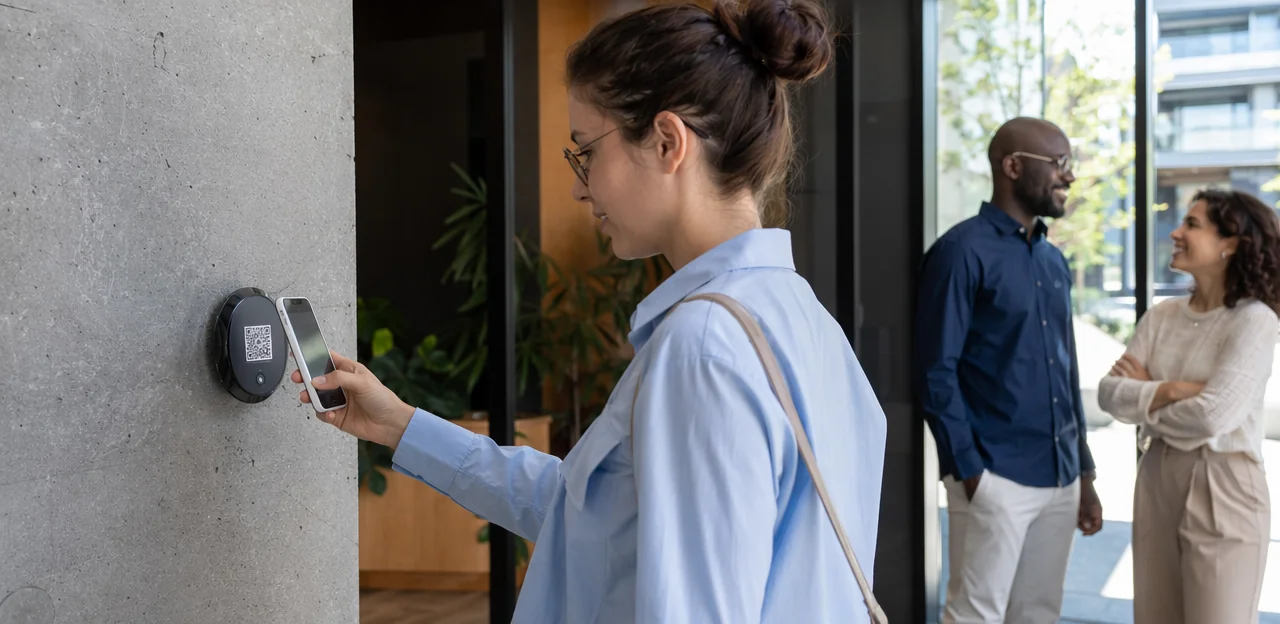
Loyalty is no longer built only at the checkout counter. Today, brands across hospitality, retail, events, healthcare, and service businesses are turning every physical touchpoint into an opportunity to engage, reward, and retain customers. That is exactly why the qr code rewards program has become such a powerful strategy: it makes participation fast, familiar, and easy, whether a customer scans from packaging, a receipt, a table display, or in-store signage.
With the right setup, businesses can use qr code stickers, a branded qr code sticker, or even custom qr code stickers placed in high-visibility areas to drive instant sign-ups, reward claims, feedback collection, and repeat visits. Practical details also matter, from qr code printing quality and how to print qr code stickers effectively, to choosing the best qr code paper and the right qr code sticker size for different environments.
In this article, we’ll break down how a QR-based rewards program works, why it is effective across industries, and how it supports stronger customer experience, loyalty, and data collection. We’ll also explore implementation best practices, common mistakes to avoid, and how technologies like AI, analytics, and NFC-enabled touchpoints can make these programs even smarter and more scalable.
What Is a QR Code Rewards Program and Why It Matters

How a qr code rewards program works
A qr code rewards program lets customers scan a code at key touchpoints to instantly start or continue a loyalty journey—no app required in many cases. After scanning a code on packaging, counters, receipts, menus, or qr code stickers, users can earn points, unlock offers, redeem perks, or submit feedback that strengthens customer experience and loyalty & retention.
- Place the code strategically using a qr code sticker, shelf sign, receipt, badge, or qr code paper insert.
- Scan and engage to join rewards, claim discounts, or track visits.
- Trigger actions like point collection, coupon delivery, or personalized follow-up.
For scale, businesses often use custom qr code stickers, choose the right qr code sticker size, and invest in clear qr code printing. Whether you print qr code stickers for retail, hospitality, healthcare, events, or service businesses, the model is simple, measurable, and easy to adopt.
Why QR-based loyalty is growing across industries
A qr code rewards program is gaining traction cross-industry because it removes friction: customers scan, engage, and redeem in seconds without downloading an app. That simplicity matters in retail, hospitality, events, and service businesses where speed and convenience drive participation.
- Contactless convenience: NFC & QR touchpoints support tap-or-scan interactions at tables, counters, packaging, and receipts.
- Easy deployment: brands can use qr code stickers, a single qr code sticker, or custom qr code stickers on products and displays. Practical details like qr code printing, print qr code stickers, durable qr code paper, and the right qr code sticker size improve scan rates.
- Omnichannel loyalty: the same code can connect in-store visits, online offers, reviews, and repeat purchases.
- Smarter optimization: AI & analytics help businesses track engagement, personalize rewards, and refine campaigns in real time.
Core benefits for brands and customers
A qr code rewards program makes loyalty easier for everyone by removing friction at the point of engagement. Customers scan once, enroll faster, and claim rewards without forms, apps, or delays—improving customer experience from the first interaction.
- Convenience at scale: Place qr code stickers on tables, packaging, receipts, windows, or displays so customers can join instantly.
- Faster enrollment: Smart landing pages connected to a qr code sticker reduce sign-up steps and boost conversion.
- Better first-party data: With thoughtful qr code printing and clear offers, brands can collect consent-based emails, phone numbers, and preferences directly.
- Personalized rewards: Use location, product, or campaign-specific scans from custom qr code stickers to tailor offers.
- Measurable engagement: Track scans, redemptions, repeat visits, and customer retention by testing qr code paper, qr code sticker size, and where you print qr code stickers.
Key Components of a Successful Program

Reward structure, rules, and user journey
A strong qr code rewards program should feel instant, clear, and worth repeating. Keep loyalty program design simple enough for one scan to start and easy for teams to manage at scale.
- Points: Award fixed points per scan, purchase, visit, or action to avoid confusion.
- Tiers: Create 2–3 levels with visible milestones and meaningful perks.
- Referrals: Give both the referrer and new customer a small bonus to support your retention strategy.
- Instant wins: Mix long-term rewards with surprise discounts or freebies after scanning qr code stickers.
- Redemption flow: Let users scan, view balance, claim rewards, and redeem in as few steps as possible.
Use durable custom qr code stickers, choose the right qr code sticker size, and plan qr code printing carefully—whether you print qr code stickers on qr code paper or use a single qr code sticker at checkout.
Touchpoints: packaging, counters, tables, mailers, and signage
A qr code rewards program performs best when codes appear at moments of high attention and low friction. Place them where customers naturally pause, wait, open, or pay.
- Packaging and inserts: Add codes to product labels, box interiors, and thank-you cards using durable qr code stickers or qr code paper for low-cost inserts.
- Counters and tables: Use countertop displays, table tents, and checkout mats. Test qr code sticker size to keep scans easy from arm’s length.
- Receipts and labels: Include a qr code sticker or printed code on receipts for post-purchase rewards, reviews, or repeat-order offers.
- Direct mail and signage: Custom qr code stickers, postcards, window signage, and shelf talkers can drive scans in-store and at home.
For consistency, invest in quality qr code printing and print qr code stickers with strong contrast and clear reward messaging.
Choosing between static and dynamic QR codes
For a qr code rewards program, the right code type affects flexibility, measurement, and long-term performance.
- Static QR codes link to a fixed destination. Once created and used in qr code printing, they cannot be edited. They work best for permanent pages, simple menus, or one-time campaigns printed on qr code paper.
- Dynamic QR codes use a short redirect URL, so you can change the destination later without reprinting. That makes them ideal for loyalty offers, seasonal rewards, and multi-location promotions.
Dynamic QR codes are usually the better choice because they support analytics, scan tracking, A/B testing, and faster campaign optimization. If you use qr code stickers, a qr code sticker, or custom qr code stickers, dynamic codes let you update rewards even after you print qr code stickers. Just make sure the qr code sticker size is large enough for easy scanning.
Implementation: Design, Printing, and Placement Best Practices

Designing effective QR code stickers for scanning
For a qr code rewards program, design matters as much as placement. The best qr code stickers are fast to recognize, easy to scan, and durable in everyday conditions.
- Use strong contrast: A dark code on a light, matte background scans best. Avoid glossy finishes, low-contrast brand colors, or busy patterns behind the code.
- Keep branding subtle: Add logos, colors, and frames, but don’t overcrowd the code. With custom qr code stickers, brand around the code, not over it.
- Choose proper error correction: Higher error correction helps a qr code sticker stay readable if scratched, curved, or partially covered.
- Write a clear CTA: Use action-driven copy like “Scan for rewards” or “Tap to claim today’s offer.”
- Plan for real-world use: Select the right qr code sticker size, test from different phone distances, and use quality qr code printing on durable qr code paper or waterproof stock.
Before you print qr code stickers, test each version in low light, glare, and high-traffic environments.
Printing materials, durability, and QR code paper options
For a qr code rewards program, print quality and material choice directly affect scan rates and lifespan. Use high-contrast qr code printing with sharp edges, matte finishes, and enough quiet space around the code.
- QR code paper: Best for short-term indoor use, flyers, receipts, bag inserts, or event handouts. It’s affordable and fast, but less resistant to moisture, heat, and abrasion.
- Print qr code stickers on vinyl: Ideal for counters, tables, packaging, windows, and high-touch areas. Vinyl qr code stickers last longer and resist tearing better than paper.
- Laminated or weather-resistant options: Choose these for outdoor use, kitchens, bathrooms, pools, delivery packaging, or anywhere exposed to spills, sunlight, or cleaning chemicals.
- Adhesives matter: Removable adhesive suits campaigns; permanent adhesive fits fixed placements.
- Finishes and sizing: A matte qr code sticker usually scans better than glossy. Test qr code sticker size by viewing distance, and use custom qr code stickers for branded, location-specific placements.
Getting qr code sticker size and placement right
In a qr code rewards program, even small design mistakes can lower scan rates. Use these practical rules to make your qr code sticker easy to scan and more likely to convert.
- Choose the right qr code sticker size: A good baseline is 3 x 3 cm to 5 x 5 cm for close-range use on tables, packaging, or counters. For farther viewing distances, increase size proportionally. A simple rule: scanning distance should be about 10 times the code’s width.
- Place at natural scanning height: Position qr code stickers where people already pause—tabletops, checkout counters, doors, menus, or eye-level displays.
- Prioritize contrast and lighting: Use dark codes on light backgrounds, avoid glare, and don’t place codes under reflective covers.
- Use quality materials: Strong qr code printing, durable adhesives, and suitable qr code paper help prevent fading or peeling.
- Test before rollout: Before you print qr code stickers or order custom qr code stickers, test with multiple phones, angles, and lighting conditions.
Using AI and Analytics to Improve Loyalty Performance

What data a QR rewards system can capture
A qr code rewards program does more than track scans—it turns every interaction into useful first-party data for better AI & analytics.
- Scan volume and source: Measure how often each code is scanned, including performance by placement such as packaging, counters, menus, or qr code stickers.
- Location and time: Identify where and when customers engage to refine offers by store, region, daypart, or event.
- Device type: See whether users scan on iPhone or Android to optimize landing pages and reward flows.
- Repeat visits: Compare first-time and returning scanners to understand loyalty patterns.
- Redemption behavior: Track which rewards are claimed, ignored, or abandoned.
To improve results, test custom qr code stickers, the right qr code sticker size, strong qr code printing, and durable materials like qr code paper when you print qr code stickers or each qr code sticker for different touchpoints.
Personalization, segmentation, and predictive offers
A qr code rewards program becomes far more effective when powered by AI & analytics. By tracking scan frequency, location, purchase history, and redemption behavior, brands can improve personalization and strengthen loyalty & retention across retail, hospitality, fitness, and events.
- Segment users by behavior: new visitors, high-value buyers, deal seekers, or inactive customers.
- Trigger personalized rewards: a discount after repeated scans on qr code stickers, a VIP perk from a qr code sticker at checkout, or an upsell tied to product interest.
- Predict churn and upsell opportunities: AI can flag declining engagement and send the right incentive at the right time.
For better results, align qr code printing, print qr code stickers, qr code paper, qr code sticker size, and custom qr code stickers with each touchpoint and audience.
KPIs to Track for Continuous Optimization
To improve a qr code rewards program, track the metrics that connect engagement to revenue and customer retention:
- Scan-through rate: How often customers scan from placements like qr code stickers, table tents, packaging, or qr code paper inserts.
- Enrollment rate: Percentage of scanners who join the program after seeing a qr code sticker.
- Reward redemption rate: Measures whether incentives are compelling and easy to claim.
- Repeat purchase rate: Shows if rewards are driving return visits.
- Customer lifetime value (CLV): Use analytics to compare members vs. non-members.
- Retention lift: Track changes in repeat behavior over time.
Also test custom qr code stickers, qr code sticker size, placement, and qr code printing quality when you print qr code stickers, since visibility directly affects performance.
Cross-Industry Use Cases and Examples

Retail, restaurants, and hospitality
A qr code rewards program helps stores, cafés, quick-service restaurants, and hotels turn everyday touchpoints into repeat-visit drivers. By placing codes on packaging, table tents, receipts, and in-room materials, brands make it easy for customers to join loyalty offers instantly and improve the customer experience.
- Use qr code stickers on takeaway packaging and counters to unlock points, discounts, or bounce-back offers.
- Add a qr code sticker to receipts so customers can scan after purchase and claim a reward for their next visit.
- In hotels, place custom qr code stickers on room materials to promote upgrades, dining credits, or return-stay perks.
- Optimize qr code printing with durable qr code paper, clear sizing, and the right qr code sticker size for fast scanning.
- Businesses deploying at scale can print qr code stickers by location to track performance and refine offers.
Healthcare, fitness, and service businesses
A qr code rewards program works especially well in cross-industry service settings where repeat visits and timely follow-ups drive loyalty & retention. Clinics can place a qr code sticker at reception or on aftercare cards for appointment follow-ups, refill reminders, and satisfaction feedback. Gyms can use qr code stickers on check-in desks, lockers, or class boards to reward attendance, renew memberships, and encourage referrals. Salons and home service businesses can add custom qr code stickers to mirrors, invoices, or packaging to offer rebooking perks and refer-a-friend incentives.
- Use qr code printing for refill cards, thank-you notes, and service reminders
- Print qr code stickers on durable qr code paper for take-home use
- Choose the right qr code sticker size for counters, product labels, or appointment cards
Events, education, and nonprofit campaigns
A qr code rewards program works especially well in cross-industry settings like events, schools, and nonprofit outreach, where fast participation matters. With print qr code stickers on badges, tables, posters, and entry signage, organizers can turn simple scans into measurable engagement.
- Use qr code stickers for check-ins, session attendance, volunteer tracking, or campus activity participation.
- Add custom qr code stickers to donation booths and flyers to unlock thank-you rewards, exclusive updates, or follow-up content.
- Plan qr code printing carefully: choose durable materials, test qr code sticker size for scan distance, and use qr code paper for short-term indoor campaigns.
- Place each qr code sticker where action happens to build community, repeat involvement, and better data capture.
Common Mistakes to Avoid and How to Launch Successfully

Mistakes that reduce scans and sign-ups
Even a strong qr code rewards program can underperform if execution is poor. Avoid these common mistakes:
- Bad placement: Don’t hide qr code stickers where customers won’t notice them. Place each qr code sticker at eye level, checkout, tables, packaging, or entry/exit points.
- Codes that are too small: The wrong qr code sticker size hurts scan rates. Make codes large enough to scan quickly from a natural distance.
- Weak incentives: “Scan here” isn’t enough. Offer a clear reward such as points, discounts, or instant perks.
- Confusing landing pages: Keep the post-scan page fast, mobile-friendly, and simple.
- Poor qr code printing: Blurry designs, low contrast, cheap qr code paper, or low-quality custom qr code stickers can damage trust and usability. Always test before you print qr code stickers at scale.
Launch checklist for a high-performing program
Before going live with a qr code rewards program, run this practical checklist:
- Test every code: Scan all qr code stickers on different phones, lighting conditions, and distances. Confirm the right URL, reward, and tracking tags.
- Check print quality: Use durable custom qr code stickers or qr code paper suited to the environment. Validate qr code sticker size for easy scanning before you print qr code stickers at scale.
- Optimize landing speed: Keep pages mobile-first, fast, and friction-free to protect the customer experience.
- Make rewards obvious: State the benefit clearly on each qr code sticker.
- Train staff and review compliance: Staff should explain the offer; ensure consent, privacy, and promo terms are clear.
- Measure post-launch: Track scans, redemptions, drop-off, repeat visits, and results by placement and qr code printing batch.
How to scale from pilot to enterprise program
Start your qr code rewards program with a small pilot: choose 3–5 locations, one customer segment, and one clear goal such as sign-ups, repeat visits, or offer redemption. Then compare performance by venue, placement, and incentive.
- Use AI & analytics to track scans, conversions, reward usage, and drop-off points.
- Test different touchpoints with qr code stickers, table tents, packaging, or qr code paper inserts.
- Standardize rollout with clear qr code printing specs, approved qr code sticker size, and brand-safe custom qr code stickers.
- Create repeatable placement rules so teams know where to print qr code stickers and install each qr code sticker for maximum visibility.
As results improve, automate rewards, segmentation, and reporting to strengthen loyalty & retention across every location.
Conclusion
A well-designed qr code rewards program gives businesses in any industry a faster, simpler way to turn everyday interactions into measurable loyalty, better customer experiences, and richer first-party data. By placing codes at the right touchpoints—on packaging, tables, receipts, displays, or service areas—brands can make it effortless for customers to engage, claim offers, share feedback, and return more often. Success comes down to more than the code itself: thoughtful placement, clear incentives, reliable qr code printing, and choosing the right materials, whether that means durable custom qr code stickers, standard qr code paper, or testing the ideal qr code sticker size for visibility and scan rates.
As you plan your rollout, focus on consistency and usability. Use high-quality qr code stickers, confirm each qr code sticker scans instantly, and print qr code stickers that align with your branding and environment. Then track performance, refine offers, and use analytics to improve retention over time.
If you’re ready to launch or optimize a qr code rewards program, start with a pilot campaign, measure engagement across locations, and build from real customer behavior. For next steps, create your reward flow, audit your physical touchpoints, and review tools that support QR, NFC, analytics, and feedback capture—such as Tapsy—to scale results efficiently.
Frequently Asked Questions
- What is a QR code rewards program?
A QR code rewards program lets customers scan a code at physical touchpoints to join or continue a loyalty journey. After scanning, they can earn points, unlock offers, redeem perks, or submit feedback without needing an app in many cases.
- How does a QR-based loyalty program typically work?
Businesses place QR codes on packaging, counters, receipts, menus, signage, or stickers where customers naturally pause. Customers scan to join rewards, claim discounts, or track visits, and the system can then trigger actions like point collection, coupon delivery, or personalized follow-up.
- Why are QR code rewards programs growing across industries?
They reduce friction because customers can scan, engage, and redeem in seconds without extra steps like downloading an app. That speed and convenience make them useful in retail, hospitality, events, healthcare, and service businesses.
- What are the main benefits for brands and customers?
Customers get faster enrollment and easier reward claims, which improves the overall experience. Brands gain measurable engagement, stronger first-party data collection, and more opportunities to personalize offers and improve retention.
- Where should QR codes be placed for the best results?
Codes work best at moments of high attention and low friction, such as packaging, counters, tables, receipts, mailers, and signage. Good placement means putting them where people already pause, wait, open, or pay.
- Should a business use static or dynamic QR codes for rewards?
Dynamic QR codes are usually the better choice for rewards programs because the destination can be updated without reprinting. They also support analytics, scan tracking, A/B testing, and easier optimization for seasonal or multi-location campaigns.
- What makes a QR code sticker easy to scan?
Strong contrast, a light matte background, clear quiet space, and a simple design all help scanning. A clear call to action, proper error correction, and testing in low light, glare, and high-traffic conditions also improve reliability.
- What materials are best for QR code printing and stickers?
QR code paper is suitable for short-term indoor uses like flyers, receipts, inserts, or event handouts. Vinyl stickers are better for counters, tables, packaging, and other high-touch areas, while laminated or weather-resistant materials fit outdoor or spill-prone environments.
- What QR code sticker size should be used?
A practical baseline for close-range use is about 3 x 3 cm to 5 x 5 cm on tables, packaging, or counters. For longer viewing distances, the code should be larger, using the rule that scanning distance is about 10 times the code's width.
- What data can a QR rewards system capture?
It can track scan volume, scan source, location, time, device type, repeat visits, and redemption behavior. That information helps businesses understand which placements, offers, and touchpoints perform best.
- How can AI and analytics improve a QR code rewards program?
AI and analytics can segment users by behavior, personalize rewards, and identify churn or upsell opportunities. They also help refine campaigns in real time by showing which scans, rewards, and placements lead to better engagement and retention.
- Which KPIs matter most for optimizing QR loyalty campaigns?
Key metrics include scan-through rate, enrollment rate, reward redemption rate, repeat purchase rate, customer lifetime value, and retention lift. Testing placement, sticker size, and print quality alongside these metrics helps connect visibility to results.
- Which industries can use QR code rewards programs effectively?
They fit retail, restaurants, hotels, healthcare, fitness, salons, home services, events, education, and nonprofit campaigns. In each case, the program turns everyday touchpoints like receipts, check-in desks, room materials, badges, or flyers into loyalty and engagement opportunities.
- What common mistakes reduce scans and sign-ups?
Poor placement, codes that are too small, weak incentives, confusing landing pages, and low-quality printing can all hurt performance. Clear rewards, mobile-friendly pages, and tested print quality are essential before scaling.
- How should a business launch and scale a QR code rewards program?
Start with a pilot in 3 to 5 locations, focus on one customer segment, and choose one clear goal such as sign-ups, repeat visits, or redemptions. Then compare results by placement and incentive, standardize printing and sizing, and use analytics to guide broader rollout.