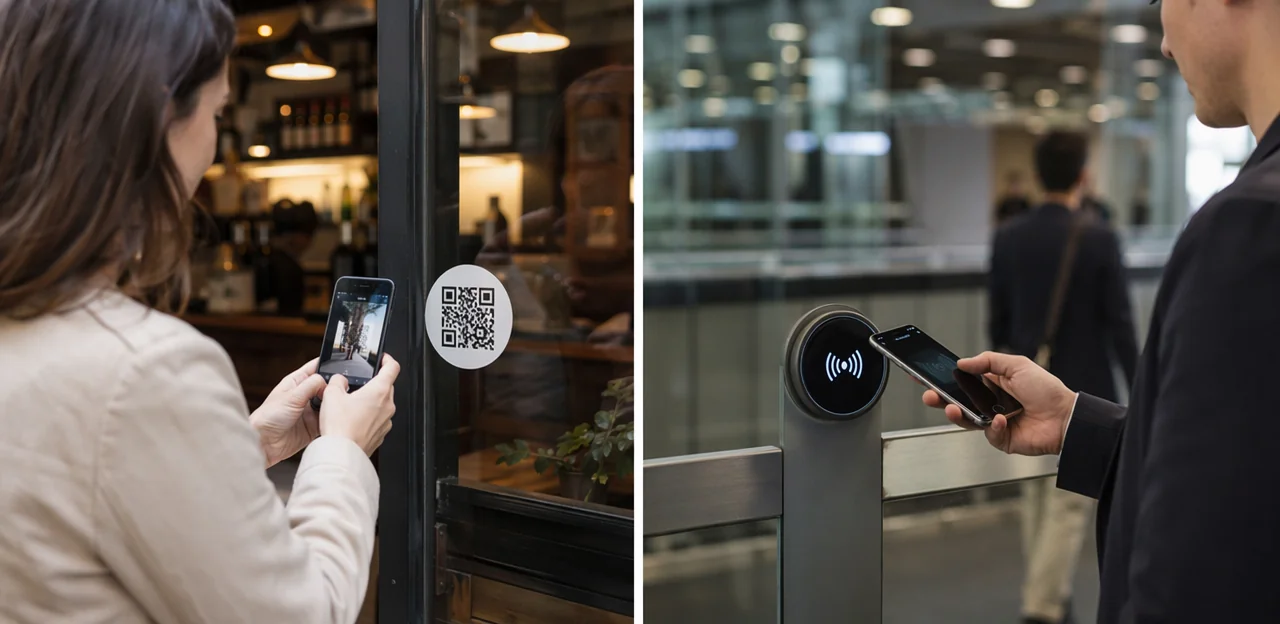
A simple tap or scan can shape the entire customer journey. Across hospitality, retail, healthcare, events, and office environments, businesses are rethinking how they collect feedback, share information, and create seamless interactions at the point of contact. That is where the debate between the classic qr code sticker and the newer NFC tap point becomes especially relevant.
While QR solutions remain widely used because they are affordable, flexible, and easy to deploy, not all qr code stickers deliver the same experience. Factors such as qr code sticker size, placement, design, and durability all influence whether customers actually engage. Brands also have more options than ever, from an instagram qr code sticker for social growth to a custom qr code sticker or personalized qr code sticker designed for menus, payments, reviews, and loyalty journeys. Choosing the right qr code sticker maker and understanding best practices for qr code sticker printing can make the difference between a sticker people ignore and one they instantly use when they scan qr code sticker prompts.
In this article, we’ll compare QR code stickers and NFC tap points across industries, explore their impact on customer experience, and look at how AI and analytics can turn simple touchpoints into smarter business tools. You’ll also learn what to consider when selecting software and hardware for long-term scalability.
QR Code Sticker vs NFC Tap Point: Core Differences That Matter

How each touchpoint works in real customer journeys
In practice, a qr code sticker asks the customer to open their phone camera, scan qr code sticker, tap the link, and wait for the browser page to load. That journey is familiar, but friction appears if lighting is poor, the qr code sticker size is too small, or placement is awkward. Clear labels like “Scan for menu” or “Tap for feedback” improve response rates, especially on custom qr code sticker and personalized qr code sticker designs.
An NFC tap point is faster: the guest simply unlocks a compatible smartphone and taps the marked area. No camera aiming is needed, but friction appears when older devices or disabled NFC settings block the action.
- Use visual prompts for qr code stickers
- Prioritize strong qr code sticker printing
- Match placement to use case, from tables to windows
- Test with tools like a qr code sticker maker or instagram qr code sticker format for visibility
Accessibility, familiarity, and adoption across audiences
A qr code sticker usually reaches the widest audience because it works across more devices and behavior patterns than NFC alone. Most people already know how to scan qr code sticker prompts with their phone camera, while NFC use still depends on handset settings, chip placement, and user confidence.
- Broader device compatibility: A qr code sticker works on nearly any smartphone with a camera, including older models and shared devices.
- Lower learning curve: Many users recognize visible codes instantly, while tap points can feel less obvious in public settings.
- Comfort and visibility: People often prefer scanning when they want a clear, contactless action.
For stronger adoption, use readable qr code sticker size, clear instructions, and durable qr code sticker printing. A custom qr code sticker or personalized qr code sticker created with a qr code sticker maker can also support branded use cases, from menus to an instagram qr code sticker.
Cost, durability, and deployment at scale
For large rollouts, a qr code sticker is usually the faster, lower-cost option, especially across many sites, tables, doors, or product displays.
- Lower production cost: qr code sticker printing is inexpensive, easy to reorder, and ideal for multi-location brands testing campaigns or updating links. A custom qr code sticker or personalized qr code sticker can be produced in bulk with minimal setup.
- Simple deployment: Teams can place qr code stickers quickly without wiring, hardware pairing, or technical installation. Choosing the right qr code sticker size also helps improve scan rates.
- Replacement needs: Stickers may fade, peel, or scratch in sunlight, moisture, or heavy-touch areas, so businesses should inspect and replace them regularly.
- NFC investment: NFC tap points are more durable and premium-looking, but upfront hardware costs are higher than using a qr code sticker maker for printed assets such as an instagram qr code sticker or other scan qr code sticker formats.
Industry-by-Industry Use Cases for QR and NFC

Retail, restaurants, and hospitality
In high-traffic, consumer-facing spaces, a qr code sticker is often the most visible and flexible option for instant engagement. Shops, cafés, and hotels use custom qr code sticker placements on tables, packaging, windows, receipts, and displays to drive actions like:
- digital menus and product details
- limited-time promotions and upsells
- Google review requests and loyalty sign-ups
- social engagement via an instagram qr code sticker
A strong qr code sticker size and smart placement make it easier to scan qr code sticker prompts on impulse, especially near checkout or waiting areas. With good qr code sticker printing, branded personalized qr code sticker designs feel polished and trustworthy.
NFC, by contrast, works best for faster staff-assisted check-ins, VIP access, or premium table service. Businesses often combine both: qr code stickers for broad visibility, and NFC for smoother high-intent interactions. A reliable qr code sticker maker helps teams scale campaigns consistently.
Healthcare, education, and public services
In healthcare, schools, and civic spaces, QR and NFC touchpoints simplify high-volume journeys without adding friction. A qr code sticker works especially well on doors, posters, appointment cards, brochures, and reception signage where people can instantly scan qr code sticker links using their own phones.
- Healthcare: Use a personalized qr code sticker for appointment booking, check-in, patient information, aftercare instructions, and service feedback.
- Education: Place qr code stickers across campus for navigation, event access, timetable updates, library resources, and student support forms.
- Public services: Add a custom qr code sticker to counters, notices, and printed leaflets for queue systems, multilingual guidance, and citizen feedback.
For best results, match qr code sticker size to viewing distance and prioritize clear qr code sticker printing. A reliable qr code sticker maker helps standardize branding, while specialized uses, such as an instagram qr code sticker, can support campaigns and community outreach.
Real estate, events, automotive, and field operations
Across mobile, on-site workflows, the right touchpoint depends on distance, speed, and control:
- Real estate tours: A qr code sticker on signs or windows lets prospects scan from a few feet away for listings, floor plans, or an instagram qr code sticker linked to the agent. Here, qr code sticker size matters: larger codes improve scan distance and readability outdoors.
- Events: Use qr code stickers for check-in lanes, agendas, and sponsor activations. A custom qr code sticker or personalized qr code sticker helps match branding and location.
- Automotive: Place a qr code sticker on vehicles for specs, service history, or finance options; use NFC when staff want a deliberate, close-range tap for test-drive forms.
- Field operations: For equipment tagging and service workflows, qr code sticker printing works well for visible asset IDs, while NFC is better for controlled maintenance logs, handoffs, and compliance steps.
A reliable qr code sticker maker should support durable materials and easy updates after customers scan qr code sticker labels.
Customer Experience: Friction, Speed, and Trust

What makes a qr code sticker easy to scan and use
A qr code sticker performs best when the scan path is effortless:
- Place it where people naturally pause: windows, counters, tables, packaging, and posters all work, but match qr code sticker size to distance. Small labels suit packaging and tables; larger qr code stickers are better for windows and posters viewed farther away.
- Use strong contrast: dark code on a light background scans fastest. With custom qr code sticker or personalized qr code sticker designs, avoid clutter behind the code.
- Add a clear CTA: “Scan for menu,” “Tap to review,” or “Claim offer” beats generic prompts. This matters for an instagram qr code sticker too.
- Keep the destination relevant and mobile-first: when users scan qr code sticker links, pages should load fast, match the promise, and fit any screen.
- Test before launch: a reliable qr code sticker maker and quality qr code sticker printing reduce scan failures.
When NFC creates a smoother premium experience
NFC feels more premium when speed and repeat use matter. A simple tap removes the camera step, making loyalty check-ins, member perks, room or venue access, and returning-customer feedback feel almost effortless. In settings where guests already understand the interaction, NFC often beats a qr code sticker for convenience.
- Best for repeat engagement: loyalty taps, VIP access, saved preferences, and fast post-visit feedback.
- Best for premium environments: hotels, gyms, lounges, events, and hospitality touchpoints where friction should be minimal.
- Use QR for visibility: qr code stickers are easier to notice in busy spaces, especially with the right qr code sticker size and strong placement.
Action tip: pair NFC with a custom qr code sticker or personalized qr code sticker so first-time users can still scan qr code sticker prompts easily.
Trust signals, branding, and customer confidence
Trust heavily influences whether someone will scan a qr code sticker or tap an NFC point in the moment. Clear branding, visible purpose, and professional placement reduce hesitation and increase engagement.
- Use a custom qr code sticker with your logo, brand colors, and a short CTA so users instantly recognize who is asking.
- Make the destination obvious: say whether it opens Instagram, feedback, menus, or rewards. An instagram qr code sticker works best when the visual style matches the campaign.
- Prioritize clean qr code sticker printing and the right qr code sticker size so codes look legitimate and scan quickly.
- Place qr code stickers at natural decision points—tables, counters, doors, packaging—where they feel secure and intentional.
- A personalized qr code sticker created with a reliable qr code sticker maker strengthens recognition and confidence.
AI, Analytics, and Measurement Across Touchpoints

What data you can collect from QR and NFC
A qr code sticker or NFC tap point can capture far more than a simple interaction count when linked to trackable URLs and dashboards. You can measure:
- Scans and taps: total interactions by touchpoint, campaign, or location
- Time data: peak hours, daypart trends, and dwell-time patterns
- Location: venue, table, room, counter, or region performance
- Device type: iPhone vs Android, browser, and referral source
- Conversion path: from scan qr code sticker to menu view, form submit, offer claim, or purchase
- Repeat engagement: returning visitors, loyalty behavior, and campaign re-use
For better reporting, align qr code sticker size, placement, and naming conventions in your dashboard. Whether using custom qr code sticker, personalized qr code sticker, instagram qr code sticker, or bulk qr code stickers, strong tracking turns qr code sticker printing and any qr code sticker maker workflow into measurable attribution and operational insight.
Using AI to optimize engagement and conversion
AI turns every qr code sticker touchpoint into a testable conversion channel by analyzing scans, bounce rates, dwell time, and completion paths.
- Compare performance by location, device, and qr code sticker size to identify which placements drive more conversions.
- Use insights from a qr code sticker maker or qr code sticker maker platform to A/B test CTA text, design, and custom qr code sticker destinations.
- Personalize landing pages based on behavior, showing different offers after a guest scan qr code sticker interactions.
- Predict drop-off points and fix friction before users abandon the journey.
- Segment users by intent, such as first-time visitors, repeat scanners, or those engaging with an instagram qr code sticker.
With strong qr code sticker printing data, brands can refine personalized qr code sticker campaigns and scale higher-performing qr code stickers faster.
Privacy, governance, and cross-channel reporting
A qr code sticker or NFC tap point should feed the same governed data pipeline, not create separate silos. For long-term reporting quality, evaluate software on:
- Consent and minimization: collect only what’s needed, present clear opt-ins, and avoid forcing personal data just to scan qr code sticker interactions.
- Secure redirects: use encrypted links, domain controls, expiration rules, and audit logs—especially for custom qr code sticker, personalized qr code sticker, or instagram qr code sticker campaigns.
- System integration: connect events to CRM, POS, and marketing tools so qr code stickers and NFC taps map to one customer journey.
A good qr code sticker maker and qr code sticker printing workflow also supports governance through trackable IDs, proper qr code sticker size, and consistent attribution across channels.
Design, Printing, and Technical Setup Best Practices

Choosing the right qr code sticker size and material
A qr code sticker should match where it’s used and how people will scan it. For close-range taps at tables, counters, or packaging, a qr code sticker size of 25–40 mm often works well. For doors, windows, posters, or queue areas viewed from farther away, use 50–100 mm+ so users can quickly scan qr code sticker targets without hesitation.
- Use high-contrast qr code sticker printing with at least 300 DPI for sharp edges.
- Choose matte finishes in bright spaces to reduce glare; gloss can work better in dim indoor settings.
- Pick removable adhesive for short campaigns like an instagram qr code sticker, or permanent adhesive for long-term signage.
- For outdoor use, choose waterproof, UV-resistant custom qr code sticker materials such as vinyl or laminated polyester.
A personalized qr code sticker from a reliable qr code sticker maker should always fit placement, lighting, and user behavior.
Creating branded assets with a qr code sticker maker
A good qr code sticker maker helps you build branded touchpoints without sacrificing performance. Start with a dynamic qr code sticker so you can update the destination later without reprinting. Then add branding carefully:
- Use a logo only in the center and keep it small enough to preserve contrast.
- Choose brand colors with strong light-dark separation; avoid low-contrast palettes.
- Test the final design on multiple phones before qr code sticker printing.
- Select the right qr code sticker size for viewing distance and placement.
For a custom qr code sticker or personalized qr code sticker, keep quiet zones clear and avoid overdesign. Whether creating qr code stickers for menus, windows, or an instagram qr code sticker, make it easy to scan qr code sticker assets quickly under real lighting conditions.
Special use cases like social and campaign stickers
A qr code sticker works best when it is built for one clear campaign goal, not reused everywhere. Common high-performing uses include:
- Social growth: an instagram qr code sticker on menus, mirrors, checkout counters, or creator merch that sends users straight to a profile, Reel, or giveaway landing page.
- Events and activations: use qr code stickers for booth signups, prize draws, speaker downloads, or limited-time offers.
- Packaging inserts: a custom qr code sticker can drive reviews, reorders, tutorials, or loyalty enrollment after purchase.
Match the destination page and CTA to intent: “Follow on Instagram,” “Claim your event reward,” or “Watch setup guide.” Check qr code sticker size for scan distance, test before qr code sticker printing, and use a reliable qr code sticker maker for a personalized qr code sticker that’s easy to scan qr code sticker placements from quickly.
How to Choose the Right Software and Deployment Model

Features to look for in QR and NFC platforms
When choosing software for a qr code sticker program, prioritize features that make rollout, management, and optimization easy across multiple teams and locations:
- Dynamic links: Update destinations without redoing qr code sticker printing, ideal for campaigns, menus, or an instagram qr code sticker.
- Analytics dashboards: Track scans, location performance, and conversions whenever customers scan qr code sticker touchpoints.
- User permissions: Give local teams access while keeping brand and data control centralized.
- Template management: Standardize every custom qr code sticker or personalized qr code sticker design, including qr code sticker size rules.
- Bulk creation: Essential for scaling hundreds of qr code stickers fast with a reliable qr code sticker maker.
- API access and security controls: Support integrations, automation, and safe data handling across enterprise programs.
Decision framework: QR only, NFC only, or both
Use this simple framework when choosing a qr code sticker, NFC tap point, or both:
- Audience behavior: If users already scan qr code sticker prompts, QR may be enough. If speed matters, NFC reduces friction.
- Budget: A custom qr code sticker is usually the lowest-cost starting point; NFC adds hardware cost but can lift engagement.
- Environment: Consider lighting, phone compatibility, and placement. QR code sticker size and visibility matter in busy spaces.
- Branding: Personalized qr code sticker designs, including an instagram qr code sticker, support campaigns and recognition.
- Analytics: Use trackable QR and NFC links from your qr code sticker maker to compare performance.
- Operations: QR code sticker printing is simple to deploy; NFC may need more coordination.
For most organizations, combining visible qr code stickers with NFC delivers maximum reach and convenience.
Implementation checklist for cross-industry success
- Start with a pilot: Test one location, team, or journey before scaling any qr code sticker or NFC tap deployment.
- Finalize production: Use reliable qr code sticker printing, confirm the right qr code sticker size for viewing distance, and choose a durable custom qr code sticker or personalized qr code sticker for each touchpoint.
- Audit placement: Check visibility, lighting, surface quality, and scan angle so guests can easily scan qr code sticker prompts. Include use cases like an instagram qr code sticker where relevant.
- QA the landing page: Verify mobile load speed, branding, redirects, and tracking after using any qr code sticker maker.
- Set analytics: Track scans, conversions, drop-off points, and location performance.
- Train staff and optimize: Explain purpose, prompts, and troubleshooting, then refine copy, placement, and qr code stickers based on real data.
Conclusion
In the end, the choice between an NFC tap point and a qr code sticker comes down to speed, convenience, budget, and where your customers interact with your brand. NFC often delivers the smoothest tap-and-go experience, while a qr code sticker remains one of the most flexible, affordable, and scalable tools for cross-industry engagement. From retail counters and restaurant tables to hotel rooms, events, healthcare settings, and offices, qr code stickers make it easy to collect feedback, drive reviews, share offers, and connect physical spaces to digital journeys.
To get the best results, focus on practical details like qr code sticker size, visibility, placement, and design. Whether you need an instagram qr code sticker for social growth, a custom qr code sticker for branded campaigns, or a personalized qr code sticker for location-specific experiences, execution matters just as much as the technology itself. Choosing the right qr code sticker maker and investing in quality qr code sticker printing will help ensure every customer can quickly scan qr code sticker touchpoints without friction.
If you’re planning your next rollout, start by mapping customer touchpoints, testing both NFC and qr code stickers, and tracking performance with analytics. For businesses that want a no-app, touchpoint-based engagement approach, solutions like Tapsy can also be worth exploring. The next step is simple: choose the format that fits your audience best and turn every interaction into a measurable customer experience win.
Frequently Asked Questions
- What is the main difference between a QR code sticker and an NFC tap point?
A QR code sticker requires someone to open their phone camera, scan the code, tap the link, and wait for the page to load. An NFC tap point works by unlocking a compatible phone and tapping the marked area. QR is usually more familiar and widely compatible, while NFC is often faster when the device and settings support it.
- When should a business choose QR code stickers instead of NFC?
QR code stickers are a strong choice when broad device compatibility, low cost, and easy deployment matter most. They work well across many locations such as tables, doors, windows, packaging, and posters. They are also easier to scale quickly without hardware installation.
- In which situations does NFC create a better customer experience?
NFC works best when speed, repeat use, and a premium feel are important. It is especially useful for loyalty check-ins, VIP access, room or venue access, and quick feedback from returning customers. It performs well in places like hotels, gyms, lounges, events, and premium hospitality settings.
- Why do QR code stickers usually reach a wider audience?
QR code stickers work on nearly any smartphone with a camera, including many older devices and shared phones. Most people already recognize how to scan a visible code, while NFC can depend on handset settings, chip placement, and user confidence. That makes QR easier to adopt in public and mixed-device environments.
- How can you make a QR code sticker easier to scan?
Place it where people naturally pause, such as counters, tables, windows, packaging, or posters. Use strong contrast, add a clear call to action, and make sure the landing page is mobile-friendly and relevant to the prompt. Testing before launch and using quality printing also helps reduce scan failures.
- What QR code sticker size should be used for different placements?
For close-range use on tables, counters, or packaging, 25–40 mm often works well. For doors, windows, posters, or queue areas viewed from farther away, 50–100 mm or larger is recommended. The size should match the expected viewing distance so people can scan quickly without hesitation.
- What materials and print settings are best for durable QR code stickers?
High-contrast printing at at least 300 DPI helps keep code edges sharp and readable. Matte finishes are better in bright spaces because they reduce glare, while gloss can work in dim indoor settings. For outdoor use, waterproof and UV-resistant materials such as vinyl or laminated polyester are better suited.
- How are QR code stickers used in retail, restaurants, and hospitality?
They are commonly placed on tables, packaging, windows, receipts, and displays to drive digital menus, product details, promotions, review requests, loyalty sign-ups, and social engagement. Good placement near checkout or waiting areas can increase impulse interaction. Many businesses pair visible QR stickers with NFC for higher-intent or staff-assisted moments.
- How can healthcare, education, and public services use QR and NFC touchpoints?
Healthcare settings can use QR for appointment booking, check-in, patient information, aftercare instructions, and feedback. Schools can use them for navigation, event access, timetable updates, library resources, and support forms. Public services can place them on counters, notices, and leaflets for queue systems, multilingual guidance, and citizen feedback.
- What are good use cases for QR and NFC in real estate, events, automotive, and field operations?
Real estate signs and windows can use QR for listings, floor plans, and agent links, especially when larger codes improve outdoor readability. Events can use QR for check-in lanes, agendas, sponsor activations, signups, and prize draws. Automotive and field operations often use QR for visible specs or asset IDs, while NFC is better for controlled forms, maintenance logs, handoffs, and compliance steps.
- What data can businesses track from QR code stickers and NFC taps?
They can measure total scans or taps, time patterns, location performance, device type, referral source, and conversion paths such as menu views, form submissions, offer claims, or purchases. Repeat engagement can also be tracked to understand loyalty behavior and campaign reuse. Consistent naming and placement make reporting more useful.
- How can AI improve performance from QR and NFC touchpoints?
AI can analyze scans, bounce rates, dwell time, and completion paths to show which placements and designs perform better. It can support A/B testing of calls to action, destinations, and sticker designs, and help identify where users drop off. It can also personalize landing pages and segment users by intent, such as first-time or repeat scanners.
- What privacy and governance features should software support for QR and NFC programs?
Good software should support consent and data minimization so only necessary information is collected. It should also provide secure redirects, encrypted links, domain controls, expiration rules, and audit logs. Integration with CRM, POS, and marketing tools helps keep QR and NFC interactions in one governed customer journey.
- What should a business look for in a QR code sticker maker or platform?
Useful features include dynamic links, analytics dashboards, user permissions, template management, bulk creation, API access, and security controls. Dynamic links are especially important because they let teams update destinations without reprinting. A strong platform also helps standardize branded designs and size rules across locations.
- Is it better to use QR only, NFC only, or both together?
The best choice depends on audience behavior, budget, environment, branding needs, analytics goals, and operational complexity. QR is usually the easiest and lowest-cost starting point, while NFC can reduce friction in the right settings. For many organizations, combining visible QR code stickers with NFC offers the best balance of reach and convenience.