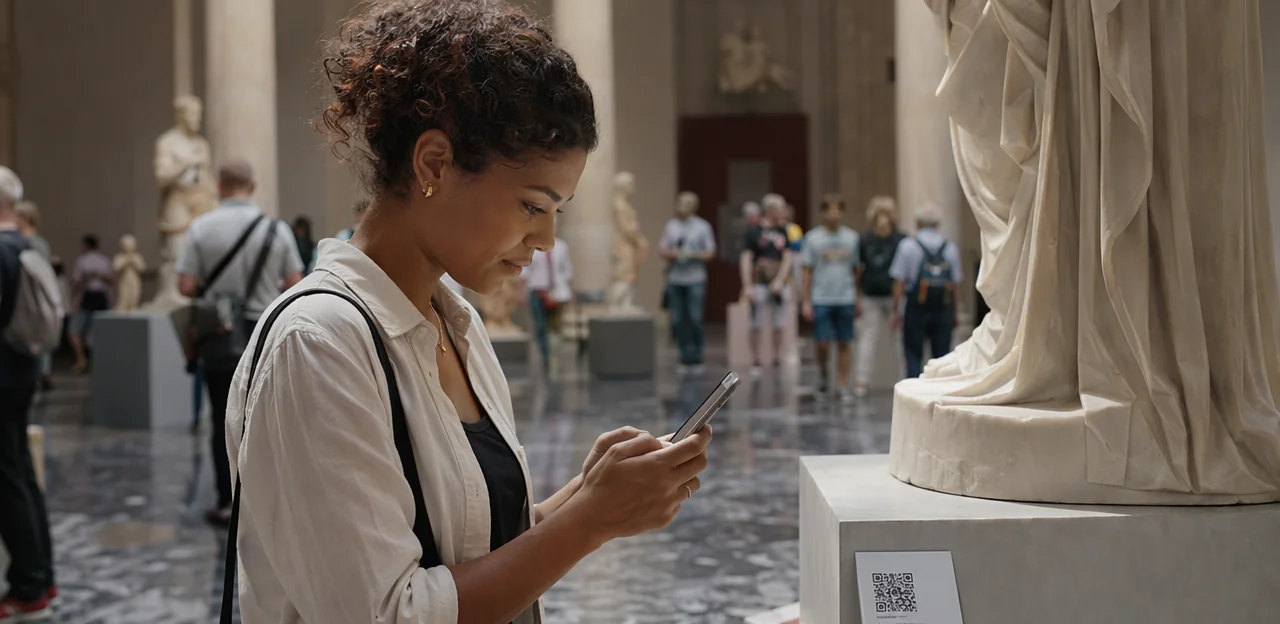
A great exhibition can inspire, educate, and move visitors—but understanding exactly how people experience your museum in the moment is often much harder. That is why the qr code survey museum approach is becoming an increasingly practical tool for museums, galleries, heritage sites, and visitor attractions that want fast, low-friction feedback. Placed beside exhibits, at exits, in cafés, or across wayfinding points, qr code stickers make it easy for guests to share opinions instantly from their phones.
When planned well, even small details matter. From choosing the right qr code sticker size for labels, walls, and display cases to deciding between durable signage and qr code paper for temporary exhibitions, museums need a survey system that fits both the visitor journey and the physical space. Branding also plays a role, with many venues now using custom qr code stickers and investing in reliable qr code printing to ensure scans are easy, attractive, and consistent. Whether you want to print qr code stickers in-house or source a professionally made qr code sticker solution, the right setup can improve response rates and data quality.
In this article, we will explore how museums can use QR and NFC touchpoints, better survey design, AI-powered analytics, and smarter software selection to turn visitor feedback into measurable experience improvements.
Why a QR Code Survey Museum Strategy Works
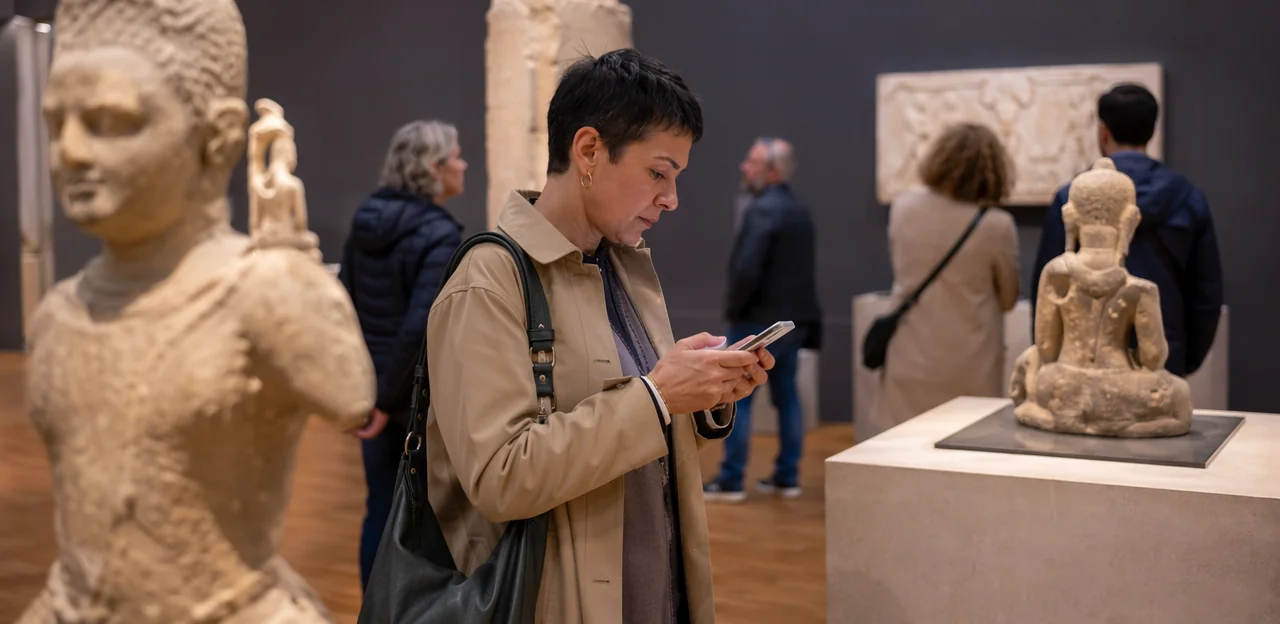
The value of in-the-moment visitor feedback
A qr code survey museum strategy captures reactions while details are still fresh, giving museums & attractions more accurate, usable insight than email-only follow-up. When visitors scan during or right after an exhibit, gallery talk, event, café stop, or shop purchase, feedback reflects the real experience—not a vague memory later.
- Lower friction: well-placed qr code stickers let visitors respond in seconds, without searching an inbox.
- Better context: use a qr code sticker at specific touchpoints to identify what drove satisfaction or confusion.
- Smarter setup: thoughtful qr code printing, print qr code stickers, durable qr code paper, and the right qr code sticker size improve scan rates.
- Stronger decisions: custom qr code stickers help teams compare exhibits, retail, and events to improve overall visitor experience.
Where QR surveys fit across the museum journey
A strong qr code survey museum strategy works best when feedback is placed at key moments, not only at the exit. Map NFC & QR touchpoints across the full visit:
- Entry: welcome screens, tickets, and foyer signage for first impressions and expectations.
- Wayfinding zones: use qr code stickers near maps to spot navigation pain points fast.
- Exhibits: place a qr code sticker beside standout objects for quick reactions, accessibility feedback, or deeper interpretation.
- Cafés and gift shops: capture service, pricing, and product feedback while the experience is fresh.
- Membership desks: ask about joining barriers and staff helpfulness.
- Temporary exhibitions: test themes, layout, and dwell time.
- Exits: gather overall satisfaction and likelihood to return.
For execution, plan qr code printing, print qr code stickers on durable qr code paper, choose the right qr code sticker size, and use custom qr code stickers plus NFC for maximum convenience and accessibility.
What museums can measure with survey data
A qr code survey museum setup can capture the visitor signals that matter most, especially when touchpoints are placed with smart survey design and clear qr code stickers.
- Overall satisfaction: Measure how visitors rate their visit, then compare by gallery, time, or event.
- Exhibit clarity: Ask whether labels, wayfinding, and interpretation were easy to understand.
- Dwell time and engagement: Learn where guests linger, skip, or want more depth.
- Accessibility: Capture feedback on physical access, language support, audio guides, and inclusive design.
- Staff helpfulness: Track service quality at entrances, information desks, and exhibits.
- Retail and café experience: Evaluate queues, pricing, product relevance, and food quality.
- Likelihood to recommend: Use NPS-style questions to identify promoters and detractors.
With AI & analytics, museums can turn responses into themes, sentiment trends, and location-based insights. Practical deployment also matters: use custom qr code stickers, test qr code sticker size, and plan qr code printing or print qr code stickers on durable qr code paper where suitable.
Planning Survey Touchpoints, Placement, and Materials

Choosing the best locations for scans
For a successful qr code survey museum strategy, place codes where visitor intent is highest and effort is lowest. Prioritize:
- Exit routes: Capture fresh impressions as visitors leave, without interrupting the visit.
- Object labels and interactive stations: Use qr code stickers beside standout exhibits where curiosity is already high.
- Queue areas: Give visitors something useful to do while waiting, especially at entry points or special exhibitions.
- Post-program spaces: After workshops, talks, or guided tours, feedback rates are often strongest.
Make every qr code sticker easy to spot, well lit, and positioned within natural traffic flow. Test qr code sticker size for scanning at typical viewing distance, and use durable materials suited to the environment, from qr code paper to custom qr code stickers. Invest in clear qr code printing and print qr code stickers with short prompts, while staff reminders can further boost participation.
Selecting materials: stickers, paper, and signage
For a qr code survey museum setup, material choice should match the exhibit lifespan, foot traffic, and brand presentation.
- Use a qr code sticker for permanent galleries, wayfinding points, and hands-on stations. Durable laminated qr code stickers resist cleaning, fingerprints, and frequent scanning. Check qr code sticker size carefully: codes placed too small on labels or cases can hurt scan rates.
- Use qr code paper for rotating exhibits, school workshops, seasonal events, and pilot programs. It is cheaper for short runs, simpler for fast qr code printing, and easy to replace when survey questions change.
- Upgrade to mounted signs or branded displays when visibility matters: entrances, donation areas, exit feedback points, or premium exhibitions. Custom qr code stickers work well on smaller surfaces, but larger signage improves discovery and trust.
If you need volume, print qr code stickers in batches and test placement before full rollout.
Sizing and printing for reliable scans
For a qr code survey museum setup, print quality and placement directly affect participation. Use these best practices:
- Choose the right qr code sticker size: aim for at least 3 x 3 cm for close-up labels, and 5 x 5 cm or larger where visitors scan from a short distance. Larger qr code stickers usually improve first-time scans.
- Prioritize contrast and quiet zone: black on white is best. Leave a clear white border around the code so cameras can detect it easily. Avoid glossy finishes if glare is likely.
- Place at comfortable height: mount each qr code sticker around 120–150 cm from the floor where queues naturally pause.
- Test across devices: check iPhone and Android scanning in bright and dim gallery lighting.
- Focus on qr code printing quality: blurry edges, low-resolution files, poor qr code paper, or stretched artwork reduce scan rates.
For small batches, print qr code stickers in-house. For durable, high-volume, or custom qr code stickers, use a supplier for sharper qr code printing and longer-lasting materials.
Designing High-Response Museum Surveys

Writing questions visitors will actually answer
Strong survey design keeps a qr code survey museum short, clear, and mobile-first. Aim for 3–5 questions, use large tap-friendly buttons, and match questions to the location shown on your qr code stickers or custom qr code stickers. Good qr code printing and the right qr code sticker size also improve completion rates.
- Exhibitions: “Which display was most memorable?” plus a 1–5 rating.
- Family visits: Ask about child engagement, facilities, and ease of navigation.
- School groups: Capture learning value, group flow, and staff support.
- Accessibility feedback: Use specific prompts on signage, seating, audio, and step-free access.
- Special events: Ask about booking, atmosphere, and value.
Avoid leading wording, long text boxes, and repetitive questions. Whether using a qr code sticker, qr code paper, or planning to print qr code stickers, keep every question directly tied to improving visitor experience.
Tailoring surveys by exhibit, audience, and goal
A strong qr code survey museum strategy starts with smart survey design. In museums & attractions, one survey should not serve every visitor. Build separate flows for:
- Permanent galleries: ask about wayfinding, interpretation clarity, and favorite objects.
- Temporary shows: measure marketing impact, exhibit relevance, and likelihood to recommend.
- Members and donors: focus on benefits, event access, and future support.
- Tourists and school groups: keep questions short, mobile-friendly, and multilingual.
Use branching logic so answers trigger the next best question, such as deeper prompts after a low rating. For better software selection, choose tools that support language switching, audience segmentation, and analytics. Place qr code stickers at key touchpoints, using the right qr code sticker size, durable qr code paper, and clear qr code printing. Many venues print qr code stickers or use custom qr code stickers for each exhibit zone.
Using incentives, branding, and calls to action
To improve response rates for a qr code survey museum, make the prompt feel clear, trustworthy, and worth a visitor’s time.
- Use concise CTA copy: Phrases like “Scan to share your visit in 30 seconds” or “Help shape future exhibitions” outperform vague requests.
- Match the museum brand: Well-designed custom qr code stickers and signage that reflect your colors, typography, and tone build confidence. A professional qr code sticker feels more credible than a generic printout.
- Place prompts strategically: Ask front-desk staff, gallery guides, or café teams to mention the survey at natural moments.
- Offer light incentives: Prize draws, gift-shop discounts, or café offers can lift scans without feeling pushy.
For production, prioritize durable qr code stickers, thoughtful qr code sticker size, and quality qr code printing. Whether you print qr code stickers on vinyl or qr code paper, branding and clarity matter.
Connecting QR Surveys to AI, Analytics, and Reporting

Turning responses into actionable insights
A qr code survey museum strategy becomes most valuable when feedback is segmented and reviewed in a clear dashboard. With strong AI & analytics, museums can track patterns by:
- Gallery or exhibit zone to spot confusing layouts or weak interpretation
- Time of day to identify queue pressure, noise, or staffing gaps
- Event type such as school visits, late openings, or family programs
- Audience segment including tourists, members, families, and educators
These insights help teams improve the visitor experience with faster, evidence-based decisions. For example, responses collected through qr code stickers, custom qr code stickers, or qr code paper can guide label rewrites, wayfinding updates, and front-of-house scheduling. When planning qr code printing, print qr code stickers with a practical qr code sticker size so scans remain easy in every gallery.
Using AI to summarize themes and sentiment
In a qr code survey museum setup, AI & analytics helps teams turn open-text responses into clear action points without losing nuance. In museums & attractions, this is especially useful when comments arrive from multiple galleries, exhibitions, cafés, and gift shops.
- Auto-tag comments: AI groups feedback into themes like signage, queue times, accessibility, audio guides, or staff helpfulness.
- Spot recurring issues: It highlights repeated complaints across responses collected via qr code stickers, qr code paper, or a qr code sticker near exhibits.
- Surface positives: AI identifies what visitors praise most, helping refine survey design and marketing.
- Compare locations: Benchmark sentiment by exhibition, floor, or venue, including campaigns using custom qr code stickers, qr code printing, or different qr code sticker size formats.
Use AI to summarize patterns, then let staff interpret context and decide what to improve.
Measuring performance beyond response rate
For any qr code survey museum strategy, response rate is only the starting point. Track a fuller KPI set to understand both visitor behavior and execution quality:
- Scan rate: How many visitors notice and scan the code at each exhibit, exit, or café.
- Completion rate: The percentage who finish the survey after opening it.
- Drop-off points: Identify where visitors abandon the form so you can shorten or improve questions.
- Satisfaction by touchpoint: Compare scores by gallery, ticket desk, restroom, or shop.
- Operational follow-through: Measure how quickly teams act on issues raised.
Also connect analytics to physical setup. Poor qr code printing, weak contrast, unsuitable qr code sticker size, or low-quality qr code paper can reduce scans. Well-placed qr code stickers, a durable qr code sticker, and custom qr code stickers that are easy to spot help performance. Always test before you print qr code stickers at scale.
Software Selection and Operational Best Practices

Features to Look for in Survey Software
For effective software selection, a qr code survey museum setup should include:
- Dynamic QR codes so links can be updated without redoing qr code printing or replacing qr code stickers.
- Multilingual support to serve international visitors across galleries, exhibits, and events.
- Branching logic that tailors questions by visitor type, exhibition, or satisfaction level.
- CRM or ticketing integrations to connect feedback with attendance, memberships, and campaigns.
- Strong AI & analytics dashboards for sentiment trends, response rates, and exhibit-level insights.
- Consent controls for privacy compliance when collecting visitor data.
- Easy editing for rotating exhibitions, seasonal programming, and pop-up displays.
Also consider practical deployment: choose the right qr code sticker size, durable custom qr code stickers, or even qr code paper for temporary signage, and always print qr code stickers clearly for fast scanning.
Privacy, accessibility, and governance considerations
A strong qr code survey museum strategy should protect trust while improving visitor experience. In survey design for NFC & QR touchpoints, focus on:
- GDPR and consent: Explain what data is collected, why, how long it is stored, and whether feedback is anonymous or linked to an email, ticket, or membership record. Keep consent clear and optional.
- Anonymous vs identified feedback: Use anonymous responses for low-friction insights; offer identified follow-up only when needed.
- Accessibility: Ensure landing pages work with screen readers, use high-contrast text, and pair qr code stickers with large, readable signage.
- Inclusive alternatives: Provide short URLs, staffed tablets, paper forms, or NFC options for visitors who cannot or prefer not to scan.
Also check qr code printing quality, qr code sticker size, placement height, and durability whether using a qr code sticker, custom qr code stickers, print qr code stickers, or qr code paper.
Pilot testing, maintenance, and staff training
Start your qr code survey museum rollout with a small pilot across one gallery, café, and exit point. This helps you compare scan rates, question completion, and placement effectiveness before full deployment.
- Test qr code sticker size at real viewing distances and under different lighting to confirm reliable scans.
- Use durable custom qr code stickers in high-touch areas, and schedule checks to replace faded or peeling qr code stickers quickly.
- For seasonal displays, use qr code paper signage so temporary exhibit prompts can be updated fast without reprinting permanent fixtures.
- Review qr code printing quality before launch, especially if you print qr code stickers in-house.
- Train frontline teams to invite participation with a short, friendly prompt that fits naturally into the visitor journey without interrupting the experience.
Common Mistakes Museums Should Avoid
Poor placement, weak signage, and scan friction
Even the best qr code survey museum setup will underperform if visitors cannot easily see, trust, or scan it. Avoid common mistakes:
- Don’t place qr code stickers in low light, behind reflections, or on curved/glossy surfaces.
- Use a clear call to action like “Scan to share your visit feedback in 30 seconds.”
- Keep layouts clean; crowded posters and tiny labels reduce scan rates.
- Choose the right qr code sticker size so codes are readable from normal viewing distance.
Before rollout, test qr code printing on real materials, including qr code paper and custom qr code stickers. Always print qr code stickers at full size, confirm the qr code sticker scans on multiple phones, and check performance in-gallery, not just at a desk.
Overlong surveys and unclear objectives
A qr code survey museum performs best when it is short, specific, and owned by one team. Too many questions, generic wording, and no clear decision-maker lead to drop-offs and weak insights that do little for visitor experience or software selection.
- Limit surveys to 3–5 questions tied to one goal, such as exhibit wayfinding, audio guide usability, or café satisfaction.
- Write concrete prompts: ask about a gallery, queue, or label clarity, not “How was your visit?”
- Assign ownership before launch: who reviews results, what action follows, and by when?
- Match placement and format: use qr code stickers or a qr code sticker at the exact touchpoint; get qr code printing, print qr code stickers, choose durable qr code paper, the right qr code sticker size, and branded custom qr code stickers for better response quality.
Ignoring print quality and brand consistency
A qr code survey museum campaign can underperform if the code looks cheap, faded, or unofficial. Poor qr code printing, weak contrast, glossy glare, and flimsy qr code paper make scans fail and reduce visitor trust. Unbranded signage also feels disconnected from the exhibition experience, lowering response rates.
To improve performance:
- Use high-contrast black-on-light designs and test scanning in gallery lighting.
- Choose the right qr code sticker size for viewing distance and foot traffic.
- Prefer durable custom qr code stickers over temporary qr code paper for permanent touchpoints.
- Match every qr code sticker to museum branding with clear calls to action.
- When you print qr code stickers, use wipe-clean, fade-resistant materials for labels, cases, and entry points.
Well-made qr code stickers signal professionalism and boost participation.
Conclusion
In today’s experience-driven cultural sector, a well-designed qr code survey museum strategy gives museums and attractions a simple, scalable way to capture visitor feedback at the moment it matters most. By combining thoughtful survey design, clear touchpoint placement, and analytics that turn responses into action, museums can better understand exhibit engagement, visitor flow, accessibility needs, and overall satisfaction. Whether deployed through qr code stickers at gallery exits, interactive zones, cafés, or gift shops, these touchpoints help transform passive visits into measurable insight.
Execution matters. Choosing the right qr code sticker size, durable materials, and reliable qr code printing ensures codes remain easy to scan in busy public environments. Many teams start with a single qr code sticker or test using qr code paper, then scale to more polished custom qr code stickers once they identify high-performing locations. If you’re ready to expand, it’s worth planning where to print qr code stickers for maximum visibility and response rate.
The next step is to audit your visitor journey, identify your highest-impact feedback moments, and launch a pilot qr code survey museum program with clear KPIs. From there, use AI and analytics to refine questions, compare locations, and improve the visitor experience continuously. For museums seeking a no-app, touchpoint-based approach, platforms like Tapsy can support faster, smarter feedback collection.
Frequently Asked Questions
- What is a QR code survey strategy for museums?
It is a way for museums, galleries, heritage sites, and visitor attractions to collect feedback through QR codes placed at key points in the visitor journey. Visitors scan with their phones and respond while the experience is still fresh, which helps teams gather faster and more context-rich feedback.
- Why do museums use QR surveys instead of relying only on email follow-ups?
QR surveys capture reactions during or immediately after an exhibit, event, café visit, or shop purchase. That reduces friction and gives more accurate feedback than waiting for visitors to answer later from an inbox.
- Where should museums place QR codes to get the best response rates?
Strong locations include exits, object labels, interactive stations, queue areas, post-program spaces, cafés, gift shops, and membership desks. Codes should be easy to spot, well lit, and placed within natural traffic flow where scanning feels convenient.
- What can museums measure with QR code survey data?
Museums can track overall satisfaction, exhibit clarity, dwell time and engagement, accessibility, staff helpfulness, retail and café experience, and likelihood to recommend. With analytics, they can also compare results by gallery, time of day, event type, or audience segment.
- How many questions should a museum QR survey include?
A short mobile-first survey of 3 to 5 questions is recommended. Keeping it brief improves completion rates and makes it easier to match each survey to a specific touchpoint or visitor moment.
- What types of questions work best in a museum QR survey?
Questions should be clear, specific, and tied to the location where the code appears. Useful examples include asking which display was most memorable, whether labels were easy to understand, how accessible the space felt, or how visitors rated a café or special event.
- Should museums use the same survey for every visitor and exhibit?
No, separate survey flows work better for permanent galleries, temporary shows, members, donors, tourists, and school groups. Branching logic can also adapt follow-up questions based on ratings or visitor type.
- When should a museum use QR code stickers instead of QR code paper?
QR code stickers are better for permanent galleries, wayfinding points, and high-touch areas because durable laminated materials resist cleaning and frequent scanning. QR code paper is more suitable for temporary exhibitions, workshops, seasonal events, and pilot programs where questions may change quickly.
- What QR code sticker size is recommended for reliable scanning?
For close-up labels, a minimum size of 3 x 3 cm is recommended. For codes scanned from a short distance, 5 x 5 cm or larger is better, and larger codes usually improve first-time scan success.
- What printing and design choices help QR codes scan more reliably in museums?
High contrast black-on-white designs with a clear white quiet zone work best. Museums should avoid blurry printing, stretched artwork, glossy finishes that create glare, and low-quality materials that reduce scan performance.
- How can branding and calls to action improve museum survey participation?
Branded custom QR code stickers and signage that match museum colors and tone help build trust. Clear prompts such as asking visitors to share feedback in 30 seconds or help shape future exhibitions make the purpose obvious and encourage scans.
- Can museums combine QR surveys with NFC touchpoints?
Yes, QR and NFC can be planned together across entry points, exhibits, wayfinding zones, cafés, and exits. Using both can improve convenience and accessibility, especially when paired with clear signage and alternative access options.
- How does AI help museums analyze QR survey responses?
AI can group open-text comments into themes such as signage, queue times, accessibility, audio guides, or staff helpfulness. It can also summarize sentiment trends and compare feedback across galleries, floors, exhibitions, cafés, and gift shops, while staff still interpret the context.
- What software features should museums look for in a QR survey platform?
Useful features include dynamic QR codes, multilingual support, branching logic, CRM or ticketing integrations, AI and analytics dashboards, consent controls, and easy editing for rotating exhibitions. These tools help museums update surveys without reprinting everything and connect feedback to operations more effectively.
- What common mistakes should museums avoid when launching QR code surveys?
Frequent problems include poor placement, weak signage, codes that are too small, overlong surveys, unclear ownership, low-quality printing, and inconsistent branding. Museums should pilot in a few locations first, test scans on different phones and in real lighting, and assign clear responsibility for reviewing results and acting on them.