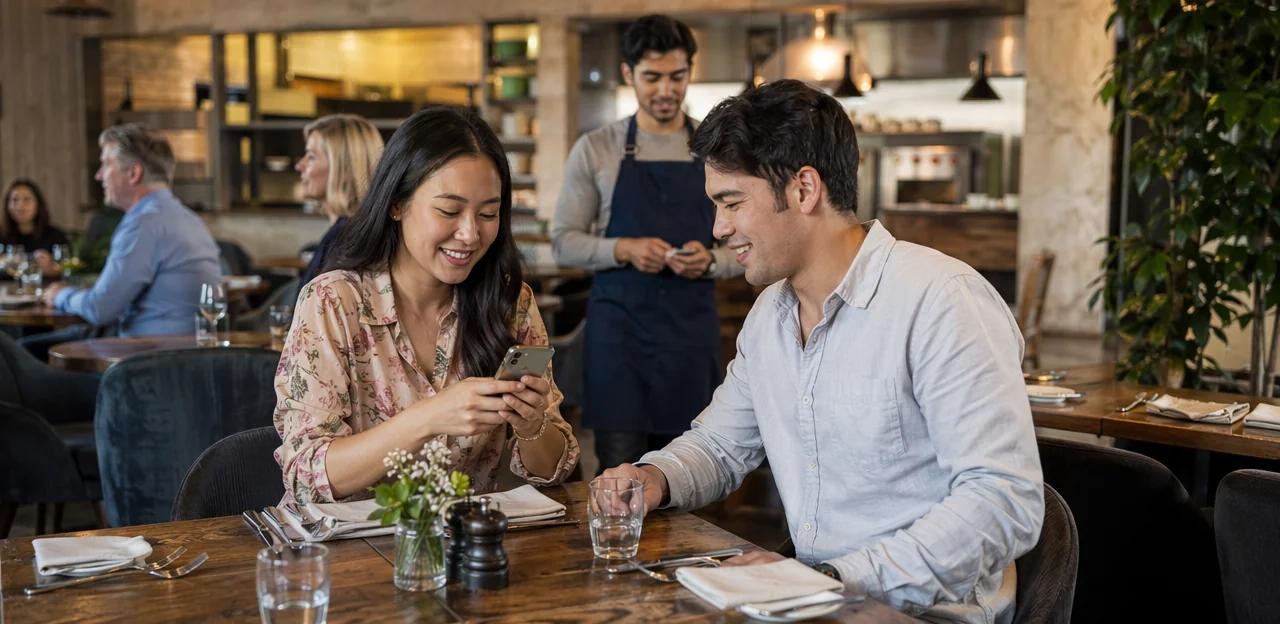
In restaurants and cafés, timing is everything, and that includes feedback. If you wait until hours after the meal to ask guests what they thought, the moment is gone. That’s why a well-designed qr code survey restaurant strategy is becoming an essential part of modern restaurant operations. With a quick scan at the table, counter, receipt, or takeaway bag, businesses can capture real-time opinions, identify service issues faster, and turn everyday visits into stronger customer relationships.
More than a simple restaurant survey, QR-based feedback can support loyalty, analytics, and smarter decision-making. From using qr code stickers on tables to adding a qr code sticker at the exit or integrating a qr code loyalty card into the guest journey, restaurants now have practical ways to collect insight without slowing service. The right setup also depends on thoughtful restaurant survey questions, clear design, and reliable qr code printing that encourages guests to engage.
This article explores how to build an effective restaurant customer survey using QR touchpoints, what questions to ask, where to place codes for better response rates, and how AI and analytics can help restaurants turn feedback into action. It will also cover key software selection considerations for operators looking to create a smoother, more data-driven guest experience.
Why a QR Code Survey Restaurant Strategy Matters

How QR surveys fit modern restaurant operations
In busy restaurant operations, timing matters. A qr code survey restaurant setup lets guests share feedback while the experience is still fresh, instead of later when details are forgotten. By placing qr code stickers or a single qr code sticker at the table, counter, takeaway station, or on receipts through smart qr code printing, restaurants can capture real-time sentiment with minimal staff involvement.
- Use a short restaurant survey to spot service, food, or wait-time issues immediately.
- Keep restaurant survey questions simple so guests respond in seconds.
- Pair feedback with a qr code loyalty card or small reward to increase completion.
- Turn each restaurant customer survey into actionable insight for faster operational improvements.
This makes feedback collection faster, more relevant, and easier to scale.
Key benefits for cafés, quick-service, and full-service venues
A qr code survey restaurant setup gives every service model a fast, low-friction way to capture feedback while the experience is still fresh. For cafés, QSRs, and full-service dining, it supports both operational fixes and stronger guest loyalty.
- Faster issue detection: Place qr code stickers on tables, packaging, receipts, or counters so guests can flag delays, order errors, or cleanliness concerns in real time.
- Better staff coaching: Use targeted restaurant survey questions to spot patterns by shift, location, or service style, then apply AI & Analytics to guide training.
- Improved reputation: A timely restaurant customer survey helps resolve problems before they become negative reviews.
- Stronger retention: Pair feedback with a qr code loyalty card or offer, supported by reliable qr code printing and a clear qr code sticker placement strategy.
Where QR touchpoints perform best in the guest journey
For a qr code survey restaurant strategy, placement matters as much as survey design. The best-performing NFC & QR Touchpoints appear where guests already pause, decide, or pay.
- Menus and table tents: Ideal for in-the-moment feedback, upsell prompts, and a restaurant survey after ordering.
- Receipts and payment areas: High-conversion spots for a restaurant customer survey, review requests, or a qr code loyalty card sign-up.
- Takeout packaging: Extends engagement beyond dine-in and works well for post-meal restaurant survey questions.
- Windows and entry points: Useful for promotions, waitlist feedback, and first impressions.
- Self-service kiosks: Capture fast feedback at checkout.
Use durable qr code stickers with clear calls to action. Smart qr code sticker placement at eye level, near high-dwell areas, and supported by quality qr code printing can significantly increase scans.
How to Design a High-Converting Restaurant Survey

Best practices for survey length, timing, and mobile UX
A successful qr code survey restaurant experience should feel effortless, not like extra work. Keep your restaurant survey to 3–5 taps max, using simple rating scales and only the most useful restaurant survey questions. Aim for completion in under two minutes.
- Keep it mobile-first: Use large buttons, one-question-per-screen, fast loading pages, and minimal typing.
- Match timing to the visit: Prompt a restaurant customer survey right after dine-in payment, at pickup handoff, or shortly after delivery.
- Use clear CTAs: Phrases like “Rate your visit in 60 seconds” reduce abandonment.
- Place codes strategically: Add qr code stickers or a qr code sticker on tables, receipts, takeaway bags, and packaging.
- Connect feedback to rewards: Pair the survey with a qr code loyalty card offer to boost responses.
- Ensure scan quality: Good qr code printing improves completion rates and supports stronger survey design overall.
Restaurant survey questions that produce useful insights
A strong qr code survey restaurant setup should use a balanced mix of question types so your restaurant customer survey captures both trends and context. Keep it short, clear, and tied to the guest experience at the table, counter, or takeaway station using qr code stickers or a branded qr code sticker with clear qr code printing.
- Rating questions: “How would you rate the food quality today?” “How satisfied were you with speed of service?” “How clean was the dining area?”
- Multiple-choice questions: “Was your order accurate?” “Which part of your visit needs improvement: wait time, menu options, cleanliness, or service?”
- Open-text prompts: “What should we improve?” “Which dish or staff interaction stood out?”
Include key restaurant survey questions on staff friendliness and “How likely are you to return?” Pairing feedback with a qr code loyalty card can also increase response rates and repeat visits.
How to segment questions by service model and location
A qr code survey restaurant works best when questions match the guest experience and touchpoint. In Restaurants & Cafés, one generic restaurant survey often produces weak insights, while segmented restaurant survey questions make AI & Analytics far more useful.
- Cafés: Ask about speed, drink quality, Wi-Fi, seating comfort, and whether a qr code loyalty card would encourage repeat visits.
- Fine dining: Focus on staff knowledge, pacing between courses, ambiance, wine pairing, and special-occasion satisfaction in a restaurant customer survey.
- Quick-service: Prioritize order accuracy, wait time, kiosk usability, takeaway packaging, and cleanliness.
- Multi-location brands: Use location-specific questions tied to branch, daypart, and channel to compare performance fairly.
Place qr code stickers or a qr code sticker at tables, counters, pickup shelves, or receipts, and align flows with each zone. With smart qr code printing, location-based surveys reveal exactly where service improves or breaks down.
Using QR Codes, Stickers, and Printing to Increase Response Rates
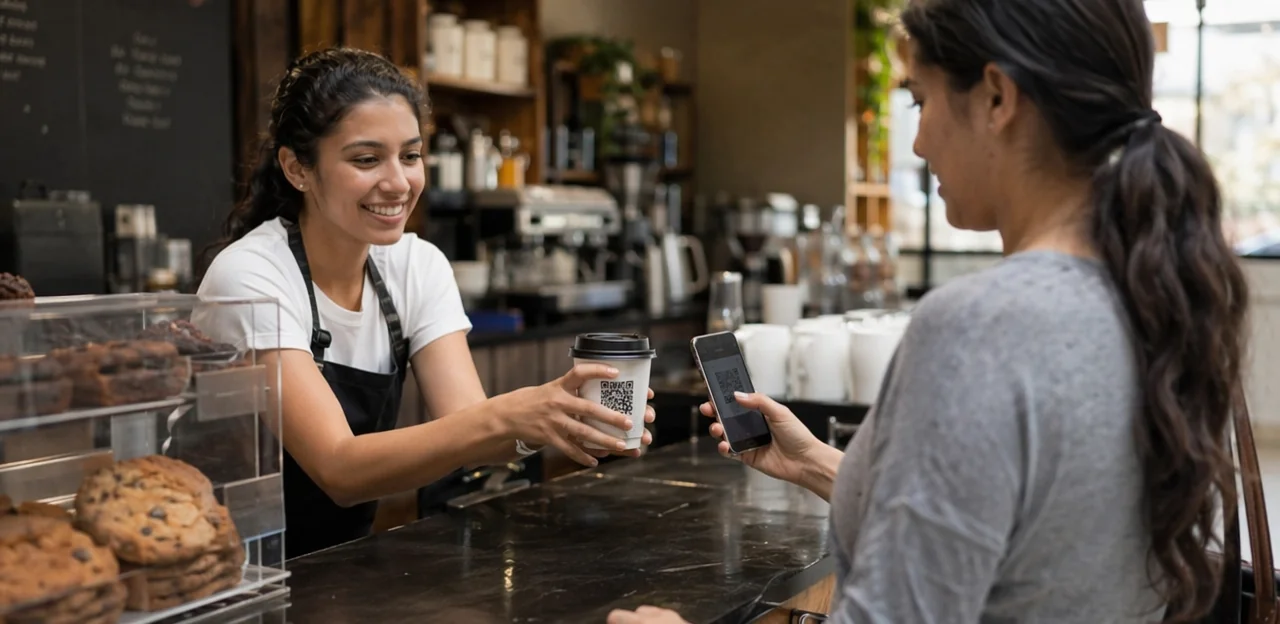
Choosing the right QR format for tables, packaging, and receipts
For a qr code survey restaurant setup, choose the format by workflow, not convenience alone:
- Static QR codes: Best for permanent dine-in placements like a qr code sticker on tables or menu holders. They’re cheaper for qr code printing, but the destination cannot be changed later.
- Dynamic QR codes: Better for takeaway bags, delivery inserts, and receipts because you can edit the link, track scans by channel, and A/B test offers or restaurant survey questions without reprinting.
Practical tip: use durable qr code stickers for tables, a qr code loyalty card flow for repeat guests, and dynamic codes for every restaurant customer survey campaign where tracking and testing matter most.
QR code stickers and placement tips that drive more scans
For a qr code survey restaurant setup, design and placement directly affect response rates. Use these best practices:
- Size matters: Make qr code stickers at least 2.5–3 cm wide for tables and larger for doors or counters so guests can scan quickly without adjusting their phone.
- Boost contrast: Black on white delivers the most reliable scans. Avoid glossy finishes, dark backgrounds, or busy branding that reduces readability during qr code printing.
- Choose durable materials: Use waterproof, wipe-clean vinyl or laminated qr code sticker stock for tables, counters, and takeaway bags.
- Place with intent: Position codes at eye level on doors, near payment points, on table tents, and on bags where customers naturally pause. Pair with a clear CTA for your restaurant survey, restaurant customer survey, or qr code loyalty card, and keep restaurant survey questions short.
Printing and branding considerations for trust and usability
A qr code survey restaurant setup performs better when guests instantly recognize it as official, simple, and worthwhile.
- Use brand colors, logo, and a short headline so qr code stickers feel trustworthy, not generic.
- Add one clear instruction, such as “Scan to share feedback in 30 seconds,” and mention the reward upfront, whether it supports a qr code loyalty card or a discount for completing a restaurant customer survey.
- Prioritize sharp qr code printing with high contrast, quiet space, and a size that scans easily from table distance.
- Test every qr code sticker on iPhone and Android, in bright and low light.
- Avoid glossy finishes, warped surfaces, tiny text, or crowded layouts that hurt readability and completion of restaurant survey questions.
Connecting Surveys to Loyalty, Analytics, and Guest Retention

How a qr code loyalty card can support survey participation
A qr code loyalty card can turn a qr code survey restaurant strategy into a smarter retention tool by linking feedback to points, visit tracking, or small thank-you rewards. The key is to reward participation, not positive ratings, so results from a restaurant customer survey stay honest and useful.
- Offer a fixed incentive, such as loyalty points or a stamped visit, after any completed restaurant survey
- Use qr code stickers on tables, receipts, or takeaway packaging so guests can respond in the moment
- Keep restaurant survey questions short and focused on service, food quality, and wait times
- Use clear qr code printing and each qr code sticker should lead to the right feedback flow
This approach supports guest retention while preserving unbiased insights.
Using AI and analytics to spot trends and service issues
A qr code survey restaurant setup becomes far more valuable when paired with AI & Analytics. Instead of manually reading every restaurant customer survey, AI can detect sentiment, group themes, and flag operational problems early.
- Sentiment analysis highlights patterns in guest comments, showing whether complaints are tied to food quality, wait times, or staff attitude.
- Dashboards turn restaurant survey data into clear trends, helping managers compare shifts, days, and campaign results from qr code stickers or a qr code sticker placed at tables, counters, or exits.
- Location-level reporting shows exactly where issues start, whether linked to staffing gaps, slow service, or menu items generating poor feedback.
Use smart restaurant survey questions to connect responses with actions, and combine insights with a qr code loyalty card strategy. Even details like placement and qr code printing quality can affect response rates.
Closing the feedback loop with guests and staff
A qr code survey restaurant program only works when guests see action. Closing the loop turns every restaurant customer survey into a tool for stronger restaurant operations.
- Respond fast to negative feedback: Route low scores from your restaurant survey to a manager immediately, so issues like slow service or food quality can be addressed before the guest leaves.
- Celebrate positive feedback with staff: Share great comments in pre-shift meetings to recognize team members and reinforce what guests value most.
- Use trends for training: Review recurring restaurant survey questions to spot coaching needs, menu issues, or process gaps.
Place qr code stickers or a qr code sticker on tables, receipts, and a qr code loyalty card, supported by clear qr code printing, so feedback becomes visible action guests can trust.
How to Choose the Right Survey Software for Restaurants

Core software features to evaluate before buying
When comparing software for a qr code survey restaurant setup, focus on features that improve response rates and make insights usable:
- Mobile-first design: Fast-loading surveys that work smoothly after scanning qr code stickers or a qr code sticker on tables, receipts, or menus.
- Dynamic QR support: Edit destinations without redoing qr code printing, useful for seasonal campaigns, a qr code loyalty card, or updated restaurant survey questions.
- Branching logic: Tailor each restaurant survey based on dine-in, takeaway, satisfaction score, or complaint type.
- Integrations: Connect with POS, CRM, loyalty, and review platforms for better Software Selection.
- Analytics and multilingual support: Track trends across every restaurant customer survey and serve diverse guests.
- Review workflows: Route happy guests to public reviews and unhappy guests to private recovery channels.
Integration needs across POS, CRM, loyalty, and review platforms
A qr code survey restaurant setup works best when it connects to core systems, turning feedback into action instead of isolated data. In Software Selection, prioritize tools that integrate with:
- POS: Link responses to order data, visit time, spend, server, or menu items. This helps analyze which dishes trigger low scores in a restaurant customer survey.
- CRM: Use survey responses to segment guests by frequency, satisfaction, or preferences, then automate follow-up offers based on restaurant survey questions.
- Loyalty: Connect a qr code loyalty card program so guests earn rewards after completing a restaurant survey via table qr code stickers or a receipt qr code sticker.
- Review tools + AI & Analytics: Trigger review requests for happy guests and recovery workflows for unhappy ones.
Also ensure easy qr code printing for scalable deployment.
Questions to ask vendors before implementation
Before choosing a qr code survey restaurant platform, use this checklist to support smarter Software Selection and smoother restaurant operations:
- Pricing: What is included in setup, monthly fees, hardware, and qr code printing for menus, table tents, or qr code stickers?
- Data ownership: Do you fully own customer data from every restaurant customer survey, loyalty signup, and qr code loyalty card interaction?
- Reporting depth: Can the dashboard track trends by shift, location, staff, and specific restaurant survey questions?
- Setup speed: How quickly can the vendor launch a working restaurant survey with each qr code sticker deployed?
- Support: Is onboarding, training, and troubleshooting included?
- Scalability: Can it handle one café today and multiple locations tomorrow?
Implementation Plan and Measurement Framework

Step-by-step rollout for a qr code survey restaurant program
- Set goals first: Decide whether your qr code survey restaurant program will improve service speed, food quality, reviews, or repeat visits. Align metrics with daily restaurant operations.
- Build smart survey design: Keep your restaurant survey short—3 to 5 questions. Use targeted restaurant survey questions for dine-in, takeaway, or delivery, and include one open-text prompt for a stronger restaurant customer survey.
- Create and place codes: Use durable qr code stickers or a single qr code sticker on tables, receipts, menus, and packaging. Prioritize clear qr code printing and mobile-friendly landing pages.
- Train staff: Show teams how to invite feedback naturally and connect responses to a qr code loyalty card or instant reward.
- Pilot, then scale: Test in one location or daypart, refine weak spots, then deploy chain-wide.
KPIs to track after launch
After launching a qr code survey restaurant program, track metrics that show both engagement and business impact:
- Scan rate: How often guests scan your qr code sticker or qr code stickers versus total covers or table turns.
- Completion rate: The percentage who finish the restaurant customer survey after opening it.
- Satisfaction score: Monitor CSAT, NPS, or sentiment from key restaurant survey questions.
- Issue resolution time: Measure how quickly staff respond to negative feedback and close the loop.
- Repeat visit rate: Compare return frequency of guests who completed a restaurant survey versus those who did not.
- Loyalty participation: Track sign-ups and redemptions tied to a qr code loyalty card.
Use AI & Analytics to connect survey responses, qr code printing campaigns, and loyalty data to revenue, retention, and average spend.
Common mistakes to avoid
A qr code survey restaurant setup can fail if execution is weak. Avoid these common issues:
- Making the survey too long: Keep your restaurant survey short and focused. Limit restaurant survey questions to the essentials so guests actually finish.
- Placing the qr code sticker poorly: Don’t hide qr code stickers on cluttered tables, dark walls, or hard-to-reach areas. A visible qr code sticker near payment, exits, or menus performs better.
- Using weak incentives: A small reward, discount, or even a qr code loyalty card benefit can increase participation.
- Ignoring qr code printing quality: Blurry or low-contrast qr code printing leads to failed scans.
- Failing to act on feedback: A restaurant customer survey only matters if you review results, test improvements, and continuously optimize.
Conclusion
In a market where guest expectations change quickly, a well-executed qr code survey restaurant strategy gives restaurants and cafés a faster, smarter way to capture feedback, improve service, and build loyalty at the moment it matters most. From placing qr code stickers on tables, receipts, and takeaway packaging to refining restaurant survey questions for speed and clarity, every detail helps increase response rates and turn insights into action. The best approach connects the survey experience with operations, analytics, and retention—so your restaurant customer survey doesn’t just collect opinions, but helps shape menus, staffing, service flow, and repeat visits.
Just as importantly, a qr code survey restaurant setup can support growth beyond feedback alone. Pairing surveys with a qr code loyalty card, thoughtful incentives, and high-quality qr code printing can create a seamless guest journey that encourages both engagement and return business. Whether you start with a simple qr code sticker at checkout or a broader multi-touchpoint restaurant survey program, the key is to keep it easy, immediate, and useful.
Your next step is simple: audit your current guest feedback process, identify your highest-traffic touchpoints, and launch a short pilot survey with clear goals. If you want to go further, explore platforms such as Tapsy and review best practices for survey design, loyalty integration, and response analytics to build a stronger, more guest-focused restaurant experience.
Frequently Asked Questions
- What is a QR code survey strategy for restaurants?
It is a feedback system that lets guests scan a QR code during or right after their visit to complete a short survey. Restaurants can place codes on tables, counters, receipts, takeaway bags, or exits to capture real-time opinions while the experience is still fresh.
- Why do restaurants use QR surveys instead of asking for feedback later?
QR surveys collect feedback at the moment guests still remember details about food, service, wait times, and cleanliness. That makes it easier to detect issues quickly and act before they turn into negative reviews or repeated operational problems.
- Where should a restaurant place QR codes for the best response rates?
Strong placements include menus, table tents, receipts, payment areas, takeaway packaging, windows, entry points, and self-service kiosks. Codes tend to perform best where guests naturally pause, decide, or pay, especially when placed at eye level with a clear call to action.
- How long should a restaurant QR survey be?
A good survey should stay very short, usually 3 to 5 taps and under two minutes to complete. Simple rating scales, minimal typing, and one-question-per-screen help reduce abandonment on mobile devices.
- What types of restaurant survey questions produce useful feedback?
A balanced survey uses rating questions, multiple-choice questions, and one or two open-text prompts. Useful topics include food quality, speed of service, order accuracy, cleanliness, staff friendliness, what needs improvement, and how likely the guest is to return.
- Should survey questions be different for cafés, quick-service restaurants, and fine dining?
Yes, questions should match the service model and guest experience. Cafés may focus on speed, drink quality, Wi-Fi, and seating comfort, while fine dining may ask about pacing, ambiance, staff knowledge, and wine pairing, and quick-service locations may prioritize order accuracy, wait time, kiosk usability, packaging, and cleanliness.
- What is the difference between static and dynamic QR codes for restaurant surveys?
Static QR codes are better for permanent placements like tables or menu holders because they are cheaper to print, but their destination cannot be changed later. Dynamic QR codes are more flexible for receipts, takeaway bags, and campaigns because restaurants can edit links, track scans by channel, and test different offers or survey flows without reprinting.
- How should QR code stickers be designed to improve scan rates?
Codes should be at least 2.5 to 3 cm wide for tables, use high contrast such as black on white, and avoid glossy finishes or busy backgrounds. Waterproof or laminated materials work well for restaurant environments, and every sticker should include a short, clear instruction like asking guests to rate their visit quickly.
- How can branding make a restaurant survey QR code more trustworthy?
Using the restaurant’s logo, brand colors, and a short headline helps guests recognize the code as official rather than generic. Trust also improves when the code is printed clearly, scans easily on both iPhone and Android, and explains the benefit or reward upfront.
- Can a QR code loyalty card help increase survey participation?
Yes, pairing the survey with loyalty points, a stamped visit, or another small thank-you reward can encourage more guests to complete it. The reward should be tied to participation rather than positive ratings so the feedback stays honest and useful.
- How do AI and analytics improve restaurant survey results?
AI can group comments by sentiment and theme, helping managers spot patterns around food quality, wait times, or staff attitude without reviewing every response manually. Dashboards and location-level reporting also make it easier to compare shifts, branches, and touchpoints to see where service is improving or breaking down.
- What does it mean to close the feedback loop in a restaurant?
Closing the loop means acting on survey responses so guests and staff see that feedback leads to change. Low scores should go to a manager quickly for service recovery, while positive comments can be shared with staff to reinforce what guests value most.
- What software features matter most when choosing a restaurant survey platform?
Important features include mobile-first survey design, dynamic QR support, branching logic, integrations with POS, CRM, loyalty, and review tools, plus analytics and multilingual support. Review workflows are also useful so happy guests can be directed to public reviews while unhappy guests are routed to private recovery channels.
- What should a restaurant measure after launching a QR survey program?
Key metrics include scan rate, completion rate, satisfaction scores such as CSAT or NPS, issue resolution time, repeat visit rate, and loyalty participation. Tracking these together helps connect survey activity with retention, revenue, and average spend.
- What common mistakes can hurt a restaurant QR survey program?
Frequent problems include making the survey too long, placing codes in hard-to-see spots, offering weak incentives, and using poor print quality that causes failed scans. Another major mistake is collecting feedback but not reviewing results or making operational improvements based on what guests report.