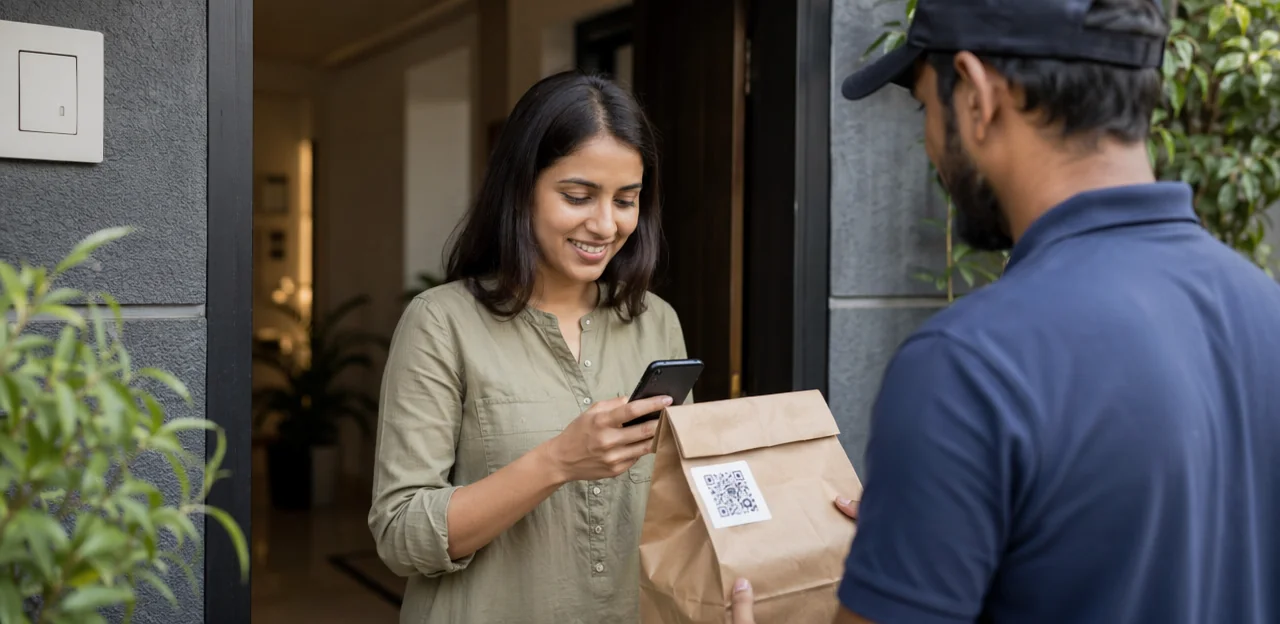
Once a novelty, the table-side scan is now easy for guests to ignore. Diners who happily opened digital menus a year ago may now breeze past the next prompt, especially when every table tent, receipt, and takeaway bag asks for one more tap. That growing qr code fatigue is a real challenge for restaurants and cafés trying to collect timely feedback without hurting the guest experience.
The problem is not the technology itself. A well-placed qr code sticker or set of branded qr code stickers can still be a fast, contactless way to invite reviews, surveys, or a qr code loyalty card sign-up. But success depends on how, when, and why you ask. Details such as thoughtful qr code printing, where you print qr code stickers, the durability of qr code paper, and even the right qr code sticker size can influence whether guests engage or tune out.
This article explores why feedback campaigns lose momentum, how to design QR and NFC touchpoints that feel helpful rather than repetitive, and what restaurants can do to improve response rates while protecting the flow of service. From placement strategy to incentive design and smarter tools such as Tapsy, you’ll learn how to turn scans into meaningful customer insight instead of another ignored request.
Why QR Code Fatigue Happens in Restaurants and Cafés

The rise of scan-everything guest journeys
In modern Restaurant Operations, guests are asked to scan at nearly every step: digital menus, pay-at-table links, a qr code loyalty card, Wi-Fi access, promos, and review requests. Many venues also add qr code stickers on tables, windows, packaging, or receipts, often without considering Customer Experience. This overload creates qr code fatigue: when every interaction requires a phone, guests become less likely to complete feedback campaigns.
To reduce friction:
- Limit scans to high-value moments, not every touchpoint.
- Use one clear qr code sticker per zone with a defined purpose.
- Improve qr code printing, contrast, and qr code sticker size for fast scanning.
- Avoid clutter from qr code paper inserts or duplicative prompts.
- If you print qr code stickers, connect them to immediate value, not just another ask.
How feedback requests get ignored
Guests often skip scans because qr code fatigue builds fast when every table tent, receipt, and wall sign asks for attention. Completion rates drop when:
- Requests feel repetitive: the same prompt appears across menus, qr code stickers, and even a qr code loyalty card.
- Timing is off: asking mid-meal or right after payment feels intrusive.
- Value is unclear: if there’s no visible benefit, guests won’t bother.
- Outcomes are vague: people ignore surveys when they don’t know what happens next.
To improve feedback campaigns, use AI & Analytics to trigger fewer, better-timed asks, rotate messaging, and test placement. Also review qr code sticker size, qr code printing, and whether print qr code stickers on durable materials instead of low-quality qr code paper.
The cost of overusing QR touchpoints
Overloading guests with digital prompts creates qr code fatigue, and the business impact shows up fast across NFC & QR Touchpoints and overall Customer Experience.
- Weaker insights: When every table tent, counter card, takeaway bag, and receipt pushes a scan, response quality drops. Guests skip forms or rush answers, leaving less useful feedback.
- Lower review volume: Too many asks reduce action. Even a well-designed qr code loyalty card or offer can be ignored when paired with excessive qr code stickers.
- Missed retention opportunities: Poor placement, repetitive messaging, bad qr code printing, unclear qr code sticker size, or low-quality qr code paper can hurt trust and repeat visits.
- Reduced trust: If every qr code sticker says “scan me,” guests stop noticing. Use fewer, better-placed prompts and regularly print qr code stickers only for high-value moments.
Build Feedback Campaigns That Feel Helpful, Not Pushy

Choose the right moment to ask for feedback
Timing has a direct impact on scan rates and helps reduce qr code fatigue in Restaurants & Cafés. If guests are prompted too early, the request feels disruptive instead of useful. Match feedback timing to the flow of service to protect the Customer Experience:
- Cafés: Ask after pickup or on the takeaway cup sleeve/receipt, not while guests are ordering.
- Fast casual: Place qr code stickers near tray return areas or payment counters so guests respond after eating.
- Full-service restaurants: Request feedback after payment or on follow-up receipts, rather than during the meal.
Keep the prompt simple and visible with smart qr code printing choices, durable qr code sticker placement, and the right qr code sticker size. You can also pair feedback with a qr code loyalty card incentive using print qr code stickers or branded qr code paper for receipts.
Limit the number of QR asks per visit
Too many scans in one meal create qr code fatigue fast. The fix is simple: give each touchpoint one clear job, so guests always know why they should scan.
- Combine flows when the action is naturally connected, such as a digital menu that ends with a qr code loyalty card signup or a quick feedback prompt after payment.
- Separate flows when goals compete. Menu browsing, detailed surveys, and promotions often perform better as distinct experiences because usability stays clean and conversion intent is clearer.
For stronger Software Selection, map scans by location:
- Table: menu only
- Counter or receipt: loyalty
- Exit: feedback
Use clear labels on qr code stickers and match qr code sticker size to viewing distance. Good qr code printing matters too—whether on qr code paper, a waterproof qr code sticker, or when you print qr code stickers for tables and takeaway packaging.
Offer a clear value exchange
To reduce qr code fatigue, give guests a reason to scan that feels immediately useful, not purely promotional. The best feedback campaigns improve Customer Experience by connecting the scan to a clear outcome:
- Faster issue resolution: “Scan to report a cold dish or missing item now.”
- Simple, relevant reward: Offer a free topping, drink upgrade, or dessert on the next visit.
- Easy loyalty enrollment: Let one scan start a qr code loyalty card flow without extra forms.
Keep the promise visible on qr code stickers and every qr code sticker placement. Good qr code printing, clear qr code sticker size, and durable qr code paper help guests notice and trust the touchpoint. If you print qr code stickers, match the reward to the moment: table service, takeaway, or post-meal feedback. Relevant incentives feel helpful; generic discounts feel transactional.
Design Better QR Touchpoints for Higher Engagement

Placement strategies for tables, counters, receipts, and packaging
To reduce qr code fatigue, match each prompt to the guest’s moment and intent within your NFC & QR Touchpoints strategy.
- Dine-in tables: Use one clear table tent or small qr code sticker per table for menu access or a quick post-meal rating. Keep qr code sticker size readable but discreet to avoid clutter.
- Counters: Counter displays work best for fast decisions like joining a qr code loyalty card, leaving a quick service score, or redeeming an offer while waiting.
- Takeaway bags and packaging: Add qr code stickers or qr code paper inserts for feedback after the meal, reorder links, or loyalty enrollment when guests are off-site.
- Receipts: Smart for low-pressure follow-up, especially with limited-time rewards, but avoid repeating the same CTA already shown elsewhere.
- Restroom signage: Best for brand storytelling or broad experience feedback, not high-friction asks.
Use thoughtful qr code printing and print qr code stickers only where they support context, not everywhere at once.
Use the right materials and print quality
Poor production is a fast way to create qr code fatigue. If codes are blurry, scratched, warped by heat, or placed on reflective surfaces, guests stop trying to scan them. Good qr code printing improves first-time scan success and makes feedback feel effortless.
- Use durable materials for permanent placements: For tables, counters, windows, and payment areas, print qr code stickers on waterproof, wipe-clean vinyl or laminate. Quality qr code stickers resist spills, sunlight, and frequent cleaning better than basic paper.
- Use qr code paper for short-term campaigns: Limited-time offers, seasonal surveys, or event promos work well on qr code paper, especially when you need fast, low-cost updates.
- Match format to purpose: A qr code sticker for feedback should be large enough to scan easily; choose a practical qr code sticker size based on viewing distance.
- Keep branding clean: If you also run a qr code loyalty card, use consistent contrast, spacing, and print resolution across every touchpoint.
Optimize size, contrast, and scan reliability
Poor scan performance is a fast track to qr code fatigue. If guests try once, fail, and have to adjust angles or lighting, the interaction feels like wasted effort.
- Use the right qr code sticker size: for table tents or counters, aim for at least 3 x 3 cm, and go larger when codes are viewed from standing distance.
- Preserve white space: keep a clear quiet zone around the code so qr code printing doesn’t crowd the edges with branding or text.
- Prioritize contrast: black on white scans best. Avoid low-contrast brand colors, glossy finishes, or patterned qr code paper.
- Test real conditions: check qr code stickers under daylight, warm indoor lighting, shadows, and glare.
- Test multiple devices: scan with older iPhones, Android phones, and cracked-camera scenarios before you print qr code stickers for a feedback flow, qr code loyalty card, or single qr code sticker placement.
Connect QR Feedback to Loyalty, Analytics, and Operations

When to pair feedback with a qr code loyalty card
Pair feedback with a qr code loyalty card when the reward is immediate and the survey is short. This works best for dine-in cafés, lunch spots, and repeat-visit concepts where improving Customer Experience and retention matters equally. Linking a 1–2 question survey to loyalty enrollment can reduce qr code fatigue because guests see a clear benefit.
Use it when:
- guests already scan qr code stickers for menus or payments
- the offer is instant, such as points, a free topping, or next-visit credit
- AI & Analytics will actually segment responses and trigger follow-up offers
Avoid it when:
- the flow requires too many fields before the reward
- poor qr code printing, bad qr code sticker size, or weak placement hurts scans
- cluttered qr code paper signage or every-table qr code sticker creates friction
Keep print qr code stickers simple, visible, and benefit-led.
Track the metrics that reveal fatigue
To catch qr code fatigue early, Restaurant Operations teams should monitor the signals that show where guests lose interest or hit friction:
- Scan rate: Compare scans by table, counter, takeaway bag, and receipt to see whether qr code stickers are being noticed.
- Completion rate: Measure how many guests finish the feedback flow after scanning.
- Bounce rate: High drop-off often points to weak offers, slow pages, or poor qr code sticker size and placement.
- Repeat scans: Useful for testing loyalty behavior, especially when tied to a qr code loyalty card.
- Location performance: Track results by zone to spot underperforming qr code sticker placements.
- Device issues: Monitor camera, browser, and load-speed problems caused by low-quality qr code printing, bad qr code paper, or poorly designed assets.
With AI & Analytics, teams can identify weak touchpoints, compare layouts, and optimize where to print qr code stickers for better engagement.
Use software that supports flexible campaign design
Strong Software Selection helps prevent qr code fatigue by making every scan feel relevant, fast, and low-friction for both guests and staff. Prioritize platforms that offer:
- Dynamic QR management so one code can update destinations without replacing qr code stickers, redoing qr code printing, or changing qr code paper materials.
- A/B testing to compare offers, survey length, and landing pages.
- Redirect rules by time, table, location, or visit type.
- CRM integration to connect feedback with loyalty, including a qr code loyalty card flow.
- Review routing to guide happy guests to public reviews and unhappy guests to private feedback.
- Location-level reporting to compare tables, shifts, or stores.
Also check practical deployment details like qr code sticker size, durability, and how easily teams can print qr code stickers or replace a single qr code sticker without confusion.
Best Practices for Restaurants and Cafés Rolling Out New Campaigns

Create a touchpoint map before launching
Before adding any new scan point, map every guest prompt already used across your Restaurants & Cafés journey. This is the fastest way to reduce qr code fatigue before it starts.
- Audit each interaction: menu, ordering, payment, Wi-Fi login, review request, feedback form, and any qr code loyalty card
- Note where you use qr code stickers, a standalone qr code sticker, table tents, receipts, or window signage
- Check practical details like qr code sticker size, placement, and whether poor qr code printing or flimsy qr code paper creates friction
- Consolidate duplicate actions and print qr code stickers only where they serve a clear purpose
A full map of your NFC & QR Touchpoints helps teams remove redundant scans and create a smoother guest experience.
Train staff to support, not force, scanning
To reduce qr code fatigue, train front-of-house teams to present feedback as an easy option, not an obligation. In strong Restaurant Operations, staff should introduce it naturally: “If you’d like, you can scan here to share quick feedback.”
- Explain the benefit clearly: faster service improvements and better Customer Experience.
- Be ready to answer basic questions about privacy, rewards, or a qr code loyalty card.
- Offer alternatives immediately for guests who prefer verbal comments or qr code paper forms.
- Keep accessible backups available, including large-print options and staff-assisted responses.
- Make codes easy to spot with well-placed qr code stickers, thoughtful qr code sticker size, and quality qr code printing.
- Regularly test and print qr code stickers that are readable, clean, and unobtrusive.
Test small, then scale what works
To reduce qr code fatigue, start with a focused pilot instead of changing every table at once. Test one location, one daypart, or one goal, such as post-lunch feedback or sign-ups for a qr code loyalty card.
- Compare qr code stickers on tables with receipt links or a counter sign.
- Test reward types: instant discount, free add-on, or loyalty points.
- Try different copy, placement, and qr code sticker size to see what gets scanned most.
- Review whether qr code printing quality, qr code paper, or a waterproof qr code sticker affects use.
Use AI & Analytics to track scan rate, completion rate, and redemption. Then print qr code stickers and expand only the highest-performing version.
Common Mistakes That Increase QR Code Fatigue

Too many codes competing in one space
When guests see a feedback code, a qr code loyalty card, Wi-Fi access, menu links, and promo qr code stickers all on one table or counter, qr code fatigue sets in fast. Too many prompts weaken Customer Experience and reduce action.
- Use one clear CTA per placement: menu on the table, feedback at the exit, loyalty at checkout.
- Limit each qr code sticker to a single purpose and short message.
- Keep qr code sticker size readable without dominating the space.
- Align qr code printing across materials, whether on qr code paper or durable displays.
- If you print qr code stickers, remove outdated versions regularly to avoid clutter.
Poorly printed or badly maintained codes
Poor signage quickly causes qr code fatigue. In busy cafés and restaurants, faded surfaces, low-resolution qr code printing, reflective lamination, and torn qr code stickers all reduce scan accuracy and frustrate guests before feedback even starts.
- Use matte finishes instead of glossy glare-prone covers.
- Choose durable materials over thin qr code paper in high-touch areas.
- Check every qr code sticker weekly for peeling, scratches, grease, and sun fading.
- Test scan distance and qr code sticker size from real guest angles.
- Reprint damaged assets promptly when you print qr code stickers, including links for a qr code loyalty card or feedback flow.
Long forms and generic landing pages
Long, generic survey pages are a major cause of qr code fatigue. When a scan opens a slow page, asks irrelevant questions, or uses clunky, non-mobile-friendly fields, guests drop off fast. Good Software Selection should prioritize fast, simple mobile feedback forms that match the moment.
- Keep forms to 1–3 questions tied to the visit, table service, takeaway, or delivery order.
- Use context from placement, whether via qr code stickers, a qr code sticker on packaging, or a qr code loyalty card.
- Test load speed, button size, and qr code printing quality.
- Choose the right qr code sticker size and durable qr code paper when you print qr code stickers.
Conclusion
Ultimately, overcoming qr code fatigue in restaurants and cafés comes down to one simple principle: make every scan feel useful, fast, and worth the guest’s time. When feedback campaigns are thoughtfully placed, clearly explained, and tied to real value—such as a reward, loyalty perk, or quick service recovery—customers are far more likely to engage. Instead of overwhelming diners with too many prompts, focus on fewer, smarter touchpoints supported by clear design, the right qr code sticker size, and durable materials such as qr code stickers or even temporary qr code paper placements for testing.
Just as important, connect feedback to retention. A well-designed campaign can move naturally from a short survey into a qr code loyalty card, helping turn one-time visits into repeat business. To get better results, audit your current placements, review your qr code printing quality, test where to print qr code stickers, and ensure each qr code sticker leads to a frictionless mobile experience.
The next step is to simplify your guest journey: reduce unnecessary scans, reward participation, and track which touchpoints actually perform. If you’re ready to modernize feedback collection, explore tools and platforms that combine QR and NFC touchpoints with real-time analytics—such as Tapsy—and build a campaign designed to reduce qr code fatigue while improving customer experience and loyalty.
Frequently Asked Questions
- What is QR code fatigue in restaurant feedback campaigns?
QR code fatigue happens when guests are asked to scan too often during a single visit. When tables, receipts, packaging, and signs all compete for attention, diners become more likely to ignore feedback requests.
- Why do guests ignore feedback QR codes even when they used digital menus before?
Guests often skip feedback scans because the requests feel repetitive, poorly timed, or unclear in value. If they do not understand the benefit or what happens after they respond, they are less likely to engage.
- When is the best time to ask customers for feedback with a QR code?
The best timing depends on the service format. Cafés should ask after pickup, fast casual venues near tray return or payment areas, and full-service restaurants after payment rather than during the meal.
- How many QR prompts should a restaurant use during one visit?
Use as few as possible and give each touchpoint one clear purpose. A practical setup is menu at the table, loyalty at the counter or on the receipt, and feedback at the exit.
- Should feedback, loyalty, and menu access be combined into one QR flow?
Combine flows only when the actions naturally connect, such as a menu leading into a simple loyalty signup or a short post-payment feedback prompt. Keep them separate when goals compete, because menu browsing, surveys, and promotions often perform better as distinct experiences.
- What kind of incentive works best for QR feedback requests?
The most effective incentives feel immediately useful and relevant to the visit. Examples include faster issue resolution, a free topping, a drink upgrade, dessert on the next visit, or simple loyalty enrollment.
- Where should QR feedback codes be placed for better response rates?
Placement should match the guest's moment and intent. Tables work for menus or quick post-meal ratings, counters for loyalty or service scores, packaging for off-site feedback, and receipts for low-pressure follow-up.
- What materials should restaurants use for printed QR codes?
Permanent placements should use durable, wipe-clean materials such as waterproof vinyl or laminate. QR code paper is better suited to short-term campaigns like seasonal offers, event promos, or temporary surveys.
- What QR code size and design choices improve scan reliability?
For table tents or counters, a code should be at least 3 x 3 cm, and larger when viewed from farther away. Strong contrast, clear white space around the code, and testing under real lighting conditions all help improve first-time scans.
- When does it make sense to pair feedback with a QR code loyalty card?
Pairing works best when the survey is very short and the reward is immediate. It fits cafés, lunch spots, and repeat-visit concepts where guests already scan for menus or payments and can quickly receive points, credit, or a small perk.
- Which metrics help reveal QR code fatigue early?
Key signals include scan rate, completion rate, bounce rate, repeat scans, location performance, and device-related issues. These metrics show whether guests notice the code, start the flow, finish it, or drop off because of friction.
- What software features help reduce QR code fatigue?
Useful features include dynamic QR management, A/B testing, redirect rules, CRM integration, review routing, and location-level reporting. These tools help teams keep scans relevant, update destinations without replacing printed materials, and compare performance by table, shift, or store.
- How should staff introduce QR feedback without annoying guests?
Staff should present scanning as an easy option, not a requirement. They should explain the benefit clearly, answer basic questions about privacy or rewards, and offer alternatives such as verbal comments or paper forms.
- What is the best way to launch a new QR feedback campaign?
Start with a small pilot instead of changing every touchpoint at once. Test one location, one daypart, or one goal, compare placements and rewards, then expand only the version that performs best.
- What common mistakes make QR feedback campaigns less effective?
Frequent problems include too many codes in one space, poor print quality, damaged or reflective surfaces, and long generic forms. These issues create friction, reduce trust, and make guests more likely to abandon the scan.