
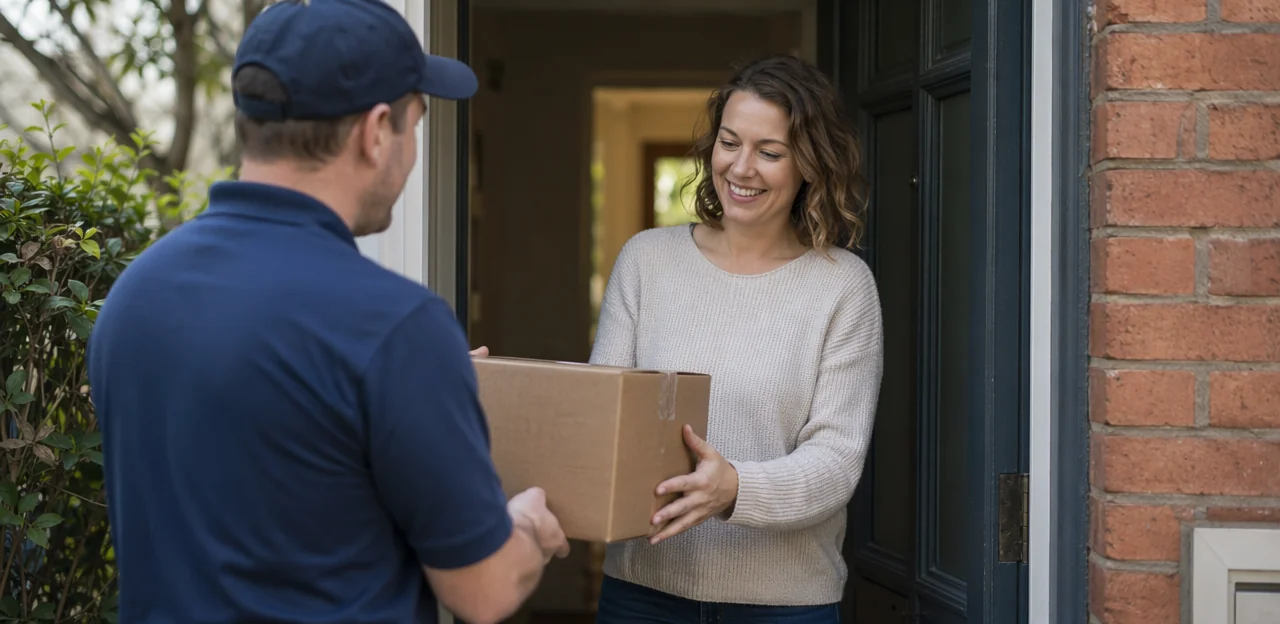
In home delivery, the customer’s final impression is often formed not when the order is placed, but when the package arrives or the receipt is read. That makes these everyday touchpoints valuable opportunities to collect fast, honest insights while the experience is still fresh. A well-placed delivery feedback QR code can turn packaging, inserts, labels, and printed receipts into simple feedback channels that help brands understand what went right, what went wrong, and where service can improve.
As delivery expectations rise, businesses need easier ways to capture feedback without adding friction. QR codes offer a practical, low-cost method for gathering real-time responses on delivery speed, order accuracy, packaging quality, driver experience, and overall satisfaction. Instead of relying only on delayed email surveys, companies can invite customers to respond in the moment with a quick scan.
This article explores how to use QR code feedback effectively across home delivery touchpoints, including where to place codes, what questions to ask, and how to design a smooth response flow. It will also look at how businesses can use these insights to improve delivery experience, reduce negative reviews, and create a more responsive customer journey, with tools like Tapsy offering one example of how QR-based feedback can be managed in real time.
Why QR-based delivery feedback matters in home delivery
The value of real-time post-delivery feedback
Real-time post-delivery feedback is more reliable than delayed email surveys because customers respond while the delivery is still fresh in their minds. A delivery feedback QR code placed on packaging or receipts makes it easy to capture fast, accurate insights at the moment of drop-off.
This helps brands quickly spot patterns in the home delivery experience, including:
- Timing issues: late arrivals, missed delivery windows, or long handoff times
- Food quality: incorrect temperature, freshness, or missing items
- Packaging condition: leaks, damage, or poor sealing
- Courier experience: professionalism, friendliness, and delivery accuracy
Because feedback is immediate, teams can act faster, resolve problems sooner, and improve future deliveries with clearer operational data.
Why packaging and receipts are ideal feedback touchpoints
Boxes, bags, labels, inserts, and printed receipts are powerful delivery touchpoints because they reach customers at the exact moment they inspect an order. That timing makes a delivery feedback QR code more relevant and more likely to be scanned.
- High visibility: A QR code on packaging is seen while customers unpack, check item quality, and confirm accuracy.
- Built-in convenience: A receipt QR code is already in hand, so there is no need to search emails or visit a website.
- Low friction: Scanning takes seconds, which helps capture fresh, accurate feedback before the moment passes.
For best results, place codes near order summaries, return instructions, or “How was your delivery?” prompts.
A well-placed delivery feedback QR code on packaging or receipts can directly improve business outcomes:
- Protect customer retention: Capture feedback immediately after delivery, when issues are fresh and easier to fix. Fast follow-up on missing items, delays, or damaged orders helps prevent one bad experience from becoming churn.
- Strengthen service recovery: Route low ratings or complaint keywords to support teams in real time. This lets you resolve problems privately before they turn into public complaints or poor delivery reviews.
- Generate more positive reviews: After a high score, send satisfied customers to Google or marketplace review pages. This creates a simple path to more authentic reviews while filtering unhappy customers into support.
Platforms like Tapsy can help automate alerts, routing, and review requests.
Where to place a delivery feedback QR code for maximum scans
Best packaging placements: boxes, bags, seals, and inserts
For strong QR code packaging placement, put the delivery feedback QR code where customers naturally look first and where the surface stays flat, clean, and easy to scan.
- Outer box top or front panel: Best for food delivery, retail, and grocery boxes because it offers high visibility before opening.
- Carry bags: Place the code near the handle area or upper front, where it remains visible in transit.
- Tamper seals or closure labels: Ideal for food delivery and pharmacy orders, but keep the code large enough to remain a scanable QR code after sealing.
- Internal inserts or thank-you cards: Great for retail and pharmacy orders when you want feedback after unboxing.
For reliable scanning, use high contrast, avoid glossy folds, and print at least 2 x 2 cm. In delivery packaging, groceries may need moisture-resistant labels, while pharmacy packaging should prioritize discreet yet accessible placement.
Using receipts and order summaries as feedback prompts
Printed receipts, thermal slips, and order summary cards are ideal places for a delivery feedback QR code because customers naturally look at them after receiving an order. These inserts keep the ask visible without adding friction.
To improve scan rates, pair the code with a short, benefit-led customer feedback prompt such as:
- Rate your delivery in 10 seconds
- How was your delivery today? Scan to tell us
- Quick feedback = better future deliveries
- Scan your receipt feedback QR code to rate your order
Best practices:
- Place the receipt feedback QR code near the total, thank-you message, or footer
- Add a one-line reason to respond, such as improving speed, accuracy, or driver service
- Use an order summary QR code on bag inserts or packing slips for larger deliveries
- Keep the linked form to 1–3 taps for maximum completion rates
Design tips that increase scan rates
To increase QR scans, make the code feel helpful, not promotional. A well-placed delivery feedback QR code should be easy to notice, simple to trust, and fast to complete.
- Use a clear QR code call to action: Replace generic text like “Scan me” with benefit-led copy such as “Rate your delivery in 20 seconds” or “Tell us how your order arrived.”
- Add a small icon: A phone, chat bubble, or star-rating icon gives instant context and improves recognition.
- Leave enough whitespace: Don’t crowd the code with dense text, borders, or competing offers.
- Send users to a mobile feedback form: Keep it fast, thumb-friendly, and no-login where possible.
- Offer a light incentive: Discounts, loyalty points, or prize entry can lift participation without feeling pushy.
- Reinforce trust with branding: Use your logo, brand colors, and a short privacy note so the code feels legitimate. Tools like Tapsy can support branded, no-app feedback flows.
How to design a feedback journey customers will complete

Keep the survey short, relevant, and mobile-first
A delivery feedback QR code works best when it opens a fast, frictionless mobile feedback survey. If the form feels long or hard to tap through on a phone, response rates drop quickly. Keep your short customer survey to 3–5 questions and use large buttons, star ratings, or simple multiple-choice options.
Focus on the delivery details customers can answer in seconds:
- Delivery speed — Was it on time?
- Package condition — Did it arrive undamaged?
- Order accuracy — Was everything correct?
- Overall satisfaction — How was the full experience?
Add one optional comment box for extra context, but avoid making it required. This keeps your delivery satisfaction survey easy to complete on packaging or receipts, reducing abandonment and improving feedback quality.
Ask the right questions for actionable delivery insights
A delivery feedback QR code should lead to a short survey that isolates where the experience succeeded or failed. Use clear delivery feedback questions such as:
- Courier performance: “Was your order delivered on time?” and “How would you rate the driver’s professionalism?”
- Packaging quality: “Did your order arrive sealed, intact, and undamaged?”
- Product quality: “Did the food or items meet your expectations on arrival?”
Use a simple rating scale like 1–5 stars or “Poor” to “Excellent,” plus an optional comment field for context. This helps you track reliable customer satisfaction metrics without creating survey fatigue.
Add branching survey logic so low scores trigger issue-specific follow-up:
- Late delivery → ask about delay length
- Damaged packaging → ask what was damaged
- Poor product quality → ask whether temperature, freshness, or accuracy was the issue
This structure makes feedback easier to analyze and route to the right team.
Route positive and negative responses differently
A delivery feedback QR code should do more than collect ratings—it should trigger the right next step based on sentiment. This makes review generation more effective while improving negative feedback handling before problems escalate publicly.
- For positive responses: send happy customers to Google, Trustpilot, or another review platform with a simple prompt like “Share your experience.” Reduce friction by pre-filling delivery details where possible.
- For negative responses: route them into a fast customer support workflow with issue categories such as late delivery, damaged items, or missing products.
- Trigger alerts: low scores should notify the right team immediately for follow-up.
- Offer recovery options: refunds, replacements, credits, or apology messages can turn a poor experience around quickly.
Platforms like Tapsy can help automate this routing and speed up service recovery.
Technical setup: QR codes, landing pages, and integrations

Static vs. dynamic QR codes for delivery feedback
When setting up a delivery feedback QR code, the choice between a static QR code and a dynamic QR code affects flexibility and reporting.
- Static QR code: The destination URL is fixed once printed. It works for simple, permanent feedback pages, but changing the form later usually means reprinting packaging, labels, or receipts.
- Dynamic QR code: The printed code stays the same, while the destination can be updated anytime. This is usually the better option for delivery teams that want to redirect users by region, campaign, or service issue.
A dynamic QR code also enables better QR code tracking, including scan volume, time, device, and location data. That makes it easier to test receipt vs. box placement, compare driver routes, and run local promotions. Platforms like Tapsy can support this kind of flexible feedback setup.
Connect feedback data to CRM, helpdesk, and analytics tools
A delivery feedback QR code becomes far more useful when responses flow directly into your existing systems. With strong customer data integration, each scan can enrich profiles, trigger action, and improve reporting.
- CRM integration: Send ratings, comments, order IDs, and delivery outcomes into your CRM so teams can link feedback to customer history, loyalty status, and repeat purchase behavior.
- Helpdesk workflows: Route low scores or issue categories into support platforms as tickets, with delivery details attached for faster resolution.
- Review and BI tools: Push positive responses to review platforms, while syncing all survey data into dashboards for deeper feedback analytics across drivers, routes, locations, and time periods.
Tools like Tapsy can help connect QR/NFC touchpoints with alerts, dashboards, and operational follow-up.
Privacy, consent, and data collection best practices
A delivery feedback QR code should make it easy to respond without making customers worry about how their data is used. Strong QR code privacy starts with clear notice at the scan point and a short privacy summary before submission.
- Be transparent: explain what data you collect, why you collect it, and how long you keep it.
- Collect the minimum: ask only for feedback details you truly need; make name, phone, or email optional unless follow-up is necessary.
- Support GDPR customer feedback compliance: use explicit consent for marketing, separate from service feedback.
- Handle data securely: encrypt submissions, limit staff access, and use trusted platforms.
- Offer control: let users request deletion or access to their information.
These data collection best practices build trust and improve response rates.
How to measure success and optimize your QR feedback program

Core KPIs: scan rate, completion rate, and satisfaction score
To measure whether a delivery feedback QR code is working, track a small set of KPIs that connect engagement with service outcomes:
- QR code scan rate: scans per order or scans per 100 deliveries. This shows how visible and compelling your QR placement is on packaging or receipts.
- Survey completion rate: the percentage of scans that turn into finished responses. If this is low, shorten the form or reduce required fields.
- Delivery CSAT: your core satisfaction metric for the delivery experience, usually captured with a simple post-delivery rating.
- NPS: measures loyalty and likelihood to recommend.
- Issue resolution speed: how quickly delivery problems are acknowledged and resolved after feedback.
Tools like Tapsy can help track these metrics in real time across touchpoints.
A/B test placement, copy, and incentives
Use A/B testing QR code campaigns to improve scans without making packaging feel cluttered. Test one variable at a time and track both response rate and feedback quality.
- Placement: Compare the delivery feedback QR code on the outer box, sealing label, receipt, bag insert, or inside lid. High-visibility spots lift scans, while post-unboxing locations may attract more thoughtful comments.
- CTA copy: Run feedback CTA testing with messages like “Rate your delivery,” “Tell us how we did,” or “Report an issue in 10 seconds.”
- Design: Test color contrast, button-style frames, and icon cues to make the code easier to notice.
- Rewards: Use survey incentive testing for small discounts, loyalty points, or prize draws, ensuring incentives boost volume without biasing responses.
Turn feedback into operational improvements
A delivery feedback QR code is most valuable when patterns lead to action, not just reports. Use recurring complaints to guide delivery issue analysis and prioritize fixes:
- Damaged items often point to packaging failures, weak sealing, or poor temperature protection.
- Late deliveries can reveal route inefficiencies, dispatch bottlenecks, or unrealistic delivery windows.
- Rude or inconsistent service may signal courier training needs.
- Missing or wrong items usually indicate store-level picking and fulfillment problems.
To drive real operational improvements, tag feedback by issue type, location, courier, and time slot. Then close the feedback loop by sharing trends with packaging, store operations, logistics, and customer service teams, assigning owners, and tracking whether complaint volumes fall after changes.
Best practices and common mistakes to avoid

What high-performing delivery feedback programs do well
Top-performing programs follow a few consistent QR feedback best practices that improve response rates and support delivery experience optimization:
- Use a clear CTA: Tell customers exactly what to do, such as “Rate your delivery in 10 seconds.”
- Keep pages fast: A delivery feedback QR code should open instantly on mobile, with no app download or login.
- Make surveys short: Ask 1–3 questions, then offer an optional comment box.
- Stay on-brand: Match colors, tone, and logo to build trust and reduce drop-off.
- Act on low ratings quickly: Trigger alerts for poor scores so teams can follow up fast.
This kind of customer feedback strategy helps fix issues before they become complaints or negative reviews.
Mistakes that reduce scans and response quality
Common QR code mistakes can quietly hurt participation and lead to a low survey response rate. To get better results from a delivery feedback QR code, avoid these issues:
- Poor print quality: Blurry, low-contrast, or too-small codes are hard to scan, especially on receipts.
- Hidden placement: Don’t bury the code near folds, seals, or cluttered areas. Put it where customers naturally look after delivery.
- Long forms: Keep feedback to 1–3 quick questions. Too many steps increase drop-off.
- Generic questions: Ask specific, delivery-focused questions to collect useful insights.
- Mobile UX errors: If the landing page loads slowly, isn’t mobile-friendly, or requires pinching and zooming, users will abandon it fast.
Tools like Tapsy can help streamline short, mobile-first feedback flows.
Use cases by industry: restaurants, grocery, retail, and pharmacy
A delivery feedback QR code works best when each industry asks about what matters most at the doorstep:
- Restaurants: Focus restaurant delivery feedback on food temperature, packaging integrity, missing items, and driver professionalism. Keep prompts fast: “Was your order hot and complete?”
- Grocery: For grocery delivery feedback, ask about freshness, substitutions, cold-chain condition, and bag handling. Include item-level issue options for produce, dairy, or frozen goods.
- Retail: Improve the retail delivery experience by checking package condition, delivery timing, and ease of returns for non-urgent purchases.
- Pharmacy: Prioritize urgency, privacy, sealed packaging, and delivery accuracy, with instant alerts for missed or delayed essential medications.
Tools like Tapsy can help tailor these QR flows by touchpoint and issue type.
Conclusion
In a delivery environment where speed and convenience matter, capturing feedback at the right moment can make all the difference. A well-placed delivery feedback QR code on packaging, order inserts, or receipts gives customers a fast, frictionless way to share their experience while it is still fresh. That means more accurate insights, faster issue resolution, and a better chance to recover from problems before they turn into negative reviews or lost repeat orders.
The biggest advantage is simplicity: customers scan, respond in seconds, and move on. For brands, this creates a direct feedback loop tied to specific delivery touchpoints, helping teams spot trends in packaging quality, courier performance, order accuracy, and overall satisfaction. Over time, a consistent delivery feedback QR code strategy can improve operational decisions, strengthen customer trust, and support a better delivery experience from end to end.
The next step is to start small: choose your key touchpoints, keep the survey short, and track response patterns regularly. If you want a more advanced no-app approach, tools like Tapsy can help connect QR or NFC touchpoints with real-time feedback flows. Ready to improve your delivery experience? Add a delivery feedback QR code to your packaging and receipts, test what works, and turn every order into an opportunity to learn and improve.
Frequently Asked Questions
- Why use a QR code for delivery feedback instead of only email surveys?
QR codes capture feedback while the delivery experience is still fresh, which makes responses more immediate and reliable. They also reduce friction because customers can scan from packaging or receipts instead of searching their inbox.
- What delivery issues can a feedback QR code help uncover?
It can reveal timing problems such as late arrivals or missed windows, along with packaging damage, missing items, and order accuracy issues. It can also surface customer views on courier professionalism, friendliness, and overall satisfaction.
- Where should a delivery feedback QR code be placed for the best scan rate?
Strong placements include the outer box top or front panel, carry bags near the handle area, tamper seals, and internal inserts or thank-you cards. Printed receipts and order summary cards also work well because customers naturally check them after delivery.
- What makes packaging and receipts effective feedback touchpoints?
They reach customers at the exact moment they inspect the order, check quality, and confirm accuracy. That timing increases relevance and makes scanning fast and convenient without requiring a separate website visit.
- How should the QR code and surrounding design be set up to improve scans?
Use high contrast, leave enough whitespace, and avoid glossy folds or clutter around the code. Pair it with a clear benefit-led call to action such as rating the delivery in a few seconds, and add a small icon or branding to build trust.
- How large should a printed delivery feedback QR code be?
The code should be printed at least 2 x 2 cm for reliable scanning. It should also stay on a flat, clean surface and remain readable after sealing if used on tamper labels.
- What should a mobile delivery feedback survey include?
A good survey is short, mobile-first, and usually limited to 3–5 questions with large buttons, star ratings, or simple multiple-choice options. It should focus on delivery speed, package condition, order accuracy, and overall satisfaction, with an optional comment box for extra detail.
- Which delivery feedback questions are most useful for operational improvements?
Useful questions cover on-time delivery, driver professionalism, packaging condition, and whether the product met expectations on arrival. A simple rating scale plus an optional comment field makes the feedback easier to analyze and compare.
- How can branching logic improve a delivery feedback form?
Branching logic asks follow-up questions only when a low score points to a specific problem. For example, it can ask about delay length after a late delivery, what was damaged after a packaging complaint, or whether freshness, temperature, or accuracy caused a product issue.
- What should happen after a customer gives a positive or negative response?
Positive responses can be routed to review platforms like Google or Trustpilot with a simple prompt to share the experience. Negative responses should go into a support workflow with alerts, issue categories, and recovery options such as refunds, replacements, credits, or apology messages.
- What is the difference between static and dynamic QR codes for delivery feedback?
A static QR code has a fixed destination URL, so changing the form later usually requires reprinting materials. A dynamic QR code keeps the printed code the same while allowing the destination to be updated, and it also supports tracking details like scan volume, time, device, and location.
- Which systems should delivery feedback data connect to?
It should connect to CRM tools so ratings, comments, order IDs, and delivery outcomes can enrich customer profiles. It should also feed helpdesk workflows for low scores and analytics dashboards for trends across drivers, routes, locations, and time periods.
- What privacy practices matter when collecting feedback through QR codes?
Customers should be told clearly what data is collected, why it is collected, and how long it will be kept. It is best to collect only the minimum needed, keep contact details optional unless follow-up is required, separate marketing consent from service feedback, and handle submissions securely.
- How do you measure whether a delivery feedback QR program is working?
Key metrics include scan rate, survey completion rate, delivery CSAT, NPS, and issue resolution speed. These show whether the QR placement is visible, the survey is easy to finish, and the feedback process is helping improve service outcomes.
- How should QR feedback be adapted for restaurants, grocery, retail, and pharmacy deliveries?
Restaurants should focus on food temperature, packaging integrity, missing items, and driver professionalism. Grocery should ask about freshness, substitutions, cold-chain condition, and bag handling, while retail should emphasize package condition, timing, and returns, and pharmacy should prioritize urgency, privacy, sealed packaging, and delivery accuracy.