
Campus service teams are under constant pressure to do more with less. From housing and dining to student support desks, libraries, and facilities, every interaction shapes the student experience—but collecting, reviewing, and acting on feedback can quickly become overwhelming. When inboxes are full, staffing is stretched, and issues need fast follow-up, traditional surveys often arrive too late to make a meaningful difference.
That is where student feedback automation becomes a practical advantage. By capturing feedback in real time, routing it to the right team, and triggering timely responses, colleges and universities can spot service gaps earlier and resolve concerns before they grow into larger frustrations. Instead of relying on manual processes and scattered communication, campus teams can build a more responsive, data-informed approach to student experience.
In this article, we will explore how student feedback automation helps busy campus service teams save time, improve coordination, and deliver better support across high-traffic touchpoints. We will also look at common use cases, key features to prioritize, and how integrated tools—including solutions like Tapsy—can help institutions turn everyday feedback into faster action and stronger student satisfaction.
Why student feedback automation matters in campus services

The growing pressure on campus support teams
Across higher education operations, campus service teams are being asked to do more with less. Student affairs, IT help desks, housing, advising, financial aid, and other student support services now manage constant requests across email, chat, portals, walk-ins, and phone.
- Inquiry volumes spike during enrollment, move-in, exams, and aid deadlines
- Staffing often stays flat despite growing service demand
- Students expect fast, personalized, always-on support
This creates a major gap: manual surveys, inbox reviews, and follow-up calls rarely capture feedback at the speed teams need. By the time issues are logged, escalated, and reviewed, the student experience may already be affected. Student feedback automation helps higher education operations collect timely input, route issues faster, and give campus service teams clearer visibility into recurring service bottlenecks.
What student feedback automation actually includes
In practical terms, student feedback automation is more than sending a survey after an interaction. It connects collection, response, and reporting into one continuous process, so campus teams can act faster without adding manual work.
It typically includes:
- Automated student surveys sent after key moments like housing check-in, advising appointments, IT help, or dining visits
- Triggered feedback requests based on events, time delays, or service outcomes
- Sentiment tracking to flag negative comments, recurring issues, or satisfaction trends
- Ticket routing that sends urgent feedback directly to the right campus team
- Dashboard reporting for live visibility by department, location, or service type
Unlike basic survey tools that only collect responses, end-to-end feedback workflows automate follow-up, escalation, and insight-sharing. Platforms like Tapsy can support this real-time, action-oriented approach.
How automation supports student experience goals
Student feedback automation helps campus teams close the gap between hearing about a problem and fixing it. When feedback is captured and routed instantly, staff can respond while the issue still affects the student experience, not days later when frustration has already grown.
- Faster issue resolution: Automated alerts send urgent concerns, such as facilities, housing, or dining problems, to the right team immediately.
- Higher student satisfaction: Quick follow-up shows students their input leads to action, which improves confidence in campus services.
- Stronger trust: Consistent feedback loops create transparency and make students feel heard.
- Better campus experience improvement: Trend reporting helps teams spot recurring pain points and prioritize changes with the biggest impact.
Tools like Tapsy can support this by capturing real-time feedback at key campus touchpoints.
Core benefits of student feedback automation for education and campus teams

Faster collection and response at scale
With student feedback automation, campus teams can reduce lag between service delivery and follow-up, making support faster and more consistent across housing, IT, dining, advising, and facilities.
- Trigger requests instantly: Send automated feedback collection messages right after a help desk ticket closes, an appointment ends, or a maintenance request is completed.
- Capture real-time insight: Collect real-time student feedback while the experience is still fresh, improving response quality and participation rates.
- Alert the right team fast: Set rules so low ratings, urgent comments, or repeated issues trigger notifications for immediate intervention.
- Cut admin work: Replace manual surveys, inbox monitoring, and spreadsheet tracking with automated workflows and centralized reporting.
This improves campus service efficiency by helping teams spot issues sooner, respond consistently, and scale feedback processes without adding administrative burden.
Better visibility into service quality and trends
With student feedback automation, campus teams can turn scattered comments into clear, actionable insight. Instead of relying on anecdotal complaints, campus reporting dashboards show where service gaps appear, how often they happen, and which teams need support first.
- Track service quality metrics such as response times, satisfaction scores, issue categories, and resolution rates
- Use student feedback analytics to spot recurring problems in housing, dining, IT, advising, or facilities
- Compare departments, campuses, or service points to identify high performers and areas falling behind
- Monitor trends over time to see whether changes actually improve student satisfaction
- Prioritize fixes based on evidence, helping teams focus limited time and budget on the issues with the biggest student impact
Tools like Tapsy can support this with touchpoint-level reporting and faster issue visibility.
More actionable insights through segmentation and routing
With student feedback automation, campus teams can turn raw responses into tasks that reach the right people fast. Strong student feedback segmentation helps organize feedback by:
- Department: housing, dining, IT, advising, financial aid
- Student type: first-year, international, commuter, postgraduate
- Channel: kiosk, email, SMS, QR code, web form
- Issue category: facilities, wait times, staff support, accessibility, wellbeing
Once tagged, feedback routing can automatically send urgent complaints to frontline teams, service trends to managers, and recurring themes to leadership. This reduces manual triage and speeds up action.
Fast follow-up is essential for closed-loop feedback. When students see issues acknowledged and resolved quickly, trust improves, small problems are contained, and service teams gain clearer accountability. Tools like Tapsy can support real-time routing at key campus touchpoints.
Key use cases across campus service departments
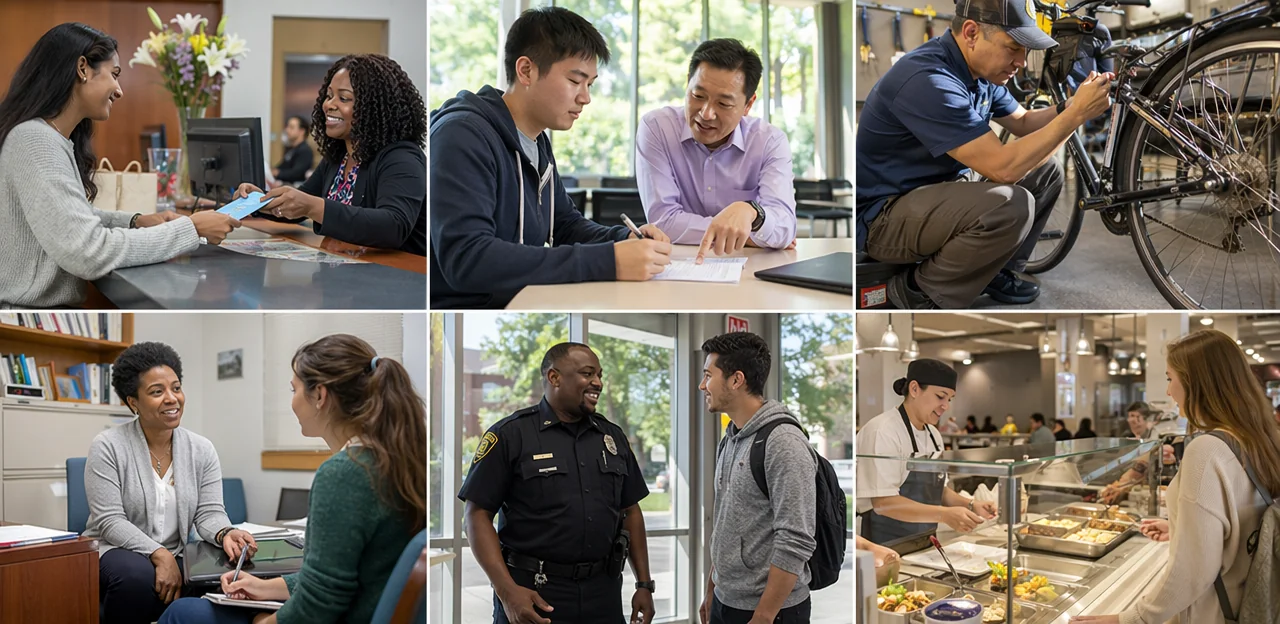
Student affairs, advising, and enrollment services
For campus teams handling high volumes of student interactions, student feedback automation helps turn routine service moments into measurable improvement opportunities. Advising centers, registrar offices, admissions, and student affairs teams can automate outreach after key touchpoints to capture timely advising feedback and enrollment services feedback.
- Post-appointment surveys: Send short surveys by email or SMS after advising, financial aid, or registrar meetings to measure clarity, wait times, and next-step confidence.
- Orientation feedback: Trigger feedback requests after orientation sessions, campus tours, or onboarding events to identify confusion early.
- Service check-ins: Automate follow-ups 7–14 days later to confirm whether issues were resolved.
With strong student affairs automation, teams can route low ratings to the right staff member, spot recurring service gaps, and improve support delivery at scale.
IT, library, and administrative support teams
Campus-wide student feedback automation helps shared service teams collect input at the exact moment a service interaction ends. IT desks, libraries, and administrative offices can automatically send short surveys after resolved tickets, answered live chats, or completed requests, making it easier to measure service quality and spot recurring issues.
- Use IT service feedback after password resets, device support, LMS issues, or Wi-Fi troubleshooting.
- Send library service surveys after chat help, research support, room bookings, or circulation requests.
- Enable administrative support automation for registrar, finance, admissions, and student records workflows.
Keep surveys brief: ask about resolution speed, clarity, staff helpfulness, and whether the issue was fully solved. Tools such as Tapsy can help teams trigger timely feedback and route low scores for follow-up, revealing friction points before they become larger service problems.
Housing, dining, and campus life operations
For residential life, dining, transportation, and student support teams, student feedback automation turns everyday service interactions into actionable insight. Instead of waiting for end-of-term reviews, teams can use always-on campus life surveys to spot issues early and improve operations in real time.
- Housing feedback automation: collect feedback after move-in, maintenance requests, laundry use, or roommate support to identify repeat concerns by building or floor.
- Dining services feedback: track satisfaction with food quality, wait times, cleanliness, menu variety, and staffing across locations and meal periods.
- Campus services: monitor shuttle reliability, parking, recreation, and common-area experiences to detect recurring complaints before they escalate.
Automated alerts, tagging, and dashboards help managers prioritize fixes, route issues faster, and measure service improvements. Tools like Tapsy can also capture quick, touchpoint-based feedback through QR or NFC.
How integrations make student feedback automation more effective

Connecting feedback tools with CRM, help desk, and SIS platforms
Integrations are what turn student feedback automation into an operational system instead of another disconnected dashboard. With strong education integrations, campus teams can reduce silos, add student context, and route issues faster.
- Campus CRM integration: Sync feedback with CRM records so advisors, housing, or student success teams can see history, segment by journey stage, and prioritize follow-up.
- Ticketing and help desk tools: Automatically create or update tickets in platforms like Zendesk or Freshservice when comments mention facilities, IT, or service delays.
- Student information system integration: A reliable student information system integration links feedback to enrollment status, program, residence, or campus location for better triage and reporting.
- Communication tools: Push alerts into Slack, Teams, or email so the right staff can respond in real time.
Platforms like Tapsy are most effective when these workflows connect cleanly.
Using triggers and workflows to automate follow-up
Effective student feedback automation starts with clear event-based rules tied to systems your team already uses. With the right integrations, busy campus service teams can turn feedback triggers into fast, consistent action.
- Trigger surveys automatically after key moments such as housing check-in, advising appointments, IT ticket closure, or dining interactions.
- Set escalation rules so low scores, safety concerns, or urgent keywords instantly alert the right team lead.
- Create cases automatically in your help desk or CRM, with student details, location, and feedback context attached.
- Personalize automated follow-up by sending apologies, next-step updates, or booking links after negative feedback.
For practical workflow automation for education, keep logic simple: define trigger, owner, SLA, and response template. Tools like Tapsy can support real-time capture and routing at service touchpoints.
Data governance, privacy, and accessibility considerations
Effective student feedback automation in higher education must balance speed with trust, compliance, and inclusion. To protect students and strengthen response rates, campus teams should:
- Apply FERPA and student feedback best practices by limiting access to identifiable responses, separating academic records from service feedback where possible, and defining clear retention policies.
- Prioritize education data privacy with encrypted storage, role-based permissions, secure integrations, and regular vendor reviews before connecting survey tools to campus systems.
- Use clear consent language so students understand what data is collected, why it is used, and whether responses are anonymous or attributable.
- Follow WCAG-aligned accessible survey design: mobile-friendly layouts, keyboard navigation, screen-reader compatibility, sufficient color contrast, and plain language.
- Design inclusively with multilingual options, bias-free wording, and multiple response formats to ensure every student can participate confidently.
Best practices for implementing student feedback automation

Start with clear goals and meaningful metrics
Before rolling out student feedback automation, define what success should look like for your team. Clear targets help you choose the right workflows, dashboards, and alerts instead of collecting data that never drives action.
Start with a small set of practical student feedback metrics and higher education KPIs, such as:
- Response rate: Are enough students participating across service touchpoints?
- Satisfaction score: Are students reporting better experiences over time?
- Resolution time: How quickly are issues acknowledged and resolved?
- Retention indicators: Is feedback linked to persistence, re-enrollment, or reduced complaints?
- Service improvement goals: Are specific pain points, like wait times or communication gaps, actually improving?
Set baselines, assign owners, and review results monthly. Tools like Tapsy can support this process, but your metrics should come first.
Design low-friction feedback experiences
To improve survey response rates, make every step feel fast, relevant, and easy. Strong feedback experience design starts with reducing effort for students while capturing actionable data through student feedback automation.
- Time requests well: Trigger surveys right after key moments like advising visits, housing support, or IT help, while the experience is still fresh.
- Choose the right channel: Use SMS, email, QR codes, or in-portal prompts based on where students already engage. Mobile student surveys often perform best for quick campus interactions.
- Keep surveys short: Aim for 1–3 core questions, with one optional comment box.
- Design for mobile first: Use large tap targets, fast load times, and no-login flows.
- Write better questions: Be specific, neutral, and tied to service touchpoints so responses are useful for improvement.
Build a closed-loop process that drives action
To make student feedback automation effective, every response needs a clear path to action. A strong closed-loop feedback process should include:
- Assign ownership: Route feedback by category, location, or service area so each issue has a named owner and deadline.
- Review trends regularly: Hold weekly or monthly reviews to spot repeat complaints, service gaps, and high-friction touchpoints.
- Respond to urgent issues fast: Set alerts for safety, accessibility, housing, IT, or wellbeing concerns so teams can prioritize immediate student issue resolution.
- Close the loop with students: Share what changed through email, portals, signage, or social posts. When students see visible improvements, they are more likely to keep acting on student feedback and participating.
Tools like Tapsy can help route alerts in real time, but the real value comes from consistent follow-through.
Choosing the right solution and planning next steps

Features to look for in a campus-ready platform
When comparing student feedback automation tools, prioritize features that reduce manual work and improve response times across campus:
- Automation rules: Route low scores, complaints, or urgent issues to the right team instantly.
- Integrations: Choose student feedback software that connects with CRMs, help desks, SIS, and email tools.
- Analytics: Look for dashboards by location, department, trend, and issue type.
- Role-based access: Give each team secure visibility into relevant feedback only.
- Omnichannel capture: Support QR, email, SMS, kiosks, and web forms.
- Scalability: Your campus feedback platform should work across housing, dining, advising, and more using flexible education automation tools.
Common implementation challenges and how to avoid them
Common student feedback automation issues often come down to process, not platform. To reduce feedback automation challenges in higher education implementation:
- Low adoption: Keep surveys short, mobile-friendly, and triggered at relevant moments to improve campus technology adoption.
- Disconnected systems: Connect feedback tools with CRM, help desk, and student records so issues route automatically.
- Unclear ownership: Assign clear team leads, escalation paths, and response SLAs.
- Poor survey design: Ask focused questions, limit open text, and review response quality regularly.
Platforms like Tapsy can help simplify touchpoint-based collection.
A simple roadmap for launching your program
Use a phased student feedback automation approach to reduce risk and build momentum:
- Start with a pilot: Choose one high-traffic service area, define goals, and baseline metrics.
- Align stakeholders: Bring in student services, IT, operations, and leadership to support your feedback automation strategy.
- Set up integrations: Connect forms, alerts, dashboards, and CRM tools to support your campus rollout plan.
- Train staff: Clarify response workflows and escalation paths.
- Optimize continuously: Review trends, refine triggers, and expand gradually to strengthen your student experience roadmap.
Conclusion
In today’s fast-moving campus environment, service teams can’t afford to rely on delayed surveys, scattered comments, or manual follow-up. Student feedback automation helps colleges and universities collect timely insights, route issues to the right department, and respond before small frustrations become bigger student experience problems. From housing and dining to advising, facilities, and student support, automation makes feedback more actionable, consistent, and manageable for busy teams.
The biggest advantage is simple: better visibility with less manual effort. When feedback is captured in real time, categorized automatically, and tied to alerts or workflows, campus teams can improve response times, spot recurring issues, and make smarter operational decisions. At the same time, students feel heard because their input leads to visible action.
As institutions continue to prioritize retention, satisfaction, and service quality, student feedback automation becomes more than a convenience—it becomes a practical strategy for delivering a stronger campus experience at scale. The next step is to audit your current feedback process, identify high-friction student touchpoints, and evaluate tools that support real-time collection, routing, and reporting. Solutions such as Tapsy can be a useful example of how streamlined feedback capture can work in practice.
If your campus team is ready to save time and improve service outcomes, now is the time to invest in a smarter, more responsive feedback system.
Frequently Asked Questions
- What is student feedback automation for campus service teams?
Student feedback automation connects feedback collection, response, and reporting into one workflow. It typically includes automated surveys, event-based triggers, sentiment tracking, ticket routing, and dashboard reporting so teams can act faster with less manual work.
- Why do busy campus departments need automated feedback instead of manual surveys?
Manual surveys, inbox reviews, and follow-up calls often move too slowly for high-volume campus environments. Automation helps teams capture input in real time, route issues quickly, and respond before small problems become larger frustrations.
- Which campus teams can benefit most from student feedback automation?
Housing, dining, student affairs, advising, financial aid, IT help desks, libraries, facilities, registrar offices, and other support teams can all use it. It is especially useful in areas with frequent student interactions and time-sensitive service issues.
- What kinds of feedback requests can be triggered automatically?
Teams can trigger surveys after housing check-in, advising appointments, IT ticket closure, dining visits, orientation sessions, maintenance requests, and other service moments. Follow-ups can also be scheduled 7–14 days later to confirm whether an issue was resolved.
- How does automated routing improve response times?
Routing rules can send low ratings, urgent comments, safety concerns, or repeated issues directly to the right team or team lead. This reduces manual triage and helps staff intervene while the issue still affects the student experience.
- What is the difference between a basic survey tool and an end-to-end feedback workflow?
A basic survey tool mainly collects responses. An end-to-end feedback workflow also automates follow-up, escalation, routing, and insight-sharing so feedback leads to action instead of sitting in a dashboard.
- How can campus teams use analytics from student feedback?
Dashboards can track response times, satisfaction scores, issue categories, and resolution rates across departments or locations. This helps teams identify recurring problems, compare service points, and prioritize fixes based on evidence rather than anecdotal complaints.
- How should feedback be segmented to make it more actionable?
Feedback can be organized by department, student type, channel, and issue category. Once tagged, it can be routed to frontline staff, managers, or leadership based on urgency and theme.
- What are common use cases for advising, enrollment, and student affairs teams?
These teams can send post-appointment surveys after advising, financial aid, registrar, or admissions interactions. They can also collect orientation and onboarding feedback to identify confusion early and route low ratings to the appropriate staff member.
- How can housing, dining, and campus life teams apply feedback automation?
Housing teams can collect feedback after move-in, maintenance requests, laundry use, or roommate support. Dining and campus life teams can monitor food quality, wait times, cleanliness, transportation, parking, recreation, and common-area experiences through always-on feedback channels.
- Why do integrations with CRM, help desk, and SIS platforms matter?
Integrations turn feedback into an operational system rather than a disconnected reporting tool. They add student context, reduce silos, support faster triage, and can automatically create or update cases in systems used by campus teams.
- What privacy and accessibility considerations should campuses address?
Teams should limit access to identifiable responses, use secure integrations, define retention policies, and provide clear consent language. Surveys should also follow accessible design practices such as mobile-friendly layouts, keyboard navigation, screen-reader compatibility, plain language, and inclusive response options.
- What metrics should teams track when launching a feedback automation program?
Useful starting metrics include response rate, satisfaction score, resolution time, retention indicators, and progress on specific service improvement goals. Teams should set baselines, assign owners, and review results regularly.
- How can campuses improve student response rates for feedback requests?
Keep surveys short, time them right after key service moments, and use channels students already engage with such as SMS, email, QR codes, or portal prompts. Mobile-first design, no-login flows, and specific neutral questions also reduce friction.
- What is a practical way to roll out student feedback automation across campus?
Start with a pilot in one high-traffic service area, define goals, and establish baseline metrics. Then align stakeholders, set up integrations, train staff on workflows and escalation paths, and expand gradually as triggers and processes are refined.