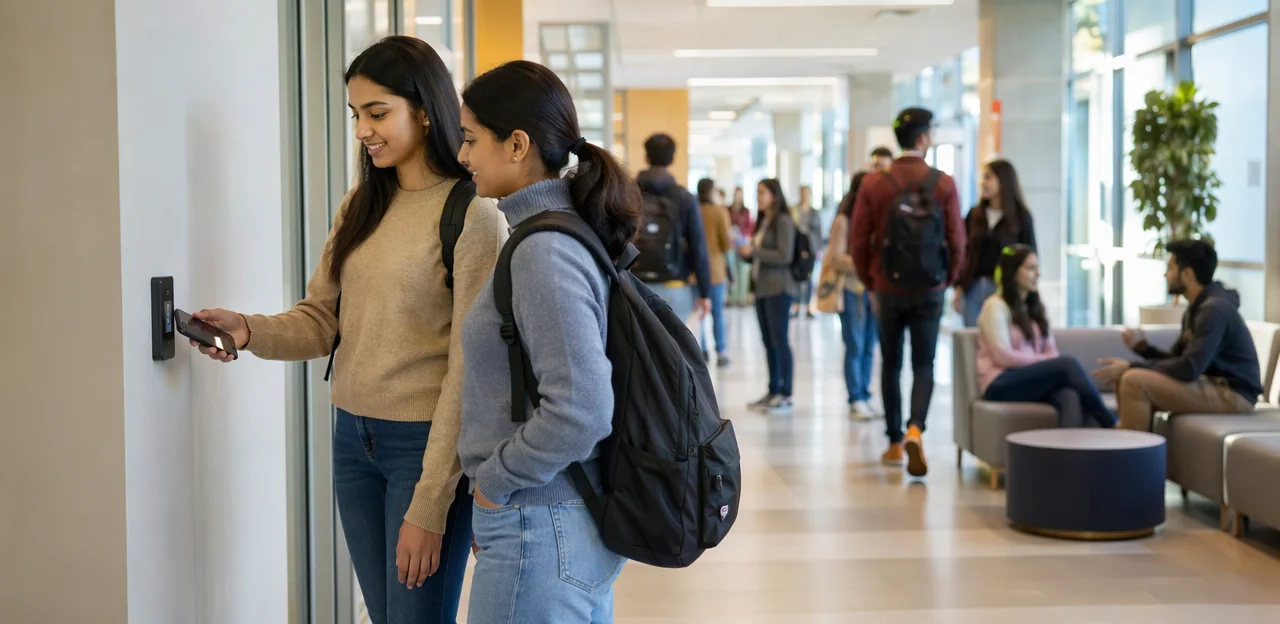
A campus is full of moments that shape the student experience, from arriving at the library and navigating lecture halls to grabbing lunch between classes and visiting student support services. Each of these touchpoints offers an opportunity to learn what students, staff, and visitors actually think in real time. That is why campus feedback placement matters so much. Put feedback points in the right locations, and institutions can capture timely, relevant insights that lead to better services, smoother operations, and a more responsive learning environment.
In education settings, feedback is most valuable when it is easy to give and tied to a specific experience. Strategically placed NFC and QR touchpoints can help universities and colleges collect fast, contextual responses without disrupting busy schedules. Whether the goal is to improve campus facilities, monitor satisfaction, or identify issues before they escalate, thoughtful placement is the difference between low engagement and meaningful participation.
This article explores where to place feedback points around a campus for the greatest impact, including high-traffic areas, service locations, learning spaces, and residential environments. It will also look at how digital tools, including solutions like Tapsy, can support seamless feedback collection and help institutions turn everyday interactions into actionable insight.
Why campus feedback placement matters

How location influences response quality and volume
Campus feedback placement directly affects both response quality and participation. When students can share input at the moment of experience, feedback is fresher, more specific, and easier to act on.
- Match feedback point locations to context: place touchpoints outside lecture halls, libraries, cafeterias, residence halls, and student services desks.
- Reduce friction: convenient NFC or QR touchpoints increase student feedback response rates because students can respond in seconds while the experience is still top of mind.
- Capture relevant detail: feedback collected near a problem or positive moment is more accurate than delayed email surveys.
- Use high-traffic areas wisely: visible, well-timed prompts boost volume without interrupting students.
Tools like Tapsy can support fast, location-aware feedback collection.
The role of NFC and QR touchpoints in modern campuses
NFC and QR touchpoints make feedback collection faster and easier by letting students scan or tap with their phones in seconds. For effective campus feedback placement, these tools reduce friction and increase response rates across busy education settings.
- Speed: Students can open a form instantly with a tap or scan, making QR code feedback campus strategies ideal for high-traffic areas.
- Accessibility: NFC feedback points support mobile-first engagement without requiring apps, logins, or long surveys.
- Easy deployment: Schools can place low-cost signs, stickers, or stands in libraries, lecture halls, cafeterias, and student services.
Used well, they turn everyday campus locations into simple, real-time feedback channels.
Matching feedback collection to the student experience
Effective campus feedback placement starts with student journey mapping campus touchpoints, so feedback appears when experiences are fresh and actionable. Build your education feedback strategy around key moments:
- Arrival and orientation: place QR or NFC prompts at entrances, transport stops, and welcome desks to capture first impressions.
- Learning spaces: gather student experience feedback in lecture halls, labs, libraries, and study zones to spot teaching or facility issues quickly.
- Dining and social areas: collect short feedback in cafeterias, cafés, and common rooms to improve food, queues, and comfort.
- Support services and events: add touchpoints at wellbeing hubs, admin offices, sports venues, and campus events to measure service quality and engagement.
Keep prompts short, location-specific, and easy to complete.
Best places to install feedback points around a campus

Academic buildings, classrooms, and libraries
Academic spaces are some of the most important zones for campus feedback placement because they directly affect learning, concentration, and student satisfaction. The best approach is to place NFC or QR touchpoints where students naturally pause between activities, making feedback fast and low effort.
- Classroom entrances and exits: Ideal for classroom feedback placement on room comfort, acoustics, seating, AV equipment, Wi-Fi, and cleanliness immediately after a lecture.
- Lecture hall foyers and corridor junctions: Capture broader academic building feedback about navigation, accessibility, temperature, lighting, and peak-time congestion.
- Computer labs and specialist rooms: Ask short questions about device availability, software performance, charging access, and technical support.
- Library entrances, study floors, and group study rooms: Well-placed library feedback points help track noise levels, desk availability, booking issues, printing services, and resource access.
- Help desks and circulation counters: Useful for feedback on staff support, wait times, and resource availability.
Keep prompts specific to the location and limit forms to 2–3 questions. Solutions such as Tapsy can help deliver quick, location-aware feedback flows without disrupting study time.
Student services, administration, and support centers
For effective campus feedback placement, student-facing offices are some of the best locations because interactions are transactional, time-sensitive, and easy for students to evaluate right away. Placing QR or NFC touchpoints at exits, counters, and waiting areas helps capture impressions while the experience is still fresh.
Ideal locations include:
- Admissions: Gather feedback on clarity, friendliness, and wait times after application or enrollment support.
- Financial aid: Collect insights on whether staff explained funding options, deadlines, and required documents clearly.
- Advising and counseling centers: Measure how supported, heard, and informed students felt after sensitive one-to-one conversations.
- IT help desks: Use fast pulse surveys to assess issue resolution, speed, and staff communication.
- Registrar offices: Capture feedback on registration, transcripts, records updates, and process efficiency.
To improve student services feedback, keep questions short and service-specific, such as “Was your issue resolved today?” or “How clear was the guidance you received?” This makes administration feedback campus programs more actionable. Well-placed support center feedback points also help teams identify bottlenecks, improve service recovery, and strengthen the overall student experience.
Dining halls, residence areas, and social spaces
Strong campus feedback placement should extend beyond classrooms into the spaces students use every day. Cafeterias, dorm common areas, student unions, gyms, and lounges reveal how students actually experience campus life, from food quality and cleanliness to safety, comfort, and community.
Consider placing touchpoints in:
- Dining halls and cafés to gather dining hall feedback on wait times, menu variety, dietary options, seating availability, and cleanliness.
- Residence halls and dorm lounges to capture residence hall feedback about maintenance, noise, security, shared facilities, and sense of belonging.
- Student unions, gyms, and social lounges for campus social space feedback on crowding, opening hours, equipment condition, event programming, and inclusivity.
To make these touchpoints effective:
- Place NFC or QR signs at exits, noticeboards, and high-dwell areas.
- Keep surveys short and location-specific.
- Ask one or two experience-focused questions students can answer in seconds.
- Review responses frequently so operational issues can be fixed quickly.
This broader approach helps institutions improve daily student life, not just academic services. Tools like Tapsy can support fast, location-aware feedback collection in these high-traffic campus spaces.
How to choose the right feedback point locations
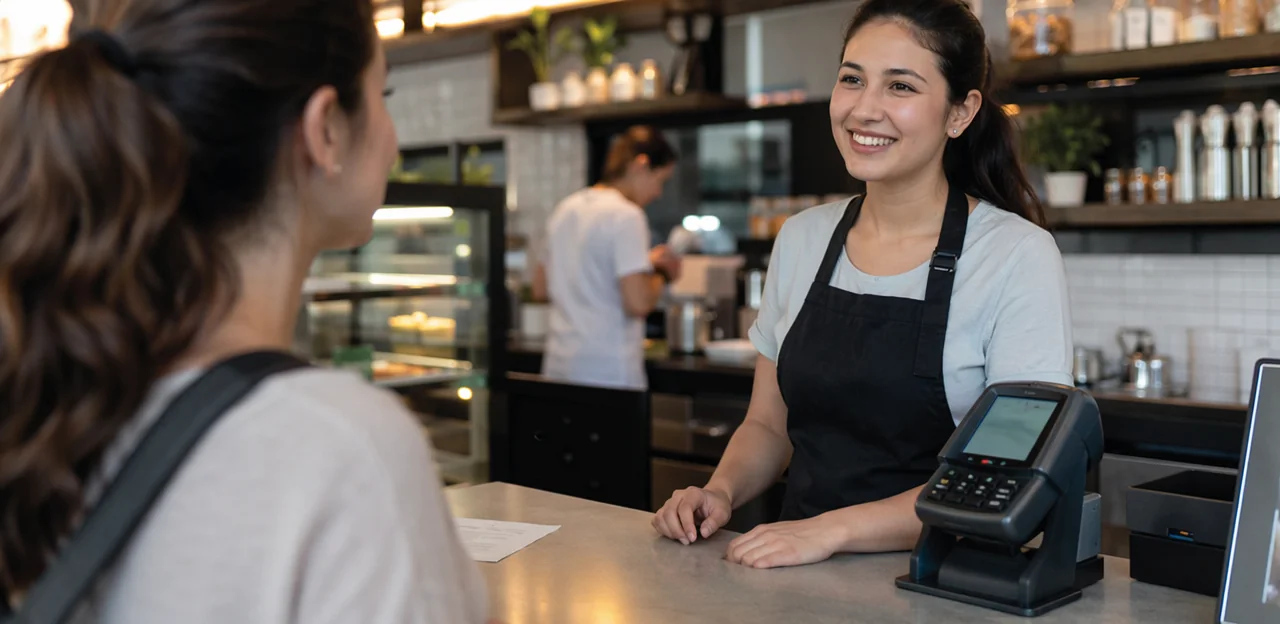
Use student traffic patterns and dwell time
Effective campus feedback placement starts with understanding where students already move and where they naturally stop. Use campus footfall analysis to map busy routes such as library entrances, student unions, dining halls, shuttle stops, and main building corridors. Then look for pause points where students have a few spare seconds and are more likely to scan or tap.
- Identify high traffic feedback locations by observing peak times between classes, lunch hours, and event changeovers.
- Prioritize moments of student dwell time feedback, such as queues, lift lobbies, reception desks, café pickup areas, and outside lecture theatres.
- Place QR or NFC prompts at eye level with a clear, quick call to action.
- Test locations for one to two weeks and compare scan rates by time and place.
Tools like Wi-Fi analytics, access data, or platforms such as Tapsy can help refine placement decisions.
Prioritize moments immediately after service delivery
For effective campus feedback placement, put feedback points where students have just completed an interaction—after a library help desk visit, IT support request, advising session, or dining experience. This is when immediate student feedback is freshest, making responses more accurate, specific, and useful.
- Capture details while memory is clear: Students can describe wait times, staff helpfulness, and whether their issue was resolved.
- Improve service recovery: Real-time campus feedback helps teams spot problems quickly and fix them before frustration grows.
- Increase response rates: A quick QR or NFC tap right after service feels relevant and easy.
- Collect actionable insights: Post-service feedback collection often reveals concrete process issues, not vague impressions.
In service environments, short, well-placed prompts consistently outperform delayed surveys because they connect feedback directly to a completed experience.
Balance visibility, privacy, and accessibility
Effective campus feedback placement should make participation easy without making students feel watched or pressured. Use these practical guidelines to create inclusive campus feedback systems:
- Keep feedback points visible: Place them near exits, libraries, dining halls, and student service areas, supported by clear signage at eye level.
- Prioritize ADA access: Ensure accessible feedback points have reachable heights, wheelchair clearance, screen-reader-friendly QR pages, and simple tap/scan instructions.
- Support multiple languages: Add multilingual prompts so international students and families can participate confidently.
- Protect privacy: For private feedback collection campus efforts, avoid placing touchpoints directly beside staff desks, classrooms, or security lines where responses may feel exposed.
- Reduce bias and pressure: Don’t position feedback stations only where emotions run high or where authority figures are present, as this can distort responses.
Tools like Tapsy can also support multilingual, easy-to-access touchpoints across campus.
Placement strategies for NFC and QR touchpoints

Designing clear calls to action at each touchpoint
Strong campus feedback placement only works when students instantly know what to do and why it matters. Effective feedback prompt design should be short, visible, and tied to the location.
- Use concise action verbs in your QR feedback call to action:
- Library: “Scan to rate your study space in 10 seconds”
- Cafeteria: “Tap to tell us how today’s meal was”
- Student services: “Scan to share if we solved your issue”
- Residence halls: “Tap to report a maintenance concern fast”
- Add clear visual cues on NFC touchpoint signage, such as arrows, phone icons, “Tap here,” or contrasting brand colors.
- Ask context-specific questions so the interaction feels relevant, increasing scan and tap rates.
Choosing between permanent and temporary placements
A strong campus feedback placement strategy usually combines always-on and flexible touchpoints:
- Use permanent feedback stations in high-traffic, year-round locations such as libraries, student unions, dining halls, reception desks, and main entrances. These capture steady insight on daily services, facilities, and student experience.
- Deploy temporary campus feedback points where needs change quickly, including orientation zones, open days, exam venues, pop-up support desks, and seasonal transport or housing services.
- Add event feedback QR codes to signage, lanyards, posters, or check-in desks for fast setup and easy removal after campaigns end.
Choose permanent placements for ongoing benchmarking, and temporary ones for short-term decisions, surge periods, or testing new services. Tools like Tapsy can support both formats efficiently.
Reducing friction in the feedback process
To improve QR code survey completion, every step after the scan should feel effortless. Even the best campus feedback placement strategy underperforms if the form is slow or demanding.
- Keep surveys short: Aim for 1–3 questions for quick pulse checks, with an optional comment box.
- Prioritize mobile optimization: Use responsive mobile feedback forms campus users can complete one-handed between classes.
- Remove login barriers: Offer no-login access so students can respond instantly without creating accounts.
- Ensure fast-loading forms: Lightweight pages reduce drop-off, especially on busy campus Wi-Fi or mobile data.
- Use clear calls to action: Tell students exactly how long it takes, such as “30-second feedback.”
This low friction survey design consistently lifts participation at NFC and QR touchpoints.
Measuring performance and improving placement over time

Track scans, taps, completion rates, and sentiment
To measure whether campus feedback placement is effective, institutions should monitor both engagement and insight quality. Focus on feedback point analytics that show where students interact most and where responses are most meaningful.
- QR scan rate campus: Compare scans by building, floor, and time of day to see which locations attract attention.
- NFC taps and starts: Track how many students tap or open the form versus how many actually begin submitting feedback.
- Completion rates: High drop-off may signal poor placement, long forms, or low relevance.
- Student sentiment tracking: Measure positive, neutral, and negative themes by location to identify hotspots needing action.
- Comment usefulness: Review response depth, issue specificity, and repeat topics to find the most actionable touchpoints.
Tools like Tapsy can help centralize this analysis across campus.
Test and optimize underperforming locations
If a touchpoint gets low scans, treat it as a campus survey optimization opportunity rather than a failure. Use A/B testing QR signage to compare one variable at a time and measure scan rate, completion rate, and response quality.
- Signage design: Test bold colors, larger QR codes, icons, or “Tap to share feedback” vs. “Help improve this space.”
- Wording: Try benefit-led copy, urgency, or shorter calls to action.
- Placement height: Compare eye-level placement with desk, wall, or entry/exit positioning.
- Nearby context: Move signs closer to queues, elevators, lounges, or problem-prone areas.
Review results weekly to optimize feedback placement and improve overall campus feedback placement performance.
Turn feedback into visible campus improvements
Effective campus feedback placement is only the first step; the real impact comes when you close the feedback loop. When students can see what changed because of their comments, student trust and feedback participation both grow.
- Share updates on digital screens, student portals, and signage near feedback points.
- Use simple messages such as “You asked, we changed” to highlight completed actions.
- Group responses into themes like study spaces, dining, Wi-Fi, or accessibility.
- Set review timelines so students know when to expect action or status updates.
Strong campus improvement communication shows feedback is not disappearing into a system. Even small wins, clearly communicated, encourage ongoing participation and build long-term trust.
Common mistakes to avoid in campus feedback placement

Placing touchpoints where students are rushed or distracted
Entrances, crowded corridors, and other transitional zones are common bad feedback point locations because students are focused on getting somewhere, not reflecting.
- Keep campus feedback placement away from bottlenecks and high-traffic rush points.
- Avoid campus survey placement mistakes by using only one-tap or one-question prompts in these areas.
- Reduce student feedback barriers by timing requests after classes, at exits, or in waiting spaces where attention is higher.
- Avoid placing campus feedback placement touchpoints that open into long forms or vague prompts like “Share your thoughts.” In mobile-first settings, students scan between classes, so short campus surveys with 1–3 specific questions perform better.
- Strong feedback question design reduces drop-off and improves actionability.
- To prevent survey fatigue students often feel, ask about one location, one moment, and one clear outcome.
- Even strong campus feedback placement fails without clear upkeep and rules. Prioritize QR code maintenance campus checks so broken links, damaged stickers, or outdated forms do not kill response rates.
- Assign owners for each touchpoint, standardize branding, and review signage regularly to support campus feedback governance.
- Protect trust with transparent consent, minimal data collection, and secure storage aligned with education data privacy feedback requirements.
Conclusion
Effective campus feedback placement is less about putting forms everywhere and more about positioning touchpoints where students naturally pause, decide, or reflect. The most valuable locations are high-traffic, high-context areas: entrances, libraries, dining halls, student services, residence halls, event spaces, and transport hubs. When feedback points are placed at the right moment in the student journey, schools capture fresher insights, improve response rates, and make it easier for students to share concerns before frustration builds.
A strong campus feedback placement strategy should also balance visibility with simplicity. NFC and QR touchpoints work best when they are clearly signposted, mobile-friendly, and tied to a specific experience, such as classroom facilities, food quality, wellbeing services, or campus safety. This creates more relevant data and helps teams act faster on what matters most.
The next step is to map your campus journey, identify key interaction zones, and pilot feedback points in a few priority locations before scaling. Review participation rates, compare hotspots, and refine placement based on real student behavior. If you want to streamline this process, platforms like Tapsy can support real-time, location-aware engagement through NFC and QR touchpoints.
Done well, campus feedback placement turns everyday spaces into opportunities to listen, respond, and continuously improve the student experience.
Frequently Asked Questions
- Why does feedback point location matter on a campus?
Location affects both how many people respond and how useful their feedback is. When students can scan or tap at the moment of experience, responses are fresher, more specific, and easier to act on.
- Where are the best places to put feedback points around a campus?
The strongest locations are high-traffic, high-context areas where people naturally pause. Good examples include library entrances, lecture hall exits, cafeterias, residence halls, student service desks, transport stops, and event spaces.
- How do NFC and QR touchpoints improve campus feedback collection?
NFC and QR touchpoints let students open a feedback form in seconds with a tap or scan. They reduce friction, work well in busy settings, and make it easier to collect real-time feedback without long surveys or complicated steps.
- What makes a good feedback point in academic buildings?
A good academic feedback point sits where students naturally stop, such as classroom exits, lecture hall foyers, computer labs, library study floors, and help desks. Prompts should match the location and ask about specific issues like comfort, noise, Wi-Fi, equipment, or cleanliness.
- How should universities collect feedback in student services and support centers?
Place touchpoints at exits, counters, and waiting areas so students can respond right after the interaction. Keep questions short and service-specific, such as whether the issue was resolved or whether the guidance was clear.
- Should feedback points also be placed in dining halls, residences, and social spaces?
Yes, because daily campus life shapes the student experience beyond the classroom. Dining halls, dorm lounges, student unions, gyms, and cafés are useful for gathering feedback on food, cleanliness, maintenance, safety, comfort, crowding, and inclusivity.
- How can campuses choose the right locations using student traffic patterns?
Map where students move most and where they naturally pause, such as queues, lift lobbies, café pickup areas, reception desks, and corridors between classes. Then test those spots for one to two weeks and compare scan rates by time and place.
- Why is it better to ask for feedback immediately after a service is delivered?
Post-service feedback is more accurate because the experience is still fresh in the student's mind. It also helps teams spot problems quickly, improve service recovery, and gather more actionable detail than delayed surveys.
- How can campuses balance visibility, privacy, and accessibility for feedback points?
Feedback points should be easy to see, placed at eye level, and supported by clear signage. At the same time, they should avoid exposing respondents near staff desks or security lines, and they should support reachable placement, wheelchair clearance, screen-reader-friendly pages, and multilingual prompts where needed.
- What should a strong call to action say on a campus feedback sign?
The message should be short, direct, and tied to the location. Examples include asking students to rate a study space, share how a meal was, confirm whether an issue was solved, or report a maintenance concern.
- When should a campus use permanent feedback stations instead of temporary ones?
Permanent stations work best in year-round, high-traffic places like libraries, dining halls, student unions, reception desks, and main entrances. Temporary placements are better for orientation areas, open days, exam venues, pop-up support desks, and seasonal services.
- How can universities reduce friction and increase survey completion rates?
Keep forms short, ideally one to three questions, and make them mobile-friendly and fast to load. Removing login requirements and telling students the feedback takes only a few seconds can also improve completion.
- What metrics should campuses track to measure feedback point performance?
Useful metrics include QR scans, NFC taps, form starts, completion rates, and sentiment by location. Reviewing comment quality and repeated themes also helps identify which touchpoints produce the most actionable insight.
- What should a campus do if a feedback point is underperforming?
Treat low engagement as a signal to test improvements rather than remove the touchpoint immediately. Try changing the signage design, wording, QR size, placement height, or moving the sign closer to queues, lounges, elevators, or other pause points.
- What common mistakes should campuses avoid when placing feedback points?
Avoid rushed or distracting locations like bottlenecks and crowded transitional zones unless the prompt is extremely quick. Campuses should also avoid long or vague forms, broken links, damaged stickers, unclear ownership, and weak privacy practices that reduce trust.