
A great coworking experience can unravel quickly when small problems go unresolved. Slow Wi-Fi during a client call, an unclean kitchen after lunch, or a meeting room issue minutes before a presentation can frustrate members and damage trust in the space. In flexible work environments, these operational hiccups are not just minor inconveniences—they directly shape member satisfaction, retention, and brand reputation.
That is why coworking issue reporting has become a critical part of modern workspace operations. When members can easily flag problems and teams can route them to the right people fast, coworking operators are better positioned to deliver smooth, professional, and responsive experiences. Wi-Fi complaints need one path, cleaning requests another, and room or equipment issues yet another. Without clear routing, even simple fixes can turn into recurring frustrations.
This article explores how coworking spaces can improve issue reporting workflows for common problems like internet outages, cleanliness concerns, and room-related disruptions. It will cover why fast routing matters, how better processes support service recovery, and what operators can do to strengthen both guest experience and member experience. Where relevant, tools like Tapsy can also support real-time reporting and faster resolution at the point where issues happen.
Why coworking issue reporting matters for modern workspaces

The link between issue reporting and member experience
Fast, frictionless coworking issue reporting has a direct impact on both member experience and guest experience. When people can report Wi-Fi outages, cleaning gaps, or room problems in seconds, they feel heard instead of ignored. That reduces frustration and helps teams resolve issues before they affect productivity, meetings, or renewals.
- Builds trust: Simple reporting shows members that management is responsive and accountable.
- Reduces disruption: Quick routing gets the right team involved faster, limiting downtime and repeat complaints.
- Improves daily reliability: Consistent fixes create a smoother, more dependable workspace experience.
- Supports service recovery: Early alerts let staff act before a minor issue becomes a negative review.
Tools like Tapsy can help make reporting immediate and easy at the point of need.
Common operational issues in coworking offices
In coworking offices, the most common workspace problems usually affect productivity, comfort, and trust in the space. Strong coworking issue reporting helps teams spot patterns early and resolve shared office issues before they escalate.
- Internet instability: Slow speeds, dropped connections, and weak meeting-room coverage can disrupt calls and deadlines.
- Cleaning gaps: Overflowing bins, messy kitchens, unclean desks, and restroom shortages quickly damage member experience.
- Room booking conflicts: Double bookings, no-shows, and unclear schedules create friction around shared resources.
- Temperature complaints: Hot meeting rooms or overly cold open areas often lead to repeated comfort complaints.
- Equipment failures: Printers, screens, door access systems, and coffee machines are frequent pain points.
To reduce repeat issues, route reports by category, assign ownership fast, and track response times. Tools like Tapsy can help capture and direct feedback in real time.
How service recovery protects retention and reputation
Effective coworking issue reporting does more than solve a one-off problem; it strengthens trust. When teams respond quickly to Wi-Fi outages, cleaning gaps, or room issues, service recovery can turn frustration into confidence and improve customer satisfaction.
- Respond fast: Acknowledge the issue immediately, even if the full fix takes time. Speed shows members they are heard.
- Lead with empathy: A simple apology and clear explanation reduce tension and make members feel respected.
- Show visible follow-through: Confirm who owns the issue, share updates, and close the loop once resolved.
- Track recurring problems: Use issue data to spot patterns and prevent repeat disruptions, supporting long-term coworking retention.
Tools like Tapsy can help route reports instantly so teams act before small issues damage reputation.
Building an effective coworking issue reporting workflow

How members and guests should submit issues
Effective coworking issue reporting starts with simple, visible channels that work for both members and day-pass guests. The goal is to make the issue reporting workflow fast, consistent, and easy to follow.
- Mobile app: Use coworking app reporting for Wi-Fi outages, room AV issues, spills, or temperature complaints. Pre-filled categories speed up submission.
- QR codes: Place codes in meeting rooms, lounges, kitchens, and phone booths so users can report problems at the exact location.
- Front desk forms: Offer a quick paper or tablet form for walk-in workspace support requests.
- Chat and email: Useful for non-urgent issues or follow-up details, especially when attachments are needed.
- Self-service kiosks: Add kiosks in high-traffic areas for easy reporting without downloading anything.
Keep every channel aligned: ask for location, issue type, urgency, and contact details. Tools like Tapsy can support no-app QR-based reporting for faster routing.
Routing Wi-Fi, cleaning, and room problems to the right teams
Effective coworking issue reporting depends on clear triage rules so every request reaches the right owner without delay. Build your workflow around four decision points:
- Category: Tag issues as internet, cleanliness, meeting room, access, or noise. This improves routing coworking issues automatically.
- Urgency: Flag outages, security concerns, and blocked rooms as high priority. For example, a full network outage should trigger immediate Wi-Fi issue escalation to IT.
- Location: Include floor, room number, desk zone, or booth ID so teams know exactly where to respond.
- Team ownership: Route Wi-Fi and printer problems to IT, spills and restroom issues to housekeeping, and booking conflicts or member disruptions to community staff.
For stronger cleaning request management, set service-level targets by issue type and create backup routing when a team is unavailable. Tools like Tapsy can help capture requests at the source and send instant alerts to the right team.
Setting priorities, SLAs, and escalation rules
Effective coworking issue reporting depends on clear severity levels, realistic service level agreements, and fast issue escalation when problems affect members or revenue.
- Define severity by impact
- Critical: internet outages, access control failures, safety hazards, HVAC breakdowns in key areas
- High: meeting room tech failures, overflowing bins, major cleaning issues
- Medium: slow Wi-Fi in one zone, supply shortages, minor maintenance requests
- Low: cosmetic issues or non-urgent comfort complaints
- Set response and resolution targets
- Critical: acknowledge within 5–15 minutes, resolve or provide workaround within 1 hour
- High: respond within 30 minutes, resolve same day
- Medium/Low: respond within 2–4 hours, resolve within 24–48 hours
- Create escalation paths
- Route first to the responsible team
- Escalate unresolved tickets to the duty manager after SLA breach
- Immediately escalate business-critical issues to IT, facilities, or leadership
In strong coworking operations, platforms like Tapsy can help trigger alerts and route urgent reports automatically.
Best practices for handling Wi-Fi issues in coworking spaces

Capturing the right details for faster diagnosis
Effective coworking issue reporting starts with collecting the details IT teams need for quick network troubleshooting. For coworking Wi-Fi issues, ask members to include:
- Device type and OS: laptop, phone, tablet, plus Windows, macOS, iPhone, or Android
- Exact location: meeting room, desk area, floor, or lounge
- Network name: which SSID they tried to join
- Timing: when the problem started and whether it is ongoing or intermittent
- Impact scope: does it affect one user, a team, or the whole space?
- Issue symptoms: no connection, weak signal, slow speed, login portal failure, or frequent dropouts
This structure improves internet outage reporting, helps teams spot patterns faster, and reduces back-and-forth. Tools like Tapsy can also standardize reports at the point where the issue happens.
Communicating updates during connectivity disruptions
Clear Wi-Fi outage communication reduces frustration and builds trust during disruptions. In coworking issue reporting, speed and clarity matter as much as the fix itself.
- Acknowledge immediately: Confirm the report, note whether the outage is partial or full, and tell members the issue is being investigated.
- Share regular service updates: Use Slack, email, SMS, lobby screens, or front-desk notices to post time-stamped updates, even if the status is simply “still diagnosing.”
- Offer practical workarounds: Direct members to backup networks, quieter zones with stronger signal, mobile hotspot guidance, or alternative meeting rooms.
- Set realistic expectations: Explain what is known, what is being done, and the next update time to improve member communication.
- Close the loop: Announce resolution, apologize for disruption, and invite follow-up reports if problems continue.
Tools like Tapsy can help route outage reports quickly.
Preventing repeat internet complaints
To prevent recurring issues, coworking teams should treat every Wi-Fi complaint as operational data, not a one-off ticket. Strong coworking issue reporting helps identify patterns by floor, time of day, room type, device load, or provider outages, making coworking IT management more proactive.
- Analyze trends: Review complaint categories weekly to spot repeat dead zones, peak-hour slowdowns, or bandwidth bottlenecks.
- Monitor access points: Track signal strength, congestion, latency, and disconnect rates to catch failures before members report them.
- Run infrastructure reviews: Audit router placement, cabling, ISP performance, and capacity against current occupancy and usage.
- Schedule proactive maintenance: Update firmware, replace aging hardware, and rebalance network loads regularly.
If teams use tools like Tapsy, faster issue capture can support better routing and long-term network reliability.
Managing cleaning and room-related issues efficiently
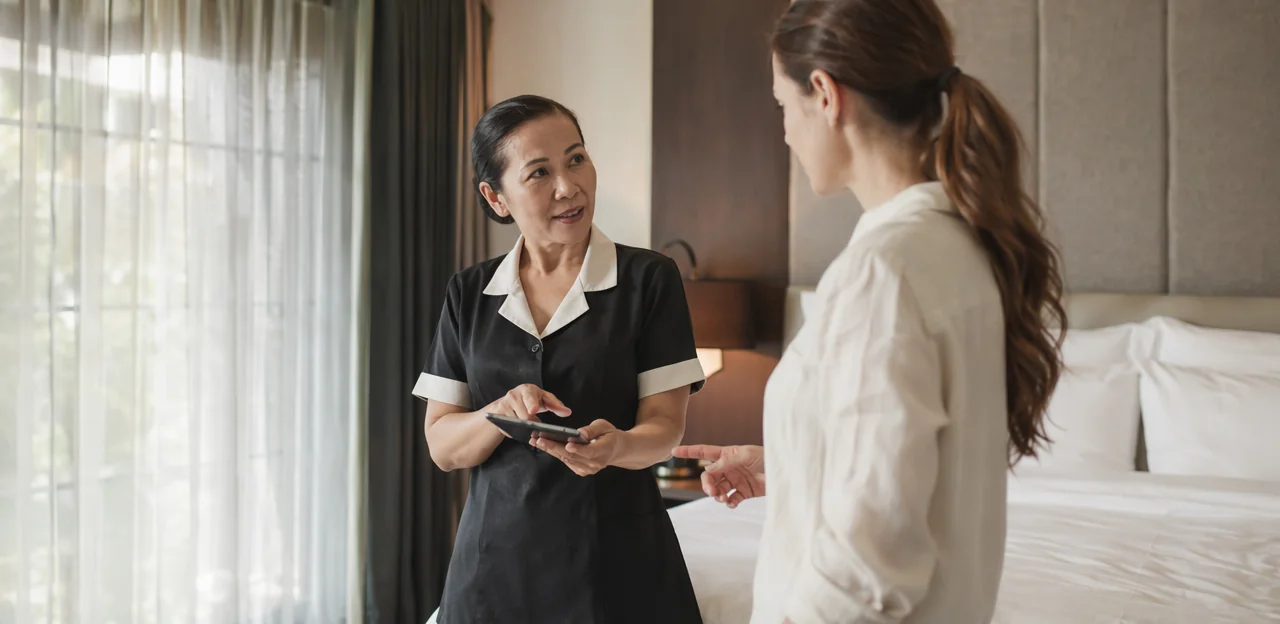
Cleaning requests, hygiene standards, and response timing
Strong coworking issue reporting keeps workspace cleanliness consistent and prevents small messes from becoming member complaints. Set clear service levels for every type of cleaning issue reporting and assign one accountable team.
- Immediate (0–15 minutes): spills, broken glass, biohazards, or slippery floors. Route to on-site staff or cleaners at once, mark the area, and confirm resolution.
- High priority (15–30 minutes): restroom problems, overflowing trash, missing soap or paper supplies, and kitchen messes affecting shared use.
- Standard (within 1–2 hours): desk sanitation, sticky surfaces, crumbs, smudged meeting tables, and routine wipe-down requests.
Use simple facility maintenance requests with location, photo, severity, and timestamp. A tool like Tapsy can help route reports instantly, track accountability, and close the loop with members once cleaned.
Room problems such as booking conflicts and equipment failures
Fast, clear coworking issue reporting is essential for resolving meeting room issues before they disrupt teams, client calls, or events. A good process should capture the problem, urgency, and room number, then route it to operations or conference room support immediately.
- Room booking conflicts: Flag double bookings, calendar sync errors, or unauthorized walk-ins so staff can verify reservations and reassign space quickly.
- Equipment failures: Report missing HDMI or USB-C cables, broken displays, dead speakers, or unstable video conferencing tools with photo options when possible.
- Poor setup and access: Note incorrect layouts, missing chairs, locked rooms, or access code failures before meetings start.
- Noise complaints: Escalate nearby disruptions fast to protect productivity.
Tools like Tapsy can help route urgent room booking conflicts and support requests in real time.
Closing the loop with visible resolution updates
In coworking issue reporting, fixing the problem is only half the job; members also need to know it was fixed. Clear resolution updates build trust, reduce repeat complaints, and improve the overall member support experience.
A simple closed-loop communication process should include:
- Confirmation received: Let the member know their Wi-Fi, cleaning, or room issue was logged and assigned.
- Progress update: Share if a team member is en route, a cleaner has been scheduled, or IT is investigating.
- Resolution notice: Confirm when the issue is resolved, ideally with a brief before-and-after update.
- Follow-up check: Ask whether the fix fully solved the problem.
For example: “Meeting room was unclean” becomes “Room 3 has now been cleaned and reset for use.” Tools like Tapsy can help make these updates fast and visible.
Technology, data, and automation for better issue reporting

Using software to centralize coworking issue reporting
A centralized coworking issue reporting process works best when every request flows into one shared system instead of scattered emails, chats, or front-desk notes. The right coworking management software or workspace operations platform should bring all sites into a single dashboard so teams can spot patterns and respond faster.
Look for an issue tracking system that includes:
- unified tickets across all coworking locations
- clear categories for Wi-Fi, cleaning, meeting rooms, access, and maintenance
- automatic staff assignment by site, issue type, or priority
- full communication history for updates, follow-ups, and resolution notes
- reporting to compare response times and recurring problems by location
Tools like Tapsy can also help capture issues at the touchpoint and route them quickly to the right team.
Automating triage, notifications, and follow-ups
Strong coworking issue reporting works best when every request moves automatically from submission to resolution. With the right workflow automation, teams can reduce delays and avoid manual handoffs by setting clear rules such as:
- Categorize requests instantly by type, location, and urgency, enabling accurate automated issue routing for Wi-Fi, cleaning, room access, or maintenance problems.
- Send ticket notifications to the right team or manager based on shift, zone, or issue severity.
- Trigger escalations if a ticket is not acknowledged or resolved within a defined SLA.
- Keep members updated with confirmation messages, progress alerts, and closure notes.
Tools like Tapsy can support real-time reporting and faster service recovery without adding admin overhead.
Measuring performance with issue reporting metrics
To improve coworking issue reporting, track a small set of issue reporting metrics that show both speed and quality of recovery:
- First response time: How quickly staff acknowledge Wi-Fi, cleaning, or room issues.
- Resolution time: Time from report to fix, segmented by category and location.
- Reopen rate: The share of tickets reopened, which signals incomplete fixes.
- Satisfaction score: Post-resolution feedback to monitor member satisfaction metrics.
- Issue volume by category: Identify whether connectivity, cleanliness, or meeting-room problems are driving complaints.
- Repeat incident trends: Spot recurring failures by desk zone, floor, or time of day.
Together, these service recovery KPIs help coworking teams prioritize staffing, reduce repeat problems, and improve the member experience.
Creating a service recovery culture in coworking offices

Training staff to respond with empathy and ownership
Strong coworking issue reporting depends on every team handling problems the same way, from front desk to IT. Effective service recovery training and coworking staff training should reinforce:
- Consistent language: “Thanks for flagging this—we’re on it, and I’ll update you by 2 PM.”
- Clear ownership: Assign one person to own follow-up, even when another team resolves it.
- Problem-solving skills: Teach staff to clarify urgency, confirm impact, and offer immediate next steps.
These customer support best practices reduce frustration, speed resolution, and build member trust.
Turning complaints into operational improvements
Effective coworking issue reporting should do more than close tickets—it should drive continuous improvement. Recurring complaints often highlight deeper operational gaps, such as unclear cleaning schedules, understaffed peak hours, unreliable vendors, or aging infrastructure.
- Track repeat issues by location, time, and category
- Review patterns to uncover staffing and process bottlenecks
- Escalate frequent vendor-related failures with clear service data
- Prioritize facility upgrades based on volume and impact
These operational insights help teams move from reactive fixes to proactive workspace experience improvement across the entire coworking environment.
A strong coworking issue reporting flow should feel fast, visible, and accountable:
- Simple submission: Members report Wi-Fi, cleaning, or room issues in seconds with a form, QR code, or front-desk channel.
- Smart routing: The issue reporting process tags urgency, location, and category, then sends it to the right team.
- Clear updates: Staff acknowledge receipt, share expected resolution times, and keep members informed.
- Confirmed resolution: The team fixes the problem and logs actions taken.
- Feedback loop: A short follow-up closes the coworking service workflow and strengthens your member experience strategy.
Conclusion
Effective coworking issue reporting is more than a support process—it’s a core part of delivering a reliable, high-quality member experience. When Wi-Fi outages, cleaning concerns, or meeting room problems are reported quickly and routed to the right team, coworking operators can resolve issues faster, reduce frustration, and protect trust. A clear system for categorizing requests, assigning ownership, and tracking resolution helps teams stay organized while giving members confidence that their concerns are being heard and addressed.
The biggest takeaway is simple: strong coworking issue reporting turns everyday operational problems into opportunities for service recovery and long-term loyalty. Instead of letting small issues escalate into negative reviews or cancellations, operators can respond in real time, improve communication, and create a smoother workplace experience for everyone.
Now is the time to review your current process. Audit how members report problems, identify delays in routing, and make it easier for staff to act fast on urgent issues. You can also explore tools that streamline touchpoint feedback and alerts, such as Tapsy, if you want a more immediate, no-app reporting flow.
For next steps, create a simple issue-routing framework, define response-time goals, and regularly analyze recurring complaints to guide operational improvements. Better coworking issue reporting leads to better spaces, stronger retention, and a more dependable member experience.
Frequently Asked Questions
- Why is issue reporting so important in a coworking space?
Small operational problems can quickly damage member satisfaction, trust, and retention when they are not handled fast. A simple reporting process helps teams resolve Wi-Fi, cleaning, and room issues before they disrupt productivity, meetings, or renewals.
- What types of problems should a coworking issue reporting system cover?
It should cover common workspace problems such as internet instability, cleaning gaps, room booking conflicts, temperature complaints, and equipment failures. These issues directly affect comfort, reliability, and the overall member experience.
- How should members and guests submit problems in a coworking office?
Use visible, simple channels such as a mobile app, QR codes, front desk forms, chat, email, or self-service kiosks. Each channel should collect the same core details: location, issue type, urgency, and contact information.
- What information should every issue report include?
A strong report should include the exact location, the issue category, the urgency level, and contact details. For some cases, adding a photo, timestamp, or specific symptoms helps teams diagnose and route the problem faster.
- How should Wi-Fi, cleaning, and room issues be routed to the right teams?
Route requests by category, urgency, location, and team ownership. Wi-Fi and printer issues should go to IT, spills and restroom problems to housekeeping, and booking conflicts or member disruptions to community or operations staff.
- What priority levels and SLA targets make sense for coworking issue reporting?
Critical issues include internet outages, access failures, safety hazards, and major HVAC breakdowns, with acknowledgment expected within 5 to 15 minutes and a fix or workaround within 1 hour. High-priority issues should get a response within 30 minutes and same-day resolution, while medium and low issues can follow slower targets such as 2 to 4 hours for response and 24 to 48 hours for resolution.
- When should a coworking issue be escalated?
Escalation should happen when a ticket is unresolved after its SLA target or when the issue is business-critical from the start. Full network outages, blocked rooms, security concerns, and major access or facilities failures should be escalated immediately to the appropriate team or leadership.
- What details help IT diagnose coworking Wi-Fi problems faster?
Ask for the device type and operating system, exact location, network name, start time, and whether the issue is ongoing or intermittent. It also helps to note the impact scope and symptoms, such as weak signal, slow speed, login portal failure, or repeated dropouts.
- How should teams communicate during a Wi-Fi outage?
Acknowledge the issue immediately and explain whether the outage is partial or full. Then share regular updates through channels like email, SMS, Slack, lobby screens, or front desk notices, offer practical workarounds, and confirm when service is restored.
- How can coworking operators reduce repeat internet complaints?
Treat each complaint as operational data and review trends by floor, time of day, room type, device load, or provider performance. Monitoring access points, reviewing infrastructure, and scheduling proactive maintenance can help prevent recurring connectivity issues.
- What response times should coworking spaces set for cleaning requests?
Immediate hazards like spills, broken glass, biohazards, or slippery floors should be handled within 0 to 15 minutes. Restroom issues, overflowing trash, and kitchen messes should be treated as high priority within 15 to 30 minutes, while routine desk or surface cleaning can usually be resolved within 1 to 2 hours.
- How should meeting room problems be handled before they disrupt a booking?
Capture the room number, the exact issue, and the urgency, then route it to operations or conference room support right away. Common problems include booking conflicts, equipment failures, missing cables, poor setup, locked rooms, access code failures, and nearby noise.
- What does closed-loop communication look like for coworking support issues?
It starts with confirming that the issue was received and assigned, followed by progress updates while the team is working on it. After the fix, send a clear resolution notice and a short follow-up to confirm the problem was fully solved.
- What should coworking software do to improve issue reporting workflows?
A useful system should centralize tickets from all channels and locations into one dashboard. It should support clear categories, automatic staff assignment, communication history, reporting on response times, and automation for routing, notifications, escalations, and follow-ups.
- Which metrics matter most for measuring issue reporting performance in coworking spaces?
Track first response time, total resolution time, reopen rate, satisfaction score, issue volume by category, and repeat incident trends. These metrics show how quickly teams respond, how complete the fixes are, and which operational problems keep returning.