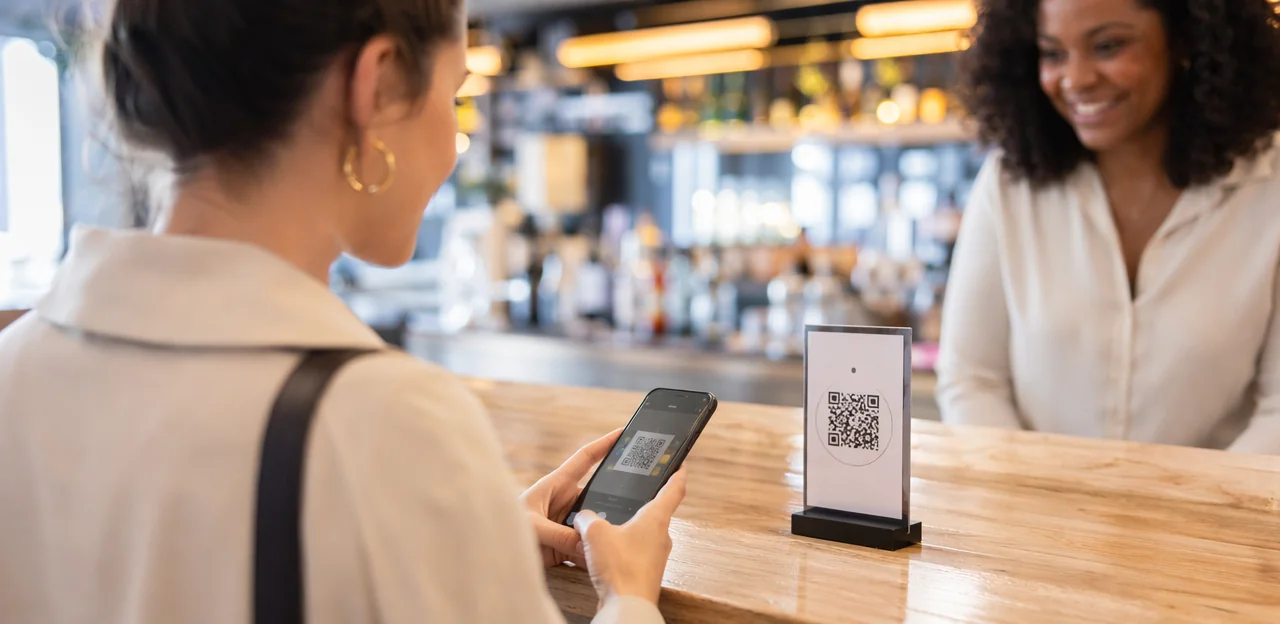
In a world where every in-person interaction can shape loyalty, reputation, and revenue, custom qr code signs have become one of the simplest ways for physical locations to connect the offline and digital customer journey. From hotels and restaurants to retail stores, clinics, venues, and offices, these touchpoints help businesses guide visitors to menus, feedback forms, loyalty offers, payments, service requests, and real-time support with a quick scan.
What makes them especially valuable today is their flexibility. Businesses can use custom qr code stickers on tables, windows, counters, packaging, or walls, while a custom qr code sticker can be tailored for a specific campaign, department, or customer action. Whether you need durable qr code stickers for high-traffic spaces, branded signage for premium environments, or cost-effective qr code printing for large rollouts, the right setup can improve convenience while generating measurable insights.
This article explores how custom QR solutions work across industries, how to choose between signs, labels, qr code paper, and print qr code stickers for different use cases, and what to look for in software behind the scan. We’ll also cover customer experience strategy, NFC and QR touchpoints, AI and analytics, and how businesses can turn a simple qr code sticker into a smarter, more trackable engagement tool.
Why custom qr code signs matter for physical locations

How QR signage bridges offline and online journeys
Custom QR code signs turn physical touchpoints into instant digital gateways. Placed on storefronts, counters, tables, shelves, windows, or event displays, they help visitors move from browsing to action in seconds—without downloading an app or waiting for staff.
They can guide people to:
- digital menus at tables or café counters
- booking pages in windows or reception areas
- contactless payments at checkout
- review forms after service
- support, FAQs, or product details on shelves
For best results, combine durable signage with custom QR code stickers or a custom QR code sticker for smaller spaces. Use clear branding, strong calls to action, and reliable qr code printing. Many businesses also print qr code stickers on waterproof stock or qr code paper for temporary campaigns, while qr code stickers and each qr code sticker can support fast updates across locations.
Benefits across industries and customer touchpoints
Custom QR code signs help physical locations remove small delays that add up to poor experiences. By pairing clear placement with durable custom qr code stickers or a simple qr code sticker, businesses make self-service faster and more intuitive.
- Retail: link to product details, stock checks, reviews, and mobile checkout.
- Restaurants: enable menus, ordering, allergen info, feedback, and loyalty signups.
- Healthcare: support contactless check-in, forms, directions, and patient instructions.
- Hospitality: place custom qr code sticker options in rooms, lobbies, and tables for service requests and instant feedback.
- Real estate, education, offices, and events: share listings, schedules, visitor registration, maps, and session materials.
For best results, invest in quality qr code printing, print qr code stickers sized for scanning distance, and weather-appropriate qr code paper or finishes. Well-designed qr code stickers reduce friction while improving convenience and analytics.
When to use signs versus stickers or paper formats
Choose custom qr code signs when you need a polished, durable solution for permanent or high-traffic placements such as entrances, counters, hotel lobbies, or outdoor pickup areas. Rigid signs hold up better to weather, cleaning, and repeated scanning.
- Use custom qr code stickers for flexible, low-cost deployment on windows, packaging, tables, mirrors, or equipment. A custom qr code sticker works well indoors where surfaces are smooth and dry.
- Use qr code paper for short-term campaigns, event handouts, pop-ups, menus, or internal testing. It’s the most budget-friendly option but less durable.
For outdoor use, prioritize weather-resistant signs or laminated qr code stickers. For temporary promotions, qr code printing on paper is faster and cheaper. Always test scan distance, contrast, and placement before you print qr code stickers or finalize larger runs of any qr code sticker format.
Best use cases by industry

Retail, restaurants, and hospitality applications
In customer-facing venues, custom qr code signs turn everyday surfaces into fast service and revenue touchpoints. Use them to reduce friction, capture first-party data, and guide guests to the right action instantly.
- Place qr code stickers at entrances and counters for product details, promotions, loyalty signups, and Wi-Fi access.
- Add custom qr code stickers to shelves, packaging, and takeaway bags to surface reviews, care instructions, or reorder links.
- In restaurants, a custom qr code sticker on each table can open digital menus, table ordering, upsells, and bill payment.
- Hotels can use a qr code sticker in rooms or lobbies for guest services, amenity requests, local guides, and post-stay review requests.
- For scalable deployment, invest in quality qr code printing, durable qr code paper, and print qr code stickers sized for visibility and easy scanning.
Healthcare, education, and office environments
Custom QR code signs help streamline high-traffic spaces by placing information and actions exactly where people need them. With well-planned custom qr code sticker placements, organizations can reduce queues, improve navigation, and support self-service.
- Healthcare: Use a qr code sticker at entrances for patient check-in, digital forms, insurance details, and wayfinding to clinics, labs, or departments.
- Education: Place custom qr code stickers across campuses to link students to maps, class schedules, library tools, support services, and event updates.
- Offices: Add qr code stickers in lobbies and meeting areas for visitor registration, room booking, training links, IT help, and internal communications.
For best results, invest in durable qr code printing, print qr code stickers with clear calls to action, and choose suitable materials such as qr code paper for short-term or indoor use.
Real estate, events, and field service scenarios
Custom qr code signs help physical spaces deliver timely information exactly where people need it. In real estate, a sign rider or window display can link to property details, pricing, floor plans, and virtual tours. At events, entrance boards and booth displays can share live schedules, speaker updates, maps, and lead capture forms. For field service, technicians can place a qr code sticker on equipment to open instructions, maintenance logs, safety information, and service verification checklists.
- Use qr code printing for durable lobby signs, yard signs, and venue boards.
- Choose custom qr code stickers or a single custom qr code sticker for tools, machines, and temporary assets.
- Print qr code stickers on weather-resistant stock, or use qr code paper for short-term promotions and event handouts.
- Add branded CTAs so scans convert into action.
Design, printing, and placement best practices
Designing scannable and branded QR experiences
Well-designed custom qr code signs should feel on-brand while scanning instantly in real-world conditions. Focus on these essentials:
- Use strong contrast: Dark code on a light background works best. Avoid glossy finishes, busy patterns, or low-contrast brand colors that reduce readability on a qr code sticker.
- Size for distance: A table sign can be smaller, but window displays and wall placements need larger codes. Test every custom qr code sticker from the expected scan distance.
- Protect the quiet zone: Leave clear white space around the code so cameras can detect it easily, especially with qr code printing on textured materials or qr code paper.
- Add logos carefully: Small center logos can support branding, but oversized marks hurt scan performance on custom qr code stickers and other qr code stickers.
- Write a clear CTA: Use action-led copy like “Scan for menu,” “Tap for feedback,” or “Claim your offer.”
- Match the destination: When you print qr code stickers, send users to a fast, mobile-friendly page that reflects the sign’s promise and brand style.
Choosing materials: signs, stickers, and paper
When selecting custom qr code signs, match the material to traffic, weather, and cleaning routines:
- Acrylic: Best for polished indoor spaces like lobbies, clinics, and retail counters. Durable, easy to sanitize, and ideal for frequent wiping.
- Metal: Strongest option for outdoor or semi-exposed areas. Use for long-term installs where weather, heat, or vandal resistance matters.
- Foam board: Low-cost and lightweight for short campaigns, events, or temporary wayfinding. Replace often if bent, wet, or heavily handled.
- Vinyl: Excellent for windows, walls, and counters. Custom qr code stickers and qr code stickers in vinyl hold up well to moisture and regular cleaning.
- Laminated stock: Good for tabletop displays and menus. Affordable, but edges can peel over time with repeated sanitizing.
- QR code paper: Best for flyers, inserts, receipts, and short-term promotions. Choose high-quality qr code printing if you plan to print qr code stickers or paper assets at scale.
For high-turnover campaigns, a custom qr code sticker or qr code sticker is faster to replace than rigid signage.
QR code printing and placement strategy
To get the best scan rate from custom QR code signs, focus on both production quality and real-world placement:
- Use sharp qr code printing: Export codes as vector files or at least 300 DPI so edges stay crisp. Avoid tiny codes; most qr code stickers should be at least 1 x 1 inch, larger for wall signs or window use.
- Test before rollout: Scan each custom qr code sticker on iPhone and Android, in bright and dim light, and from different angles. Also test any design printed on qr code paper before bulk runs.
- Mount at natural scan height: Place signs around chest to eye level—roughly 48–60 inches from the floor—for quick, comfortable access.
- Consider lighting and glare: Matte finishes usually outperform glossy qr code sticker materials under strong lights.
- Follow traffic flow: Print qr code stickers where people pause naturally: entrances, checkout counters, tabletops, elevators, menus, and waiting areas.
- Prioritize visibility: High-contrast custom qr code stickers with clear calls to action consistently earn more scans.
Improving customer experience with NFC and QR touchpoints

Reducing friction at key moments
Custom qr code signs remove unnecessary steps exactly where speed matters most, helping guests act instantly from their phones without downloading an app.
- Faster check-ins: Place a qr code sticker at entrances, desks, or kiosks to open registration, waivers, or arrival forms in seconds.
- Contactless ordering: Use custom qr code stickers on tables, counters, or rooms so customers can browse menus and order immediately.
- Instant information access: Add qr code stickers to displays, packaging, or qr code paper inserts for directions, FAQs, or service details.
- Mobile payments and follow-up: A custom qr code sticker can launch secure payment pages, receipts, loyalty offers, or feedback forms after the visit.
For best results, invest in durable qr code printing and print qr code stickers sized for quick scanning in real-world conditions.
Combining NFC and QR for flexible access
Pair custom qr code signs with NFC tags when you need the widest reach and the lowest friction. NFC enables a fast tap for newer phones, while QR remains essential for older devices, camera-first users, and situations where guests prefer a visible scan option.
- Use both at entrances, counters, tables, kiosks, and displays to support different habits and device capabilities.
- Choose custom qr code stickers or a custom qr code sticker for compact surfaces; use larger signs where visibility matters.
- Prioritize clear placement, simple instructions, and durable qr code printing materials.
- For temporary campaigns, print qr code stickers on weather-resistant stock or qr code paper.
- Test scan distance, lighting, and tap location so qr code stickers and each qr code sticker work reliably in real settings.
Creating clear calls to action that convert
Effective custom qr code signs use specific, context-based CTAs that tell people exactly what happens next. Match the wording, placement, and landing page intent so there’s no friction.
- “Scan to order” on tables, counters, or takeaway stations should open a fast mobile menu or checkout.
- “Scan for pricing” on displays or shelves should lead directly to product details, packages, or quotes.
- “Tap or scan for help” near entrances, kiosks, or service desks should open support, FAQs, or staff contact.
Keep CTA text short, visible, and benefit-led across custom qr code stickers, qr code stickers, and each custom qr code sticker. Good qr code printing matters too: use durable materials, whether you print qr code stickers or use qr code paper, so every qr code sticker scans instantly.
Using AI and analytics to measure performance

What data custom QR campaigns can capture
With custom qr code signs, businesses can measure far more than simple scans. A well-planned setup using qr code printing, custom qr code stickers, or qr code paper can reveal:
- Scan volume: total scans by sign, table, window, shelf, or entrance
- Time patterns: peak hours, day-of-week trends, and seasonal behavior
- Location performance: which physical placement drives the most engagement
- Device type: mobile OS, browser, and screen type for UX optimization
- Conversion paths: scans that lead to bookings, menus, sign-ups, payments, or feedback
- Campaign-level results: compare versions of a custom qr code sticker, qr code stickers, or print qr code stickers across locations
For physical locations, use privacy-conscious tracking: aggregate analytics, avoid unnecessary personal data, and disclose data use clearly.
How AI improves targeting and optimization
AI turns custom qr code signs into measurable, self-improving touchpoints by analyzing scan volume, time, location, device type, and conversion behavior. It can help teams:
- Identify top placements: Compare entrances, tables, shelves, windows, and checkout areas to see which qr code stickers drive the most scans and actions.
- Predict engagement patterns: Forecast peak times and audience behavior so you can move custom qr code stickers or update a custom qr code sticker before performance drops.
- Personalize destinations: Show different landing pages, offers, or menus based on context.
- Recommend creative updates: Suggest better headlines, colors, CTA wording, qr code printing formats, or destination URLs for each qr code sticker.
For best results, test placement, print qr code stickers in durable materials, and match qr code paper or finish to the environment.
Turning scan insights into operational decisions
Analytics from custom qr code signs help multi-site businesses turn every scan into a practical improvement. When teams compare location, time, device, and response patterns from custom qr code stickers or a custom qr code sticker placed on counters, packaging, or qr code paper, they can act faster:
- Staffing: identify peak scan times to adjust schedules and reduce wait times.
- Promotions: test offers by site and update underperforming campaigns.
- Inventory messaging: use qr code sticker data to spot product confusion and improve availability updates.
- Support resources: add FAQs or service prompts where scans signal repeated issues.
- CX workflows: standardize what works across sites through better qr code printing, print qr code stickers, and placement of qr code stickers.
How to choose software for custom QR code signs

Core features to look for
When choosing custom qr code signs, prioritize features that make deployment easy to scale and update:
- Dynamic QR codes: Change the destination URL without redoing qr code printing, ideal for menus, feedback pages, offers, or seasonal campaigns.
- Editable destinations: Update links across every custom qr code sticker, sign, or display instantly.
- Analytics dashboards: Track scans by location, time, device, and campaign to measure performance.
- Bulk creation: Essential for businesses managing many qr code stickers, tables, rooms, or storefronts.
- Branding controls: Add logos, colors, and design consistency across custom qr code stickers, qr code paper, and signage.
- User permissions and integrations: Support team roles plus CRM, POS, and analytics tools.
- Multi-location management: Centralize updates for every qr code sticker and print qr code stickers workflow across sites.
Questions to ask vendors before buying
Before ordering custom qr code signs, use this quick checklist to avoid costly mistakes:
- Reliability: Will links stay active long term, even after qr code printing and large-scale rollout?
- Tracking accuracy: Can the platform track scans by location, device, time, and campaign for custom qr code stickers?
- Security: Are redirects encrypted, access-controlled, and protected from tampering?
- Uptime: What SLA or uptime guarantee is offered?
- Exports: Can you export scan data easily to CSV, BI tools, or CRM systems?
- NFC support: Does the vendor also support NFC for a future-ready custom qr code sticker strategy?
- Print readiness: Are files optimized to print qr code stickers, signage, and qr code paper without scan issues?
- Team management: Can multiple teams manage qr code stickers and each qr code sticker without confusion?
Implementation roadmap for launch and testing
- Set clear goals: Define what your custom qr code signs should achieve—reviews, payments, feedback, menus, or loyalty signups.
- Map touchpoints: Identify where a qr code sticker or display will get the most scans, such as entrances, tables, counters, packaging, or waiting areas.
- Create branded assets: Design custom qr code stickers and signage with strong contrast, clear calls to action, and durable materials suited for indoor or outdoor use.
- Test before rollout: Verify qr code sticker readability across devices, lighting conditions, sizes, and surfaces, especially with qr code paper and different qr code printing methods.
- Launch by location: Start small, print qr code stickers for pilot sites, then expand based on results.
- Monitor and optimize: Track scans, conversions, and drop-off points, then refine placement, messaging, and each custom qr code sticker over time.
Conclusion
In today’s physical environments, the best customer journeys are simple, immediate, and measurable. That’s why custom qr code signs have become such a valuable tool across industries—from hospitality and retail to healthcare, events, offices, and attractions. They make it easy to guide visitors to menus, forms, offers, feedback pages, wayfinding, and support resources in a single scan. When paired with thoughtful placement, clear design, and strong analytics, custom qr code signs do more than share information—they improve convenience, increase engagement, and generate real business insight.
Whether you use custom qr code stickers at tables and counters, a custom qr code sticker on packaging or displays, or branded qr code stickers throughout a venue, success depends on choosing durable materials, reliable destinations, and scalable tracking. From qr code printing for permanent signage to campaigns that print qr code stickers for promotions, every touchpoint should be easy to scan and easy to manage. Even practical choices like the right qr code sticker format or durable qr code paper can influence performance.
As your next step, audit your physical touchpoints, define your customer goals, and select a platform that supports dynamic updates, analytics, and future growth. If you’re ready to modernize engagement, now is the time to invest in custom qr code signs that turn every location into a smarter customer experience.
Frequently Asked Questions
- What are custom QR code signs used for in physical locations?
They connect in-person touchpoints to digital actions such as menus, booking pages, payments, feedback forms, support pages, and product details. Businesses place them on storefronts, counters, tables, shelves, windows, and displays to help visitors act quickly from their phones.
- How do custom QR code signs improve the customer experience?
They remove small delays by making self-service faster and more intuitive at key moments. Customers can check in, order, pay, get directions, or request help without downloading an app or waiting for staff.
- When should a business choose a sign instead of a sticker or paper QR format?
Use signs for permanent or high-traffic placements such as entrances, counters, hotel lobbies, and outdoor pickup areas. Stickers are better for flexible, lower-cost placement on windows, packaging, tables, mirrors, or equipment, while QR code paper fits short-term campaigns, handouts, pop-ups, and testing.
- Which industries can benefit most from custom QR code signs?
Retail, restaurants, hospitality, healthcare, education, offices, real estate, events, and field service are all strong use cases. Common applications include product details, menus, check-in, visitor registration, service requests, schedules, maps, and maintenance information.
- What are the best uses for QR codes in restaurants and hotels?
Restaurants can place a QR code sticker on each table for digital menus, ordering, upsells, feedback, and bill payment. Hotels can use them in rooms and lobbies for guest services, amenity requests, local guides, and post-stay review requests.
- How can healthcare, education, and offices use QR signage effectively?
Healthcare locations can use QR codes for patient check-in, digital forms, insurance details, and wayfinding. Education settings can link to maps, schedules, library tools, and event updates, while offices can support visitor registration, room booking, training links, IT help, and internal communications.
- What design choices make a QR code easier to scan?
Use strong contrast, keep a clear quiet zone around the code, and size it for the expected scan distance. Avoid glossy finishes, busy patterns, low-contrast colors, and oversized logos that can reduce readability.
- How large should a QR code be for reliable scanning?
The size should match the viewing distance, so table signs can be smaller while wall and window placements need larger codes. Most QR code stickers should be at least 1 x 1 inch, and every format should be tested from the real scan distance before rollout.
- What materials work best for different QR sign environments?
Acrylic suits polished indoor spaces, metal works best for long-term outdoor or semi-exposed areas, and foam board fits short campaigns or temporary wayfinding. Vinyl is strong for windows, walls, and counters, laminated stock works for tabletop displays and menus, and QR code paper is best for flyers, inserts, receipts, and short-term promotions.
- Where should QR code signs be placed for the highest scan rate?
Place them where people naturally pause, such as entrances, checkout counters, tabletops, elevators, menus, and waiting areas. Mounting them around chest to eye level, roughly 48 to 60 inches from the floor, usually makes scanning faster and more comfortable.
- Why combine NFC and QR on the same touchpoint?
Using both supports a wider range of devices and user habits. NFC offers a quick tap for newer phones, while QR remains useful for older devices, camera-first users, and situations where a visible scan option is preferred.
- What kind of calls to action work best on custom QR code signs?
Short, specific, benefit-led CTAs perform best because they tell people exactly what happens next. Examples include “Scan to order,” “Scan for pricing,” and “Tap or scan for help,” each matched to a fast, mobile-friendly destination.
- What data can businesses track from custom QR campaigns?
They can measure scan volume, time patterns, location performance, device type, conversion paths, and campaign-level results across placements. Tracking should stay privacy-conscious by using aggregate analytics, avoiding unnecessary personal data, and clearly disclosing data use.
- How can AI help optimize QR code performance across locations?
AI can compare placements, identify top-performing spots, forecast engagement patterns, and suggest improvements to headlines, colors, CTAs, formats, or destination URLs. It can also help personalize landing pages, offers, or menus based on context.
- What software features matter most when choosing a QR platform?
Look for dynamic QR codes, editable destinations, analytics dashboards, bulk creation, branding controls, user permissions, integrations, and multi-location management. It is also important to confirm tracking accuracy, security, uptime, export options, NFC support, and print-ready files before buying.