
A well-placed nfc feedback stand can turn everyday customer interactions into timely, actionable insight. Instead of waiting for guests, shoppers, diners, or visitors to respond to emails later, businesses can capture customer feedback in the moment—right where the experience happens. That simple shift often leads to higher response rates, more honest user feedback, and faster opportunities to improve service.
Across industries, from hospitality and retail to healthcare, events, and offices, placement matters just as much as the technology itself. A stand near a checkout counter may encourage quick customer feedback surveys, while one in a waiting area or at an exit can support more thoughtful responses through a short feedback form. The right location also helps businesses ask better feedback questions, gather more relevant data, and get more value from their customer feedback tools and feedback software.
This guide explores how to choose the best locations for NFC and QR feedback touchpoints, what factors influence response quality, and how placement strategies differ across industries. You’ll also learn how to align stand placement with customer journey stages, operational goals, and analytics needs—so your feedback system doesn’t just collect responses, but helps drive measurable customer experience improvements.
Why NFC feedback stand placement matters across industries

How placement influences scan rate and response quality
An nfc feedback stand performs best when guests can spot it instantly, reach it easily, and complete a feedback form in seconds. Placement directly affects both scan rate and the quality of user feedback because convenience shapes behavior.
- High visibility increases participation: Put the stand where customers naturally pause, such as checkout counters, exits, tables, or reception desks.
- Low friction improves completion rates: If guests must search for it, bend awkwardly, or wait until later, fewer will engage with your customer feedback surveys.
- Right timing strengthens responses: Immediate prompts capture fresh reactions, leading to more accurate customer feedback and better answers to feedback questions.
- Context matters: Place stands near the experience being rated so customer feedback tools and feedback software collect specific, actionable insights.
The easier it is to tap and respond, the better your customer feedback surveys will perform.
Best moments in the customer journey to request feedback
Timing has a major impact on customer feedback quality and completion rates. Place an nfc feedback stand where people can respond naturally, while the experience is still fresh and before they leave.
- After service completion: Ideal for restaurants, salons, clinics, and repair services. Customers can answer quick feedback questions right after the interaction.
- At checkout or payment: A strong moment for short customer feedback surveys, since the full experience has just concluded.
- During onboarding: In hotels, gyms, or SaaS spaces, early user feedback helps identify friction fast.
- After support resolution: Capture sentiment once an issue is solved to improve service recovery.
Keep the feedback form short, contextual, and easy to access. The best customer feedback tools and feedback software work when requests feel timely, simple, and relevant.
Cross-industry use cases and common placement goals
Across industries, the same nfc feedback stand placement rules apply, even when operational goals differ. Retailers use it near checkout for fast customer feedback on service and stock. Hospitality teams place stands at tables, lobbies, or exits to capture in-the-moment user feedback. Healthcare providers position them at reception or discharge points for simple customer feedback surveys. Events, offices, and service businesses use similar touchpoints to improve flow, satisfaction, and response rates.
Universal placement goals include:
- Visibility: place the stand where guests naturally pause and notice it.
- Accessibility: make the feedback form easy to reach, scan, and complete quickly.
- Context: match placement to the right feedback questions at the right moment.
- Actionability: connect responses to feedback software and other customer feedback tools for faster follow-up.
Where to place an NFC feedback stand for maximum engagement
High-performing locations: entrances, exits, counters, and waiting areas
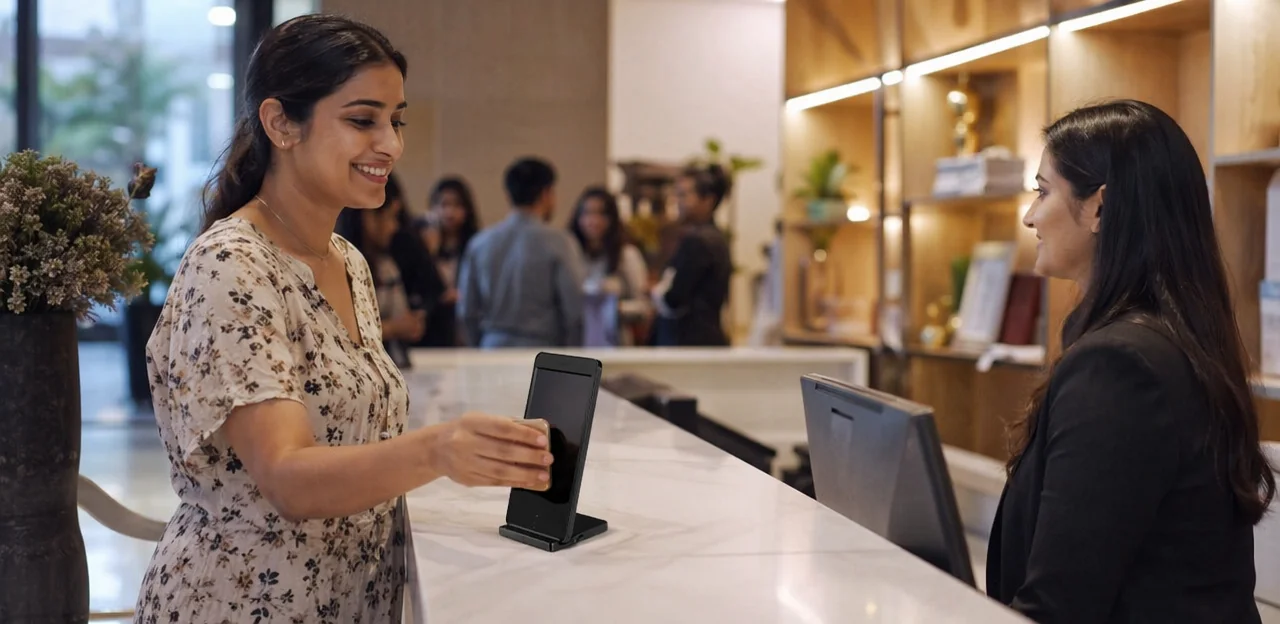
An nfc feedback stand works best where it feels visible, convenient, and low-friction. The goal is to collect customer feedback without disrupting the visit, so placement should match both traffic flow and customer mindset.
- Entrances: Good for quick check-ins, expectations, or first-impression feedback questions. Use only in slower entry zones with clear line of sight; busy doorways can create bottlenecks and low completion rates.
- Exits: Often the strongest spot for customer feedback surveys because the experience is fresh. Place the stand just beyond the main flow so people can stop briefly without blocking others.
- Counters: Ideal at payment, reception, or service desks where short dwell time already exists. Keep the feedback form simple here—one to three taps max.
- Waiting areas: Best for richer user feedback because customers have idle time. These zones support slightly longer surveys and higher engagement with customer feedback tools or feedback software.
For every location, assess:
- Foot traffic: high visibility, but not high congestion
- Dwell time: enough time to tap and respond
- Line of sight: visible from natural standing positions
- Customer intent: arrival, service, payment, or reflection after use
Industry-specific placement examples that convert
Where you place an nfc feedback stand has a direct impact on response rates. The best locations are high-traffic moments where customers have just completed an interaction and can answer a few feedback questions quickly.
- Restaurants: Place stands on tables, at the host desk, and beside payment terminals so diners can complete customer feedback surveys right after ordering or paying.
- Hotels: Position them at reception desks, concierge counters, in-room desks, and service exits like breakfast areas or spas to capture timely user feedback.
- Clinics: Add stands at check-in, waiting areas, and checkout counters for fast feedback form completion after appointments.
- Gyms: Use them near reception, class studio exits, locker room entrances, and smoothie bars to collect post-visit customer feedback.
- Retail stores: Install near fitting rooms, self-checkout kiosks, and store exits to learn what influenced purchase decisions.
- Banks: Place stands at teller counters, advisor desks, ATMs, and branch exits for immediate service impressions.
- Campuses: Use them in libraries, cafeterias, admin offices, and help desks to improve services with better customer feedback tools.
- Events: Position at registration, info kiosks, booth exits, and food areas to feed real-time insights into your feedback software.
Placement mistakes that reduce feedback volume
Even the best nfc feedback stand will underperform if customers do not notice it or feel inconvenienced using it. Poor placement lowers response rates, weakens customer feedback surveys, and limits the value of your feedback software.
Common mistakes include:
- Hidden stands: If the stand is tucked behind menus, displays, or payment terminals, guests simply miss the chance to leave customer feedback.
- Weak or unclear signage: Customers need a fast visual cue explaining why they should tap and what the feedback form takes only seconds to complete.
- Low-light areas: Dim corners, hallways, or poorly lit exits make QR codes harder to scan and reduce engagement.
- Crowded counters: Busy checkout desks create friction. When people are juggling bags, receipts, or queues, they are less likely to answer feedback questions.
- Awkward stopping points: If guests must block traffic or step aside unnaturally, they will skip sharing user feedback.
To improve results, place customer feedback tools in visible, well-lit, low-friction spots where guests naturally pause. Better placement helps feedback software capture more accurate, timely responses.
Designing the feedback experience after the tap

How to create a short, mobile-friendly feedback form
After a guest taps your nfc feedback stand, the page should open instantly and feel effortless on mobile. A slow or cluttered feedback form increases abandonment fast, so keep the experience focused and tap-friendly.
- Keep it short: Aim for 1–3 screens or 3–5 essential feedback questions. Start with a rating, then one optional comment box.
- Design for thumbs: Use large buttons, clear labels, and plenty of spacing. Avoid tiny text fields or long dropdowns.
- Show progress: A simple “Step 1 of 2” indicator reduces uncertainty and improves completion rates in customer feedback surveys.
- Reduce friction: No login, no app, and no unnecessary fields unless tied to rewards or follow-up.
- Use smart logic: Let feedback software and customer feedback tools show follow-up questions only when relevant, making customer feedback and user feedback easier to submit.
Choosing the right feedback questions for actionable insights
To get useful results from an nfc feedback stand, keep feedback questions short, specific, and tied to decisions your team can act on. The best customer feedback surveys ask about one moment, one service area, or one outcome at a time.
- Rating question: “How satisfied were you with today’s checkout experience?”
- Multiple-choice question: “What most affected your visit? Speed, staff friendliness, cleanliness, product availability.”
- Open-text prompt: “What is one thing we could improve today?”
A simple feedback form should take under 30 seconds. Start with a rating, follow with one multiple-choice question, then add an optional text field for richer user feedback. This structure helps customer feedback tools and feedback software turn raw customer feedback into clear operational actions.
Using incentives, messaging, and calls to action responsibly
A well-placed nfc feedback stand should encourage honest participation, not bias it. Small incentives can work best when they reward completion rather than positive ratings, such as a discount, loyalty point, or entry into a draw after a short feedback form.
- Keep the ask simple: Use direct wording like “Share your experience in 30 seconds.”
- Set time expectations: Tell guests how long your customer feedback surveys take and keep feedback questions minimal.
- Protect authenticity: Avoid language that pressures users toward “good” reviews; invite genuine customer feedback and user feedback instead.
- Match message to context: Tailor calls to action by location, using concise copy supported by your customer feedback tools or feedback software.
Clear, neutral messaging improves completion rates while keeping responses trustworthy and useful.
Using AI and analytics to improve feedback collection

What metrics to track from each stand location
To understand which nfc feedback stand placements drive the best customer feedback, track performance at every touchpoint:
- Taps/scans: Measure how many people interact with the stand.
- Form starts: See how many users begin the feedback form after tapping.
- Completion rate: Identify where customer feedback surveys are fully submitted versus abandoned.
- Sentiment score: Use feedback software to analyze positive, neutral, and negative user feedback.
- Location performance: Compare entrances, checkout counters, tables, waiting areas, or exits to find top-performing spots.
- Time-of-day trends: Monitor when engagement peaks to refine staffing, offers, and feedback questions.
These metrics help businesses use customer feedback tools to optimize placement, improve response quality, and capture more actionable insights.
How AI helps analyze sentiment and recurring issues
An nfc feedback stand can capture high volumes of customer feedback in real time, but AI makes that data useful at scale. Modern feedback software can quickly turn open-text responses from a feedback form into clear operational insights by:
- Categorizing comments into themes such as cleanliness, wait times, staff service, pricing, or product quality
- Detecting sentiment to flag positive, neutral, and negative user feedback
- Identifying recurring complaints across locations, teams, or time periods
- Surfacing trends from customer feedback surveys and common feedback questions
This helps teams prioritize fixes faster, improve service consistency, and use customer feedback tools to resolve issues before they affect more customers.
A/B testing placement, messaging, and survey flow
Treat each nfc feedback stand as a testable conversion point. Instead of guessing, use customer feedback tools and analytics to compare what drives more scans, completions, and better-quality user feedback.
- Test placement: Compare entrances, checkout counters, tables, waiting areas, and exits to see where customer feedback is most willingly shared.
- Test messaging: Try different signs such as “Tap to rate your visit” versus “Scan for a reward and quick feedback form.”
- Test QR backup: Measure whether adding a visible QR code improves access when NFC use is low.
- Test survey flow: Shorter customer feedback surveys, different feedback questions, and reward timing can all affect completion rates.
Review results regularly in your feedback software and refine based on real behavior, not assumptions.
Implementation checklist for teams and multi-location brands

Operational setup: hardware, signage, and staff readiness
Before launch, make sure every nfc feedback stand is built for its environment—water-resistant in wet areas, stable on counters, and easy to sanitize in high-traffic spaces. Test every NFC tag on multiple phone types and always provide a visible QR fallback that opens the same feedback form instantly. Keep signage simple: explain the benefit, time required, and any reward for completing customer feedback surveys.
- Check stand durability, placement, and scan reliability daily.
- Use clear prompts tied to specific feedback questions.
- Confirm your feedback software routes responses correctly.
Train frontline teams to invite customer feedback naturally: “If you have 30 seconds, we’d love your thoughts.” This keeps user feedback flowing without sounding scripted, helping customer feedback tools perform better.
Privacy, consent, and accessibility considerations
Place each nfc feedback stand where guests can respond comfortably and confidently, and make trust visible at the point of interaction:
- Use clear consent language before the feedback form opens: explain what data is collected, why, how long it’s stored, and whether customer feedback surveys are anonymous.
- Keep feedback questions short, mobile-friendly, and optional where possible to reduce friction and improve user feedback quality.
- Ensure ADA-friendly placement with reachable height, clear floor space, readable contrast, and easy QR/NFC access for all users.
- Offer multilingual flows and accessible mobile design, including screen-reader support and large tap targets.
Inclusive, transparent customer feedback tools and feedback software increase completion rates and produce more honest customer feedback.
Scaling a consistent program across locations
To scale an nfc feedback stand program across multiple sites, create a central playbook that standardizes the essentials while allowing local optimization.
- Set fixed placement rules: define core touchpoints by venue type, such as entrances, checkout areas, tables, exits, or service desks.
- Standardize branding: keep the same stand design, CTA, and reward message so guests instantly recognize the experience.
- Use shared survey templates: build approved customer feedback surveys with consistent feedback questions, then localize language, timing, or offers by traffic flow.
- Align reporting: use feedback software and customer feedback tools to compare response rate, sentiment, completion rate, and user feedback by location and industry setting.
- Review local performance: track which feedback form placements generate the strongest customer feedback, then refine layouts without breaking brand consistency.
Best practices summary and final placement recommendations

Quick rules for choosing the best stand location
To get better results from an nfc feedback stand, placement should make giving customer feedback feel effortless, relevant, and worthwhile. Use these core rules:
- Prioritize visibility: Place the stand where people naturally look or pause—checkout counters, exits, reception desks, tables, or waiting areas. If guests do not notice it, they will not start the feedback form.
- Reduce friction: Keep it easy to tap or scan without blocking movement. The best customer feedback tools fit smoothly into the customer journey.
- Match the moment: Ask for user feedback right after the experience, when impressions are fresh. Good timing improves the quality of feedback questions and response accuracy.
- Use a clear call to action: Simple prompts like “Tap to rate your visit” increase completions for customer feedback surveys.
The right location helps feedback software capture more responses, stronger insights, and more reliable survey data.
How to turn feedback into continuous experience improvement
An nfc feedback stand only creates value when teams turn responses into action. Use feedback software to review customer feedback daily, spot patterns, and separate one-off complaints from repeated operational issues. The goal is to move from collecting opinions to improving service, staff training, and workflows.
- Centralize responses from every feedback form, QR tap, and customer feedback surveys in one dashboard.
- Prioritize by impact: fix issues that affect many guests, revenue, or satisfaction scores first.
- Analyze trends in user feedback and recurring feedback questions to uncover root causes.
- Assign actions to the right teams, with deadlines and ownership.
- Measure results after changes using the same customer feedback tools to confirm improvement.
When businesses consistently act on insights, customer feedback tools become a system for continuous experience improvement, not just data collection.
Conclusion
Effective placement is what turns an NFC feedback stand from a simple touchpoint into a reliable engine for insight, service improvement, and loyalty. Across industries, the best results come from positioning stands where intent is highest: at moments of completion, decision, or reflection. Whether placed at tables, exits, reception desks, fitting rooms, waiting areas, or service counters, each nfc feedback stand should feel timely, visible, and effortless to use. That is what drives stronger participation in customer feedback surveys, richer customer feedback, and more actionable user feedback.
The key takeaway is simple: placement, clarity, and follow-through matter. Pair every stand with a clear prompt, a short feedback form, well-designed feedback questions, and the right customer feedback tools behind the scenes. When supported by modern feedback software and analytics, these touchpoints do more than collect opinions—they reveal trends, reduce friction, and help teams act faster.
Now is the time to audit your customer journey, identify high-impact locations, and test your next nfc feedback stand rollout with measurable goals. Start with one or two priority touchpoints, review response quality, and refine from there. For next steps, build a placement checklist, benchmark response rates, and explore platforms such as Tapsy if you want a no-app approach to real-time feedback capture.
Frequently Asked Questions
- Why does NFC feedback stand placement affect response rates?
Placement affects whether people notice the stand, can reach it easily, and have enough time to respond. Visible, low-friction locations usually produce more scans and better-quality feedback because the experience is still fresh.
- Where should an NFC feedback stand be placed for the best engagement?
Strong locations include exits, checkout counters, reception desks, tables, and waiting areas. The best spot is one with good visibility, enough dwell time, clear line of sight, and no congestion.
- Is an exit better than an entrance for collecting customer feedback?
Exits are often stronger because the full experience has just ended and people can reflect on it immediately. Entrances can work for first-impression or check-in questions, but only in slower entry zones where they do not create bottlenecks.
- What are the best moments in the customer journey to ask for feedback?
Good moments include right after service completion, at checkout or payment, during onboarding, and after a support issue is resolved. These points feel natural and help capture timely, relevant responses.
- How long should the feedback form be after someone taps the stand?
The form should be short and mobile-friendly, ideally taking under 30 seconds. A simple structure is a rating question, one multiple-choice question, and an optional comment field.
- What kind of feedback questions work best on an NFC stand?
Short, specific questions tied to one moment or service area work best. A rating question, a multiple-choice question about what influenced the visit, and one optional open-text prompt create actionable feedback without adding friction.
- What placement mistakes reduce feedback volume?
Common problems include hiding the stand behind displays, using weak signage, placing it in low-light areas, and choosing crowded counters or awkward stopping points. These issues make the stand harder to notice or use, which lowers participation.
- How does placement strategy differ by industry?
Restaurants often use tables, host desks, and payment areas, while hotels benefit from reception desks, concierge counters, and service exits. Clinics, gyms, retail stores, banks, campuses, and events each perform best when the stand is placed near a completed interaction or a natural pause point.
- Should waiting areas be used for feedback collection?
Yes, waiting areas can work very well because people already have idle time. They are especially useful for slightly longer surveys and more thoughtful responses than fast counter-based interactions.
- What metrics should be tracked for each stand location?
Useful metrics include taps or scans, form starts, completion rate, sentiment score, location performance, and time-of-day trends. Tracking these helps identify which placements generate the most and best feedback.
- How can AI help make NFC feedback more useful?
AI can categorize comments into themes, detect sentiment, identify recurring complaints, and surface trends across locations or time periods. This makes it easier to prioritize fixes and improve service consistency.
- What should be tested to improve NFC feedback stand performance?
Test different placements, sign messaging, QR backup visibility, and survey flow. Comparing scans, completions, and feedback quality helps refine the setup based on real behavior instead of assumptions.
- Should an NFC feedback stand also include a QR code?
Yes, a visible QR fallback should open the same feedback form instantly. It improves access when NFC use is low and supports broader participation across different phone types and user preferences.
- What privacy and accessibility factors should be considered?
Use clear consent language that explains what data is collected, why it is collected, how long it is stored, and whether responses are anonymous. Placement should also be reachable, readable, and easy to use, with accessible mobile design, large tap targets, and support for multilingual flows where needed.
- How can multi-location brands keep feedback collection consistent across sites?
A central playbook should define core placement rules, standard branding, shared survey templates, and aligned reporting. Local teams can then optimize layouts and timing without breaking consistency across locations.