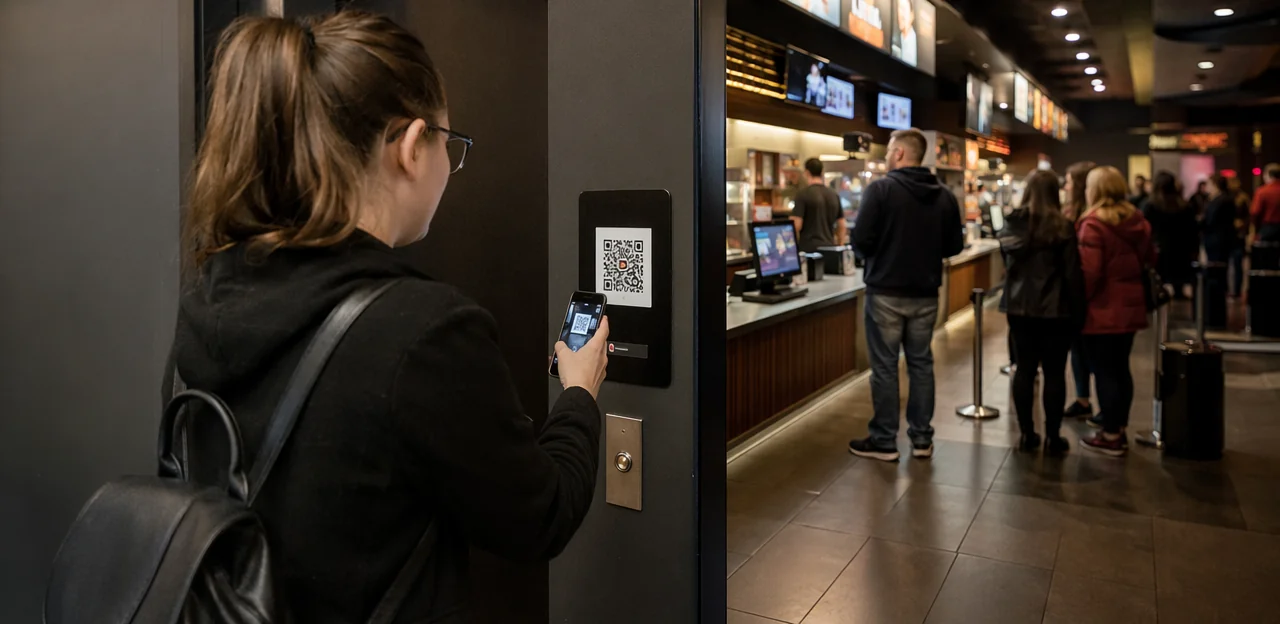
The movie may be over, but the audience experience is still fresh. That brief moment at the exit, in the lobby, or while waiting at the concessions stand is one of the best opportunities for cinemas to capture honest, high-quality feedback before it fades. A well-placed cinema feedback QR code can turn those everyday touchpoints into valuable insight, helping operators understand what guests loved, what caused friction, and where improvements are needed most.
For cinemas, timing and placement matter just as much as the questions being asked. A QR code near the auditorium exit can reveal reactions to sound, seating, screen quality, and overall enjoyment, while concession-area touchpoints can uncover issues with queue times, product availability, pricing, and service speed. When feedback is collected in the moment, it becomes more accurate, more actionable, and more useful for improving the next visit.
In this article, we’ll explore practical placement ideas for QR feedback points at exits and concessions, how to encourage more scans without disrupting the guest journey, and what cinemas should measure at each touchpoint. We’ll also look at how no-app solutions such as Tapsy can support real-time audience feedback and a smoother cinema experience.
Why QR code feedback matters in cinemas
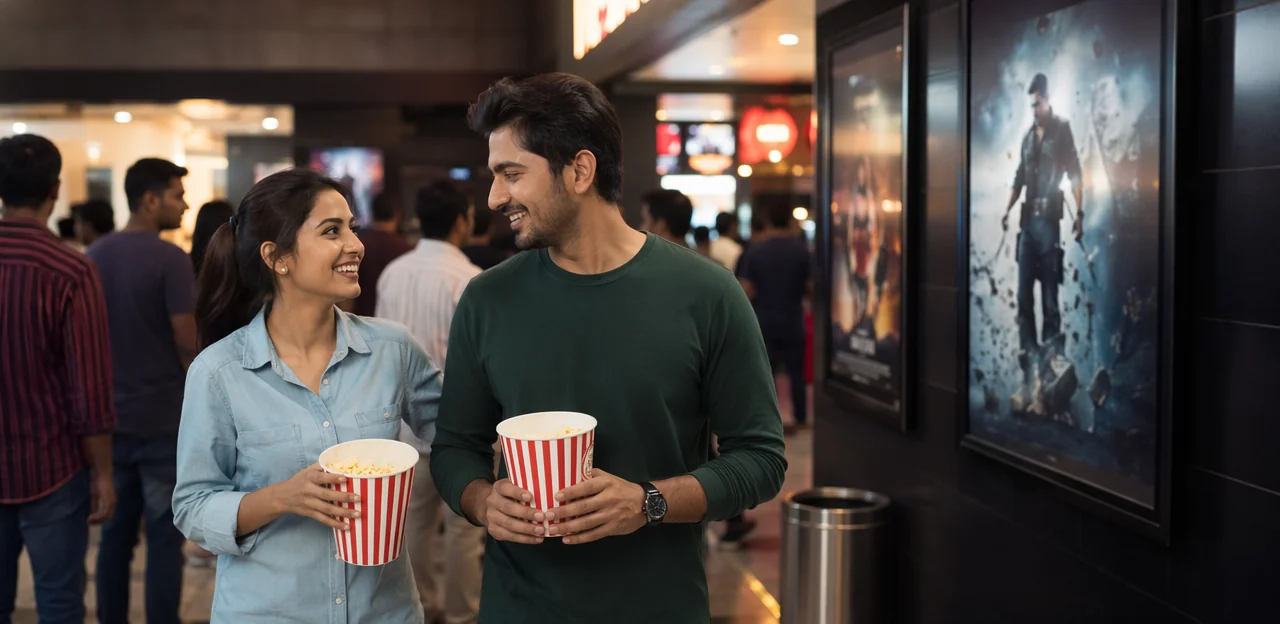
How instant feedback improves the audience experience
Collecting feedback before guests leave helps cinemas capture honest reactions while the visit is still fresh. A well-placed cinema feedback QR code at exits or concession areas makes it easy to gather real-time customer feedback and act on it fast.
- Spot recurring issues with seating comfort, screen visibility, or auditorium temperature
- Catch sound or picture problems before they affect more screenings
- Identify concerns around cleanliness, especially in restrooms, seats, and concession counters
- Monitor queue times and bottlenecks at snacks, tickets, or collection points
- Flag poor staff service early so managers can respond before negative reviews spread
This fast feedback loop improves the overall audience experience, protects repeat visits, and supports better day-to-day operations.
Why exits and concessions are high-intent touchpoints
Exits and concession areas are ideal moments for a cinema feedback QR code because guests are already pausing in the journey. While waiting in line, completing a purchase, or leaving the auditorium, they have a natural few seconds to scan without interrupting the film experience. This makes QR code placement feel helpful rather than intrusive.
- At concessions: capture concession feedback right after service, when speed, pricing, and order accuracy are still fresh.
- At auditorium doors and exits: a cinema exit survey works well because overall impressions are fully formed.
- In queue or pickup zones: short dwell times reduce friction and improve response rates.
Keep surveys short, visible, and easy to access—tools like Tapsy can support fast, no-app feedback collection.
QR codes and NFC as low-friction feedback tools
NFC and QR touchpoints make audience input immediate, especially when guests are already holding their phones. A cinema feedback QR code at exits or concession counters lets visitors scan, rate, and submit mobile feedback in seconds—without queues, logins, or app downloads.
- Faster than paper surveys: no pens, boxes, or manual data entry
- Better than email follow-ups: captures reactions while the film, sound, and service are still fresh
- Easier than app-only approaches: removes download friction and low adoption barriers
- More accessible: optional NFC touchpoints let guests tap instead of scan for a truly contactless cinema survey
Keep forms short: 1–3 questions, one comment field, and clear categories. Tools like Tapsy can support this no-app flow.
Best placement ideas for cinema exits
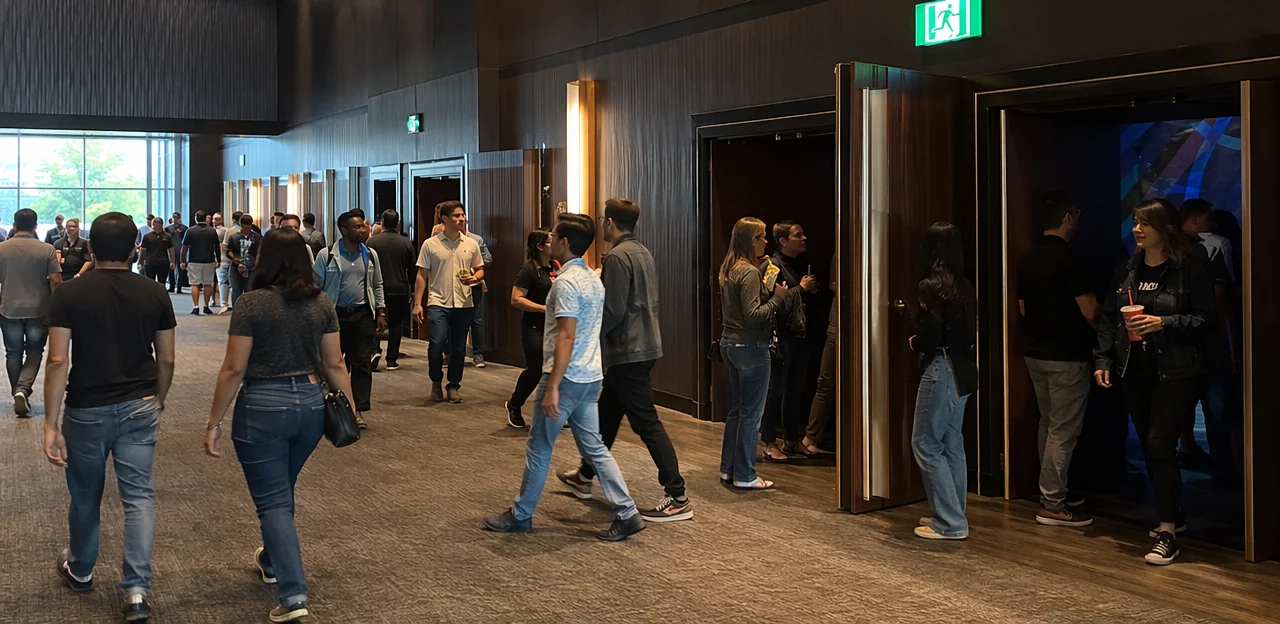
Auditorium exit doors and corridor walls
Place your cinema feedback QR code where guests naturally slow down after the credits, but not where they must stop in a tight stream of traffic. Good exit QR code placement options include:
- Door frames: Mount a small code at eye level on the latch side, visible as guests pass through.
- Poster lightboxes: Add a QR sticker or corner panel beside upcoming film posters, where people already glance.
- Wall decals: Use larger decals a few steps beyond the auditorium doors so scanning happens outside the main flow.
- Queue rails near concessions: Ideal for guests who pause before ordering, extending response time without blocking exits.
For a better movie theater survey response rate, keep signage well-lit, use short calls to action, and avoid placing codes directly on narrow choke points. If needed, tools like Tapsy can help connect these touchpoints to fast, no-app feedback flows.
Lobby transition zones before guests leave
The area between auditorium doors and the main exit is one of the best customer journey touchpoints for response capture. Guests naturally slow down, check directions, and reorient in this space, making it ideal for a well-placed cinema feedback QR code.
- Use digital signage: Add short prompts on lobby screens such as “How was your screening?” with a clear QR code and a 5-second call to action.
- Place standees in natural pause points: Position them near corridor openings, escalators, and exit bottlenecks where foot traffic briefly gathers.
- Integrate with wayfinding: Add QR code signage to directional signs like “Exit,” “Restrooms,” or “Parking,” so feedback feels like part of the journey, not an interruption.
- Keep the ask simple: Focus cinema lobby feedback on seat comfort, sound quality, cleanliness, and overall experience.
For smoother routing and reporting, tools like Tapsy can help connect feedback to specific touchpoints.
Restrooms, elevators, and parking exits
Secondary exit-adjacent spots are ideal when guests bypass the main lobby, leave quickly after credits, or split into different traffic flows. A cinema feedback QR code in these areas helps extend your venue feedback points beyond the obvious exit and improves response rates for a cinema exit survey.
- Restrooms: Best for a short “How was your visit tonight?” prompt while the experience is still fresh. Keep messaging broad and fast.
- Elevators: Useful in multi-level cinemas where guests pause naturally. Tailor copy to convenience, comfort, and overall experience.
- Parking exits: Strong for final-impression capture, especially after late shows. Use messaging like “Before you drive off, rate tonight’s visit in 10 seconds.”
For effective QR code customer feedback, keep signage simple, visible, and context-specific. If using a platform like Tapsy, route low scores instantly so staff can address recurring issues by location.
Best placement ideas for concession areas

Counter mats, menu boards, and pickup zones
Concession areas are ideal for feedback because guests naturally stop, wait, and look around. Place each cinema feedback QR code where it can be scanned with one hand and understood in seconds.
- Countertop displays: Use small upright signs or counter mats beside card terminals, where customers pause during payment. Add a short CTA such as “Rate your snacks in 10 seconds.”
- Tray liners and packaging: Print a food service survey QR code on tray liners, drink holders, napkin dispensers, or popcorn boxes so guests can respond while seated or waiting.
- Digital menu boards: Add a corner QR with a simple prompt focused on speed, value, or product quality to capture concession feedback without interrupting ordering.
- Pickup shelves and collection zones: Place codes at eye level on shelf strips or collection screens, where guests often wait for names or order numbers.
Keep the survey short, mobile-first, and touchpoint-specific for higher completion rates.
Tables, waiting areas, and self-service kiosks
Tables near lounge seating and pickup zones are ideal for a cinema feedback QR code because guests often have a few spare minutes before trailers or while waiting for food. This dwell time makes feedback feel optional, not disruptive.
- Place a QR code at concessions on table tents, tray liners, or napkin holders so it stays visible without blocking ordering flow.
- For cinema kiosk feedback, position codes beside the payment confirmation screen or on the side panel, where guests can scan after checkout rather than during payment.
- Keep placement at a comfortable viewing height: roughly chest to eye level on kiosks, and upright on tables rather than flat where glare can reduce scans.
- Use short prompts like “Rate your order wait time” or “Share your guest experience survey in 20 seconds.”
A lightweight tool like Tapsy can help cinemas capture quick, touchpoint-specific responses right where the experience happens.
Receipts, packaging, and loyalty touchpoints
Portable touchpoints help extend the cinema feedback QR code beyond the till, giving guests a simple way to respond during the film, on the way out, or once they get home.
- Printed receipts: Add a short CTA beside a receipt QR code survey, such as “Rate your snacks or service in 10 seconds.” This works especially well for concession queues and upsell tracking.
- Popcorn tubs and drink cups: A packaging QR code keeps feedback visible throughout the visit. Place it high on the design, with a short URL fallback in case the code gets creased.
- Take-away carriers and napkins: These are useful for portable reminders after the counter interaction has ended.
- Loyalty app screens or kiosk prompts: Use cinema loyalty feedback requests after points are earned, redeemed, or scanned.
For best results, keep surveys mobile-first, fast, and incentive-friendly. Platforms like Tapsy can support no-app feedback flows with rewards.
How to design QR feedback prompts that get more scans

Use clear calls to action and simple incentives
A strong cinema feedback QR code works best when the message is immediate, specific, and easy to trust. To increase scan rate, keep the QR code call to action short and benefit-led:
- Use direct prompts: “Rate your visit in 20 seconds” or “Tell us how tonight’s screening was.”
- Highlight the benefit: “Help us improve queues, sound, and seating.”
- Keep incentives simple: Offer a small customer feedback incentive such as a prize draw, free popcorn upgrade, or next-visit discount.
- Be transparent: State how long it takes, whether entry is optional, and when rewards are drawn or redeemed.
- Avoid overcomplication: Don’t combine too many steps, rules, or form fields.
Tools like Tapsy can support simple, no-app feedback and reward flows.
Optimize landing pages for speed and completion
A cinema feedback QR code only works if the QR code landing page feels effortless. Keep the experience fast, mobile-first, and friction-free:
- Prioritize mobile survey optimization: pages should load in under 2 seconds, use large tap targets, and avoid pop-ups or forced logins.
- Use a short feedback form with only essential questions tied to the touchpoint, such as cleanliness, queue time, or staff helpfulness.
- Start with a 1–5 star rating to capture quick sentiment.
- Follow with 2–4 multiple-choice options to identify the reason behind the score.
- Include one optional open-text field for specific issues or standout moments.
Tools like Tapsy can support fast, no-app feedback flows that improve completion rates.
Match prompts to the touchpoint context
To improve response quality, tailor each cinema feedback QR code prompt to the moment the guest is in. Strong touchpoint messaging makes a cinema customer survey feel relevant, fast, and easy to answer.
- At exits: Ask about the core viewing experience while it is still fresh. Use contextual feedback prompts such as:
- “How was the film and overall auditorium experience?”
- “Were sound, screen quality, seating, and cleanliness up to standard?”
- At concessions: Focus on transaction and service details:
- “How was the speed of service today?”
- “Were your snacks fresh, accurate, and good value?”
Keep wording short, specific, and tied to what happened at that location.
Measurement, operations, and compliance

Track scans, completion rates, and location performance
To improve each cinema feedback QR code, measure more than total scans. Strong QR code analytics help cinemas compare exits, foyer posters, seat-back cards, and concession counters with real data.
- Track scan volume: Identify which placement gets the most attention.
- Measure survey completion rate: A high scan count with a low survey completion rate may signal poor timing, weak messaging, or a long form.
- Review time-of-day trends: Compare pre-show, interval, and post-show engagement.
- Compare zones: Use location-based feedback tracking to benchmark individual screens, lobby areas, or concession points.
Assign a unique QR code or UTM-tagged link to every location. Tools like Tapsy can help centralize this performance data for faster optimization.
Turn feedback into operational improvements
A cinema feedback QR code only creates value when insights lead to fast action. Use guest feedback analysis to spot patterns by location, time, and issue type, then turn them into clear operational changes:
- Staffing: Increase team coverage during peak concession or exit periods.
- Queue management: Adjust line layouts, open extra tills, or assign floor staff to direct guests.
- Cleaning schedules: Trigger more frequent checks for restrooms, lobbies, and spill-prone areas.
- Food availability: Track stock-out complaints to improve forecasting for popular snacks and drinks.
- Auditorium maintenance: Escalate repeated reports about sound, seating, temperature, or screen quality immediately.
Fast follow-up is essential for service quality management and ongoing cinema operations improvement. Tools like Tapsy can help route urgent issues to the right team in real time.
Privacy, consent, and accessibility considerations
A cinema feedback QR code should make trust and usability obvious from the first scan. Keep these essentials in place:
- Show a clear consent notice: Explain what data is collected, why it is used, and whether responses support follow-up or marketing. This supports survey privacy compliance.
- Offer anonymous customer feedback: Let guests submit ratings without entering personal details, with an optional contact field only if they want a response.
- State data storage basics: Note where feedback is stored, who can access it, and how long it is retained.
- Use accessible QR code design: Add large print, strong contrast, simple instructions, and easy placement height.
- Provide alternatives: Include a short URL, NFC tap option, or staff-assisted feedback for guests who cannot scan easily.
Building a cinema-wide feedback strategy

Map feedback touchpoints across the full guest journey
Build a cinema feedback strategy around the full visit, not one survey at the door. Use customer journey mapping to assign one clear purpose to each cinema feedback QR code touchpoint:
- Ticketing: measure booking ease, queue speed, and staff helpfulness
- Lobby: capture wayfinding, cleanliness, and wait-time sentiment
- Concessions: track product availability, speed of service, and pricing perception
- Exits: ask about overall satisfaction, screen comfort, and likelihood to return
- Post-visit: collect richer comments on film choice, loyalty, and repeat intent
This supports audience experience optimization while keeping each prompt short and relevant.
Test, refine, and scale the best-performing placements
Before expanding any cinema feedback QR code setup across every auditorium or concession area, run small pilots and measure what actually drives scans and responses. Use A/B testing QR codes to compare:
- Signage design: bold colors vs. minimal layouts
- Wording: “Rate your visit” vs. “Share feedback in 10 seconds”
- Incentives: prize draw, snack discount, or loyalty points
- Placement height: eye level, counter edge, or exit doors
Review cinema marketing analytics weekly to optimize feedback collection by location, time, and audience flow. Then scale only the highest-performing combinations across screens or sites.
Combine QR and NFC for future-ready engagement
Using a cinema feedback QR code at exits and concession counters is a strong start, but adding NFC cinema touchpoints can improve response rates where speed matters most.
- Use QR codes where guests have a moment to scan, such as exit doors, seat-back cards, and tray liners.
- Add NFC taps in premium lounges, VIP screens, and busy concessions where one-tap access reduces friction.
- Deploy both together in high-traffic areas so guests can choose their preferred action.
This QR and NFC feedback approach supports broader contactless audience engagement, helping cinemas capture more timely insights with less effort.
Conclusion
In-cinema feedback works best when it meets guests at the moments that shape their experience most. By placing a cinema feedback QR code at exits, concession counters, lobby waiting areas, and other high-traffic touchpoints, cinemas can capture fresh, specific insights while the visit is still top of mind. Exit placements help measure the overall moviegoing experience, while concession-area QR codes reveal issues around queues, food quality, speed of service, and staff interactions. Together, these touchpoints give cinema teams a clearer view of what is delighting audiences and what needs attention.
The real value of a cinema feedback QR code is not just collecting responses, but turning them into action. Short, mobile-friendly forms, clear signage, and timely internal follow-up can help cinemas resolve problems faster, improve operations, and reduce the chance of negative public reviews. If incentives are used thoughtfully, they can also increase participation and encourage repeat visits.
As a next step, audit your venue’s audience journey and identify the best locations for QR and NFC touchpoints, starting with exits and concessions. Then test response rates, review feedback trends, and refine placement over time. For cinemas looking for a no-app way to manage these touchpoints, Tapsy is one example worth exploring. Start small, measure consistently, and turn every visit into a better audience experience.
Frequently Asked Questions
- Why should cinemas collect feedback immediately after a screening?
Feedback is more accurate when guests share it while the visit is still fresh. Immediate responses help cinemas spot issues with seating, sound, screen quality, cleanliness, and service before they affect more visits or lead to negative reviews.
- Why are exits and concession areas strong places for cinema feedback QR codes?
These are high-intent touchpoints where guests naturally pause while leaving, waiting, or collecting orders. That makes scanning feel convenient rather than disruptive and improves the chance of getting timely, relevant feedback.
- What should cinemas ask at auditorium exits?
Exit surveys should focus on the core viewing experience, such as sound, screen quality, seating comfort, cleanliness, and overall enjoyment. This is the best moment to capture a complete impression because the screening has just ended.
- What kind of feedback should be collected at concessions?
Concession touchpoints should ask about queue times, speed of service, pricing, product availability, freshness, order accuracy, and staff helpfulness. These details are easiest for guests to answer right after ordering or pickup.
- Where exactly should a QR code be placed near cinema exits?
Good options include door frames at eye level, poster lightboxes, wall decals a few steps beyond auditorium doors, and queue rails near concessions. The code should be visible and easy to scan without forcing guests to stop in a narrow traffic flow.
- Are lobby transition zones better than placing codes directly at the auditorium door?
Lobby transition zones often work well because guests slow down there to reorient, check directions, or head toward exits and facilities. This gives them a more comfortable moment to scan than a tight doorway where traffic is still moving.
- Can cinemas use restrooms, elevators, or parking exits for feedback collection?
Yes, these secondary locations help capture responses from guests who skip the main lobby or leave through different routes. They are especially useful for broad prompts about the overall visit and final impressions.
- What are the best concession-area surfaces or objects for QR feedback prompts?
Effective placements include countertop displays, counter mats, tray liners, drink holders, napkin dispensers, popcorn boxes, digital menu boards, pickup shelves, and collection screens. These work well because guests are already waiting, paying, or handling food and drinks.
- How short should a cinema QR feedback survey be?
The recommended format is 1 to 3 questions, plus one optional comment field. A fast flow often starts with a 1 to 5 star rating, followed by a few multiple-choice options tied to the touchpoint.
- What makes a QR feedback prompt more likely to get scanned?
Clear calls to action, simple wording, and visible benefits help increase scans. Prompts like rating a visit in seconds, combined with a small incentive such as a prize draw, popcorn upgrade, or next-visit discount, can encourage participation when the process stays simple.
- How should the landing page work after someone scans a cinema feedback QR code?
It should load quickly, be mobile-first, and avoid unnecessary friction like pop-ups or forced logins. Large tap targets, a short form, and touchpoint-specific questions help improve completion rates.
- Is QR feedback better than paper surveys, email follow-ups, or app-only methods in cinemas?
QR and NFC feedback are faster than paper because they remove manual handling and data entry. They also capture fresher reactions than email follow-ups and avoid the download barrier that often limits app-only participation.
- What should cinemas measure to know whether a QR placement is working?
They should track scan volume, survey completion rate, time-of-day patterns, and performance by location. Using a unique QR code or tagged link for each touchpoint makes it easier to compare exits, lobby areas, and concession zones.
- How can cinemas turn QR feedback into operational improvements?
Feedback should be reviewed by location, time, and issue type so teams can act on patterns quickly. Common actions include adjusting staffing, improving queue layouts, increasing cleaning checks, fixing stock issues, and escalating repeated auditorium maintenance problems.
- What privacy and accessibility basics should be included in a cinema feedback setup?
Cinemas should show a clear consent notice, explain what data is collected, and allow anonymous responses with an optional contact field. They should also use accessible design with large print, strong contrast, easy placement height, and alternatives such as a short URL, NFC tap, or staff-assisted feedback.