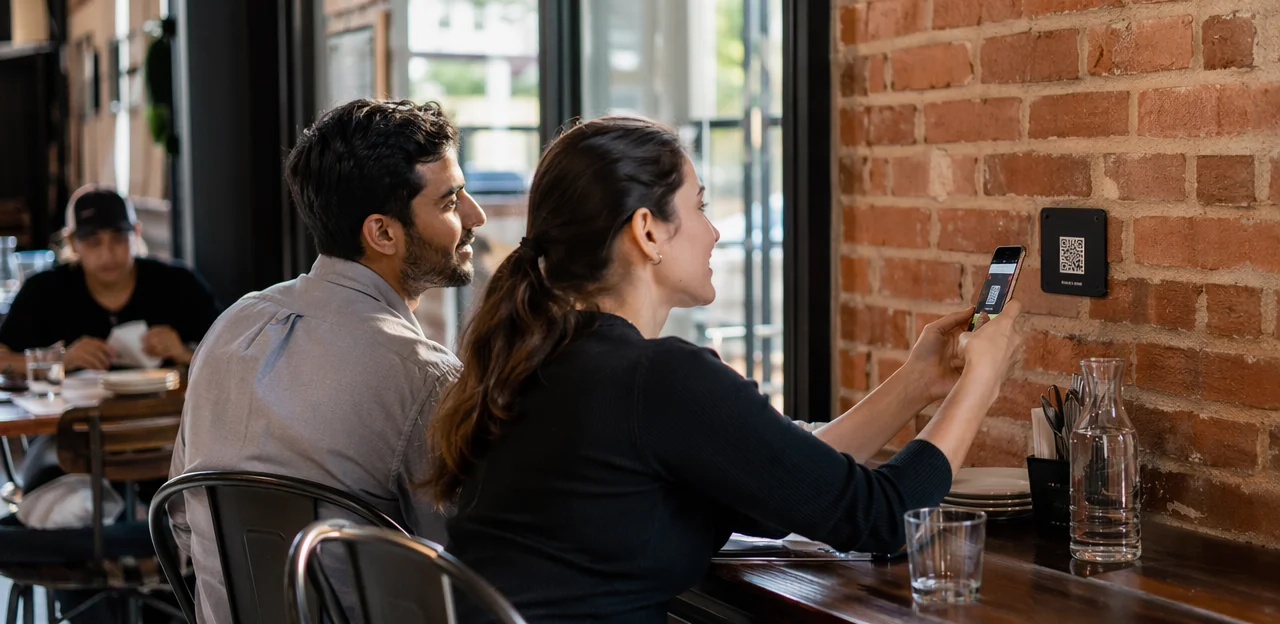
In today’s experience-driven market, businesses can’t afford to wait days for customer opinions to arrive through ignored emails or low-response surveys. That’s why qr feedback signs are becoming a smarter, faster way to capture insights exactly where interactions happen—on restaurant tables, retail counters, hotel walls, reception desks, clinics, and more. With a simple scan, customers can share feedback in the moment, giving brands a direct path to better service, stronger loyalty, and more actionable data.
From branded qr code stickers and countertop displays to wall-mounted signage, these touchpoints are now being used across industries to turn physical spaces into real-time feedback channels. Choosing the right format matters, whether you need durable qr stickers, a removable qr code sticker, a window-facing qr decal, or guidance on qr code printing for high-traffic environments. Details such as placement, design, and even qr code sticker size can influence scan rates and overall engagement.
This article explores how QR feedback signage works across industries, what to consider when you print qr code stickers, and how modern platforms increasingly combine QR touchpoints with AI and analytics to uncover trends, measure satisfaction, and improve customer experience at scale.
Why QR Feedback Signs Matter Across Industries

How instant feedback improves customer experience
QR feedback signs turn tables, counters, and walls into low-friction touchpoints where customers can respond in seconds. A quick scan from well-placed qr code stickers or a durable qr decal captures feedback while the experience is still fresh, making responses more accurate than delayed email or SMS surveys.
Why this improves customer experience:
- Higher completion rates: guests are more likely to scan qr stickers on-site than open a survey later.
- More actionable insights: staff can spot issues immediately and recover service before dissatisfaction grows.
- Better context: placement and smart qr code printing help tie feedback to a table, counter, or location.
For best results, print qr code stickers with clear calls to action and choose the right qr code sticker size so each qr code sticker is easy to notice and scan.
Use cases for hospitality, retail, healthcare, and service businesses
QR feedback signs work best anywhere customers naturally pause, wait, or complete a transaction, making them ideal for cross-industry feedback programs.
- Restaurants: Place table tents or qr code stickers on menus so diners can rate food, service, and cleanliness before they leave.
- Retailers: Use counter displays, a qr decal, or a qr code sticker at checkout to capture feedback while the purchase is still fresh.
- Clinics and healthcare settings: Add wall signage in waiting rooms, reception, or exits. Clear qr code printing and the right qr code sticker size improve scan rates.
- Service businesses: Salons, repair teams, and home services can use mobile cards, receipts, or portable qr stickers to collect feedback on the spot.
For best results, print qr code stickers with a strong call to action, keep surveys short, and place signs exactly where customer attention naturally stops.
Why QR and NFC touchpoints outperform traditional comment cards
Traditional comment cards and verbal feedback are easy to ignore, hard to organize, and nearly impossible to analyze at scale. QR feedback signs give customers a faster, low-friction way to respond in the moment, which improves completion rates and data quality.
- Faster access: Guests scan qr code stickers or tap NFC & QR touchpoints instead of finding a pen or waiting for staff.
- Better tracking: Digital responses are time-stamped, location-linked, and easier to compare across tables, counters, and walls.
- Stronger analytics: Unlike paper forms, digital tools turn feedback into trends, sentiment insights, and operational actions.
- Higher visibility: A well-placed qr decal, qr stickers, or qr code sticker can capture feedback exactly where service happens.
For best results, invest in clear qr code printing, print qr code stickers with strong contrast, and choose the right qr code sticker size for each surface.
Choosing the Right Format: Stickers, Decals, and Printed Signs

When to use qr code stickers, qr stickers, or a qr decal
For qr feedback signs, the right format depends on surface, traffic, and cleaning needs.
- QR code stickers / qr stickers: Best for tables, counters, packaging, and equipment. They’re affordable, fast to replace, and ideal when promotions or feedback links may change. Choose laminated finishes for better spill and wipe resistance. When planning qr code printing, use a durable adhesive and test the qr code sticker size so scans work from normal standing or seated distance.
- QR decal: Better for windows, walls, doors, and long-term branded placements. A qr decal usually looks more polished, covers larger areas cleanly, and can handle frequent cleaning better than a basic qr code sticker.
If you need flexibility, print qr code stickers. If you want a more permanent, design-led finish, choose a decal.
Best materials, finishes, and qr code printing options
Choosing the right materials helps qr feedback signs stay scannable, attractive, and durable across tables, counters, and walls.
- Vinyl and rigid plastics: Great for everyday indoor use. QR code stickers, qr stickers, and each qr code sticker should resist peeling, curling, and spills.
- Laminated finishes: Matte laminate reduces glare under restaurant or retail lighting, while gloss can work in lower-glare spaces.
- Waterproof materials: Essential for cafés, bars, hotel bathrooms, patios, and outdoor counters. A qr decal on waterproof stock lasts longer.
- Anti-scratch coatings: Protect high-touch signs from wear that can damage the code.
For reliable qr code printing, use high contrast, sharp edges, and adequate quiet space around the code. When you print qr code stickers, test scan distance, lighting, and qr code sticker size before full production to avoid unreadable codes.
How to choose the right qr code sticker size for visibility and scans
For qr feedback signs, the right qr code sticker size depends on how far away people stand, how high the code is placed, and how bright the area is. A practical rule: make the code at least 1 inch for every 10 inches of scanning distance.
- Table tents: Use a 1.2–1.5 inch qr code sticker for close-up scans at seated distance.
- Checkout counters: Choose 1.5–2 inches so customers can scan quickly while standing and paying.
- Wall signs: Go with 2.5–4 inches for codes viewed from several feet away.
- Compact product displays: A 0.8–1.2 inch qr decal can work if lighting is strong and the surface is flat.
For low light, glossy materials, or angled placement, size up your qr stickers and increase contrast. Good qr code printing also matters—always test before you print qr code stickers or order bulk qr code stickers.
Placement Strategy for Tables, Counters, and Walls

Table placement for dine-in, waiting areas, and shared spaces
Well-placed qr feedback signs should be easy to spot without interrupting conversation, dining, or work. On restaurant and café tables, use compact table tents or small stand-up signs positioned near condiments, bill holders, or menu displays so guests notice them naturally. In lounges, waiting areas, and break rooms, keep signage at eye level when seated and avoid cluttering shared surfaces.
- Table tents: Best for dine-in tables; keep messaging short and the code facing the main seating angle.
- Adhesive qr code stickers: Ideal for counters, trays, or tabletops; use durable qr stickers or a discreet qr decal that resists spills.
- Small stand-up signs: Useful in shared spaces where temporary placement matters.
For readability, prioritize clear qr code printing and test the right qr code sticker size before you print qr code stickers or order each qr code sticker.
Counter placement at checkout, reception, and service desks
Counters are one of the best places for qr feedback signs because the interaction has just ended and the experience is still fresh. Whether it is customer feedback at checkout, after a pickup, or following a support request, a quick scan can capture honest, high-intent responses in seconds.
- Place qr stickers beside card terminals, receipt trays, and pickup counters so guests see them during natural pauses.
- Use qr code stickers at front desks and service counters with a short prompt like “How did we do today?”
- Add a qr decal near self-service kiosks for instant feedback after completion.
- Prioritize clear qr code printing with strong contrast and test scan distance before rollout.
- Choose the right qr code sticker size so codes stay visible without cluttering the counter.
- If scaling across locations, print qr code stickers with placement-specific messaging for better response rates.
Wall placement for entrances, exits, and high-traffic zones
Wall-mounted qr feedback signs work best where people naturally slow down: lobbies, hallways, elevator banks, waiting areas, and exits. In these pause points, wall feedback signage can capture more thoughtful responses than table prompts because customers often have a free moment to scan and complete a slightly longer form.
- Place signs at eye level with clear line of sight and minimal visual clutter.
- Use direct CTAs such as “Tell us how we did,” “Scan to rate your visit,” or “Share feedback in 30 seconds.”
- Match the format to the space: a durable qr decal for glass, a mounted sign for walls, or qr code stickers near elevators and doors.
- Ensure strong contrast, reliable qr code printing, and the right qr code sticker size for scanning from a short distance.
- When deploying qr stickers or a qr code sticker, test placement, glare, and traffic flow before scaling or choosing to print qr code stickers in bulk.
Designing QR Feedback Signs That Get More Scans

Calls to action, branding, and trust signals
Effective qr feedback signs depend on clear messaging and confidence-building design. For better scan rate optimization, keep the prompt short, specific, and low-friction: “Tell us how we did,” “Share feedback in 10 seconds,” or “Scan to rate your visit.”
- Use strong CTAs on qr code stickers, qr stickers, or a wall-mounted qr decal so guests instantly know the benefit.
- Add your logo, brand colors, and consistent typography to make each qr code sticker feel official rather than suspicious.
- Include a privacy line such as “No app required” or “Your response is private” to increase completion rates.
- Match qr code printing quality and qr code sticker size to viewing distance; when you print qr code stickers, ensure fast, reliable scanning from tables, counters, and walls.
Mobile-first landing pages and short feedback flows
Even the best qr feedback signs fail if the scan leads to a slow, cluttered page. The destination must be as frictionless as the sign, whether guests scan qr code stickers on tables, a wall qr decal, or a counter qr code sticker.
- Use a fast-loading mobile feedback form with 1–3 taps to complete.
- Keep fields minimal: rating, short comment, optional contact info.
- Design for thumbs: large buttons, clear contrast, and mobile-friendly spacing.
- Route responses by intent: complaints to managers, praise to marketing/reviews, and operational issues to on-site teams.
When planning qr code printing, print qr code stickers at a readable qr code sticker size so scans open instantly. Well-designed qr stickers improve completion rates and speed issue resolution.
Accessibility, multilingual support, and testing for scan success
Effective qr feedback signs should be easy to notice, read, and scan for every visitor. To improve usability and make accessible QR signage more inclusive:
- Use large, readable typography, plain instructions, and high color contrast.
- Mount signs at comfortable viewing height on tables, counters, and walls, with enough space around the code.
- Add short multilingual prompts so diverse audiences know exactly what to do.
Before rollout, test qr code printing carefully. Verify that your qr code stickers, qr stickers, qr code sticker, or qr decal scan reliably across iPhone and Android devices, different camera apps, and bright or dim lighting. When you print qr code stickers, confirm the qr code sticker size is large enough for quick scans at real-world distances.
Using AI, Analytics, and Software to Turn Feedback Into Action

Core software features to look for
When comparing software for qr feedback signs, prioritize tools that scale cleanly from one location to many:
- Dynamic QR management: Update destinations without reprinting every qr code sticker, qr decal, or table sign. This matters when offers, surveys, or menus change.
- Location-level reporting: Track performance by site, room, table, counter, or wall placement to see which touchpoints drive responses.
- Real-time alerts: Route low ratings or urgent complaints instantly to staff so issues can be fixed before customers leave.
- Integrations: Choose platforms that connect with CRM, POS, help desk, and loyalty tools.
- Permissions and roles: Multi-site teams need secure access by region, brand, or department.
- Response workflows: Look for automated follow-ups, case assignment, and closure tracking.
Also check support for qr code printing, print qr code stickers, and practical guidance on qr stickers and qr code sticker size for different surfaces.
How AI and analytics reveal trends, sentiment, and root causes
With qr feedback signs placed on tables, counters, and walls, every scan becomes usable insight. AI & analytics turn open-text comments into patterns teams can act on fast, improving service quality and customer experience analytics across locations.
- Categorize feedback automatically: AI groups comments into themes such as wait times, cleanliness, staff friendliness, product quality, or checkout friction.
- Detect sentiment: Responses are tagged as positive, neutral, or negative, helping managers spot service dips before they affect reviews.
- Summarize recurring issues: Analytics reveal whether complaints are tied to a specific location, shift, or team member.
- Improve touchpoint performance: Compare results from qr code stickers, a qr decal, or wall signage to see which placements drive the best response quality.
When planning qr code printing, print qr code stickers with the right qr code sticker size so scans stay easy and consistent, whether using qr stickers or a single qr code sticker at key touchpoints.
Tracking performance from scan to resolution
To prove ROI from qr feedback signs, track the full journey from first scan to closed-loop action. The most useful feedback analytics include:
- Scan rate: how often guests interact with each qr decal or display by location
- Completion rate: whether your prompt, offer, and qr code sticker size make feedback easy to finish
- Response volume: total submissions by table, counter, wall, or department
- Sentiment trends: recurring praise, complaints, and service patterns over time
- Issue resolution time: how quickly teams acknowledge and fix reported problems
- Location comparisons: which placements perform best with different messaging
These KPIs help optimize qr code stickers, from where you place a qr code sticker to how you handle qr code printing. If scan rates are low, test larger qr stickers or adjust CTA copy. If completions lag, review form length and print qr code stickers in a more visible qr code sticker size.
Implementation Best Practices and Common Mistakes to Avoid

Launching a pilot and scaling across locations
Start with a small pilot using qr feedback signs on a few high-traffic tables, counters, or walls, then compare scan rates, response volume, and feedback quality before a broader multi-location rollout.
- Test 3–5 placements first and track which format performs best, such as a table tent, wall-mounted qr decal, or counter display.
- Standardize your qr code stickers and qr stickers with consistent branding, CTA wording, and a clear qr code sticker size for easy scanning.
- Use one approved qr code sticker and signage template library so every site can print qr code stickers and handle qr code printing consistently.
- Keep reporting uniform across locations with shared dashboards, naming conventions, and KPIs to scale what works quickly.
Common mistakes with placement, printing, and survey design
Many qr feedback signs underperform because of avoidable execution issues. Watch for these common mistakes:
- Poor visibility: Low-contrast designs, glare, or busy backgrounds make codes hard to scan. Good qr code printing should be sharp, high-contrast, and tested in real lighting.
- Codes that are too small: The wrong qr code sticker size can kill response rates. A tiny qr code sticker on a table tent or wall sign is easy to miss and harder to scan.
- Weak calls to action: “Scan here” is less effective than “Scan for 10% off” or “Tap to leave 30-second feedback.”
- Long forms: Keep surveys short and mobile-friendly.
- Bad placement: Don’t use qr code stickers, qr stickers, or a qr decal where guests must bend awkwardly, reach across counters, or scan from a distance. Always test before you print qr code stickers.
Maintaining, updating, and refreshing signage over time
To keep qr feedback signs effective, review them regularly for cleanliness, visibility, and scan performance. A simple monthly audit helps you spot faded designs, poor placement, or low-response locations before they hurt engagement.
- Wipe signs often so grease, dust, or fingerprints do not block scans.
- Replace any worn qr decal, peeling qr stickers, or damaged qr code stickers immediately.
- Use dynamic codes so you can update destinations without reprinting every qr code sticker.
- Reassess qr code sticker size and placement based on scan data and customer behavior.
- Improve design clarity during qr code printing and reorders when you print qr code stickers for high-traffic areas.
Analytics should guide every refresh cycle, helping you refine messaging, incentives, and placement over time.
Conclusion
In a market where speed, convenience, and actionable insight matter more than ever, qr feedback signs offer one of the simplest ways to capture real customer sentiment at the moment it happens. Whether placed on tables, counters, walls, doors, or service points, they help businesses across industries turn everyday interactions into measurable customer experience data. With the right setup, qr code stickers, qr stickers, or a durable qr decal can guide customers to fast, frictionless feedback flows that improve service, uncover trends, and support smarter decisions through AI and analytics.
The key is choosing signage that is easy to scan, clearly branded, and designed for the environment. That means thinking through placement, qr code printing quality, material durability, and even practical details like qr code sticker size to ensure reliable engagement. If you need to scale across locations, it also helps to standardize how you print qr code stickers and manage reporting from every touchpoint.
Now is the time to audit your customer journey, identify high-traffic touchpoints, and deploy qr feedback signs where they will have the biggest impact. Start with a pilot using a well-designed qr code sticker or wall sign, measure response rates, and refine from there. For businesses looking to combine QR and NFC touchpoints with real-time feedback and analytics, platforms like Tapsy can be a useful next step.
Frequently Asked Questions
- What are QR feedback signs used for?
QR feedback signs let customers share feedback at the exact place where an interaction happens, such as a table, counter, wall, or reception desk. They help businesses collect faster, more accurate responses than delayed email or SMS surveys.
- Why do QR feedback signs often work better than comment cards?
They remove friction by letting people scan or tap instead of finding a pen or waiting for staff. Digital responses are also easier to time-stamp, link to a location, and analyze for trends, sentiment, and operational issues.
- Which businesses can benefit most from QR feedback signs?
They work well in restaurants, retail stores, clinics, hotels, salons, repair services, and other service businesses. The best fit is any environment where customers naturally pause, wait, or finish a transaction.
- How do I choose between QR code stickers and a QR decal?
QR code stickers are better for tables, counters, packaging, and equipment because they are affordable and easy to replace. A QR decal is usually better for windows, walls, doors, and longer-term branded placements where a more polished and durable finish is needed.
- What materials and finishes help QR feedback signs last longer?
Vinyl and rigid plastics are useful for everyday indoor use because they resist peeling, curling, and spills. Matte laminate helps reduce glare, waterproof materials are important in wet areas, and anti-scratch coatings protect codes in high-touch environments.
- What QR code sticker size should I use?
A practical rule is to make the code at least 1 inch for every 10 inches of scanning distance. Table tents usually need 1.2–1.5 inches, checkout counters 1.5–2 inches, and wall signs about 2.5–4 inches depending on viewing distance.
- Where should QR feedback signs be placed on tables?
Place them where guests naturally look without interrupting dining or conversation, such as near condiments, bill holders, or menu displays. Compact table tents and small stand-up signs work well when the code faces the main seating angle.
- What is the best spot for QR feedback signs at checkout or reception?
Put them beside card terminals, receipt trays, pickup counters, front desks, or self-service kiosks where customers already pause. This timing helps capture feedback while the experience is still fresh and easy to recall.
- How should wall-mounted QR feedback signs be positioned?
They should be placed at eye level in areas where people naturally slow down, such as lobbies, hallways, waiting areas, elevator banks, and exits. Clear sightlines, minimal clutter, and a direct call to action improve scan rates.
- What design elements help a QR feedback sign get more scans?
Short calls to action like 'Tell us how we did' or 'Scan to rate your visit' make the purpose clear immediately. Branding, strong contrast, readable typography, and trust signals such as 'No app required' or 'Your response is private' can also improve completion.
- What should happen after someone scans the code?
The scan should open a fast mobile-first feedback form that takes only 1–3 taps to complete. The form should stay simple, using a rating, a short comment field, and optional contact information.
- How can QR feedback signs be made more accessible and inclusive?
Use large readable text, plain instructions, high color contrast, and mounting heights that are comfortable to view. Short multilingual prompts and testing across iPhone and Android devices in different lighting conditions also improve usability.
- What software features matter when managing QR feedback signs across locations?
Useful features include dynamic QR management, location-level reporting, real-time alerts, integrations with CRM or POS tools, permissions for multi-site teams, and response workflows. These features help businesses update destinations, compare performance, and act on low ratings quickly.
- How do AI and analytics improve feedback collected from QR signs?
AI can group comments into themes such as wait times, cleanliness, staff friendliness, product quality, or checkout friction. Analytics can also detect sentiment, summarize recurring issues, and compare which placements produce the best response quality.
- What common mistakes reduce QR feedback sign performance?
Frequent problems include poor visibility, glare, low contrast, codes that are too small, weak calls to action, long forms, and awkward placement. Regular cleaning, replacing worn signage, testing scan distance, and reviewing performance data help keep results strong over time.